

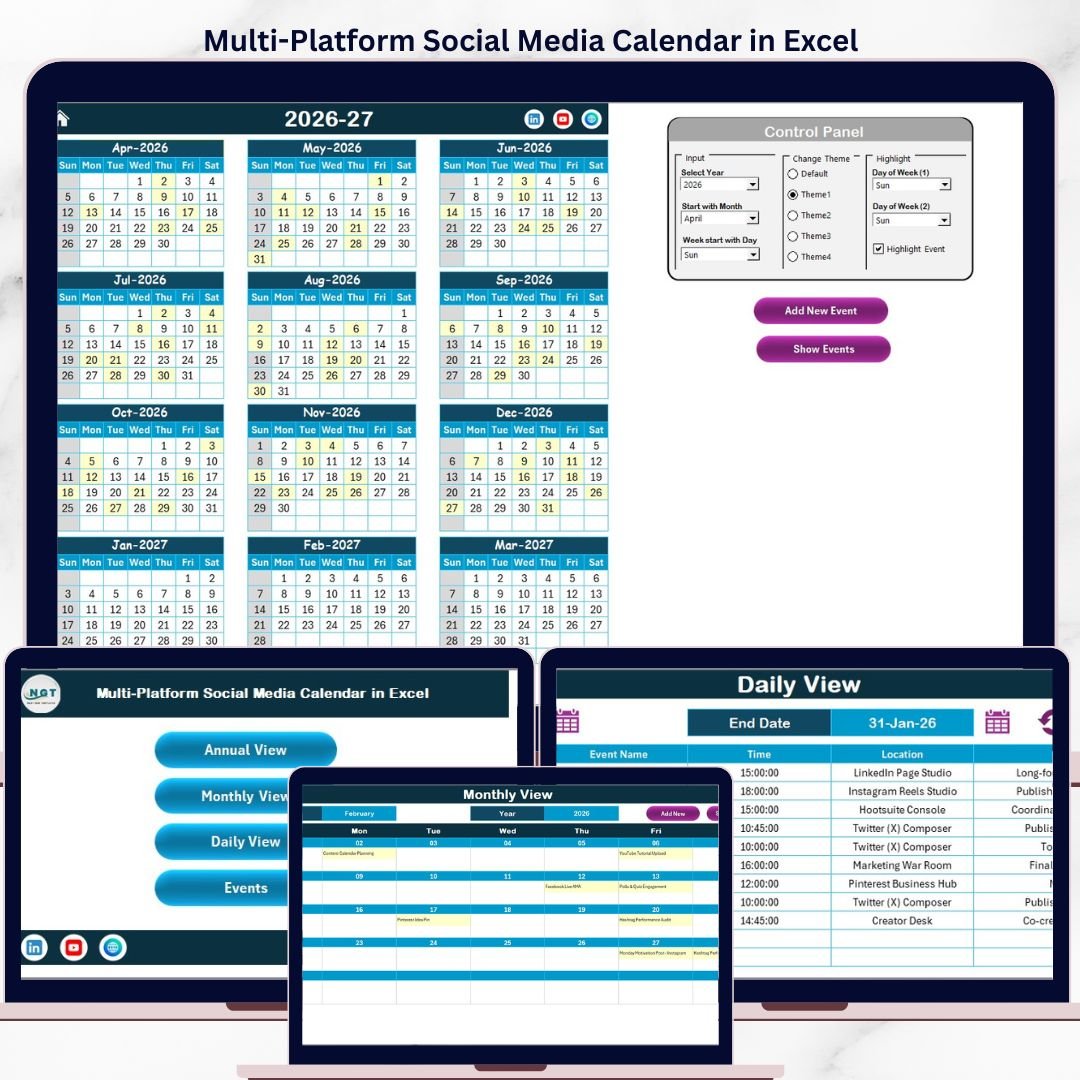
The Multi-Platform Social Media Calendar in Excel tracks social media events across 4 interactive views — Annual, Monthly, Daily, and Events database — using 7 data fields per entry (ID, Date, Day, Event Name, Time, Location, Description). It displays 12 months of posts in a single annual view, supports 5 color themes, and lets you add, update, or delete events using built-in VBA forms. Setup takes under 10 minutes — enter your content schedule and every view updates automatically.
🌍 Join 8,400+ teams in 40+ countries using NextGenTemplates to replace paid SaaS tools with one-time-purchase Excel, Excel Calendar Templates, Power BI, and HTML templates.
✅ Instant download · One-time payment of $4.99 · No subscription · No per-user fees · Lifetime access
🔑 Key Features of Multi-Platform Social Media Calendar in Excel
Multi-Platform Social Media Calendar in Excel
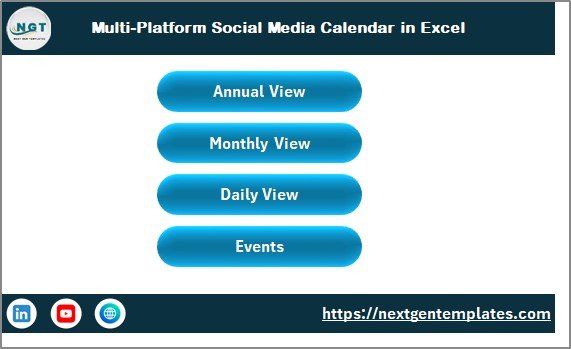
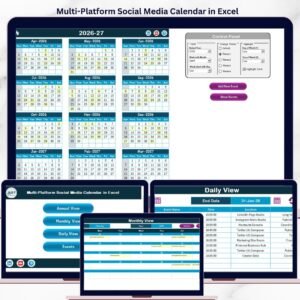
📅 5-worksheet architecture — A Home index sheet with 4 navigation buttons, Annual View showing all 12 months, Monthly View for single-month detail, Daily View for date-range event lists, and an Events database capturing 7 fields per post.
🎨 5 built-in color themes — Switch the entire workbook appearance with a single click from the Annual View control panel. Choose the theme that matches your brand or campaign palette.
📝 VBA-powered event forms — Add, update, or delete social media events using clean pop-up forms. No manual row editing — just click Add New Event, fill the form, and hit Submit.
🔍 Day and event highlighting — Select up to 2 weekdays to highlight (e.g., Saturday and Sunday in grey) and toggle yellow event highlighting across the annual calendar.
📆 Flexible calendar start settings — Configure the year, starting month, and starting day of week from the control panel to align with your editorial or fiscal calendar.
📦 What’s Inside the Multi-Platform Social Media Calendar in Excel
🏠 Home Sheet
An index sheet with 4 quick-navigation buttons — Annual View, Monthly View, Daily View, and Events. Your content calendar command center.
📅 Annual View Sheet
Annual View Sheet tab
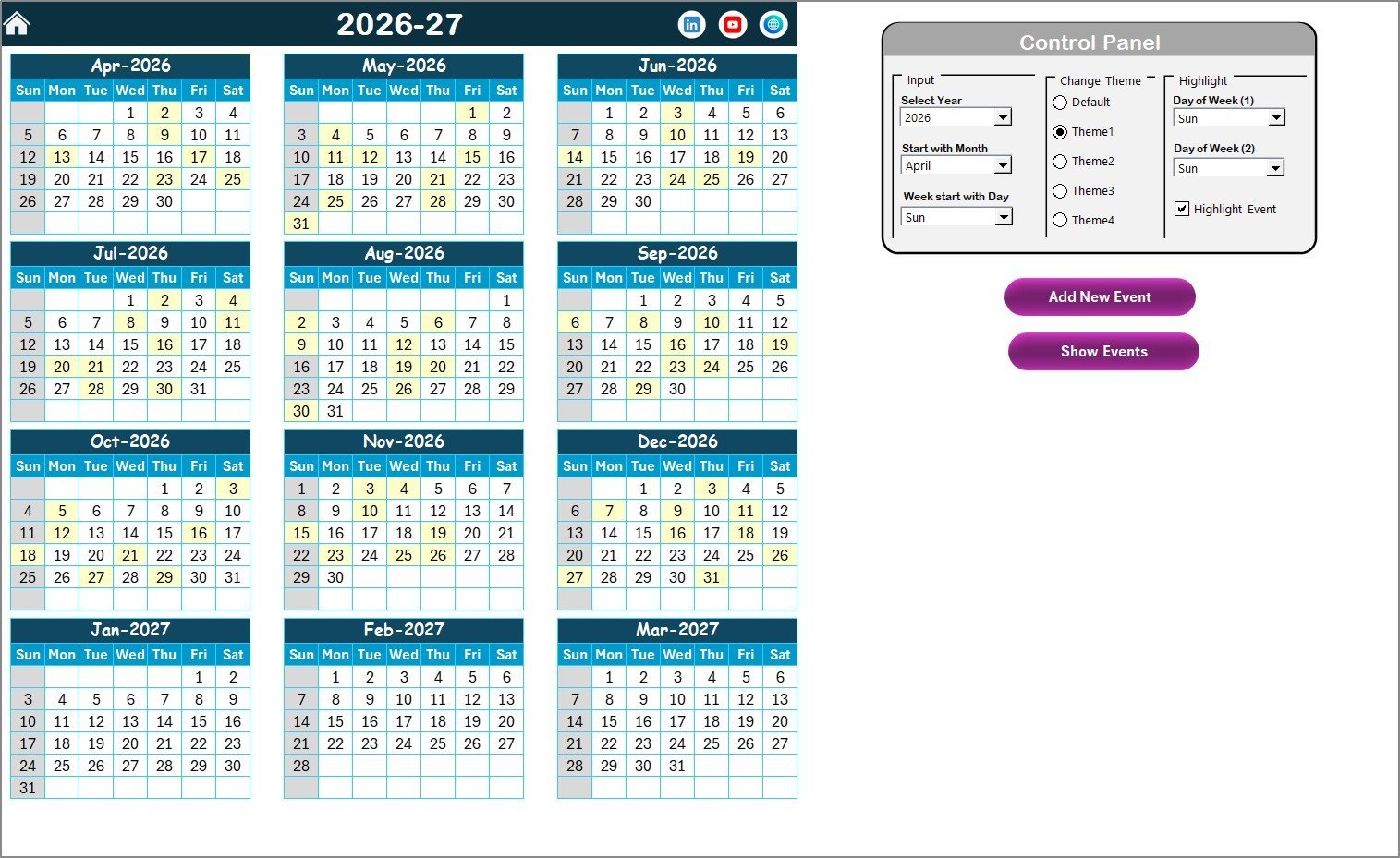
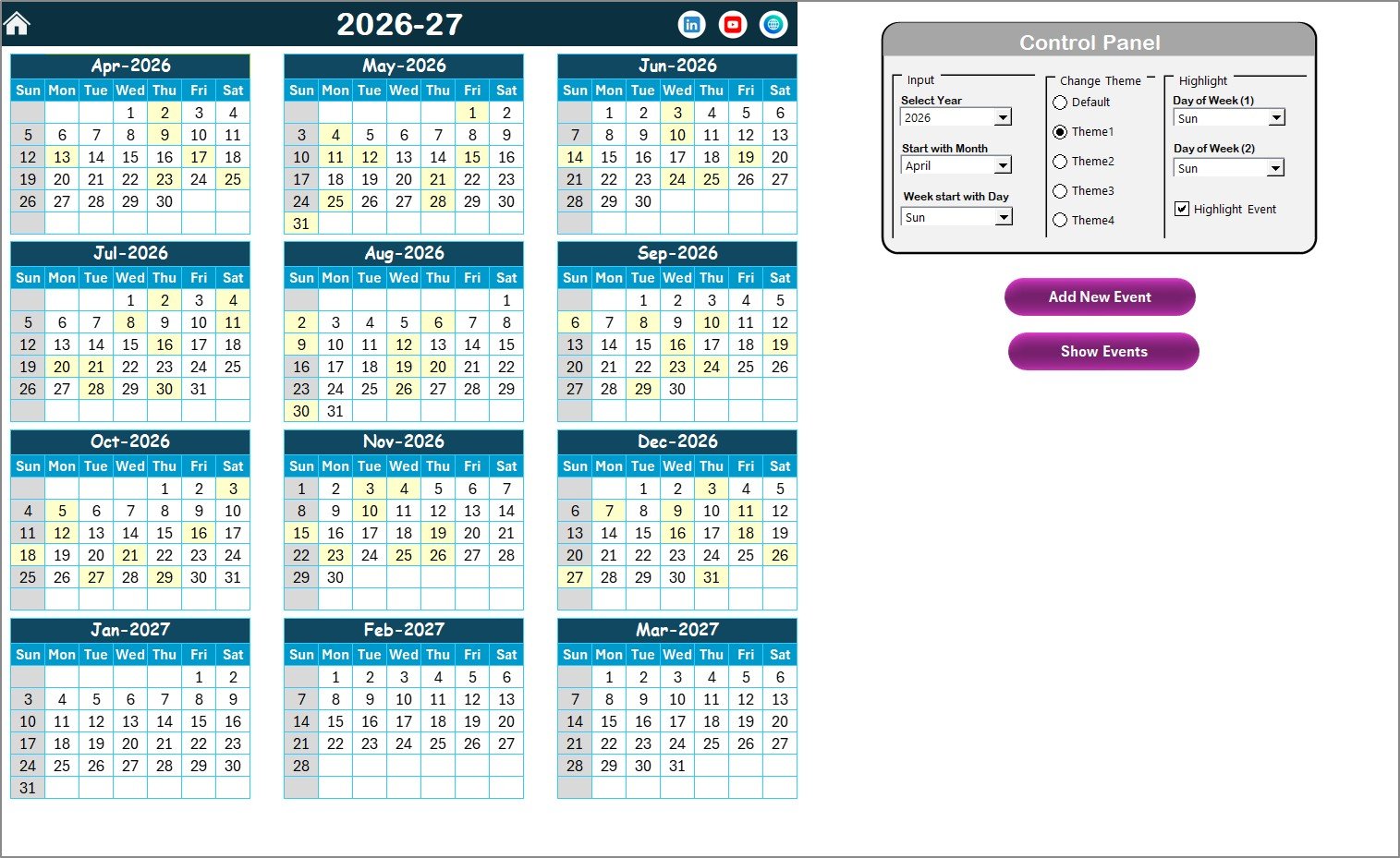
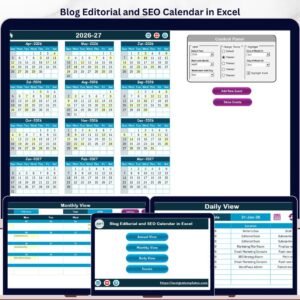
All 12 months in a single view. The control panel has three groups: Input (Year, starting month, starting day of week), Change Theme (5 color options), and Highlight (mark up to 2 weekdays and toggle yellow event highlighting). Two action buttons — Add New Event and Show Event — let you manage entries directly from the calendar.
📋 Monthly View Sheet
Monthly View Sheet tab
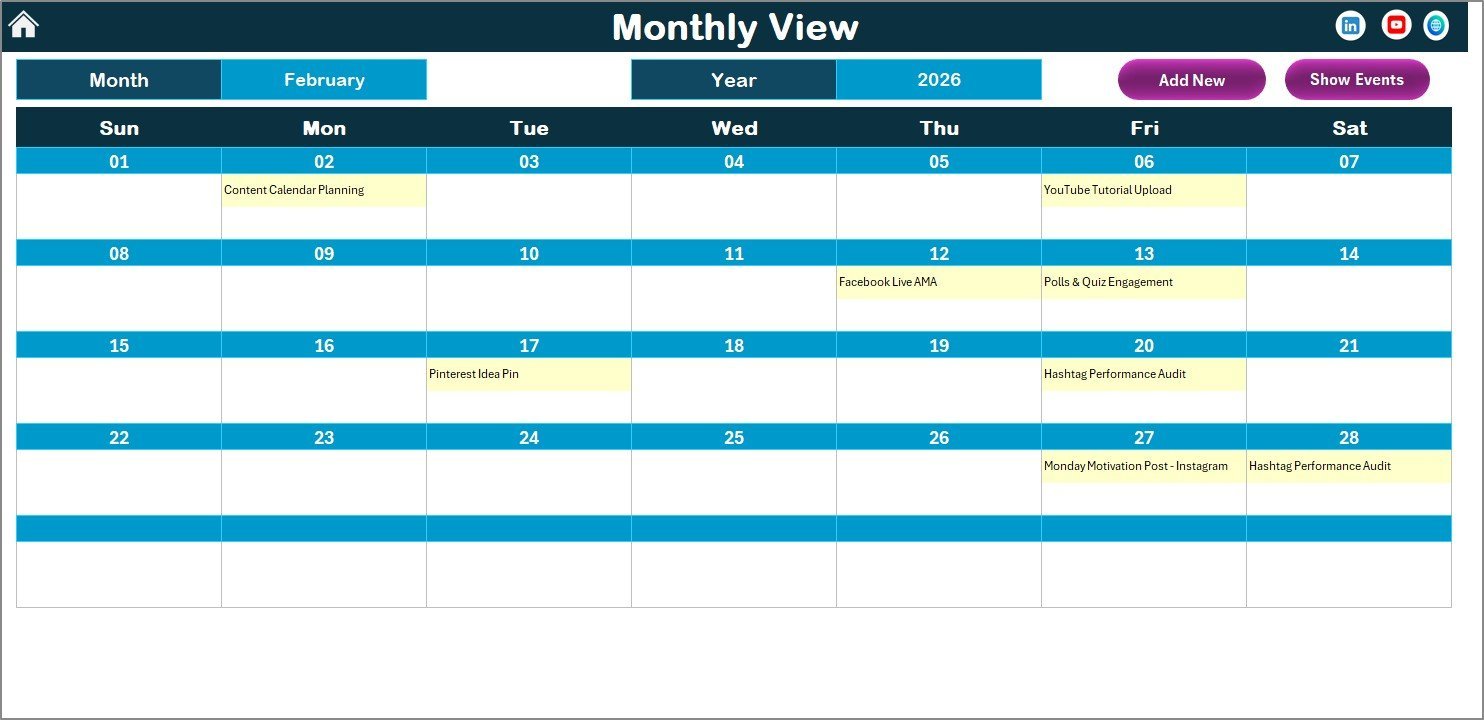
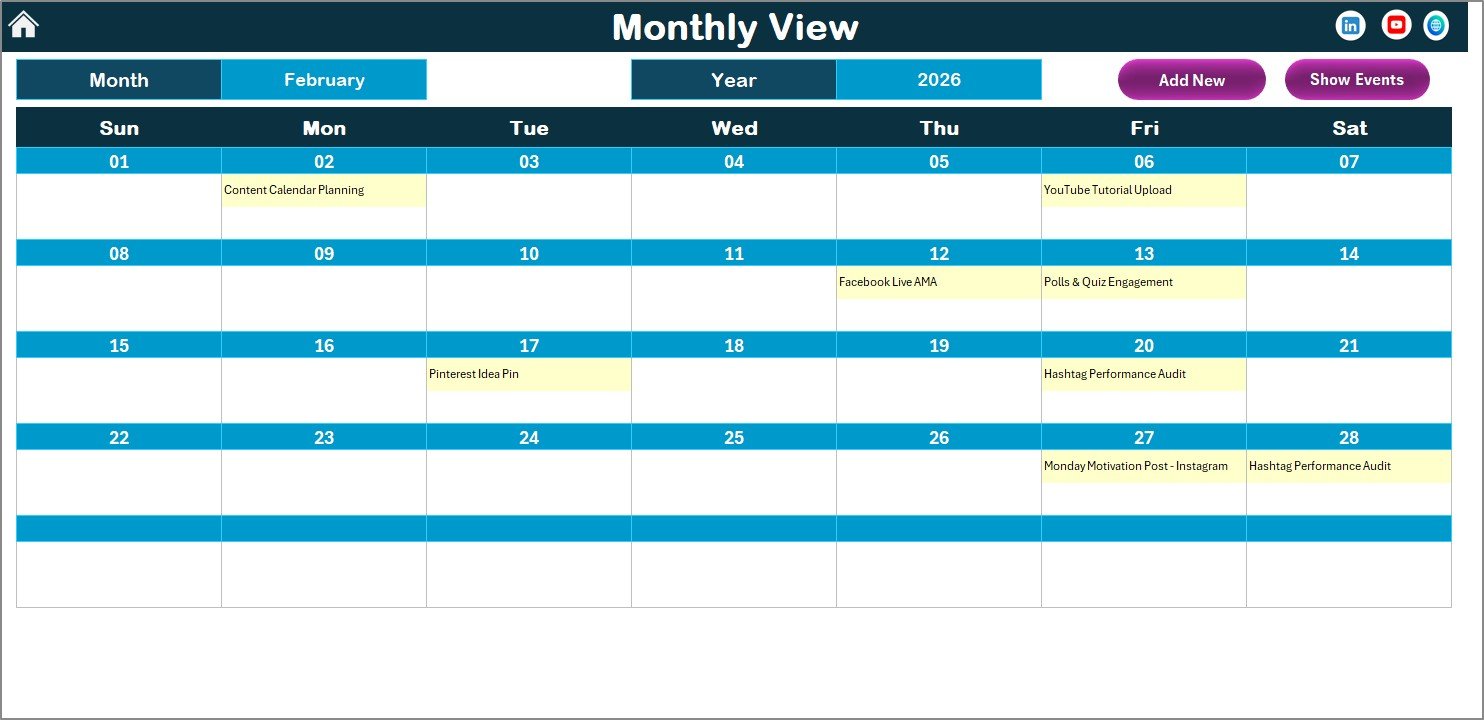
Select any Month and Year from the top dropdowns and the calendar updates instantly. Each date cell shows 1 event; dates with multiple posts display a “more than 1…” indicator. Add New Event and Show Event buttons are accessible here too.
📊 Daily View Sheet
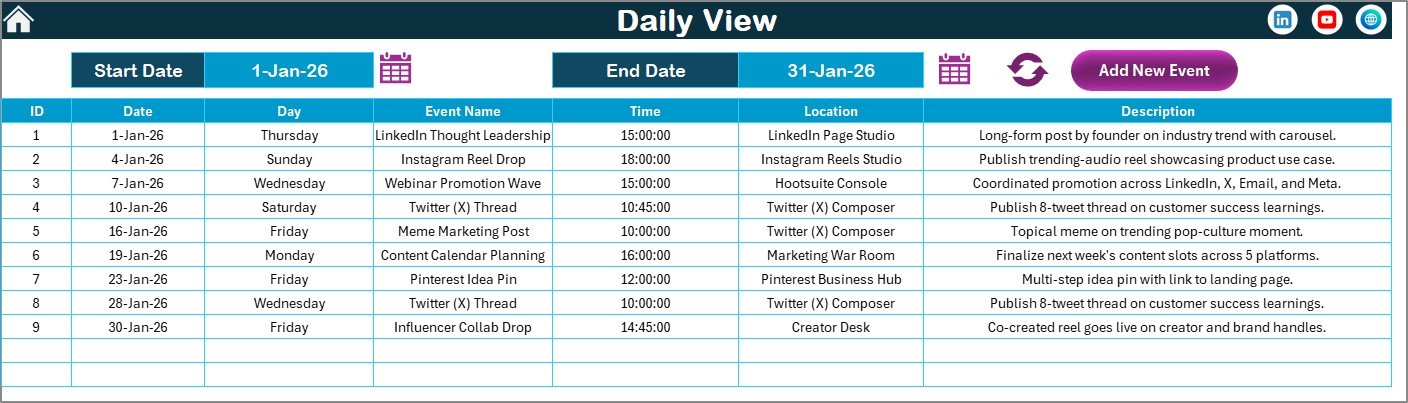
Daily View Sheet tab
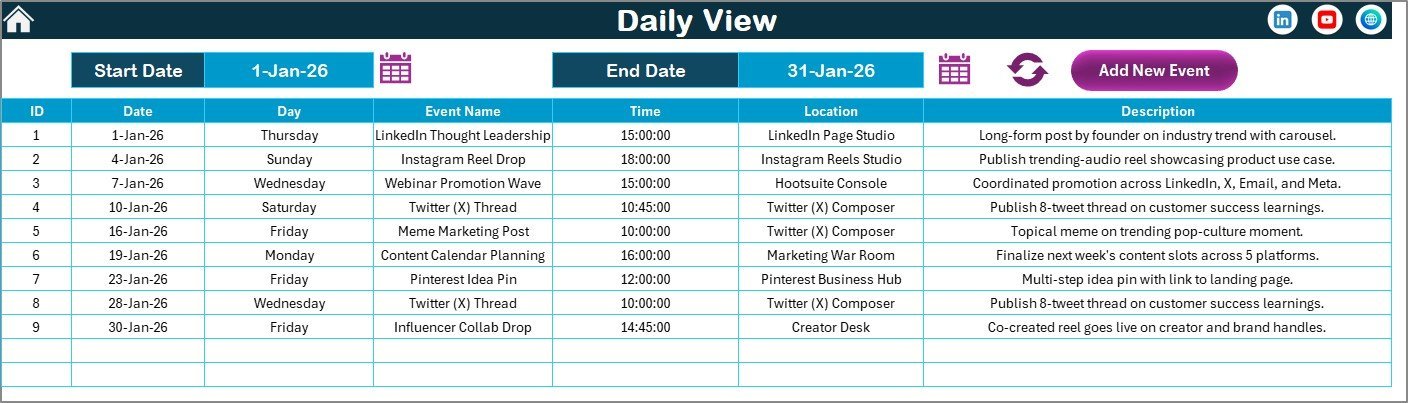
Enter a Start Date and End Date using the built-in calendar date picker. Click Refresh to list all events in the selected range. Ideal for weekly content sprints and platform-specific scheduling reviews.
🗄️ Events Sheet (Database)
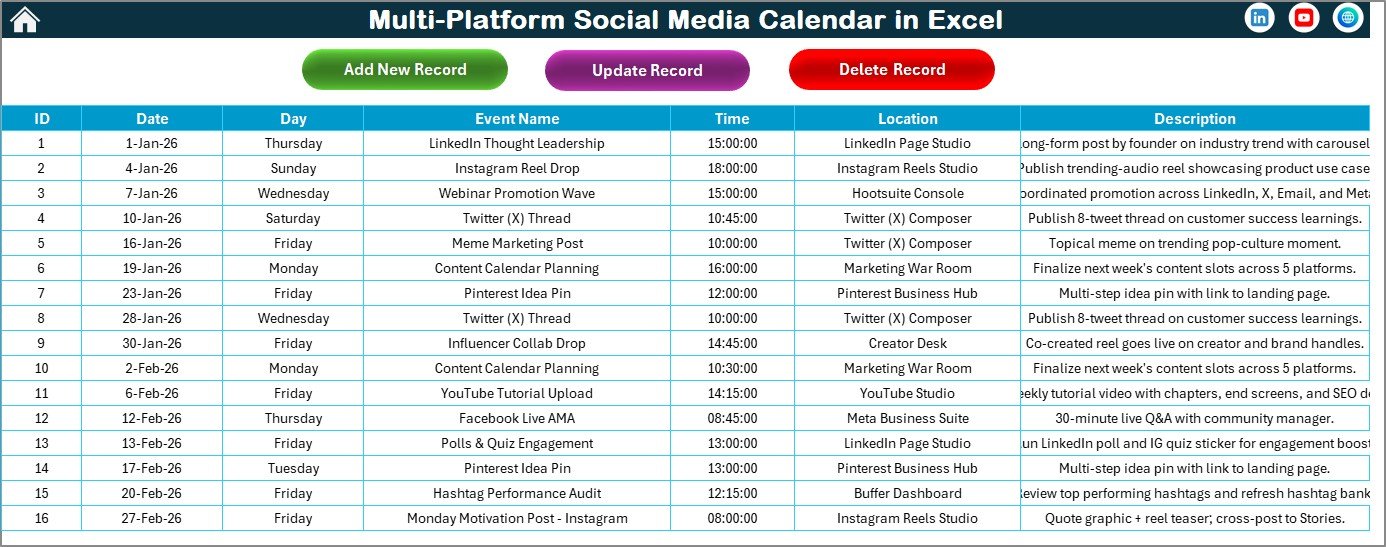
Events Database Sheet tab
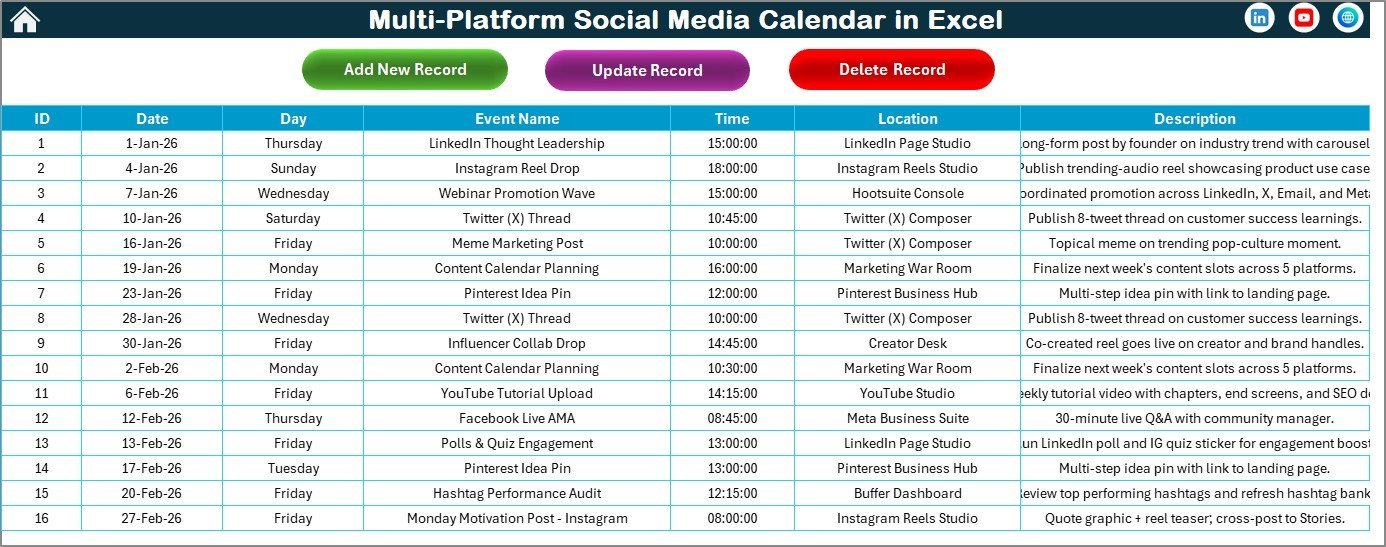
Master database with 7 fields: ID (auto-generated), Date, Day, Event Name, Time, Location, and Description. Three buttons handle all operations: Add New Record, Update Existing Record (prefills the form for selected ID), and Delete Record.
📊 Multi-Platform Social Media Calendar in Excel vs. Google Sheets Calendar vs. Buffer/Hootsuite
| Feature | Multi-Platform Social Media Calendar in Excel | Google Sheets Calendar | Buffer / Hootsuite |
|---|---|---|---|
| Cost | $4.99 one-time | Free – $4.99 | $18–$99/user/month |
| Platform | Microsoft Excel (offline) | Google Sheets (browser) | Cloud SaaS |
| Setup time | <10 minutes | <10 minutes | 2–4 hours + onboarding |
| Annual 12-month view | ✅ | Partial | ❌ |
| VBA event forms (CRUD) | ✅ | ❌ | ✅ (different UI) |
| 5 color themes | ✅ | ❌ | ✅ |
| Works fully offline | ✅ | Limited | ❌ |
| Year-1 cost (5 users) | $4.99 total | $0–$24.95 | $1,080–$5,940 |
For social media managers who want a structured multi-view content calendar without per-seat SaaS fees, the Multi-Platform Social Media Calendar in Excel sits in the sweet spot.
👥 Who This Template Is For — and Who It’s Not For
✅ This template is built for:
- Social media managers at small-to-mid agencies planning posts across Instagram, LinkedIn, Twitter, Facebook, and YouTube
- Content creators and freelancers who plan weekly content in Excel and want a visual multi-view calendar
- Marketing coordinators who need a date-range event list and full-year content overview
- Teams already in Microsoft Excel who want zero additional software costs
❌ This template is NOT for:
- Teams needing live social media auto-publishing (this is a planning tool, not a scheduling app)
- Enterprise social teams requiring approval workflows, analytics integration, or SSO access controls
- Teams who prefer browser-first tools and don’t have Microsoft Excel installed
⚙️ How to Use the Multi-Platform Social Media Calendar in Excel
- Download and open the file in Microsoft Excel — enable macros when prompted.
- Set preferences in the Annual View control panel: year, starting month, starting day of week, and color theme.
- Add events using the Add New Event button — fill the form and click Submit.
- Review your schedule in Annual, Monthly, or Daily View.
- Update or delete entries from the Events Sheet — select the ID and use Update or Delete buttons.
💼 Real-World Use Cases
Priya manages social media for a 3-person digital marketing agency. She uses the Multi-Platform Social Media Calendar in Excel to map out Instagram posts, LinkedIn articles, and Twitter threads 4 weeks ahead. The Daily View lets her pull up every post for any given week, and the Annual View gives her a campaign density check before pitching new clients.
Carlos handles content for a mid-size e-commerce brand. He tracks product launches, seasonal promotions, and influencer post dates in the Events database. The VBA form lets his junior coordinator add entries without touching formulas, and the 5-color theme feature helps him differentiate campaign tracks visually.
A nonprofit communications coordinator uses the template to schedule awareness campaign posts across Facebook and Instagram. The Monthly View gives her a clear picture of scheduling density per week, preventing content gaps before they happen.
❓ Frequently Asked Questions
What does the Multi-Platform Social Media Calendar in Excel include?
The Multi-Platform Social Media Calendar in Excel includes 5 worksheets — Home navigation, Annual View (12-month calendar with control panel), Monthly View, Daily View with date-range filtering, and an Events database. Each event stores 7 fields: ID, Date, Day, Event Name, Time, Location, and Description, all managed via VBA pop-up forms.
Does this template work on Mac?
The template uses VBA macros. Excel for Mac supports VBA, but some ActiveX form controls may behave differently from Windows. For the most reliable experience, use the Multi-Platform Social Media Calendar in Excel on Microsoft Excel for Windows.
How long does setup take?
Setup takes under 10 minutes. Open the file, enable macros, configure your year and theme in the Annual View control panel, and start adding events immediately.
How does this compare to Buffer or Hootsuite?
Buffer and Hootsuite auto-publish directly to social accounts. The Multi-Platform Social Media Calendar in Excel is a planning tool — it helps you organize what to post and when, without auto-publishing. It costs $4.99 once versus $18–$99 per user per month for SaaS tools.
Can I track multiple social platforms in one template?
Yes. The Events database Event Name and Location fields accept any platform label — Instagram, LinkedIn, Twitter, Facebook, YouTube, or any custom channel. There are no platform restrictions built in.
Is it a one-time purchase or subscription?
The Multi-Platform Social Media Calendar in Excel is a one-time purchase of $4.99 (regular $8.99). No subscription, no renewal fee, no per-user charge. Download once, use forever.
Can I change the calendar year or starting month?
Yes. The Annual View control panel Input Group lets you select the Year, set the starting month, and choose the starting day of week. The 12-month view refreshes automatically with your selections.
👤 About the Author
Built by PK — Microsoft Certified Professional with 15+ years of Excel, Google Sheets, and Power BI experience. Founder of NextGenTemplates, reaching 300K+ subscribers across YouTube channels (@PK-AnExcelExpert, @NextGenTemplates, @NeoTechNavigators). Every template is hand-built and tested before release.
🔗 Explore Related Templates
Looking for more Excel Calendar Templates or Google Sheets Calendar Templates?
- 📅 Retail Sales and Promotion Calendar in Excel
- 📅 Subscription and SaaS Renewal Calendar in Excel
- 📅 Marketing Asset Creation Calendar in Google Sheets
- 📅 PR Outreach Calendar in Google Sheets
📖 Click here to read the Detailed Blog Post
🎥 Visit our YouTube channel for step-by-step video tutorials
👉 YouTube.com/@NextGenTemplates


















Reviews
There are no reviews yet.