

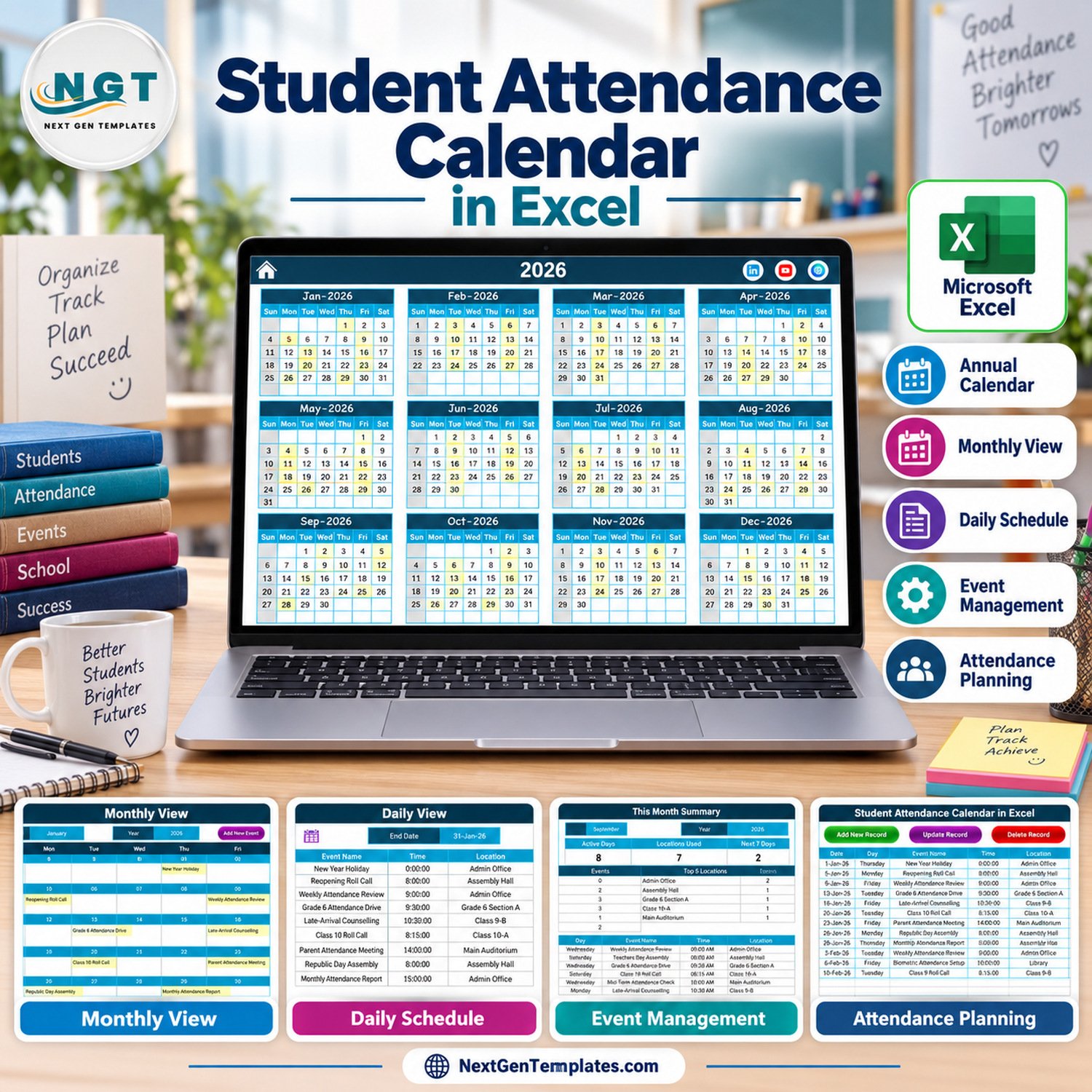

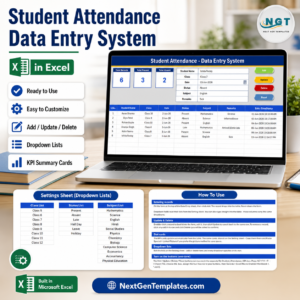
Student Attendance Calendar in Excel is a ready-to-use Excel-for-Windows attendance planning workbook with 5 working areas, 7 visual screenshots, annual/monthly/daily views, a this-month summary, and an editable event database. It is built for schools, coaching centers, training teams, and administrators who need a structured calendar for attendance-related schedules without paying monthly SaaS fees. This is a macro-enabled workbook, so Microsoft Excel desktop for Windows and enabled macros are required for the buttons, forms, and navigation to work correctly.
The workbook is designed for planning and tracking attendance events, sessions, absences, reviews, reminders, and attendance administration dates. It is not a biometric attendance system, not a student-gradebook, and not a live roll-call app. If you need a clean student attendance calendar in excel that your team can customize, print, and maintain locally, this template gives you a practical starting point. For macro security basics, see Microsoft’s guidance on enabling or disabling macros in Microsoft 365 files.
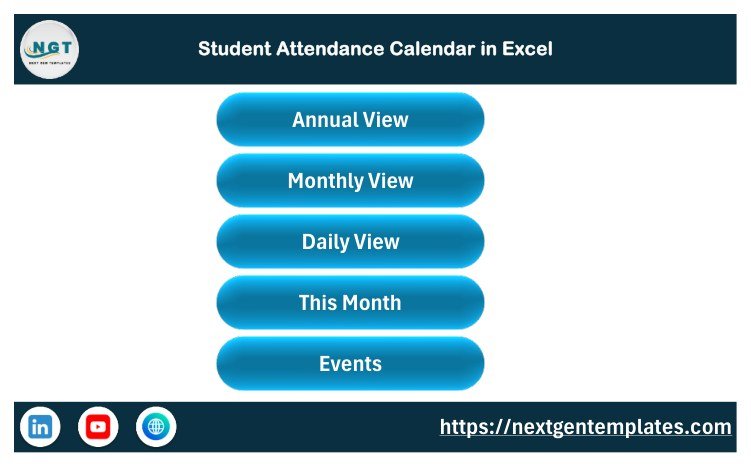
Student Attendance Calendar in Excel – Home sheet
Key Features of Student Attendance Calendar in Excel
- Annual attendance planning view: see all 12 months of the selected year on one worksheet.
- Monthly calendar view: review attendance-related events for a selected month and year.
- Daily event view: filter a date range to see detailed attendance events and notes.
- This Month Summary: review the current month, upcoming items, and attendance planning details.
- Event database: store date, day, event name, time, location, and description in one structured sheet.
- Macro buttons and form: add, update, reset, and delete event records through the workbook interface.
- Theme and highlight controls: adjust colors, start month, week start, weekday highlights, and event highlighting.
What’s Inside the Student Attendance Calendar in Excel
The template includes a macro-enabled Excel workbook and a user manual inside the customer ZIP. The workbook has a Home sheet, Annual View, Monthly View, Daily View, This Month Summary, Events sheet, and an Add New Event form. The sample data is fictional and is included only to show how the calendar behaves after entries are added.
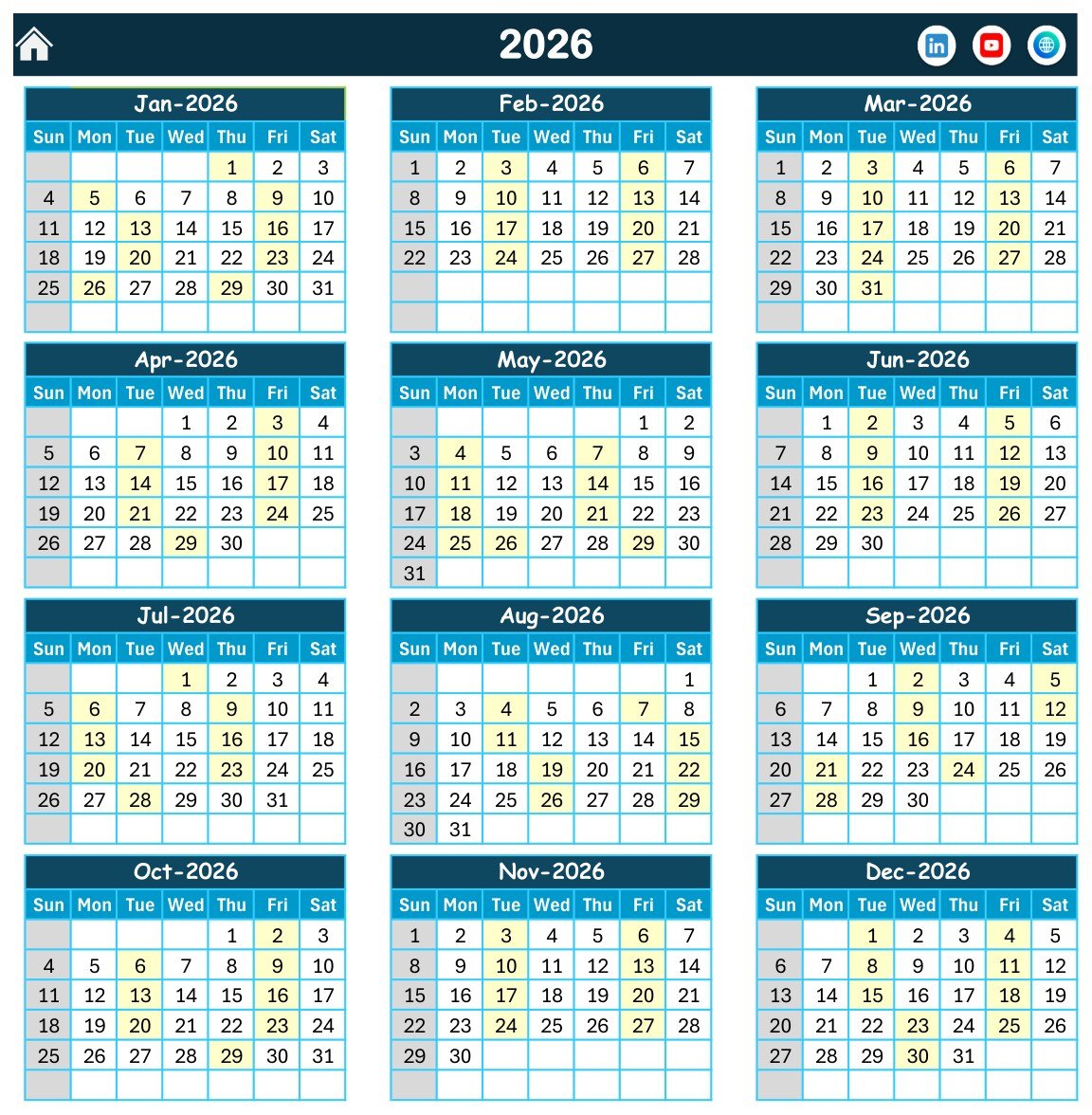
Annual View sheet
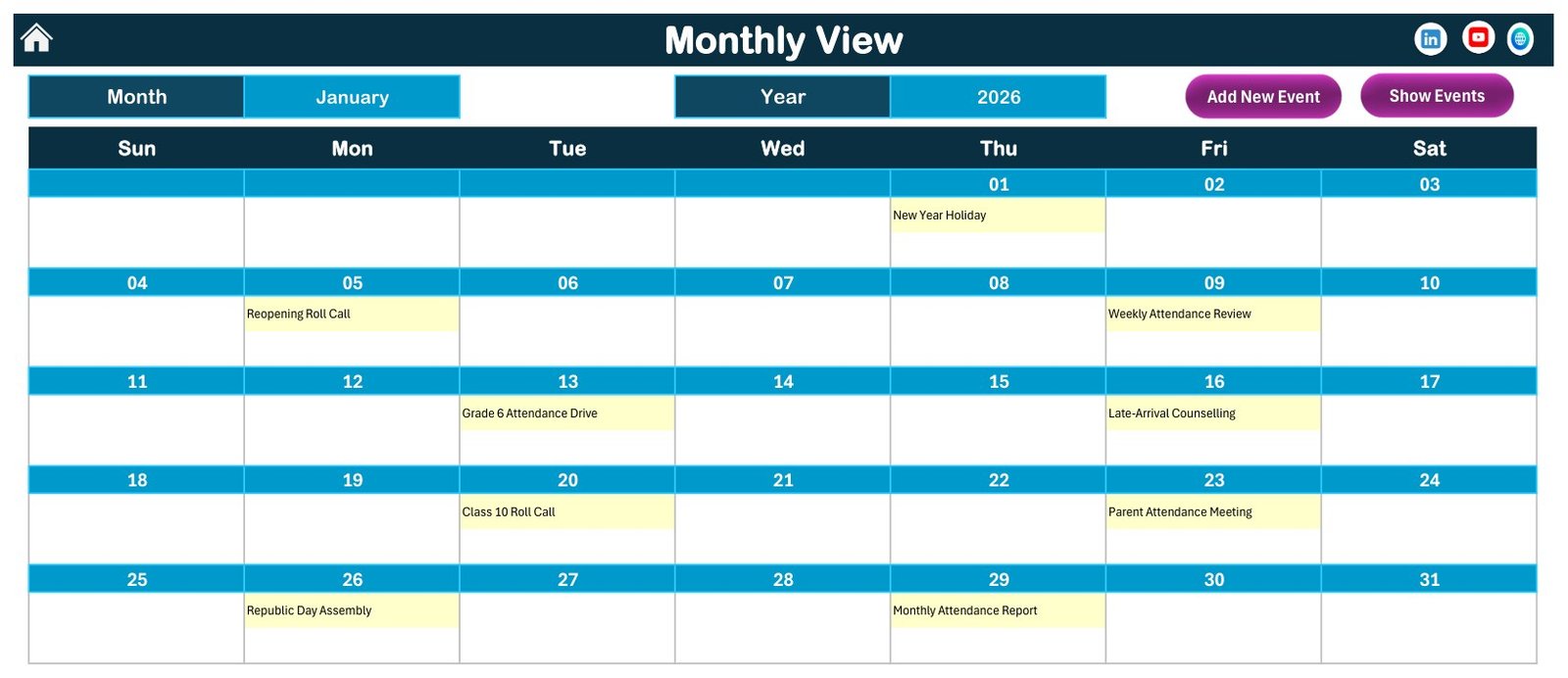
Monthly View sheet
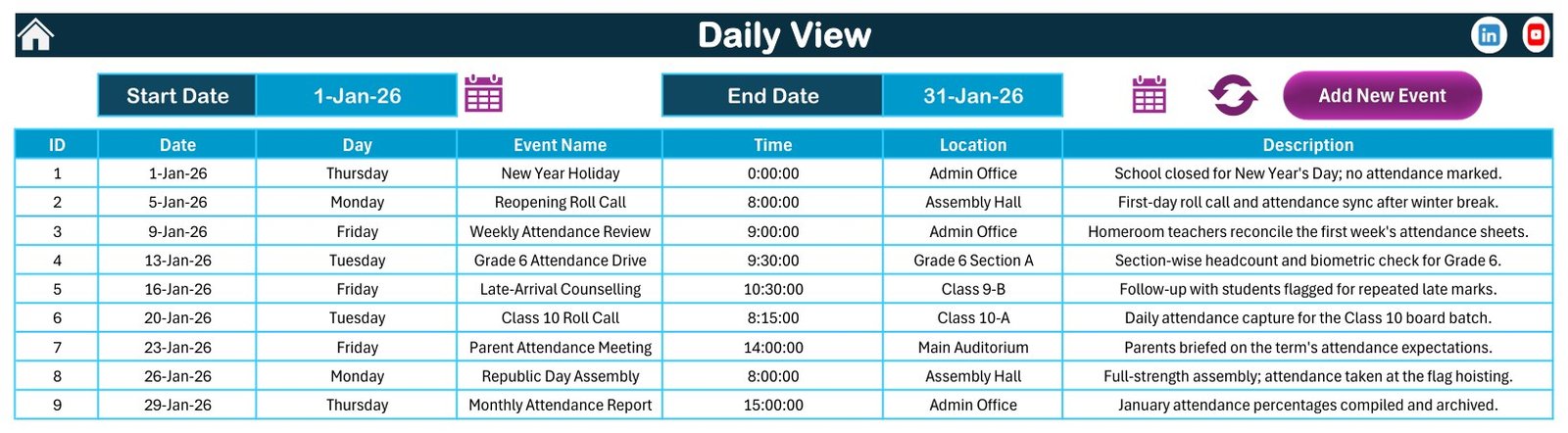
Daily View sheet
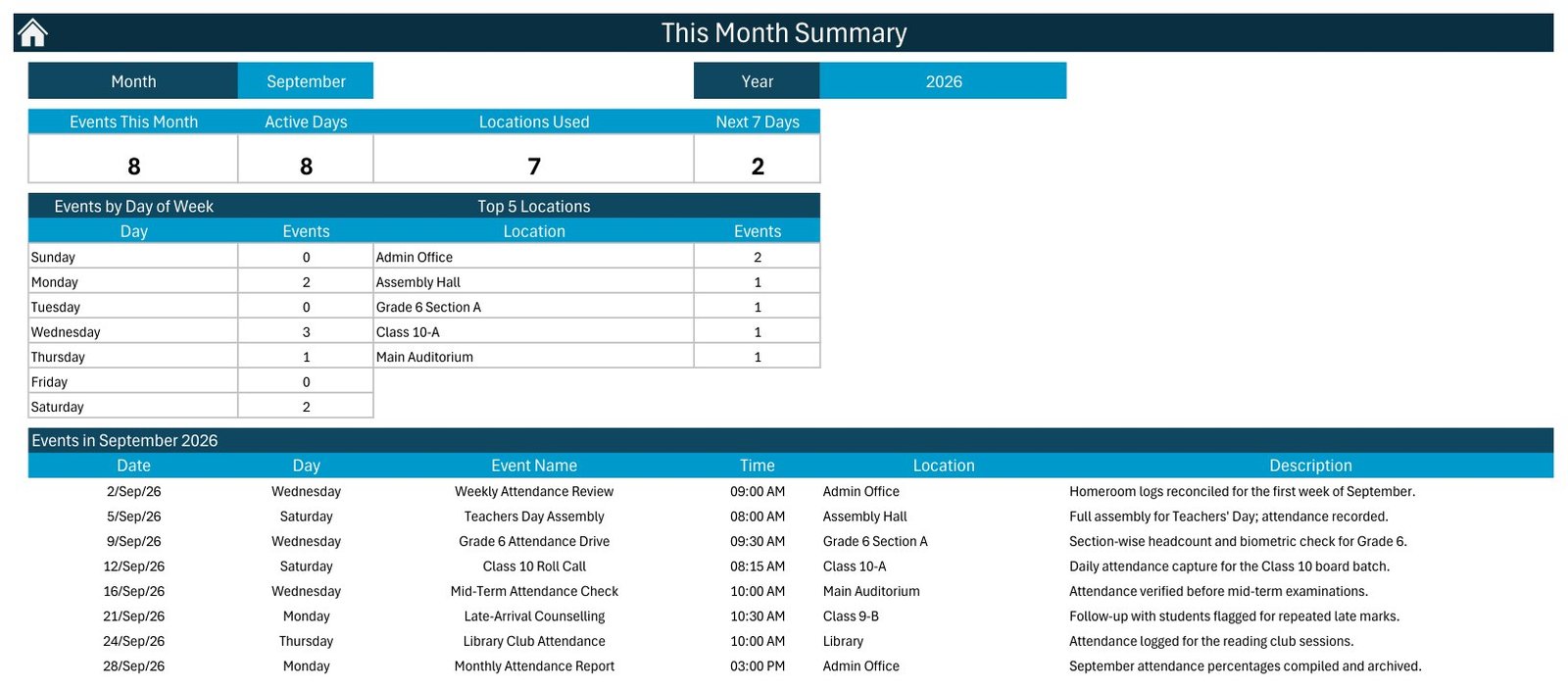
This Month Summary sheet
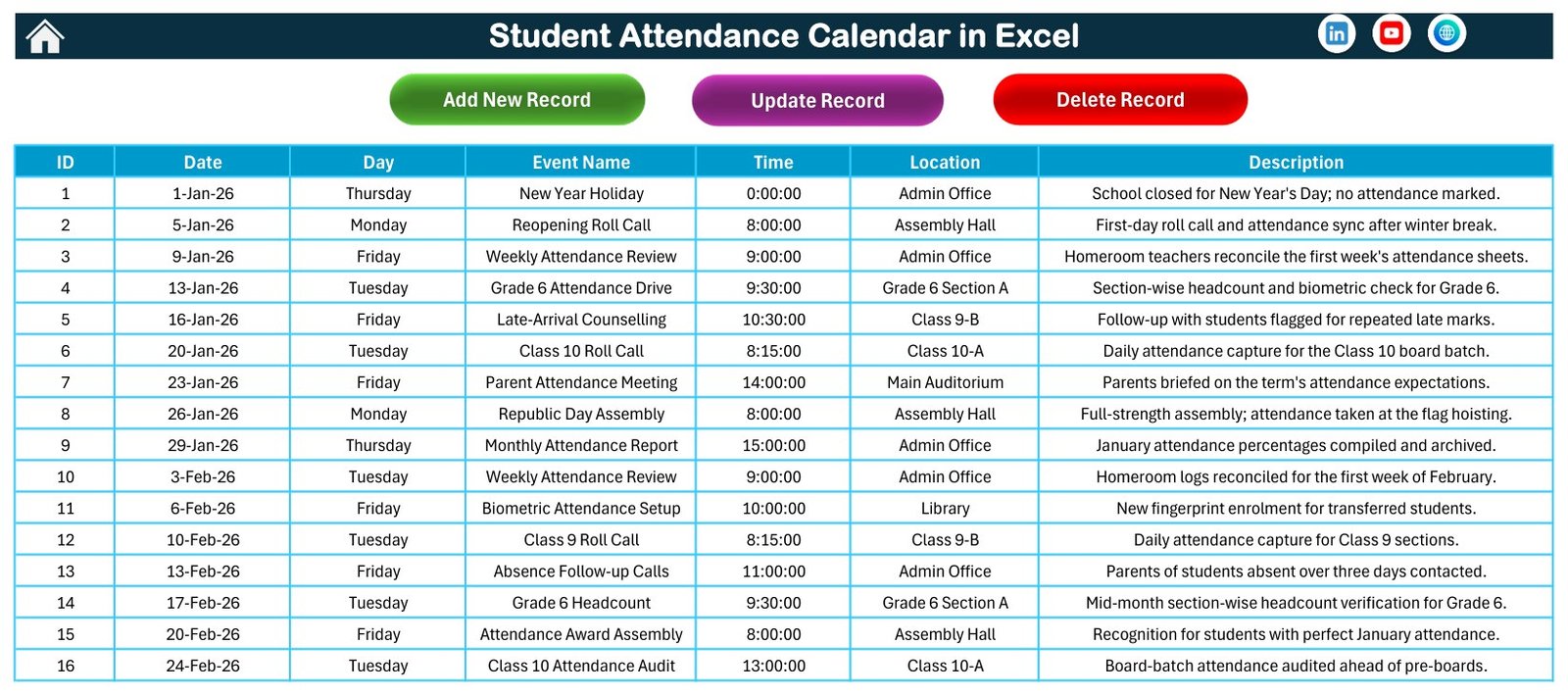
Events sheet
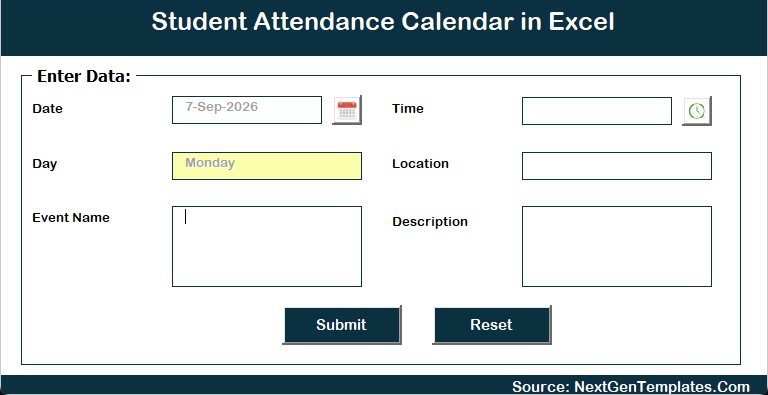
Add New Event form
Student Attendance Calendar in Excel vs. Google Sheets vs. Paid CRM/SaaS – Where This Fits
| Feature | This Excel template | Google Sheets alternative | Paid school SaaS |
|---|---|---|---|
| Cost | One-time template purchase | Usually free to edit, but setup is manual | Monthly or annual subscription |
| Platform | Microsoft Excel desktop for Windows | Browser-based Google Sheets | Cloud school-management platform |
| Setup time | Unzip, enable macros, edit sample events | Build or copy formulas and layouts | Longer onboarding and data setup |
| Real-time collaboration | Not the main purpose | Strong for live team editing | Usually strong |
| Customizable fields | Editable sheets and event records | Editable, depending on formulas | Often limited by plan |
| Macro buttons/forms | Included | Not applicable | Vendor-specific workflows |
| Year-1 cost at 5 users | Template price only | Low if users already have accounts | Can become expensive |
Who This Template Is For – and Who It’s Not For
This excel student attendance calendar is for school administrators, class coordinators, coaching-center managers, tutors, and training coordinators who want a practical calendar for attendance-related planning. It works well when one owner maintains the workbook and shares PDF or printed outputs with others. A student attendance calendar in excel is especially useful when your attendance work is date-driven rather than student-by-student roll-call driven.
It is not for biometric check-in, student-wise present/absent marking, automated SMS reminders, parent portals, or compliance-grade student information management. If your organization needs live multi-user editing, a Google Sheets attendance calendar or a school SaaS tool may be a better fit.
How to Use the Student Attendance Calendar in Excel
- Download the ZIP and extract the macro-enabled workbook.
- Open it in Microsoft Excel desktop for Windows and enable macros when prompted.
- Use the Home sheet buttons to move between Annual View, Monthly View, Daily View, This Month, and Events.
- Choose the year, month, start month, week start, theme, and weekday highlights from the control panels.
- Add or update attendance events from the form, or edit the Events sheet directly.
- Review the annual, monthly, daily, and summary views before printing or sharing outputs.
Real-World Use Cases
School admin Anita can map attendance review dates, absence follow-up days, parent communication slots, and class monitoring events for the academic year.
Coaching center owner Ramesh can use the attendance calendar template to plan batch-wise attendance reviews and keep recurring attendance tasks visible.
Training coordinator Priya can track session attendance activities, daily review windows, and monthly summaries for a student attendance template without needing a subscription app.
Frequently Asked Questions
Does this template require macros?
Yes. This is a macro-enabled Excel calendar. Use Microsoft Excel desktop for Windows and enable macros for the buttons, forms, and navigation to work.
Can I track individual present and absent marks for every student?
No. This is a school attendance calendar and event-planning workbook, not a roll-call register or student-gradebook.
Can I change the year and month?
Yes. The Annual View and Monthly View include controls for year, month, start month, week start, theme, and highlights.
Is the data real?
No. The records are sample entries for demonstration. Replace them with your own attendance planning events.
Can I use this on Mac Excel?
It may open on Mac, but the workbook is designed and sold for Excel desktop on Windows because macros and forms are required.
Does the ZIP include the workbook?
Yes. The customer ZIP includes the macro-enabled workbook and the Excel Calendar user manual.
About the Author
Built by PK – Microsoft Certified Professional with 15+ years of Excel, Google Sheets, and Power BI experience. Founder of NextGenTemplates, reaching 300K+ subscribers across YouTube channels. Every template is hand-built and tested before release.
Explore Related Templates
For related education scheduling products, see the Class Timetable Calendar in Google Sheets, Exam Timetable Calendar in Google Sheets, and School Bus Route Calendar in Google Sheets. You can also browse the Excel Calendar templates and Education Excel templates categories.
Download the Student Attendance Calendar in Excel if you want a clear, editable attendance planning calendar that stays inside Excel and gives your school or training team a structured place to manage dates, reviews, and attendance-related events. This student attendance calendar in excel is a focused planning workbook for administrators who want structure without a full school SaaS rollout.
Last updated: September 13, 2026.
📖 Read the complete walkthrough of the Student Attendance Calendar in Excel on our blog: Student Attendance Calendar in Excel – full guide.

































Reviews
There are no reviews yet.