


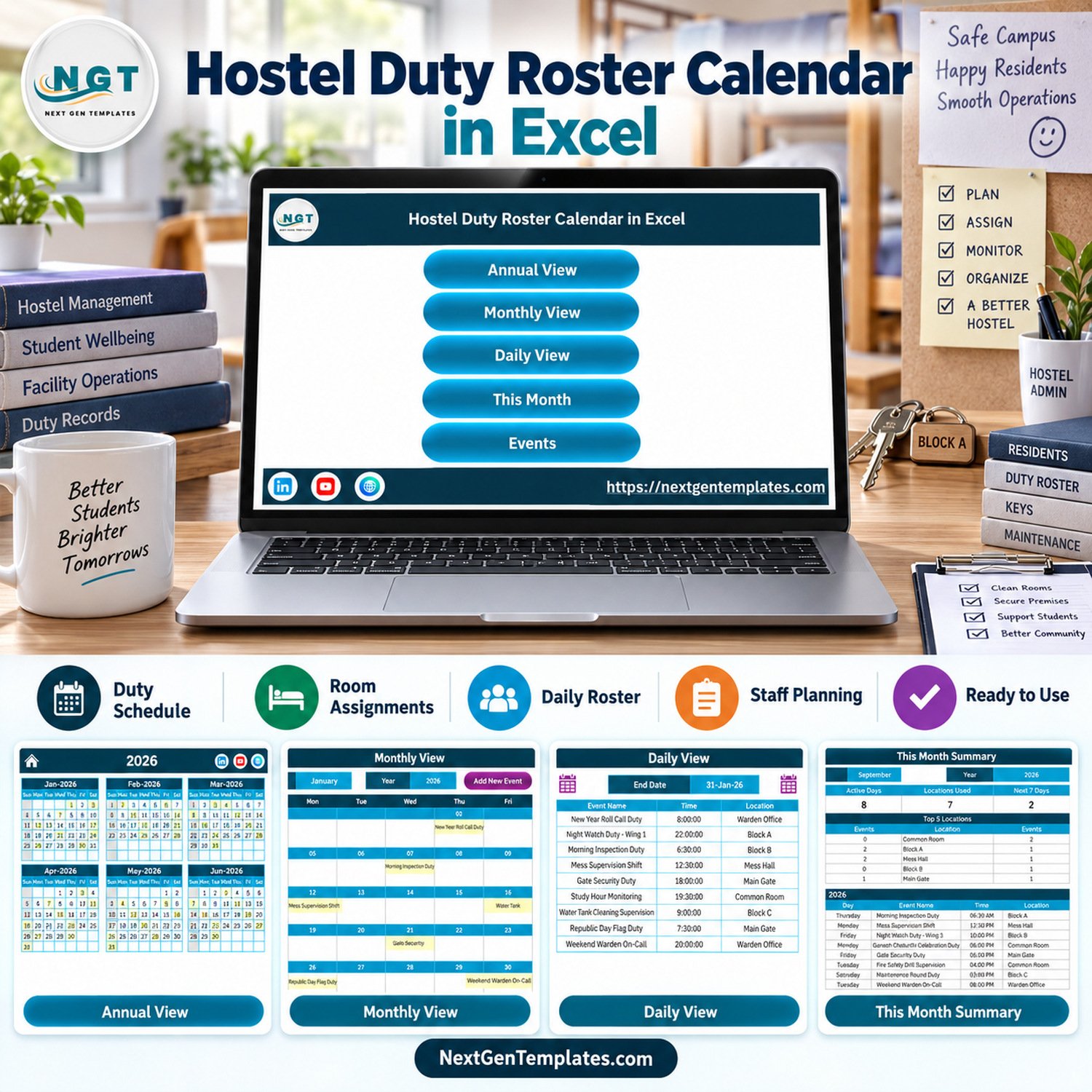
The Hostel Duty Roster Calendar in Excel gives hostel administrators a ready-made way to plan duty schedules, room checks, facility tasks, and daily event records without starting from a blank spreadsheet. The workbook includes 5 navigation buttons, 7 visual preview screens, annual/monthly/daily calendar views, an event database, and an add-record form. It is a low-cost template at a $4.99 sale price, and because it is an Excel file, your team keeps the data locally instead of paying for another subscription.
Key Features of Hostel Duty Roster Calendar in Excel
- Annual, monthly, daily, and this-month views for hostel duty planning.
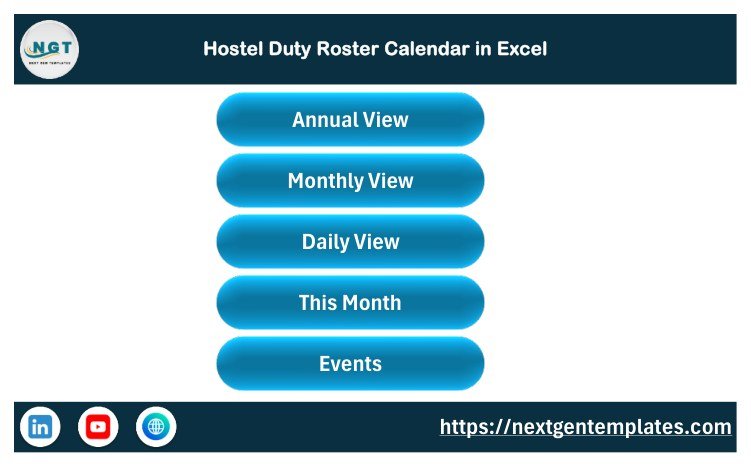
- Home navigation sheet with buttons for Annual View, Monthly View, Daily View, This Month, and Events.
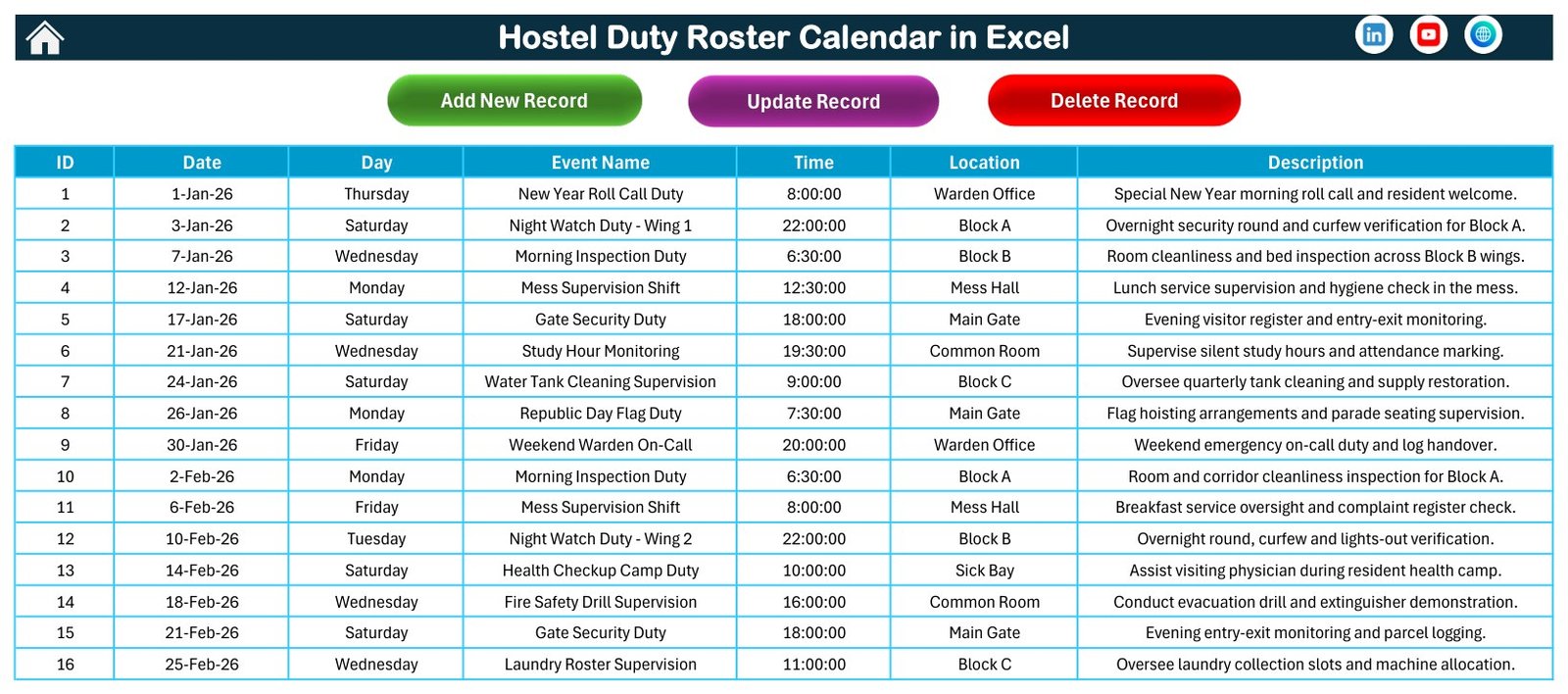
- Event records for date, day, time, location, event name, and description.
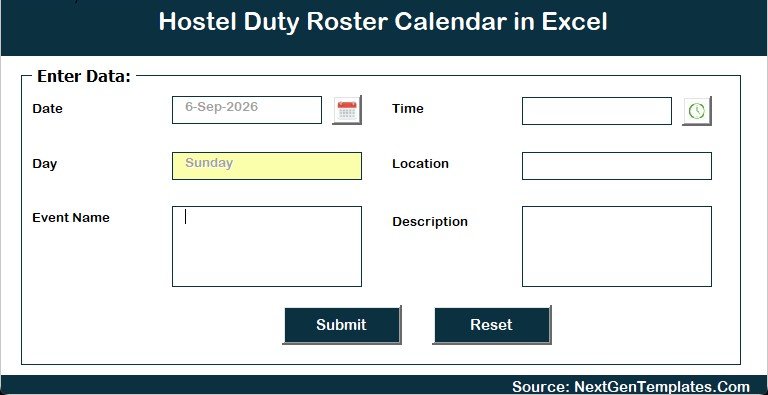
- Add New Record form for adding hostel duties or events from a guided input screen.
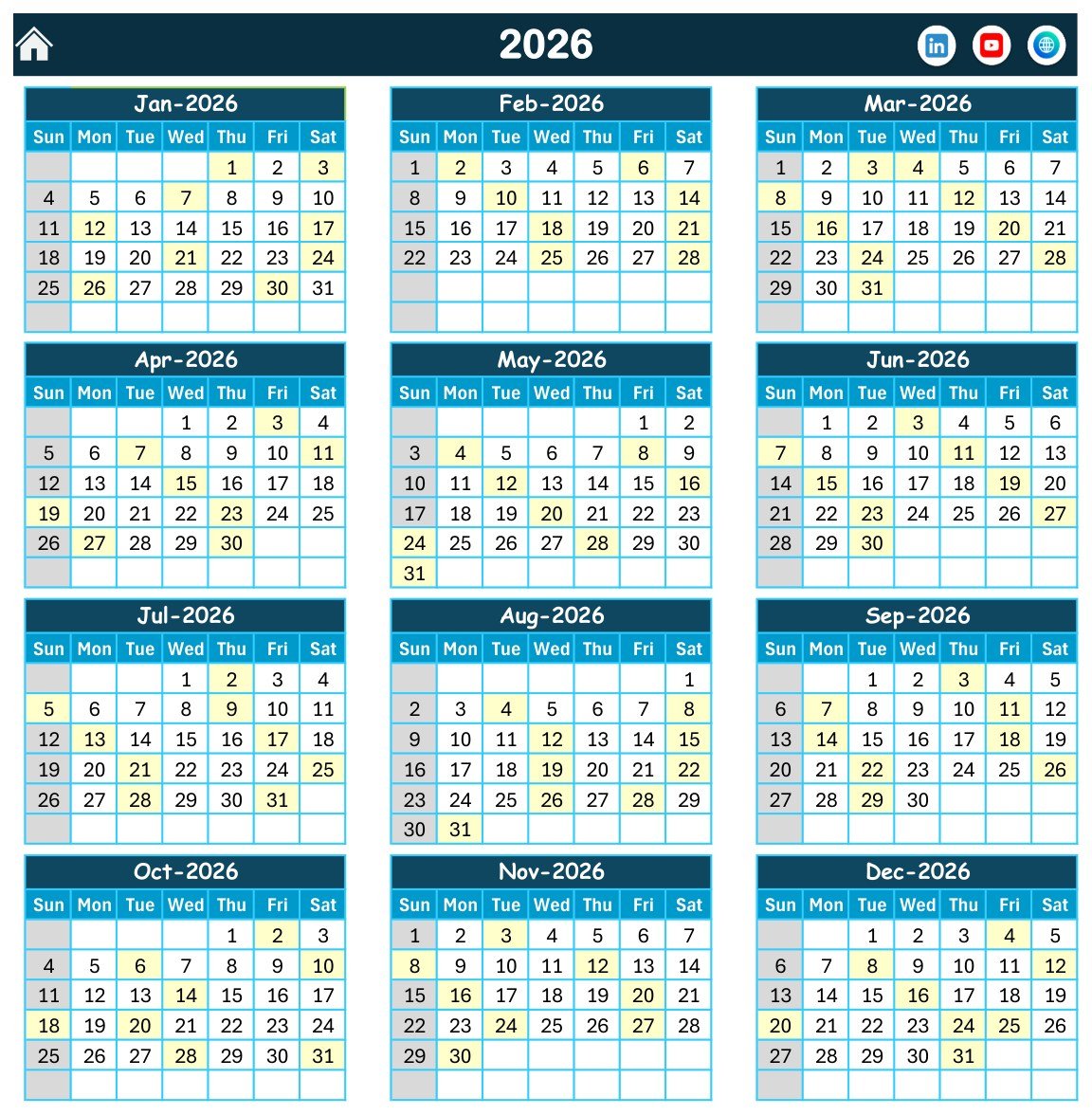
- Theme controls and weekday highlighting options on the annual calendar view.
- Excel-for-Windows desktop workbook with macros required for the buttons and forms.
What’s Inside the Hostel Duty Roster Calendar in Excel
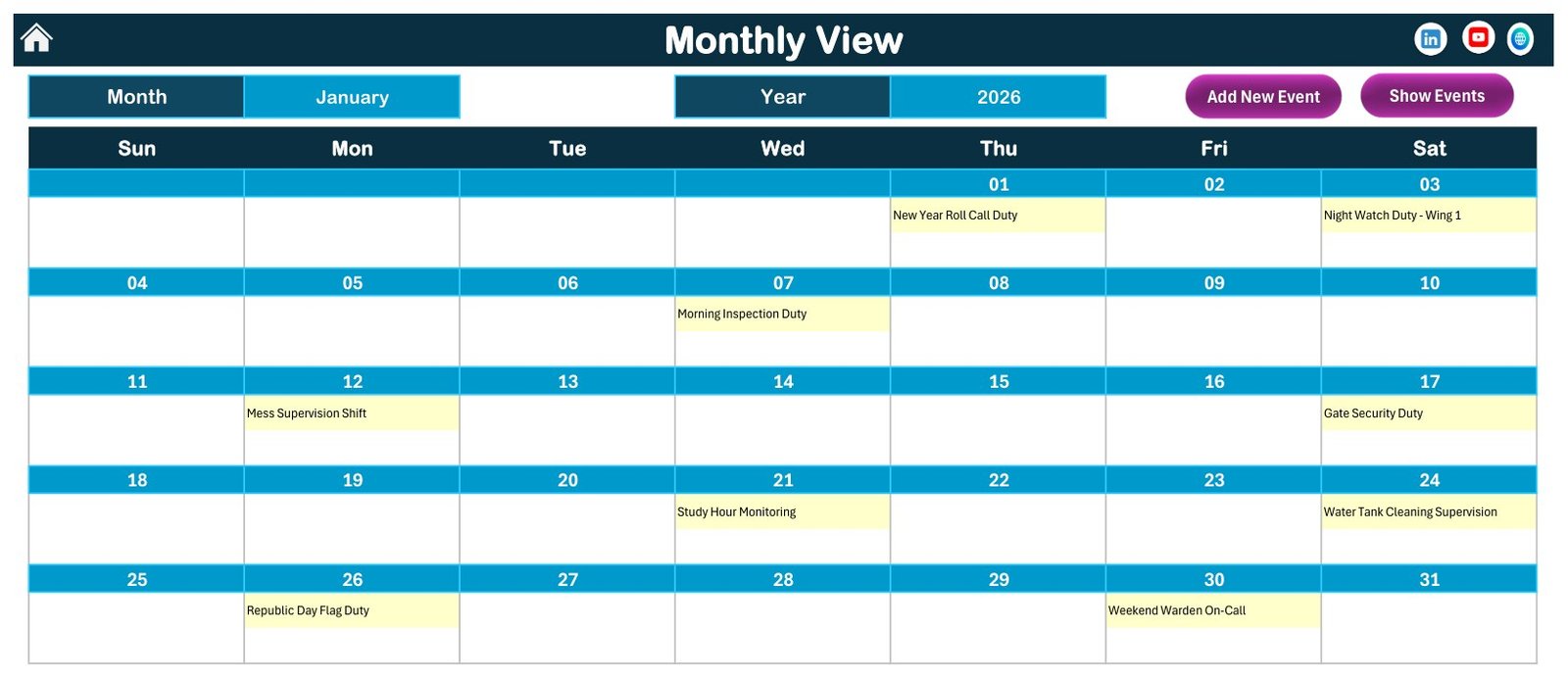
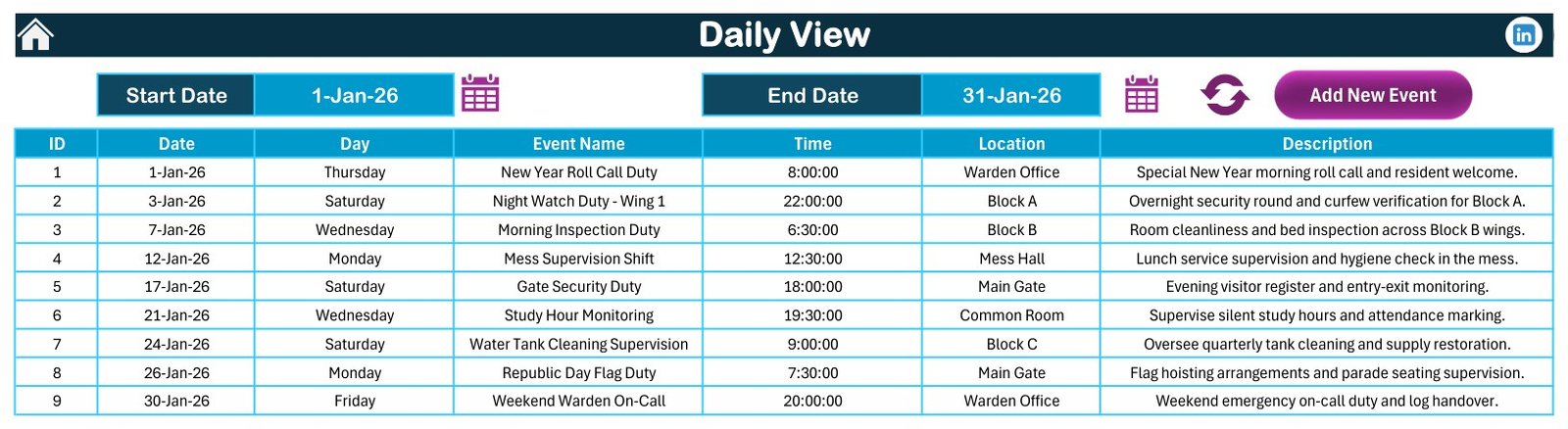
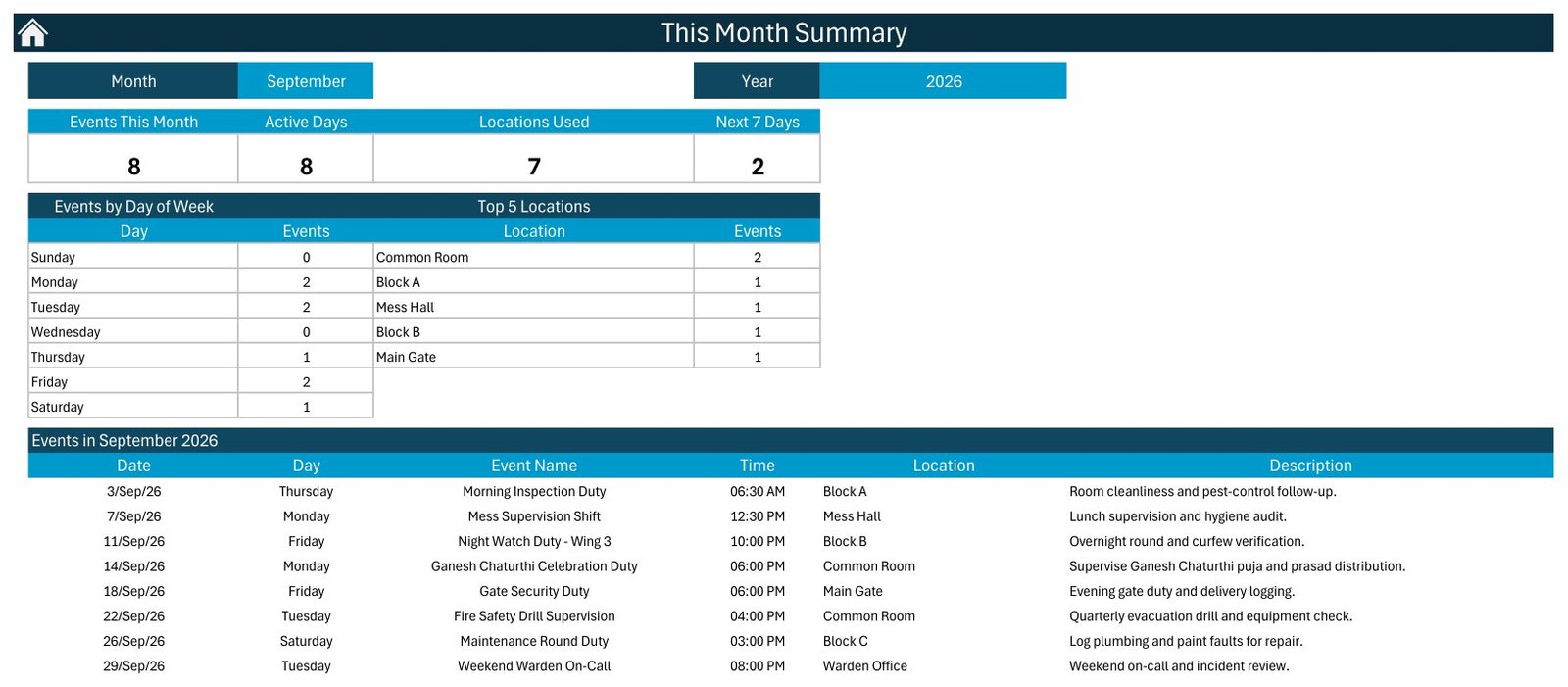
The workbook is organized around the way a hostel office usually thinks: the year, the month, the day, and the event list behind the schedule. The Home sheet is an index page. The Annual View shows all 12 months for the selected year. The Monthly View gives one selected month with duty items highlighted on calendar dates. The Daily View lists duties between the selected start and end dates. The This Month Summary groups events by month, weekday, and location. The Events sheet stores the records that drive the calendar views.
Hostel Duty Roster Calendar in Excel vs. Google Sheets vs. Paid Hostel Software – Where This Fits
| Need | This Excel template | Google Sheets calendar | Paid hostel software |
|---|---|---|---|
| Cost | One-time template purchase | Usually free, but manual setup is needed | Monthly or annual subscription |
| Platform | Microsoft Excel for Windows desktop | Browser-based spreadsheet | Hosted web application |
| Setup time | Open, enable macros, edit sample records | Build formulas and layouts yourself | Configure users, rooms, and permissions |
| Best fit | Duty rosters, inspections, staff tasks, and event logs | Shared lightweight planning | Full resident management and billing |
| Offline use | Yes, after download | No, not reliably | Usually no |
| Year-1 cost at 5 users | $4.99 sale price | $0 plus build time | Often hundreds of dollars |
Who This Template Is For – and Who It’s Not For
This template is for hostel wardens, campus administrators, facility supervisors, student housing coordinators, and small residential teams that need a simple duty calendar. It is also useful for tracking cleaning rounds, night checks, maintenance visits, room inspections, safety rounds, and handover tasks.
It is not a full hostel management system. It does not process fees, store resident profiles, manage biometric attendance, send automatic reminders, or replace a security incident system. Use it as a planning and duty-record workbook, not as a resident database.
How to Use the Hostel Duty Roster Calendar in Excel
- Download and unzip the customer file.
- Open the workbook in Microsoft Excel for Windows desktop.
- Enable macros when Excel asks, because buttons and forms depend on VBA.
- Use the Home sheet to move between calendar views.
- Add or update duty records in the Events sheet or through the Add New Record form.
- Use the Annual, Monthly, Daily, and This Month views to review the schedule.
For macro safety settings, review Microsoft’s guidance on enabling or disabling macros in Microsoft 365 files. The Hostel Duty Roster Calendar in Excel should be used only after you trust the downloaded workbook source.
Real-World Use Cases
Ravi, hostel warden: plans evening inspection rounds and can quickly review duties by date range in the Daily View.
Meera, admin coordinator: logs room cleaning, linen checks, and maintenance tasks with date, location, time, and description.
Arjun, facility supervisor: uses the monthly view to check whether recurring facility tasks are visible before assigning staff.
Frequently Asked Questions
Does this template require macros?
Yes. The Hostel Duty Roster Calendar in Excel is a macro-enabled workbook. Use Microsoft Excel for Windows desktop and enable macros to use the navigation buttons and forms.
Can I edit the sample events?
Yes. You can add, update, or replace records in the Events sheet and use the form shown in the screenshots to add new duty events.
Is this a full hostel management system?
No. It is a duty roster and event calendar workbook. It does not include billing, resident profiles, attendance devices, or login-based access control.
Can I change the year and month?
Yes. The annual and monthly views include controls for year/month selection so you can reuse the workbook for your own schedule period.
Does it work on Mac or Excel Online?
The template is built for Excel for Windows desktop. Macro behavior can be limited or unavailable in Excel Online and may vary on Mac.
What file do I receive after purchase?
You receive a ZIP download containing the Excel calendar workbook and supporting purchase package prepared for the product.
About the Author
Built by PK – Microsoft Certified Professional with 15+ years of Excel, Google Sheets, and Power BI experience. Founder of NextGenTemplates, reaching 300K+ subscribers across YouTube channels. Every template is hand-built and tested before release.
Explore Related Templates
For more scheduling files, browse the Excel Calendar templates category. You may also like the Mental Health Session Calendar in Excel, Maternity Ward Duty Calendar in Excel, and Clinical Trial Visit Calendar in Excel. For platform-specific browsing, see all MS Excel templates.
Ready to organize hostel duties in Excel? Download the Hostel Duty Roster Calendar in Excel, enable macros, and replace the sample records with your own duty schedule.
Last updated: September 13, 2026.
📖 Read the complete walkthrough of the Hostel Duty Roster Calendar in Excel on our blog: Hostel Duty Roster Calendar in Excel – full guide.


































Reviews
There are no reviews yet.