


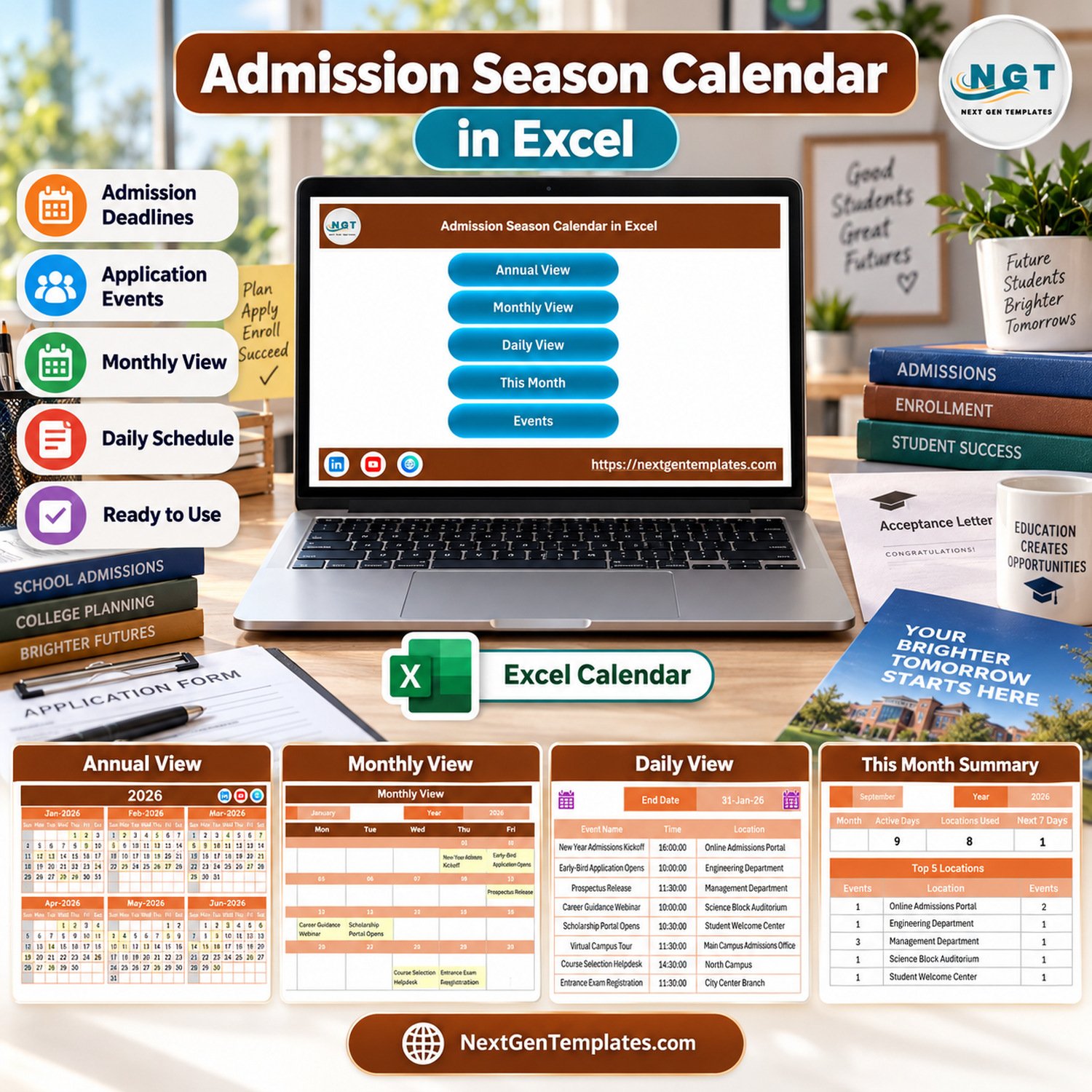
Admission Season Calendar in Excel is a ready-to-use admission season calendar in excel built for admission teams, coaching centers, schools, colleges, and training institutes that need one place to plan intake events. Instead of tracking 100+ deadlines across emails and notebooks, you can manage annual dates, monthly activity, daily schedules, and event records in a single macro-enabled Excel workbook. It is an Excel-for-Windows desktop template; macros must be enabled for the navigation buttons and event entry form to work correctly. The included sample data covers admission kickoffs, application openings, prospectus release dates, webinars, scholarship milestones, tours, and registration events.
Key Features of Admission Season Calendar in Excel
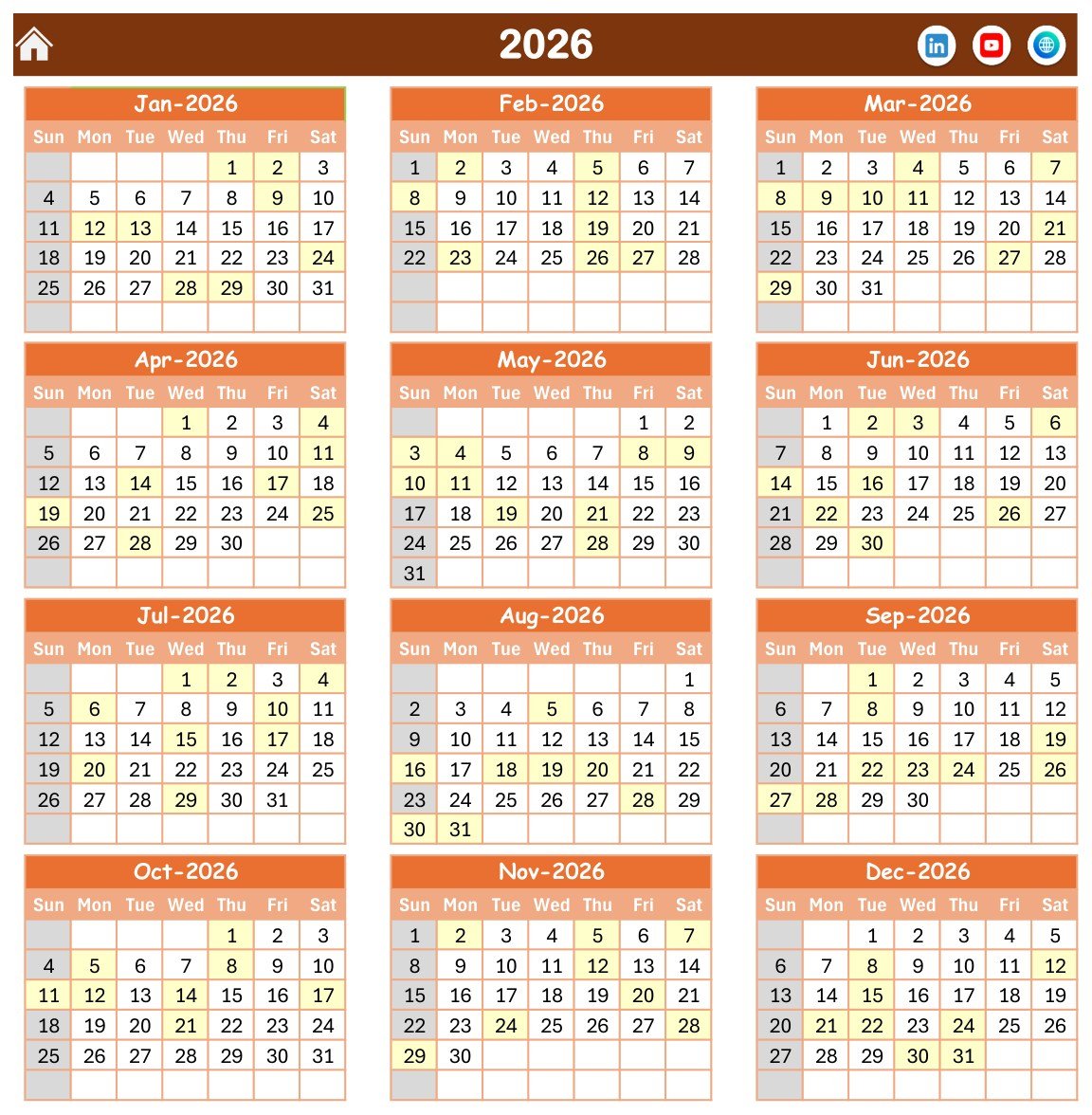
- Annual admission calendar: See the complete 2026 intake cycle across all 12 months.
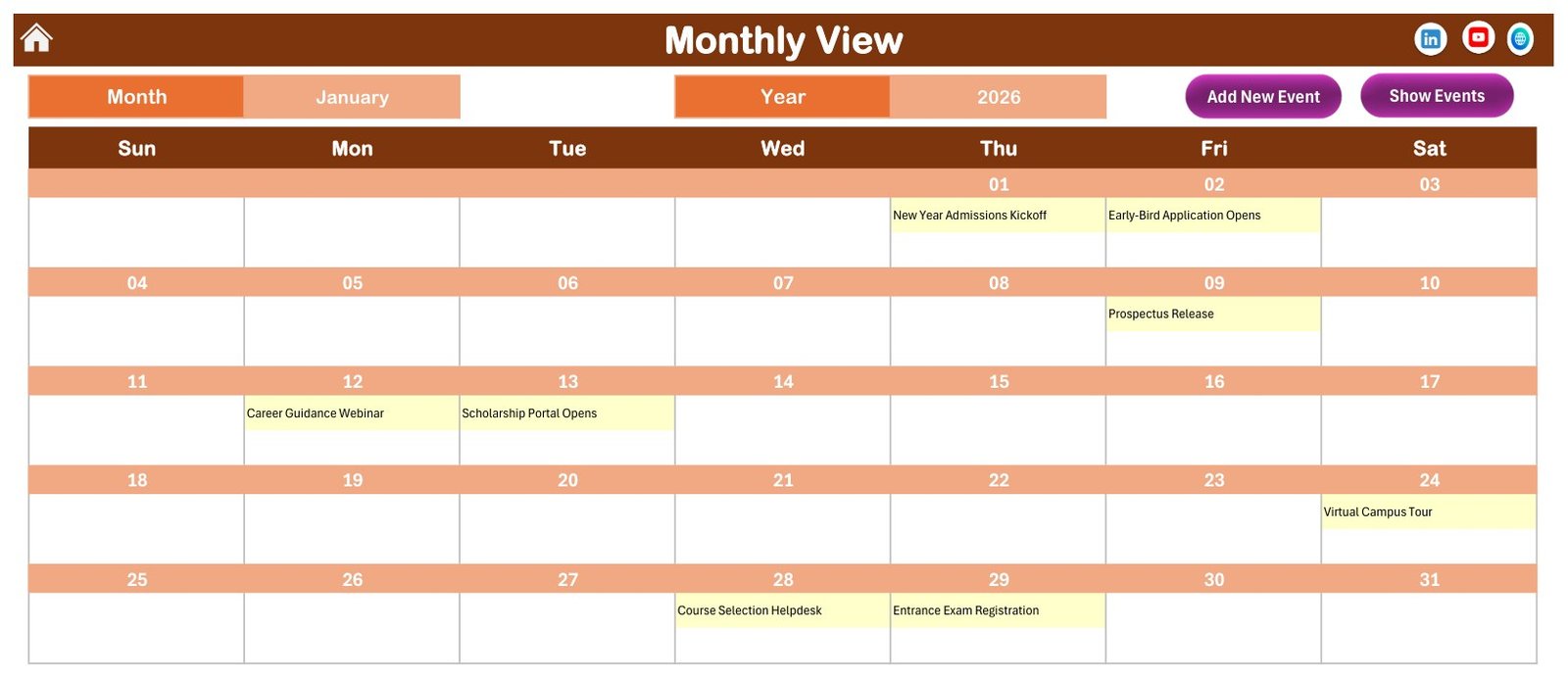
- Monthly planning view: Review one selected month with visible admission events and deadline markers.
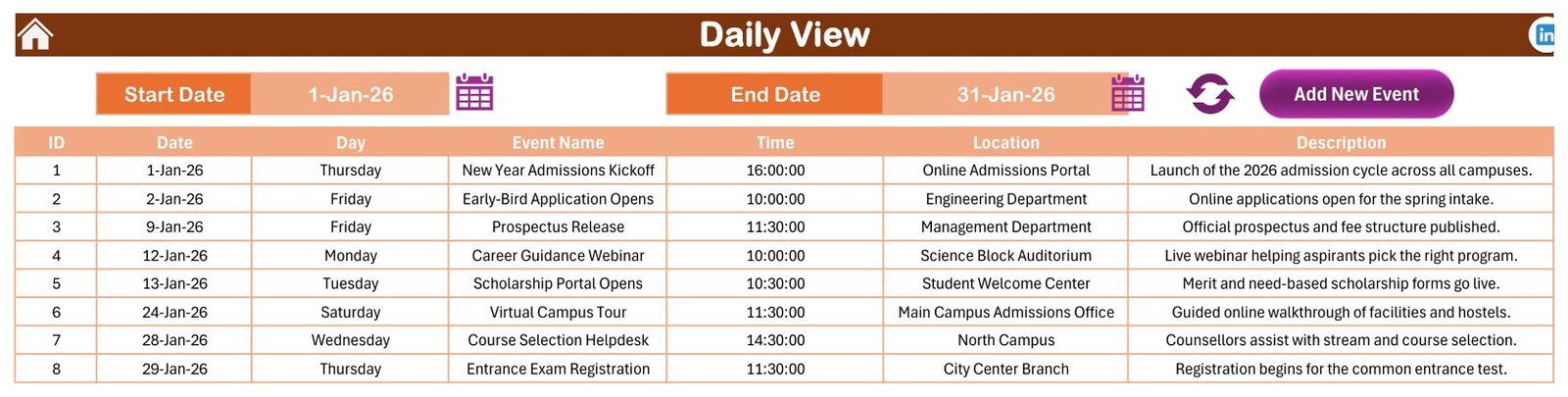
- Daily schedule table: Filter start and end dates to review events, times, locations, and notes.
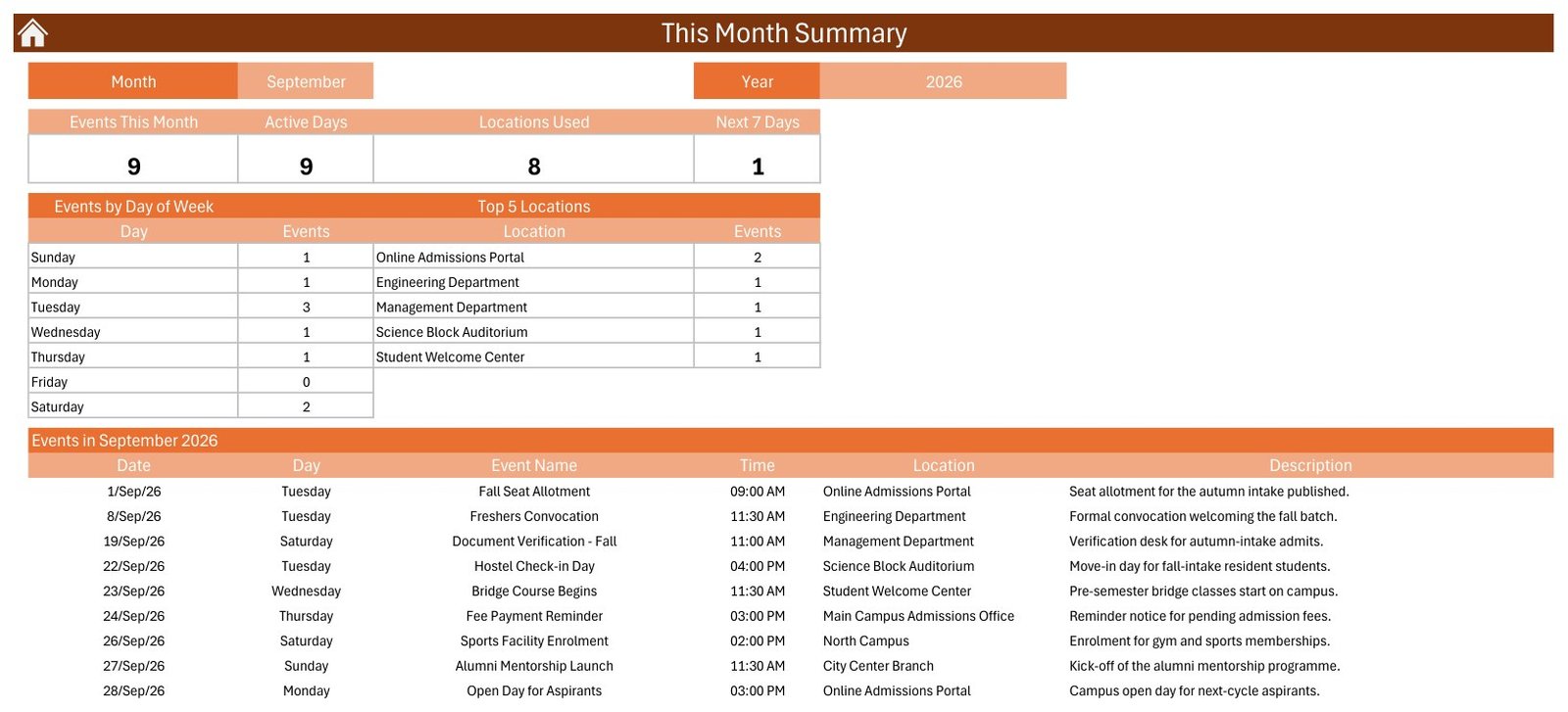
- This Month summary: Check active days, locations used, next 7 days, top locations, and events by weekday.
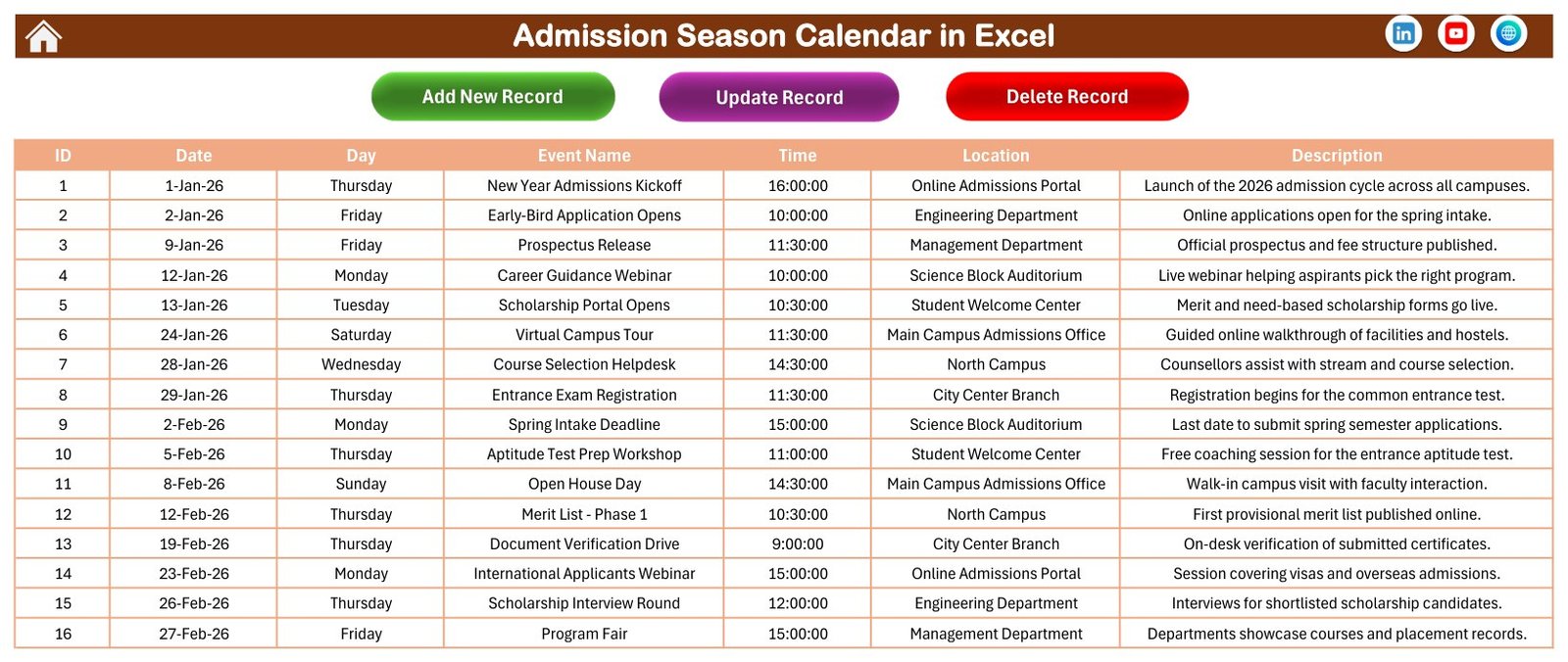
- Event database: Store admission events with ID, date, day, event name, time, location, and description.
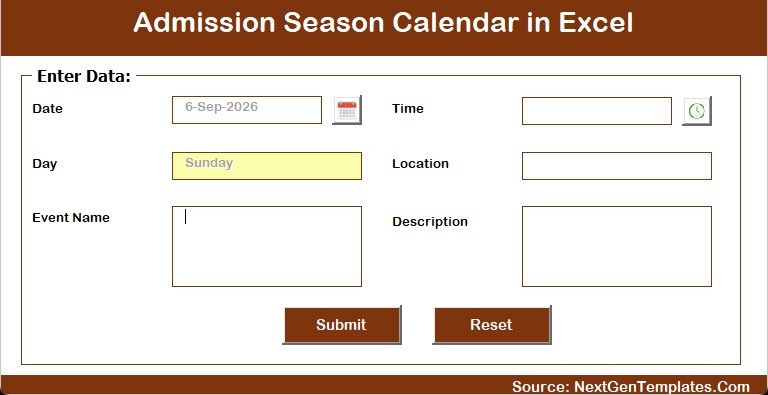
- Macro buttons: Use workbook navigation and the add-new-event form in Excel desktop for Windows.
- Education-focused sample records: Replace the admissions sample data with your own institution calendar.
This admission calendar Excel workflow is also useful as an Excel calendar template, education calendar in Excel, and admission deadline tracker for teams that want a practical file without subscribing to a full student management platform.
What’s Inside the Admission Season Calendar in Excel
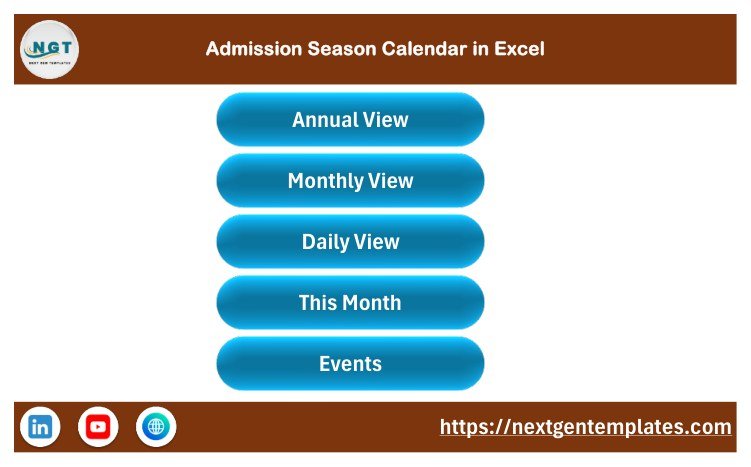
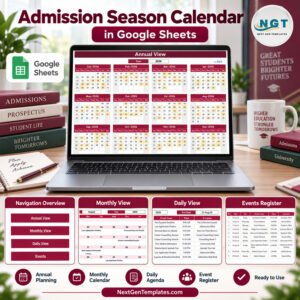
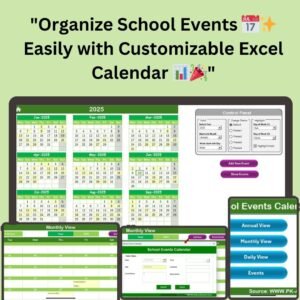
The workbook includes seven visual areas: Home, Annual View, Monthly View, Daily View, This Month Summary, Events, and an event-entry form. The Home sheet gives one-click navigation to Annual View, Monthly View, Daily View, This Month, and Events. The Annual View sheet shows all months together, while the Monthly View focuses on one month and displays the selected events directly on the calendar.
Admission Season Calendar in Excel vs. Google Sheets vs. Paid CRM/SaaS – Where This Fits
| Area | This Excel template | Google Sheets calendar | Paid admission CRM/SaaS |
|---|---|---|---|
| Cost | One-time low-cost download | Usually free or low cost | Monthly subscription per user or campus |
| Platform | Microsoft Excel desktop for Windows | Browser-based Google Sheets | Cloud application |
| Setup time | Open, enable macros, replace sample events | Make a copy and configure sharing | Implementation, permissions, and training |
| Event entry | Structured event database and macro form | Manual entry or Apps Script customizations | Built-in forms and workflows |
| Best use | Admission deadlines, tours, webinars, registrations, and daily planning | Collaborative schedule sharing | Lead capture, applicant pipeline, messaging, and compliance workflows |
| Year-1 cost at 5 users | $4.99 sale price | Depends on workspace plan | Often hundreds or thousands of dollars |
Who This Template Is For – and Who It’s Not For
This template is for admission coordinators, academic administrators, coaching-center owners, student success teams, and consultants who need a clear planning workbook. It works well when your main need is to map dates, locations, events, and notes for an intake season.
It is not a student CRM, payment system, applicant portal, or automated reminder platform. It does not send emails or SMS messages, collect student applications, validate official admission rules, or sync with a live calendar service. Use it as a planning and tracking workbook, not as a regulated student-record system. If your team is new to macro-enabled files, review Microsoft’s macro security guidance before enabling workbook automation.
How to Use the Admission Season Calendar in Excel
- Download and unzip the customer file.
- Open the macro-enabled workbook in Microsoft Excel desktop for Windows.
- Enable macros when Excel prompts you, because the navigation buttons and event form depend on VBA.
- Replace the sample admission events with your own deadlines, webinars, open days, document checks, scholarship dates, and registrations.
- Use Annual View for the season overview, Monthly View for the active intake month, Daily View for date ranges, and This Month for summary review.
Real-World Use Cases
College Admission Office
A registrar’s team can map prospectus release, application opening, document verification, merit-list publication, fee reminders, and final registration dates in one Excel calendar template.
Coaching Institute
A coaching center can use the admission deadline tracker to manage batch inquiries, entrance-test dates, demo classes, counseling sessions, and enrollment closing dates.
Training Provider
A professional training company can plan intake webinars, eligibility checks, orientation events, course selection support, and certificate-program registration milestones.
Frequently Asked Questions
Does Admission Season Calendar in Excel require macros?
Yes. It is a macro-enabled Excel workbook, so Microsoft Excel desktop for Windows and enabled macros are required for the buttons and event form.
Can I use it on Excel for Mac or Excel Online?
The workbook is designed for Excel desktop for Windows. Excel Online and some Mac environments may not support the VBA workflow correctly.
Can I replace the sample admission data?
Yes. The sample admission events are placeholders. You can replace them with your own dates, times, locations, and descriptions.
Does it send automatic reminders?
No. It is a planning workbook, not an email, SMS, or notification system.
Is this a student information system?
No. It tracks events and deadlines; it is not built for storing official student records, fees, applications, or confidential applicant data.
What is included in the download?
The ZIP includes the macro-enabled workbook and a user manual. Loose source files such as Data.xlsx are not part of the customer download.
About the Author
Built by PK – Microsoft Certified Professional with 15+ years of Excel, Google Sheets, and Power BI experience. Founder of NextGenTemplates, reaching 300K+ subscribers across YouTube channels. Every template is hand-built and tested before release.
Explore Related Templates
For more spreadsheet tools, browse the MS Excel templates and the Excel calendar templates category. Education teams may also like the Exam Timetable Calendar in Google Sheets, Teacher Substitution Calendar in Google Sheets, Class Timetable Calendar in Google Sheets, and Curriculum Development Services Dashboard in Power BI.
Ready to organize your intake season? Download Admission Season Calendar in Excel, enable macros in Excel desktop for Windows, and replace the sample events with your own admission schedule.
Last updated: September 13, 2026.
📖 Read the complete walkthrough of the Admission Season Calendar in Excel on our blog: Admission Season Calendar in Excel – full guide.
Compatibility and Requirements
- Works in Excel desktop on Windows with macros enabled. It does not run in Excel for the web, Google Sheets or mobile.
- The navigation buttons and the Add New Event form use macros. Microsoft explains how to turn them on in Enable or disable macros in Microsoft 365 files.
More Questions About This Template
Which views does the workbook have?
It has Annual View, Monthly View, Daily View, a This Month summary and an Events database, plus a Home sheet with navigation buttons.
How do I add a new admission event?
Use the Add New Event form from Monthly View. Each record stores an ID, date, day, event name, time, location and description.
Can I use it for a different intake year or institution?
Yes. Replace the sample admission events in the Events sheet with your own dates, times, locations and descriptions.
Is there a Google Sheets version?
Yes. See the Admission Season Calendar in Google Sheets.
Related Calendar Templates
- Admission Season Calendar in Google Sheets: the same calendar for Google Sheets
- School Events Calendar in Excel: plan school events in Excel
- School Admission Form in MS Word and Google Docs: a free admission form to go with your calendar
- Printable Holiday and Event Calendar in Excel: a free printable event calendar
- Quarterly Review Calendar in Excel: schedule reviews through the year
Browse all Excel education templates.

































Reviews
There are no reviews yet.