

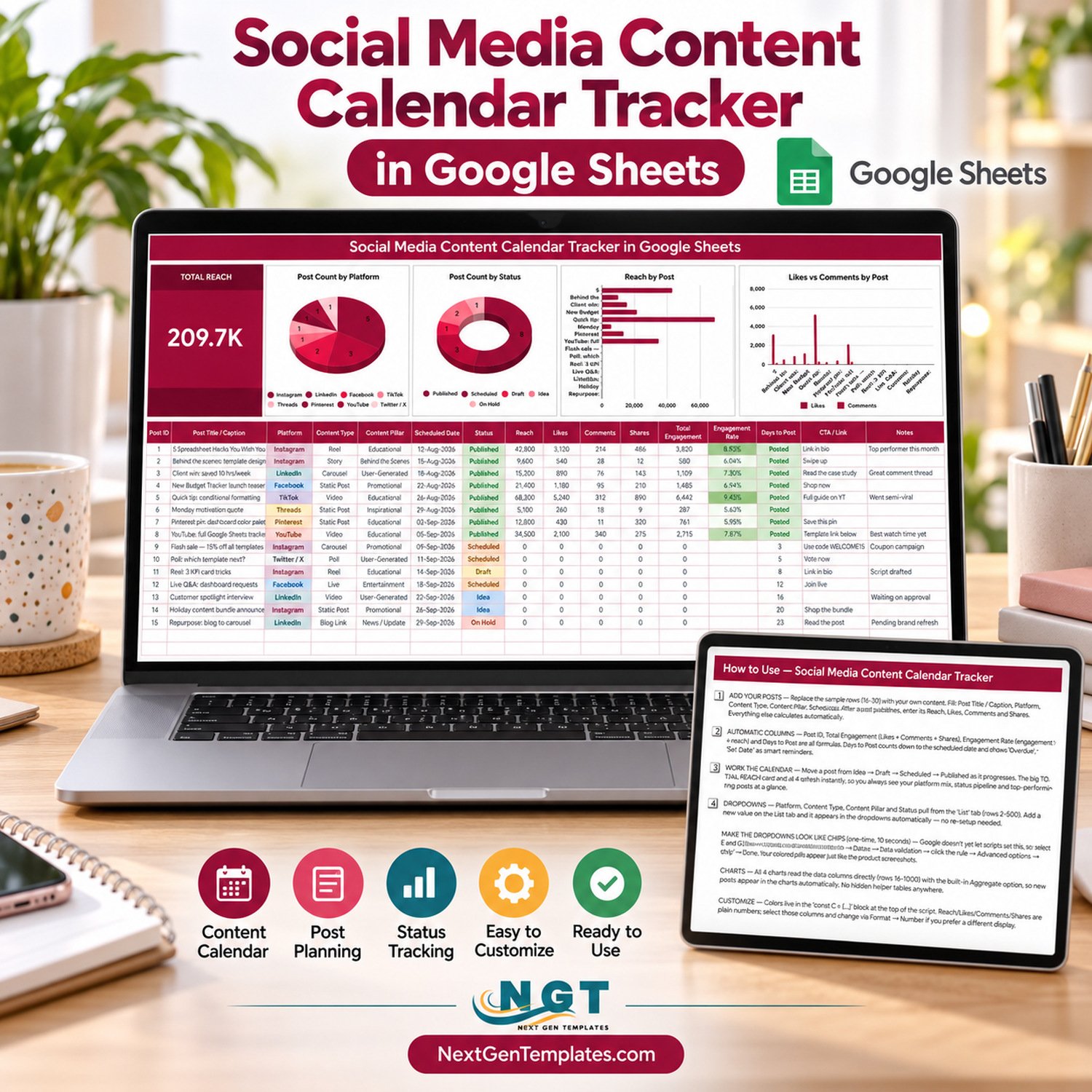

The Social Media Content Calendar Tracker in Google Sheets plans and measures every post on one page. It has a 16-column post log across 8 platforms, a 5-stage status pipeline, 4 automatic formula columns, a Total Reach card and 4 live charts. Setup takes minutes: make your copy, list your platforms and pillars, and replace the 15 sample posts.
🌍 Join 10,000+ customers in 180+ countries using NextGenTemplates to replace paid SaaS tools with one-time-purchase Excel, Google Sheets, Power BI and HTML templates.
✅ Instant download · One-time payment · No subscription · No per-user fees · Lifetime access
🔑 Key Features of the Social Media Content Calendar Tracker
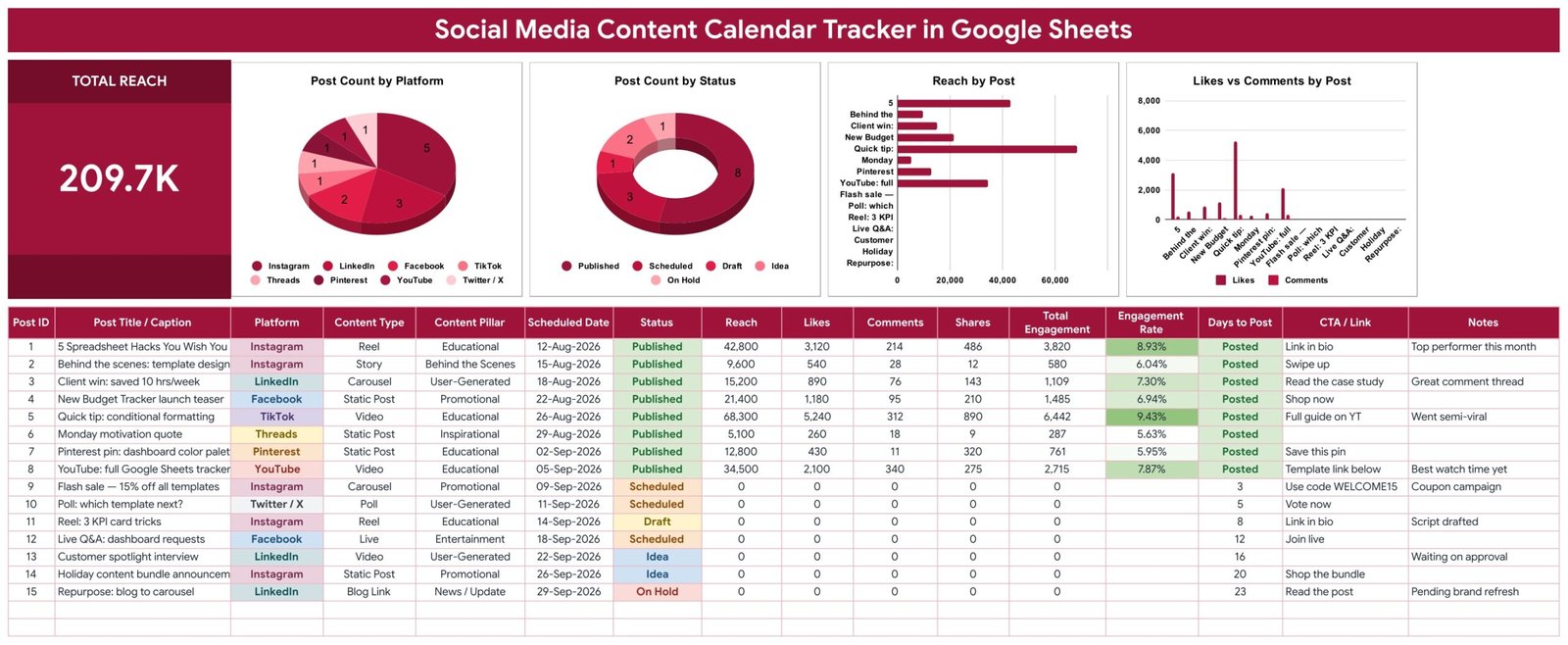
📅 One log for every channel. Each row holds Post Title / Caption, Platform, Content Type, Content Pillar, Scheduled Date, Status, Reach, Likes, Comments, Shares, CTA / Link and Notes. The sample covers Instagram, LinkedIn, Facebook, TikTok, Threads, Pinterest, YouTube and Twitter / X.
🔄 Five-stage workflow. Posts move from Idea to Draft to Scheduled to Published, with On Hold for anything paused. The Post Count by Status chart turns that pipeline into a picture your team reads in seconds.
🧮 Four columns calculate themselves. Post ID, Total Engagement (likes + comments + shares), Engagement Rate (engagement ÷ reach) and Days to Post are formulas, so every post is measured the same way.
⏳ Smart reminders. Days to Post counts down to the scheduled date and shows Overdue, Posted or Set Date, so a slipping post is visible before its date passes.
📊 Total Reach card plus 4 charts. Post Count by Platform, Post Count by Status, Reach by Post and Likes vs Comments by Post read the data columns directly (rows 16-1000), with no hidden helper tables.
🗂️ Dropdowns that grow with you. Platform, Content Type, Content Pillar and Status pull from the List tab (rows 2-500). Add a value there and it appears in the dropdown instantly.
📦 What’s Inside the Social Media Content Calendar Tracker
The file has four tabs: the tracker sheet, a List tab for dropdown values, How to Use and Explore More Templates.
Page 1: Tracker Sheet with Charts and Post Log
This page shows the Total Reach card (209.7K in the sample) and charts including Post Count by Platform, Post Count by Status, Reach by Post and Likes vs Comments by Post. Below them is the colour-coded 16-column log with 15 sample posts dated 12 August to 29 September 2026, with Engagement Rate shaded green.
Page 2: How to Use
Four numbered steps cover adding posts, the automatic columns, working the calendar and extending the dropdowns, plus the one-time chip display style for dropdown columns C, D, E and G.

Page 3: Explore More Templates
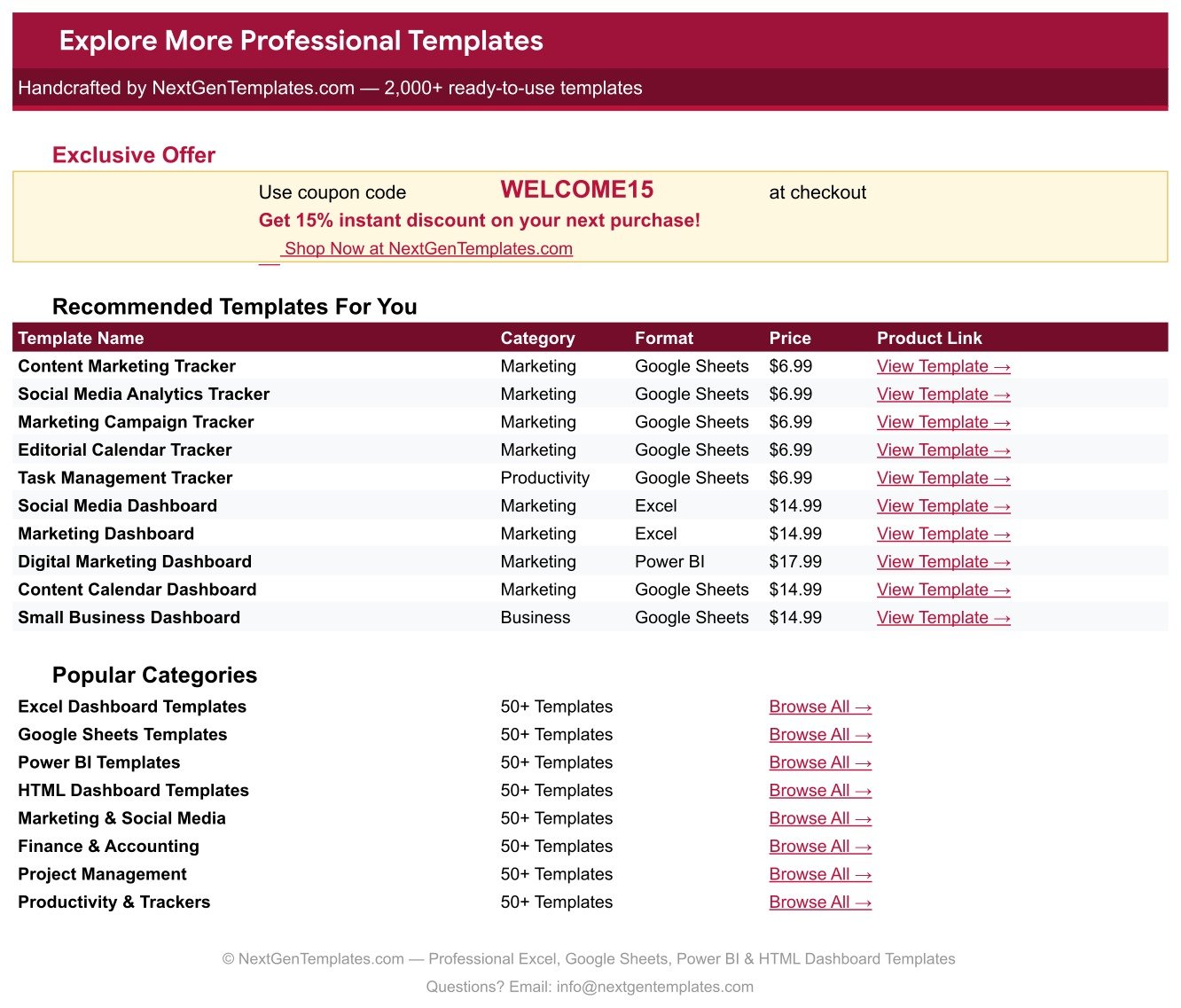
Recommended marketing and productivity templates plus a WELCOME15 coupon for 15% off your next order.
📊 Google Sheets Tracker vs. Excel Calendar vs. Paid Scheduling Tools – Where This Fits
| Feature | This Google Sheets Tracker | Microsoft Excel Content Calendar | Hootsuite / Buffer / Sprout Social |
|---|---|---|---|
| Cost | ✅ $6.99 one-time | Template plus an Excel licence | Recurring monthly subscription |
| Platform | ✅ Any browser, free Google account | Excel desktop or Microsoft 365 | Vendor web app |
| Setup time | ✅ Minutes | Minutes | Account setup and channel connections |
| Real-time team collaboration | ✅ Built in | Only with OneDrive / SharePoint | ✅ Yes, usually priced per seat |
| Mobile access | ✅ Google Sheets app | ✅ Excel app | ✅ Native apps |
| Customizable fields | ✅ Any column or dropdown | ✅ Yes | Vendor’s fields only |
| Share with link | ✅ Yes | Partial | Invite users to the account |
| Year-1 cost at 5 users | ✅ $6.99 total | Template plus 5 licences | 12 months of subscription fees |
| Publishes posts automatically | No, it plans and tracks | No | ✅ Yes |
For creators and small teams who want a shared plan-and-results log without a monthly bill, this tracker sits in the sweet spot. Teams that need automatic publishing still need a scheduler.
👥 Who This Template Is For – and Who It’s Not For
✅ This template is built for:
- Solo creators and freelancers posting on three or more platforms
- Small business owners and marketing coordinators who report reach and engagement
- Agencies that want a simple calendar each client can open with a link
❌ This template is NOT for:
- Teams that need posts published automatically. It does not connect to any social platform.
- Anyone expecting metrics imported from platform APIs. Reach, likes, comments and shares are typed in.
⚙️ How to Use the Social Media Content Calendar Tracker
- Open the PDF in your download and click the link to make your own copy in Google Drive.
- On the List tab, enter your platforms, content types, content pillars and statuses.
- Replace sample rows 16-30 with your posts: title, platform, type, pillar, scheduled date and status.
- Move each post from Idea to Draft to Scheduled to Published as it progresses.
- After publishing, enter Reach, Likes, Comments and Shares. Engagement and the charts update instantly.
💼 Real-World Use Cases
Aisha runs social for a two-person skincare brand. She plans a month of reels and carousels as Idea rows, schedules them once artwork is ready and logs results a week later. Likes vs Comments by Post shows her which formats spark conversation.
Daniel manages social for four freelance clients. He keeps one shared copy per client, watches Days to Post for anything Overdue and uses Post Count by Status to show how many posts are still waiting for approval.
❓ Frequently Asked Questions
What does the Social Media Content Calendar Tracker in Google Sheets track?
It tracks each post’s title, platform, content type, content pillar, scheduled date, status, reach, likes, comments, shares, CTA and notes. It calculates Post ID, Total Engagement, Engagement Rate and Days to Post, and summarises everything in a Total Reach card and four charts.
How long does setup take?
Usually a few minutes. Make your copy from the PDF link, update the List tab with your own platforms and pillars, then replace the 15 sample rows. Formulas and charts already cover rows 16 to 1000, so there is nothing to rebuild.
How does this compare to Hootsuite or Buffer?
Those tools publish posts and pull metrics automatically for a monthly fee. This tracker is a $6.99 one-time Google Sheets template for planning, status tracking and logging results. You still publish natively or through a scheduler and enter the numbers yourself.
Can I add more platforms or content pillars?
Yes. Add the value on the List tab (rows 2-500) and it appears in the dropdown straight away. The Post Count by Platform chart includes any new platform as soon as a post uses it.
How is Engagement Rate calculated?
Engagement Rate divides Total Engagement (likes + comments + shares) by the post’s reach. Posts without reach yet show no rate, so drafts and scheduled posts do not distort your results.
Is there a similar calendar-only template?
Yes. The Social Media Posting Calendar in Google Sheets is a separate calendar template. Choose this tracker when you also want status workflow, engagement maths and performance charts.
👤 About the Author
Built by PK, a Microsoft Certified Professional with 15+ years of Excel, Google Sheets and Power BI experience. PK founded NextGenTemplates and reaches 300K+ subscribers across the YouTube channels @PKAnExcelExpert, @NextGenTemplates and @NeoTechNavigators. Every template is hand-built and tested before release.
🔗 Explore Related Templates
🤝 Social Media Influencer Tracking Dashboard in Google Sheets: measure creator partnerships next to your own posts.
▶️ YouTube Channel Performance Tracker in Google Sheets: go deeper on video channel results.
📰 Editorial Calendar in Google Sheets: plan blog and long-form content.
📂 Browse all Google Sheets Trackers or the Sales and Marketing Google Sheets templates.
💎 Building a full marketing stack? Get the Marketing Manager Toolkit – 9 Premium Templates in one purchase.
🛠️ Want coloured chip dropdowns? Follow Google’s guide to dropdowns and data validation in Google Sheets.
📖 Click here to read the Detailed Blog Post
🎥 Visit our YouTube channel for step-by-step video tutorials
👉 YouTube.com/@NextGenTemplates
Watch the step-by-step video Demo:
📅 Last updated: September 2026























Reviews
There are no reviews yet.