

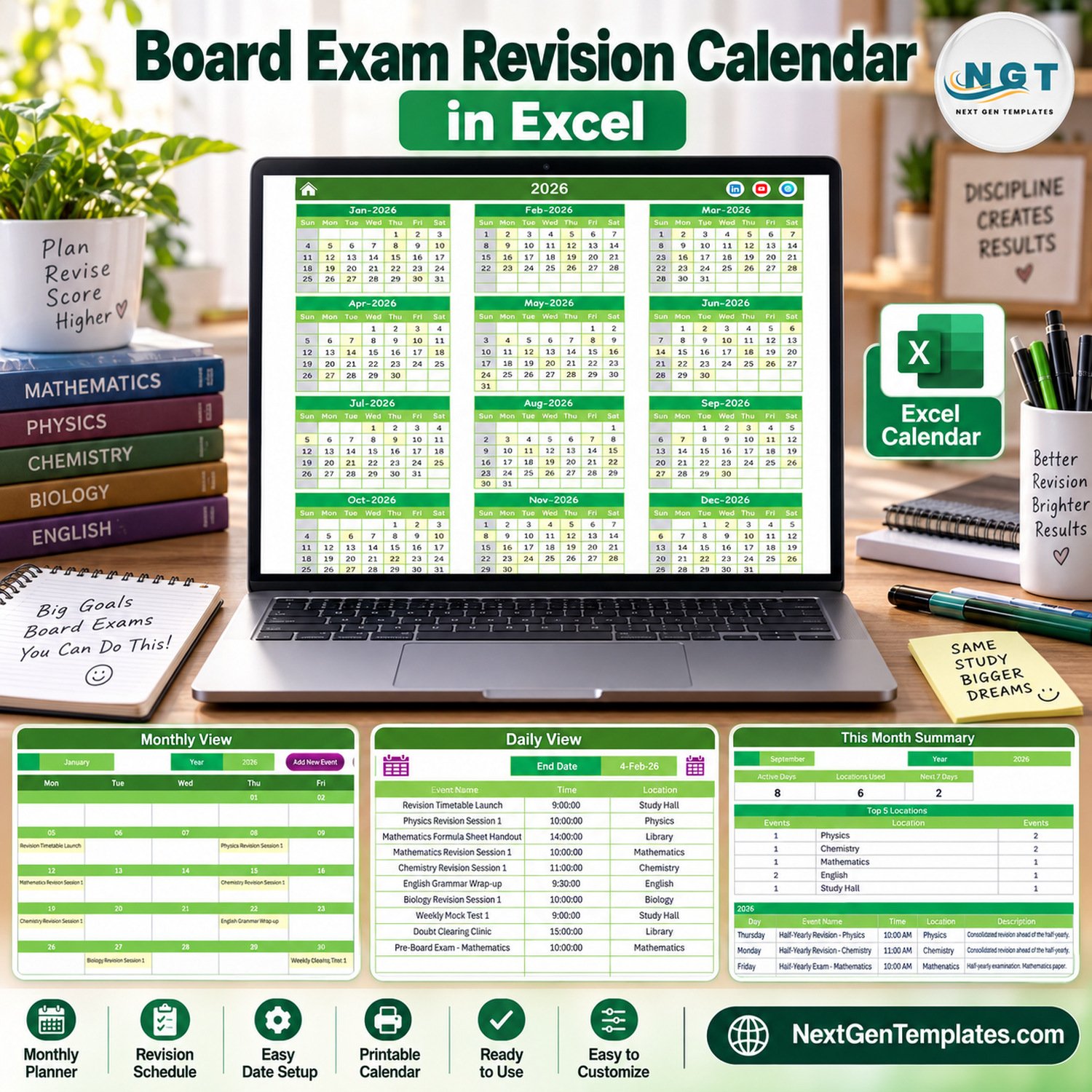
The Board Exam Revision Calendar in Excel puts a full year of revision sessions, mock tests, pre-boards and board papers into one macro-enabled workbook. This board exam revision calendar ships with 100 sample events dated 5 January to 31 December 2026, spread over 7 subject and room locations, and shows them on five linked pages: Annual View, Monthly View, Daily View, This Month and Events.
🌍 Built by NextGenTemplates, the store behind more than 7,000 Excel, Google Sheets and Power BI templates for teachers, coaching centres and small teams that prefer a one-time file to a monthly subscription.
✅ Instant download · One-time payment · No subscription · No per-user fees · Lifetime access
⚠️ Requirements: desktop Microsoft Excel for Windows with macros enabled. The entry form, record buttons and the Daily View refresh are VBA macros, so Excel for the web, Mac, iPad and phones cannot run them.
🔑 Key Features of the Board Exam Revision Calendar
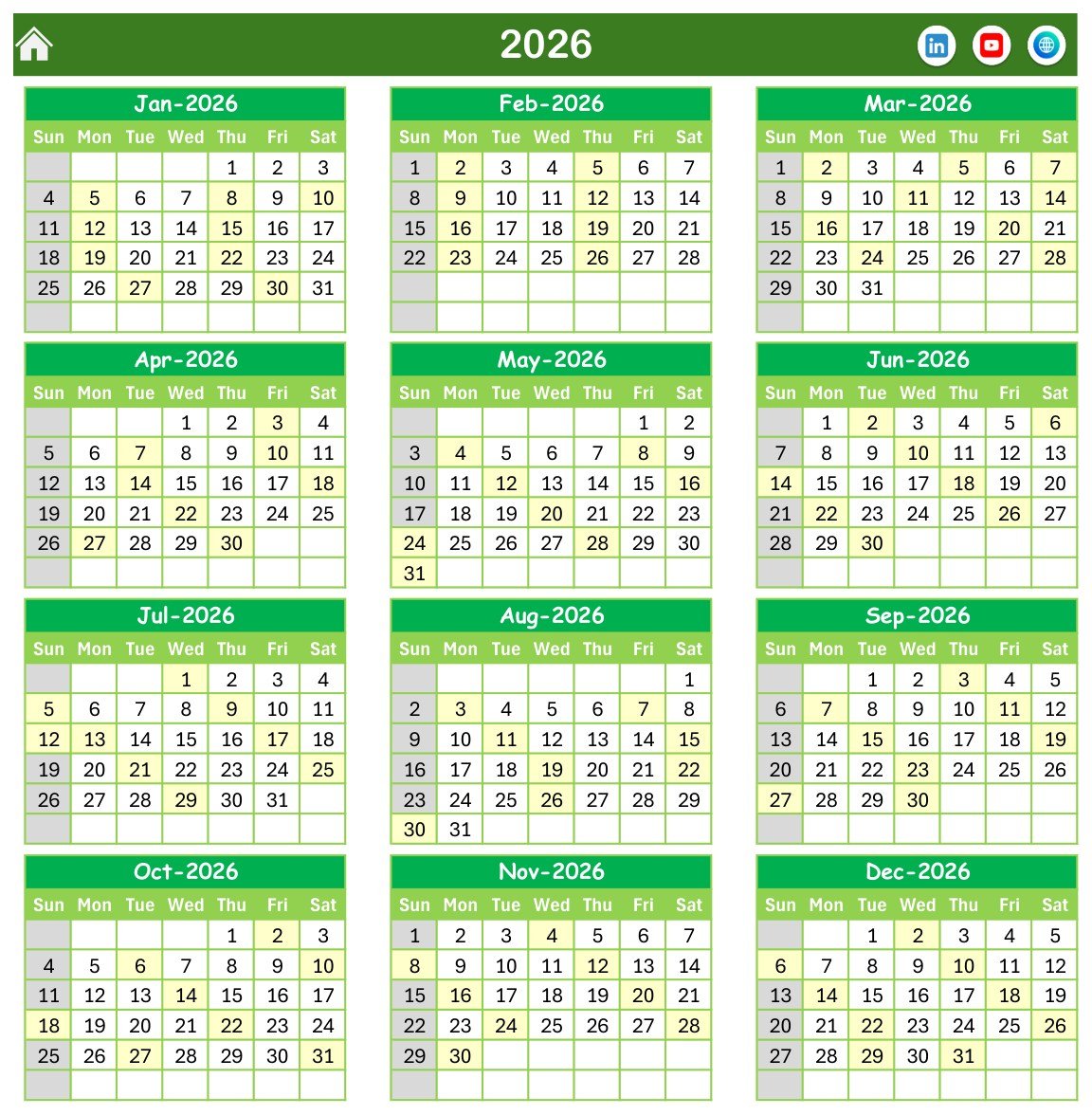
📅 Annual View for the whole year. All twelve months of 2026 sit on one page, and every date that holds a revision event is shaded, so a teacher or student can spot crowded weeks before the board papers begin. Sundays are greyed out.
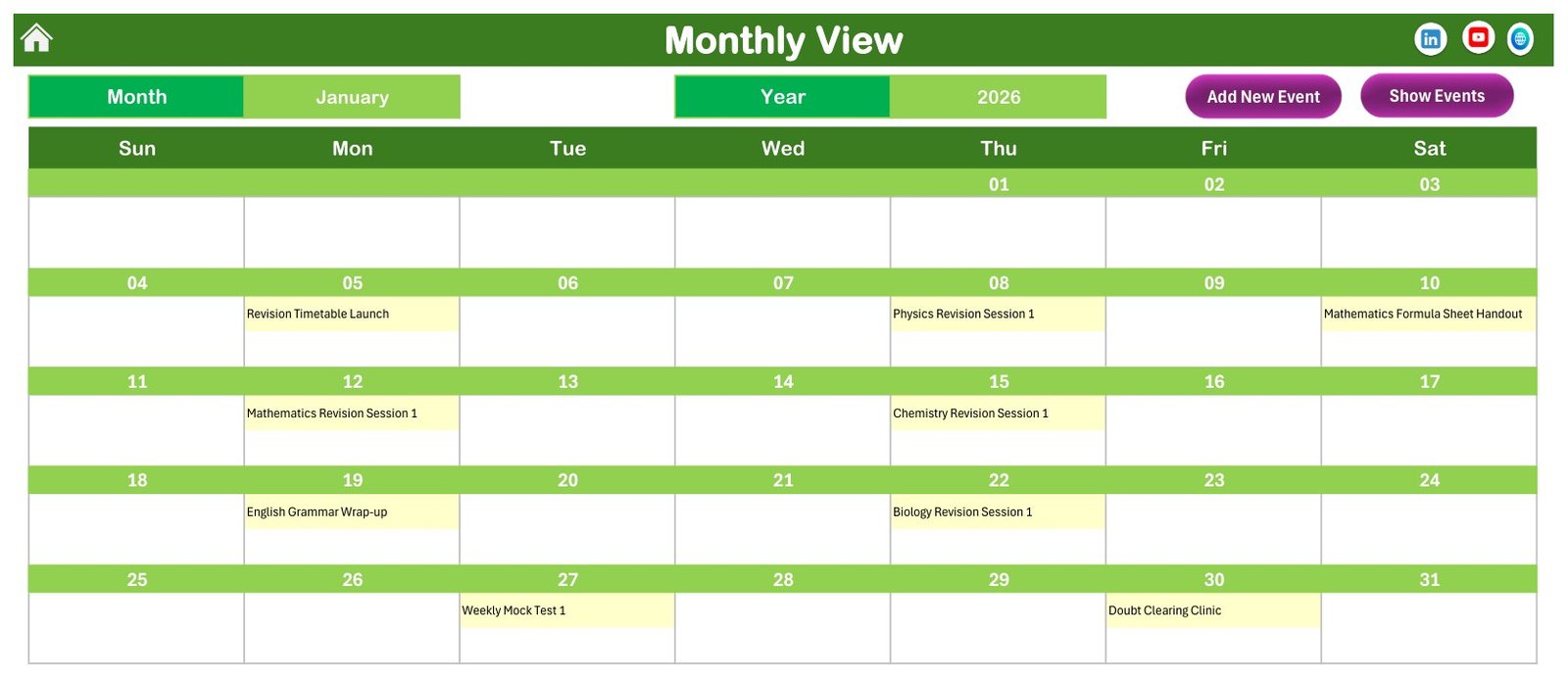
🗓️ Monthly View with the event name in each day. Pick a month and a year from the two selectors and the grid writes in the name of every event that month, for example Physics Revision Session 1 on 8 January and Weekly Mock Test 1 on 27 January.
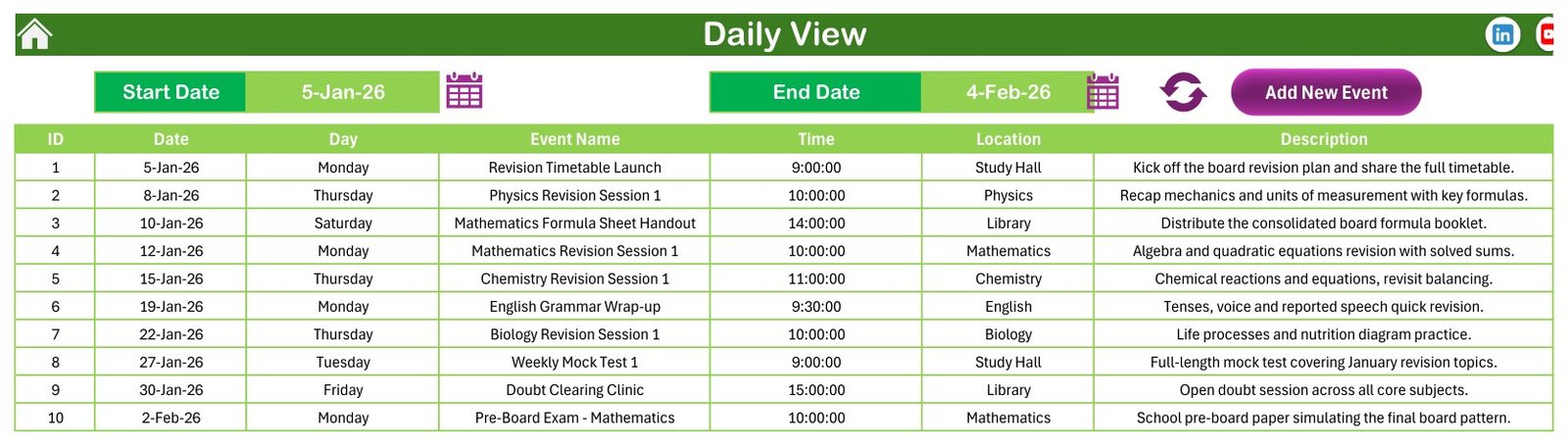
📋 Daily View for any date range. Set a Start Date and an End Date with the calendar pickers, press refresh and the sheet lists ID, date, day, event name, time, location and description for that window.
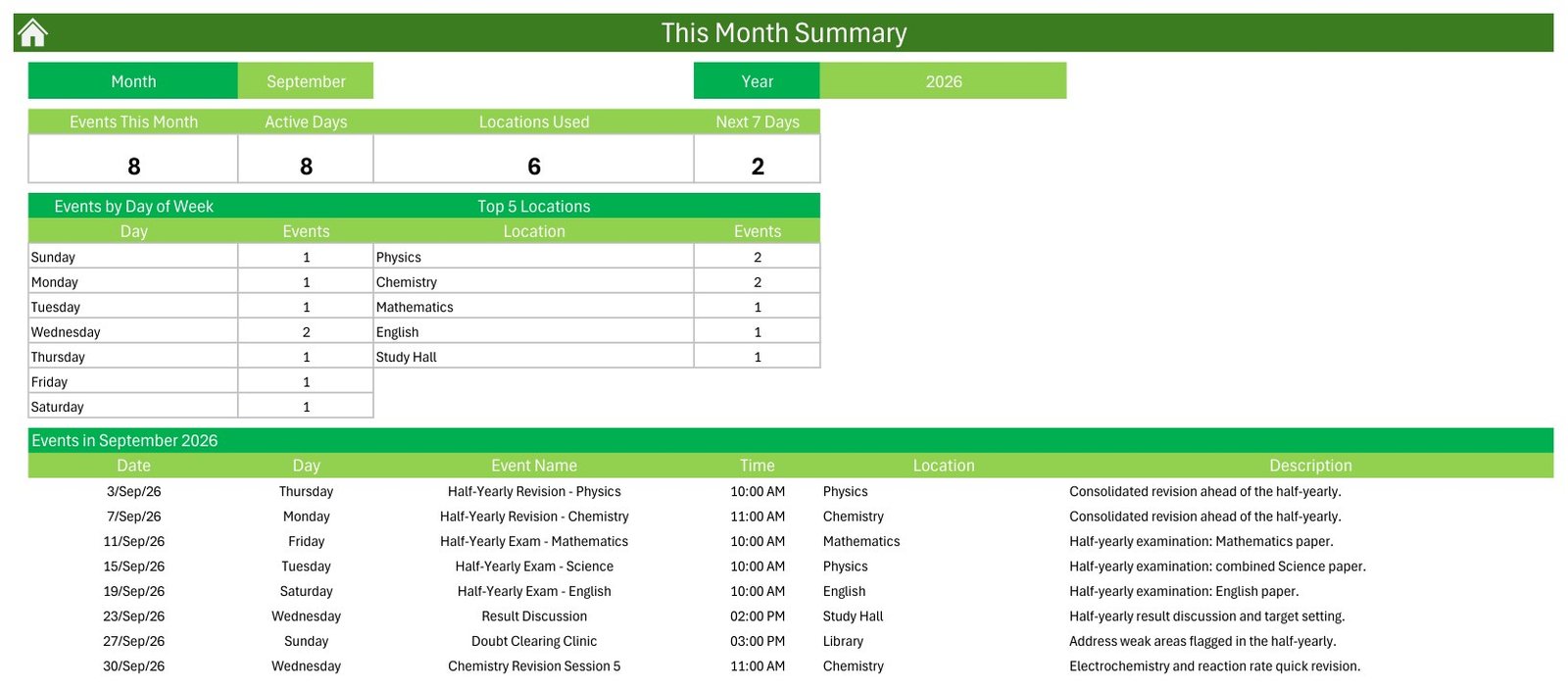
📈 This Month Summary. Four cards count Events This Month, Active Days, Locations Used and events in the Next 7 Days. Two tables break the month down by day of week and by the top 5 locations, and a list shows every event in the month.
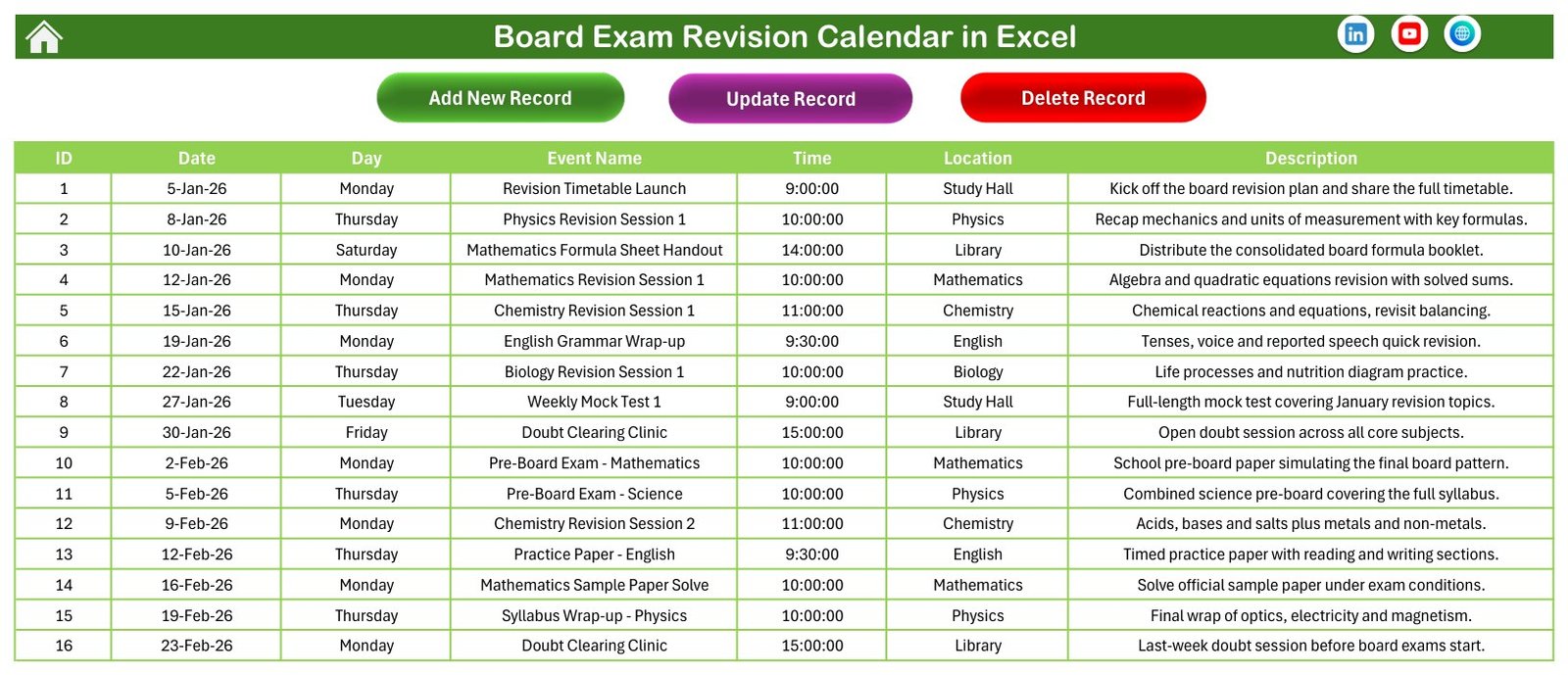
🧾 Events sheet with Add, Update and Delete buttons. All 100 records live in one table with seven columns, so every view reads from the same source.
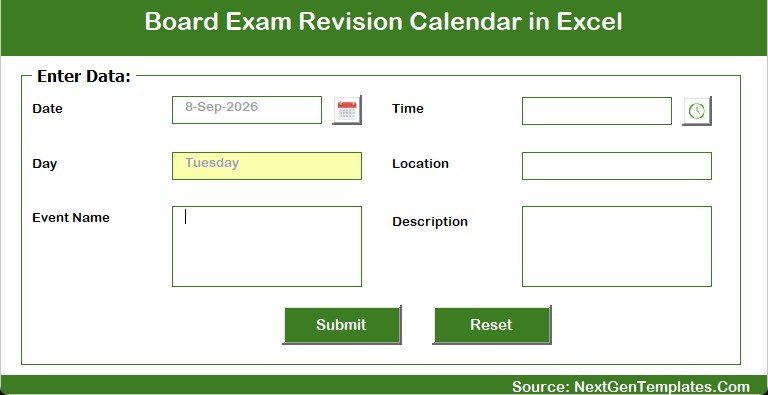
✍️ Data entry form. Date and time pickers, the weekday filled in automatically, plus Event Name, Location and Description boxes with Submit and Reset.
🎨 Setting sheet. Change the year, the starting month, the week start day, the two highlighted weekdays, event highlighting on or off, and five colour themes (Default, Blue, Red, Black, Orange).
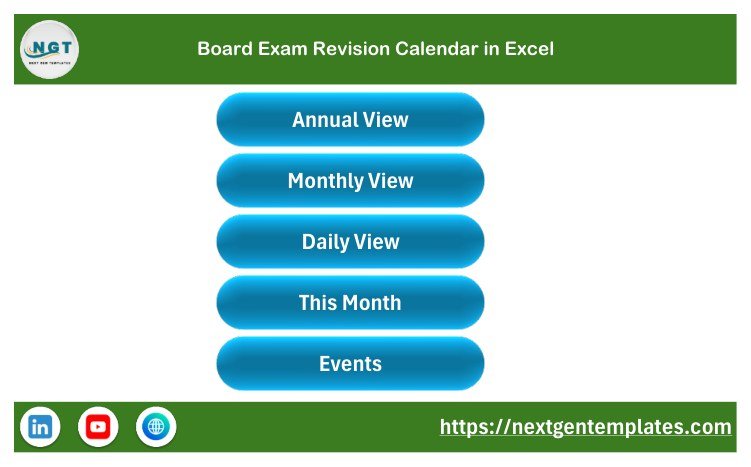
🏠 Home menu. Five large buttons jump to Annual View, Monthly View, Daily View, This Month and Events, and every page carries a home icon to come back.
📦 What’s Inside the Workbook
Page 1: Home
A clean navigation page with the product title and five buttons, one for each working page.
Page 2: Annual View
Twelve month grids for the selected year with a Sun to Sat header. Dates that carry at least one event are highlighted in light yellow.
Page 3: Monthly View
Month and Year selectors, an Add New Event button, a Show Events button and a full month grid with event names written under each date.
Page 4: Daily View
Start Date and End Date pickers with a refresh button. The sample view lists 5 January to 4 February 2026: the revision timetable launch, the first Physics, Mathematics, Chemistry, English and Biology sessions, a weekly mock test, a doubt clearing clinic and the Mathematics pre-board.
Page 5: This Month Summary
For September 2026 the sample shows 8 events on 8 active days across 6 locations, with half-yearly revision sessions and half-yearly exams in Mathematics, Science and English.
Page 6: Events
The master table: ID, Date, Day, Event Name, Time, Location and Description, with Add New Record, Update Record and Delete Record buttons.
Page 7: Enter Data Form
The pop-up form behind Add New Record. The date and time come from pickers and the day of the week fills itself.
📚 The Sample Revision Year
The 100 fictional events follow a typical school board cycle so you can see how a real plan looks before you replace it:
- 📘 January: revision timetable launch, subject revision sessions, a formula sheet handout, a weekly mock test and a doubt clearing clinic.
- 📝 February to March: pre-board papers in Mathematics and Science, then seven board papers from English on 26 February to Physics on 24 March, each with quick revision around it.
- 📊 April to July: answer key reviews, result preparation, provisional results, re-evaluation help, a compartment exam briefing and bridge sessions for the new session.
- 🧪 August to December: monthly mock tests, half-yearly revision and exams in September, intensive revision, sample paper marathons and a winter break revision plan.
Locations double as subject rooms: Study Hall (26 events), Physics (16), Mathematics (14), Library (13), Chemistry (12), English (10) and Biology (9). Every date has at most one event and every weekday label matches its date. The dates are samples, not an official board date sheet, so always copy your own board’s published timetable into the Events sheet.
📊 Comparison: This Excel Template vs. a Google Sheets Calendar vs. a Paper Wall Planner
| Feature | Board Exam Revision Calendar in Excel | Google Sheets calendar | Paper wall planner |
|---|---|---|---|
| Annual, monthly and daily views from one table | ✅ Yes | ⚠️ Depends on the template | ❌ No |
| Entry form with date and time pickers | ✅ Yes (VBA) | ❌ Usually not | ❌ No |
| Monthly summary cards and top locations | ✅ Yes | ⚠️ Build it yourself | ❌ No |
| Works offline | ✅ Yes | ⚠️ Limited | ✅ Yes |
| Runs on Mac, web or phone | ❌ Windows desktop only | ✅ Yes | ✅ Yes |
| Reminders or notifications | ❌ No | ⚠️ Via add-ons | ❌ No |
| Cost | ✅ One-time | ✅ Free to paid | ✅ Low |
👥 Who This Template Is For, and Who It’s Not For
✅ Good fit: Class 10 and Class 12 teachers, exam coordinators, coaching and tuition centres, and parents or students who want one yearly plan for revision sessions, mock tests and board papers.
❌ Not a fit: anyone who needs student-level marks, attendance, syllabus completion percentages, automatic reminders or a shared online calendar. This is a planning workbook, not a learning management system.
⚙️ How to Use the Template
- Unzip the download and open Board Exam Revision Calendar in Excel.xlsm in desktop Excel for Windows.
- Click Enable Content. If Windows blocks macros on a downloaded file, follow Microsoft’s guide to enabling macros in Microsoft 365 files.
- Open Setting and choose the year, starting month, week start day and colour theme.
- Go to Events, delete the sample rows, and add your own sessions with Add New Record.
- Check Annual View for crowded weeks, Monthly View for the day-by-day plan and Daily View for a date range.
💼 Real-World Use Cases
🏫 A school exam cell maps pre-boards, practical exams and board papers for Class 10 and Class 12 in one file.
📖 A coaching centre plans weekly mock tests and doubt clearing clinics per subject room.
👨👩👧 A family keeps a home revision plan for a student in the board year, with break days marked.
❓ Frequently Asked Questions
What does the Board Exam Revision Calendar in Excel include?
One macro-enabled .xlsm workbook with Home, Annual View, Monthly View, Daily View, This Month, Events and Setting sheets, an entry form and 100 fictional sample events. The ZIP also carries a short Excel Calendar user manual in PDF.
Do I need to enable macros?
Yes. The form, the Add, Update and Delete buttons and the Daily View refresh are VBA macros.
Does it work on Mac, Excel for the web or mobile?
No. Use desktop Excel for Windows.
Does it include my board’s official exam dates?
No. The sample dates are illustrative. Enter the date sheet your board publishes.
Does it send reminders or track marks?
No. It has no reminders, no end time or duration field and no student marks. The Next 7 Days card is the closest thing to a look-ahead.
Can I change the year and the week start day?
Yes, both are on the Setting sheet, along with five colour themes.
👤 About the Author
NextGenTemplates is run by the PK: An Excel Expert team, who have published Excel, Power BI and Google Sheets tutorials on YouTube for years and build every template around real workflows.
🔗 Explore Related Templates
- Exam Timetable Calendar in Excel
- Class Timetable Calendar in Excel
- Teacher Substitution Calendar in Excel
- School Bus Route Calendar in Excel
- Exam Timetable Calendar in Google Sheets
- All Excel calendar templates
- Excel templates for education

































Reviews
There are no reviews yet.