


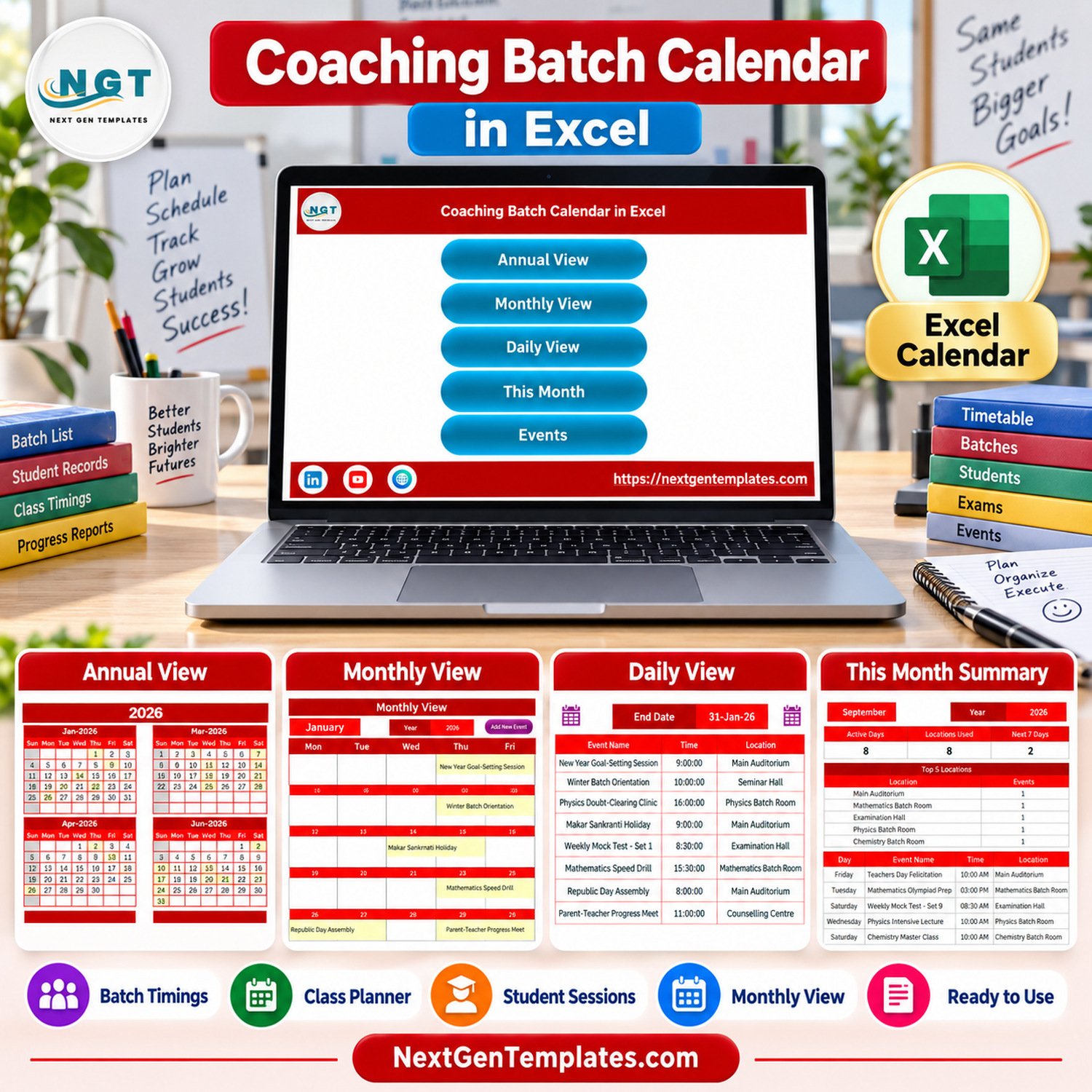
Coaching Batch Calendar in Excel gives a coaching center a ready-made scheduling workbook with 5 core worksheet views, 7 screenshot-verified screens, and around 100 sample event rows for batch sessions, doubt-clearing classes, exams, parent meetings, and location planning. It is built for Microsoft Excel for Windows desktop and uses macros for buttons and event forms, so buyers should enable macros after opening the file.
Key Features of Coaching Batch Calendar in Excel
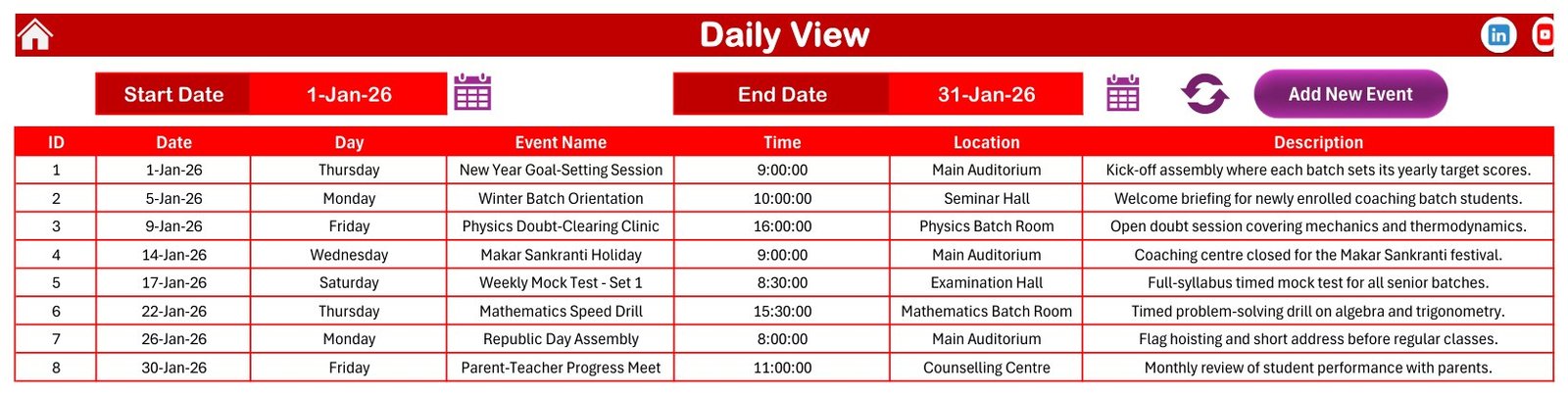
- Annual, monthly, and daily views: review the full year, one selected month, or a date-range event list without rebuilding formulas.
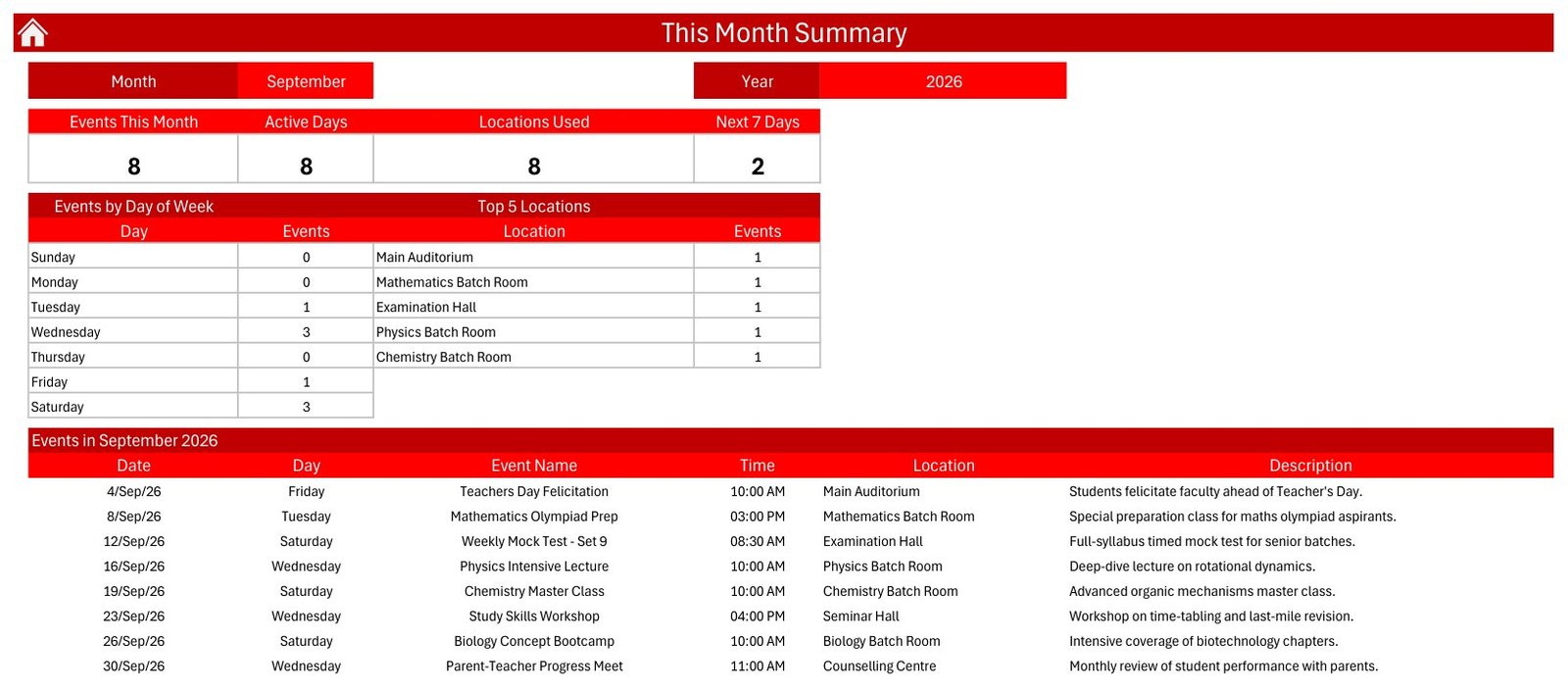
- This Month Summary: see active days, locations used, next 7 days, events by weekday, top locations, and the current month event table.
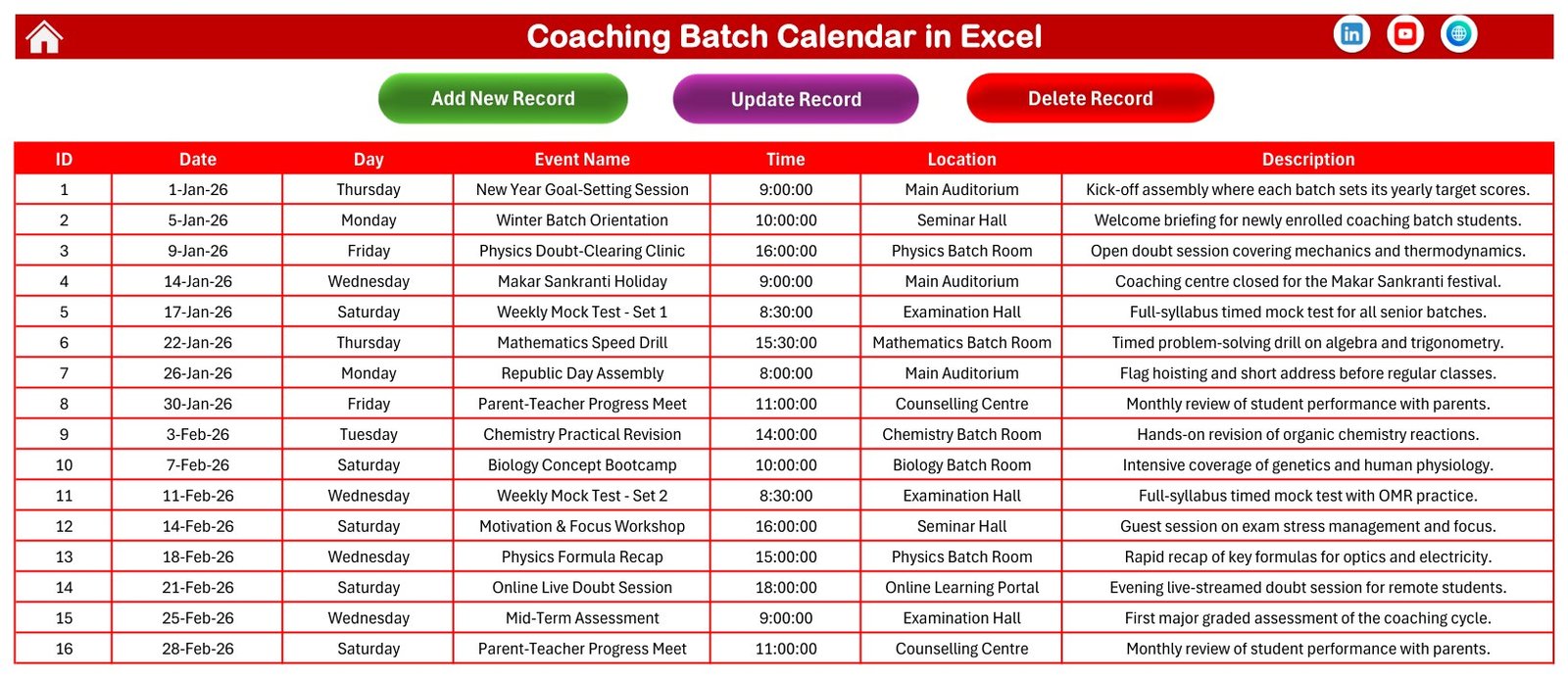
- Events database: maintain the actual event records in one structured sheet with ID, date, day, event name, time, location, and description fields.
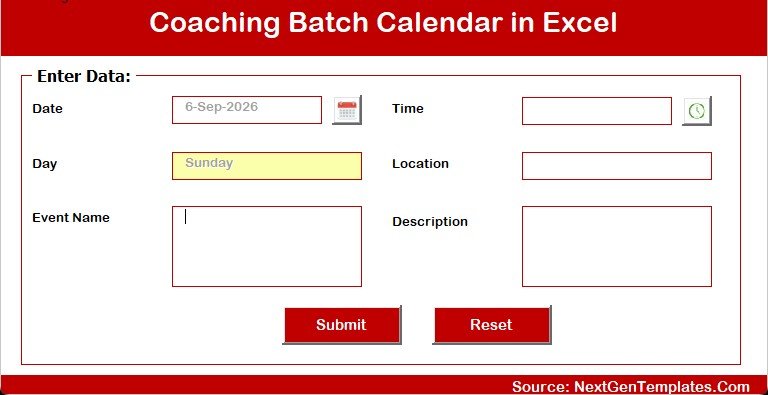
- Add-event form: enter new coaching sessions through a clean form instead of editing every calendar view manually.
- Theme and highlight controls: choose a year, starting month, start day of week, color theme, two highlighted weekdays, and event highlighting.
- Excel desktop workflow: delivered as a macro-enabled Excel workbook for Windows users who want a local, editable planner.
What’s Inside the Coaching Batch Calendar Workbook
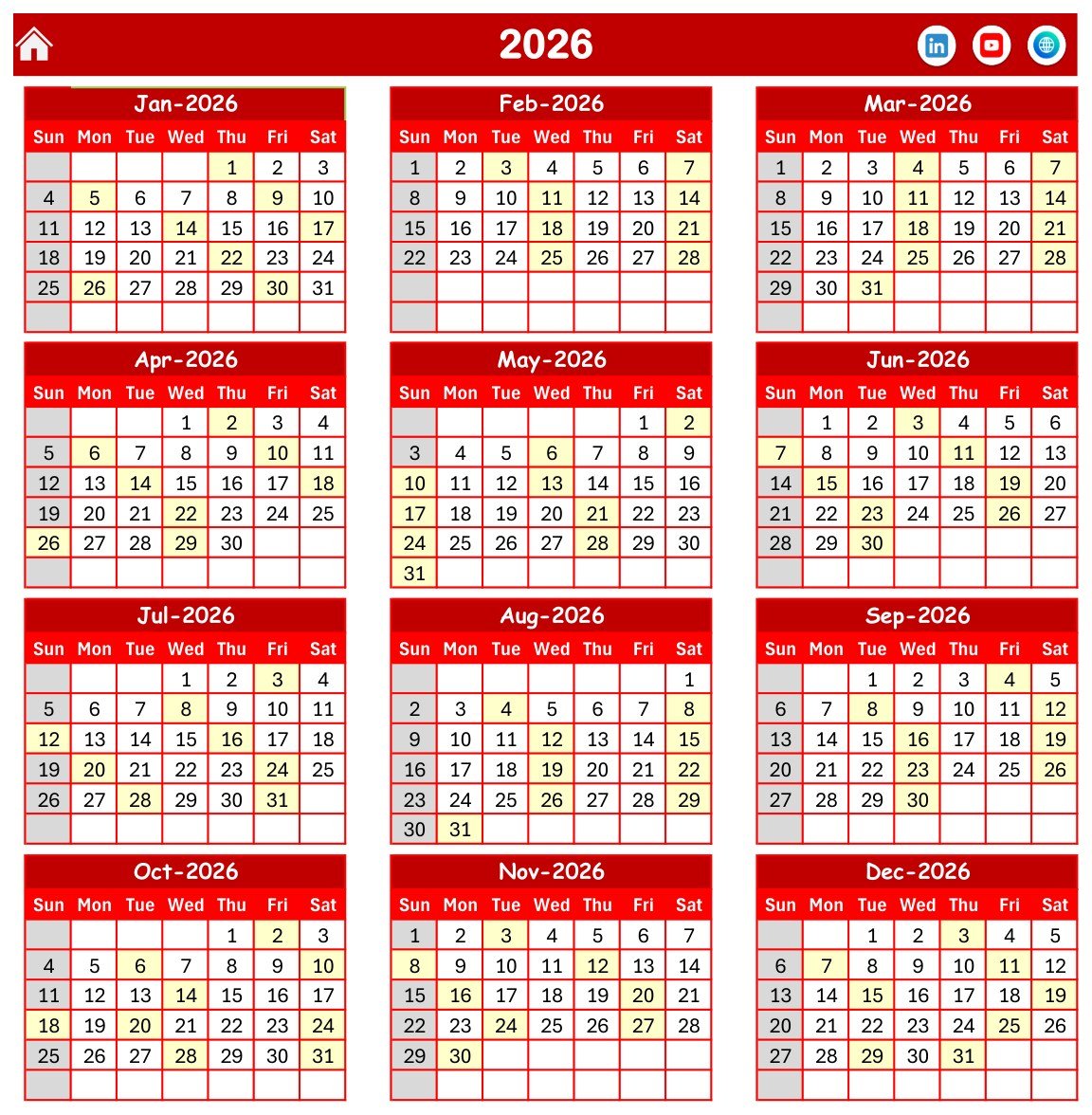
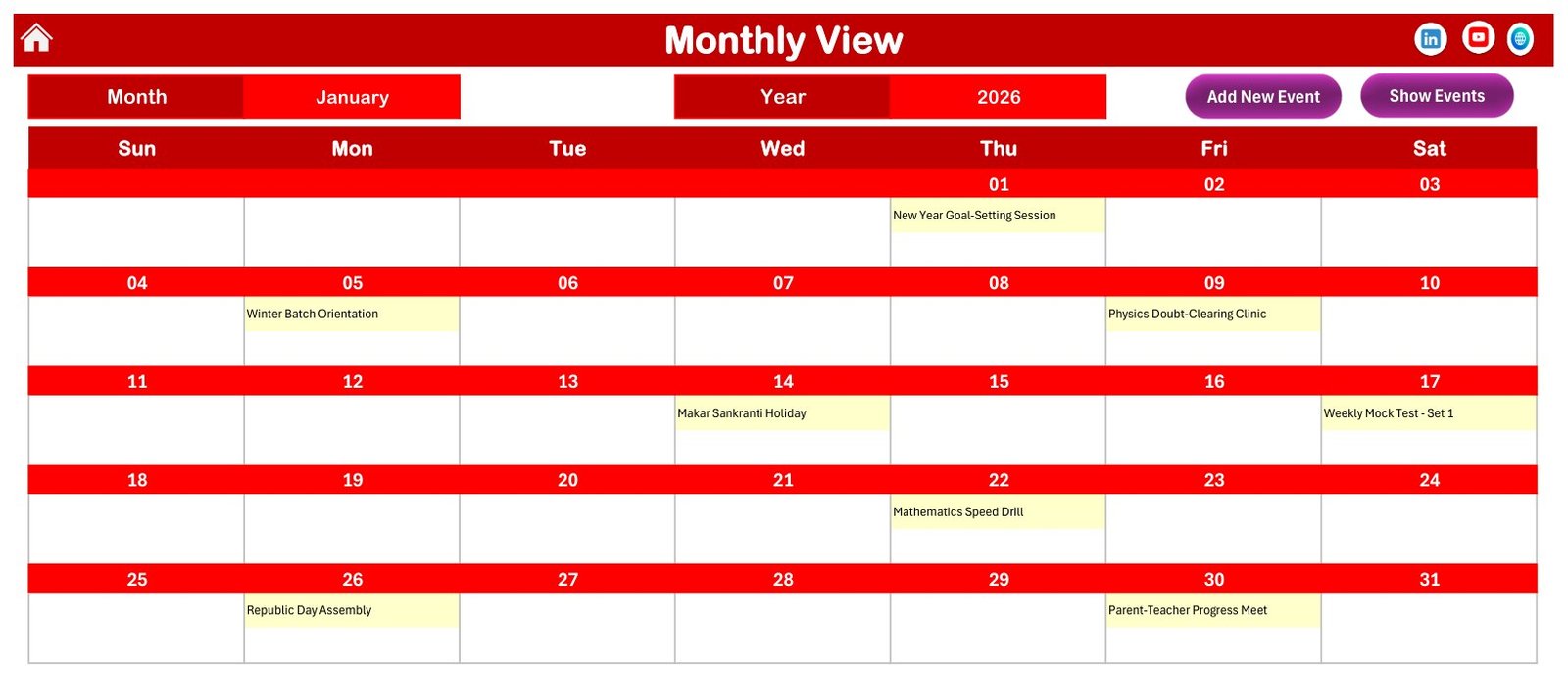
The download is a customer ZIP containing the macro-enabled Excel calendar workbook and its user manual. The workbook includes a Home sheet, Annual View, Monthly View, Daily View, This Month Summary, Events sheet, and event entry form. The screenshots below show the actual product screens used in the buyer file.
Excel Batch Calendar vs. Google Sheets Calendar vs. Paid CRM/SaaS – Where This Fits
| Factor | This Excel calendar | Google Sheets calendar | Paid CRM or LMS |
|---|---|---|---|
| Best use | Local coaching batch and event scheduling in Excel | Simple shared calendars with live collaboration | Full student, fee, course, and communication management |
| Setup time | Unzip, enable macros, and start editing sample events | Create or copy a sheet and configure sharing | Configure users, modules, permissions, and subscriptions |
| Year-1 cost at 5 users | One template purchase | Usually free with a Google account | Often a recurring per-user or per-student subscription |
| Macros and forms | Yes, Excel VBA buttons and event form | No Excel VBA macros | Depends on vendor workflow |
| Offline use | Yes, once downloaded | Limited unless configured for offline access | Usually online-first |
| Customizable fields | Editable workbook structure | Editable sheet structure | Limited by plan and admin settings |
Who This Template Is For – and Who It’s Not For
This calendar is for coaching institutes, tuition centers, training coordinators, exam-prep teams, and solo tutors who plan class batches, session dates, mock tests, workshops, parent meetings, and classroom usage in Excel. It is also useful when the team wants a clear local file before moving the schedule into another system.
It is not a learning management system, admission CRM, payment tracker, student attendance register, or automated reminder platform. It does not send emails, SMS, WhatsApp reminders, or calendar invites. It is a planning workbook, not a cloud database.
How to Use the Excel Coaching Calendar
- Download the ZIP and extract the files to a trusted folder.
- Open the workbook in Microsoft Excel for Windows desktop and enable macros when Excel asks.
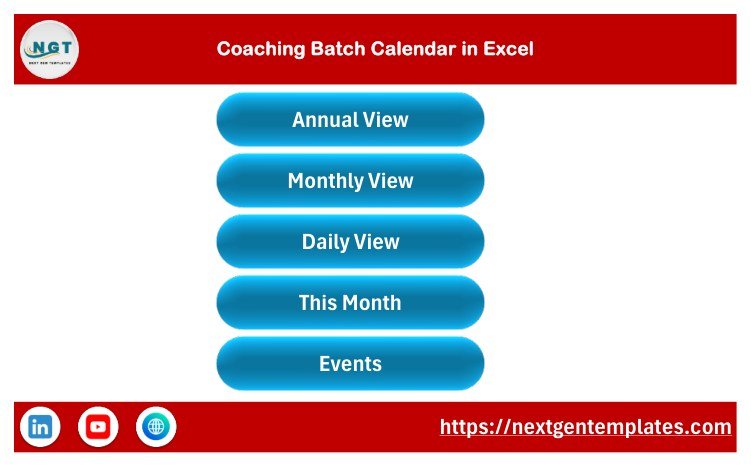
- Use the Home sheet buttons to move between Annual View, Monthly View, Daily View, This Month, and Events.
- Select the year, month, starting month, first day of week, theme, and highlighted weekdays.
- Add coaching sessions, exams, reviews, and holidays through the add-event form or the Events sheet.
- Review dates in the calendar views before sharing or printing your schedule.
If your organization controls macro security centrally, review Microsoft’s guidance on enabling or disabling macros in Microsoft 365 files before changing Trust Center settings.
Real-World Use Cases
Exam-prep center batch planning
A center manager can map orientation sessions, doubt-clearing classes, mock tests, and parent meetings across the month, then use the Daily View to brief teaching staff.
Subject-wise coaching timetable
A coordinator can assign sessions to rooms such as Physics Batch Room, Seminar Hall, Examination Hall, or Counselling Centre and review location usage in the This Month Summary.
Solo tutor schedule control
A tutor running multiple small groups can maintain recurring class events and quickly check upcoming sessions without maintaining separate paper planners.
Frequently Asked Questions
Does the calendar require macros?
Yes. It is a macro-enabled Excel workbook. Use Microsoft Excel for Windows desktop and enable macros so buttons and forms can work correctly.
Can I replace the sample events?
Yes. The Events sheet is the source table for the calendar views. You can overwrite the sample coaching events with your own sessions, tests, meetings, and holidays.
Can I change the year and month?
Yes. The Annual and Monthly views include controls for changing the year, selected month, starting month, and starting day of week.
Does it support location planning?
Yes. Events include a location field, and the This Month Summary highlights top locations used during the selected month.
Is this suitable for online course delivery?
It can plan online class dates and times, but it does not host classes, manage student logins, collect payments, or send automated reminders.
Can I print the schedule?
Yes. The calendar views are designed for practical review and can be printed or exported from Excel after you adjust your data.
About the Author
Built by PK – Microsoft Certified Professional with 15+ years of Excel, Google Sheets, and Power BI experience. Founder of NextGenTemplates, reaching 300K+ subscribers across YouTube channels. Every template is hand-built and tested before release.
Explore Related Templates
Browse more Excel calendar templates or the broader MS Excel template collection. Related scheduling templates include Maternity Ward Duty Calendar in Excel, Mental Health Session Calendar in Excel, and Clinical Trial Visit Calendar in Excel.
Ready to organize coaching batches in Excel? Download the workbook, replace the sample records with your own class schedule, and keep batch planning in one editable file.
Last updated: September 13, 2026.
📖 Read the complete walkthrough of the Coaching Batch Calendar in Excel on our blog: Coaching Batch Calendar in Excel – full guide.
































Reviews
There are no reviews yet.