

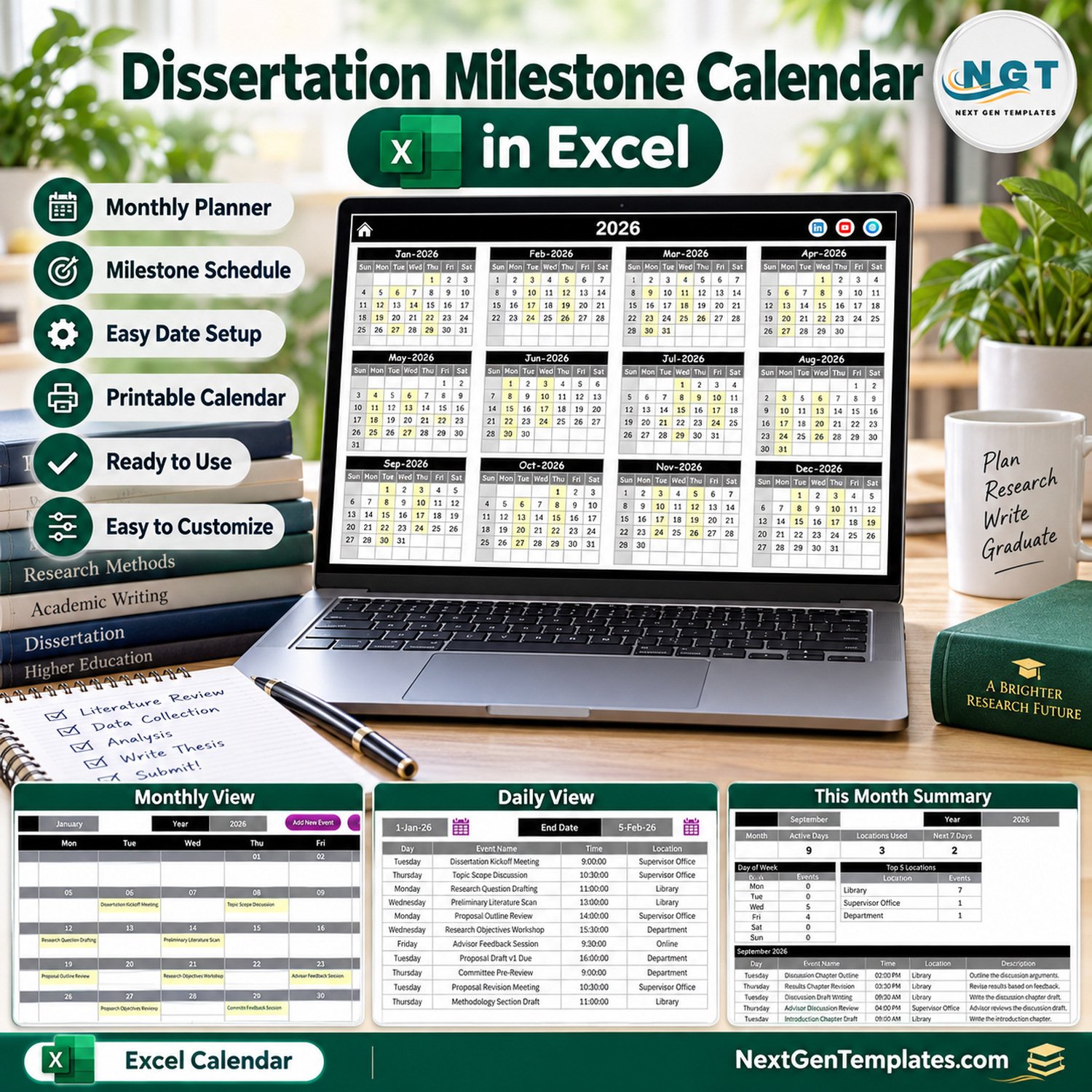
The Dissertation Milestone Calendar in Excel lays out a full research year in one macro-enabled workbook: proposal meetings, literature review sessions, ethics submissions, data collection rounds, chapter drafts, revisions and the final defense. It ships with 100 sample milestones dated 6 January to 19 December 2026, spread over 7 locations such as Library, Research Lab and Supervisor Office, and shows them on five linked pages: Annual View, Monthly View, Daily View, This Month and Events.
🌍 Built by NextGenTemplates, the store behind more than 7,000 Excel, Google Sheets and Power BI templates for students and small teams that prefer a one-time file to a monthly subscription.
✅ Instant download · One-time payment · No subscription · No per-user fees · Lifetime access
⚠️ Requirements: desktop Microsoft Excel for Windows with macros enabled. The entry form, the record buttons, the Daily View and the This Month summary are driven by VBA macros, so Excel for the web, Mac, iPad and phones cannot run them.
🔑 Key Features of the Dissertation Milestone Calendar in Excel
📅 Annual View for the whole research year. All twelve months of 2026 sit on one page, and every date that holds a milestone is shaded yellow, so busy stretches such as proposal season in February or chapter writing in September stand out at a glance. Sunday is greyed out as the highlighted weekday.
🗓️ Monthly View with the milestone name in each day. Pick a month and a year from the two selectors and the grid writes in every event booked that month, for example Dissertation Kickoff Meeting on Tuesday 6 January and Proposal Draft v1 Due on Tuesday 27 January. Add New Event and Show Events buttons sit above the grid.
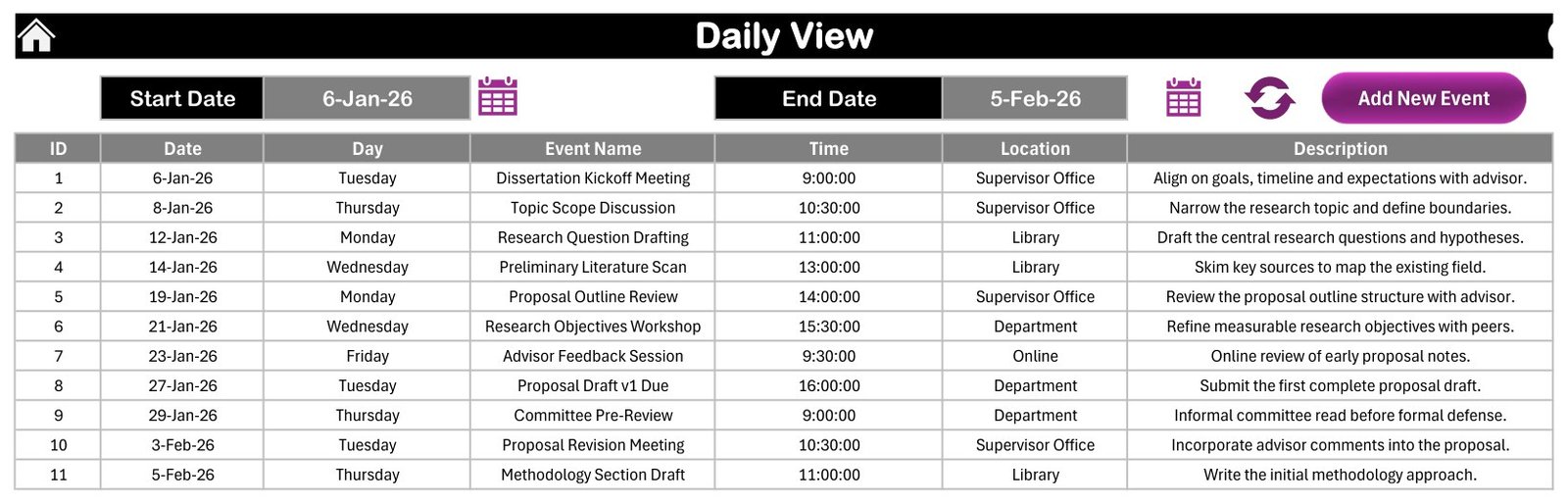
📋 Daily View between any two dates. Choose a Start Date and an End Date with the calendar buttons, press refresh, and the page lists every milestone in that range with ID, Date, Day, Event Name, Time, Location and Description. The sample range 6-Jan-26 to 5-Feb-26 returns 11 events.
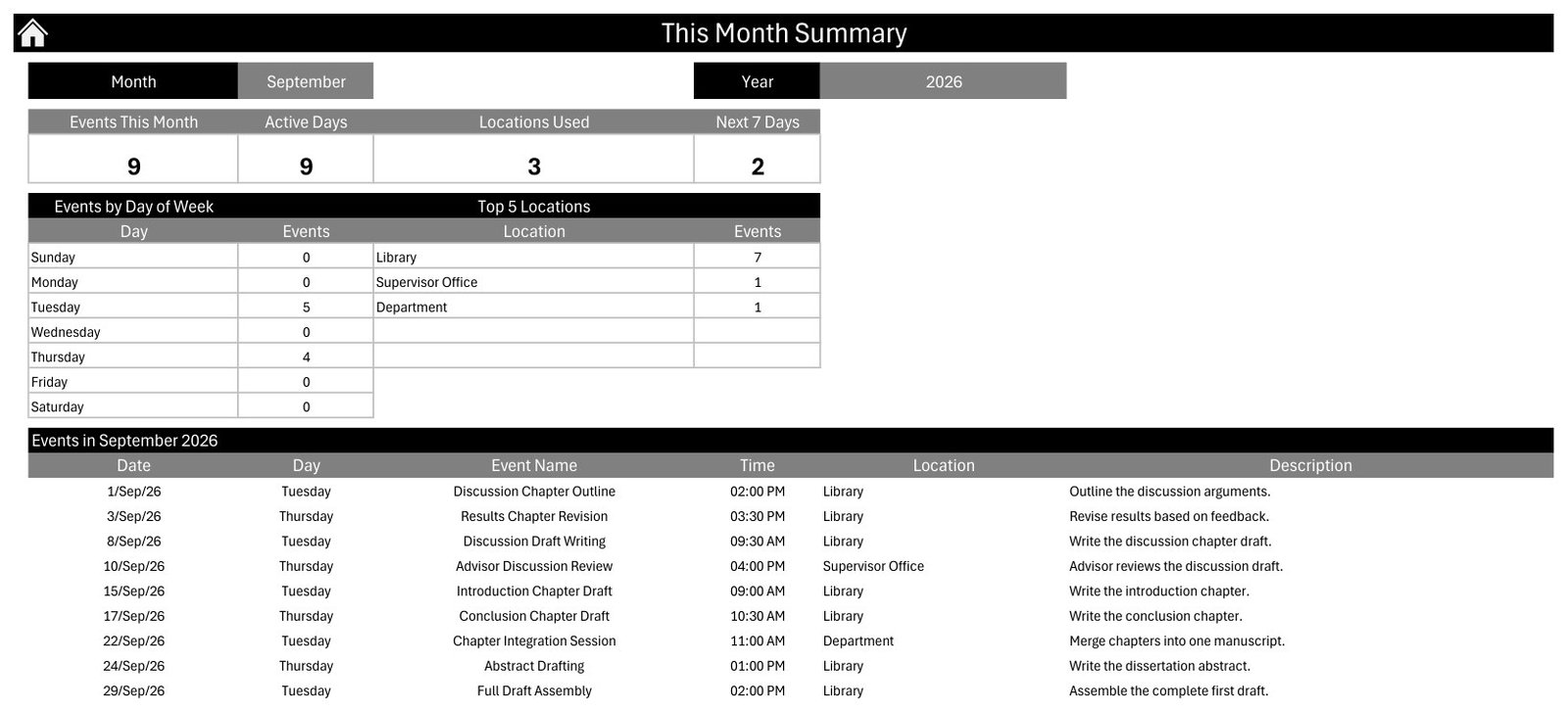
📊 This Month summary. Four cards count Events This Month, Active Days, Locations Used and events in the Next 7 Days, beside an Events by Day of Week table, a Top 5 Locations table and a full list of that month’s events. For September 2026 it reads 9 events, 9 active days and 3 locations.
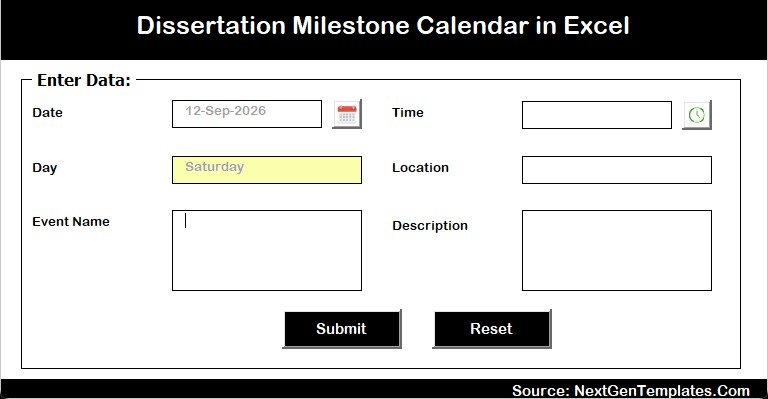
✍️ Entry form with date and time pickers. Add a milestone through a form with Date, Time, Location, Event Name and Description fields. The Day field fills in automatically from the date, and Submit and Reset buttons keep entry quick.
🎨 Setting sheet. Change the calendar year, the starting month and the first day of the week, choose up to two weekdays to highlight, switch event highlighting on or off, and pick one of five colour themes.
📦 What’s Inside the Workbook
The download is a ZIP holding Dissertation Milestone Calendar in Excel.xlsm and the Excel Calendar – User Manual.pdf. The workbook has seven sheets: Home, Annual View, Monthly View, Daily View, This Month, Events and Setting.
Page 1: Home
The Home page is a simple menu with five buttons that jump to Annual View, Monthly View, Daily View, This Month and Events. Every other page has a house icon that brings you back here.
Page 2: Annual View
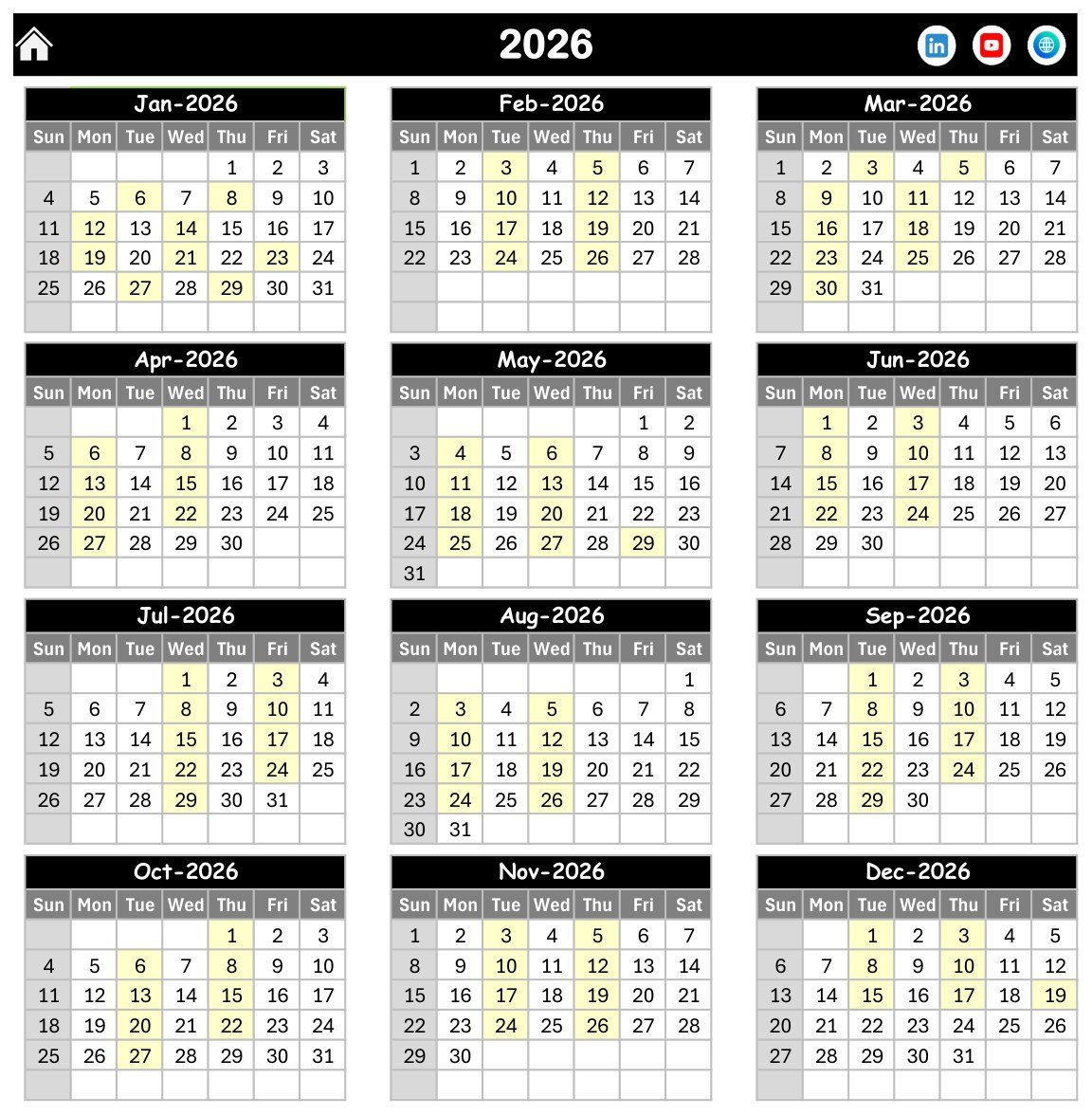
Twelve month grids for 2026, from Jan-2026 to Dec-2026, with Sunday to Saturday columns. Dates carrying a milestone are shaded, which makes the rhythm of a dissertation year visible on a single screen.
Page 3: Monthly View
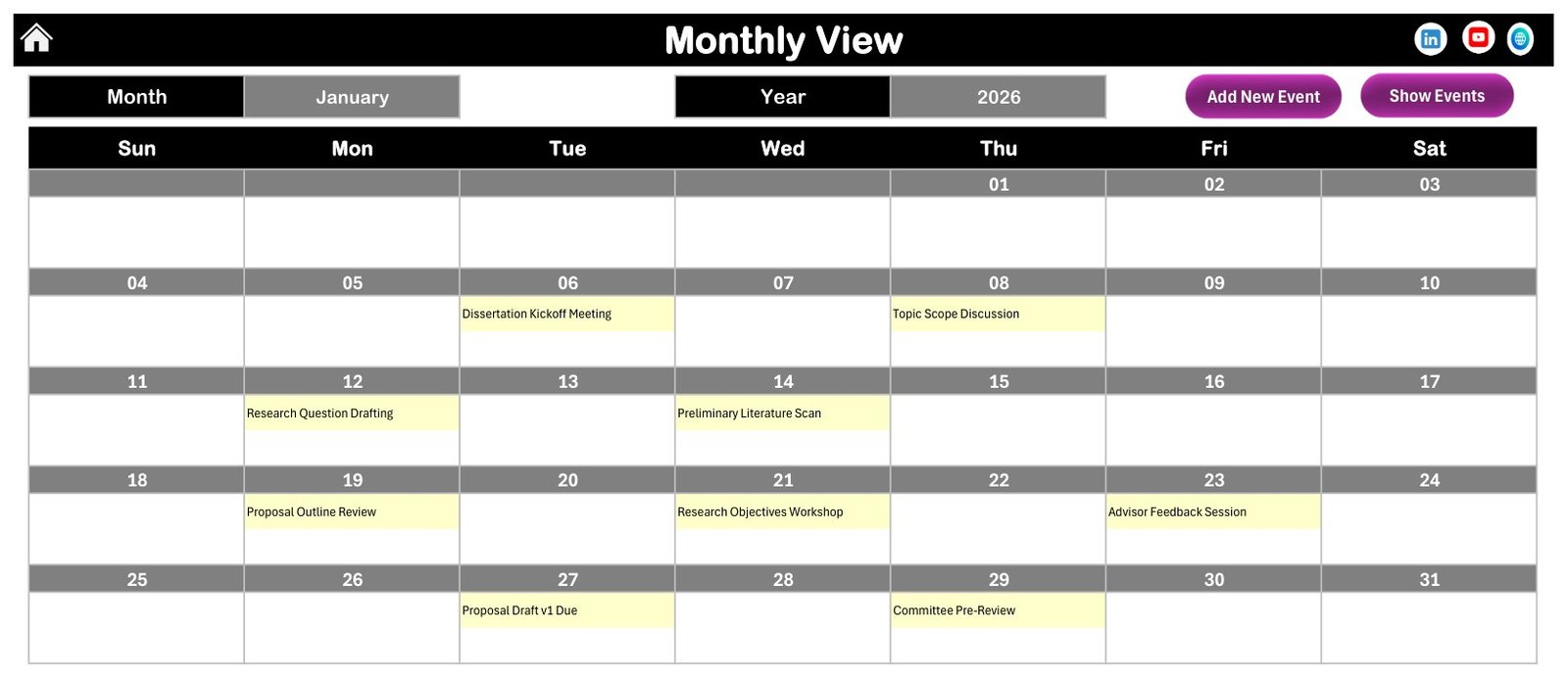
A seven-column month grid with Month and Year selectors. Each date cell shows the names of the milestones booked on it, such as Topic Scope Discussion on 8 January and Committee Pre-Review on 29 January.
Page 4: Daily View
A date-range list with Start Date and End Date pickers, a refresh button and an Add New Event button. Results show ID, Date, Day, Event Name, Time, Location and Description.
Page 5: This Month Summary
Cards for Events This Month, Active Days, Locations Used and Next 7 Days, plus Events by Day of Week, Top 5 Locations and the month’s event list. In the September 2026 sample, Library hosts 7 of the 9 events.
Page 6: Events
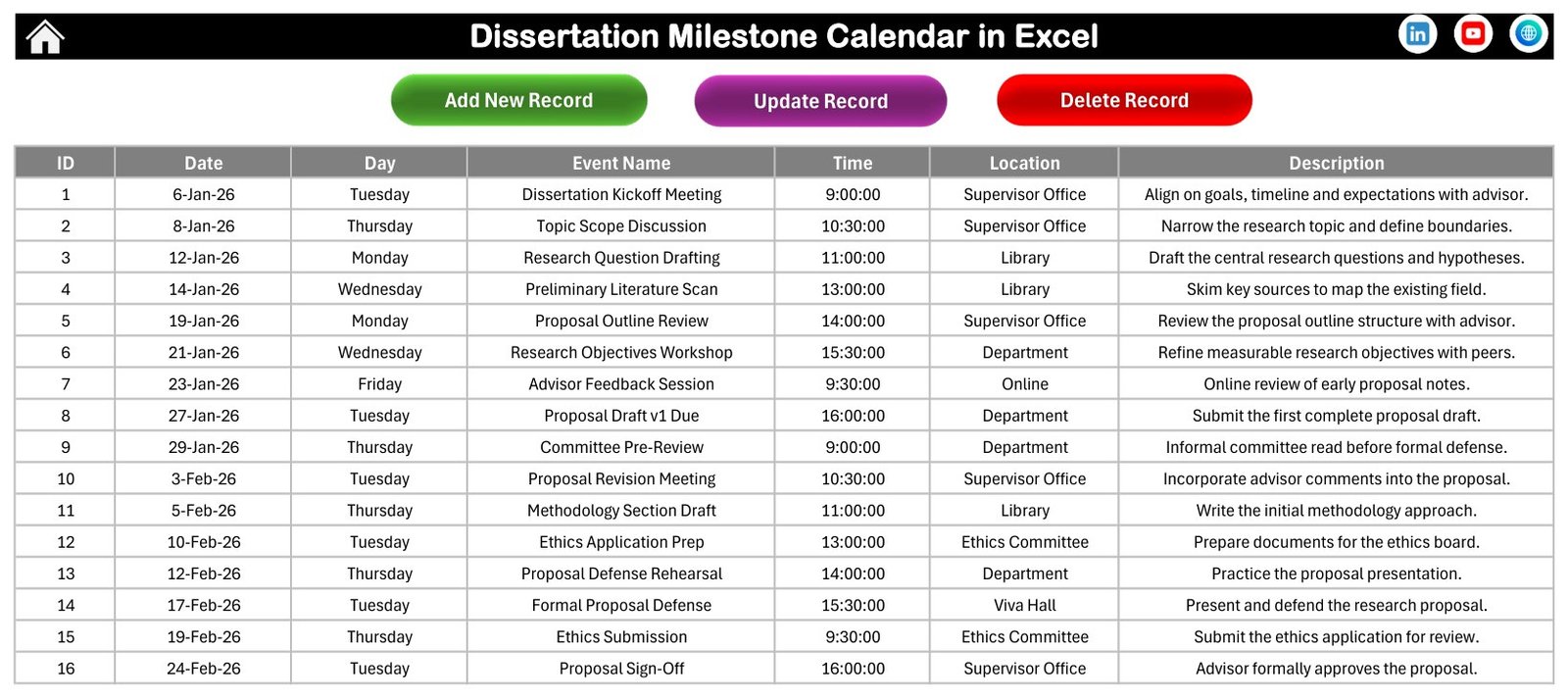
The master table behind every view, with Add New Record, Update Record and Delete Record buttons. Columns are ID, Date, Day, Event Name, Time, Location and Description, and the sample holds 100 rows.
Page 7: Entry Form
The data entry form opened by the add buttons. It has a calendar picker for Date, a clock picker for Time, an auto-filled Day, and fields for Location, Event Name and Description.
🎓 The Sample Research Year
The 100 sample events follow a typical dissertation path so you can see how the calendar reads before you type your own plan:
- 📝 January-February: kickoff, research questions, proposal drafts, Formal Proposal Defense (17 February) and Ethics Submission (19 February)
- 📚 March-April: database search strategy, source screening, annotated bibliography and the literature review draft
- 🔬 April-May: methodology design, sampling strategy, pilot study and ethics approval confirmation
- 📈 June-August: survey waves, interview rounds, data cleaning, coding and analysis sessions
- ✍️ September-November: chapter drafts, full draft to advisor, committee review and formatting checks
- 🎤 December: Dissertation Defense (Viva) on 3 December and Final Dissertation Submission on 17 December
These dates are illustrative only. They are not the official deadlines of any university, and you should replace them with the dates your department and supervisor give you.
📊 Comparison: This Excel Template vs. a Google Sheets Calendar vs. Paid Project Planning Apps
| Feature | This Excel milestone calendar | Google Sheets calendar template | Paid project planning apps |
|---|---|---|---|
| Cost | ✅ $4.99 one-time | One-time template price | Free tiers, then a monthly subscription |
| Platform | Excel for Windows desktop | Any browser | Web and mobile apps |
| Setup time | ✅ Minutes: replace the sample rows | Minutes | Hours to set up boards and workflows |
| Works offline | ✅ Yes | Limited | Varies |
| Real-time collaboration with a supervisor | No, one file at a time | ✅ Yes | ✅ Yes |
| Annual, monthly and date-range views | ✅ All three plus a monthly summary | Depends on the template | Usually |
| Task dependencies and Gantt charts | No | No | ✅ Often on paid plans |
| Reminders and notifications | No | No | ✅ Usually |
| Year-1 cost for one student | ✅ $4.99 | One template price | Twelve monthly payments on a paid plan |
If you want a clear, offline view of your whole thesis year without paying for project software, this Excel calendar is the low-cost choice.
👥 Who This Template Is For, and Who It’s Not For
✅ This template is built for:
- Master’s and PhD students who want one calendar for proposal, fieldwork, writing and defense dates
- Graduate coordinators who map a cohort’s shared milestones such as ethics deadlines and committee reviews
- Research assistants planning lab sessions, interviews and data checks around a supervisor’s schedule
❌ This template is NOT for:
- Anyone who needs task dependencies, percent-complete tracking or a Gantt chart
- Teams that must edit together in real time, or who work on Mac, the web or phones
- Users who need automatic reminders, recurring events or end times for sessions
⚙️ How to Use the Template
- Unzip the download and open the .xlsm file in Excel for Windows. Click Enable Content so the macros can run.
- Open the Setting sheet and set your calendar year, starting month and first day of the week.
- Go to Events and delete or overwrite the 100 sample rows with your own milestones.
- Use Add New Record to enter each milestone through the form with its date, time and location.
- Check the Annual View for crowded months and move deadlines that clash.
- Pick a date range on the Daily View before each supervisor meeting to list what is due.
New to macros? Microsoft explains the setting in Enable or disable macros in Microsoft 365 files.
💼 Real-World Use Cases
Amira is a second-year PhD student in education. She enters her proposal defense, ethics deadlines and two interview rounds, then opens the Annual View to confirm her fieldwork does not collide with her teaching weeks.
Daniel is finishing a master’s thesis in public health. Before each fortnightly supervisor meeting he sets a two-week range on the Daily View and prints the list of chapter drafts and data checks that are due.
Priya coordinates a small graduate cohort. She keeps the shared milestones, such as committee reviews and submission windows, in one workbook and uses the This Month summary to see which locations are busiest.
❓ Frequently Asked Questions
What does the Dissertation Milestone Calendar in Excel include?
It includes five linked pages (Annual View, Monthly View, Daily View, This Month and Events), a Home menu, a Setting sheet, an entry form with date and time pickers, and 100 sample milestones for 2026. The ZIP also contains the Excel Calendar user manual in PDF format.
Does it work on a Mac or in Excel online?
No. The template needs desktop Microsoft Excel for Windows with macros enabled. The entry form, record buttons, Daily View and This Month summary run on VBA macros, which Excel for the web, Mac, iPad and phones cannot run in this workbook.
Are the sample dates real university deadlines?
No. The 100 sample events are illustrative placeholders that show a typical research year, from a January kickoff to a December defense. Replace them with the dates set by your own department, graduate school and supervisor before relying on the calendar.
Can I change the year and colours?
Yes. The Setting sheet lets you change the calendar year, starting month and first day of the week, highlight up to two weekdays, turn event highlighting on or off, and choose one of five colour themes for the workbook.
Does it send reminders or track progress?
No. This is a planning calendar. It records the date, day, time, location and description of each milestone, but it has no reminders, recurring events, end times, percent-complete tracking or task dependencies.
How is this different from paid project planning apps?
Paid apps add real-time sharing, reminders and dependencies for a monthly fee. This Excel calendar costs $4.99 once, works offline and gives you annual, monthly and date-range views of your milestones, but it is a single-user file.
👤 About the Author
Built by PK, a Microsoft Certified Professional with 15+ years of Excel, Google Sheets and Power BI experience and the founder of NextGenTemplates. Tutorials are on YouTube at @PKAnExcelExpert and @NextGenTemplates. Every template is built and tested before release.
🔗 Explore Related Templates
📅 Exam Timetable Calendar in Excel – schedule papers, rooms and invigilation in the same calendar layout.
🏫 Class Timetable Calendar in Excel – plan teaching sessions around your research commitments.
✅ Research Project Checklist in Excel – tick off the tasks behind each milestone.
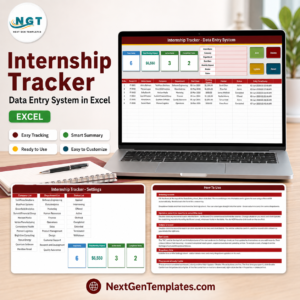
🧑💼 Internship Tracker Data Entry System in Excel – log placements and applications alongside your studies.
💎 Calendar Planner Pack – a bundle of calendar and planner templates for more schedules.
Browse more Excel calendar templates and Excel education templates.
📖 Click here to read the Detailed Blog Post
🎥 Visit our YouTube channel for step-by-step video tutorials
👉 YouTube.com/@PKAnExcelExpert
📅 Last updated: September 2026


































Reviews
There are no reviews yet.