

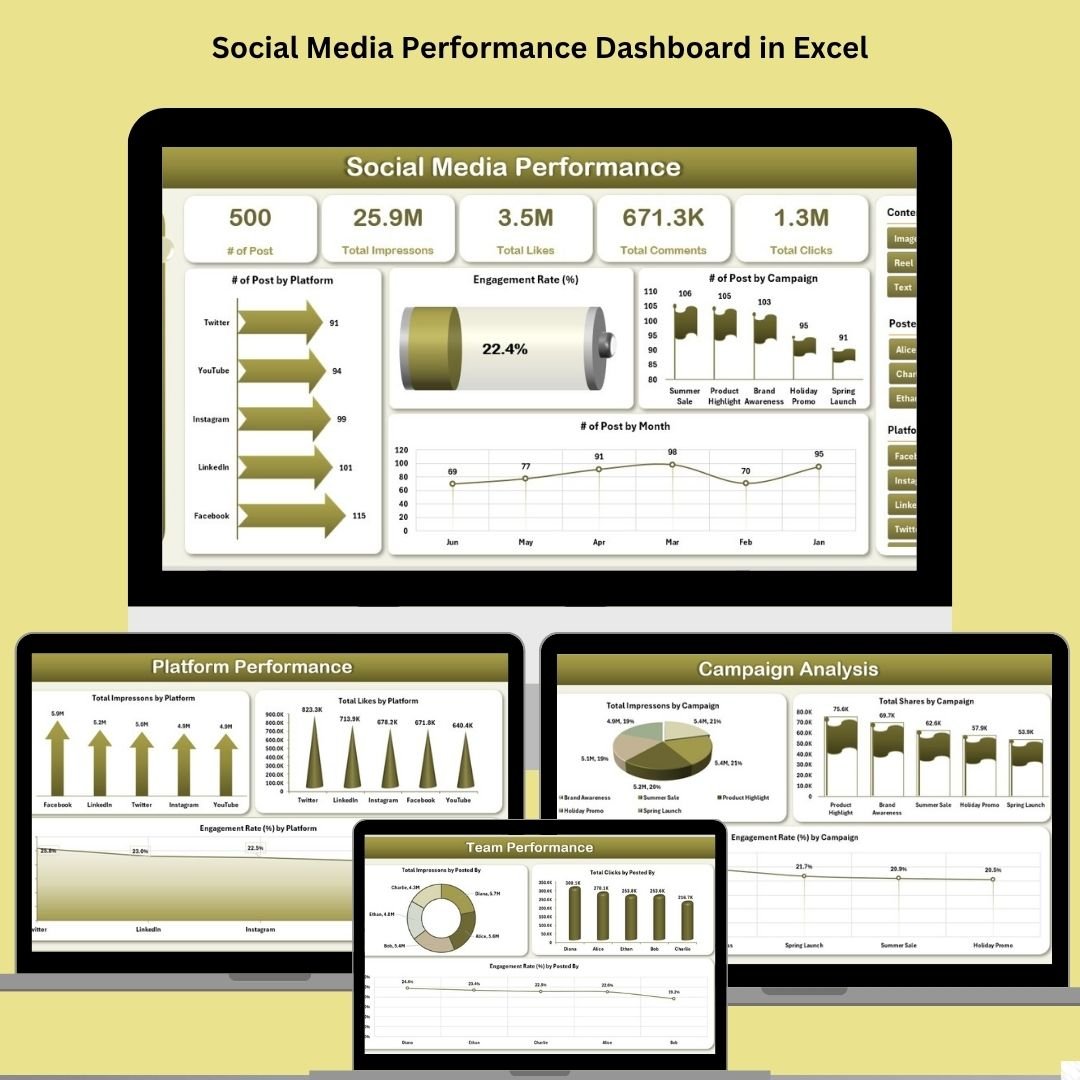

Take control of your social media performance—all in Excel!
If you’re tired of jumping between multiple analytics platforms, copying data into spreadsheets, and struggling with messy reports, we’ve got the solution. The Social Media Performance Dashboard in Excel is your all-in-one toolkit to monitor campaigns, track engagement, and showcase ROI—all without writing a single formula. 💼📈
This powerful Excel template consolidates key performance metrics from various platforms like Facebook, Instagram, LinkedIn, and Twitter. With interactive charts, easy slicers, and a sleek layout, you’ll turn raw data into stunning visuals in seconds.
⚙️ Key Features of Social Media Performance Dashboard
✅ Fully Interactive Dashboard Pages

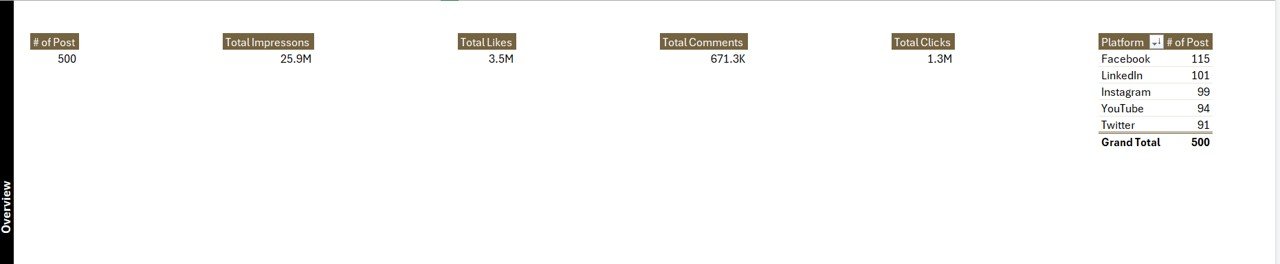
Overview Page with performance KPIs & charts
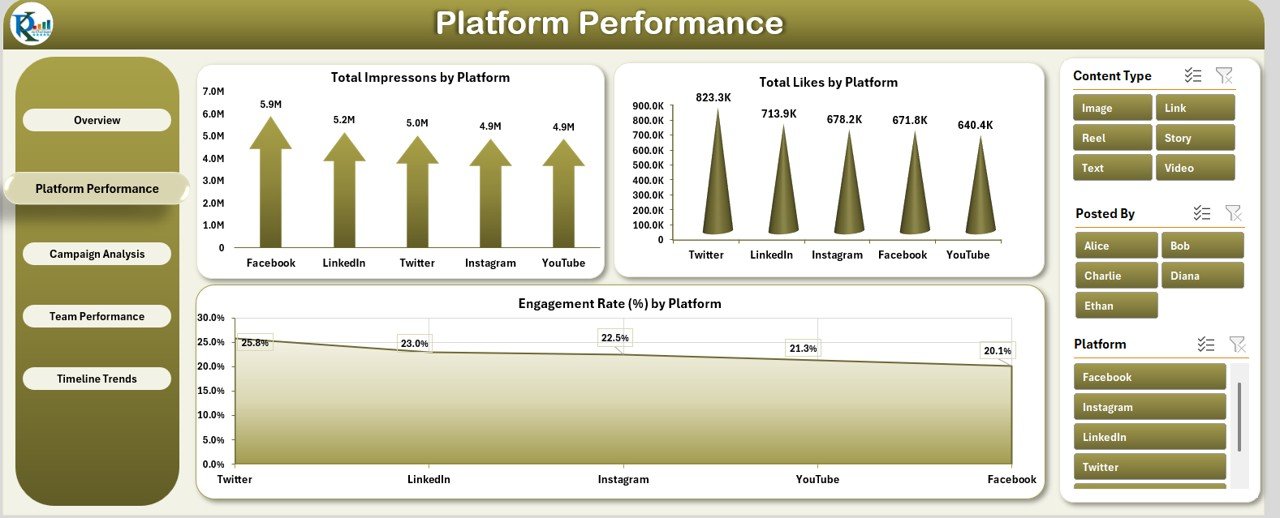
Platform Comparison to track impressions, likes & engagement
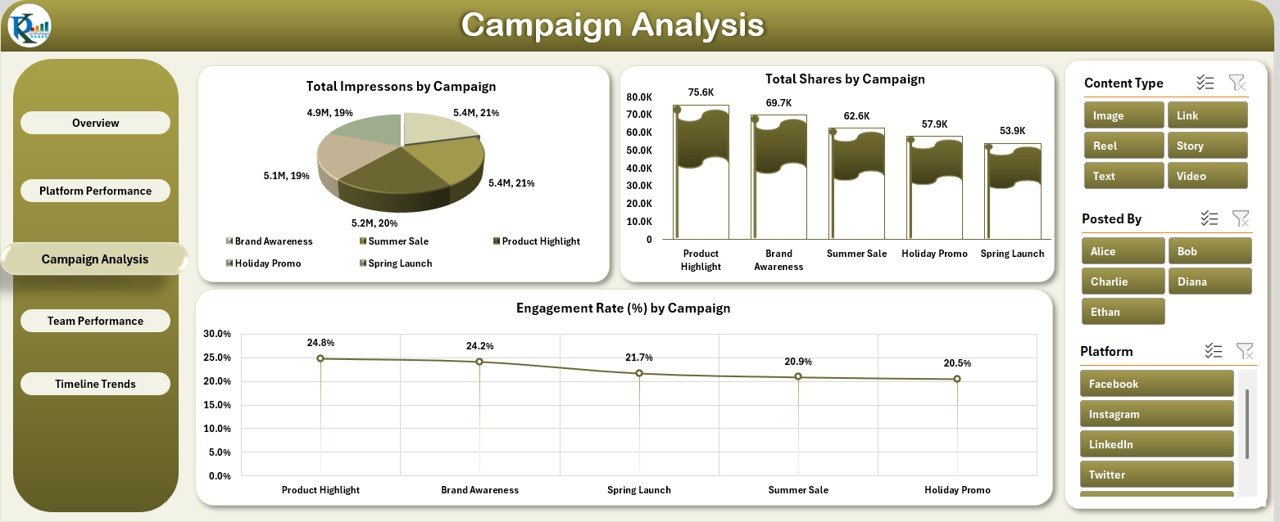
Campaign Analysis to fine-tune marketing efforts
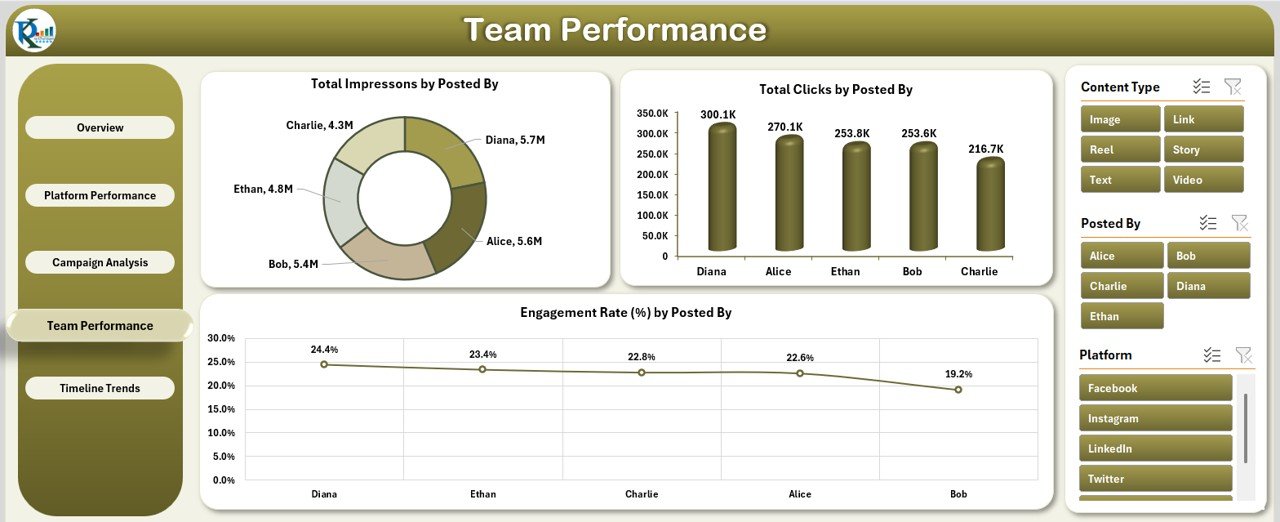
Team Performance to monitor employee productivity
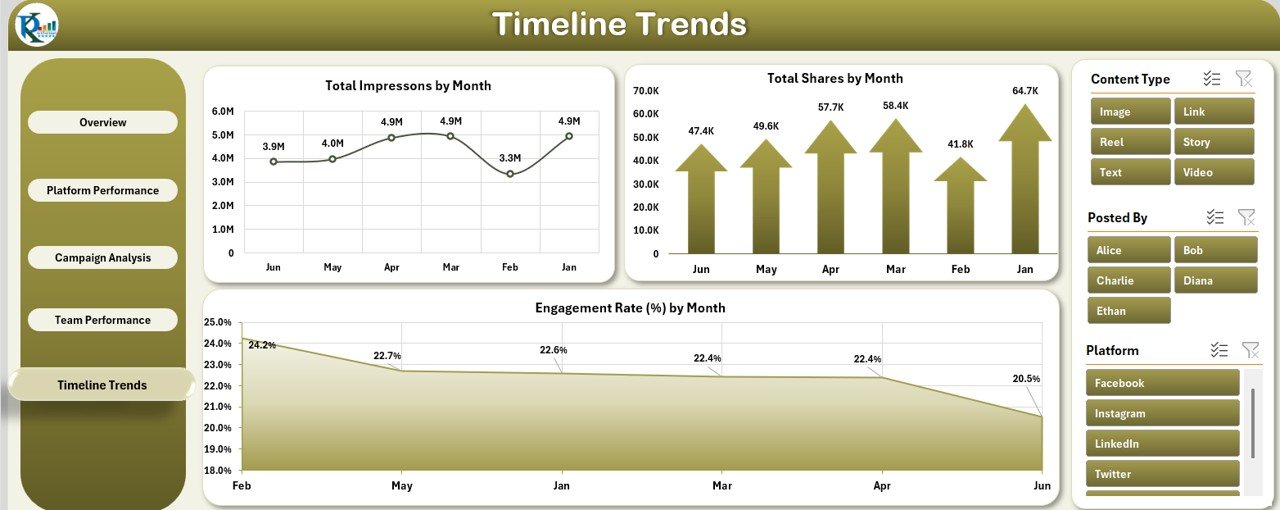
Timeline Trends to uncover monthly or seasonal patterns
✅ Dynamic Slicers on Every Page
Quickly filter by Platform, Month, Year, Campaign, and Posted By. Just a few clicks give you targeted insights.
✅ One-Click Page Navigation
Use the fixed left panel to instantly jump between dashboard sections—no more scrolling!
✅ Customizable Design
Match your brand by changing colors, logos, and chart formats. 🎨
📦 What’s Inside the Social Media Dashboard
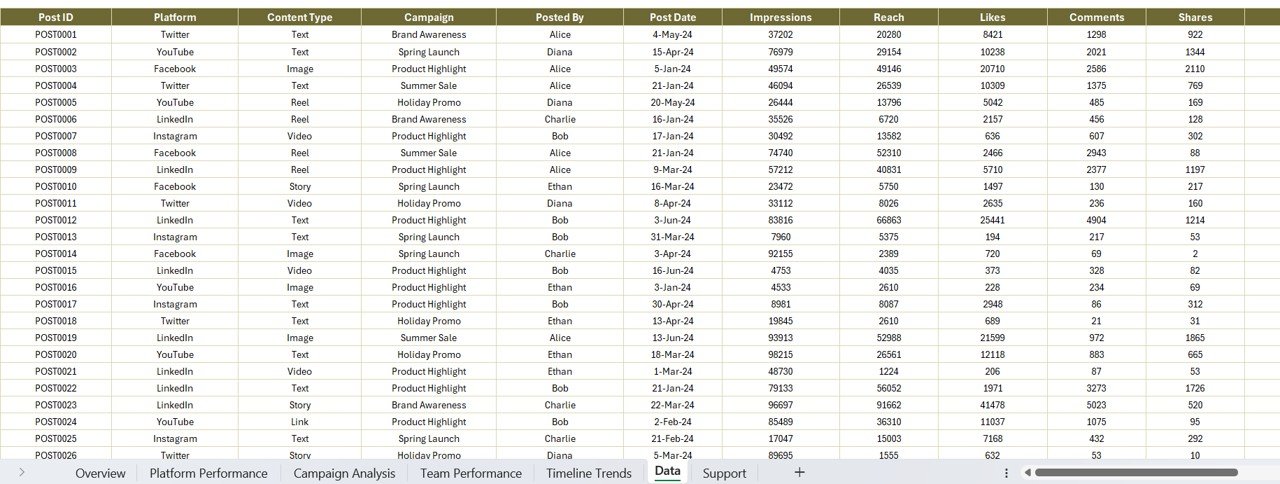
📄 Data Sheet
A structured table to input your raw data. Just copy-paste columns like:
Platform
Campaign
Posted By
Post Date
Impressions, Reach, Likes, Comments, Shares, Clicks
Month and Year
Everything updates automatically via Pivot Tables.
📑 Support Sheet
Stores dropdown values like platform names or campaigns for error-free slicers.
📊 5 Dashboard Tabs
Each dashboard page focuses on a different reporting angle to give you total visibility of your performance.
🧠 How to Use the Dashboard
Open the file in Excel (2016 or later).
Go to the Data Sheet and paste your social media data.
Use the left panel to navigate to any dashboard tab.
Apply slicers to filter by month, platform, or campaign.
Review KPIs, interpret trends, and export your insights.
💡 Tip: You can filter for client-specific reports, quarterly reviews, or individual team member performance.
🎯 Who Can Benefit from This Dashboard?
This Excel tool is built for anyone managing social media performance. Whether you’re working solo or managing a team, this dashboard is your game-changer:
📱 Social Media Managers
🧑💼 Marketing Executives & Agencies
🏢 Small Businesses & Startups
📊 Corporate Marketing Teams
🎨 Freelancers & Influencers
🤝 Non-Profits and Campaign Managers
🌟 Use Cases for the Dashboard
🔍 Campaign Reporting – Show off results before & after promotions
📅 Monthly Reviews – Present data-backed insights to stakeholders
📥 Client Reports – Create polished, ready-to-send updates
📈 Performance Tracking – See who’s leading the content game
🔄 Trend Analysis – Monitor seasonal dips or viral growth
🤝 Best Practices for Maximum Impact
✅ Update data weekly or monthly
✅ Use consistent naming for platforms, campaigns & team members
✅ Leverage slicers to filter by platform, month, or campaign
✅ Monitor engagement rate closely—it reflects audience interest
✅ Back up your file before every major data update
🔗 Click here to read the Detailed blog post
📹 Visit our YouTube channel to learn step-by-step video tutorials
👉 youtube.com/@PKAnExcelExpert
Watch the step-by-step video tutorial:
Compatibility and Requirements
- Works in Microsoft Excel desktop (Excel 2016 or later, or Microsoft 365).
- The dashboard is built on pivot tables and slicers. Microsoft explains slicers in Use slicers to filter data.
Frequently Asked Questions
Which dashboard pages are included?
Five pages: Overview, Platform Comparison, Campaign Analysis, Team Performance and Timeline Trends, with a left panel to move between them.
What can I filter by?
Slicers on every page filter by Platform, Month, Year, Campaign and Posted By.
What data do I paste in?
Platform, campaign, posted by, post date, impressions, reach, likes, comments, shares, clicks, month and year. The pivot tables update from the Data sheet.
Which platforms does it cover?
The template covers Facebook, Instagram, LinkedIn and Twitter, and the Support sheet lets you change platform names.
Related Social Media Templates
- Social Media Performance Dashboard in Google Sheets: the Google Sheets edition
- Social Media Performance Dashboard in Power BI: the Power BI edition
- Social Media ROI KPI Dashboard in Excel: return on social spend in Excel
- Social Media Posting Calendar in Excel: plan posts before you measure them
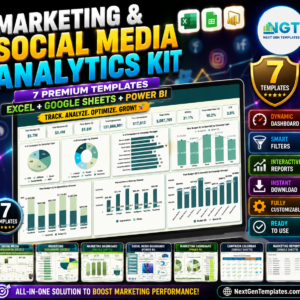
- Marketing and Social Media Analytics Kit: 7 premium marketing templates in one bundle
Browse all Excel dashboards or the Excel sales and marketing templates.












Reviews
There are no reviews yet.