

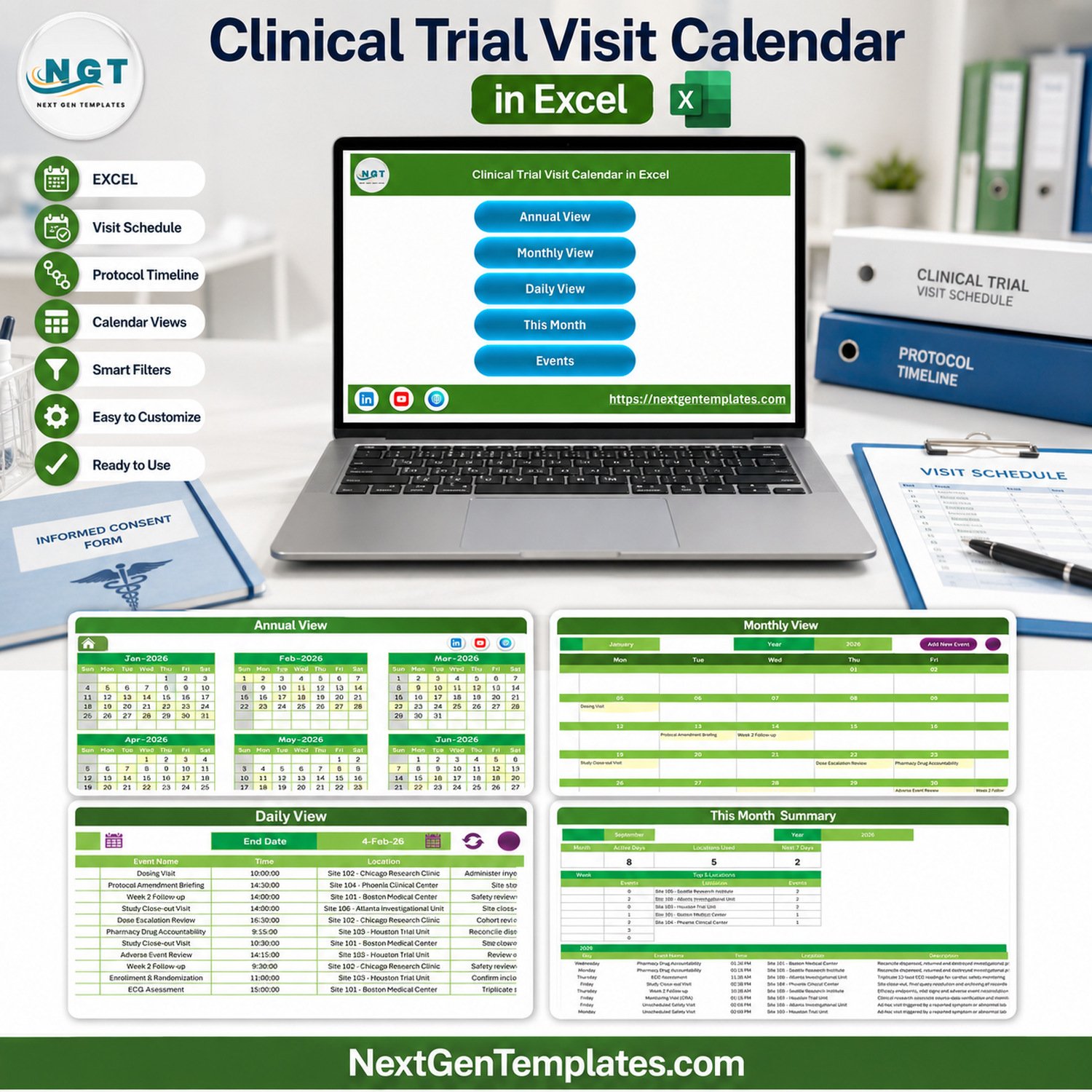

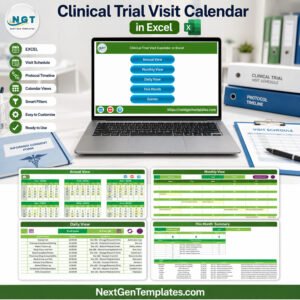
Clinical Trial Visit Calendar in Excel gives research operations teams a structured way to plan administrative visit dates without starting from a blank workbook. The file includes 100 sample schedule rows, seven worksheets, a 12-month annual view, a monthly calendar, a date-range daily view, and a current-month summary. It is a one-time purchase rather than a subscription, and the included user manual helps buyers get started. This is an administrative scheduling aid only: it is not a CTMS, EDC, eSource, EHR, randomization, safety-monitoring, or clinical decision system.
Key Features of Clinical Trial Visit Calendar in Excel
- Seven connected sheets: Home, Annual View, Monthly View, Daily View, This Month, Events, and Setting.
- 100 editable sample records: replace the demonstration dates, event names, times, locations, and descriptions with your authorized planning data.
- Annual planning: review all 12 months on one screen and change the displayed year.
- Monthly scheduling: select a month and year to focus on one calendar period.
- Date-range review: choose a start and end date to show matching schedule rows.
- Current-month summary: see event count, active days, locations used, next-seven-day count, weekday distribution, and top locations.
- Macro-enabled controls: use workbook buttons and the entry form in Excel for Windows desktop after enabling macros.
- Five visual themes: adjust the workbook’s presentation without rebuilding every sheet.
What’s Inside the Clinical Trial Visit Calendar in Excel
Home
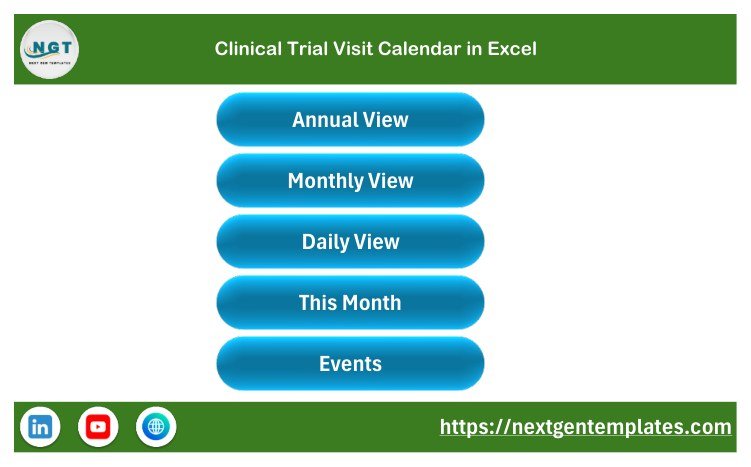
The Home sheet is a clean navigation hub with buttons for Annual View, Monthly View, Daily View, This Month, and Events.
Annual View
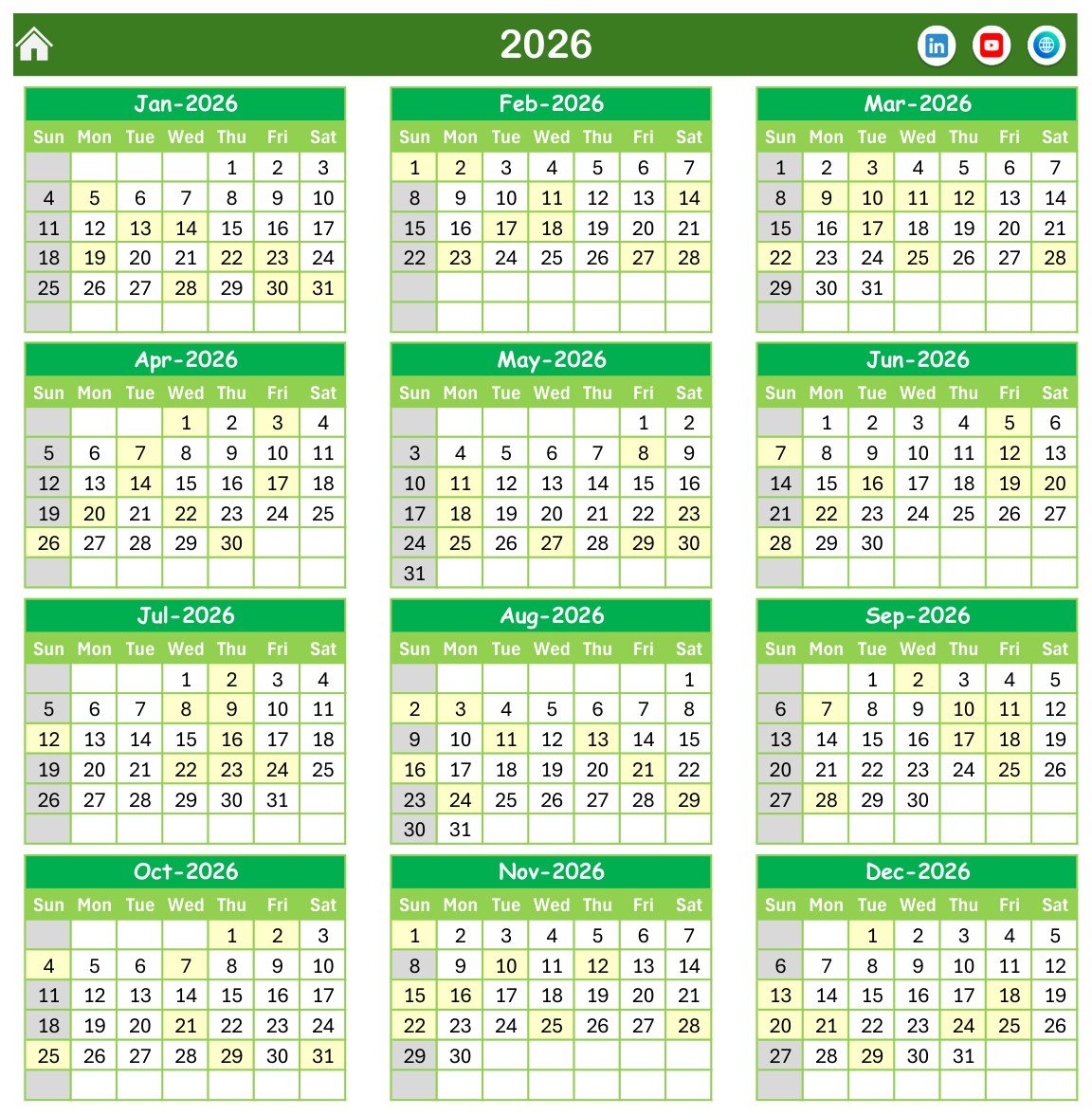
The Annual View presents a complete 12-month calendar for the selected year. Settings support a starting month, week-start day, event highlighting, and color theme selection.
Monthly View
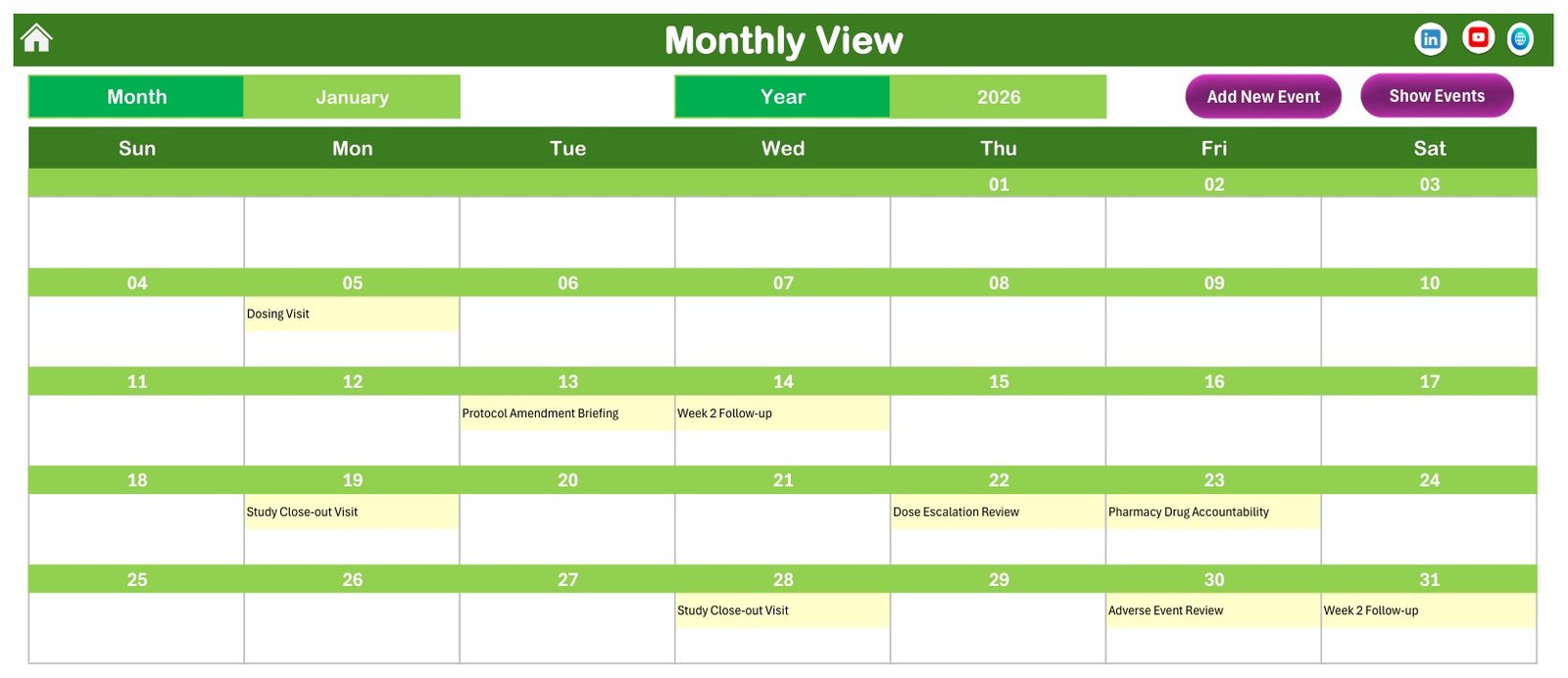
Select the month and year to see dated schedule entries in a familiar calendar layout. When several items share a date, use the detailed views rather than treating the compact calendar as the complete record.
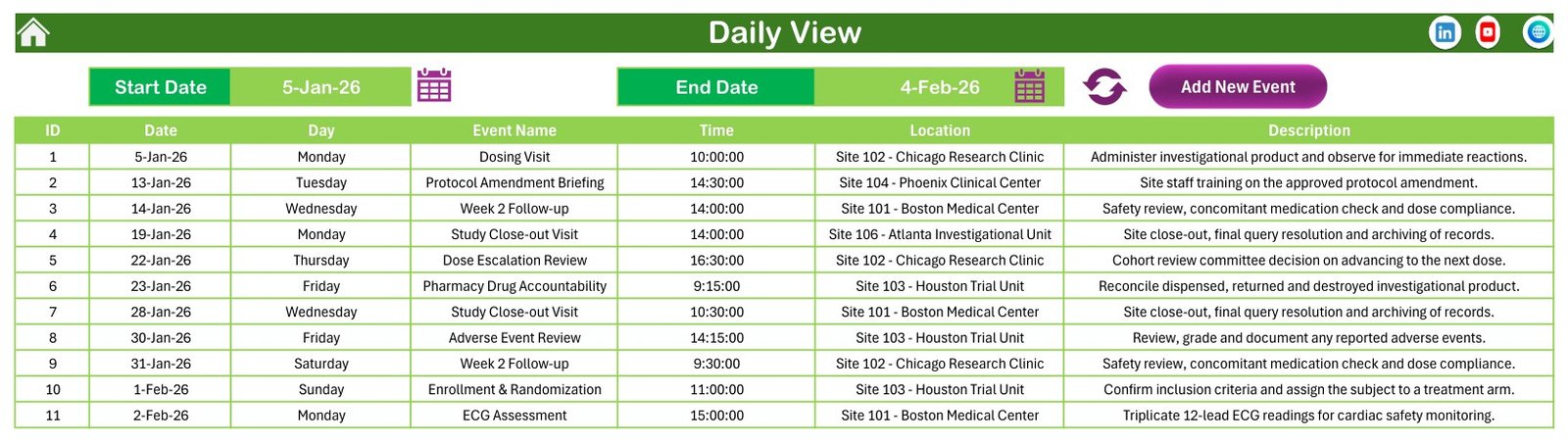
Daily View
Set a start and end date to review the matching ID, date, weekday, event name, time, location, and description fields.
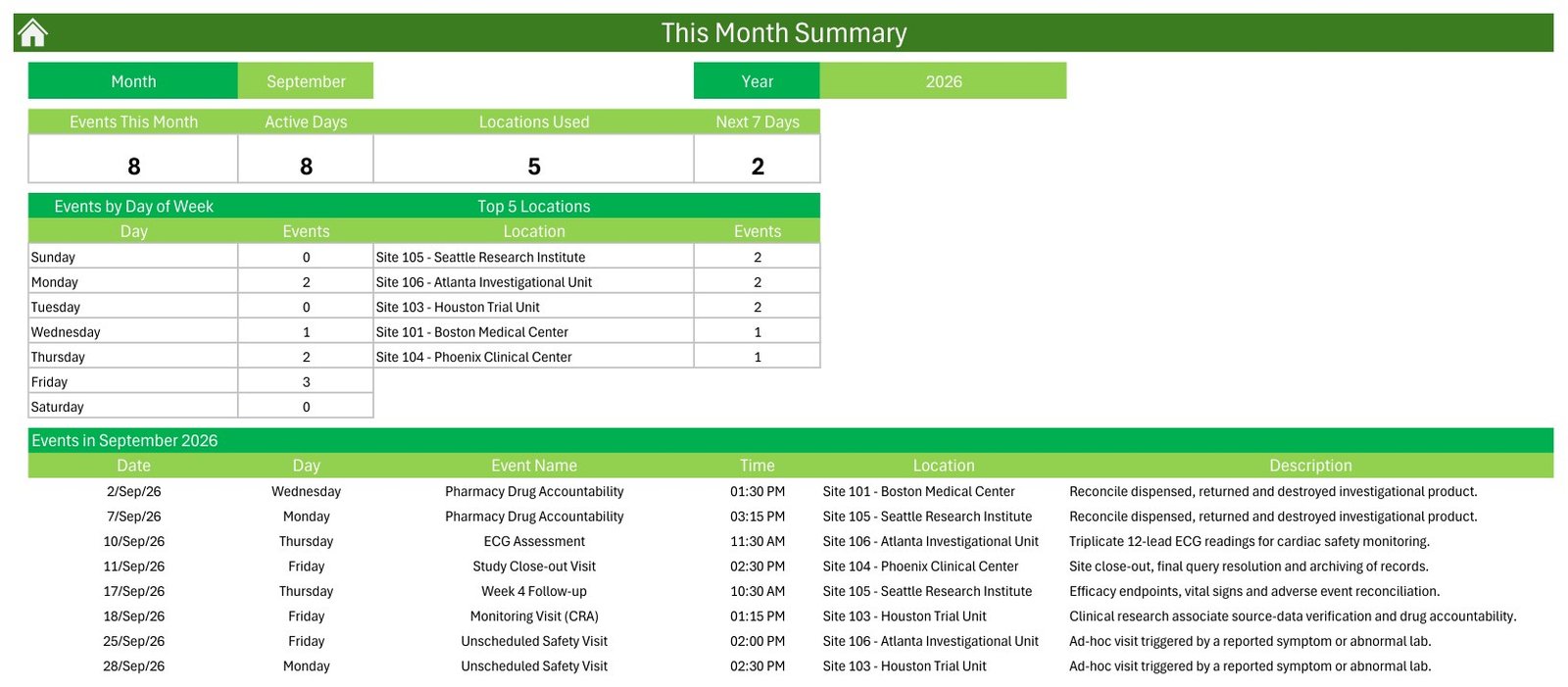
This Month
The current-month page summarizes workload by day and location, then lists the month’s schedule. These counts support administrative planning; they are not clinical, quality, safety, enrollment, or protocol-performance metrics.
Events and Setting
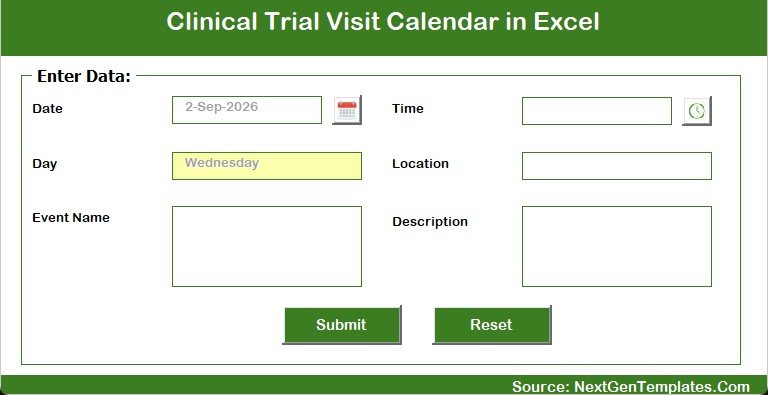
The Events table holds the schedule. The fields are limited to ID, date, day, event name, time, location, and description. There is no dedicated subject ID, patient name, contact detail, randomization assignment, treatment allocation, result, source-data, adverse-event case, or electronic-signature field. The Setting sheet controls the calendar year, starting month, week layout, highlighting, and theme.

Excel Visit Calendar vs. Google Sheets vs. Paid CTMS – Where This Fits
| Consideration | This Excel calendar | Google Sheets alternative | Paid CTMS |
|---|---|---|---|
| Cost | One-time template price | Spreadsheet platform cost | Subscription and implementation costs |
| Primary purpose | Administrative date and location planning | Shared lightweight scheduling | Validated study operations and records |
| Setup | Replace sample rows and settings | Build or copy a shared schedule | Configuration, controls, and training |
| Collaboration | File-based sharing | Real-time co-editing | Role-based workflows |
| Offline use | Yes, in desktop Excel | Limited | Vendor dependent |
| Regulated records | Not provided | Not provided by a generic sheet | Vendor and configuration dependent |
| Randomization or treatment allocation | Not provided | Not provided | May integrate with specialist systems |
Who This Template Is For – and Who It’s Not For
It fits research coordinators, project administrators, site-support teams, and operations staff who need a visual planning layer for non-sensitive dates, internal meetings, document deadlines, training sessions, site visits, or other administrative milestones.
It is not appropriate as the authoritative source for participant visits, protocol compliance, informed consent, eligibility, randomization, dosing, clinical observations, safety reports, medical decisions, source data, audit trails, or regulatory submissions. Organizations needing controlled workflows should use their approved CTMS, EDC, eSource, EHR, IRT, safety, document-management, or quality systems.
How to Use the Clinical Trial Visit Calendar in Excel
- Download and unzip the package.
- Open the .xlsm file in Excel for Windows desktop and enable macros only after your organization’s security review. Microsoft explains the available controls in its macro security guidance.
- Keep an untouched backup before replacing sample content.
- Use non-sensitive internal codes and generic descriptions where possible.
- Replace the sample rows on Events with authorized administrative planning data.
- Set the year, starting month, week-start day, highlights, and theme.
- Review the Annual, Monthly, Daily, and This Month views and independently confirm dates against the approved system of record.
Real-World Use Cases
Maya, a research operations coordinator, uses generic site codes to create a high-level view of upcoming administrative meetings. Daniel, a project administrator, filters a date range before a weekly planning call. Aisha, a training coordinator, schedules staff briefings and internal document deadlines while keeping regulated records in approved systems.
Frequently Asked Questions
Does this replace a clinical trial management system?
No. It is a general Excel calendar for administrative planning and does not provide CTMS controls or regulated recordkeeping.
Can it make clinical or eligibility decisions?
No. It contains no decision logic and must not be used for eligibility, diagnosis, treatment, dosing, safety, or protocol decisions.
Does it include patient or participant monitoring?
No. It does not monitor participants, capture clinical measurements, or send alerts.
Does it support randomization or treatment allocation?
No. Those functions require approved specialist systems and processes.
What does the workbook contain?
Seven sheets and 100 editable sample schedule rows, plus annual, monthly, daily, and current-month views.
Are macros required?
Yes for the workbook’s button-driven and form-based actions. Use Excel for Windows desktop and follow your organization’s macro security policy.
Does the template guarantee privacy or regulatory compliance?
No. Store only authorized, minimum-necessary information, apply your own access controls and retention rules, and use approved systems for sensitive or regulated data.
About the Author
Built by PK – Microsoft Certified Professional with 15+ years of Excel, Google Sheets, and Power BI experience. Founder of NextGenTemplates, reaching 300K+ subscribers across YouTube channels. Every template is hand-built and tested before release.
Explore Related Templates
- Lab Sample Collection Calendar in Excel
- Ambulance Duty Calendar in Excel
- Home Nursing Visit Calendar in Excel
- Medication Reminder Calendar in Google Sheets
- Browse Excel calendar templates
Plan administrative research dates with this visual calendar while keeping controlled clinical and regulatory work in the systems designed for it.
Last updated: September 10, 2026.






























Reviews
There are no reviews yet.