

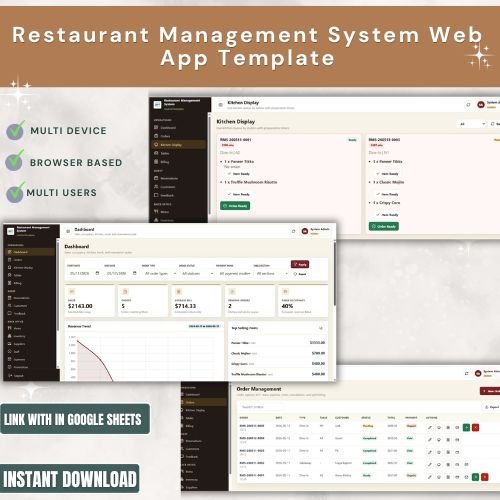
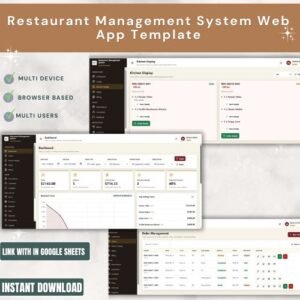
The Restaurant Management System Web App Template ships with 16 connected screens, 5 KPI cards on the Overview, and a built-in role-based login — built entirely on Google Sheets + Apps Script so it deploys to your own Google account in under 15 minutes with no server, no monthly POS fees, and no per-terminal pricing.Restaurant Management System Web App Template
🌍 Join 8,400+ teams in 40+ countries using NextGenTemplates to replace paid SaaS tools with one-time-purchase Excel, Google Sheets, Power BI, and HTML templates.Restaurant Management System Web App Template
✅ Instant download · One-time payment · No subscription · No per-user fees · Lifetime access
🚀 Try the Live Demo Before You Buy
We have deployed this web app in our own Google account so you can test every screen, every role, and every feature — with real sample data — before purchasing. No signup, no email required.
🔑 Test Login Credentials
Sign in with any role below to see role-based access controls in action. Each role unlocks different screens — Admin sees everything; Manager, Cashier, Waiter, and Chef each see only what they need.
💡 What you get after purchase: The full source code (Code.gs + Index.html) plus a step-by-step deployment guide so you can deploy your own private instance in your own Google account in under 15 minutes.
🔑 Key Features of the Restaurant Management System Web App Template
🎯 Secure role-based login — the Sign In page validates every staff member against the user list and shows only the screens their role allows, so cashiers can take orders, kitchen staff can update tickets, and managers can see billing without anyone touching settings they shouldn’t.
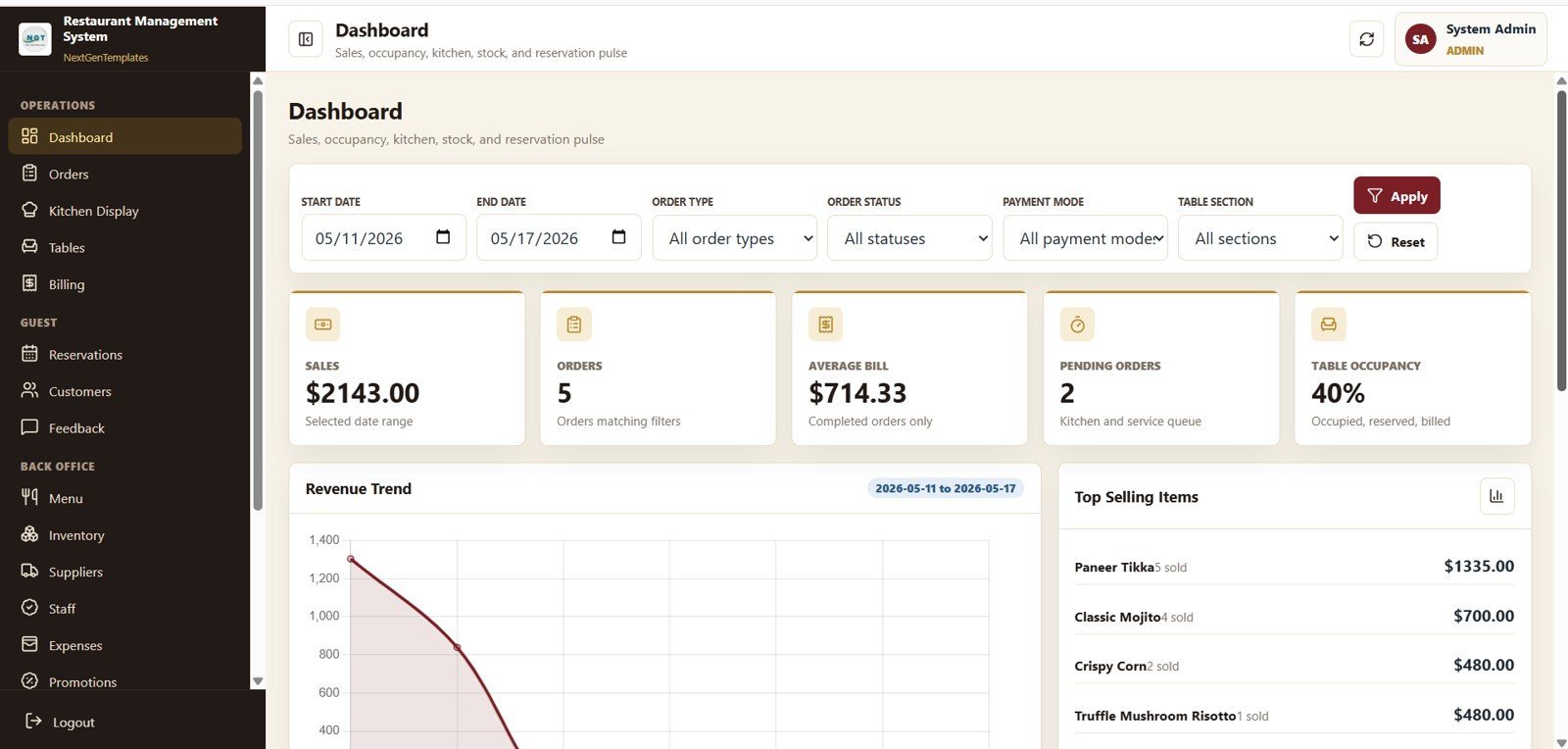
📊 Dashboard Overview with 5 live KPI cards — Sales, Orders, Average Bill, Pending Orders, and Table Occupancy refresh every time data changes, so managers know the headline numbers in under three seconds.
🍽️ 16 connected screens covering the full restaurant lifecycle — Sign In, Dashboard Overview, Alerts and Recent Orders, Order Management, Kitchen Display, Table Management, Billing and Settlement, Reservations, Customers, Feedback and Complaints, Menu Management, Inventory, Suppliers, Staff, Expenses, and Promotions and Loyalty.
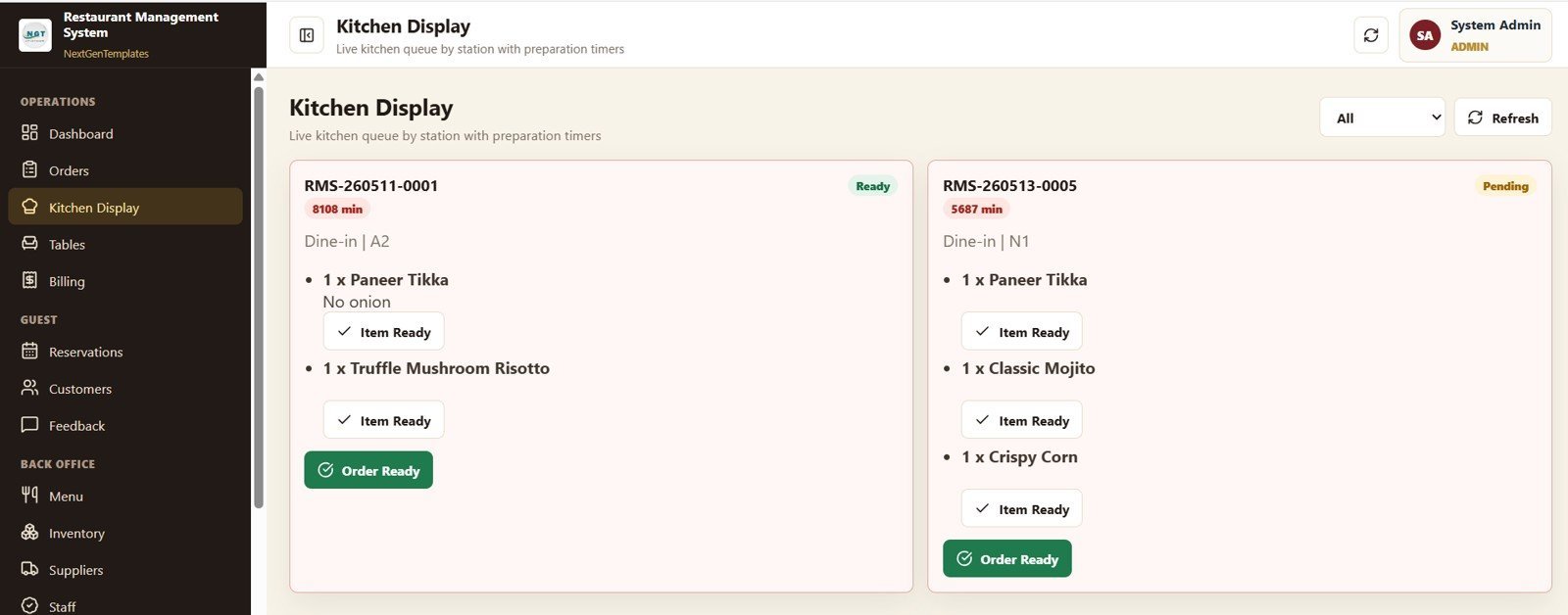
🧑🍳 Built-in Kitchen Display System (KDS) — the kitchen team sees Preparation Time by Order Number, Item Quantity by Menu Item, Order Count by Order Status, and Active Tickets by Table from any browser, with no extra hardware required.
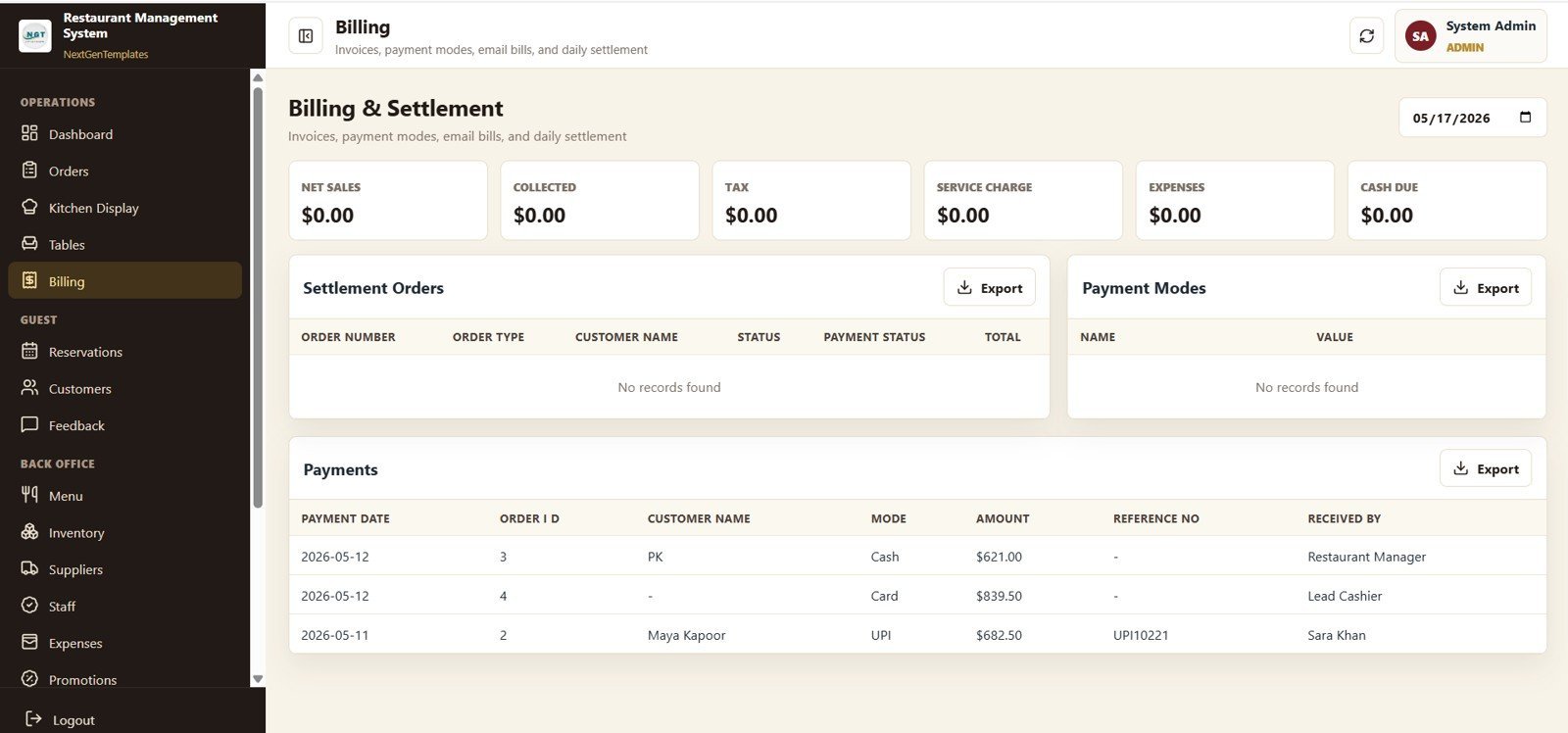
💳 Full billing, settlement, and tax tracking — track Net Sales by Date, Collected by Payment Mode, Tax by Date, Service Charge by Date, Expenses by Date, Cash Due by Date, and Payment Amount by Received By so end-of-shift reconciliation takes minutes, not hours.
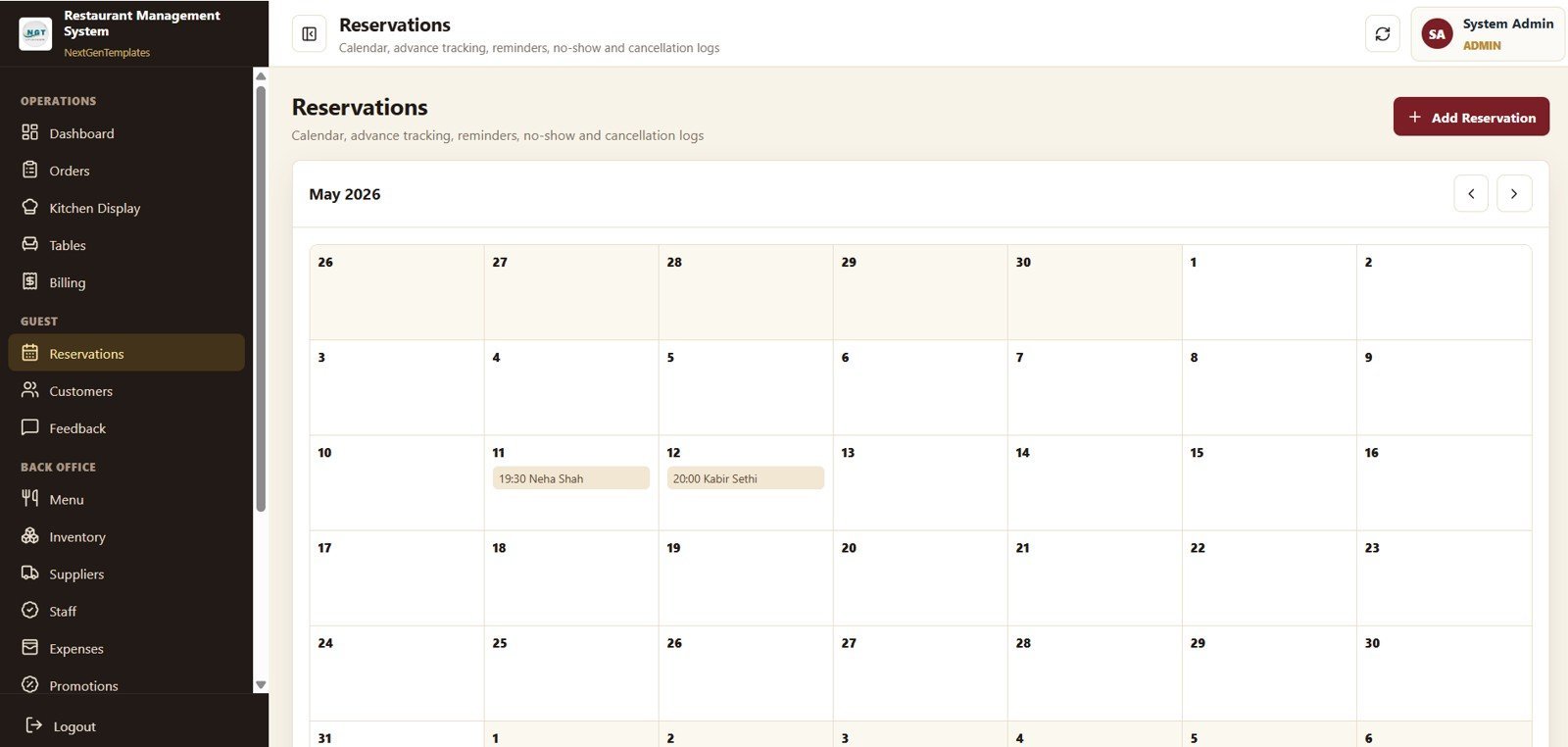
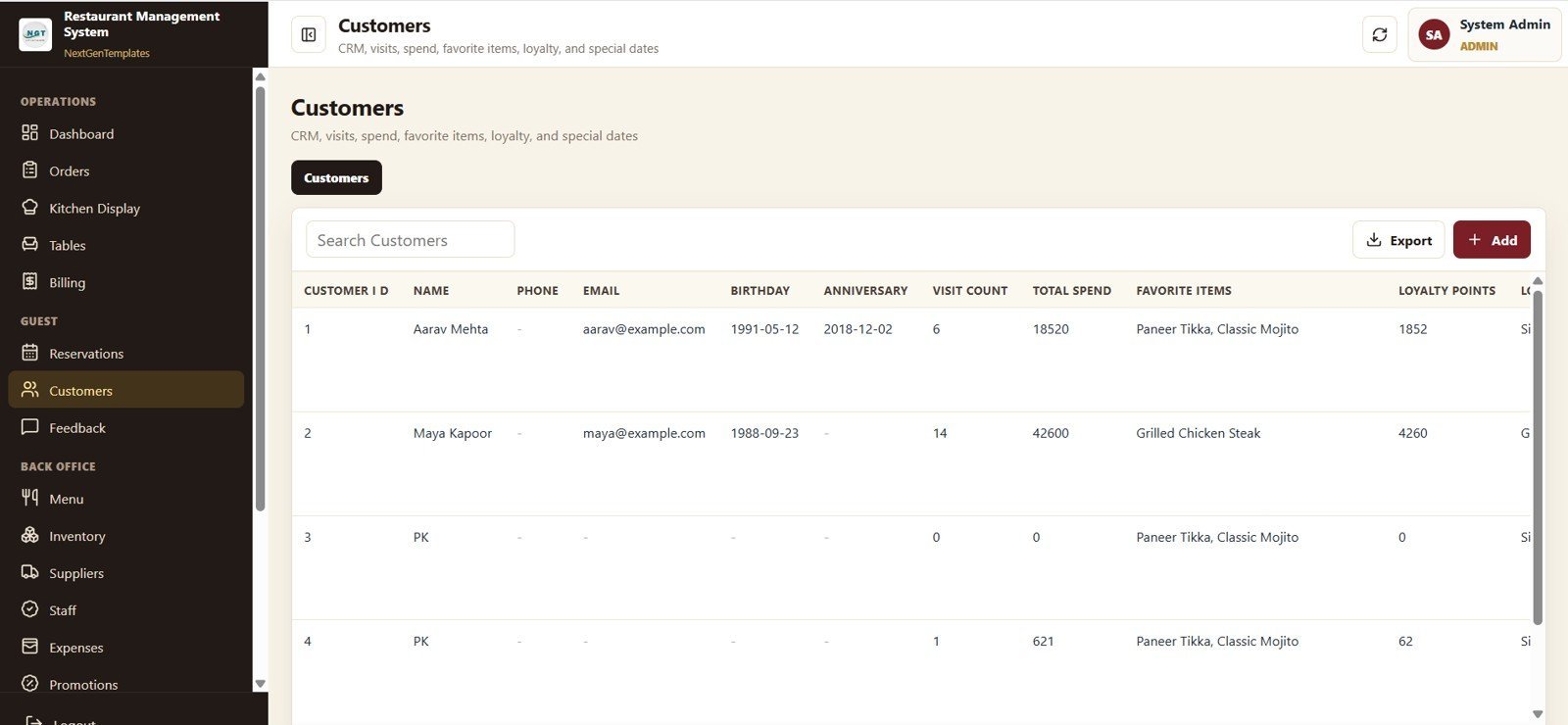
📅 Reservations and guest management — the Reservations page tracks Reservation Count by Date, Guest Count by Reservation, Reservation Count by Status, and Reservation Count by Month, while Customers tracks Visit Count, Total Spend, Loyalty Points, and Favorite Items by Customer for repeat-visit marketing.
📦 Inventory + supplier management built in — Stock on Hand by Item, Reorder Level by Item, Cost per Unit by Item, and Stock Value by Supplier flow into low-stock alerts on the Alerts page, so the kitchen never runs out of a hero ingredient mid-service.
🎁 Promotions, loyalty, and feedback modules — Discount Value by Promotion Code, NPS by Customer, and Complaint Count by Resolution Status give marketers and operations leaders the same view of guest satisfaction and promo ROI.
☁️ Built on Google Sheets, deploys as a real web app — your team logs in through a browser on any phone, tablet, or POS terminal, but every order, invoice, and inventory record is stored in a Google Sheet you own and can export at any time.
📦 What’s Inside the Restaurant Management System Web App Template
This Google Sheets Apps Script web app ships with 16 interactive screens covering the full restaurant lifecycle — from secure login through billing, kitchen, and back-office — with charts and filters on every page.
1. Sign In Page
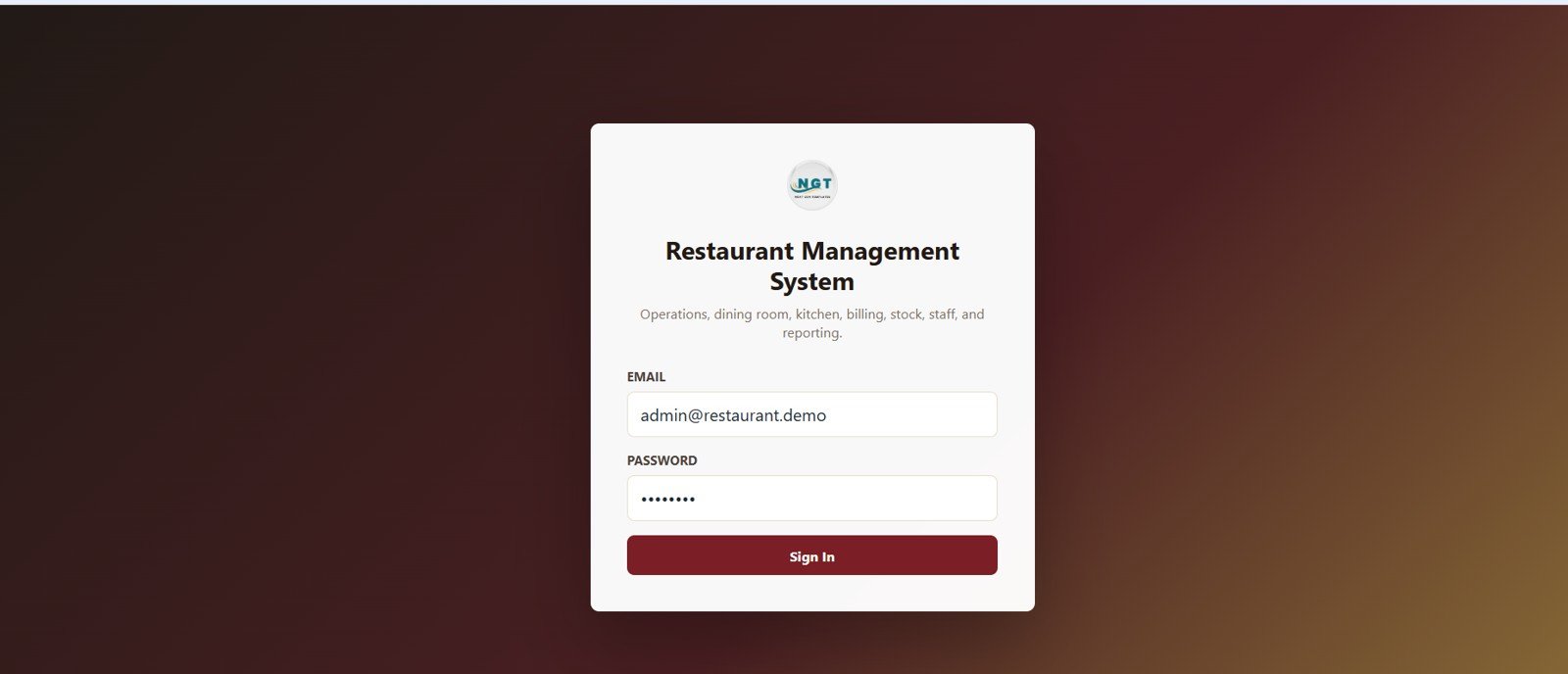
This is the secure sign-in page of the system. Staff enter their email and password to access the application, with role-based access controlling whether a cashier, kitchen user, manager, or admin sees the relevant screens. Replace the seed credentials in the Users sheet to onboard your own team.
2. Dashboard Overview
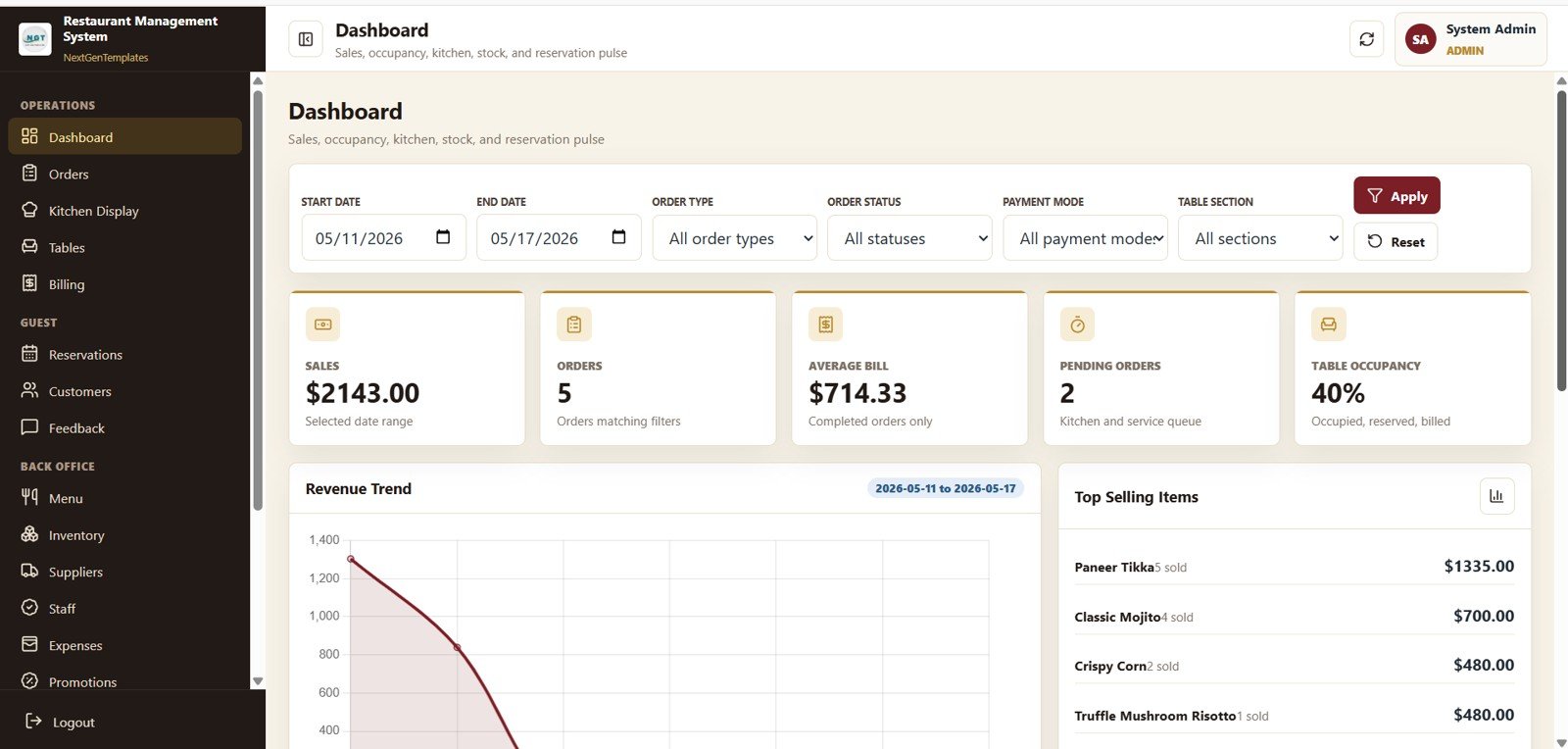
This page shows the 5 KPI cards Sales, Orders, Average Bill, Pending Orders, and Table Occupancy, plus charts Revenue by Date (the rolling trend line for service planning) and Revenue by Top Selling Items (the items driving the topline). Slicers at the top let owners filter the whole page by date, branch, or shift.
3. Alerts and Recent Orders
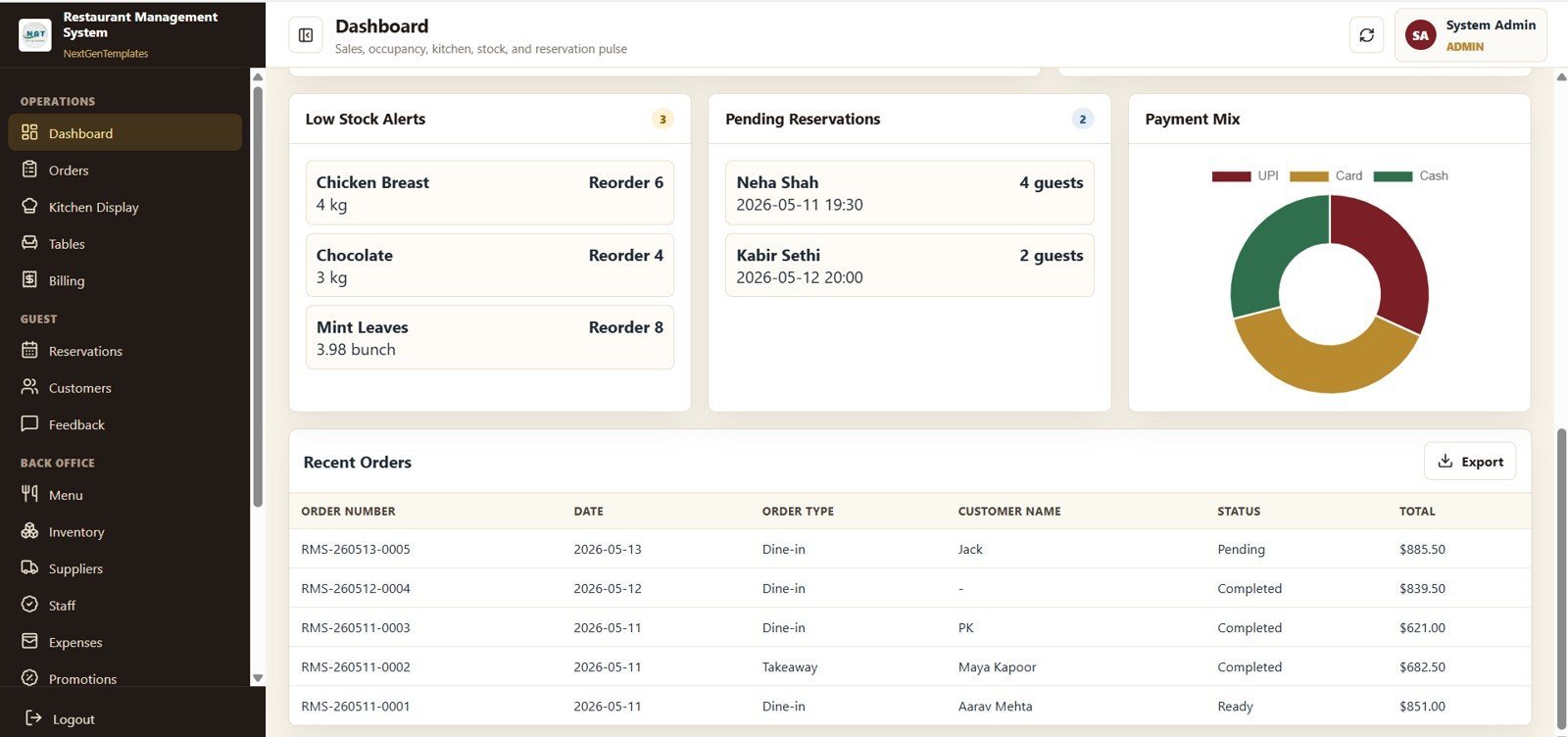
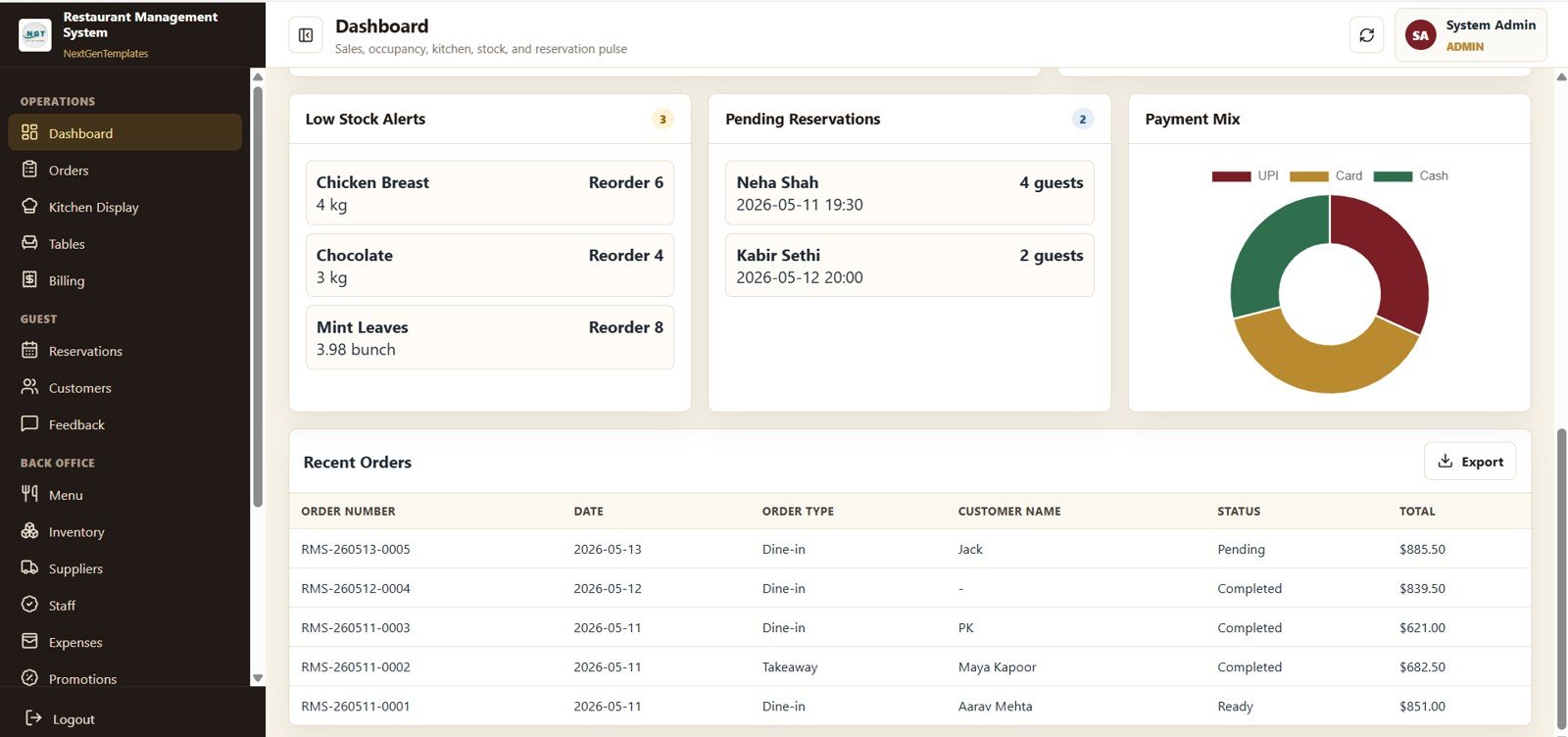
This page shows Low Stock Alerts by Item, Pending Reservations by Guest, Payment Value by Payment Mode, and Recent Orders by Order Number so managers can act on stock-outs, confirm same-day reservations, reconcile cash vs card, and spot the latest tickets in a single view.
4. Order Management
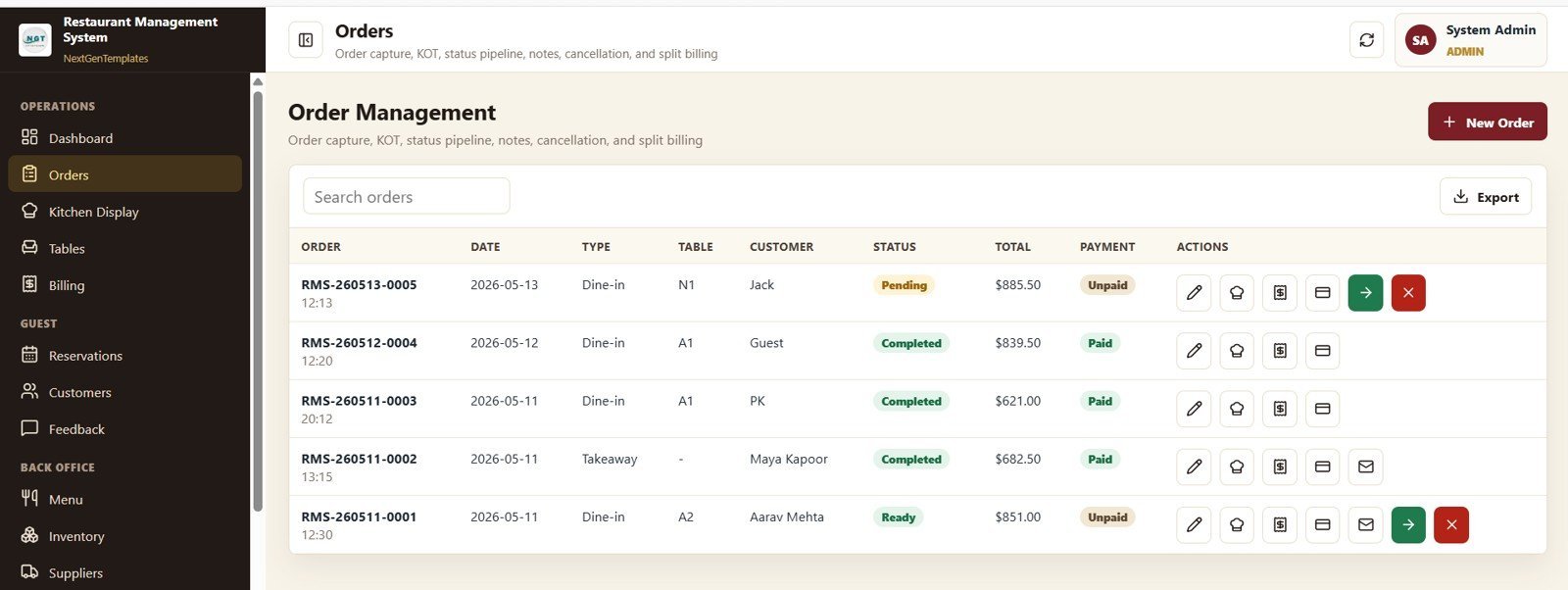
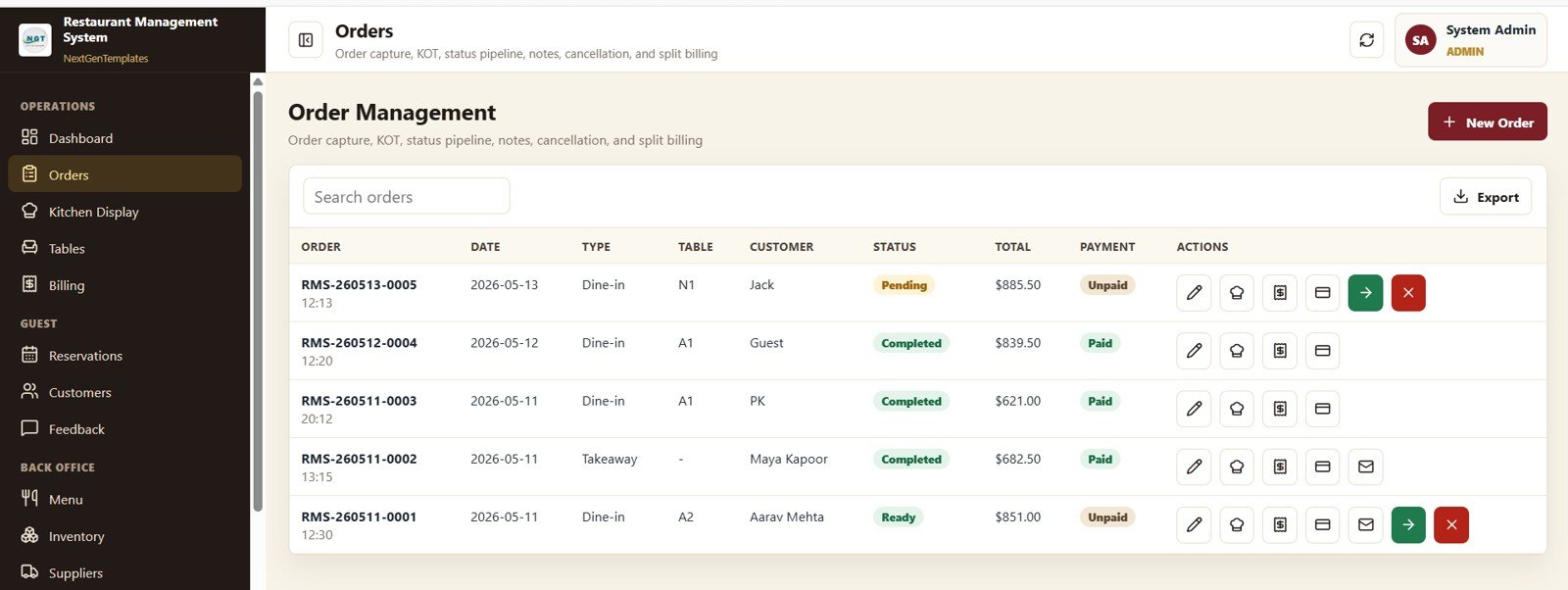
This page shows Order Total by Order Number, Order Count by Order Type (dine-in, takeaway, delivery), Order Total by Customer, and Order Count by Status. Cashiers and managers can create, edit, and update orders here without leaving the screen.
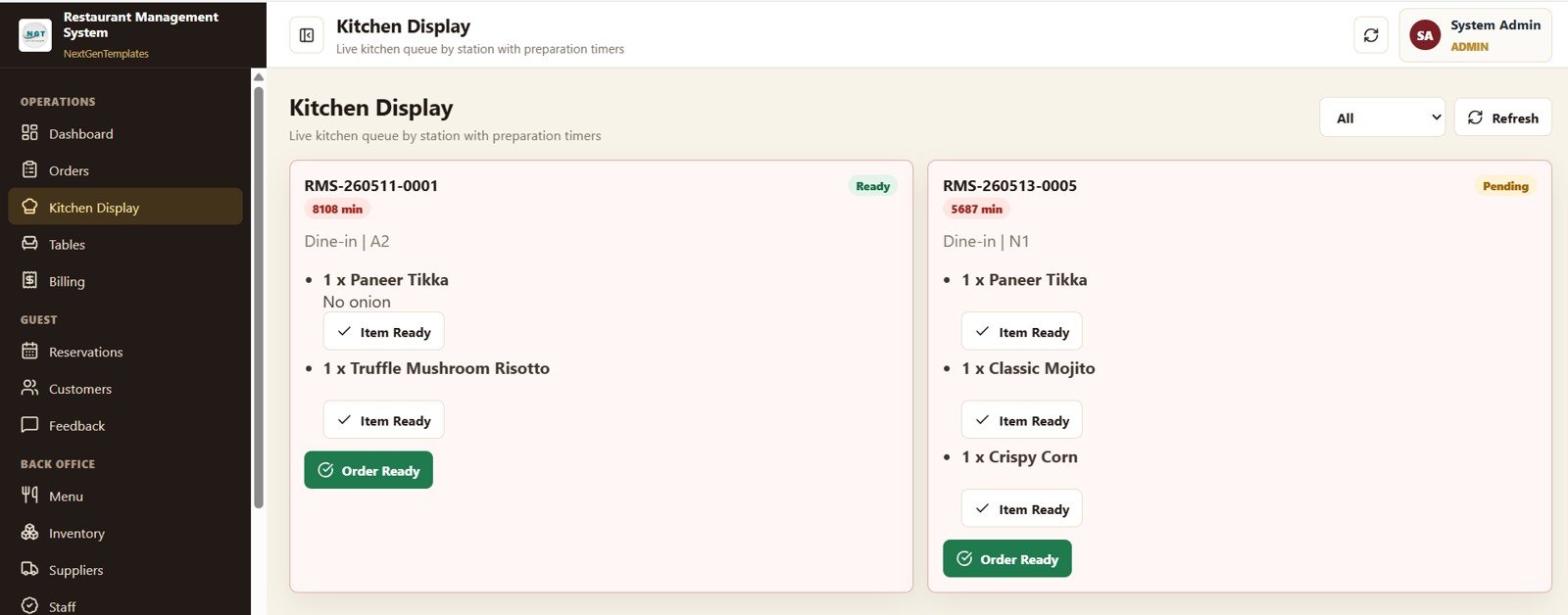
5. Kitchen Display
This is the built-in Kitchen Display System. It shows Preparation Time by Order Number, Item Quantity by Menu Item, Order Count by Order Status, and Active Tickets by Table so kitchen staff can prioritise tickets by age, monitor station load, and clear the rail faster.
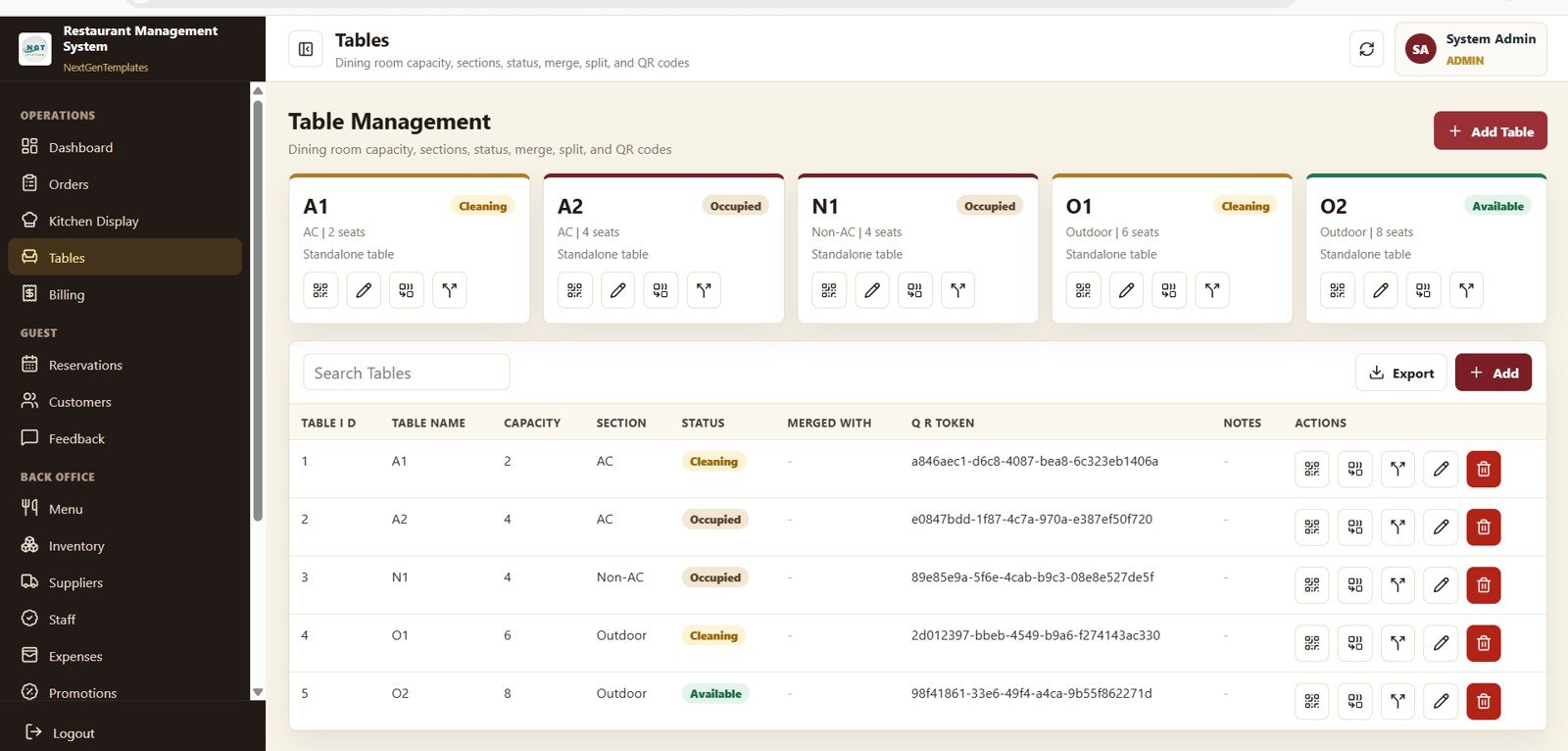
6. Table Management
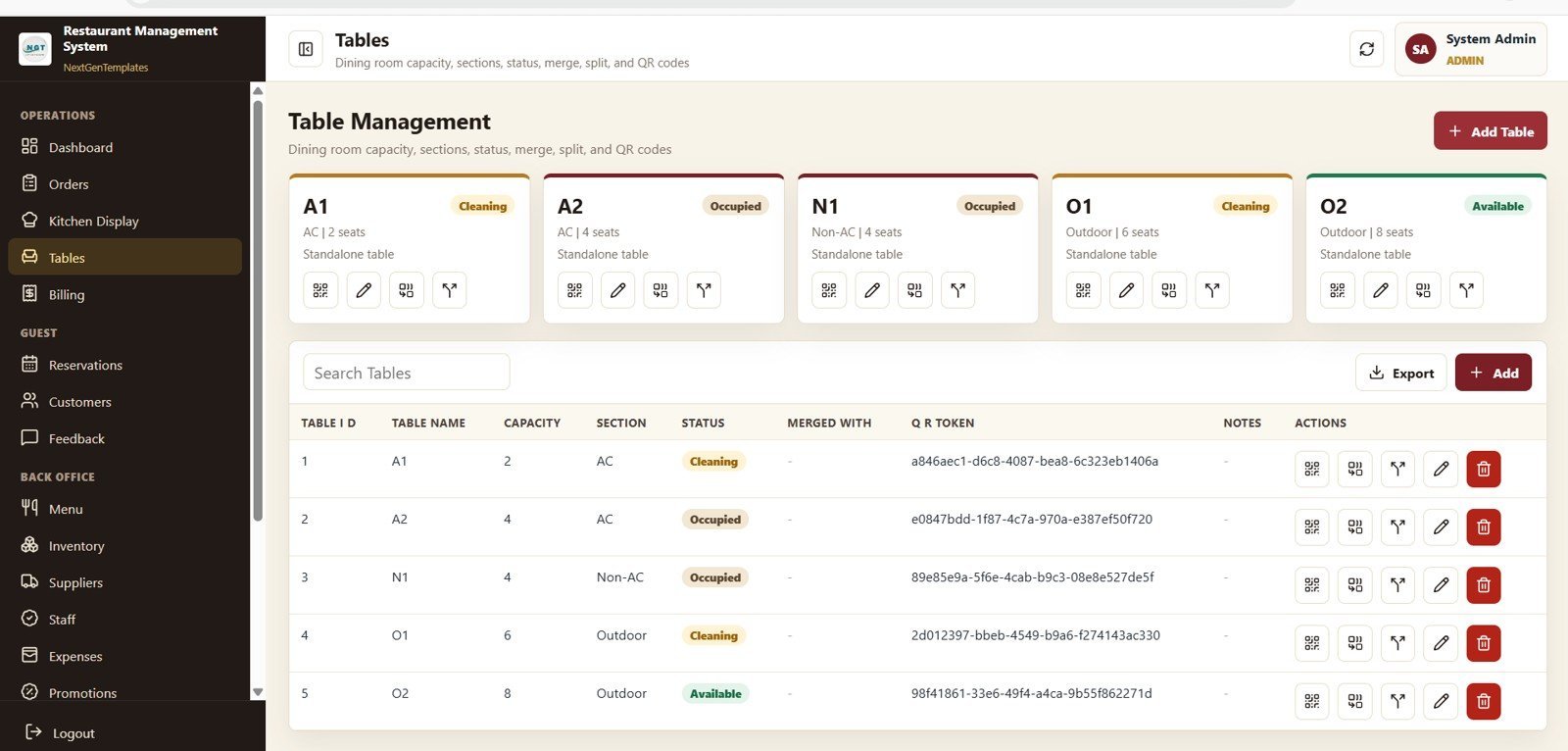
This page shows Capacity by Table, Table Count by Section, Table Count by Status (free, occupied, reserved, cleaning), and Capacity by Section. The host stand uses it to seat walk-ins, manage floor sections, and re-balance covers across the night.
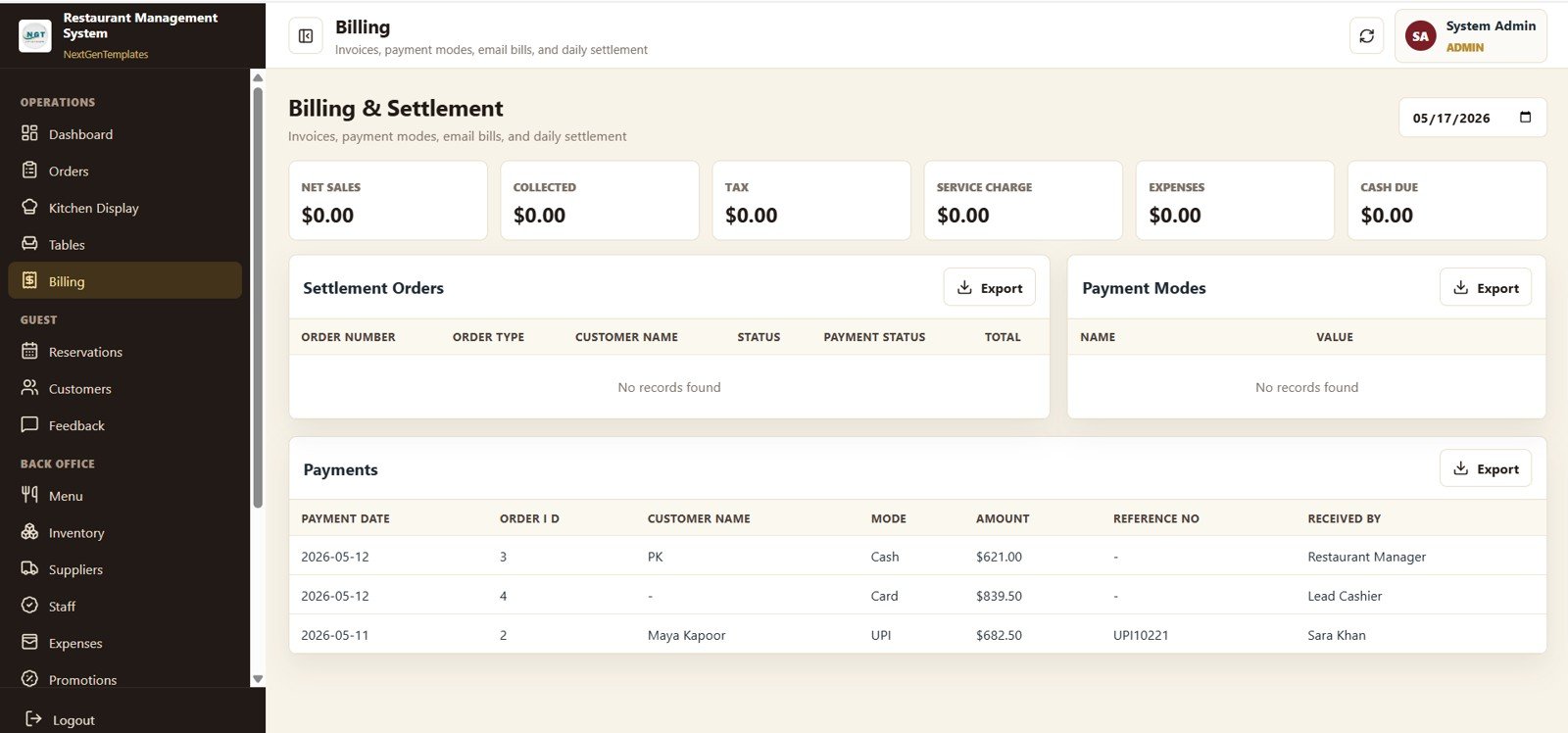
7. Billing and Settlement
This page shows Net Sales by Date, Collected by Payment Mode, Tax by Date, Service Charge by Date, Expenses by Date, Cash Due by Date, and Payment Amount by Received By. End-of-shift cash-up takes minutes rather than an hour because every figure is already reconciled.
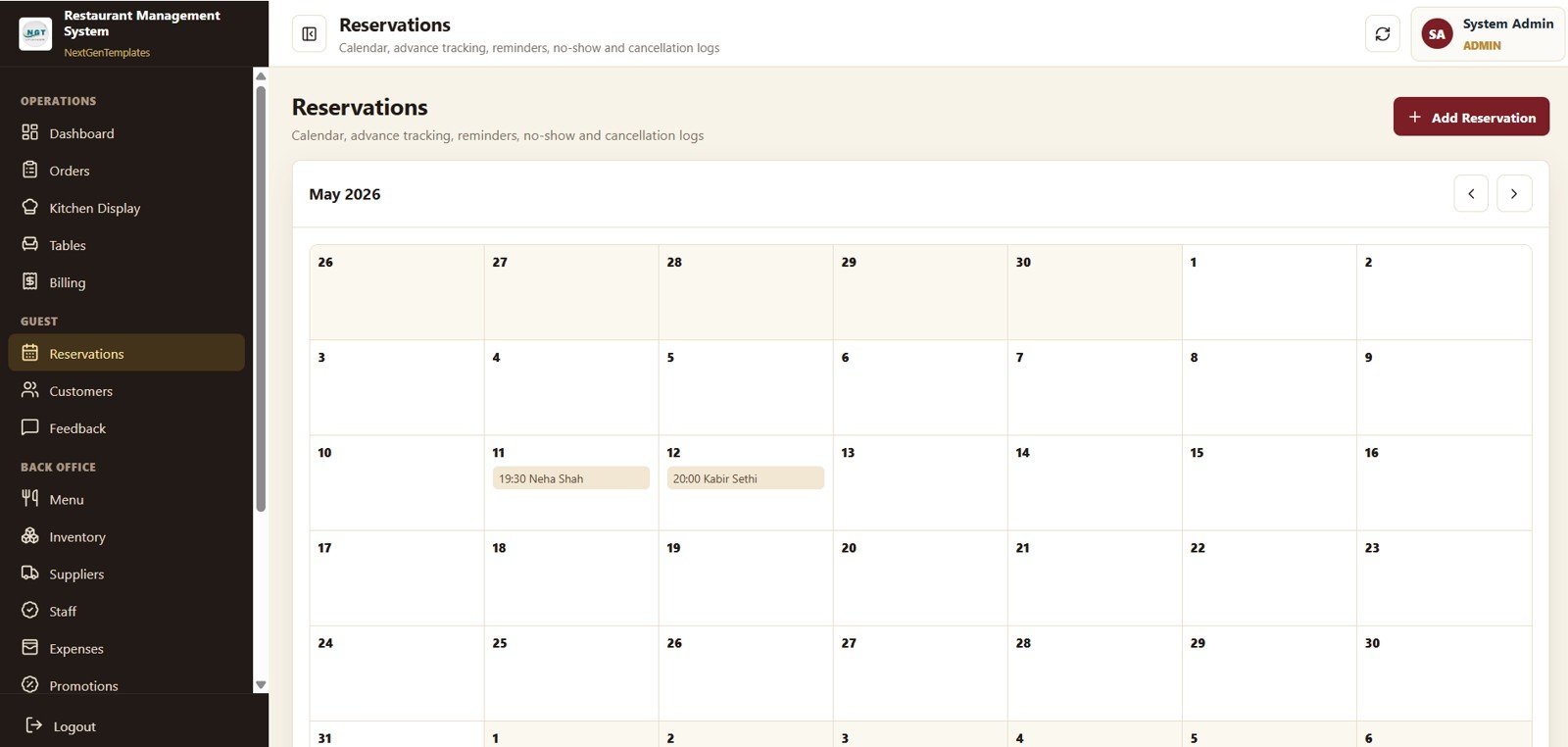
8. Reservations
This page shows Reservation Count by Date, Guest Count by Reservation, Reservation Count by Status (confirmed, cancelled, no-show, seated), and Reservation Count by Month. The host stand uses it as a digital reservation book; managers use it to forecast covers for staffing.
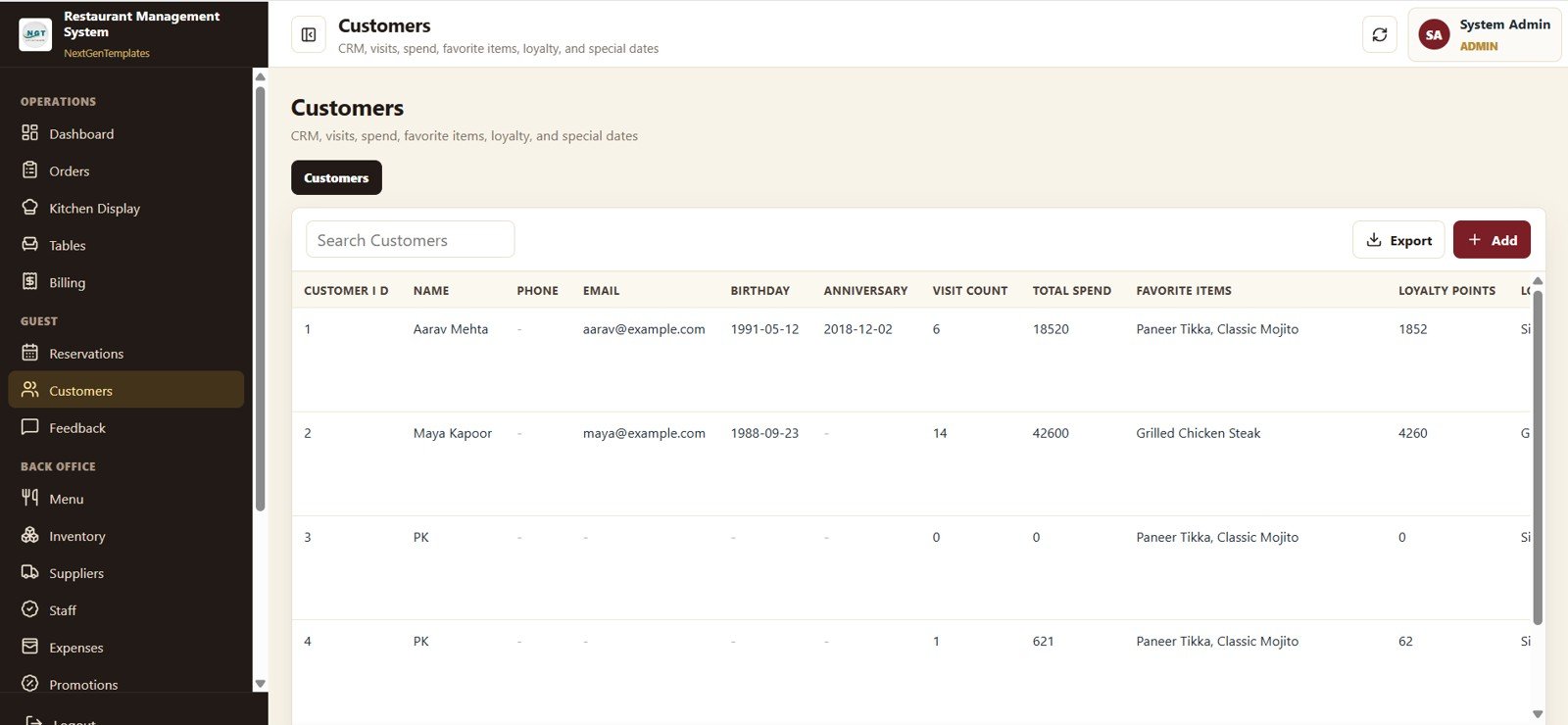
9. Customers
This page shows Visit Count by Customer, Total Spend by Customer, Loyalty Points by Customer, and Favorite Items by Customer — the foundation of a CRM-style guest database that turns one-time diners into regulars without paying for an external loyalty platform.
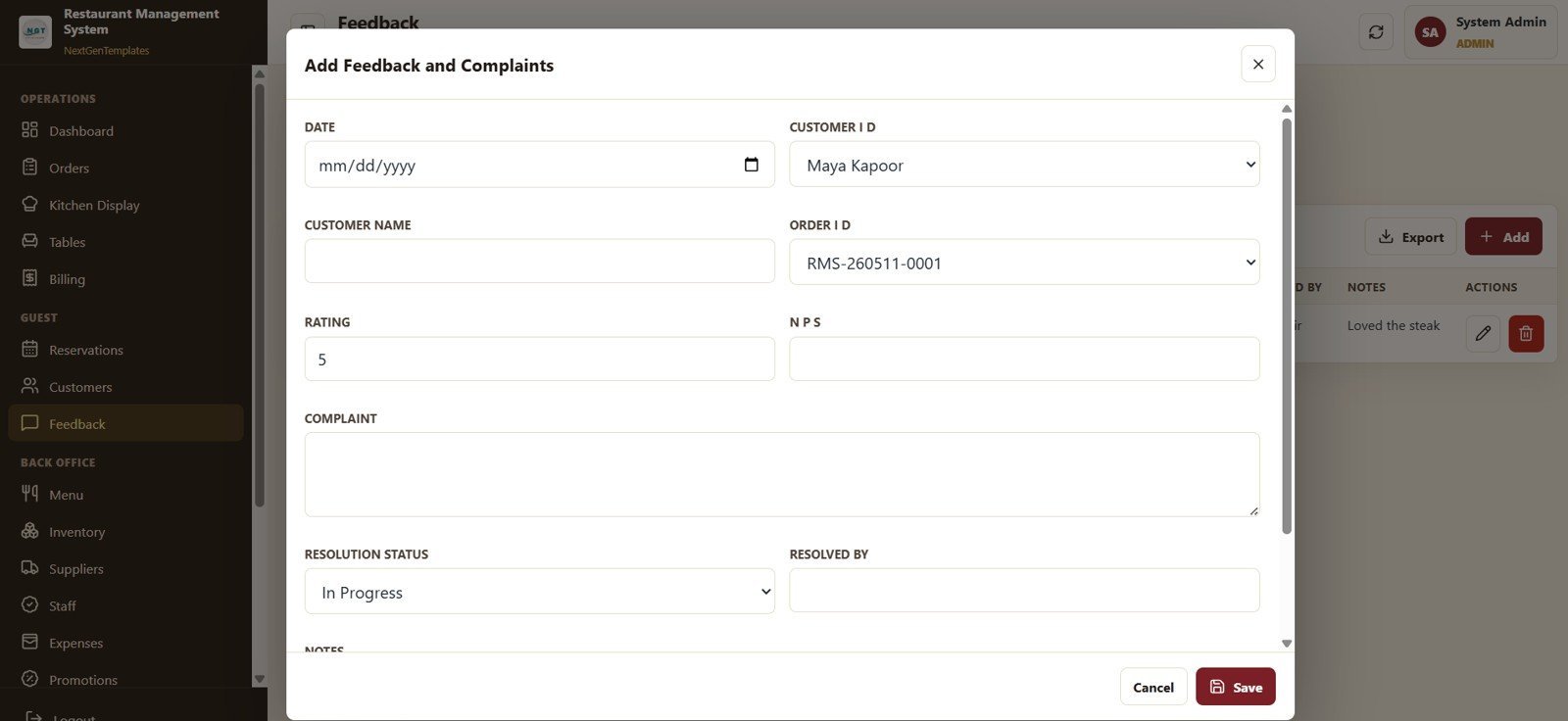
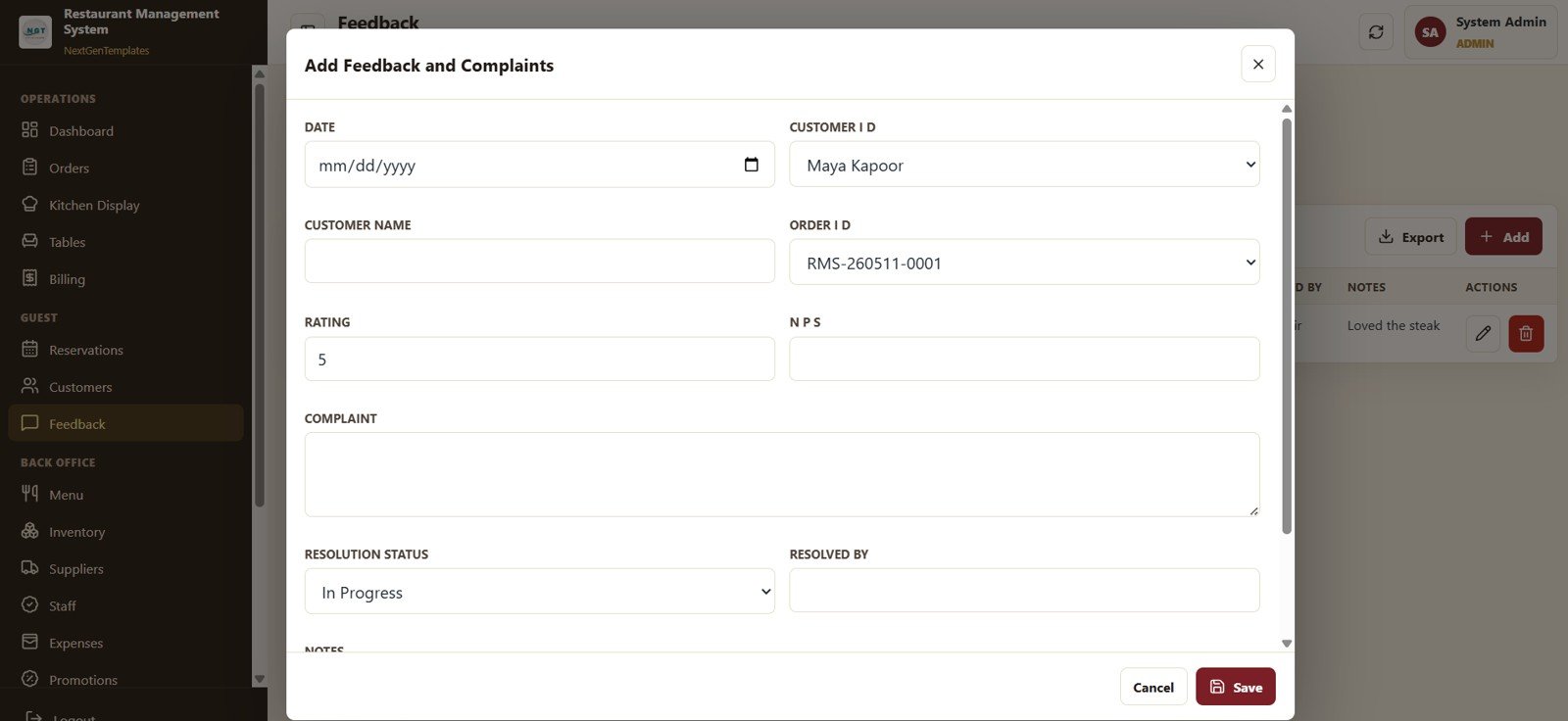
10. Feedback and Complaints
This page shows Rating by Customer, NPS by Customer, Complaint Count by Resolution Status, and Feedback Count by Date so the GM can see exactly where service is breaking, which guests need a recovery call, and which staff are driving the highest ratings.
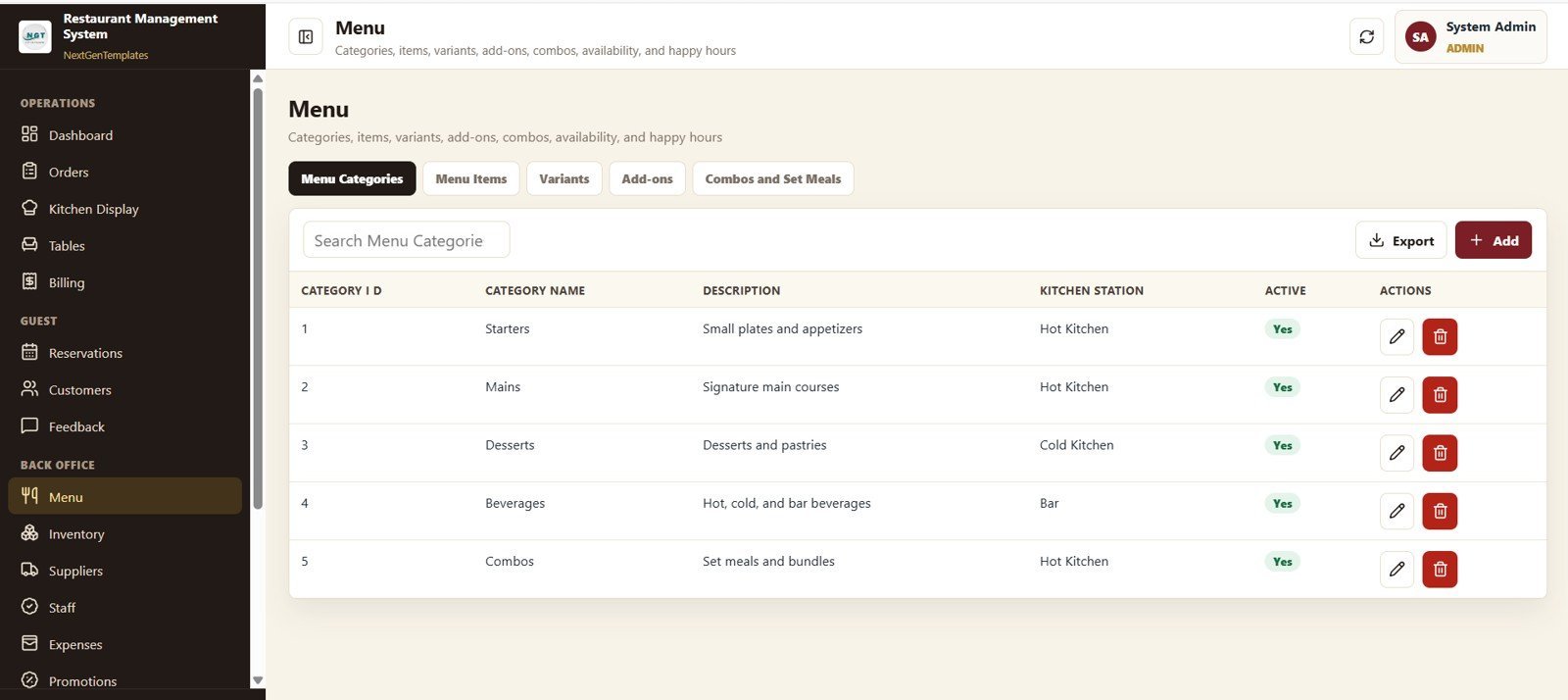
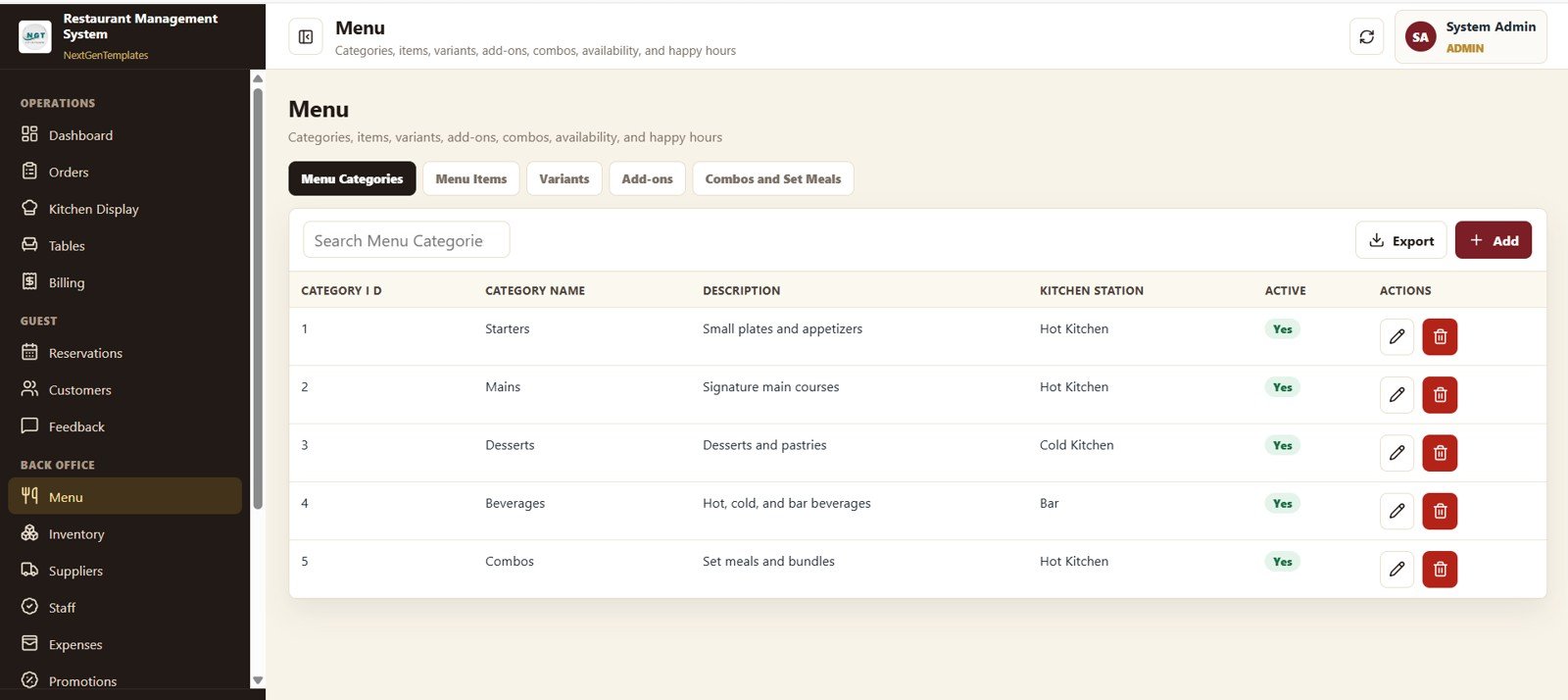
11. Menu Management
This page shows Item Count by Category, Item Count by Kitchen Station, Active Items by Category, and Item Count by Variant Type. The chef or owner adds, edits, prices, and 86s menu items here, with changes flowing instantly to Order Management and the Kitchen Display.
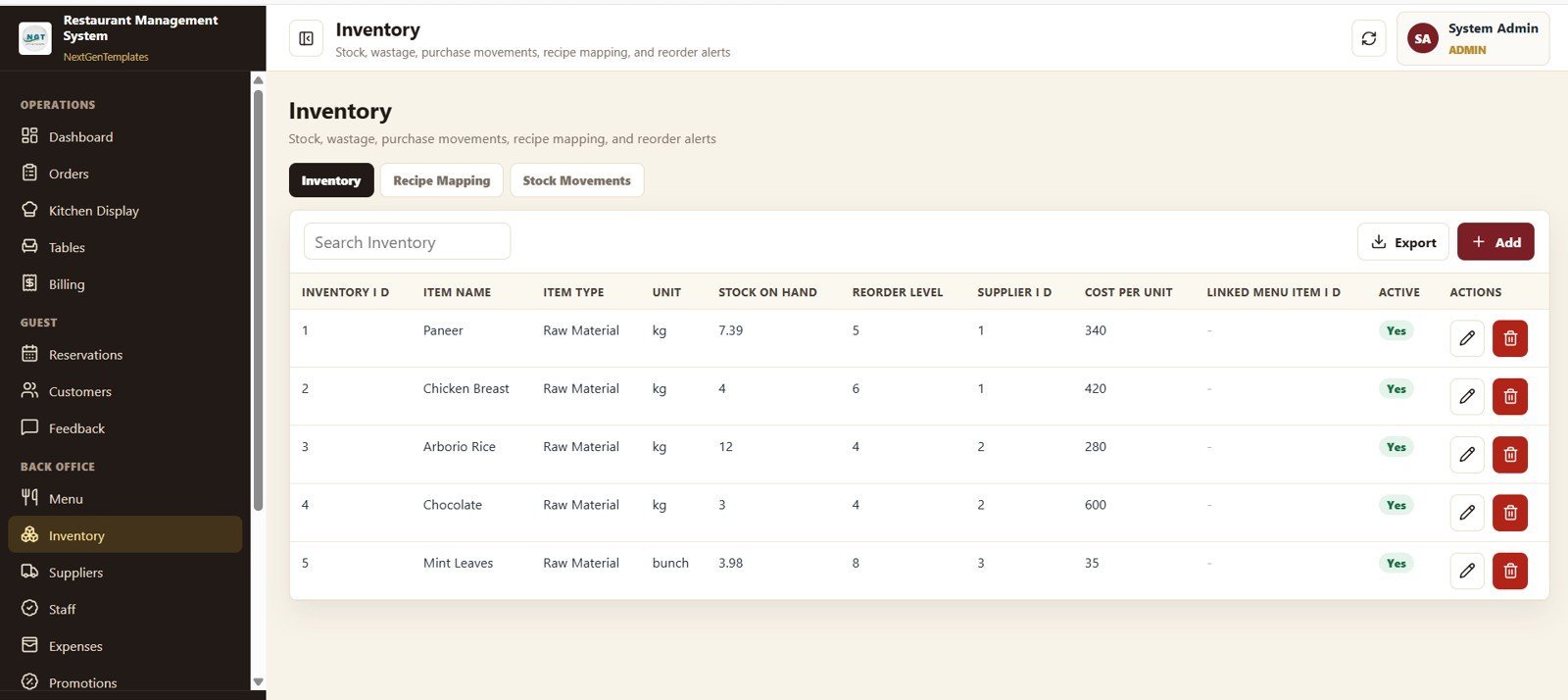
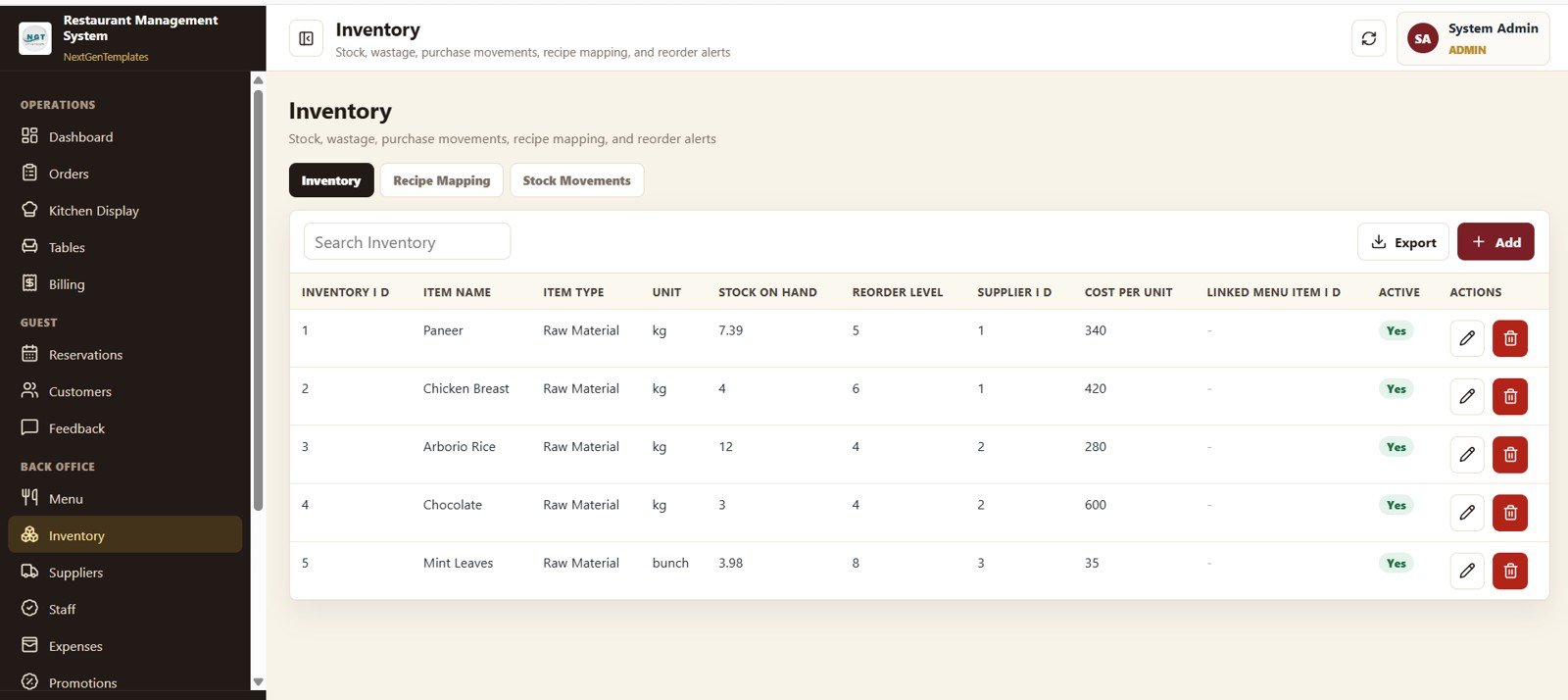
12. Inventory
This page shows Stock on Hand by Item, Reorder Level by Item, Cost per Unit by Item, Stock Value by Supplier, and Item Count by Item Type so the kitchen knows what to order, when to order, and from whom — with low-stock items pushed automatically to the Alerts page.
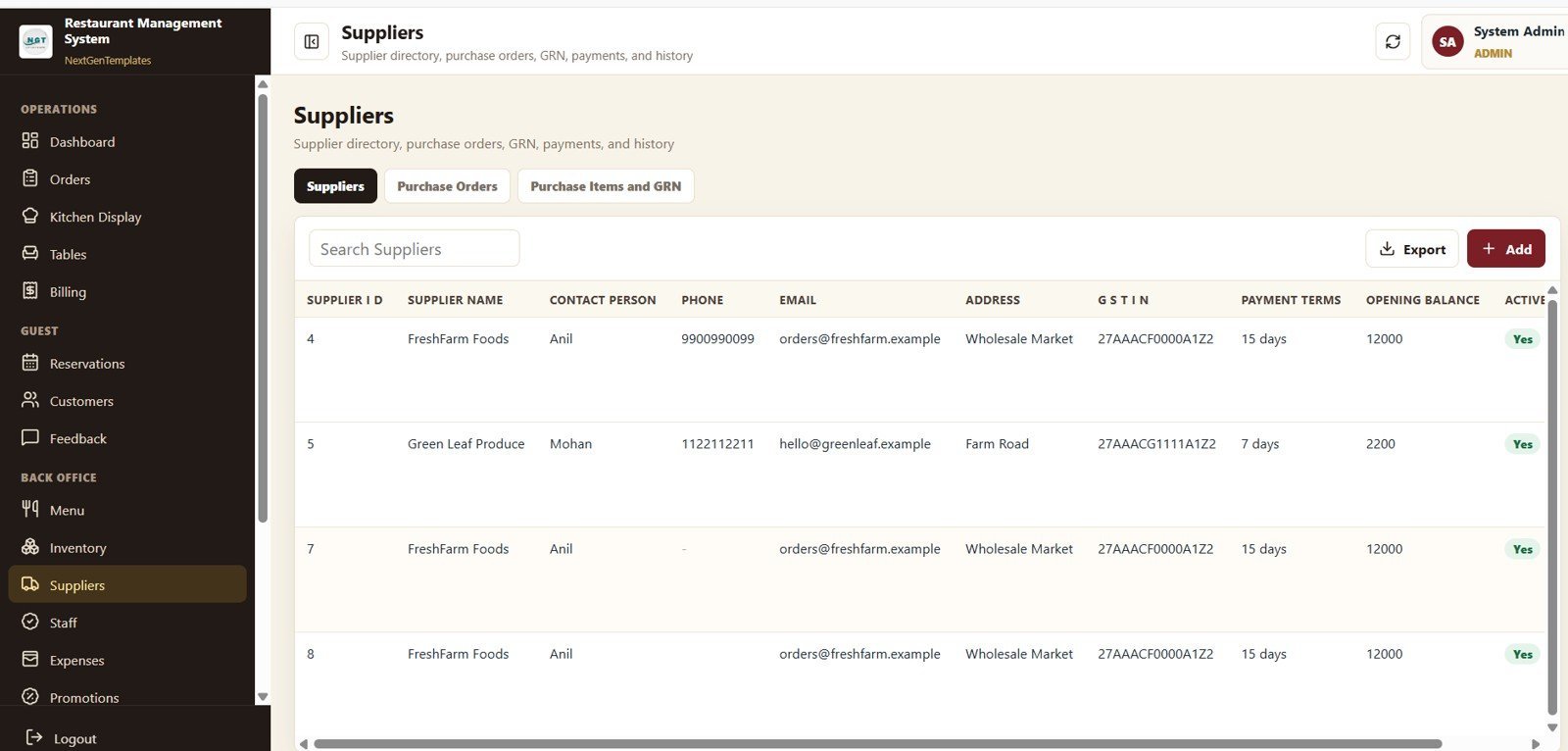
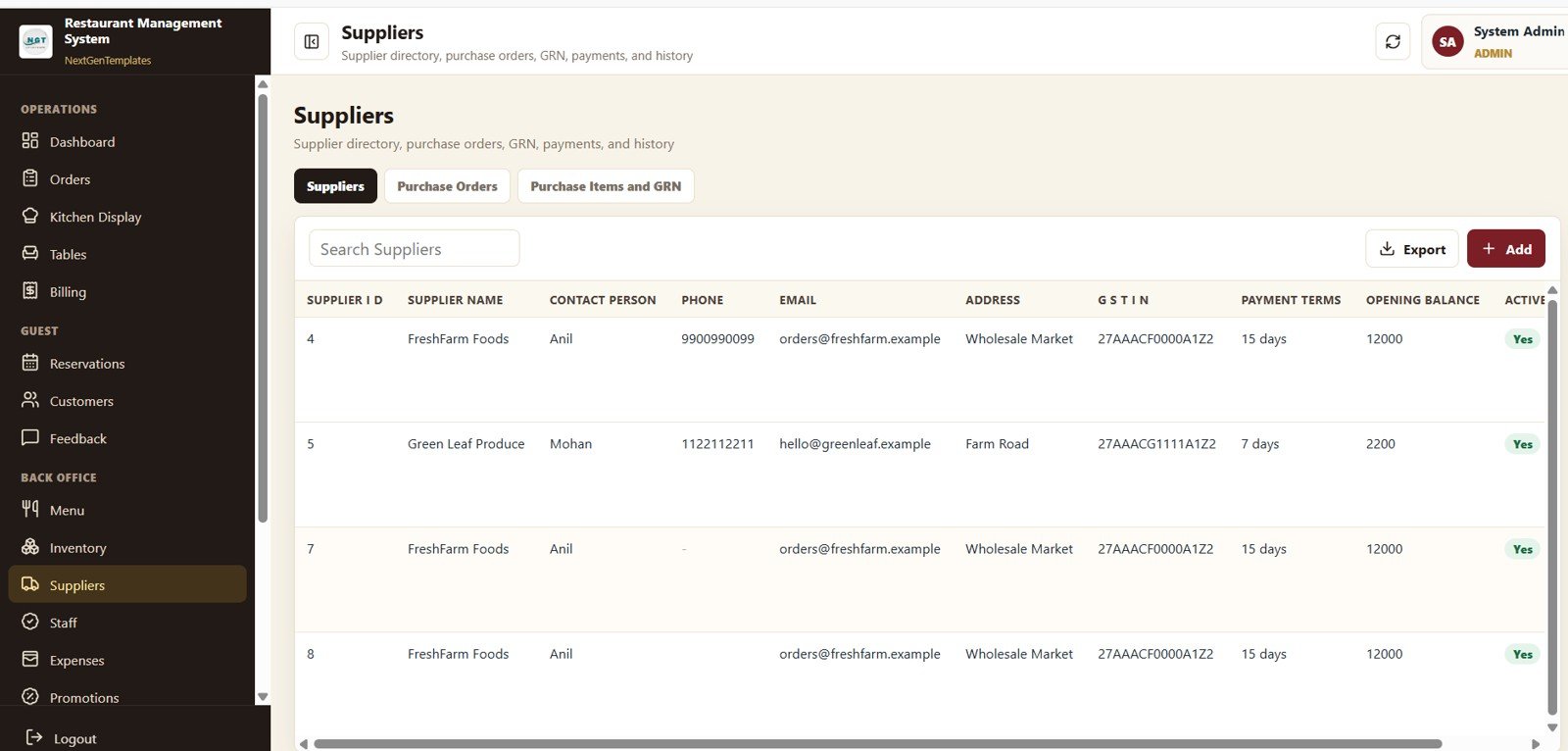
13. Suppliers
This page shows Opening Balance by Supplier, Payment Terms by Supplier, Supplier Count by Active Status, and Purchase Amount by Supplier so the back office can manage credit, schedule payments, and renegotiate the suppliers that take the largest share of monthly spend.
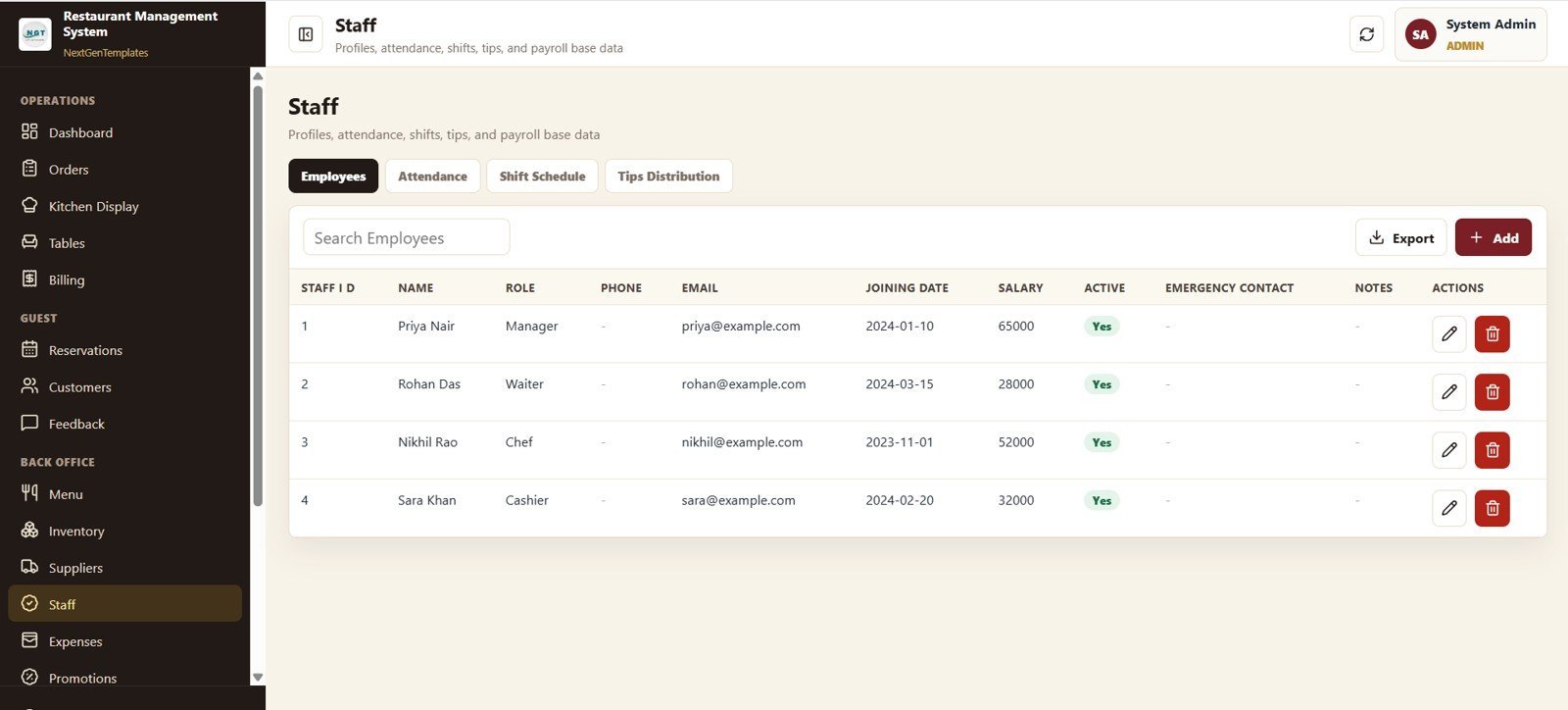
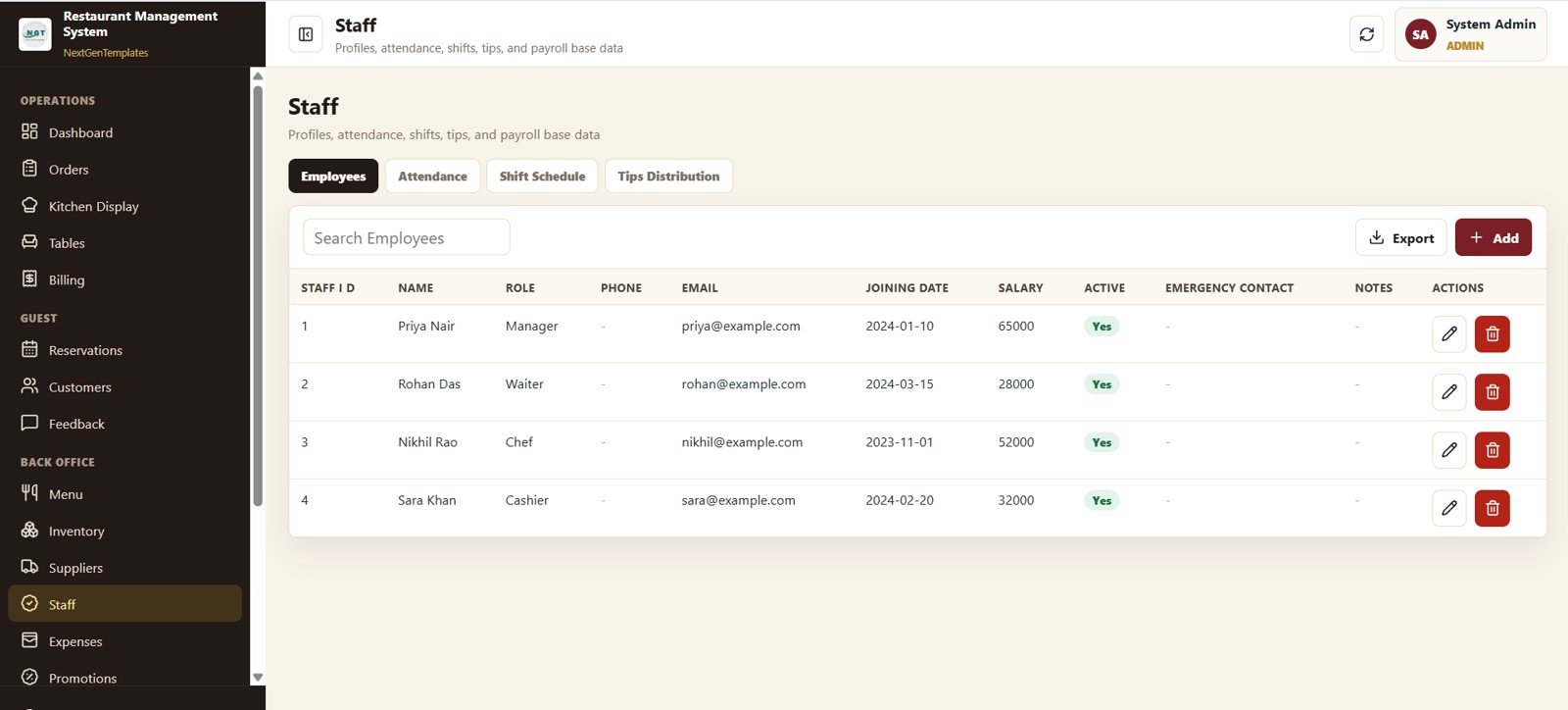
14. Staff
This page shows Salary by Employee, Employee Count by Role, Salary by Role, and Employee Count by Active Status. Managers handle hiring, role assignments, and payroll-ready data here, with the same data feeding into Billing for tip pool and payout reporting.
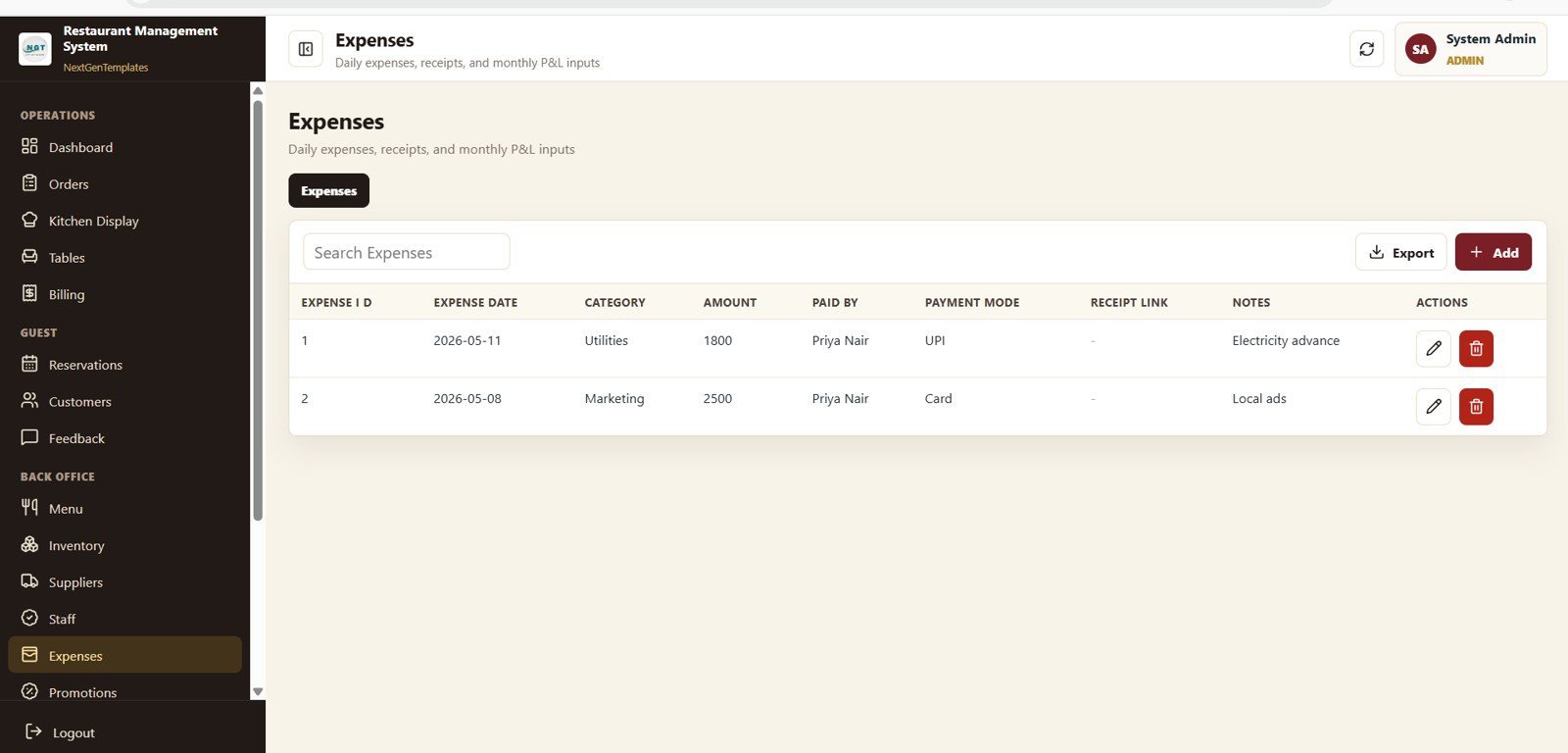
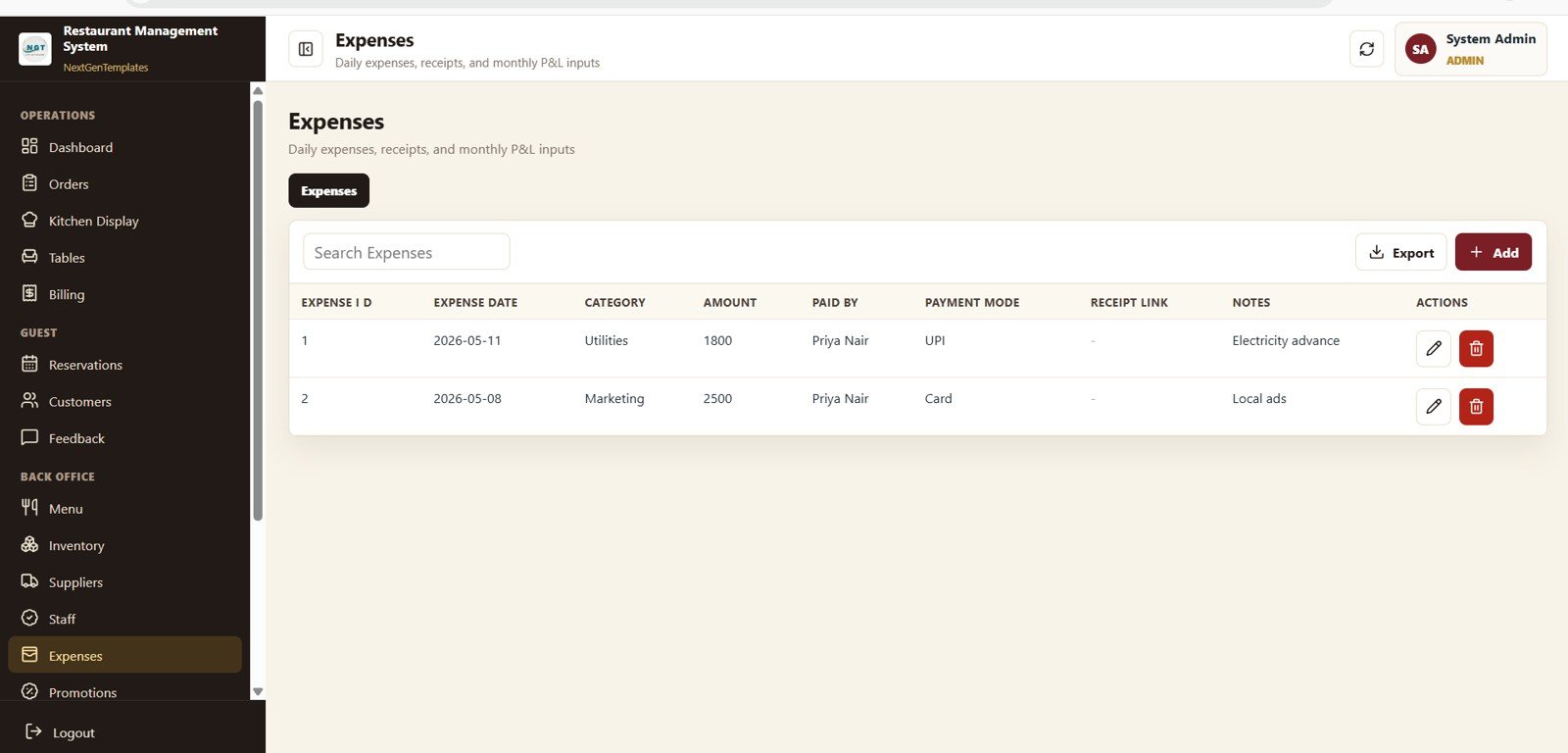
15. Expenses
This page shows Amount by Category, Amount by Payment Mode, Amount by Paid By, and Amount by Date so owners can see exactly where money leaves the business — food cost, rent, utilities, licences, repairs, marketing — on a single page that feeds the Dashboard Overview.
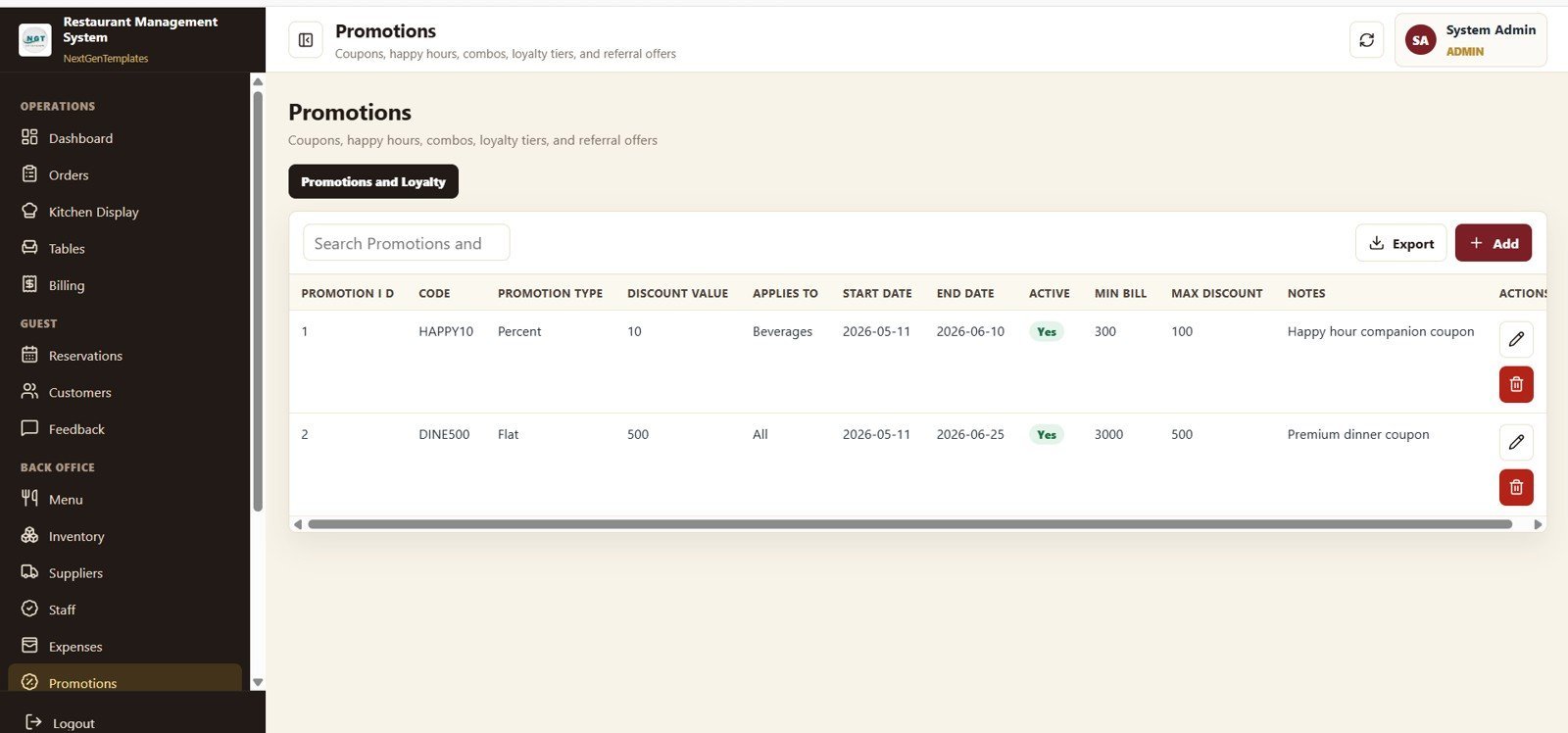
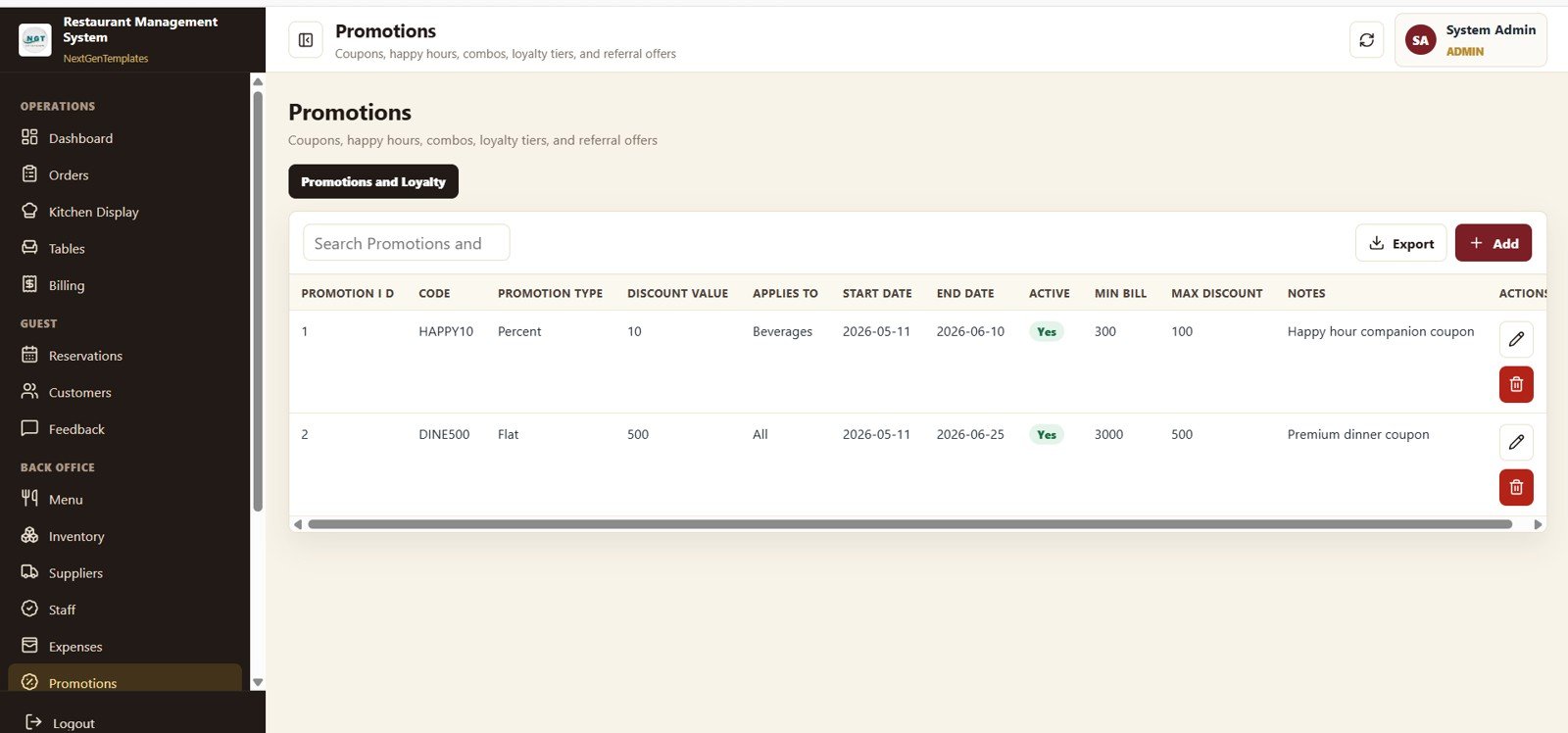
16. Promotions and Loyalty
This page shows Discount Value by Promotion Code, Promotion Count by Promotion Type, Discount Value by Applies To, and Promotion Count by Active Status. Marketing measures which codes, channels, and item-level offers actually drive incremental revenue — not just discounted covers.
📊 Restaurant Management System Web App vs. Excel POS Spreadsheet vs. Paid Restaurant SaaS — Where This Fits
| Feature | Restaurant Management System Web App (This Template) | Excel POS Spreadsheet | Toast / Square for Restaurants / Lightspeed |
|---|---|---|---|
| Cost | $39.99 one-time | $0–$30 one-time | $69–$165 / terminal / month + 2.5–3.5% transaction fees |
| Platform | Google Sheets web app (browser, any device) | Microsoft Excel (desktop only) | Proprietary cloud SaaS |
| Setup time | Under 15 minutes | 1–2 hours | 3–7 days onboarding |
| Real-time team collaboration | ✅ Yes (Google account login, role-based) | ❌ Single-user file | ✅ Yes |
| Kitchen Display System (KDS) | ✅ Built in | ❌ Not available | ✅ Yes (often extra $20–$50 / month) |
| Mobile access | ✅ Any browser, any device | ❌ Limited | ✅ Yes (proprietary hardware preferred) |
| Inventory + supplier management | ✅ Built in | ❌ Manual | ✅ Yes (often higher-tier plan) |
| Year-1 cost (single restaurant, 2 terminals) | $39.99 total | ~$30 total | $1,656–$3,960 + processing fees |
| You own the data | ✅ Lives in your Google Sheet | ✅ Yes (file on disk) | ❌ Vendor-hosted, export limits |
For independent restaurants, cafes, and cloud kitchens that want a real multi-user POS and back-office without paying $100+ per terminal per month, the Restaurant Management System Web App sits in the sweet spot — collaboration of a SaaS, ownership of a spreadsheet.
👥 Who This Template Is For — and Who It’s Not For
✅ This template is built for:
- Independent restaurant owners running 30–120 covers a night who want POS, KDS, and back-office in one system
- Cafes, bakeries, and dessert bars that need a fast order + billing flow without a $100/month commitment
- Cloud kitchens and ghost kitchens managing dine-in, takeaway, and delivery orders from a single dashboard
- Small restaurant groups managing 2–6 outlets that want one source of truth for sales, inventory, and staff
- Operators replacing a paid POS that costs more than $80/month per terminal
❌ This template is NOT for:
- QSR chains or franchises with 50+ outlets that need PCI-DSS card processing and centralised real-time consolidation across hundreds of stores
- Restaurants that require an integrated public-facing online ordering site with payment gateway (this is the back-office + in-house POS)
- Operations that need offline POS — this Google Apps Script web app needs internet to log in
- Teams that want a dedicated hardware terminal with cash drawer and receipt printer integrations out of the box
⚙️ How to Use the Restaurant Management System Web App Template
- Open the download — unzip to find Code.gs, Index.html, and the step-by-step deployment guide.
- Create a new Google Sheet in your Google Drive, open Extensions → Apps Script, paste Code.gs into the script editor, and add Index.html as a new HTML file.
- Deploy as web app — click Deploy → New deployment, choose “Web app”, set “Execute as Me” and the access level your team needs, then copy the deployment URL.
- Log in with the seed admin credentials provided in the guide and immediately change the passwords in the Staff or Settings page.
- Set up your restaurant — open Menu Management to add items and prices, Table Management to add sections and tables, and Suppliers to add your vendors.
- Start taking orders from Order Management, push tickets to the Kitchen Display, and check the Dashboard Overview every shift for Sales, Orders, Average Bill, Pending Orders, and Table Occupancy.
💼 Real-World Use Cases
Priya runs a 48-cover bistro in Mumbai. She replaced her ₹4,500/month POS subscription with this Google Sheets web app — her cashier takes orders on a tablet, the kitchen sees tickets on a wall-mounted Chromebook, and she pulls the monthly P&L from Billing and Settlement straight into her accountant’s spreadsheet in under 10 minutes.
Marco operates a small cafe chain — three sites in Milan totalling 90 covers. He uses one Google Sheet per outlet, his outlet managers each have their own role-based login, and he reviews Top Selling Items and Revenue by Date across all three from his laptop every Monday morning.
Aisha runs a cloud kitchen serving Uber Eats, Zomato, and walk-up takeaway from a single 1,000 sq ft commissary. Order Management routes every channel into one Kitchen Display, the Customers page tracks repeat WhatsApp orders, and the Promotions and Loyalty page tells her exactly which discount codes deliver new diners versus discounted regulars.
❓ Frequently Asked Questions
What does the Restaurant Management System Web App Template cost vs. Toast or Square for Restaurants?
The Restaurant Management System Web App is a one-time $39.99 purchase with no monthly fees and no transaction processing cuts, while Toast and Square for Restaurants typically run $69–$165 per terminal per month plus 2.5–3.5% per card transaction. Over a single year, an independent restaurant typically saves $1,600–$3,900 plus processing fees per terminal.
How long does it take to deploy this Google Sheets web app restaurant management system?
Setup takes under 15 minutes following the included PDF deployment guide. You create a Google Sheet, paste Code.gs and Index.html into Apps Script, deploy as a web app, and start logging in. No coding knowledge is required — the guide walks through every click.
Can multiple staff members — cashier, kitchen, manager — use the system at the same time?
Yes. The Restaurant Management System Web App Template uses Google’s real-time backend, so cashiers, kitchen, hosts, and managers can all be logged in concurrently. Role-based access controls which of the 16 screens each user can see and edit, so a cashier never accidentally lands on the Staff or Suppliers page.Restaurant Management System Web App Template
Does the system include a Kitchen Display System (KDS)?
Yes — screen 5 is a dedicated Kitchen Display showing Preparation Time by Order Number, Item Quantity by Menu Item, Order Count by Order Status, and Active Tickets by Table. Mount a cheap Chromebook or tablet in the kitchen, log in with the kitchen role, and tickets push in real time as cashiers ring them.
Can I track inventory, suppliers, and food cost in the same template?
Yes. The Inventory page tracks Stock on Hand, Reorder Level, Cost per Unit, and Stock Value by Supplier; the Suppliers page tracks Opening Balance, Payment Terms, and Purchase Amount; and the Expenses page tracks Amount by Category, Payment Mode, and Date — all in the same Google Sheet that powers your POS.
Where is my restaurant data stored?
All orders, menu items, customers, reservations, inventory, and settings are stored in your own Google Sheet inside your Google Drive. NextGenTemplates never sees the data and there is no third-party server in the loop. You can export to Excel, CSV, or PDF at any time.
Can I customise the system for my specific cuisine or service style?
Yes — both the Apps Script backend (Code.gs) and HTML interface (Index.html) are unlocked. You can change colours, add custom fields, modify the report layouts, and tweak workflows directly. Menu categories, kitchen stations, variant types, and promotion types are all editable from the relevant management pages without touching code.
👤 About the Author
Built by PK — Microsoft Certified Professional with 15+ years of Excel, Google Sheets, and Power BI experience. Founder of NextGenTemplates, reaching 300K+ subscribers across YouTube channels (@PK-AnExcelExpert, @NextGenTemplates, @NeoTechNavigators). Every template is hand-built and tested before release.
🔗 Explore Related Templates
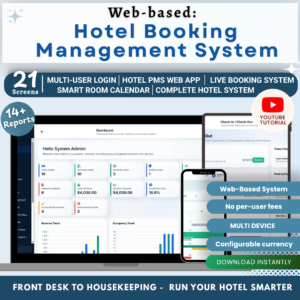
- Web App Based: Hotel Booking Management System — same Google Sheets web app architecture for hotels, B&Bs, and serviced apartments.
- Web-based: Advanced Inventory Management System — multi-warehouse stock control with the same login + role pattern.
- Food Delivery Dashboard in Google Sheets — analytics companion focused on the delivery economics layer.
- Food Truck Dashboard in Google Sheets — lighter-weight analytics-only dashboard for single-unit operators.
- Browse all Google Sheets Dashboards and all Mini Web Apps on NextGenTemplates.
Need our team’s help to deploy it? Email us at [email protected]. There will be an additional cost of 50 USD.
📖 Click here to read the Detailed Blog Post
Need our team help to deploy it. Email us at [email protected]. There will addional cost of 50 USD.
🎥 Visit our YouTube channel for step-by-step video tutorials
👉 YouTube.com/@NextGenTemplates
Watch the demo video:
Watch the deployment process video:





Reviews
There are no reviews yet.