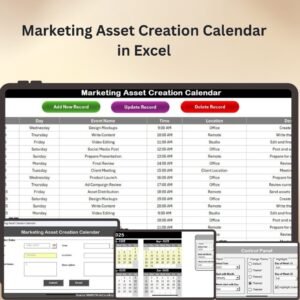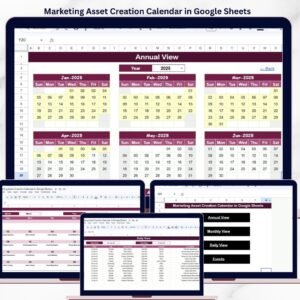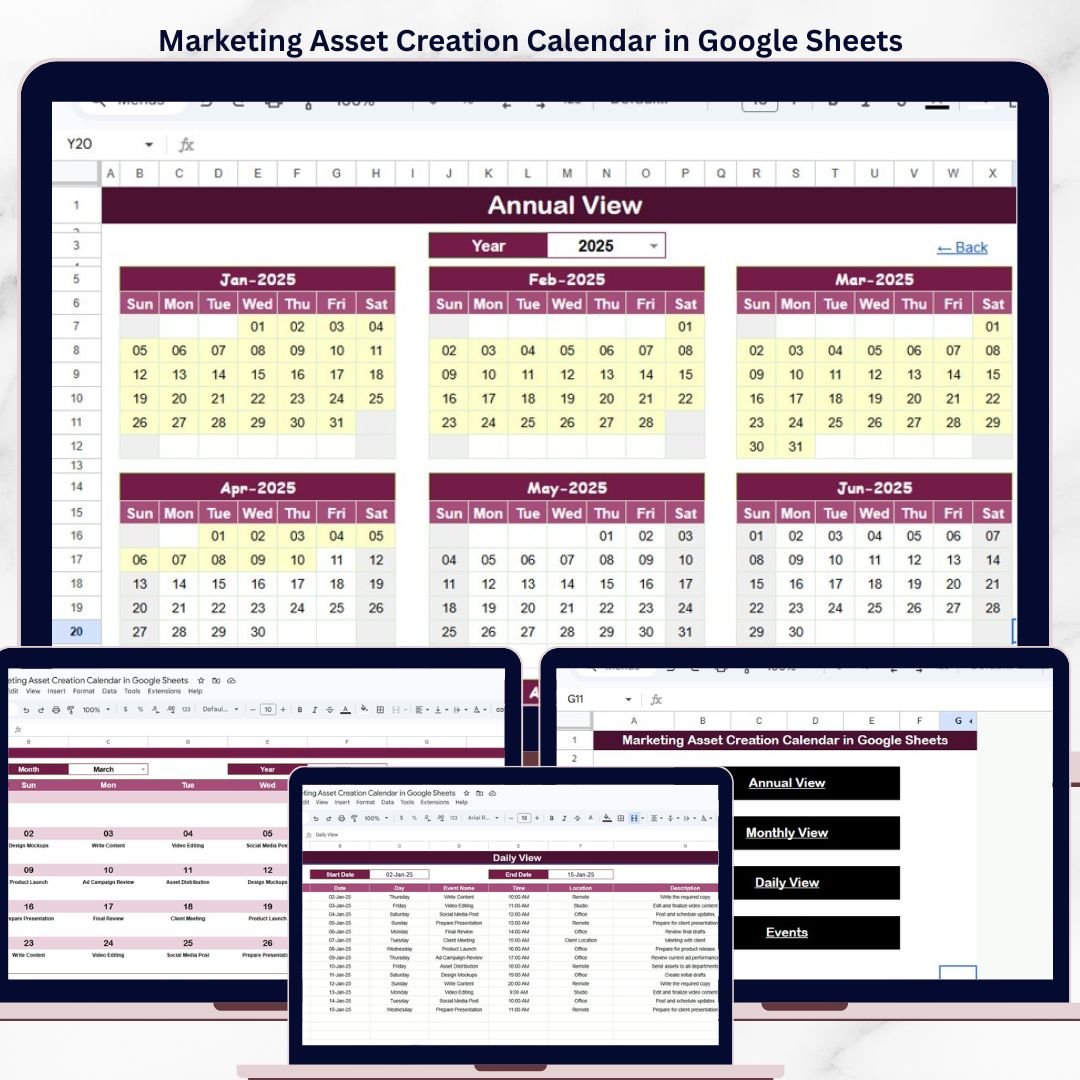
The Marketing Asset Creation Calendar in Google Sheets organizes marketing asset deadlines, campaigns, and content milestones across 5 interactive worksheets — Home, Annual View, Monthly View, Daily View, and Events database. It tracks events with 7 data fields (ID, Date, Day, Event Name, Time, Location, Description), displays 12-month annual calendars, and filters events by date range. Setup takes under 10 minutes — just enter your marketing events and every calendar view updates automatically.Marketing Asset Creation Calendar in Google Sheets
🌍 Join 8,400+ teams in 40+ countries using NextGenTemplates to replace paid SaaS tools with one-time-purchase Excel, Google Sheets Calendar Templates, Power BI, and HTML templates.
✅ Instant download · One-time payment of $4.99 · No subscription · No per-user fees · Lifetime access
🔑 Key Features of Marketing Asset Creation Calendar in Google Sheets
📅 5-worksheet calendar architecture – A Home index sheet with navigation buttons, Annual View showing all 12 months, Monthly View with single-month detail and event preview, Daily View listing events by date range, and an Events database capturing 7 fields per entry.
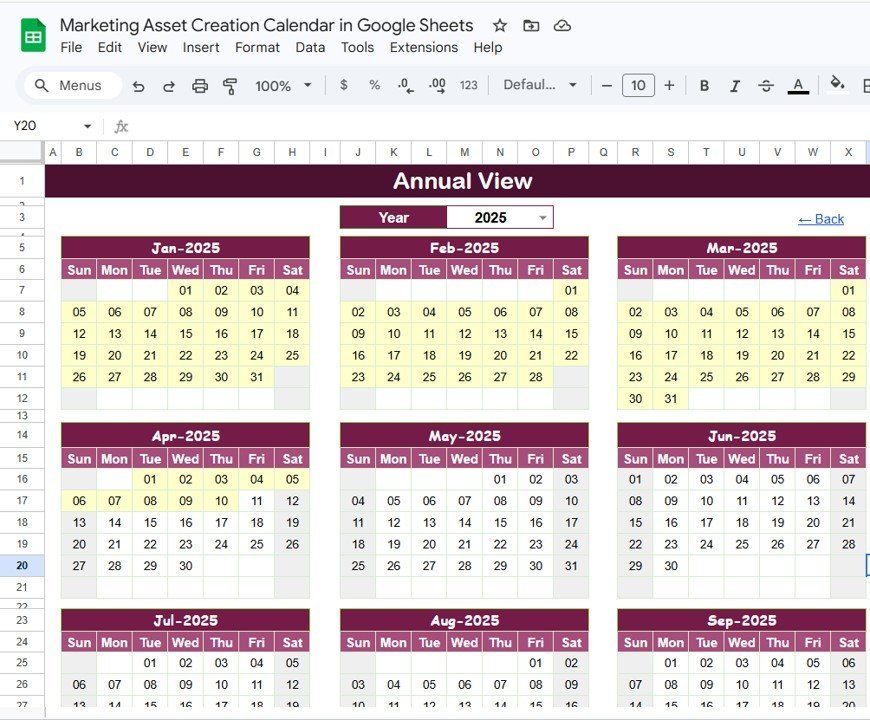
📊 Annual View with 12-month layout – See your entire marketing year at a glance. All 12 months display in a single view so you can spot scheduling gaps, overlapping campaigns, and quarterly milestones instantly.
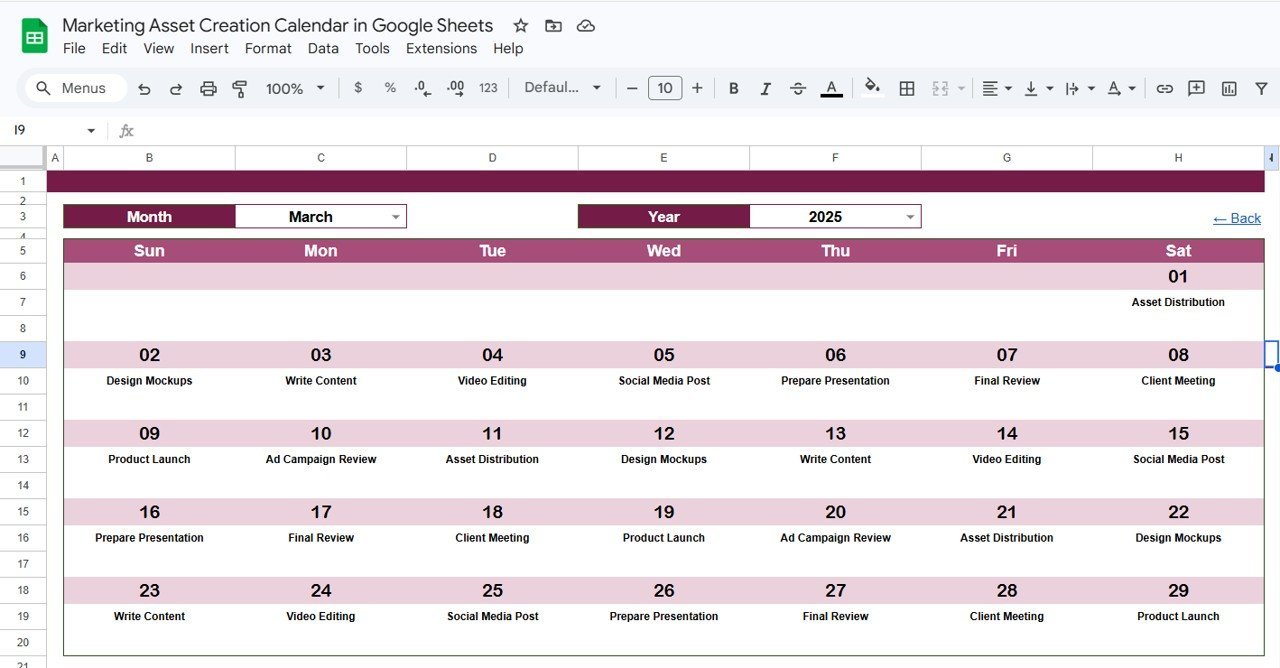
📋 Monthly View with event preview – Select any Month and Year from the top dropdowns. The calendar shows 1 event per date cell; dates with multiple events display a “more than 1…” indicator so nothing gets missed.
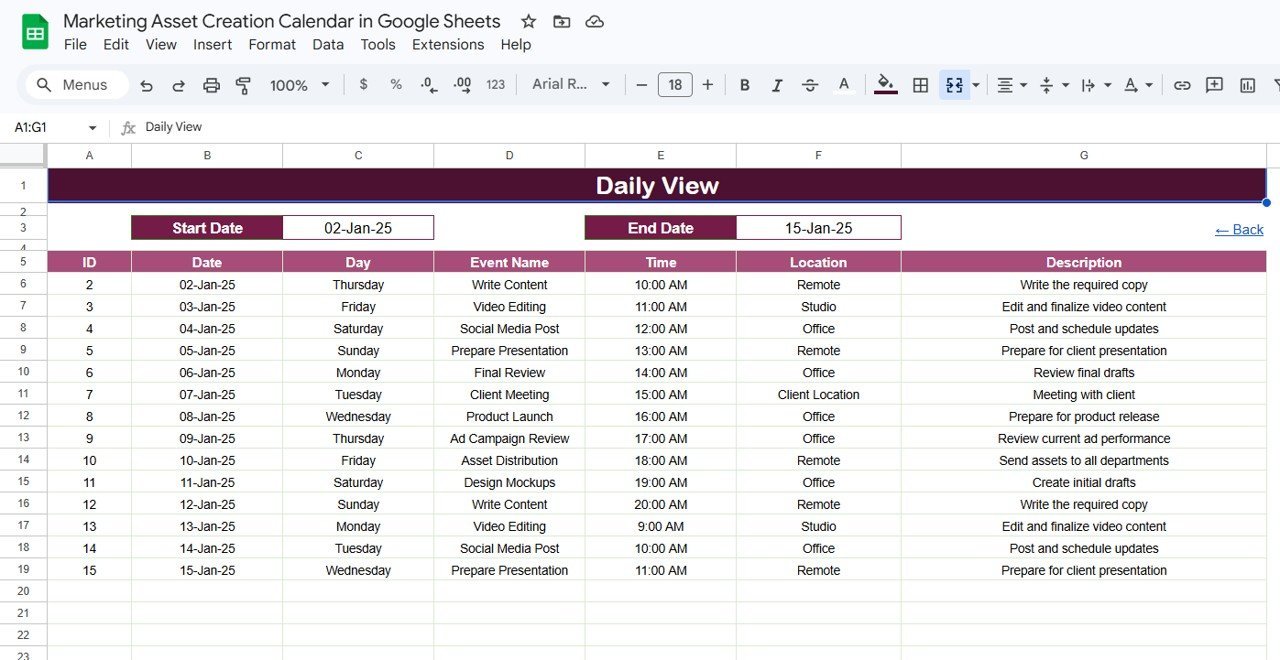
🔍 Daily View with date-range filtering – Enter a Start Date and End Date at the top using the built-in calendar date picker. The view lists every marketing asset event within that range with full details — event name, time, location, and description.
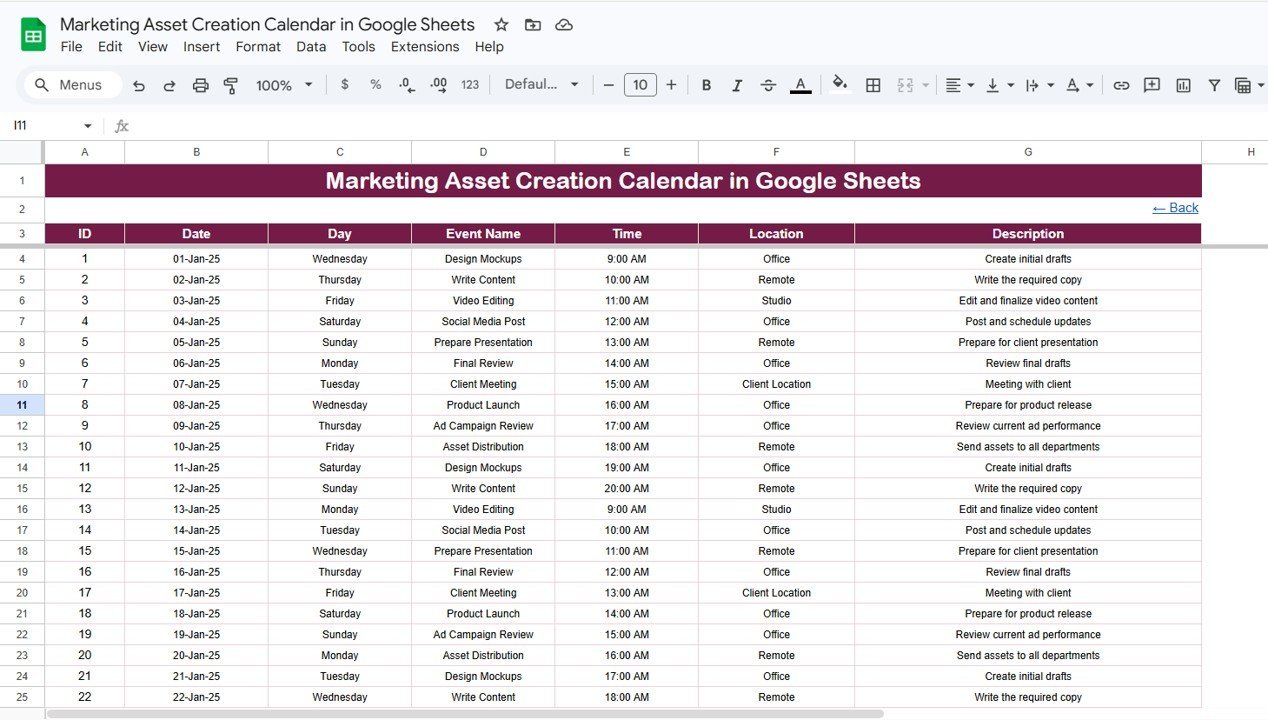
📝 Events database with 7 fields – Capture ID (auto-generated), Date, Day, Event Name, Time, Location, and Description for each marketing asset milestone. Add events manually by entering data directly in the sheet.
🏠 Home navigation sheet – Four buttons jump you directly to Annual View, Monthly View, Daily View, or Events. No scrolling between sheets — one click reaches the view you need.
🛠️ No macros, no add-ons – Built entirely on native Google Sheets formulas. Works in any free Google account, on desktop or mobile.
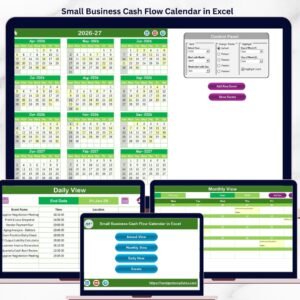
If your team manages content campaigns or social media schedules, you may also want to explore our Small Business Cash Flow Calendar in Excel for a similar calendar structure applied to financial tracking, or the Fitness Performance and Revenue Dashboard in Google Sheets for a slicer-driven analytics template.
📦 What’s Inside the Marketing Asset Creation Calendar
This template contains 5 worksheets designed to cover every aspect of marketing asset scheduling and tracking:
📌 1. Home Sheet Tab – This is an index sheet where we have given 4 buttons to jump to the respective sheet: Annual View, Monthly View, Daily View, and Events.
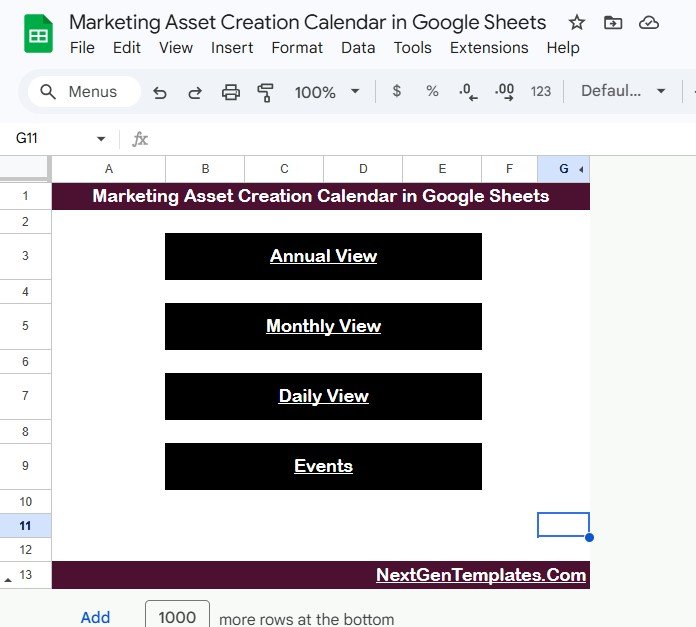
Marketing Asset Creation Calendar in Google Sheets
📌 2. Annual View Sheet Tab – This is the Annual View Sheet showing 12 months calendars in one view. Spot campaign overlaps, plan quarterly launches, and identify scheduling gaps across the full marketing year.
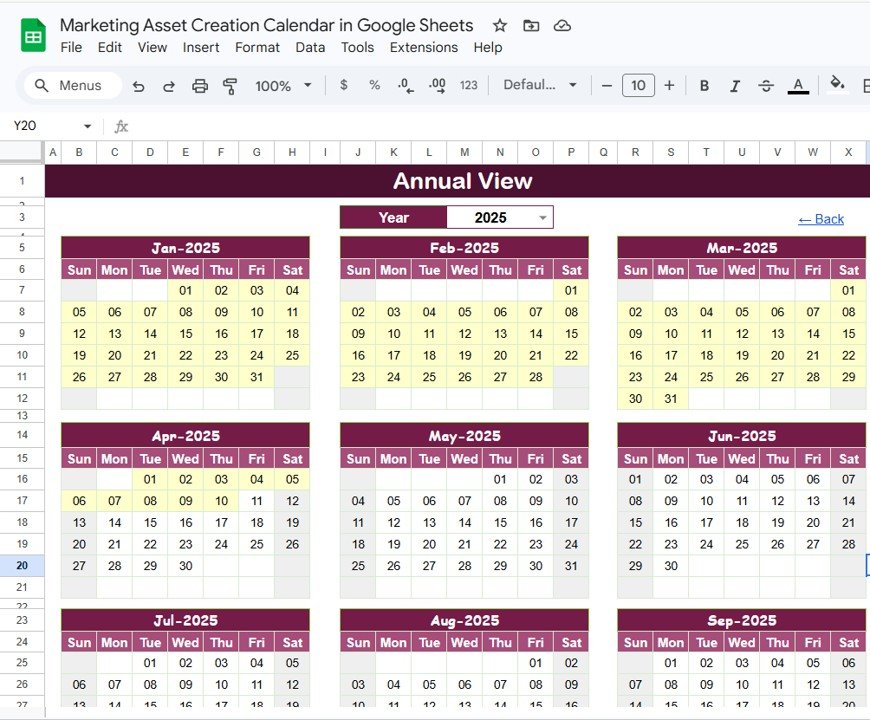
Annual View Sheet Tab
📌 3. Monthly View Sheet Tab – A single calendar for the selected month. Select the Month and Year from the top, and the calendar updates automatically. It shows 1 event on the calendar; if there are more than 1 event on any date then it shows “more than 1…” indicator.
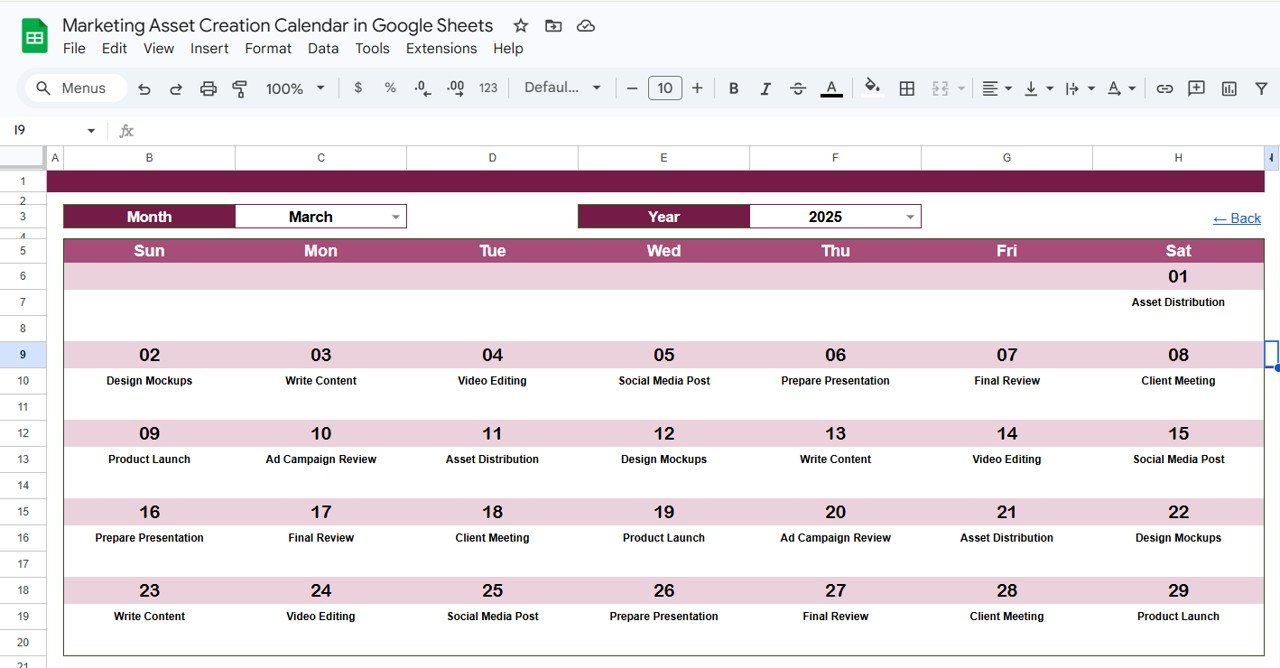
Monthly View Sheet Tab
📌 4. Daily View Sheet Tab – A list of events with details for a selected date range. Enter the Start Date and End Date at the top. Double-click in the cell to open the calendar date picker for quick selection.
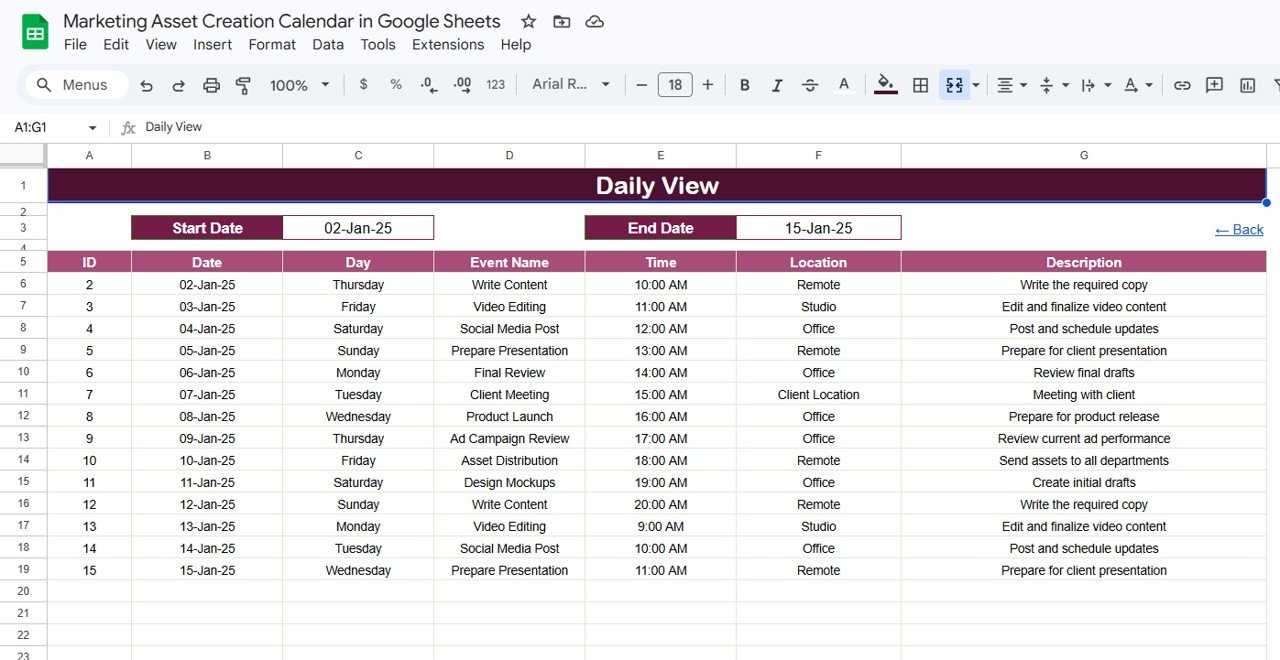
Daily View Sheet Tab
📌 5. Events Sheet Tab – The database sheet capturing all event details: ID (auto-generated number), Date (date of event), Day (Sunday, Monday etc.), Event Name, Time, Location, and Description. Enter data manually to add new marketing asset events.
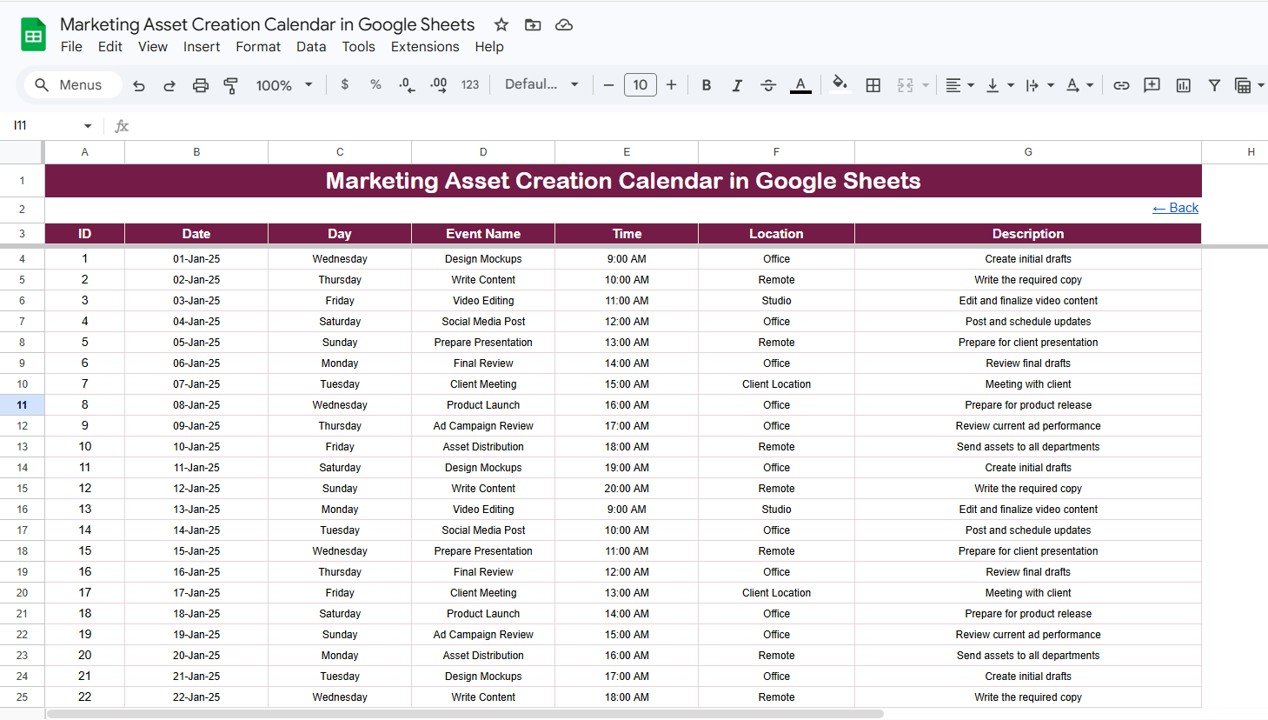
Events Sheet Tab
📊 Marketing Asset Calendar in Google Sheets vs. Microsoft Excel Calendar vs. HubSpot Marketing Hub — Where This Fits
| Feature | Marketing Asset Calendar (Google Sheets) | Microsoft Excel Calendar | HubSpot Marketing Hub / Asana |
|---|---|---|---|
| Cost | $4.99 one-time ✅ | $4.99–$8.99 one-time | $45–$800 / month |
| Platform | Google Sheets (browser-based) ✅ | Microsoft Excel (desktop) | Cloud SaaS |
| Setup Time | Under 10 minutes ✅ | Under 10 minutes | 2–6 weeks onboarding |
| Real-Time Collaboration | ✅ Built-in | Limited (OneDrive) | ✅ Yes |
| Mobile Access | ✅ Google Sheets app | Limited | ✅ Yes |
| Customizable Fields | ✅ Add/edit any event field | ✅ Manual edits | Vendor-controlled fields |
| Annual + Monthly + Daily Views | ✅ All 3 included | ✅ If template supports it | Timeline + Board views |
| Year-1 Cost at 5 Users | $4.99 total ✅ | $4.99 + 5× licenses | $2,700–$48,000 |
| Share with Link | ✅ One-click share | ❌ Email attachment | ✅ Yes |
For marketing teams that want asset scheduling without paying $540+ per year for project management SaaS, the Marketing Asset Creation Calendar in Google Sheets sits in the sweet spot.
👥 Who This Template Is For — and Who It’s Not For
✅ This template is built for:
- Marketing managers at 5–200 person companies scheduling blog posts, social media assets, email campaigns, and ad creatives on a shared calendar
- Content marketing leads tracking asset deadlines across writers, designers, and video editors without paying for Asana or Monday.com
- Agency account managers maintaining per-client marketing asset timelines that can be shared as view-only Google Sheets links
- Solo marketers and freelancers who need a single place to plan content calendars, launch dates, and campaign milestones
❌ This template is NOT for:
- Enterprise marketing teams needing automated workflows, approval chains, and DAM integration — those need HubSpot or Workfront
- Teams requiring real-time Gantt charts with dependency tracking and resource leveling
- Organizations needing SOC 2 compliance and audit trails on asset creation records
⚙️ How to Use the Marketing Asset Creation Calendar in Google Sheets
1️⃣ Open the PDF guide included in your download and click the Google Sheets copy link to create your own editable copy in Google Drive.
2️⃣ Go to the Events sheet and enter your marketing asset events — add Date, Event Name, Time, Location, and Description for each asset milestone.Marketing Asset Creation Calendar in Google Sheets
3️⃣ Open the Annual View to see your full-year marketing calendar with all 12 months displayed.
4️⃣ Use the Monthly View to drill into a specific month — select Month and Year from the dropdowns to see events plotted on the calendar grid.Marketing Asset Creation Calendar in Google Sheets
5️⃣ Check the Daily View for a filtered list of events within any date range — enter Start Date and End Date at the top.Marketing Asset Creation Calendar in Google Sheets
💼 Real-World Use Cases
Neha manages content marketing for a 40-person SaaS startup in Bengaluru. She uses the Marketing Asset Creation Calendar in Google Sheets to schedule 30+ blog posts, 12 email campaigns, and 8 product launch assets per quarter. The Annual View lets her spot coverage gaps in Q3 before they become missed deadlines — without paying ₹36,000/year for Monday.com.
David runs a 3-person marketing agency in London. He creates separate copies of the calendar for each client, shares view-only links for approval, and uses the Daily View to pull weekly to-do lists filtered by the coming 7 days. The $4.99 template replaced a $45/month Asana subscription his team barely used.
Maria is a freelance social media manager in São Paulo. She tracks Instagram Reels, LinkedIn carousels, and newsletter deadlines across 4 clients using the Events sheet. The Monthly View shows her which weeks are overloaded so she can redistribute content creation days before the month starts.
❓ Frequently Asked Questions
What views does the Marketing Asset Creation Calendar in Google Sheets include?
The Marketing Asset Creation Calendar in Google Sheets includes 5 worksheets — Home (navigation), Annual View (12-month overview), Monthly View (single-month calendar with event preview), Daily View (date-range filtered event list), and Events (database with 7 fields per entry).Marketing Asset Creation Calendar in Google Sheets
How long does setup take?
Under 10 minutes. Open the Google Sheets copy link, enter your marketing events in the Events sheet, and every calendar view updates automatically — no formulas to write or edit.Marketing Asset Creation Calendar in Google Sheets
Can I add custom event fields?
Yes. The Events sheet captures 7 fields by default (ID, Date, Day, Event Name, Time, Location, Description). You can add extra columns for fields like Assignee, Status, or Asset Type using standard Google Sheets features.
How does this compare to HubSpot Marketing Hub or Asana?
HubSpot Marketing Hub starts at $45/month and Asana at $10.99/user/month, both with multi-week onboarding. The Marketing Asset Creation Calendar in Google Sheets costs $4.99 one-time with 10-minute setup. It lacks automated workflows but delivers the same visual calendar planning that most small marketing teams need.Marketing Asset Creation Calendar in Google Sheets
Does this calendar work on mobile?
Yes. Google Sheets works on any device via the app or mobile browser. Multiple team members can view and edit the Marketing Asset Creation Calendar simultaneously.Marketing Asset Creation Calendar in Google Sheets
Can I share this with clients or team members?
Yes. Share the Google Sheets link with view-only or edit access in one click. No file attachments, no version confusion — everyone sees the same live calendar.Marketing Asset Creation Calendar in Google Sheets
Is this template available in Excel?
NextGenTemplates offers calendar templates in both Excel and Google Sheets. Browse the Calendar Template collection for more options including the Small Business Cash Flow Calendar in Excel.
👤 About the Author
Built by PK — Microsoft Certified Professional with 15+ years of Excel, Google Sheets, and Power BI experience. Founder of NextGenTemplates, reaching 300K+ subscribers across YouTube channels (@PK-AnExcelExpert, @NextGenTemplates, @NeoTechNavigators). Every template is hand-built and tested before release.
🔗 Explore Related Templates
📌 Small Business Cash Flow Calendar in Excel – Same 5-sheet calendar structure applied to cash flow tracking
📌 Fitness Performance and Revenue Dashboard in Google Sheets – Multi-page slicer-driven dashboard for performance analytics
📌 Climate Action KPI Scorecard in Google Sheets – MTD/YTD KPI tracking with conditional formatting
📌 Browse all Calendar Templates and Google Sheets Dashboard Templates
📖 Click here to read the Detailed Blog Post
🎥 Visit our YouTube channel for step-by-step video tutorials
👉 YouTube.com/@NextGenTemplates