

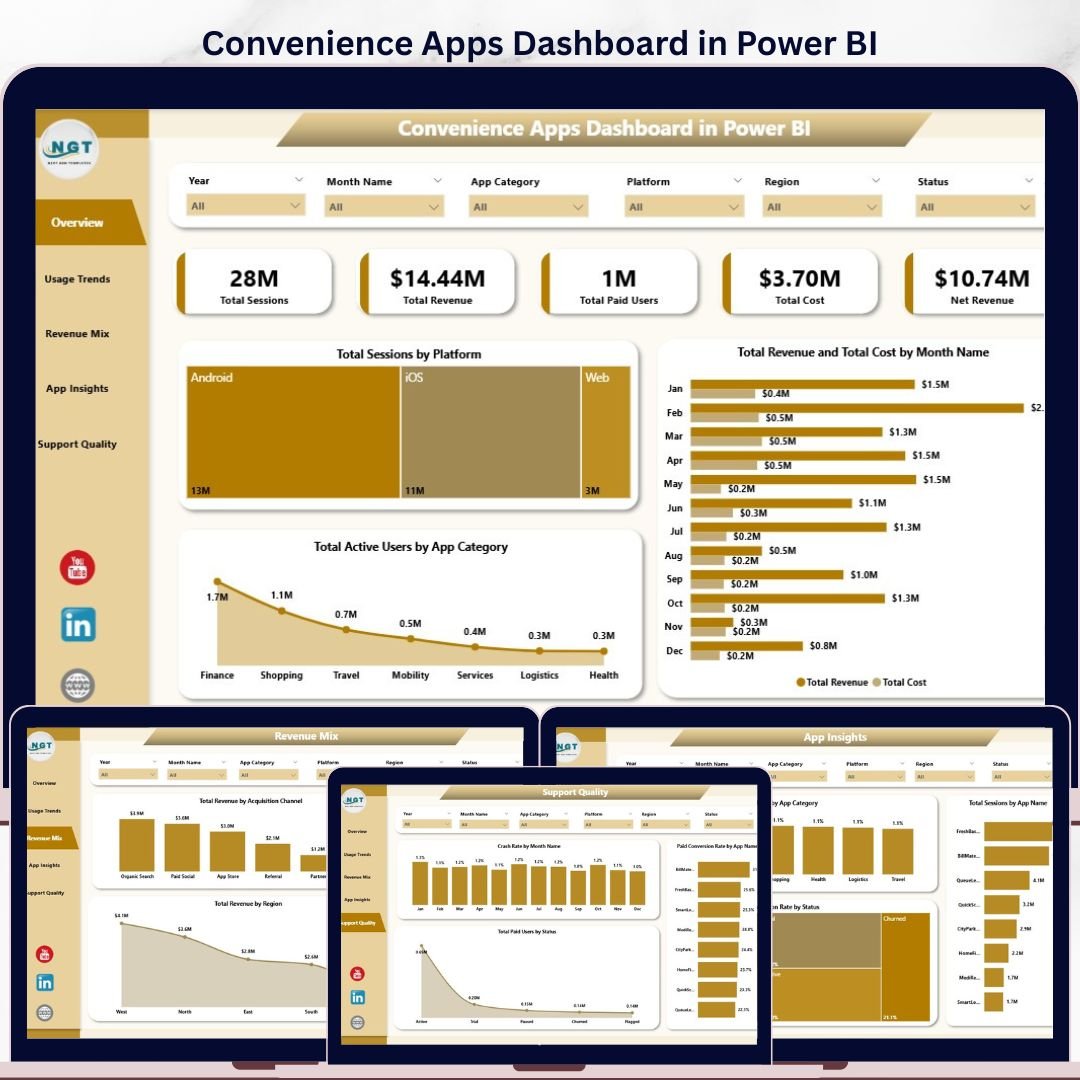
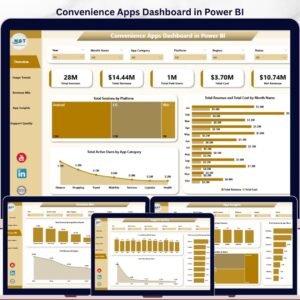
Convenience Apps Dashboard in Power BI gives app founders, product managers, subscription analysts, and support leaders a ready-made reporting model for tracking sessions, revenue, paid users, cost, net revenue, crash rate, conversion, and support quality. For a one-time $17.99 sale price, you get a 5-page Power BI dashboard built for monthly app performance reviews, customer experience checks, and monetization analysis. The file is editable in Power BI Desktop, and the included data structure can be replaced with your own exported app data.
Instant download. One-time payment. No subscription. No per-user fees. Lifetime access. Built by NextGenTemplates for a creator network reaching 300K+ subscribers across Excel, Power BI, and dashboard tutorial channels.
Key Features of Convenience Apps Dashboard in Power BI
- 5 Power BI report pages covering Overview, Usage Trends, Revenue Mix, App Insights, and Support Quality.
- 5 executive KPI cards for Total Sessions, Total Revenue, Total Paid Users, Total Cost, and Net Revenue.
- 15 chart views across platform sessions, revenue, cost, active users, app categories, app names, regions, release versions, conversion, and crash rate.
- Interactive slicers help users filter app performance by time period, platform, app, category, region, status, acquisition channel, or release version.
- Power BI Desktop workflow lets you refresh the report after updating the source data file.
- Editable analytics model so advanced users can adjust measures, visuals, fields, colors, and report pages.
What’s Inside the Convenience Apps Dashboard in Power BI
1. Overview Page
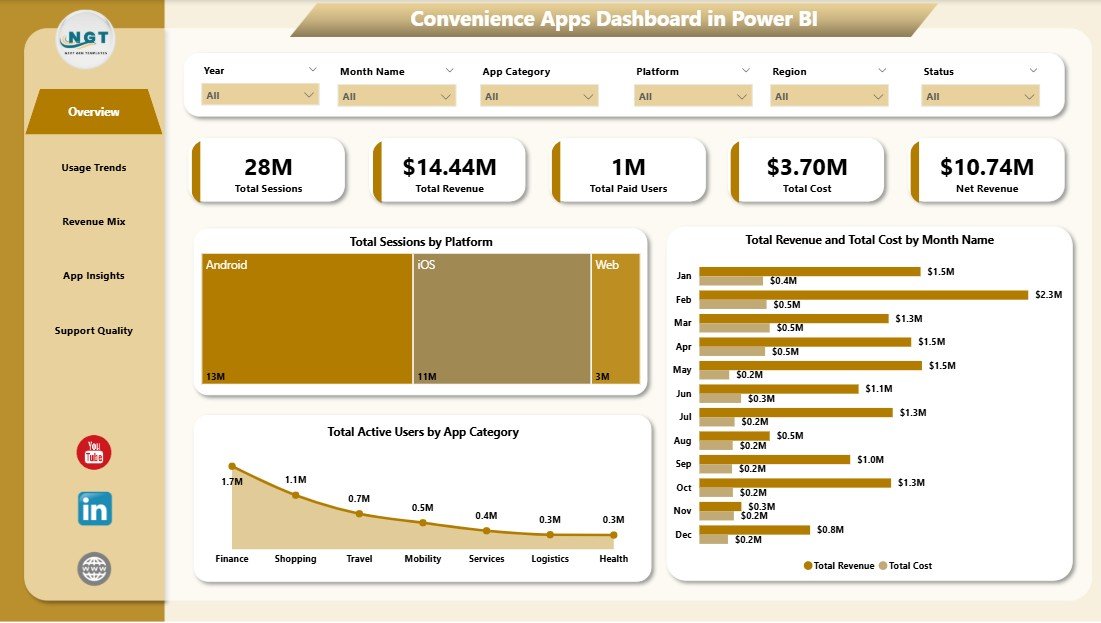
The Overview page gives leadership a fast view of Total Sessions, Total Revenue, Total Paid Users, Total Cost, and Net Revenue. Total Sessions by Platform compares app engagement by device or platform so teams know where usage is strongest. Total Revenue and Total Cost by Month Name shows whether monetization is growing faster than operating cost. Total Active Users by App Category highlights the categories with the strongest user base.
2. Usage Trends
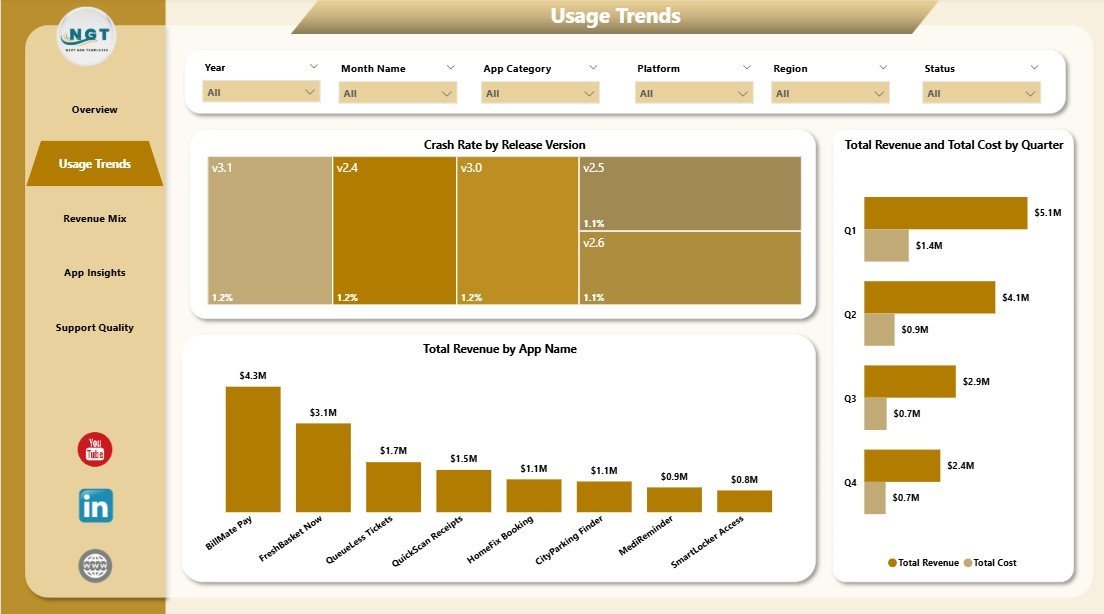
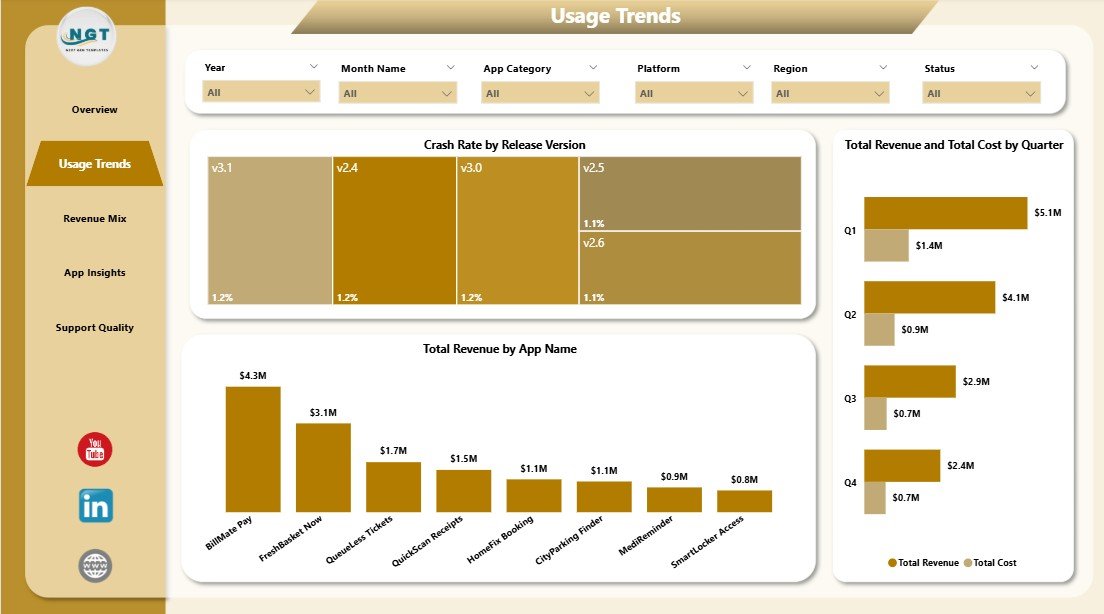
The Usage Trends page focuses on adoption, release quality, and financial movement over time. Crash Rate by Release Version helps teams spot versions that may need a fix. Total Revenue by App Name ranks each app by revenue contribution, while Total Revenue and Total Cost by Quarter compares quarterly growth and expense pressure.
3. Revenue Mix
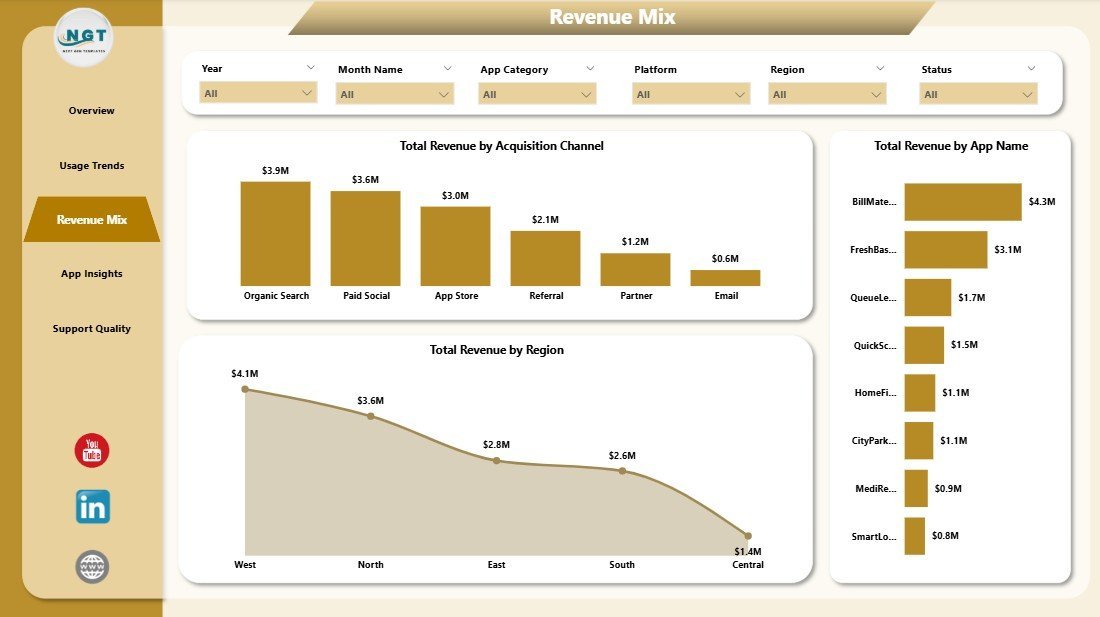
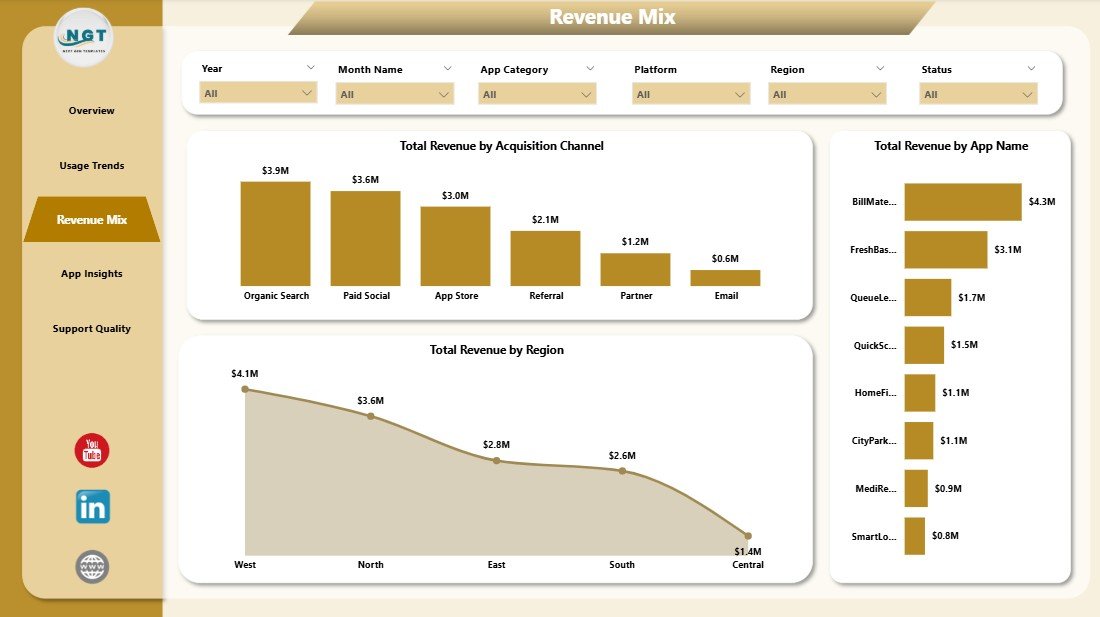
The Revenue Mix page explains where revenue is coming from. Total Revenue by Acquisition Channel compares channels such as organic, paid, referral, partner, and app store traffic. Total Revenue by App Name shows the strongest app-level contributors. Total Revenue by Region helps teams compare geographic performance.
4. App Insights
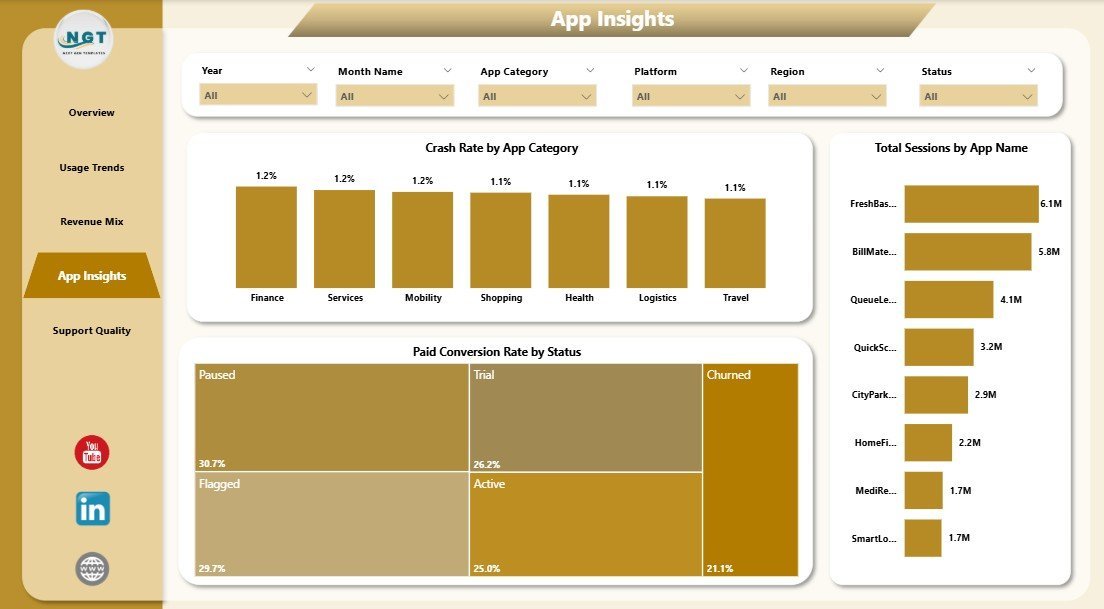
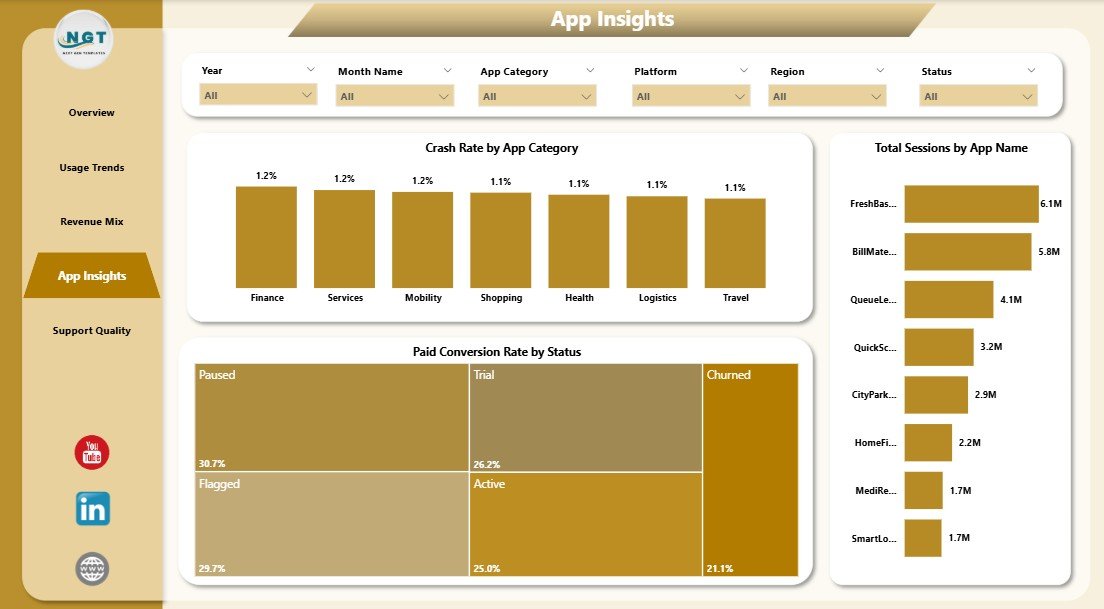
The App Insights page connects product stability, conversion, and app-level engagement. Crash Rate by App Category reveals categories with quality risk. Paid Conversion Rate by Status shows which lifecycle statuses convert best. Total Sessions by App Name compares engagement across individual apps.
5. Support Quality
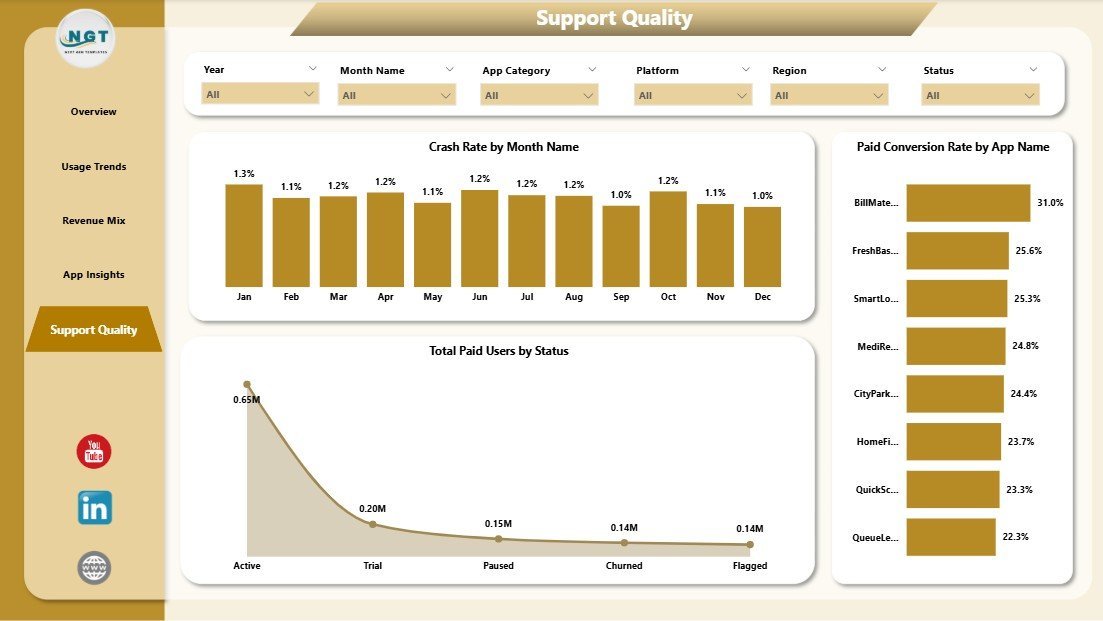
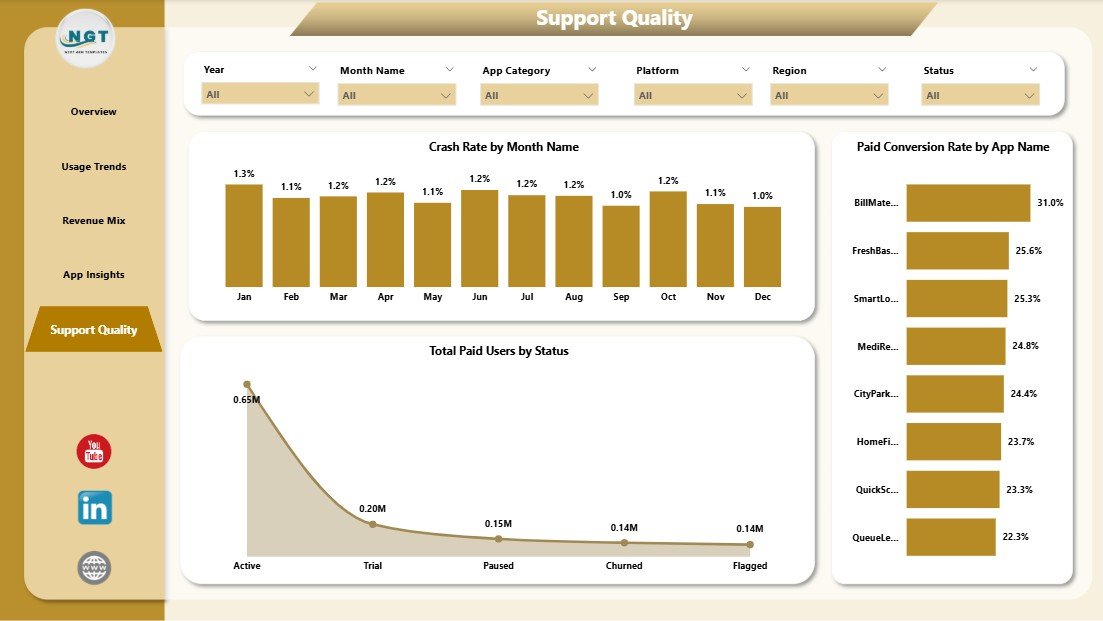
The Support Quality page is useful for support and QA reviews. Crash Rate by Month Name helps monitor stability trends over time. Total Paid Users by Status shows how paid users are distributed across lifecycle stages. Paid Conversion Rate by App Name identifies which apps convert free or active users into paid users most effectively.
Convenience Apps Dashboard in Power BI vs. Tableau vs. Paid CRM/SaaS – Where This Fits
| Feature | This Power BI Dashboard | Tableau Alternative | Paid App Analytics SaaS |
|---|---|---|---|
| Cost | $17.99 one-time | License cost plus build time | $50-$500+ per month |
| Platform | Power BI Desktop | Tableau Desktop or Cloud | Vendor cloud app |
| Setup time | Open, connect data, refresh | Manual dashboard build required | Configuration and onboarding required |
| Customizable fields | Editable model and visuals | Editable if you build it | Limited by vendor settings |
| Year-1 cost at 5 users | $17.99 for the template | Higher licensing and setup cost | $3,000-$30,000+ |
| App-specific reporting | Sessions, revenue, cost, crashes, conversion | Possible with custom setup | Usually available in paid plans |
Who This Template Is For – and Who It’s Not For
This template is for mobile app teams, web app teams, subscription app operators, product managers, marketing analysts, and support leaders who export app data and need a polished Power BI report. It is not a live analytics SDK, crash monitoring system, billing platform, or support desk. If you need real-time event tracking or API automation, use this dashboard as a reporting layer after exporting data.
How to Use the Convenience Apps Dashboard in Power BI
- Download and unzip the file.
- Install Microsoft Power BI Desktop if needed.
- Open the .pbix file.
- Replace the sample source data with your own app records using the same structure.
- Click Refresh in Power BI Desktop.
- Use slicers to filter the dashboard by app, region, category, platform, status, or time period.
Real-World Use Cases
Riya, product manager, uses the Overview and App Insights pages to explain sessions, paid users, conversion, and crash rate during monthly product reviews.
Marcus, app marketing analyst, studies Revenue Mix to compare acquisition channels, regions, and app names before adjusting campaign spend.
Anika, support operations lead, reviews Support Quality to connect crash trends, paid user status, and conversion patterns with customer experience work.
Frequently Asked Questions
What software do I need?
You need Microsoft Power BI Desktop, which is free from Microsoft for local report editing and refresh.
Can I use my own app data?
Yes. Replace the sample data using the same structure, then refresh the Power BI report.
Does this connect directly to Firebase, Google Play, App Store Connect, Stripe, or Zendesk?
No direct connector is included. Export your data first, then use it as the dashboard source.
Can I customize visuals and colors?
Yes. You can edit report pages, visuals, labels, measures, colors, and layout in Power BI Desktop.
Is Power BI Pro required?
No, Power BI Pro is not required for local use in Power BI Desktop. Pro may be needed if you publish and share through Power BI Service.
About the Author
Built by PK – Microsoft Certified Professional with 15+ years of Excel, Google Sheets, and Power BI experience. Founder of NextGenTemplates, reaching 300K+ subscribers across YouTube channels. Every template is hand-built and tested before release.
Explore Related Templates
- Convenience Apps Dashboard in Excel – Excel version for spreadsheet users.
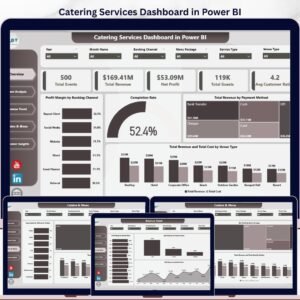
- Catering Services Dashboard in Power BI – service business analytics in Power BI.
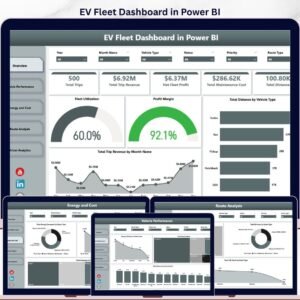
- EV Fleet Dashboard in Power BI – fleet and operations analytics.
- Browse Power BI Dashboard templates.
Ready to turn app usage, revenue, cost, crash, and conversion data into a clear Power BI report? Download the Convenience Apps Dashboard in Power BI and start reviewing app performance with confidence.
Last updated: May 20, 2026
🔗 Click here to read the Detailed blog post
































Reviews
There are no reviews yet.