

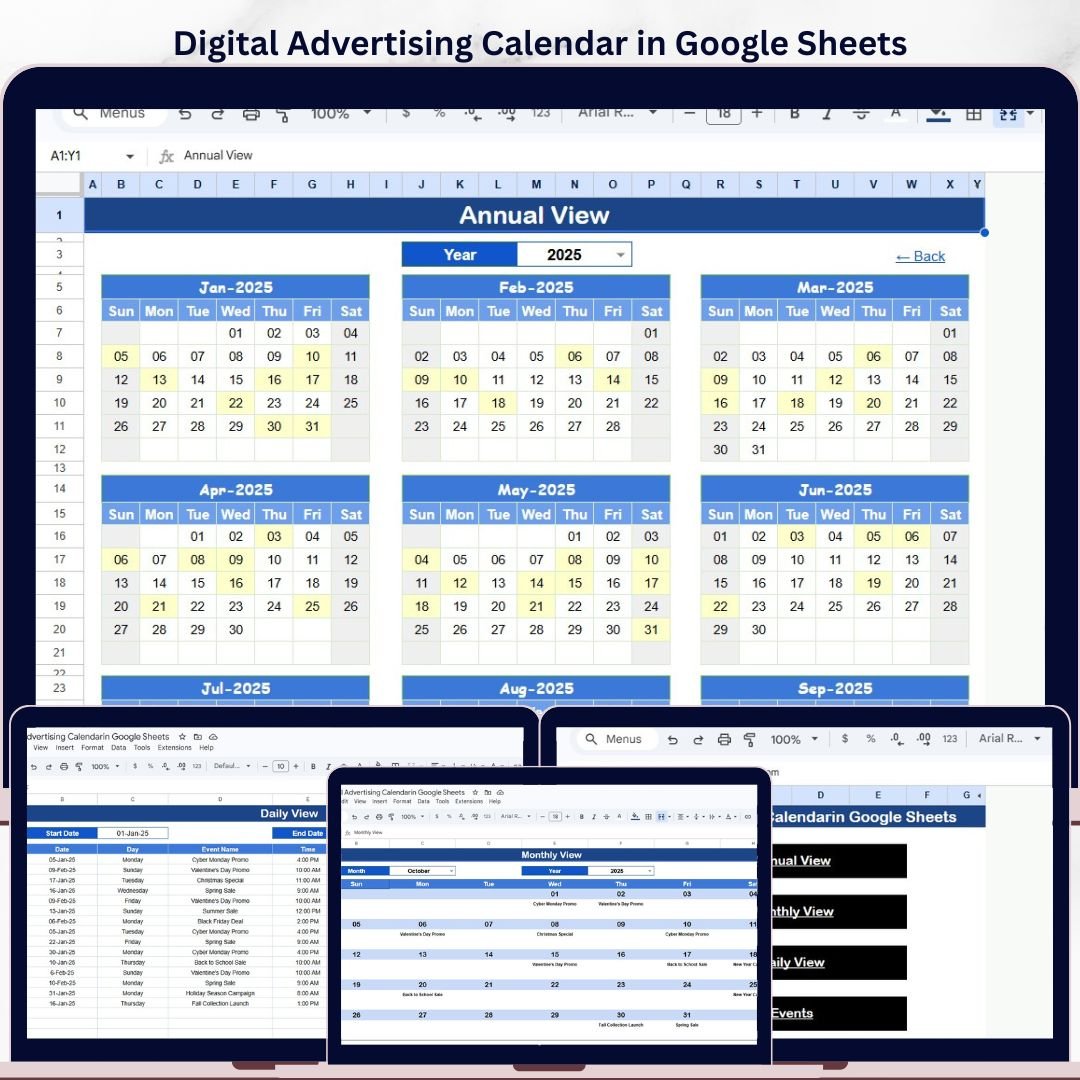
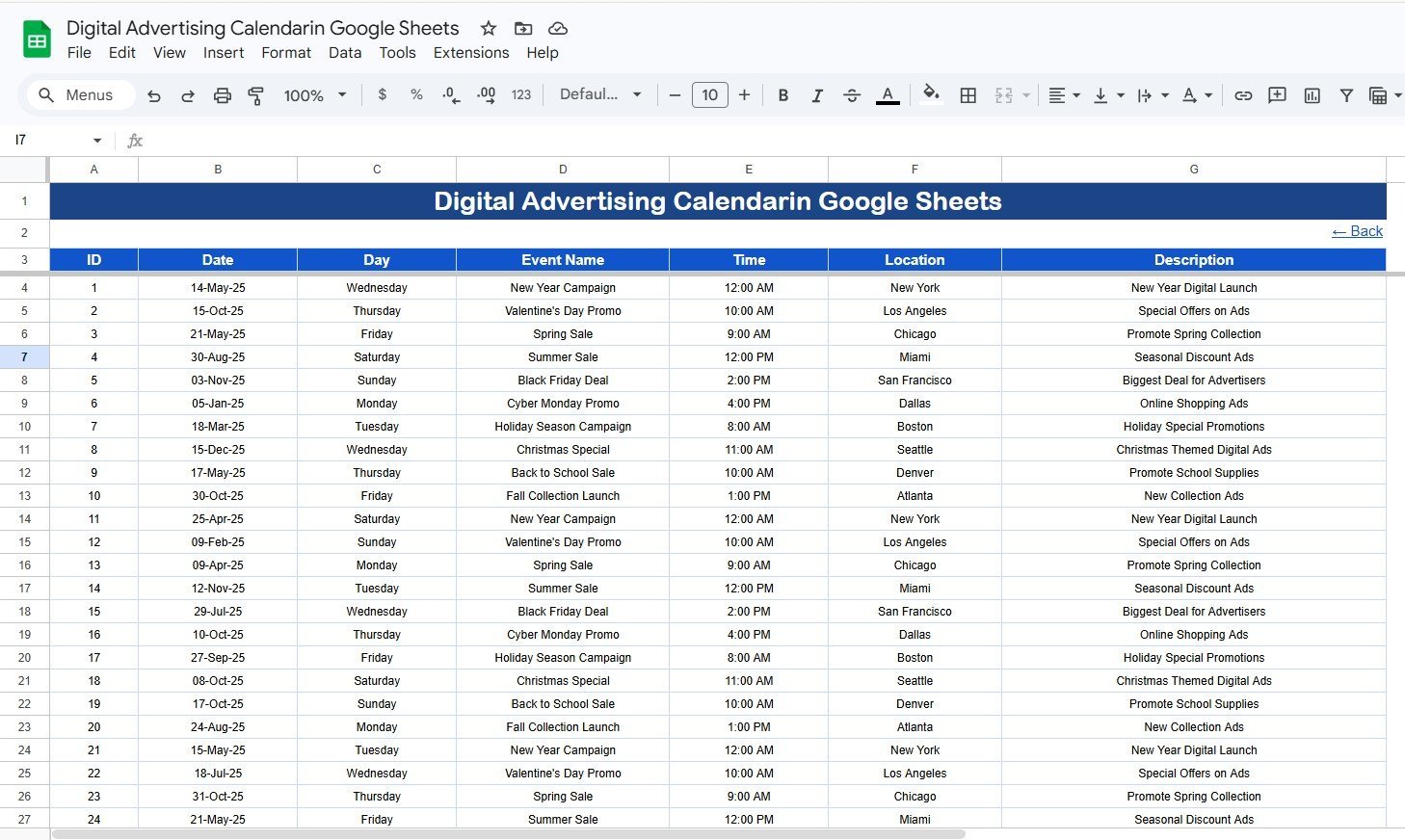
The Digital Advertising Calendar in Google Sheets gives marketing teams a 5-worksheet campaign calendar for paid ads, launch dates, creative deadlines, and daily event tracking. It includes a Home sheet, 12-month Annual View, selected-month Monthly View, date-range Daily View, and a 7-field Events database. Campaign teams often lose hours each week chasing dates across emails, notes, and ad platforms; this shared Google Sheets calendar gives one editable source of truth. Join 8,400+ teams in 40+ countries using NextGenTemplates for one-time-purchase Excel, Google Sheets, Power BI, and HTML templates.
Instant access after the download file is attached. One-time payment. No subscription. No per-user fee. Lifetime use.
Digital Advertising Calendar in Google Sheets
Key Features of Digital Advertising Calendar in Google Sheets
- 5 worksheet calendar system covering Home, Annual View, Monthly View, Daily View, and Events.
- Annual 12-month planning view for paid ads, campaign launches, seasonal offers, creative cycles, and reporting dates.
- Monthly campaign calendar that changes by selected month and year so teams can focus on the active advertising window.
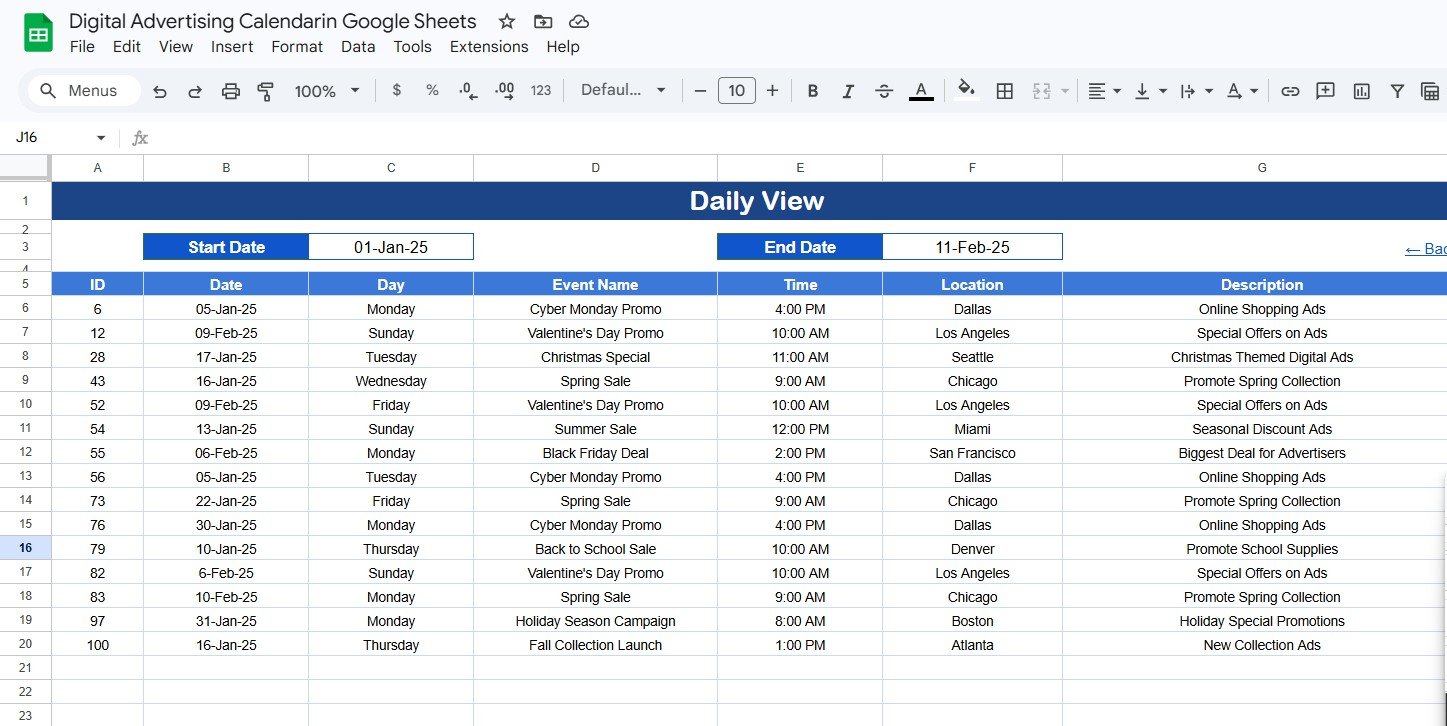
- Daily event list filtered by Start Date and End Date for short-term execution reviews.
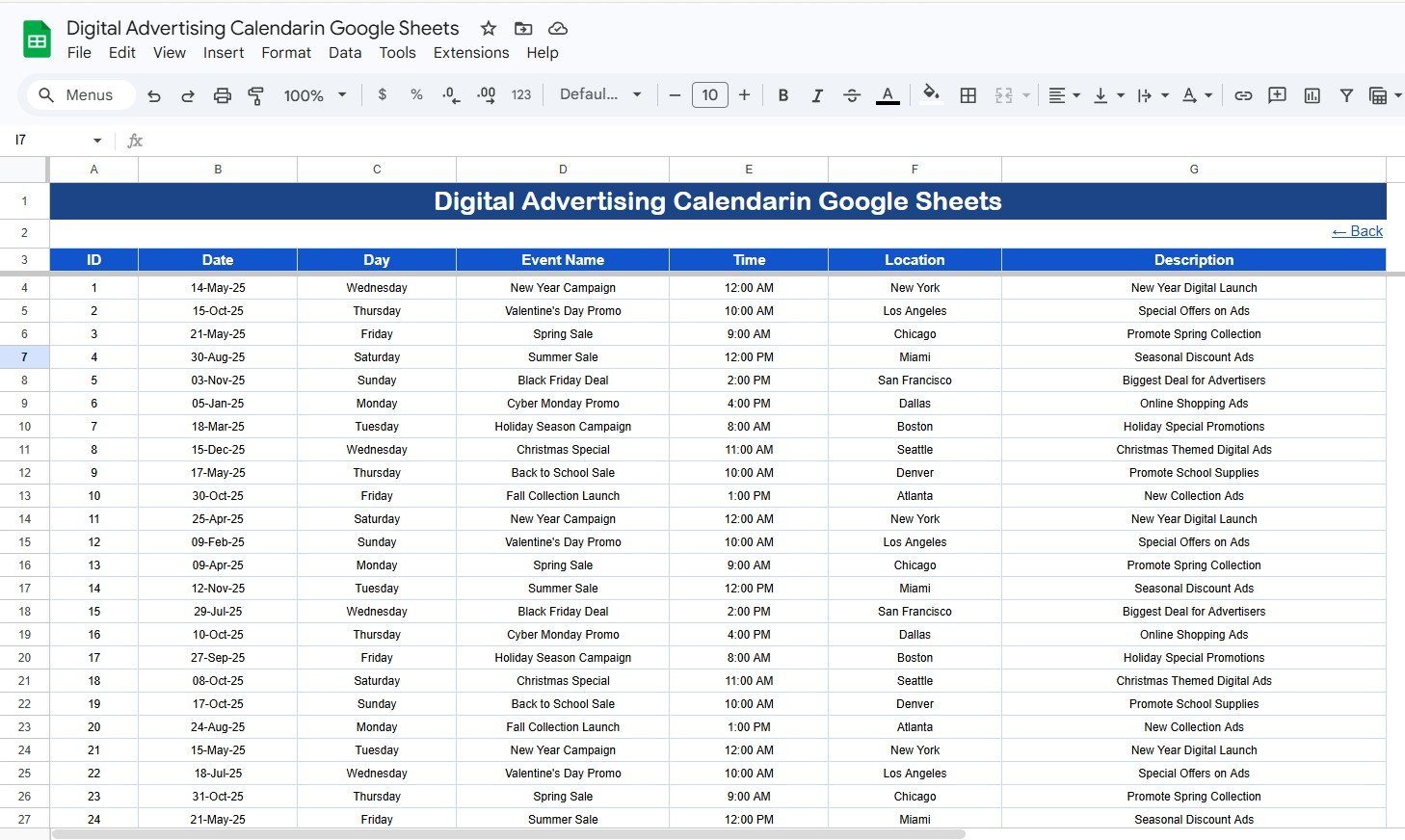
- Events database with ID, Date, Day, Event Name, Time, Location, and Description.
- Multiple-event indicator on the monthly calendar when more than one campaign activity falls on the same date.
- Cloud collaboration through Google Sheets sharing, so media buyers, designers, copywriters, and managers can work from the same file.
What’s Inside the Digital Advertising Calendar in Google Sheets
Home Sheet Tab
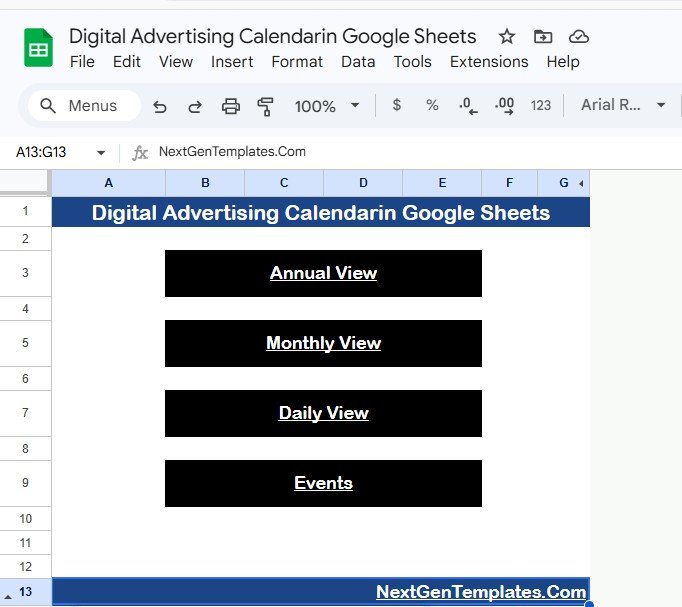
The Home sheet works as the navigation page. It includes four buttons that take users to the Annual View, Monthly View, Daily View, and Events sheet. This makes the template easy to use during campaign planning meetings because each stakeholder can jump directly to the view they need.
Annual View Sheet Tab
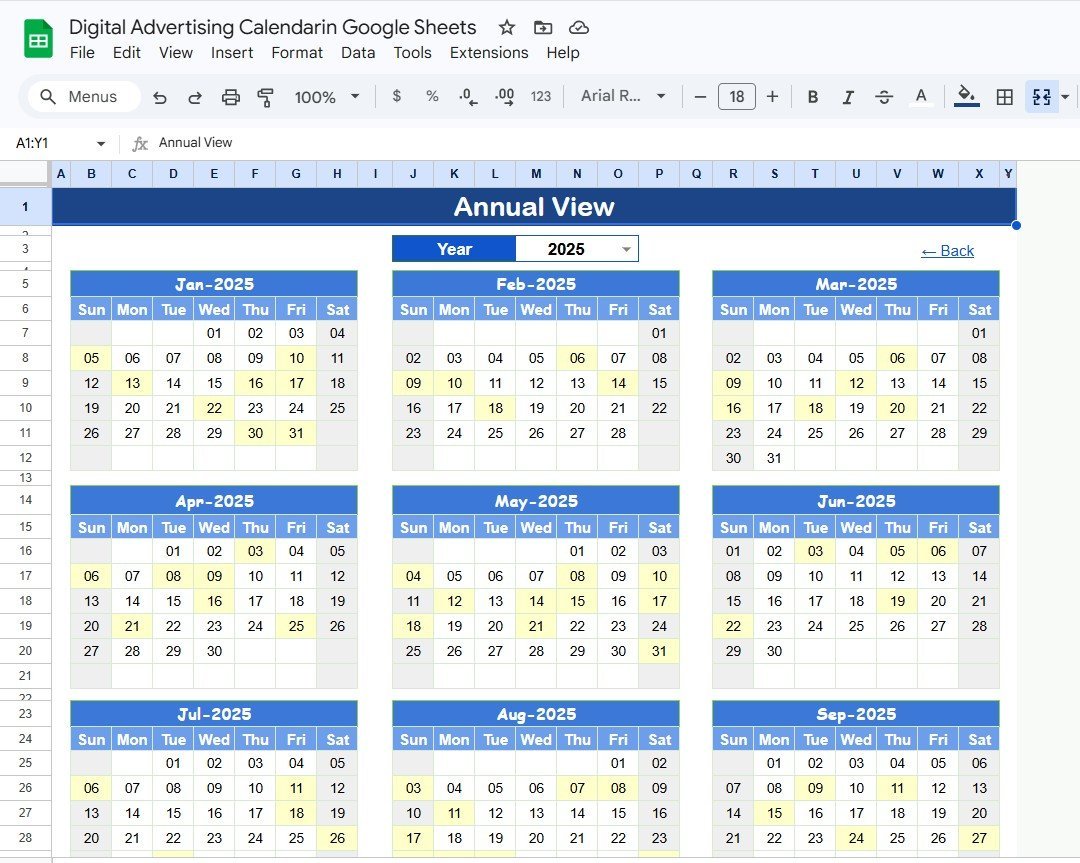
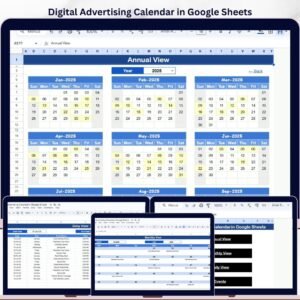
The Annual View sheet shows all 12 months in one place. Use it to map campaign launches, promotion windows, platform-specific pushes, creative review dates, and reporting checkpoints across the full year.

Annual View Sheet tab
Monthly View Sheet Tab
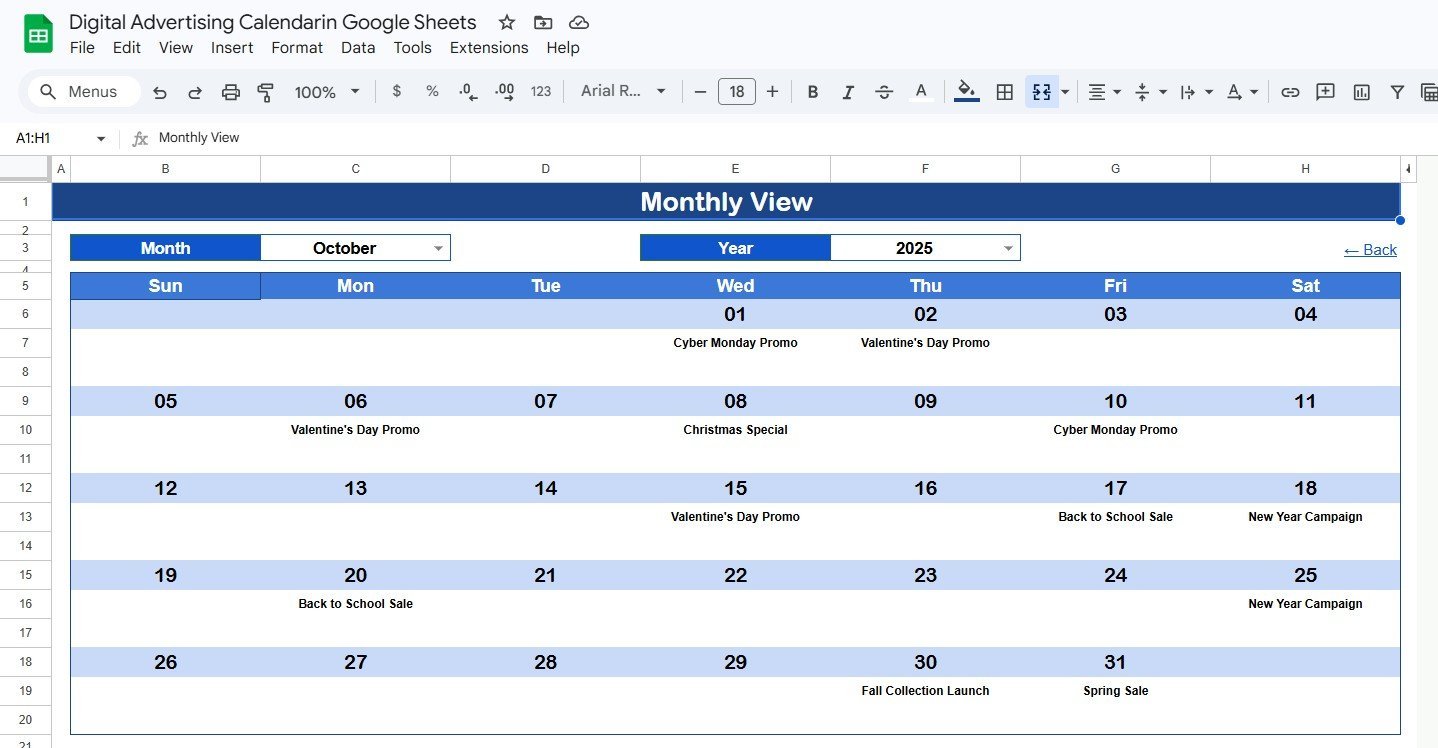
The Monthly View sheet displays a single calendar for the selected month. Select the Month and Year at the top and the calendar updates accordingly. It shows one event on the calendar date; if more than one event exists for the same date, the cell shows a more-than-one indicator so the team knows to open the detailed list.

Monthly View Sheet tab
Daily View Sheet Tab
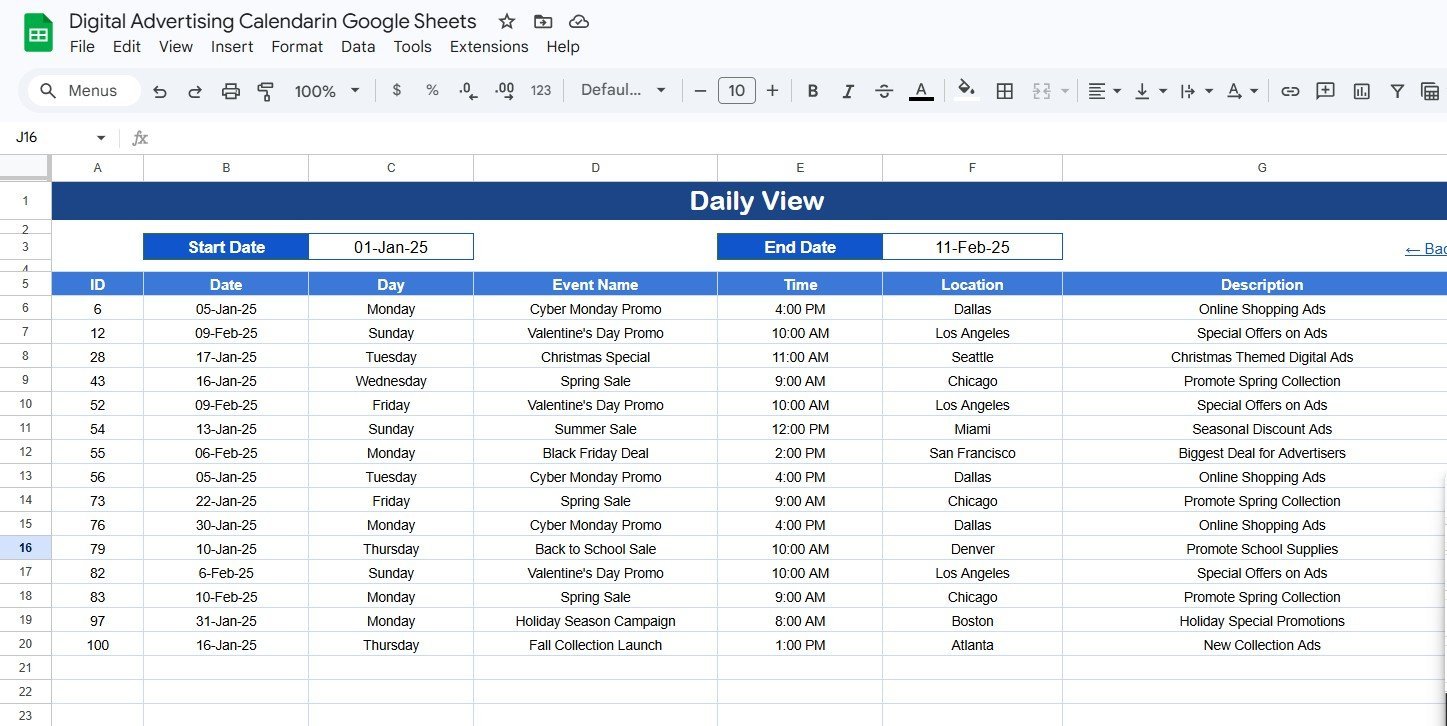
The Daily View sheet lists campaign events for a selected date range. Enter the Start Date and End Date at the top, or double-click in the date cells to open the native Google Sheets calendar picker. This view is ideal for weekly standups, launch-day checks, agency updates, and daily ad operations reviews.
Daily View Sheet tab
Events Sheet Tab
The Events sheet is the database behind the calendar. It stores every advertising activity with an auto-generated ID, Date, Day, Event Name, Time, Location, and Description. You can manually enter data to add a new event or update existing campaign records as schedules change.
Events Sheet tab
Digital Advertising Calendar in Google Sheets vs. Microsoft Excel Calendar vs. Paid Marketing SaaS – Where This Fits
| Feature | Digital Advertising Calendar in Google Sheets | Microsoft Excel Calendar | Paid SaaS like HubSpot Marketing or Monday.com |
|---|---|---|---|
| Cost | $4.99 one-time | $4.99-$12.99 one-time plus Excel access | $10-$800+ per month depending on plan |
| Platform | Google Sheets in browser | Excel desktop or OneDrive | Cloud SaaS |
| Setup time | Under 5 minutes after copy link setup | 5-15 minutes | Hours to weeks for configuration |
| Real-time team collaboration | Built into Google Sheets | Requires Microsoft cloud sharing | Included on paid plans |
| Mobile access | Google Sheets app or browser | Limited on mobile | Mobile app or browser |
| Customizable fields | Fully editable sheet structure | Fully editable workbook | Plan and admin dependent |
| Share with link | Yes | Varies by Microsoft 365 setup | Account-based access |
| Year-1 cost at 5 users | $4.99 total | $4.99-$12.99 plus licenses | Often hundreds or thousands per year |
| Best use case | Advertising schedule visibility | Offline calendar planning | Automation, approvals, and integrations |
Who This Template Is For – and Who It’s Not For
Best fit for: digital marketers, PPC specialists, social media managers, small agencies, startup founders, freelancers, and marketing coordinators who need a shared advertising calendar without recurring software costs.
Not a fit for: teams that need automatic publishing to ad platforms, budget pacing API integrations, creative approval workflows, role-based enterprise permissions, or live campaign performance reporting. For those needs, pair this planning calendar with an ads dashboard or dedicated marketing platform.
How to Use the Digital Advertising Calendar in Google Sheets
- Open the PDF guide from your download and use the Google Sheets copy link.
- Create your own editable copy in Google Drive.
- Go to the Events sheet and enter every campaign activity with date, time, location or platform, and description.
- Use Annual View for yearly campaign planning and Monthly View for active advertising schedules.
- Use Daily View to review this week, next week, or any custom launch window.
- Share the Google Sheet with the team members who need view or edit access.
Real-World Use Cases
Anika, PPC specialist: Anika maps Google Ads launch dates, creative upload deadlines, keyword review sessions, and reporting reminders in the Events sheet. The Monthly View helps her see what is due before each campaign goes live.
Marcus, agency owner: Marcus keeps a separate copy for each client. Annual View shows client campaign seasonality, while Daily View gives his team a clear list for the current production sprint.
Priya, startup marketer: Priya uses the calendar to coordinate paid search, paid social, landing page updates, and promo launches in one file instead of paying for a full marketing project management system.
Frequently Asked Questions
What does the Digital Advertising Calendar in Google Sheets track?
It tracks advertising events by ID, date, day, event name, time, location or channel, and description. You can use it for paid search, paid social, display campaigns, creative deadlines, and reporting dates.
Can I track more than one event on the same date?
Yes. Add every activity to the Events sheet. The Monthly View shows one event directly and displays a more-than-one indicator when multiple events exist on the same date.
Can multiple team members use this at the same time?
Yes. Because it runs in Google Sheets, you can share it with team members and control whether each person can view, comment, or edit.
Does this template connect directly to Google Ads or Meta Ads?
No. This is a campaign planning calendar, not an API-connected reporting dashboard. For performance analysis, use a separate marketing dashboard template.
Can I customize the event fields?
Yes. You can add columns such as campaign owner, platform, budget, creative status, approval status, or landing page URL. Keep the core date fields intact so calendar views continue to work correctly.
Does it work on mobile?
Yes. You can open it in the Google Sheets mobile app or a browser. Planning and structural edits are easiest on desktop.
About the Author
Built by PK – Microsoft Certified Professional with 15+ years of Excel, Google Sheets, and Power BI experience. Founder of NextGenTemplates, reaching 300K+ subscribers across YouTube channels. Every template is hand-built and tested before release.
Explore Related Templates
- Marketing Asset Creation Calendar in Google Sheets
- Digital Marketing Campaign Dashboard in Google Sheets
- PPC Campaign Checklist in Google Sheets
- Online Ad Performance Checklist in Google Sheets
- Browse all Google Sheets Calendar Templates and Google Sheets Sales and Marketing Templates.
Download the Digital Advertising Calendar in Google Sheets to plan campaign dates, creative deadlines, and daily advertising work in one shared calendar.
Last updated: May 18, 2026






Reviews
There are no reviews yet.