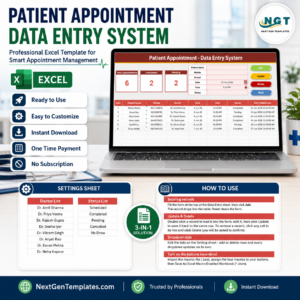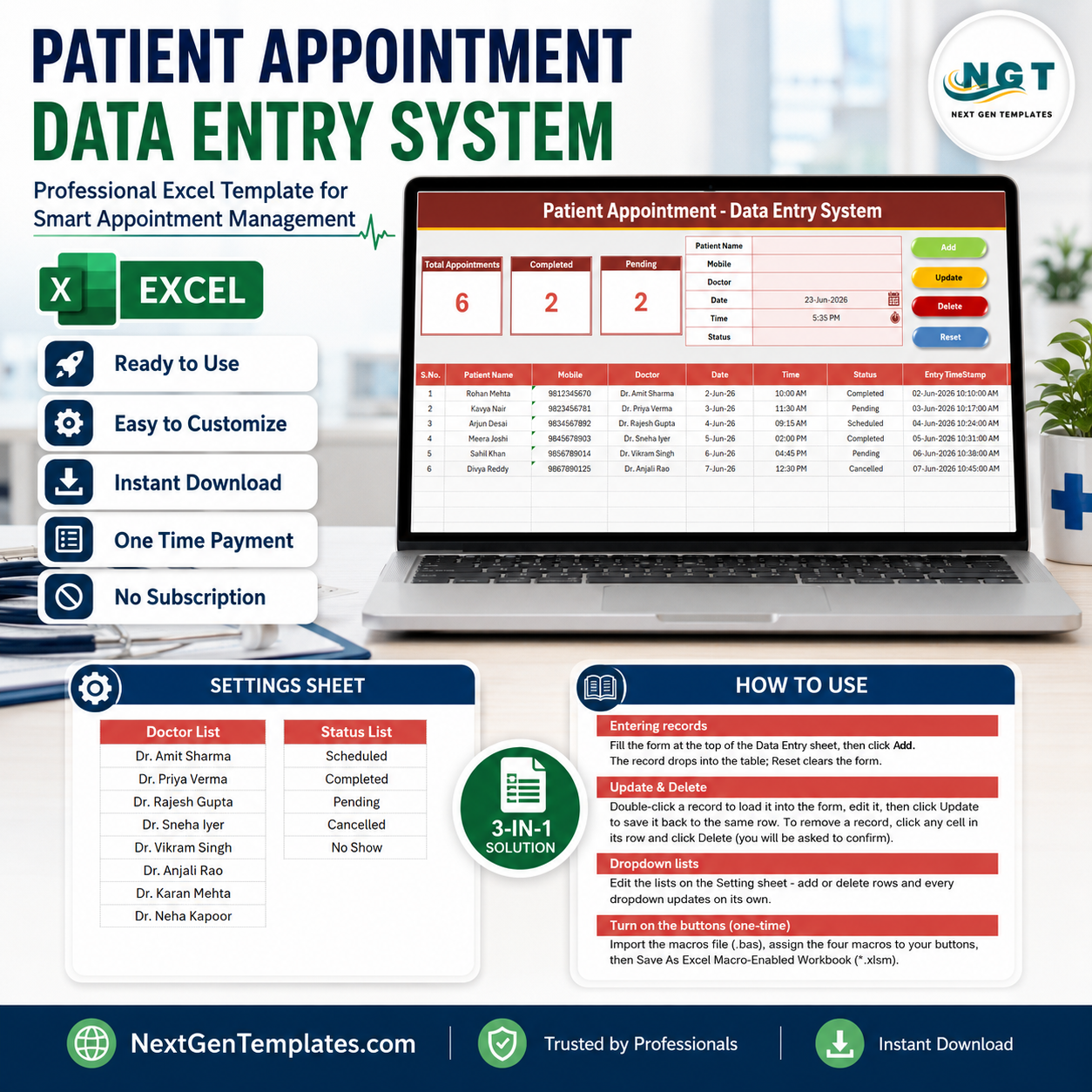
The Patient Appointment Data Entry System in Excel captures 6 fields per visit — Patient Name, Mobile, Doctor, Date, Time, and Status — and updates 3 live KPI cards (Total Appointments, Completed, Pending) the moment you click Add. Four VBA buttons handle Add, Update, Delete, and Reset, and setup takes under 10 minutes: import one module, assign the buttons, and save as .xlsm.
🌍 Join 8,400+ teams in 40+ countries using NextGenTemplates to replace paid SaaS tools with one-time-purchase Excel, Google Sheets, Power BI, and HTML templates.
✅ Instant download · One-time payment · No subscription · No per-user fees · Lifetime access
🔑 Key Features of the Patient Appointment Data Entry System
This Excel appointment management system runs entirely offline and needs no add-ins. Every feature below is wired and ready the moment you enable macros.
- 📝 VBA-powered entry buttons – Add, Update, Delete, and Reset are driven by a single VBA module, so front-desk staff record an appointment in seconds without touching the table directly.
- 📊 3 live KPI cards – Total Appointments, Completed, and Pending recalculate automatically from the records table using COUNTA and COUNTIF formulas, giving a daily snapshot at a glance.
- 🔽 Doctor & Status dropdowns – Both fields are bound to editable lists on the Setting sheet via data validation, eliminating typos and keeping reporting consistent.
- 🔢 Auto S.No & Entry TimeStamp – Each saved row is auto-numbered and stamped with the entry date and time, creating a clean audit trail.
- 🖨️ Printable, clinic-ready layout – A dark heading bar, gold divider, and gridded records table print cleanly for a daily appointment sheet.
📦 What’s Inside the Patient Appointment Data Entry System
The workbook ships with four sheets: Data Entry, Setting, Instructions, and Get More Templates. Here is what each main view does.
Data Entry Dashboard
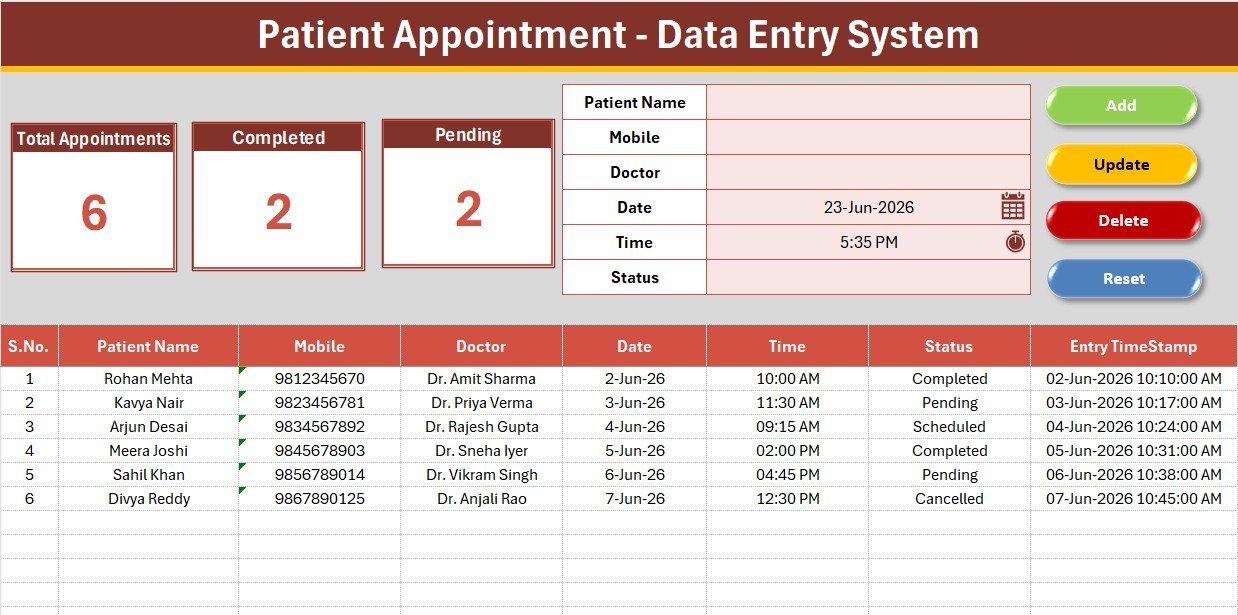
The main sheet holds the three KPI cards, the entry form, the Add/Update/Delete/Reset button block, and the records table. Replace the sample rows with your own and the Total Appointments, Completed, and Pending cards update instantly.
Entry Form & Dropdowns
The form captures Patient Name, Mobile, Doctor, Date, Time, and Status. Doctor and Status are dropdowns, so each appointment is logged with one click of the green Add button and validated against your own lists.
Setting Sheet
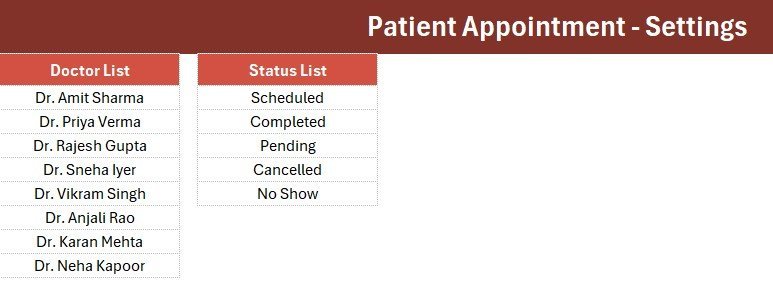
The Setting sheet stores the Doctor list and the Status list (Scheduled, Completed, Pending, Cancelled, No Show). Edit these to match your clinic, and the dropdowns and KPI counts follow automatically.
📊 Patient Appointment Data Entry System vs. Google Sheets vs. Paid Scheduling SaaS — Where This Fits
| Feature | Patient Appointment System (Excel) | Google Sheets equivalent | Practo / Calendly / Athenahealth |
|---|---|---|---|
| Cost | $5.99 one-time | Free, but build it yourself | $12–150 / user / month |
| Platform | Microsoft Excel (offline) | Browser / Google account | Cloud only |
| Setup time | Under 10 minutes ✅ | 1–2 hours to build | Hours of onboarding |
| One-click Add/Update/Delete | Yes, VBA buttons ✅ | Manual / Apps Script needed | Yes |
| Works offline | Yes ✅ | No | No |
| Customizable fields | Yes ✅ | Yes | Limited by plan |
| Per-user fees | None ✅ | None | Charged per seat |
| Year-1 cost at 5 users | $5.99 total ✅ | $0 + your time | $720–9,000 |
For clinics that want a fast, offline appointment log without paying per-seat SaaS fees, the Patient Appointment Data Entry System sits in the sweet spot.
👥 Who This Template Is For — and Who It’s Not For
✅ This template is built for:
- Solo doctors, dentists, physiotherapists, and small clinics logging daily appointments
- Front-desk and reception staff who want one-click entry instead of typing into a raw table
- Healthcare practices that prefer a one-time Excel purchase over recurring scheduling software
❌ This template is NOT for:
- Hospitals needing patient-facing online booking, SMS reminders, or payment processing
- Teams that require HIPAA-certified cloud storage and role-based logins out of the box
- Users who cannot enable macros (a managed-device restriction) — the buttons need VBA
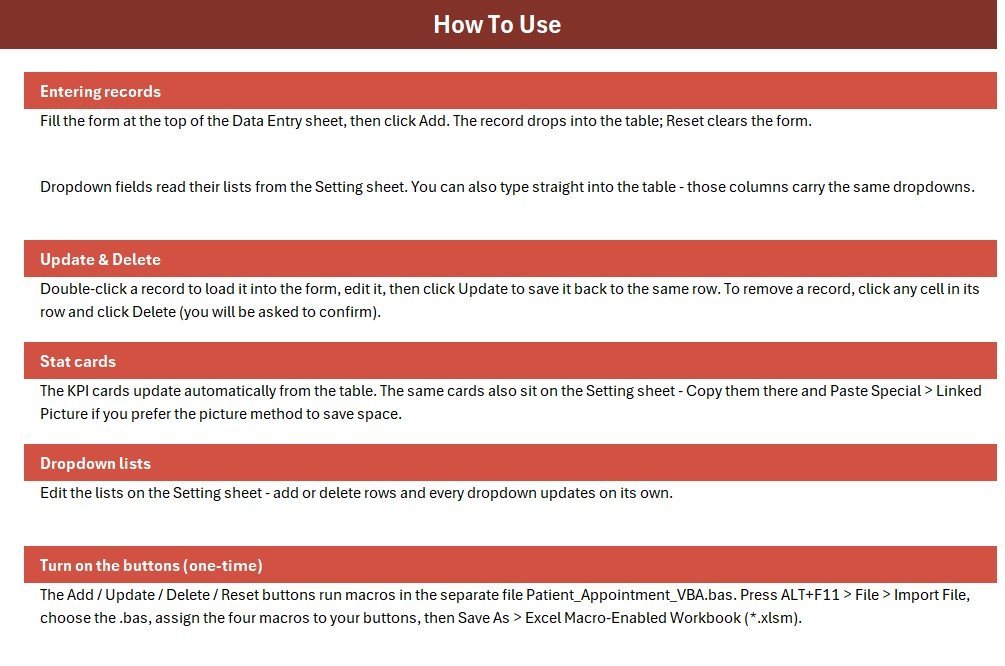
⚙️ How to Use the Patient Appointment Data Entry System
- Unzip the download and open the workbook in Microsoft Excel.
- Press ALT+F11, then File → Import File, and import the included .bas VBA module.
- Add four Form-Control buttons over the colored cells and assign Add_Record, Update_Record, Delete_Record, and Reset_Form.
- On the Setting sheet, replace the sample Doctor and Status lists with your own.
- Save As → Excel Macro-Enabled Workbook (.xlsm), then start entering appointments.
💼 Real-World Use Cases
Dr. Anjali runs a two-doctor dental clinic. Her receptionist logs every walk-in and call-in with the Add button, picks the doctor and status from the dropdowns, and reads the Pending count at the end of the day to plan follow-up calls — without paying a monthly scheduling fee.
Ravi manages a physiotherapy center. He uses the Completed KPI card to count finished sessions per week and the Entry TimeStamp column to audit when each appointment was booked, keeping a clean record for billing reconciliation.
A small eye-care practice shares the printed Data Entry sheet each morning so doctors see the day’s schedule at a glance, then updates statuses live as patients arrive.
❓ Frequently Asked Questions
What fields does the Patient Appointment Data Entry System capture?
The Patient Appointment Data Entry System captures six fields per record: Patient Name, Mobile, Doctor, Date, Time, and Status. Doctor and Status use editable dropdown lists so entries stay consistent across your whole appointment log.
Which KPIs does it track?
It tracks three KPIs — Total Appointments, Completed, and Pending. All three are live formulas that recalculate automatically as you add, update, or delete rows, so the cards always reflect the current records table.
Do I need to enable macros?
Yes. The Add, Update, Delete, and Reset buttons in the Patient Appointment Data Entry System run on a VBA module, so you must enable macros and save the file as a macro-enabled workbook (.xlsm) for them to work.
How does this compare to paid scheduling software like Practo or Calendly?
Paid scheduling SaaS charges $12–150 per user each month. The Patient Appointment Data Entry System is a one-time $5.99 Excel file that works offline with no per-user fees — ideal for small clinics that just need a clean appointment log.
How long does setup take?
Under 10 minutes. Import the VBA module, assign the four buttons, edit the Doctor and Status lists on the Setting sheet, and save as .xlsm. Then you can start entering appointments immediately.
Can I add my own doctors and statuses?
Yes. Open the Setting sheet and edit the Doctor and Status lists. The form dropdowns and the KPI counts update automatically to match your changes.
👤 About the Author
Built by PK — Microsoft Certified Professional with 15+ years of Excel, Google Sheets, and Power BI experience. Founder of NextGenTemplates, reaching 300K+ subscribers across YouTube channels (@PK-AnExcelExpert, @NextGenTemplates, @NeoTechNavigators). Every template is hand-built and tested before release.
🔗 Explore Related Templates
If you found this useful, browse more one-click Excel VBA Tools and ready-made Excel Dashboard Templates. A few that pair well with this system:
- Admission Enquiry Data Entry System in Excel – same one-click form for enquiry logging.
- Student Attendance Data Entry System in Excel – track attendance with the same KPI-card layout.
- Tuition Payment Log Data Entry System in Excel – a money-tracking sibling with live totals.
- Telehealth Dashboard in Google Sheets – a healthcare reporting companion.
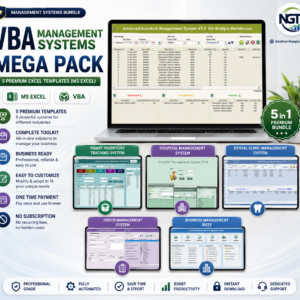
💡 Want the full set? Grab the VBA Management Systems Mega Pack and save versus buying tools one by one.
📖 Click here to read the Detailed Blog Post
🎥 Visit our YouTube channel for step-by-step video tutorials
👉 YouTube.com/@NextGenTemplates
Watch the step-by-step video tutorial: