

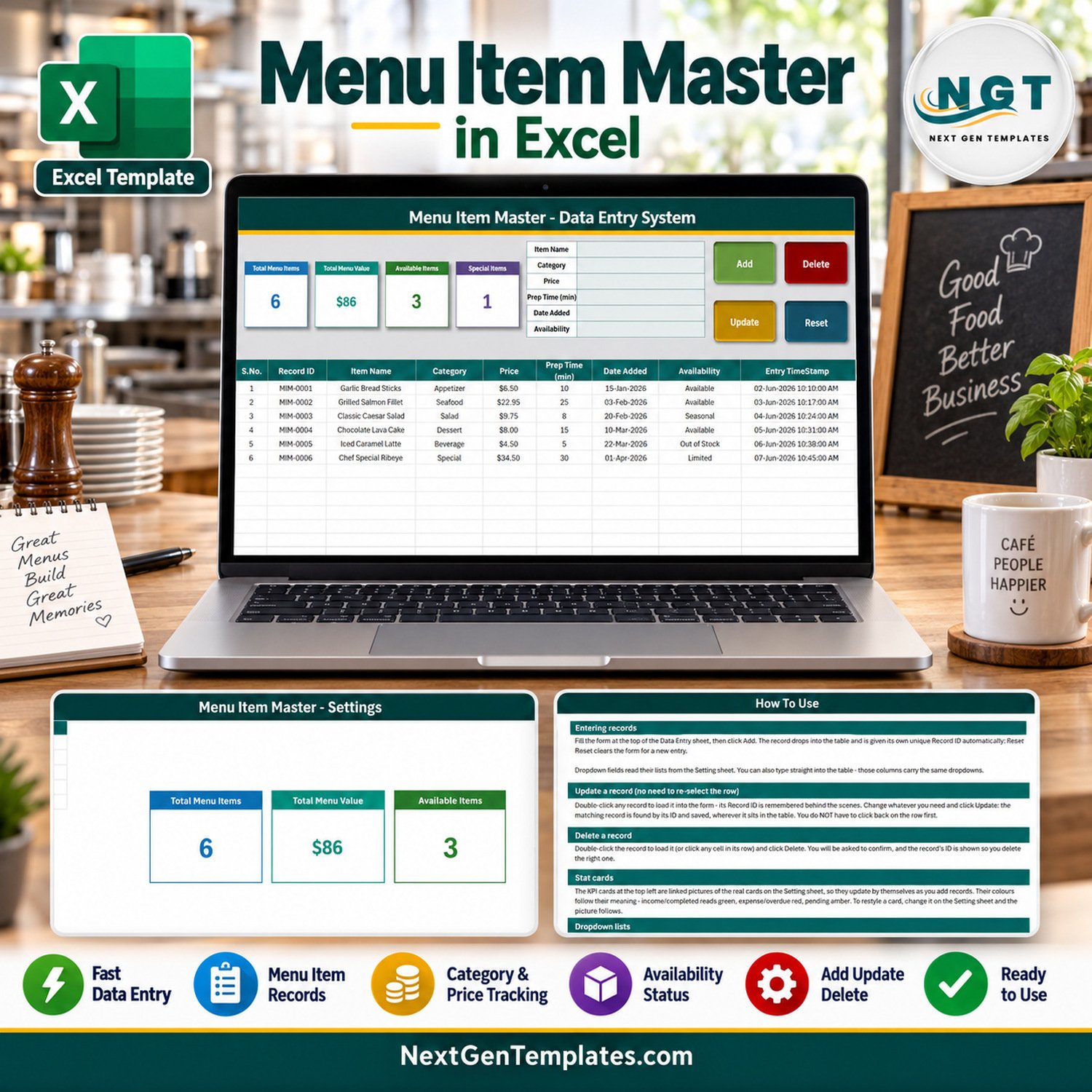
Menu Item Master Data Entry System in Excel gives restaurants, cafes, cloud kitchens, caterers, and food-service teams one structured place to maintain menu records. The included macro-enabled workbook contains six realistic demonstration rows, six editable menu fields, four automatically updating summary cards, and four live controls for adding, updating, deleting, and resetting records. Buy once for $6.99 during the sale, keep the editable file, and replace the sample menu with your own. This is an Excel VBA menu manager for organising item details; it is not a point-of-sale, costing, recipe, allergen, tax, or inventory system.
Key Features of Menu Item Master Data Entry System in Excel
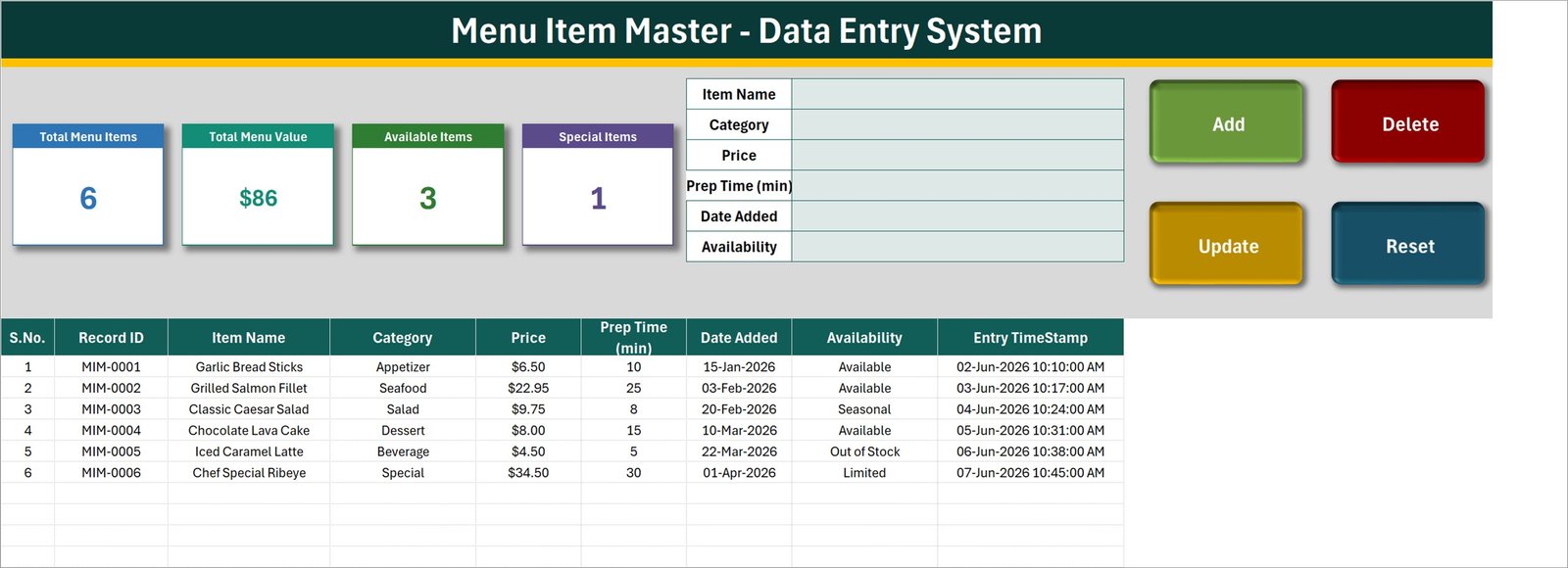
- Purpose-built entry form: capture item name, category, price, preparation time in minutes, date added, and availability without typing across the table.
- Four working VBA controls: Add creates a record, Update saves changes, Delete removes the selected record after confirmation, and Reset clears the form.
- Stable record IDs: new rows receive sequential IDs in the
MIM-####format, and deleted IDs are not reused. - Easy record editing: double-click a populated row to load it into the form; the workbook remembers its ID, so Update finds the correct row even if its position changes.
- Editable dropdown lists: maintain menu categories and availability options on the Setting sheet. The Data Entry sheet reads those lists automatically.
- Live summary cards: see Total Menu Items, Total Menu Value, Available Items, and Special Items update from the underlying records.
- Entry audit details: each saved row records Date Added and an Entry TimeStamp.
- Room for 200 records: the prepared table and validation ranges extend from row 15 through row 214.
What’s Inside the Menu Item Master Data Entry System in Excel
The verified customer ZIP contains one macro-enabled workbook, Menu_Item_Master_System.xlsm. No manual is included, which is normal for this data-entry-system family; instructions are built into the workbook.
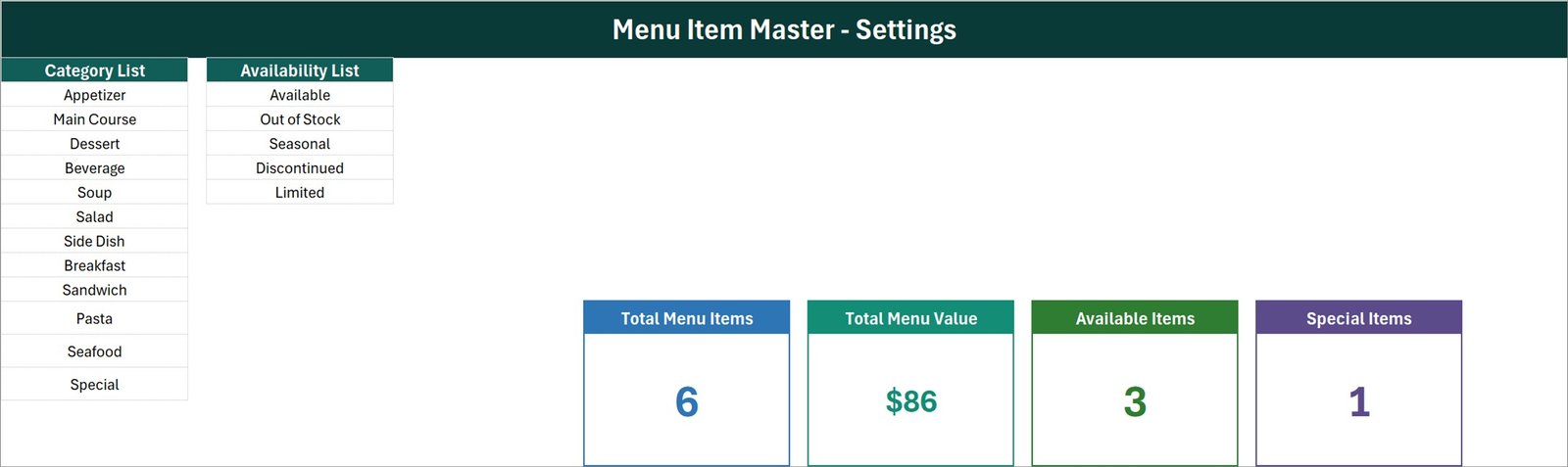
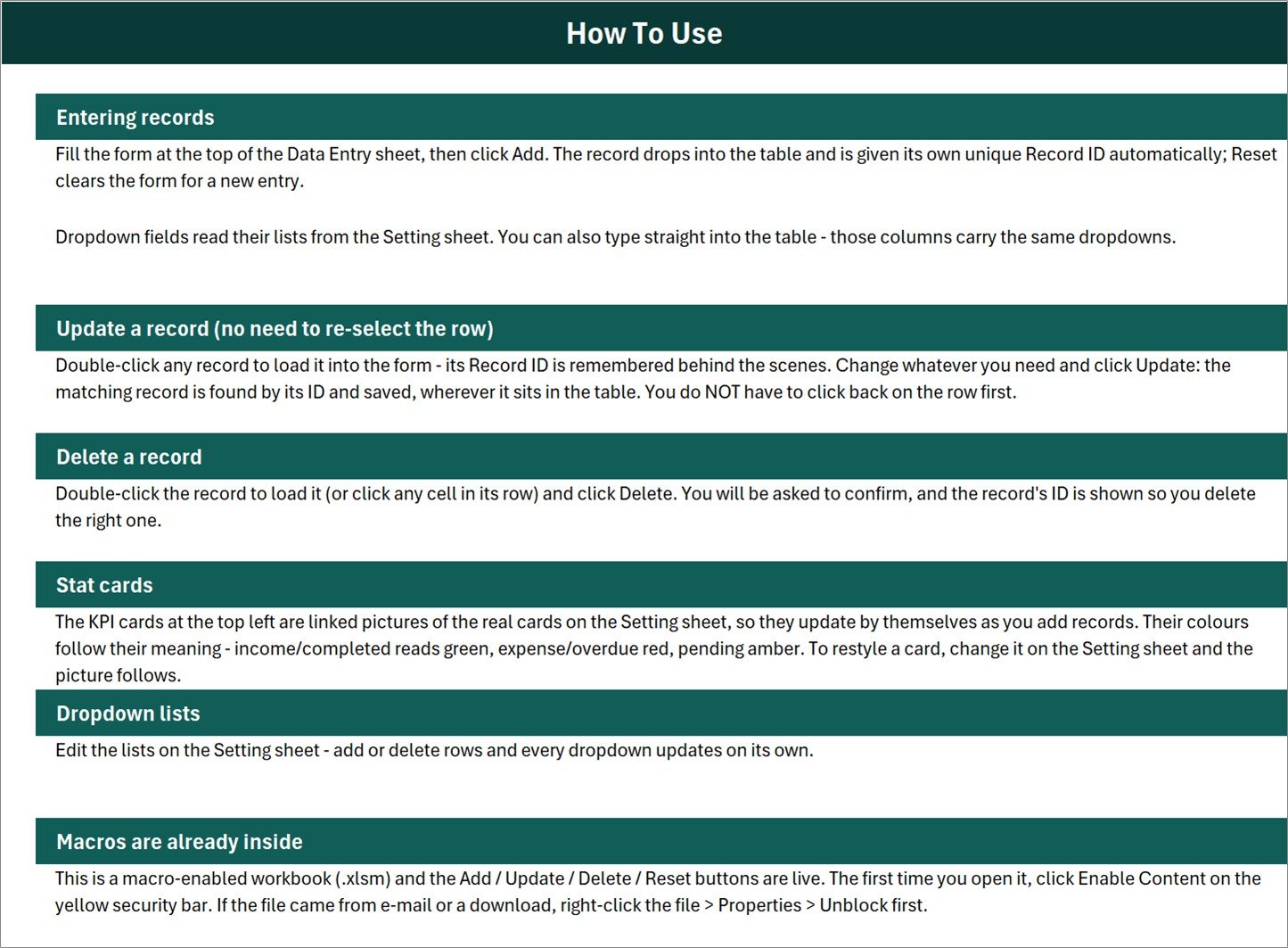
The workbook has four sheets: Data Entry for the form and record table, Setting for the category list, availability list, and source cards, Instructions for step-by-step use, and Get More Templates for optional product discovery. The six demo rows show food items across Appetizer, Seafood, Salad, Dessert, Beverage, and Special categories with several availability states.
Menu Item Master Data Entry System in Excel vs. Google Sheets vs. Paid Restaurant SaaS – Where This Fits
| Decision point | This Excel template | Google Sheets alternative | Paid restaurant SaaS |
|---|---|---|---|
| Cost | One-time template purchase | Can be low-cost, but automation must be rebuilt | Usually recurring subscription |
| Platform | Microsoft Excel desktop for Windows | Web browser and Google account | Vendor web or mobile app |
| Offline use | Yes, after download | Limited by sync and offline setup | Usually internet-dependent |
| Add/update/delete automation | Included VBA buttons | Requires Apps Script or manual rows | Built into the service |
| Editable fields and lists | Directly editable in Excel | Editable with sheet permissions | Depends on plan and vendor |
| Multi-user collaboration | Not designed for simultaneous entry | Native real-time collaboration | Usually supported |
| POS, ordering, recipe costing | Not included | Not included by default | May be available |
| Year-one cost for five users | $6.99 sale price | Depends on account and build effort | Depends on vendor and plan |
Who This Template Is For – and Who It’s Not For
This menu item master Excel template suits restaurant owners, cafe managers, catering coordinators, food-truck operators, and small hospitality teams that need a simple internal master list. It is especially useful when scattered notes or unstructured sheets make category, price, preparation-time, and availability updates hard to review.
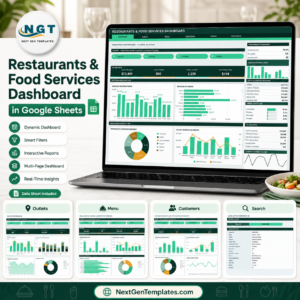
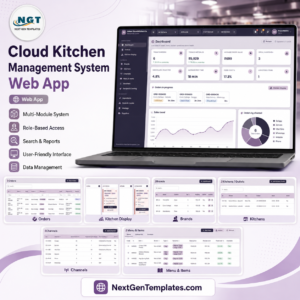
It is not the right choice for teams needing online ordering, table management, stock deduction, recipe or ingredient costing, nutritional calculations, allergen compliance, kitchen display integration, tax calculation, barcode scanning, or simultaneous multi-user entry. For broader operations, consider a Cloud Kitchen Management System Web App or the Restaurants and Food Services Dashboard in Google Sheets.
How to Use the Menu Item Master Data Entry System in Excel
- Download and unzip the customer ZIP, then open the
.xlsmfile in Microsoft Excel for Windows. - If Windows has blocked the downloaded file, open Properties and choose Unblock. Then open the workbook and click Enable Content so the VBA buttons can run.
- Open Setting and replace the demonstration category and availability lists with your own choices.
- On Data Entry, fill in the six form fields and click Add. The workbook assigns the next MIM record ID and adds the timestamp.
- To change a record, double-click any populated row, edit the form, and click Update.
- To remove a record, load it or select a cell in its row, click Delete, and confirm the displayed record ID.
- Use Reset to clear the form for a new entry. Save a backup copy before making structural changes.
Real-World Use Cases
Cafe owner refreshing a seasonal menu
Keep drinks, bakery items, seasonal specials, prices, and availability in one Excel menu item database before updating customer-facing menus.
Restaurant manager standardising master data
Use the restaurant menu data entry system to give every item a stable ID and consistent category, price, preparation time, date, and status.
Caterer organising a working item library
Maintain a reusable reference of appetisers, mains, desserts, beverages, and specials, while clearly marking limited or discontinued choices.
Frequently Asked Questions
Does this workbook require macros?
Yes. The Add, Update, Delete, Reset, automatic ID, and timestamp functions use VBA. Use Microsoft Excel desktop for Windows and enable content.
Can I edit the categories and availability options?
Yes. Change the lists on the Setting sheet; the linked dropdowns on Data Entry update from those named lists.
Does it calculate food cost or profit margin?
No. It records a price field and totals the entered prices, but it has no ingredient, recipe, cost, margin, or tax engine.
Is it a restaurant POS or ordering system?
No. It does not take orders, process payments, print kitchen tickets, or connect to a POS.
Can multiple people edit it simultaneously?
The VBA workflow is intended for desktop use by one user at a time. Use controlled copies or a shared process rather than simultaneous editing.
How many rows are prepared?
The workbook’s formatted data and validation area provides room for 200 records, from row 15 through row 214.
About the Author
Built by PK – Microsoft Certified Professional with 15+ years of Excel, Google Sheets, and Power BI experience. Founder of NextGenTemplates, reaching 300K+ subscribers across YouTube channels. Every template is hand-built and tested before release.
Explore Related Templates
For related food-service workflows, explore the Fruit and Vegetable Sales Data Entry System in Excel, Bar Stock Register Data Entry System in Excel, Cloud Kitchen Management System Tracker in Google Sheets, or browse Excel VBA tools and Microsoft Excel templates.
Download the Menu Item Master Data Entry System in Excel to replace scattered menu notes with a consistent, editable master record. The menu item master Excel template, Excel menu item database, restaurant menu data entry system, and Excel VBA menu manager phrases all describe the same verified workbook supplied here.
Last updated: September 16, 2026.


























Reviews
There are no reviews yet.