

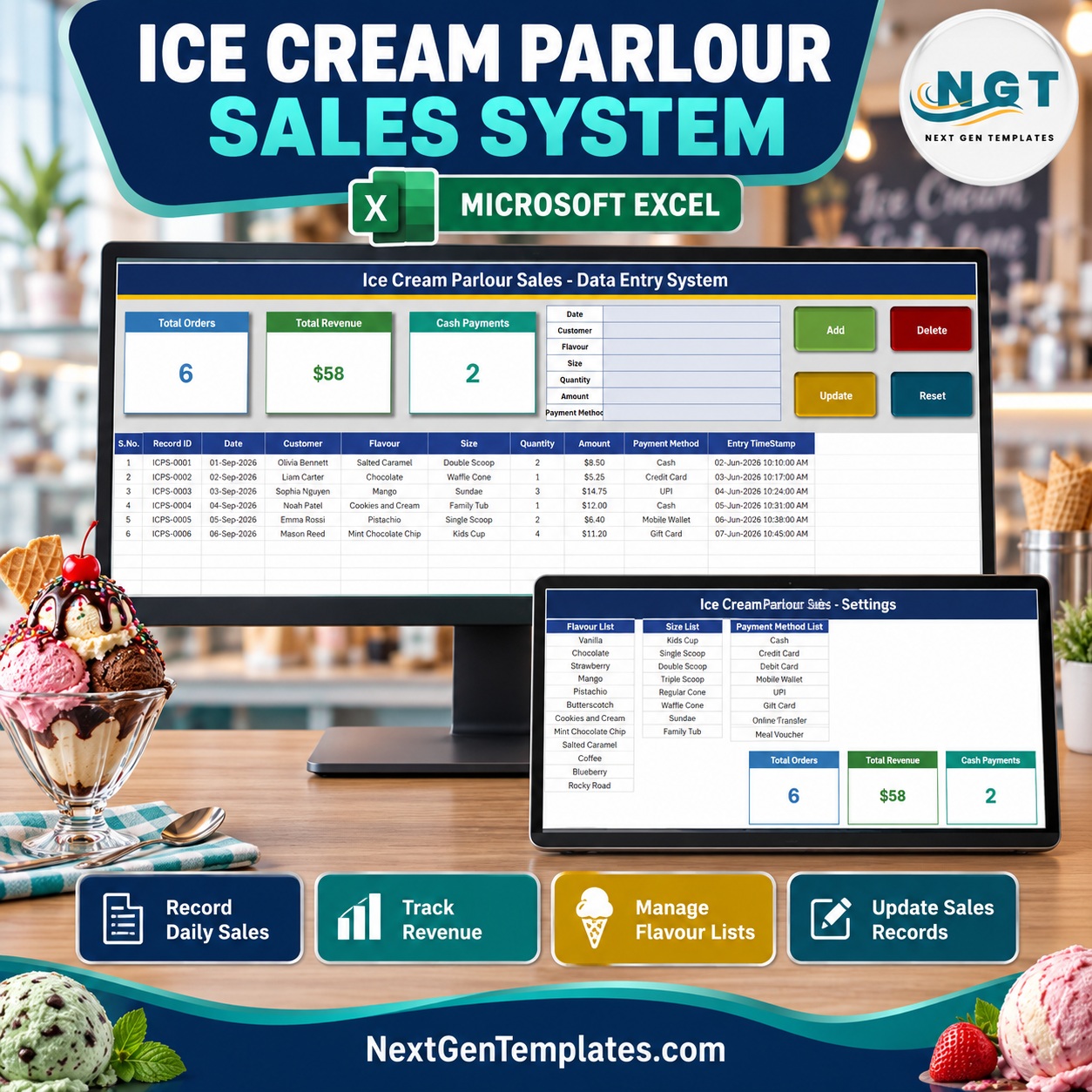
The Ice Cream Parlour Sales Data Entry System in Excel is a macro-enabled workbook that logs every scoop, cone, sundae and tub you sell through a 7-field form with 4 buttons (Add, Update, Delete, Reset). Each sale gets an automatic Record ID (ICPS-0001, ICPS-0002 and so on) and an entry timestamp, and it feeds 3 live stat cards: Total Orders, Total Revenue and Cash Payments. The workbook ships with 12 flavours, 8 serving sizes and 9 payment methods ready to pick from dropdowns.
🌍 Join thousands of small businesses using NextGenTemplates to replace paid software with one-time-purchase Excel, Google Sheets, Power BI and web app templates.
✅ Instant download · One-time payment · No subscription · No per-user fees · Lifetime access
🔑 Key Features of the Ice Cream Parlour Sales Data Entry System in Excel
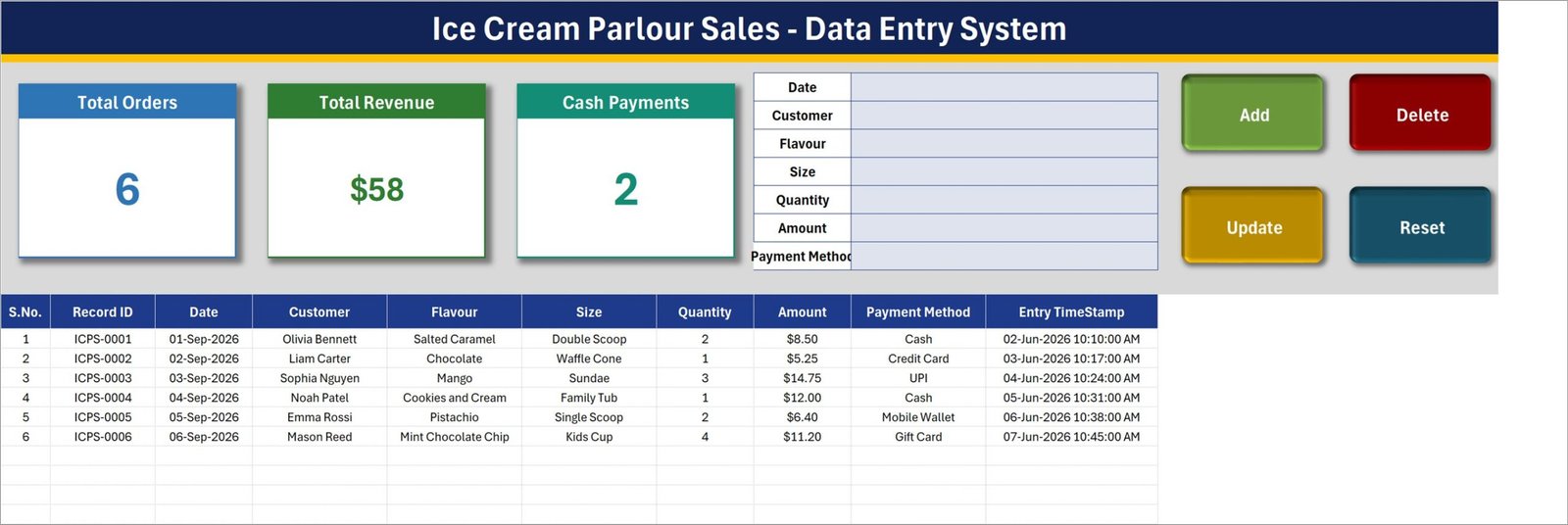
🍦 One form, seven fields. Date, Customer, Flavour, Size, Quantity, Amount and Payment Method sit in a single entry panel on the Data Entry sheet. Click Add and the sale drops into the next free row of the sales table, then the form clears itself for the next customer.
🆔 Automatic Record IDs. Every sale receives a unique ID in the format ICPS-0001. The next ID is always one more than the highest number already used, so IDs never repeat even after you delete rows.
✏️ Double-click to edit. Double-click any sale in the table and it loads back into the form. Change what you need and click Update; the macro finds the row by its Record ID, so you do not have to re-select it. Delete asks for confirmation and shows the ID first.
📊 Three live stat cards. Total Orders counts the sales in the table, Total Revenue adds up the Amount column, and Cash Payments counts how many sales were paid in cash. The cards are linked pictures of cells on the Setting sheet, so they refresh as you add sales.
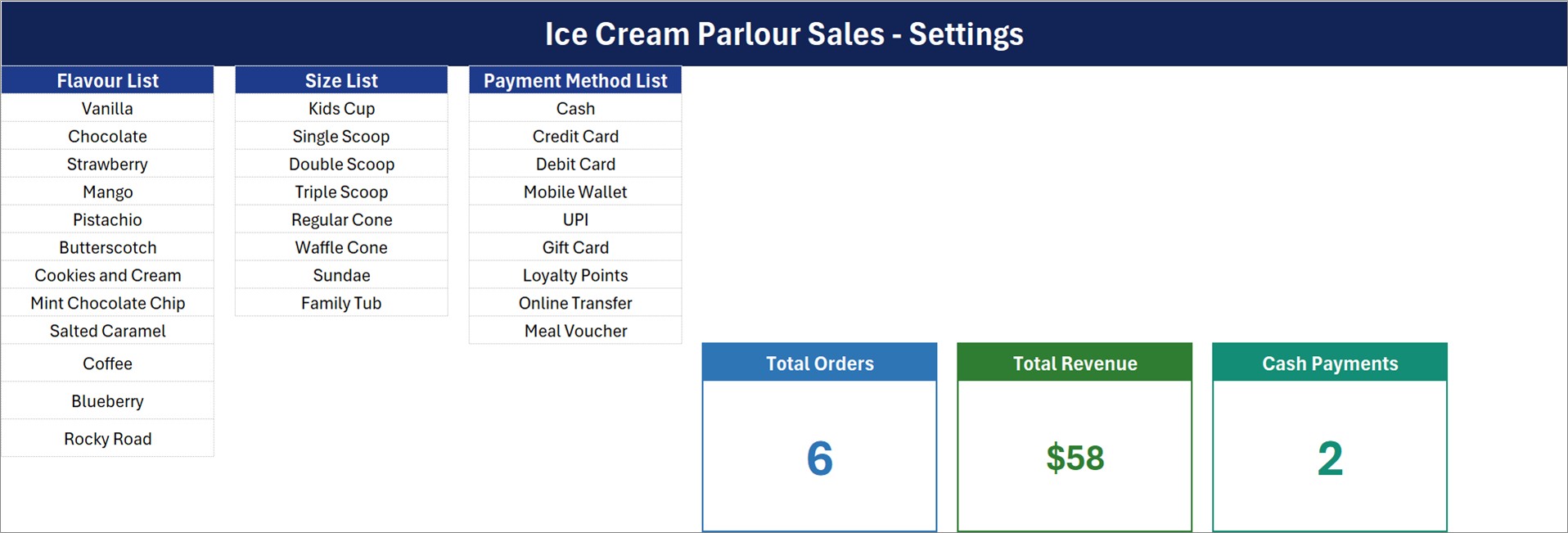
📋 Editable dropdown lists. The Setting sheet holds the Flavour List (Vanilla to Rocky Road, 12 items), the Size List (Kids Cup to Family Tub, 8 items) and the Payment Method List (Cash to Meal Voucher, 9 items).
🕒 Entry timestamp. Column J records the date and time each record was added or last updated, separate from the sale Date you type.
📦 What’s Inside the Workbook
The download is a ZIP holding one file, Ice_Cream_Parlour_Sales_System.xlsm, with four sheets.
Sheet 1: Data Entry
The working sheet. The top band carries the Total Orders, Total Revenue and Cash Payments cards, the 7-field form and the Add, Delete, Update and Reset buttons. Below it, the sales table has 10 columns: S.No., Record ID, Date, Customer, Flavour, Size, Quantity, Amount, Payment Method and Entry TimeStamp. It ships with 6 sample sales.
Sheet 2: Setting
Holds the three dropdown lists (Flavour List, Size List, Payment Method List) and the master copies of the three stat cards that appear on the Data Entry sheet.
Sheet 3: Instructions (How To Use)
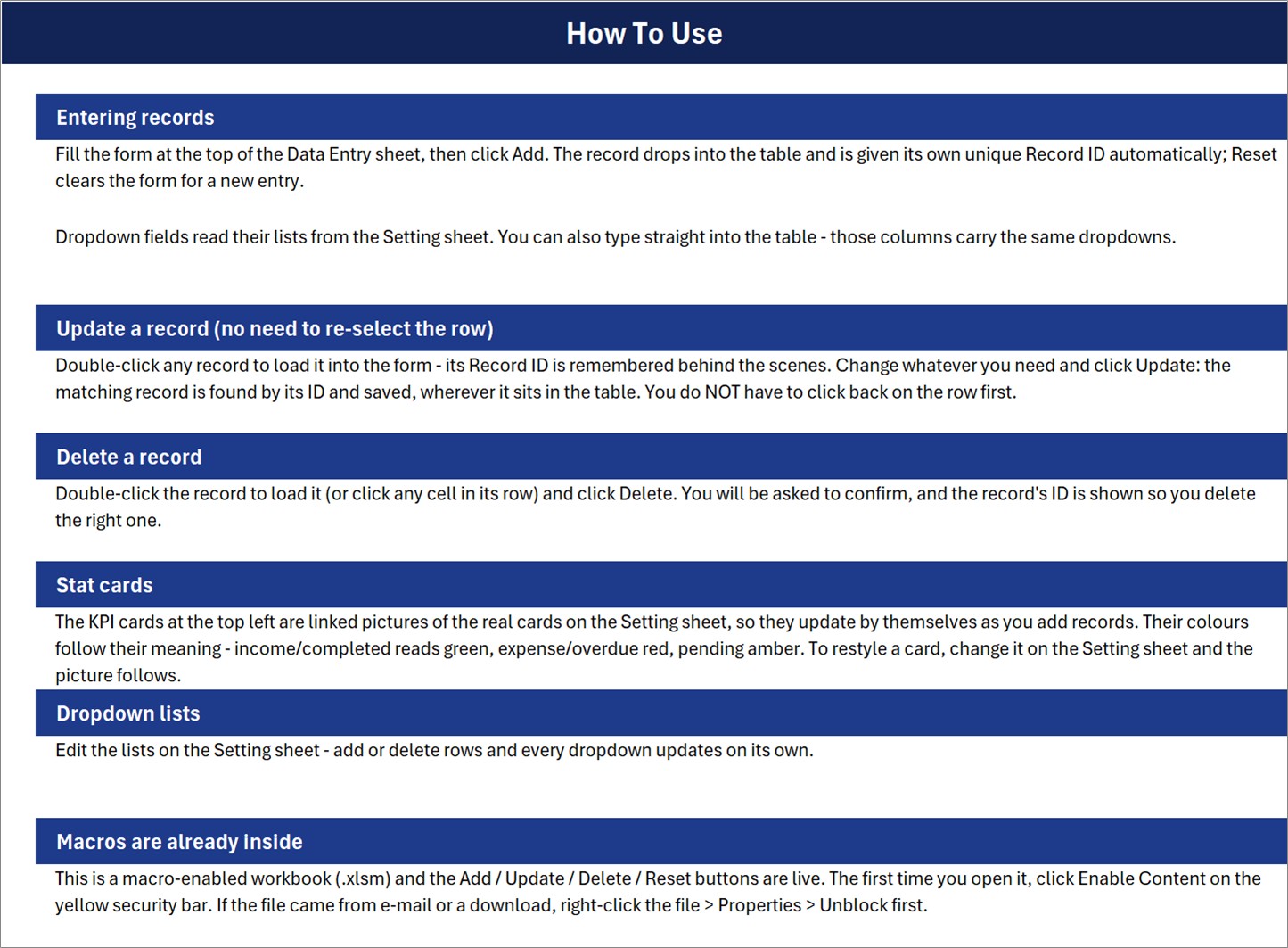
Short on-sheet guidance for entering, updating and deleting records, the stat cards, the dropdown lists and enabling macros.
Sheet 4: Get More Templates
Links to the NextGenTemplates store and its template categories.
⚠️ Good to know before you buy
🔸 Dropdown lists do not grow on their own. The Instructions sheet says adding rows to a list updates every dropdown, but the named ranges are fixed to the rows that are already full (12 flavours, 8 sizes, 9 payment methods). Renaming an item works instantly; to add a 13th flavour, extend FlavourList (or SizeList / Payment_MethodList) in Formulas > Name Manager.
🔸 Table dropdowns cover rows 15 to 214, which is 200 sales. Records beyond that still save through the form, but typing straight into those rows gives no dropdown.
🔸 Total Orders counts filled Date cells, not Record IDs. Sales added through the form always have a date, so this only matters if you type rows into the table by hand without one.
🔸 Total Revenue shows whole dollars (the sample $58.10 displays as $58), and the $ symbol is fixed in the cell format. Cash Payments is a count of cash sales, not a cash total. You type the Amount yourself; there is no price list, so it is not calculated from Size and Quantity.
🔸 The sample Entry TimeStamps (June 2026) are earlier than the sample sale Dates (September 2026). That is sample data only; your own entries are stamped at the moment you click Add or Update.
📊 This Excel Sales Log vs. Google Sheets vs. Paid POS Software
| Feature | This Excel template | Google Sheets equivalent | Paid POS (Square / Toast / Lightspeed) |
|---|---|---|---|
| Cost | ✅ One-time payment | Free to build, hours of setup | Monthly subscription plus hardware |
| Platform | Desktop Excel on Windows (.xlsm) | Browser | Tablet or terminal app |
| Setup time | ✅ Under 10 minutes | Build it yourself | Days (menu, hardware, payments) |
| Add / Update / Delete buttons | ✅ Built in (VBA) | Needs Apps Script | ✅ Yes |
| Unique Record ID per sale | ✅ ICPS-0001 format | Manual | ✅ Yes |
| Card payments and receipt printing | ❌ No (sales log only) | ❌ No | ✅ Yes |
| Inventory deduction | ❌ No | ❌ No | ✅ Usually |
| Real-time team collaboration | ❌ Single desktop file | ✅ Yes | ✅ Yes |
| Data stays in your own file | ✅ Yes | Google Drive | Vendor cloud |
For a small parlour that wants a clean, searchable sales log without paying a monthly POS fee, this ice cream shop sales register sits in the sweet spot.
👥 Who This Template Is For and Who It’s Not For
✅ This template is built for:
- Owners of single-counter ice cream parlours, gelato carts and dessert kiosks who note sales by hand today
- Managers who want a daily record of flavour, size and payment method in one table
- Anyone who already keeps books in desktop Excel on Windows
❌ This template is NOT for:
- Shops that need a till: it does not take card payments, print receipts or deduct stock
- Mac, Excel for the web or Google Sheets users, since the buttons are VBA macros
- Multi-branch chains that need several people entering sales at the same time
⚙️ How to Use the Ice Cream Sales Workbook
- Unzip the download and open Ice_Cream_Parlour_Sales_System.xlsm in desktop Excel. If it is blocked, right-click the file, choose Properties and tick Unblock (Microsoft explains why).
- Click Enable Content on the yellow security bar.
- On the Setting sheet, rename the flavours, sizes and payment methods to match your menu.
- Delete the 6 sample sales.
- Fill the form on the Data Entry sheet and click Add for each sale.
- Double-click a sale to fix it, then click Update, or click Delete to remove it.
💼 Real-World Use Cases
Maria runs a seaside gelato stand open six months a year. She logs each sale on a laptop behind the counter, checks the Total Revenue card at closing time, and filters the table by Flavour to see whether Salted Caramel or Pistachio sold more that week.
Dev manages a two-counter ice cream parlour in a shopping mall. He enters the day’s handwritten slips each evening, uses the Cash Payments card to know how many cash sales to expect in the drawer, and sorts by Payment Method to reconcile UPI and card sales.
❓ Frequently Asked Questions
What does the Ice Cream Parlour Sales Data Entry System in Excel record?
It records seven fields per sale: Date, Customer, Flavour, Size, Quantity, Amount and Payment Method. Each record also gets an automatic Record ID and an entry timestamp, and three stat cards show Total Orders, Total Revenue and Cash Payments.
Is this a POS system?
No. This template is a sales log. It does not take card payments, print receipts or reduce stock. You type the Amount for each sale, and the workbook stores and totals it.
Will it work on a Mac or in Google Sheets?
The workbook is macro-enabled (.xlsm) and its Add, Update, Delete and Reset buttons are VBA, so it is built for desktop Excel on Windows. The table can be opened elsewhere, but the buttons will not run.
Can I add more flavours?
Yes. Renaming a flavour on the Setting sheet updates the dropdown straight away. To add an extra item, type it below the list and extend the FlavourList named range in Formulas, then Name Manager, because the lists do not expand on their own.
How long does setup take?
Under 10 minutes: enable macros, rename the list items to match your menu, clear the 6 sample sales, and start adding real sales through the form.
👤 About the Author
Built by PK, Microsoft Certified Professional with 15+ years of Excel, Google Sheets and Power BI experience. Founder of NextGenTemplates, with YouTube channels @PK-AnExcelExpert, @NextGenTemplates and @NeoTechNavigators. Every template is hand-built and tested before release.
🔗 Explore Related Templates
🍰 Running a wider food counter? The Cafe Daily Sales Data Entry System in Excel logs cafe orders the same way, and the Sweet Shop Sales Data Entry System in Excel suits confectionery counters.
🥛 Selling milk products or baked goods too? Try the Dairy Product Sales Data Entry System in Excel or the Bakery Sales Register Data Entry System in Excel.
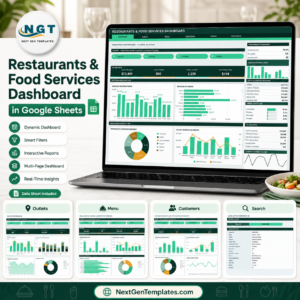
📈 Want charts rather than a log? See the Restaurants and Food Services Dashboard in Google Sheets, or browse every Excel VBA tool.
📖 Click here to read the Detailed Blog Post
🎥 Visit our YouTube channel for step-by-step video tutorials
👉 YouTube.com/@NextGenTemplates
📅 Last updated: September 2026






















Reviews
There are no reviews yet.