

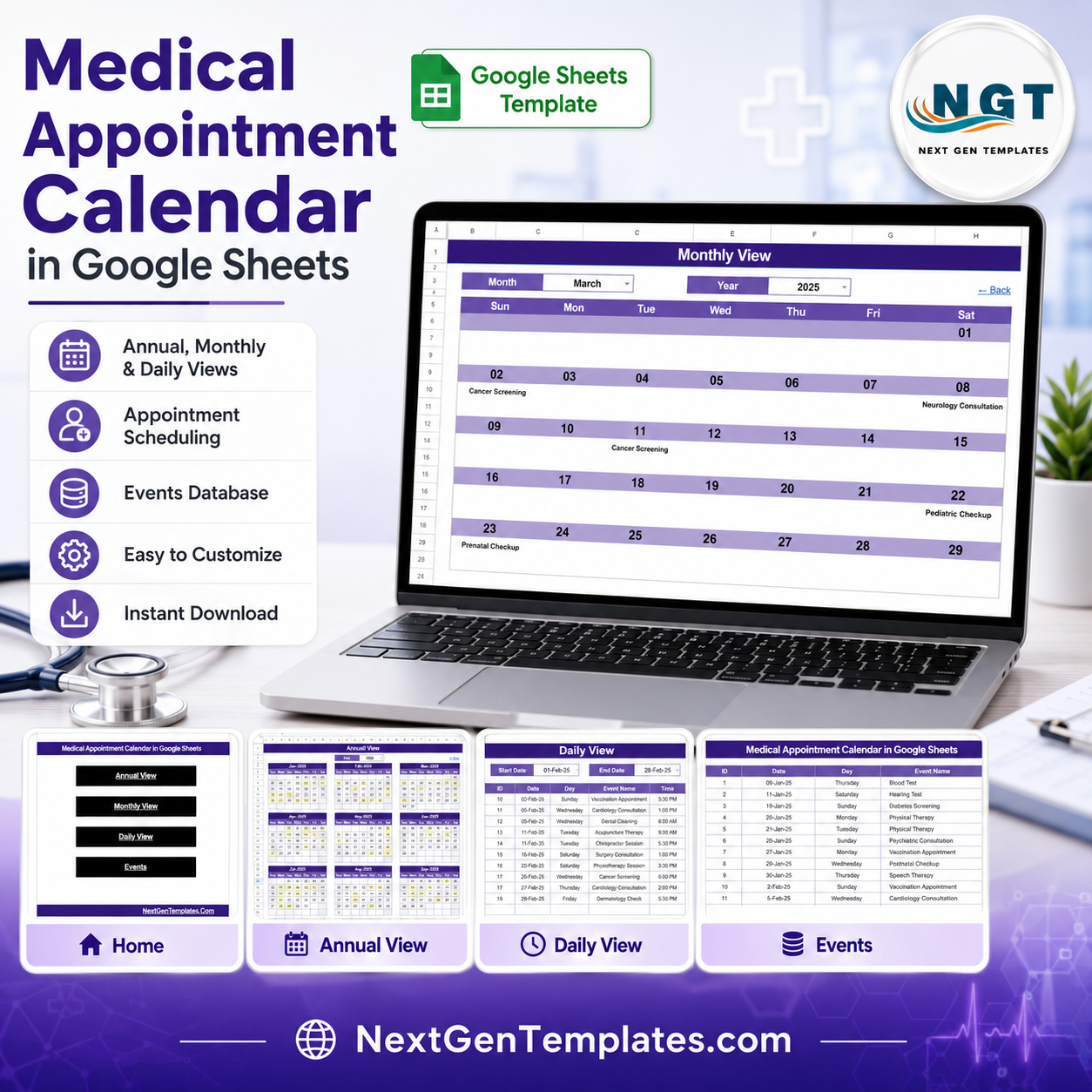
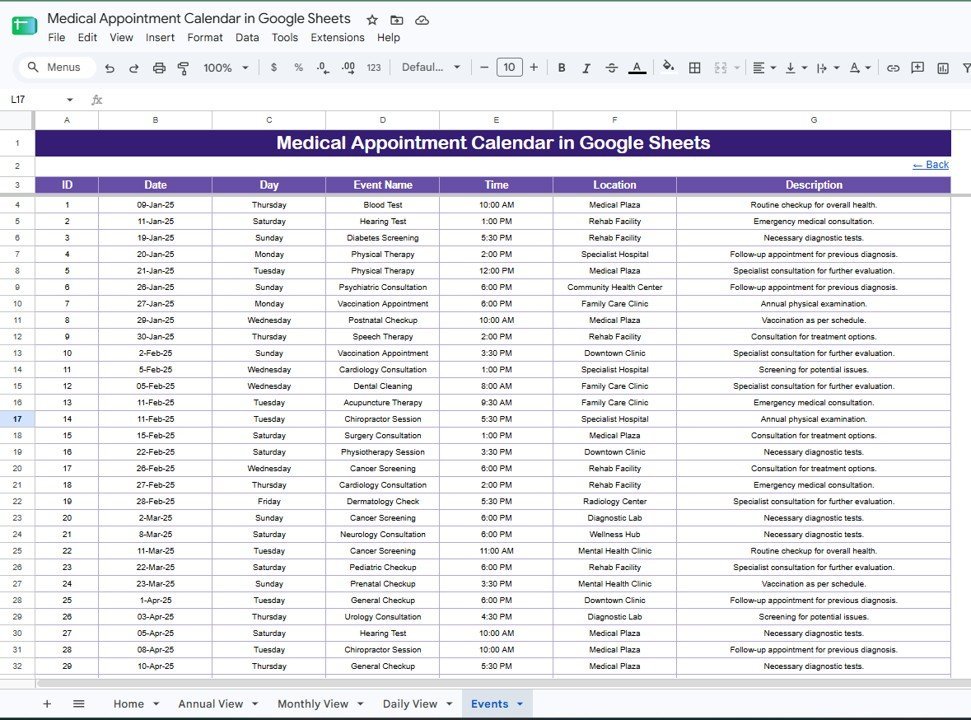
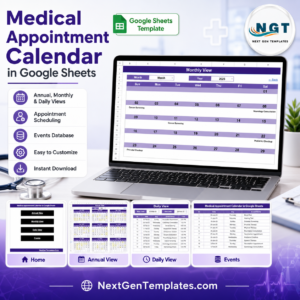
The Medical Appointment Calendar in Google Sheets organizes patient visits across 5 linked sheet tabs, 4 navigation buttons, 3 calendar views, and a 7-field appointment database. In under 10 minutes, a clinic can copy the file, replace the sample appointments, and review annual, monthly, or date-range daily schedules without subscription software. Join 8,400+ teams in 40+ countries using NextGenTemplates to replace repetitive spreadsheet work with one-time-purchase templates. You pay once, get lifetime access, and keep full control of the Google Sheet in your own Drive.
Key Features of Medical Appointment Calendar in Google Sheets
- 5 connected worksheet tabs. Home, Annual View, Monthly View, Daily View, and Events keep navigation and appointment data in one clean file.
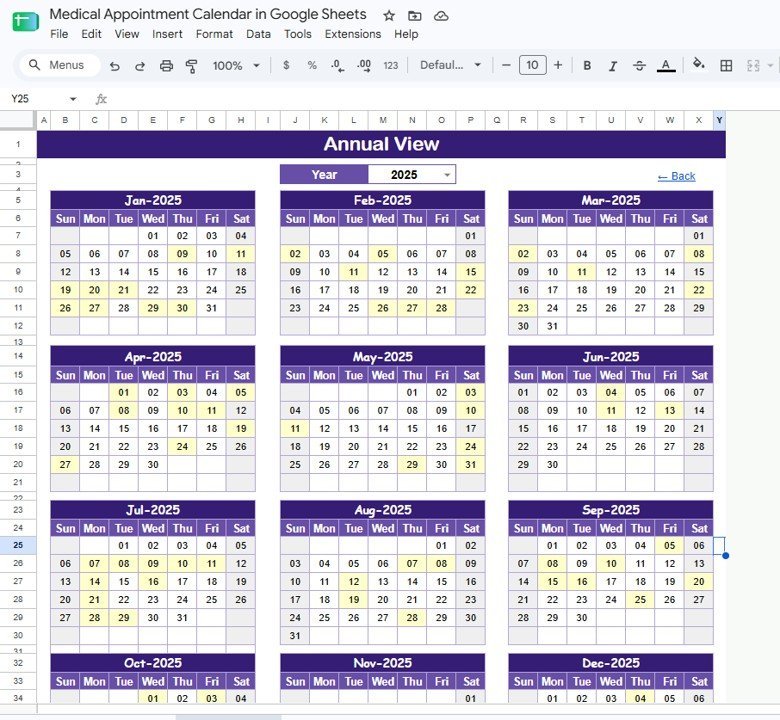
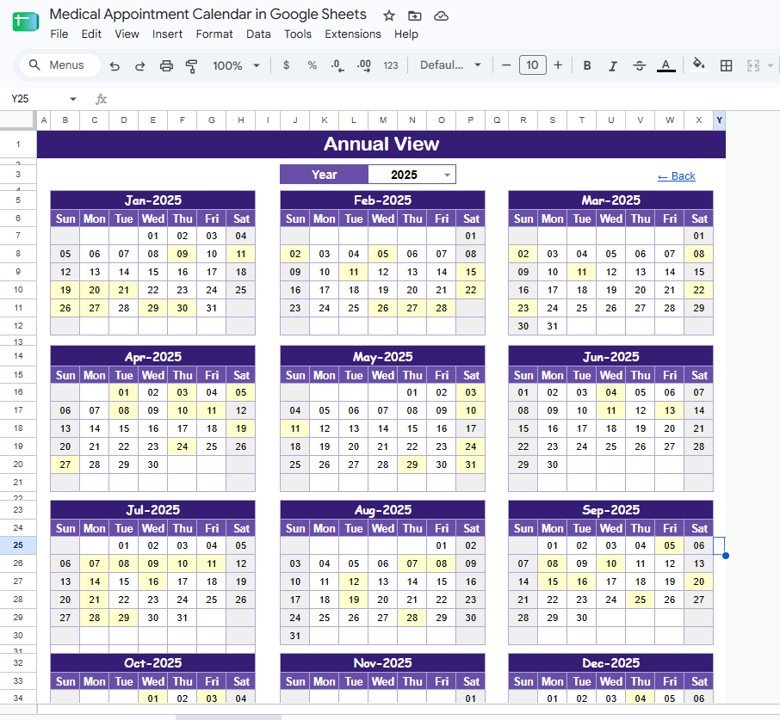
- Annual planning view. Select the year and review all 12 months on one screen for seasonal clinic load, screening campaigns, follow-ups, and provider availability.
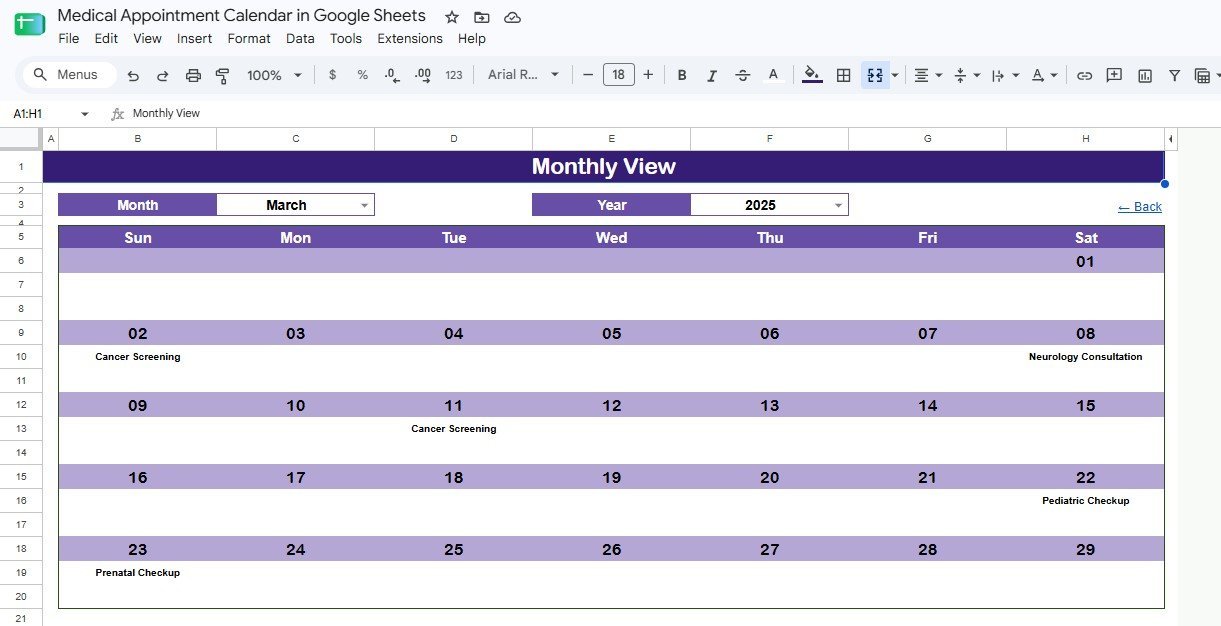
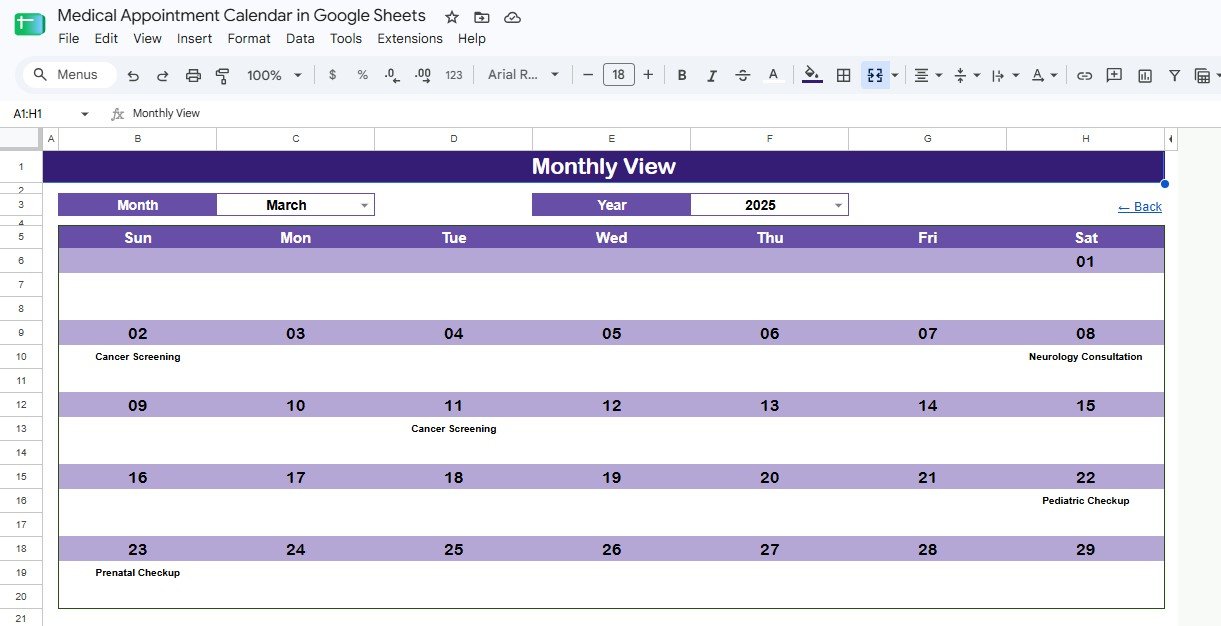
- Monthly calendar view. Choose a month and year to see appointment names placed directly on each date.
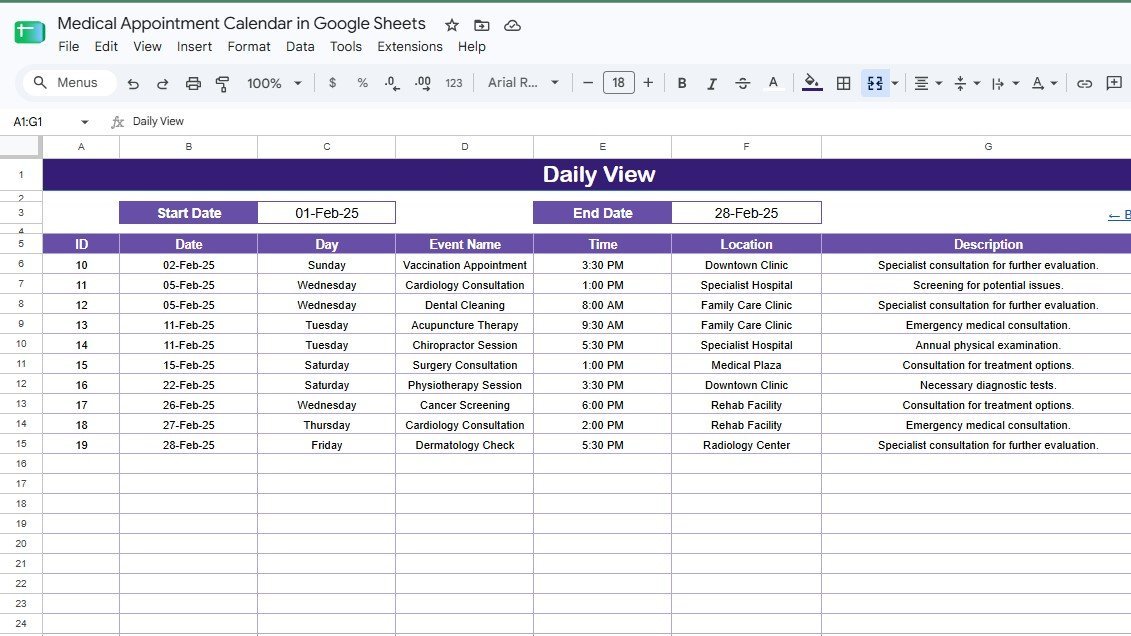
- Daily date-range view. Enter a start and end date to pull a table of appointments with ID, date, day, event name, time, location, and description.
- Editable Events database. Add, update, or remove appointments in one central sheet; each event has a unique ID for cleaner tracking.
- Google Sheets collaboration. Share the file with front desk staff, clinic managers, or providers using normal Google Drive permissions.
- Healthcare-focused sample data. Examples include vaccination appointments, cardiology consultations, dental cleaning, cancer screening, prenatal checkup, and pediatric checkup.
- No monthly scheduling bill. Use it as a lightweight appointment planner before investing in a full clinic SaaS system.
What’s Inside the Medical Appointment Calendar in Google Sheets
Home Sheet Tab
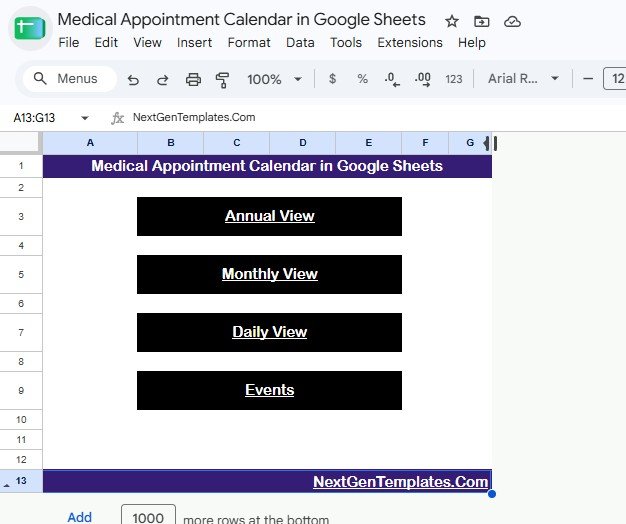
The Home sheet is the index page. It includes four large navigation buttons for Annual View, Monthly View, Daily View, and Events so users can move through the file quickly.
Medical Appointment Calendar in Google Sheets
Annual View Sheet Tab
The Annual View shows 12 monthly calendars on one page. It is useful for planning doctor availability, seasonal screenings, recurring checkups, and clinic-wide appointment campaigns.
Annual View Sheet tab
Monthly View Sheet Tab
The Monthly View shows one selected month. Pick the month and year from dropdowns, and the calendar displays matching appointment names inside the correct dates.
Monthly View Sheet tab
Daily View Sheet Tab
The Daily View works like an appointment report. Set a start date and end date to see all appointments between those two dates with full details.
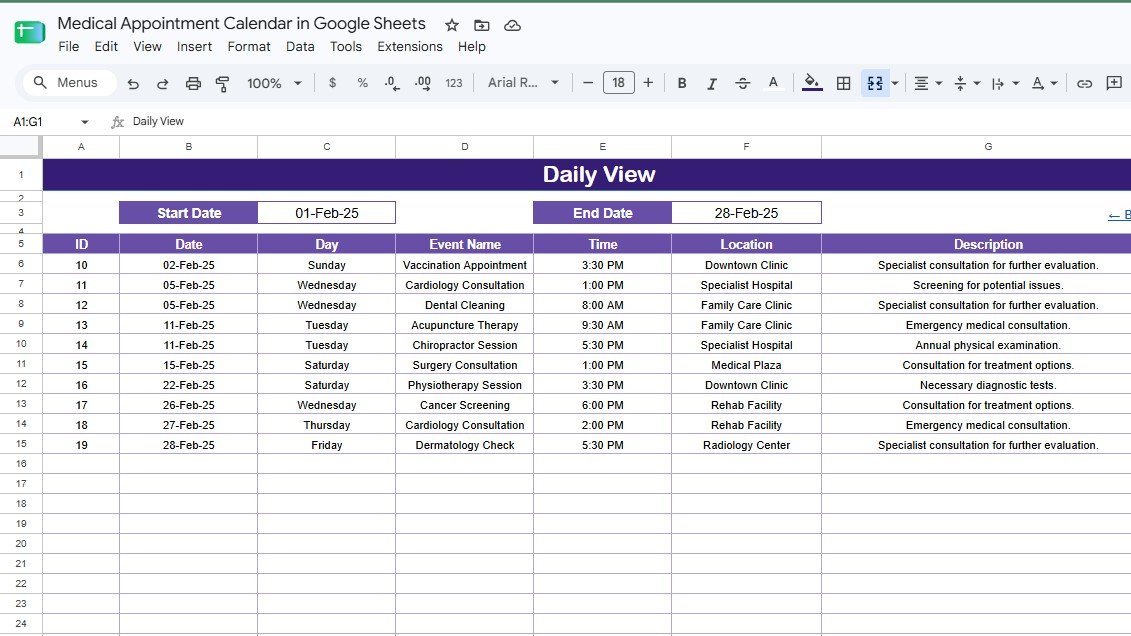
Daily View Sheet tab
Events Sheet Tab
The Events sheet is the database behind the calendar. You can directly enter or modify appointment rows here, including ID, Date, Day, Event Name, Time, Location, and Description.
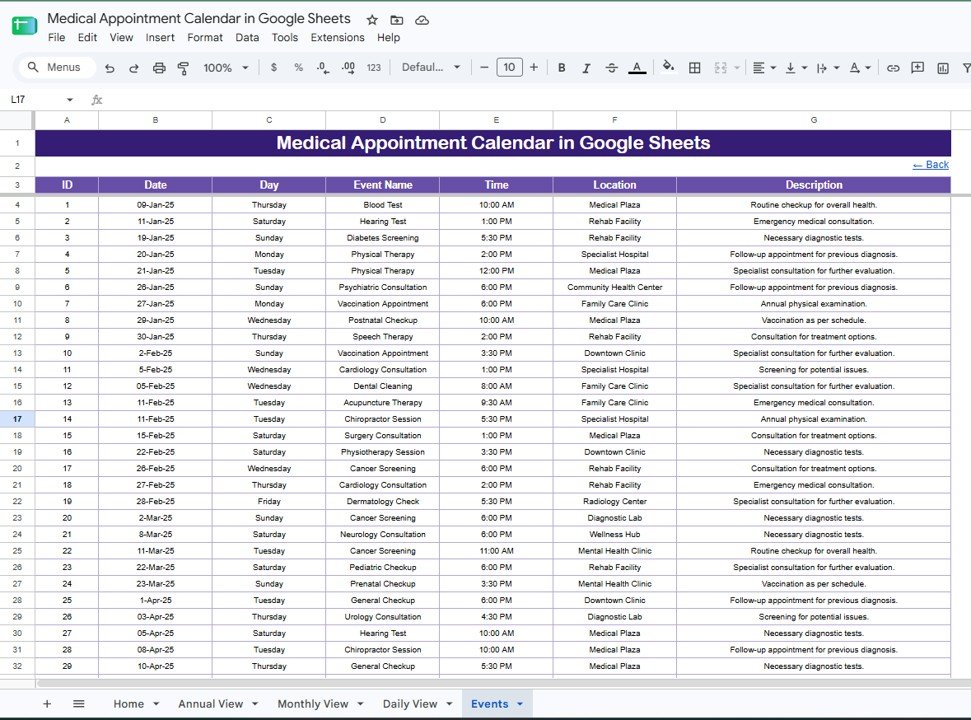
Events Sheet tab
Medical Appointment Calendar in Google Sheets vs. Microsoft Excel Calendar vs. Paid Clinic Scheduling SaaS – Where This Fits
| Feature | Medical Appointment Calendar in Google Sheets | Microsoft Excel calendar | Paid clinic scheduling SaaS |
|---|---|---|---|
| Cost | $4.99 one-time | One-time template plus Office license | Monthly per-user or per-provider subscription |
| Platform | Google Sheets in a browser | Excel desktop or web | Vendor-hosted web app |
| Setup time | Under 10 minutes | Under 15 minutes | Days or weeks if onboarding is required |
| Real-time team collaboration | Built into Google Sheets | Requires OneDrive or SharePoint | Usually included by seat |
| Mobile access | Google Sheets mobile app or browser | Excel mobile app | Vendor mobile app or browser |
| Customizable fields | Fully editable | Fully editable | Limited by vendor settings |
| Share with link | Yes, through Google Drive | Only through cloud sharing | Role-based invites |
| Year-1 cost at 5 users | $4.99 total | Template cost plus licenses | Often hundreds or thousands per year |
| Best fit | Small clinics needing simple appointment visibility | Single-user desktop planning | Clinics needing EHR, reminders, billing, and patient portal features |
Who This Template Is For – and Who It’s Not For
This template is for small clinics, private practices, healthcare administrators, front desk teams, and consultants who need a shared appointment calendar without building formulas from scratch.
This template is not for organizations that need certified EHR records, automated SMS reminders, insurance claim workflows, patient portals, or regulated medical record storage. It is a planning calendar, not medical software.
How to Use the Medical Appointment Calendar in Google Sheets
- Open the PDF guide in your download and click the Google Sheets copy link.
- Go to the Events sheet and replace the sample rows with your clinic appointments.
- Fill in date, appointment name, time, location, and description.
- Use Annual View for yearly planning, Monthly View for calendar review, and Daily View for a date-range appointment list.
- Share the Google Sheet with your team using viewer or editor access.
Real-World Use Cases
Dr. Priya’s family clinic uses the Monthly View to coordinate vaccinations, pediatric checkups, and follow-ups across a small front desk team.
Marcus, a healthcare operations consultant, copies the template for each client and customizes event names, clinic locations, and appointment descriptions.
Asha, a diagnostic center manager, uses the Daily View each morning to print a simple list of scheduled screenings and consultations.
Frequently Asked Questions
How many sheets are included?
The template includes 5 sheets: Home, Annual View, Monthly View, Daily View, and Events.
Can multiple staff members use it at the same time?
Yes. Because it runs in Google Sheets, you can share the file through Google Drive and allow multiple users to view or edit it.
Does it send appointment reminders?
No. It is a manual appointment calendar. If you need automated SMS, email reminders, or patient portal features, use a dedicated clinic scheduling platform.
Can I change appointment types and locations?
Yes. The Events sheet is editable, so you can change sample appointment names, locations, times, and descriptions.
Is this a HIPAA-compliant medical record system?
No. This is a calendar template. If you store patient-identifiable information, your Google Workspace configuration, sharing permissions, and internal policies determine compliance.
Does it work on mobile?
Yes. You can open it in the Google Sheets mobile app, although larger annual and monthly views are easiest to manage on a desktop or tablet.
About the Author
Built by PK – Microsoft Certified Professional with 15+ years of Excel, Google Sheets, and Power BI experience. Founder of NextGenTemplates, reaching 300K+ subscribers across YouTube channels. Every template is hand-built and tested before release.
Explore Related Templates
- Medical Practice Dashboard in Google Sheets – track visits, revenue, doctors, and patients.
- Healthcare & Hospital Management Bundle – a broader healthcare template collection.
- Dental Clinic Management System – clinic operations web app template.
- Telehealth Dashboard in Excel – analyze virtual care performance.
Browse more Google Sheets calendar templates or all Google Sheets templates.
Ready to organize clinic appointments in a shared spreadsheet? Add the Medical Appointment Calendar in Google Sheets to your toolkit and start from a tested calendar structure instead of a blank file.
Watch the step-by-step video Demo:
Click here to read the detailed blog post
Last updated: August 2026






























Reviews
There are no reviews yet.