

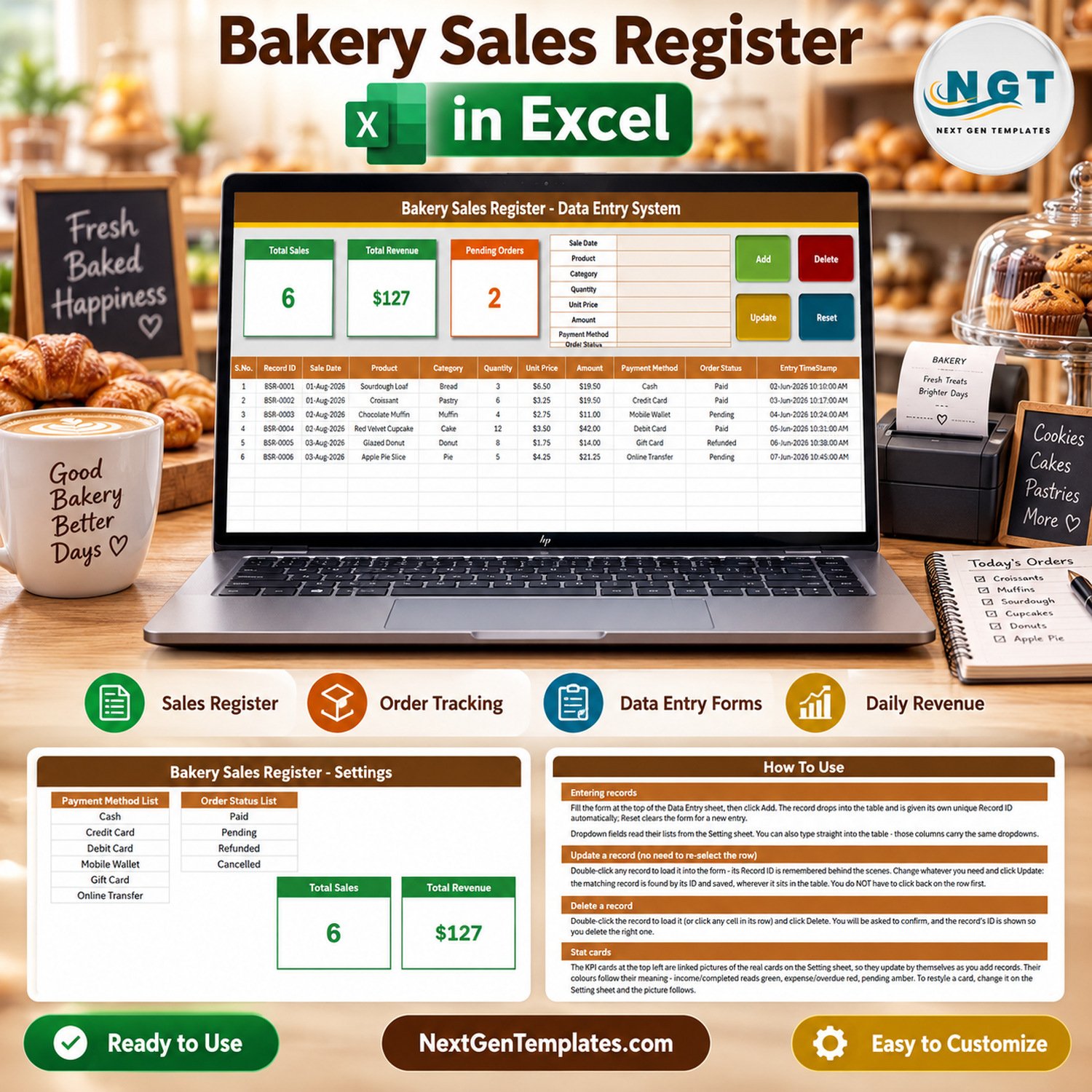

A counter that sells 200 items a day writes 200 lines somewhere — and in most small bakeries that somewhere is a paper pad, a phone note, or nothing at all. This bakery sales register is a macro-enabled Excel workbook that replaces the pad with an eight-field form, four working buttons and three stat cards that recalculate the moment a sale is saved. It ships with 6 sample sales, 4 worksheets, 12 products, 8 categories, 6 payment methods and 4 order statuses already loaded, so the first real entry takes about ten seconds. Nothing is password-protected, no sheet is locked, and the VBA module is open in the editor. Built by PK, a Microsoft Certified Professional, and downloadable the moment you check out — if the file does not open, e-mail us and we will make it right.

Key Features of the Bakery Sales Register Data Entry System
- Eight-field entry form — Sale Date, Product, Category, Quantity, Unit Price, Amount, Payment Method and Order Status, laid out top-left of the Data Entry sheet.
- Four live VBA buttons — Add, Update, Delete and Reset, already wired to
Module1inside the .xlsm. No add-in, no macro recording, no setup. - Automatic Record IDs — every sale is stamped
BSR-0001,BSR-0002and so on. The next number is one above the highest already used, so IDs stay unique even after you delete rows. - Double-click to edit — double-click any row and it loads back into the form with its Record ID remembered. Change what you need, press Update, and the macro finds the row by ID wherever it has moved to.
- Confirmed deletes — Delete shows you the Record ID it is about to remove and waits for a Yes.
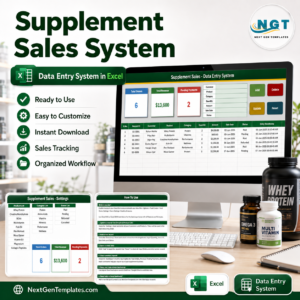
- Three self-updating stat cards — Total Sales, Total Revenue and Pending Orders, driven by COUNTA, SUM and COUNTIF on the table and mirrored onto the Data Entry sheet as linked pictures.
- Four editable dropdown lists — 12 bakery products, 8 categories, 6 payment methods and 4 order statuses, all held on the Setting sheet and applied to both the form and the table.
- Automatic entry timestamp — column K records the exact date and time each row was written, which is what you check when two people share the file.
- Nothing locked — recolour the header, rename a column, add a sheet, read the VBA. It is a plain workbook.
What’s Inside the Bakery Sales Register Workbook
One file, Bakery_Sales_Register_System.xlsm, with four worksheets.
Data Entry is the working sheet: the form and the four buttons at the top, the three stat cards beside them, and an 11-column table underneath — S.No., Record ID, Sale Date, Product, Category, Quantity, Unit Price, Amount, Payment Method, Order Status and Entry TimeStamp. Six sample rows are already there, from a $19.50 sourdough sale to a $21.25 apple pie order, so you can see the shape before you clear them.
Setting holds the four dropdown lists and the three real stat-card formulas. This is the only sheet you edit before going live.

How To Use is a one-page reference covering entry, update, delete, the stat cards, the dropdowns and enabling macros. Get More Templates links back to the wider NextGenTemplates catalogue.
Bakery Sales Register vs. Google Sheets vs. Paid Bakery POS Software
| This Excel workbook | Google Sheets equivalent | Paid bakery POS (Square, Toast) | |
|---|---|---|---|
| Cost | $6.99 once | Free, build it yourself | $29–$165 per month per location |
| Platform | Excel for Windows desktop | Browser | Cloud plus terminal hardware |
| Setup time | About 10 minutes | 2–4 hours to build the form and lists | 1–3 days, plus hardware |
| Real-time team collaboration | No — one file, one person at a time | Yes | Yes |
| Mobile access | View only; macros do not run on mobile | Yes | Yes, built for it |
| Customizable fields | Yes, nothing is locked | Yes | Limited to the vendor’s schema |
| Share with a link | No — send the file | Yes | Yes |
| Year-1 cost at 5 users | $6.99 | $0 plus your build time | $1,740–$9,900 |
| Card payments taken in the tool | No — it records the method, it does not process it | No | Yes |
| Works with the shop offline | Yes | No | Partly |
Who This Template Is For — and Who It Is Not For
It fits a single-counter bakery, a home baker taking custom cake orders, a cafe that wants a clean daily sales record for the accountant, a market stall reconciling cash at the end of the day, and anyone who has been told to keep a sales register but does not want a subscription to do it.
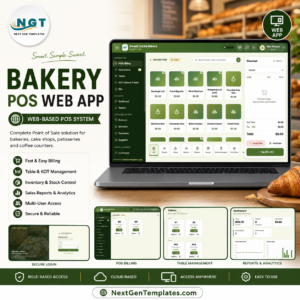
It does not fit if you need to take card payments inside the tool, print customer receipts, track ingredient stock or recipe costing, run several branches in one file, or have three staff typing at once. Those are POS and ERP jobs. If you need live sharing, use a Google Sheets tracker instead; if you need a shop-floor system, look at the Bakery POS Web App.
How to Use the Bakery Sales Register
- Unzip and open the .xlsm in Excel for Windows, then click Enable Content on the yellow bar. If the file came by e-mail, right-click it first, choose Properties and tick Unblock.
- Open the Setting sheet and replace the 12 sample products, 8 categories, 6 payment methods and 4 statuses with your own. To lengthen a list, insert a row inside the block rather than typing under the last item.
- Delete the six sample rows on the Data Entry sheet once you are happy with the lists.
- Fill the form — date, product, category, quantity, unit price, amount, payment method, status — and click Add. Note that Amount is a typed field, not a calculation: enter quantity × unit price yourself, or see the fix below.
- To correct a sale, double-click its row, edit the form, click Update. To remove one, double-click it and click Delete.
- Read the three cards at close of day, or filter the table by Order Status to chase what is still Pending.
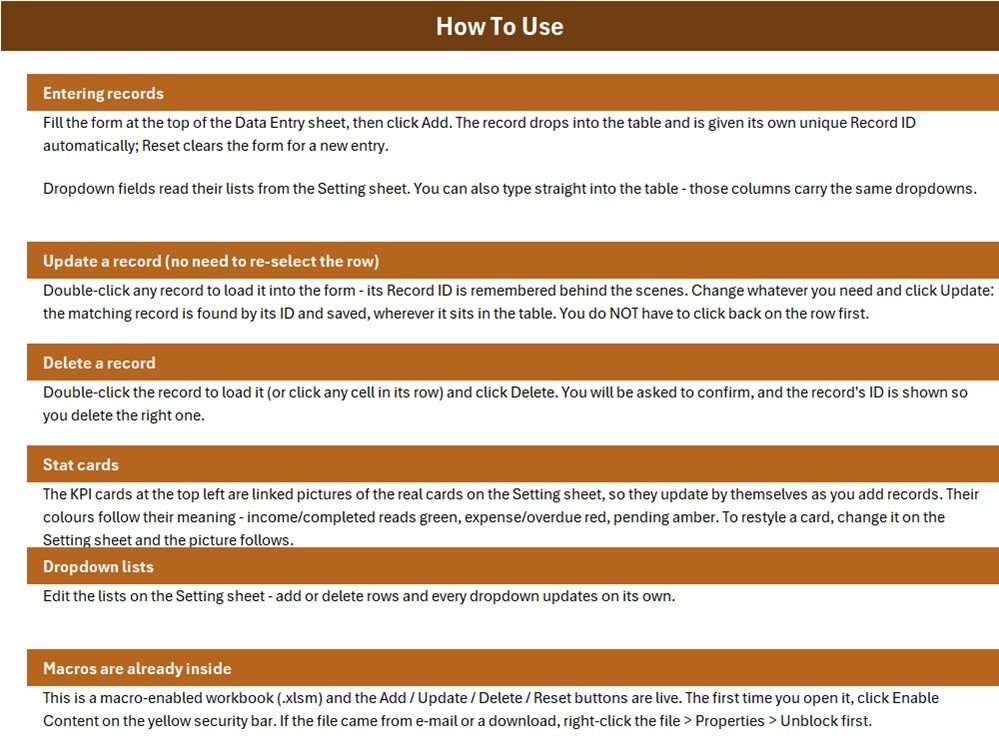
Three things to know about the stat cards
We would rather you knew this before you bought than after. Total Sales counts the Sale Date column, so it is a count of records, not money. Total Revenue sums every Amount whatever the status — in the sample data that $127 includes a $14.00 Refunded donut sale, so it is value written up, not cash collected. And only Pending has a card; Paid, Refunded and Cancelled do not, so Pending Orders will never add up to Total Sales on its own.
All three are one-line fixes on the Setting sheet. For cash actually collected, replace the Total Revenue formula in Setting!K13 with =SUMIF('Data Entry'!$J$15:$J$1048576,"Paid",'Data Entry'!$H$15:$H$1048576). For a Paid card to sit beside Pending, copy the Pending card and use =COUNTIF('Data Entry'!$J$15:$J$1048576,"Paid"). And to make Amount calculate itself, change one line in Module1 to sh.Range("H" & r).Formula = "=F" & r & "*G" & r.
Real-World Use Cases
Meera, home baker, Pune. Takes 15–25 custom cake and cupcake orders a week over WhatsApp. She logs each one as it is confirmed, marks it Pending, and switches it to Paid when the balance clears — the Pending Orders card is her Saturday morning chase list.
Daniel, two-person artisan bakery, Leeds. Enters the day’s counter sales in one sitting after close. The Entry TimeStamp column tells him which rows his part-timer added, and the Category dropdown lets him see whether bread or pastry is carrying the week.
Aisha, weekend market stall. Runs the workbook offline on a laptop with no signal, records Cash and Mobile Wallet sales separately, and reconciles the till against Total Revenue before packing up.
Frequently Asked Questions
Does it work in Excel for Mac, the web app or Google Sheets?
The workbook opens anywhere, but the Add, Update, Delete and Reset buttons are VBA. They do not run in Excel for the web, in the mobile apps, or in Google Sheets. Excel for Windows on the desktop is what this was built and tested on.
Is the Amount really not calculated?
Correct, and it is worth repeating. The form’s Amount box is a plain input and the macro copies it straight into the table, so quantity × unit price is your arithmetic unless you apply the one-line VBA change given above. The six sample rows do multiply out correctly.
How many sales can it hold?
The macro will keep adding rows indefinitely, but the dropdown validation is applied to rows 15 to 214 — about 200 sales. Past that the buttons still work and the table still totals; you simply lose the pick-lists unless you extend the validation down.
Can two people use it at the same time?
No. It is a single .xlsm file, so one person edits at a time. If simultaneous entry matters, a Google Sheets tracker is the right tool.
What happens to Record IDs when I delete a sale?
Nothing breaks. The next ID is always one above the highest number ever used, so deleted IDs are retired rather than reissued and your audit trail stays honest.
Are there macros I should worry about?
The module is four short routines plus two helpers, all visible with Alt+F11. It writes to one sheet, reads no files and connects to nothing. Microsoft’s guidance on enabling macros safely is worth two minutes if you have not done it before.
Do I get updates?
Yes. Fixes and improvements to this file are free to anyone who has bought it.
About the Author
Built by PK — Microsoft Certified Professional with 15+ years of Excel, Google Sheets, and Power BI experience. Founder of NextGenTemplates, reaching 300K+ subscribers across YouTube channels. Every template is hand-built and tested before release.
Explore Related Templates
- Restaurant Order Data Entry System in Excel — the same form-and-buttons pattern for table orders.
- Bar Stock Register Data Entry System in Excel — a register for what goes out of the store rather than over the counter.
- Tiffin Subscription Data Entry System in Excel — for recurring food orders instead of walk-ins.
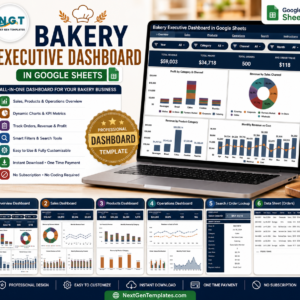
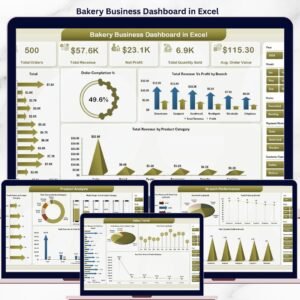
- Bakery Business Dashboard in Excel — charts and analysis once you have a few months of sales logged.
- Browse all MS Excel templates or the VBA Tool category.
Download it, enable macros, replace the four lists and log today’s takings before you close. $6.99, instant download, yours to modify. Last updated September 2026.



























Reviews
There are no reviews yet.