

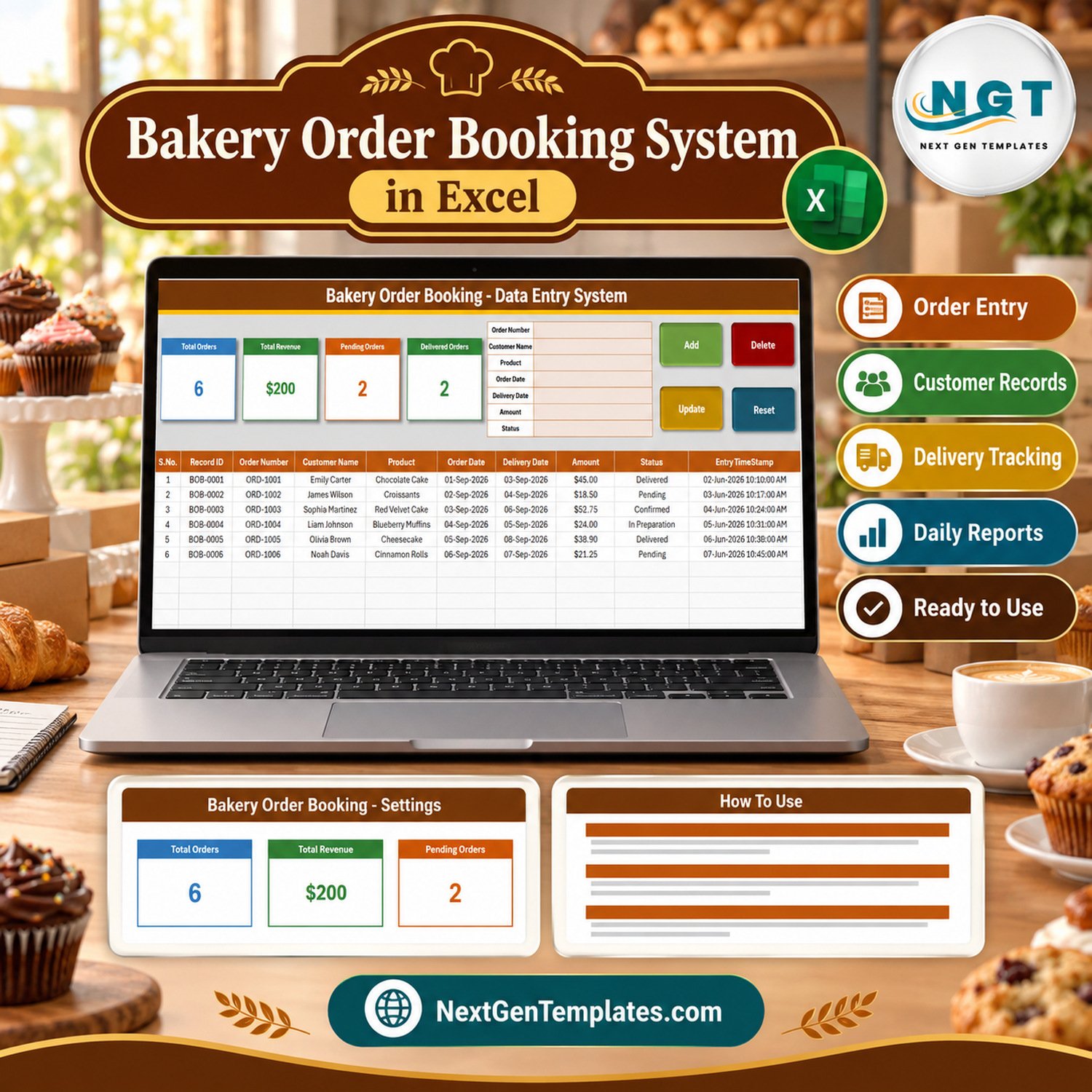
The Bakery Order Booking Data Entry System in Excel is a macro-enabled workbook that books customer orders for cakes, bread and pastries into one table. It gives you a 7-field order form, 4 VBA buttons (Add, Update, Delete, Reset), 4 live stat cards, 12 preloaded bakery products and 7 order statuses, and it opens with 6 fictional sample orders worth $200.40 so you can watch every card respond before you clear them.
It suits a bakery counter that takes orders days ahead of the pickup or delivery date and still writes them in a paper order book. Each booking keeps its order number, customer, product, order date, delivery date, amount and status on one row, so the question “what is still pending?” has a number instead of a flick through pages.
✅ Instant download · One-time payment · No subscription · No per-user fees · Lifetime access
🔑 Key Features of the Bakery Order Booking Data Entry System in Excel
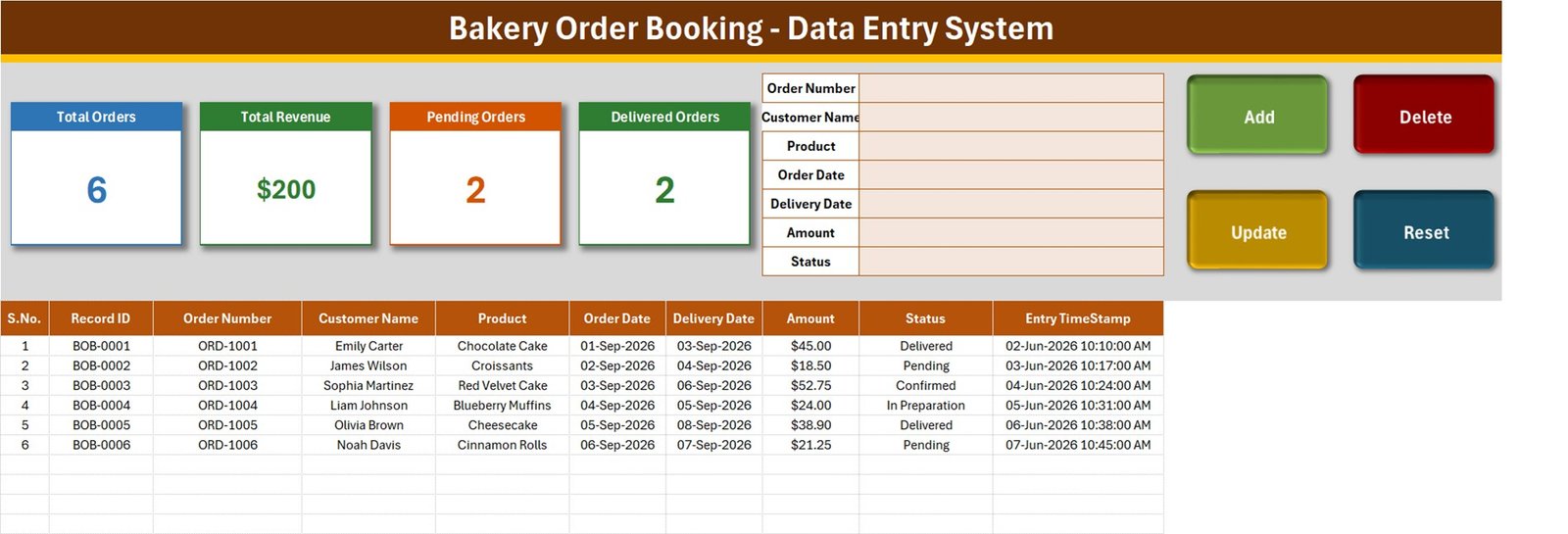
📝 Seven-field order form – Order Number, Customer Name, Product, Order Date, Delivery Date, Amount and Status sit in a form at the top of the Data Entry sheet. Press Add and the macro writes the order to the next empty row of the table, then clears the form for the next customer.
🔢 Automatic Record IDs – every order receives its own ID (BOB-0001, BOB-0002 and so on) in column B. It is kept separate from your own order number, so Update and Delete always act on the row that carries that ID, wherever it sits in the table.
🖱️ Double-click any order to edit it – all seven fields load back into the form. Change what you need and press Update; you do not have to click back on the row first, because the macro finds it by Record ID.
🗑️ Delete with a confirmation box – the macro shows the Record ID and asks Yes or No before it removes the row, so you delete the order you meant to.
📊 Four live stat cards – Total Orders, Total Revenue, Pending Orders and Delivered Orders are calculated by formulas on the Setting sheet and shown at the top of the Data Entry sheet as linked pictures that refresh as you add orders.
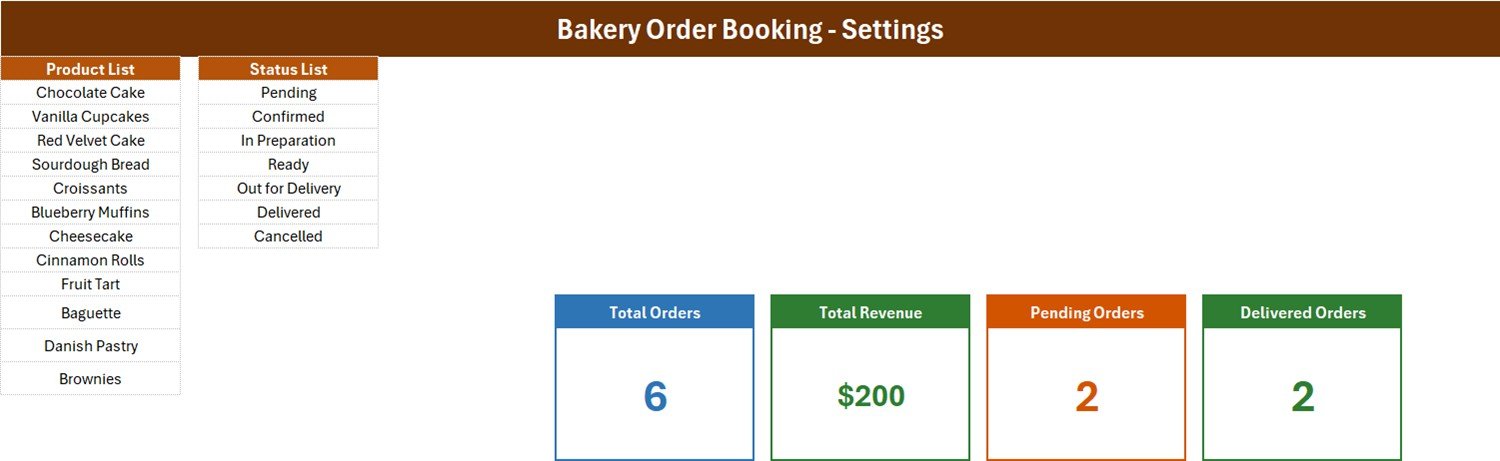
📋 Two editable dropdown lists – 12 products (Chocolate Cake, Vanilla Cupcakes, Red Velvet Cake, Sourdough Bread, Croissants, Blueberry Muffins, Cheesecake, Cinnamon Rolls, Fruit Tart, Baguette, Danish Pastry, Brownies) and 7 statuses (Pending, Confirmed, In Preparation, Ready, Out for Delivery, Delivered, Cancelled).
⏱️ Entry timestamp on every row – column J records the date and time the row was last saved by Add or Update.
🔓 Nothing hidden – four plain sheets and one readable VBA module, so every card formula and every button can be inspected and changed.
📦 What’s Inside the Workbook
Sheet 1: Data Entry
The working sheet. The top band holds the four stat cards, the seven-field form and the Add, Update, Delete and Reset buttons. Below it, the order table has ten columns: S.No., Record ID, Order Number, Customer Name, Product, Order Date, Delivery Date, Amount, Status and Entry TimeStamp. Product and Status carry dropdowns in the table as well as in the form.
Sheet 2: Setting
The Product List (12 items) and the Status List (7 items) that feed every dropdown, plus the four original stat cards and the formulas behind them. Rename the products to match your own menu here before you take the first order.
Sheet 3: Instructions (How To Use)
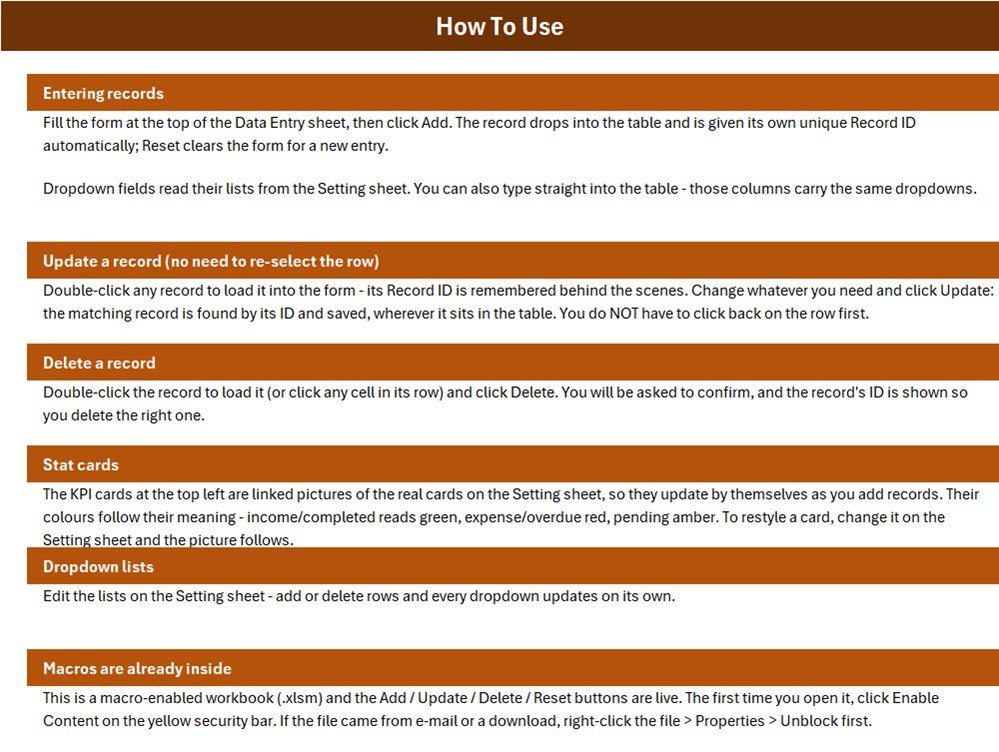
Six short sections explain entering records, updating without re-selecting the row, deleting, the stat cards, the dropdown lists and how to enable the macros the first time you open the file.
Sheet 4: Get More Templates
Links to the NextGenTemplates store sections for data entry systems, Excel dashboards, Google Sheets templates, Power BI dashboards and web apps.
📐 What the Four Stat Cards Actually Count
| Card | Formula on the Setting sheet | What it means |
|---|---|---|
| Total Orders | COUNTA of Order Number (column C) | Every booked order, including Cancelled ones. |
| Total Revenue | SUM of Amount (column H) | The value of every order whatever its status – booked value, not cash collected. |
| Pending Orders | COUNTIF Status = “Pending” | Only the Pending status. Confirmed, In Preparation, Ready and Out for Delivery are not counted here. |
| Delivered Orders | COUNTIF Status = “Delivered” | Orders marked Delivered. |
In the sample data that reads 6 orders, $200 (the exact sum is $200.40), 2 pending and 2 delivered – the other two orders are Confirmed and In Preparation, which have no card. If you want revenue from delivered orders only, replace the formula in Setting!I13 with =SUMIFS('Data Entry'!$H$15:$H$1048576,'Data Entry'!$I$15:$I$1048576,"Delivered").
📊 This Excel Order Book vs. a Google Sheets Order Log vs. Paid Bakery Order Software
| Feature | Bakery Order Booking (Excel) | Google Sheets order log | Paid bakery order software |
|---|---|---|---|
| Cost | ✅ $6.99 one-time | Free, but you build it yourself | Monthly subscription |
| Platform | Excel for Windows desktop | ✅ Any browser | ✅ Browser or app |
| Setup time | ✅ About 10 minutes | Hours to design | Account setup and onboarding |
| Order form with Add / Update / Delete buttons | ✅ Included (VBA) | Not by default | ✅ Yes |
| Automatic Record IDs | ✅ Yes | Manual | ✅ Yes |
| Real-time team collaboration | No – one file on one PC | ✅ Yes | ✅ Yes |
| Mobile access | No – macros need desktop Excel | ✅ Yes | ✅ Yes |
| Customizable fields and lists | ✅ Fully editable | ✅ Fully editable | Limited to vendor settings |
| Payments, deposits, invoices, online ordering | No | No | ✅ Usually |
| Year-1 cost at 5 users | ✅ $6.99 once | Free plus your build time | Recurring per location or per user |
For a small bakery that wants a structured order book on the office PC without paying a monthly fee, this workbook sits in the sweet spot; if you need online ordering or card payments, choose software built for that.
👥 Who This Template Is For – and Who It’s Not For
✅ This template is built for:
- 🎂 Home bakers and cake studios taking custom orders by phone or message
- 🥖 Neighbourhood bakeries that book orders ahead of a pickup or delivery date
- 🧁 Cafe and pastry counters that want a pending-versus-delivered count at a glance
- 📒 Anyone replacing a paper order book with one searchable Excel table
❌ This template is NOT for:
- Bakeries that need a point-of-sale till, card payments, deposits or printed invoices
- Teams that must enter orders from several devices or phones at the same time
- Production planning, recipe costing, ingredient stock or delivery route scheduling
- Mac, Excel Online or mobile Excel users – the buttons are Windows desktop VBA
⚙️ How to Use the Bakery Order Book
- Unzip the download and open Bakery_Order_Booking_System.xlsm in Excel for Windows, then click Enable Content.
- On the Setting sheet, rename the 12 products to your own menu and review the 7 statuses.
- Delete the six sample orders from the Data Entry table when you are ready to start.
- Type the order into the form – always fill both dates – pick the product and status, then press Add.
- When an order moves on, double-click its row, change the Status and press Update.
- Watch the Pending Orders and Delivered Orders cards through the day; press Reset to clear the form at any time.
💼 Real-World Use Cases
Maria runs a two-person cake studio. She books every birthday and anniversary cake as an order with its delivery date, marks it Confirmed once the design is agreed and In Preparation the day before, and double-clicks the row to set Delivered when the cake leaves – no more lost slips on the fridge.
Daniel manages a neighbourhood bakery counter. Pre-orders for sourdough, croissants and cinnamon rolls go into the form as customers call. Each morning he filters the Status column for Pending and Ready to see what still has to go out.
Aisha sells cupcakes and brownies from home. She uses the Total Revenue card as a running figure of order value booked this month, and filters out Cancelled rows when she needs a cleaner number.
🥐 Order Booking vs. the Bakery Sales Register
This workbook is for orders taken before the goods are ready: it records who ordered, what, when it was booked and when it is due, and tracks the order through seven statuses. The published Bakery Sales Register Data Entry System in Excel is a different product – it logs completed sales with quantity, unit price, category and payment method. Many bakeries use the order book for advance bookings and the sales register for counter sales.
⚠️ Limits to Know Before You Buy
- 💵 Amount is typed, not calculated – there are no quantity, unit price, deposit or balance fields.
- 📊 Total Revenue includes every status, Pending and Cancelled included, and only 2 of the 7 statuses have a card.
- 📅 A blank or invalid Order Date or Delivery Date is saved as today’s date, so always fill both.
- 🔁 Order Number is not checked for duplicates; only an empty Order Number is refused.
- ⏱️ Update rewrites the Entry TimeStamp, so column J shows the last save, not the first booking.
- 🔢 Deleting the newest order lets the next order reuse its Record ID, because the next ID is one more than the highest ID still in the table.
- 📋 Both dropdown lists are already full – to add a product, insert a row inside the list rather than typing below it. The in-table dropdowns cover rows 15-214.
- 🔒 Customer names are stored in an unprotected workbook; keep the file on a secured PC.
- 🖥️ Excel for Windows desktop only – the buttons are VBA macros (how to enable macros in Microsoft 365).
❓ Frequently Asked Questions
What does the Bakery Order Booking Data Entry System in Excel track?
It records each bakery order’s Order Number, Customer Name, Product, Order Date, Delivery Date, Amount and Status, adds an automatic Record ID and timestamp, and summarises the table in four cards: Total Orders, Total Revenue, Pending Orders and Delivered Orders.
Do I need to enable macros?
Yes. The Add, Update, Delete and Reset buttons are VBA macros inside the .xlsm file. Click Enable Content when the yellow bar appears; if the file came from a download, right-click it, open Properties and tick Unblock first. It runs in Excel for Windows desktop.
How long does setup take?
About ten minutes. Rename the 12 products on the Setting sheet, check the 7 statuses, delete the six sample orders and start booking. There are no formulas to write and nothing to install beyond Excel.
Can I change the products and statuses?
Yes. Both lists live on the Setting sheet. Rename items freely; to add one, insert a row inside the list so the named range grows with it. If you rename a status, also update the Pending or Delivered card formula that refers to it.
How does this compare with paid bakery order software?
Paid software adds online ordering, payments and multi-device access for a monthly fee. This workbook is a one-time purchase that keeps a structured order book on one PC, with buttons, IDs and status cards, but no payments, invoices or shared access.
Is it a POS or production planning tool?
No. It is an order register. It does not take payments, print receipts or invoices, schedule baking, cost recipes or manage ingredient stock. The sample orders are fictional and shown in US dollars.
👤 About the Author
Built by PK – Microsoft Certified Professional with 15+ years of Excel, Google Sheets and Power BI experience and founder of NextGenTemplates. Tutorials on YouTube at @PKAnExcelExpert, @NextGenTemplates and @NeoTechNavigators. Every template is hand-built and tested before release.
🔗 Explore Related Templates
🥐 Bakery Sales Register Data Entry System in Excel – log completed counter sales with quantity, unit price and payment method.
📦 Online Order Tracker Data Entry System in Excel – the same button-driven form for orders placed online.
🍽️ Restaurant Order Data Entry System in Excel and Tiffin Subscription Data Entry System in Excel for other food businesses.
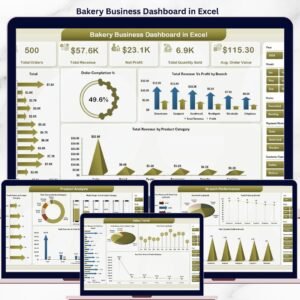
📈 Bakery Business Dashboard in Excel – analyse bakery performance once you have the data.
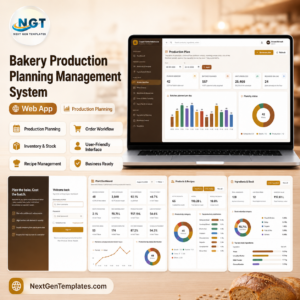
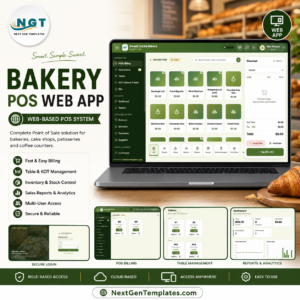
💻 Need a full app instead? See the Bakery POS Web App or the Bakery Production Planning Management System Web App.
Browse more Excel VBA tools and Excel sales templates.
📖 Click here to read the Detailed Blog Post
🎥 Visit our YouTube channel for step-by-step video tutorials
👉 YouTube.com/@NextGenTemplates
📅 Last updated: September 2026





















Reviews
There are no reviews yet.