

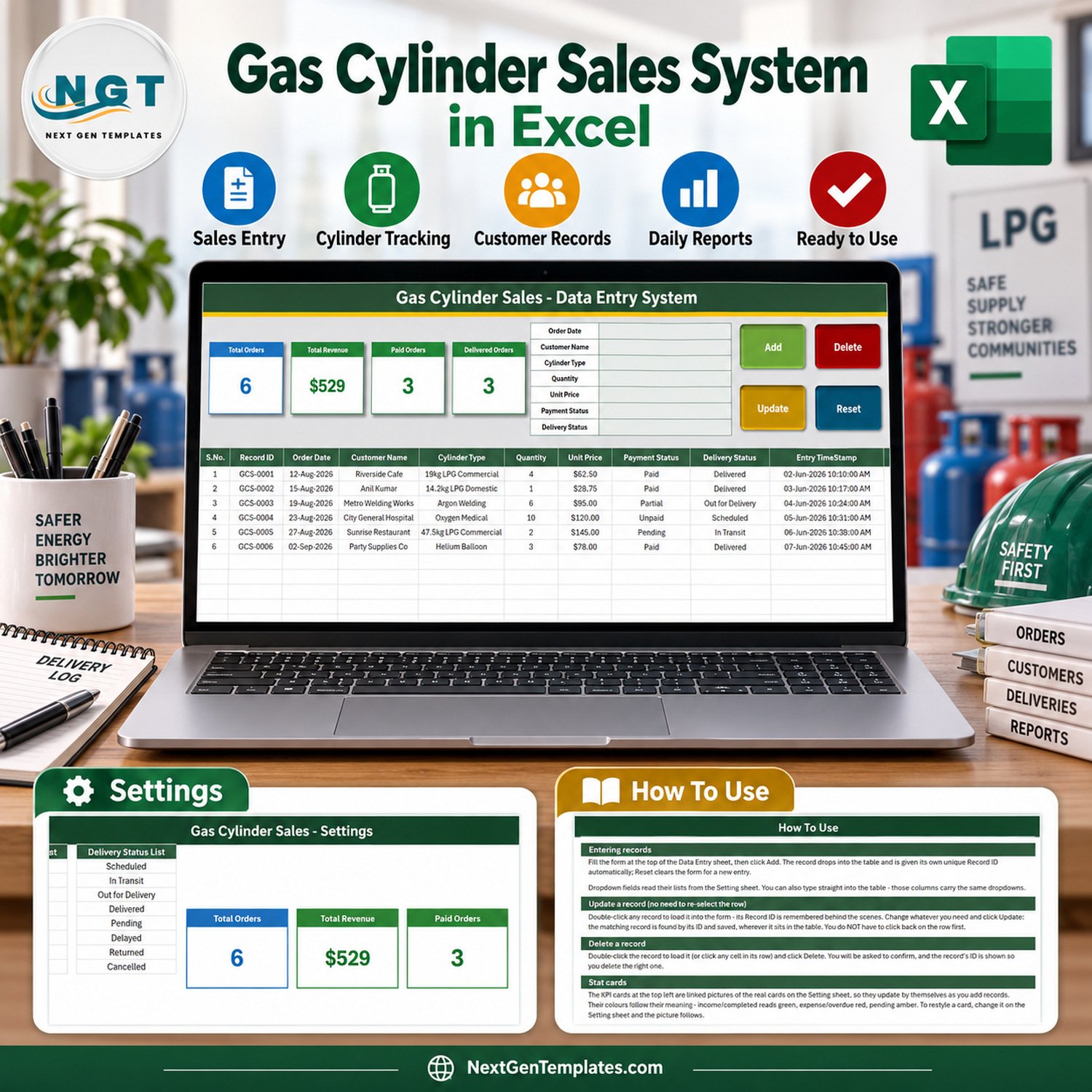

The Gas Cylinder Sales Data Entry System in Excel is a macro-enabled workbook for logging cylinder orders: when the order was placed, who bought, which cylinder type, how many, the unit price, whether it has been paid and where the delivery stands. It gives you a 7-field entry form, 4 live VBA buttons, 4 self-updating stat cards and 3 editable dropdown lists holding 28 ready values – 12 cylinder types, 8 payment statuses and 8 delivery statuses. Fill the form, click Add, and the order lands in a 10-column records table with its own Record ID and timestamp.
It is a sales record only. It is not a safety register, not a cylinder-testing, filling or inspection log, not a licensing or regulatory record, and it does not track cylinder serial numbers, refills, empty returns, deposits or stock. It answers the questions a small gas supplier asks at the end of the week – how many orders were logged, which ones are paid and which have been delivered – without flicking back through an order book.
✅ Instant download · One-time payment · No subscription · No per-user fees · Fully unlocked and editable
🔑 Key Features of the Gas Cylinder Sales Data Entry System in Excel
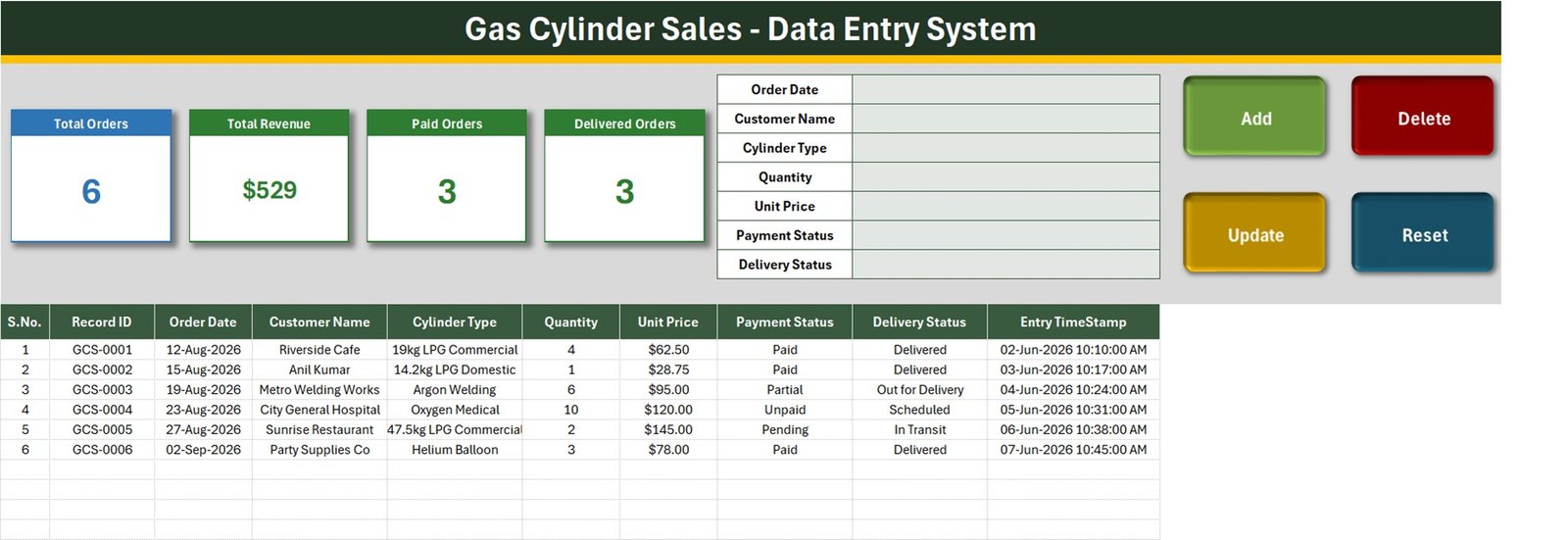
- 🧾 A seven-field entry form – Order Date, Customer Name, Cylinder Type, Quantity, Unit Price, Payment Status and Delivery Status – placed beside the stat cards on the Data Entry sheet, so one screen covers entry and review.
- 🔘 Four live VBA buttons. Add saves the form as a new order, Update rewrites the order you loaded, Delete removes an order after a confirmation that shows its Record ID, and Reset clears the form without touching the table.
- 🔢 Automatic Record IDs in the GCS-0001 series plus an Entry TimeStamp on every saved order. The next ID is always one more than the highest ID in the table, so a number is never reissued after a delete.
- 🖱️ Double-click editing. Double-click any row and it loads back into the form. The macro remembers the Record ID, so Update finds the right row even if you have clicked somewhere else in the meantime.
- 🚚 Payment and delivery tracked separately. An order can be Paid but still In Transit, or Delivered but Unpaid – two status columns, each with its own dropdown.
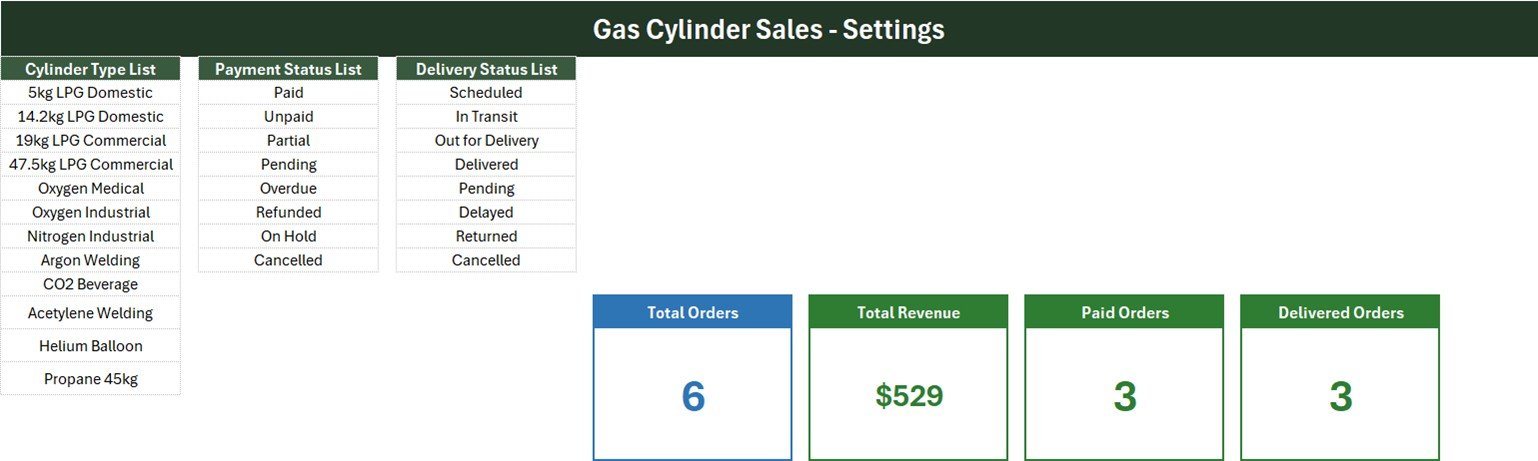
- 📋 Three dropdown lists on the Setting sheet – Cylinder Type (5kg LPG Domestic, 14.2kg LPG Domestic, 19kg LPG Commercial, 47.5kg LPG Commercial, Oxygen Medical, Oxygen Industrial, Nitrogen Industrial, Argon Welding, CO2 Beverage, Acetylene Welding, Helium Balloon, Propane 45kg), Payment Status (Paid, Unpaid, Partial, Pending, Overdue, Refunded, On Hold, Cancelled) and Delivery Status (Scheduled, In Transit, Out for Delivery, Delivered, Pending, Delayed, Returned, Cancelled). The same dropdowns sit on the form and on table rows 15-214.
- 📈 Four stat cards – Total Orders, Total Revenue, Paid Orders and Delivered Orders. They are linked pictures of formula cards on the Setting sheet, so they recalculate the moment an order is added, updated or deleted.
- 🔓 Nothing locked. No sheet protection and no VBA password – rename a column, add a cylinder type or change a card formula yourself.
📦 What’s Inside the Workbook
One .xlsm file with four sheets: Data Entry, Setting, Instructions (headed How To Use) and Get More Templates. Six fictional sample orders are included so you can see the register working before you clear it.
Sheet 1: Data Entry
The working screen. The form and the four buttons sit at the top beside the stat cards; below them is the records table with S.No., Record ID, Order Date, Customer Name, Cylinder Type, Quantity, Unit Price, Payment Status, Delivery Status and Entry TimeStamp. The six samples read 6 orders, $529 revenue, 3 paid orders and 3 delivered orders.
Sheet 2: Setting
Holds the Cylinder Type List, Payment Status List and Delivery Status List that feed every dropdown, plus the four formula cards the Data Entry sheet displays as pictures. Restyle a card here and the picture follows.
Sheet 3: How To Use
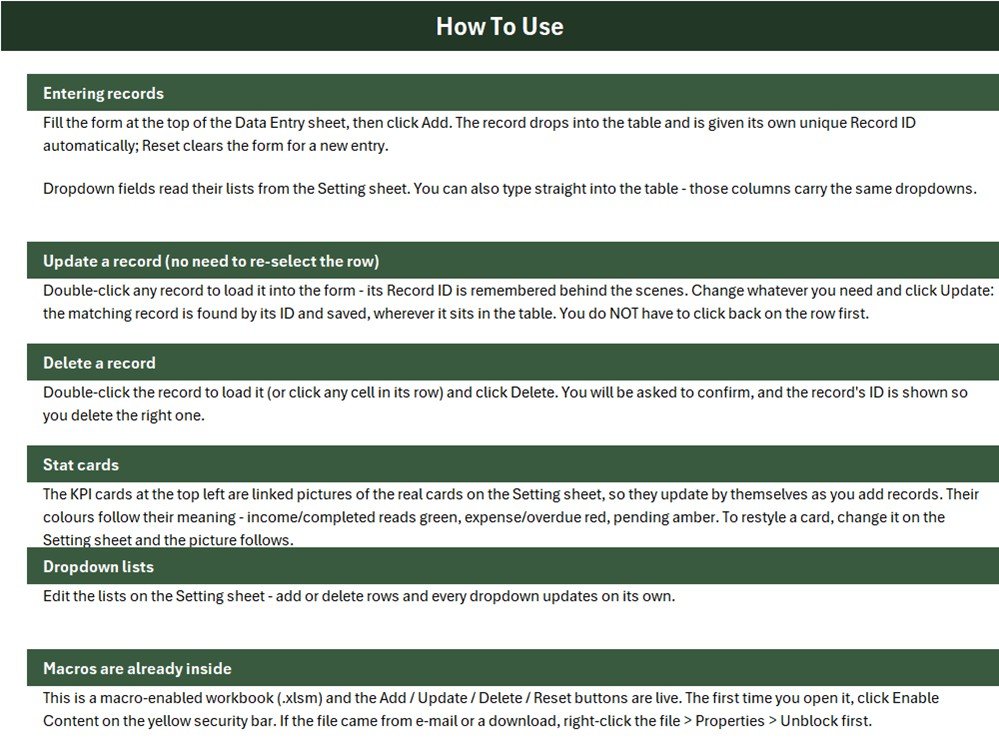
Plain-English instructions for entering, updating and deleting records, how the stat cards work, how to edit the dropdown lists, and how to enable the macros the first time you open the file.
📐 What the Four Stat Cards Actually Count
We read the workbook’s own formulas and macro before writing this page. Four things are worth knowing before you rely on the cards, each with a one-line fix:
- 🧮 Total Revenue adds up Unit Price, not Quantity x Unit Price.
Setting!I13 = SUM('Data Entry'!$G$15:$G$1048576)and column G is Unit Price, so an order of 10 cylinders counts once. The sample card shows $529 (exactly $529.25), while the six orders are really worth $2,572.75. For true order value replace Setting!I13 with=SUMPRODUCT('Data Entry'!$F$15:$F$5000,'Data Entry'!$G$15:$G$5000). - 💵 It has no status filter either. Unpaid, Partial, Pending, Refunded and Cancelled orders are all included. Of the $2,572.75 sample value only $512.75 sits on Paid rows. For paid revenue only use
=SUMPRODUCT(('Data Entry'!$H$15:$H$5000="Paid")*'Data Entry'!$F$15:$F$5000*'Data Entry'!$G$15:$G$5000). - 🚦 Only one status from each list has a card. Paid Orders counts Payment Status = Paid (1 of 8 values) and Delivered Orders counts Delivery Status = Delivered (1 of 8). Add a card such as
=COUNTIF('Data Entry'!$H$15:$H$1048576,"Unpaid")for any status you want to watch. - 📋 The dropdown lists are fixed-length named ranges. Cylinder_TypeList is
Setting!$A$3:$A$14, Payment_StatusList$C$3:$C$10and Delivery_StatusList$E$3:$E$10, and all three are already full. How To Use says every dropdown updates on its own; that is only true when you insert a row inside a list. A value typed below the list never appears. Either insert rows inside the block, or redefine the name as=OFFSET(Setting!$A$3,0,0,COUNTA(Setting!$A$3:$A$100),1).
The Total Orders card counts the Order Date column. Add refuses a blank Order Date, so the card matches the orders you add through the form. If the Order Date box holds text that is not a date, the macro saves today’s date instead, and Quantity and Unit Price are not checked for numbers – type them carefully.
📊 This Excel Workbook vs. a Google Sheets Log vs. Gas Distribution Software
| Feature | Gas Cylinder Sales workbook (Excel) | Home-made Google Sheets log | Gas agency / distribution software |
|---|---|---|---|
| Cost | ✅ $6.99 one-time (regular $11.99) | Free, but you build it yourself | Recurring monthly subscription, often per user or depot |
| Platform | Excel for Windows desktop | Any browser | Vendor app or browser |
| Setup time | ✅ About 10 minutes – edit three lists | Hours to design form, lists and formulas | Days of onboarding and data import |
| Entry form with Add / Update / Delete | ✅ Built in, VBA | No – typing straight into rows | ✅ Yes |
| Separate payment and delivery status | ✅ Yes, two dropdowns | Only if you build it | ✅ Yes |
| Real-time team collaboration | No – one file on one PC | ✅ Yes | ✅ Yes |
| Mobile access | No | ✅ Yes | ✅ Usually |
| Cylinder serial, refill, deposit and stock tracking | No | No | ✅ Usually included |
| Year-1 cost at 5 users | ✅ One purchase per user licence, no renewal | Free | Subscription x 12 months |
For a small gas supplier that wants a tidy, searchable order register without paying for distribution software it will not fully use, this workbook sits in the sweet spot.
👥 Who This Template Is For – and Who It’s Not For
✅ Built for:
- Small LPG and industrial gas resellers keeping a daily record of each order, the cylinder type, the quantity and the payment status
- Suppliers who deliver cylinders and want to see which orders are scheduled, in transit or delivered
- Owners who want paid and delivered orders at a glance in a file they fully control
❌ NOT for:
- Anyone who needs a safety, cylinder-testing, inspection, filling, licensing or regulatory register – this workbook makes no safety or compliance claim of any kind
- Businesses that need cylinder serial numbers, refill and empty-return tracking, deposits, stock levels, tax invoices or accounting ledgers
- Teams needing several users editing at once, or anyone working on a Mac, in Excel for the web or in Google Sheets, where the VBA buttons do not run
⚙️ How to Use the Gas Cylinder Sales Register
- Unzip the download and open
Gas_Cylinder_Sales_System.xlsmin Excel for Windows. Click Enable Content; if the file came from a download, right-click it, choose Properties and tick Unblock first. - On the Setting sheet, replace the sample cylinder types with the ones you actually sell. Each list is full, so insert a row inside the block to add a value.
- Delete the six sample rows, or keep them while you learn the buttons.
- Fill Order Date, Customer Name, Cylinder Type, Quantity, Unit Price, Payment Status and Delivery Status, then click Add. Order Date is the one field the macro insists on.
- To change an order, double-click its row, edit the form and click Update – for example when a delivery moves from Scheduled to Delivered.
- To remove an order, double-click it (or click any cell in its row), click Delete and confirm the Record ID.
- Swap in the SUMPRODUCT formula above before you start relying on the Total Revenue card.
💼 Real-World Use Cases
Ravi runs a small LPG reseller. He logs each doorstep order for 14.2kg domestic cylinders, marks it Scheduled, moves it to Delivered when the van returns, and checks which orders are still Unpaid before the weekly collection round.
A welding gas counter keeps Argon Welding and Acetylene Welding at the top of the Cylinder Type list, filters the table by type at month end, and adds a Partial card with one COUNTIF so part-paid workshop accounts are never missed.
A party supply shop uses the register for Helium Balloon cylinder orders, switches Total Revenue to the SUMPRODUCT version so the card reflects quantity, and adds an Out for Delivery card for busy weekends.
⚠️ Limits to Know Before You Buy
- 🪟 Macros must be enabled, and Windows desktop Excel is required. The buttons do not run on Mac, in Excel for the web, on mobile or in Google Sheets.
- 🧯 This is a sales record only. It is not a safety, cylinder-testing, inspection, filling or regulatory register, and nothing in it checks or certifies a cylinder.
- 🗂️ The in-table dropdowns cover rows 15-214, and Delete removes the whole worksheet row, so that formatted block shortens by one row per delete.
- 🔐 Customer names are stored in an unprotected workbook. Keep the file on a secured PC, or record an account reference instead.
- 🧪 The sample customers, cylinder types and prices are fictional. Prices are formatted in US dollars – change the cell format for your own currency.
❓ Frequently Asked Questions
What does the Gas Cylinder Sales Data Entry System in Excel record?
It records one row per cylinder order: Order Date, Customer Name, Cylinder Type, Quantity, Unit Price, Payment Status and Delivery Status, plus an automatic Record ID and Entry TimeStamp. Four stat cards show total orders, total revenue, paid orders and delivered orders.
How long does setup take?
About ten minutes. Enable macros, replace the sample cylinder types on the Setting sheet, delete the six sample rows and start adding orders. There is nothing to install and no account to create.
Why does Total Revenue look too low?
Because the card adds up the Unit Price column without multiplying by Quantity, and it includes every status. On the samples it shows $529 while the orders are worth $2,572.75. Replace the formula with the SUMPRODUCT version on this page to get quantity-weighted revenue.
Does it track cylinder refills, empty returns or deposits?
No. There are no serial number, refill, empty-return, deposit or stock columns. It records what was ordered, by whom, at what price, and where payment and delivery stand.
Is this a safety or compliance register?
No. It is a sales record only and makes no safety, cylinder-testing, inspection, licensing or regulatory claim. Keep any records your local rules require in the system designed for that purpose.
Will it work on a Mac or in Excel for the web?
The sheets open, but the Add, Update, Delete and Reset buttons are VBA macros that need Excel for Windows on the desktop with macros enabled. On a Mac, in a browser or in Google Sheets you can only type directly into the table.
Is the file locked?
No. There is no sheet protection and no VBA project password, so you can rename columns, extend lists, change card formulas or edit the macro.
👤 About the Author
Built by PK – Microsoft Certified Professional with 15+ years of Excel, Google Sheets and Power BI experience. Founder of NextGenTemplates, reaching 300K+ subscribers across YouTube channels (@PKAnExcelExpert, @NextGenTemplates, @NeoTechNavigators). Every template is hand-built and tested before release.
🔗 Explore Related Templates
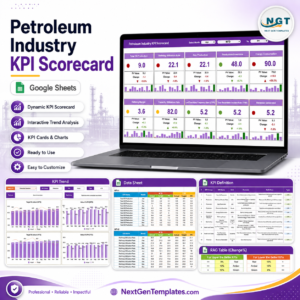
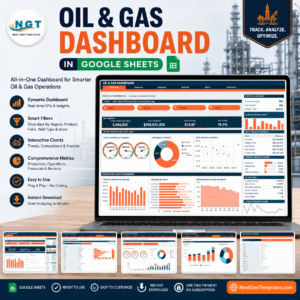
- 🛢️ Oil & Gas Dashboard in Google Sheets and Petroleum Industry KPI Scorecard in Google Sheets – industry-level reporting once you outgrow a simple register.
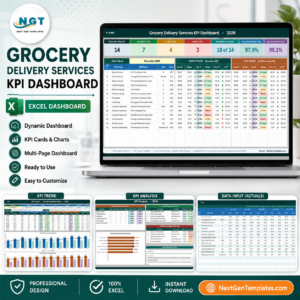
- 🚚 Grocery Delivery Services KPI Dashboard in Excel – KPI tracking for a delivery-led business.
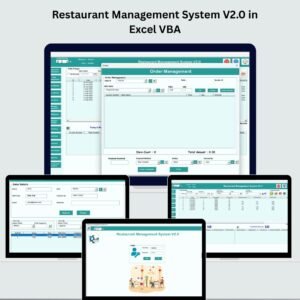
- 🧾 Optical Shop Sales, Furniture Sales Register, Electronics Sales Log and Bakery Sales Register data entry systems – the same form-and-cards build for other sales counters.
Browse more Excel VBA tools and Excel sales templates in the store. New to macros? Microsoft explains how to enable or disable macros in Microsoft 365 files, and how the SUMPRODUCT function works.
📖 Click here to read the Detailed Blog Post
🎥 Visit our YouTube channel for step-by-step video tutorials
👉 YouTube.com/@NextGenTemplates
📅 Last updated: September 2026

























Reviews
There are no reviews yet.