

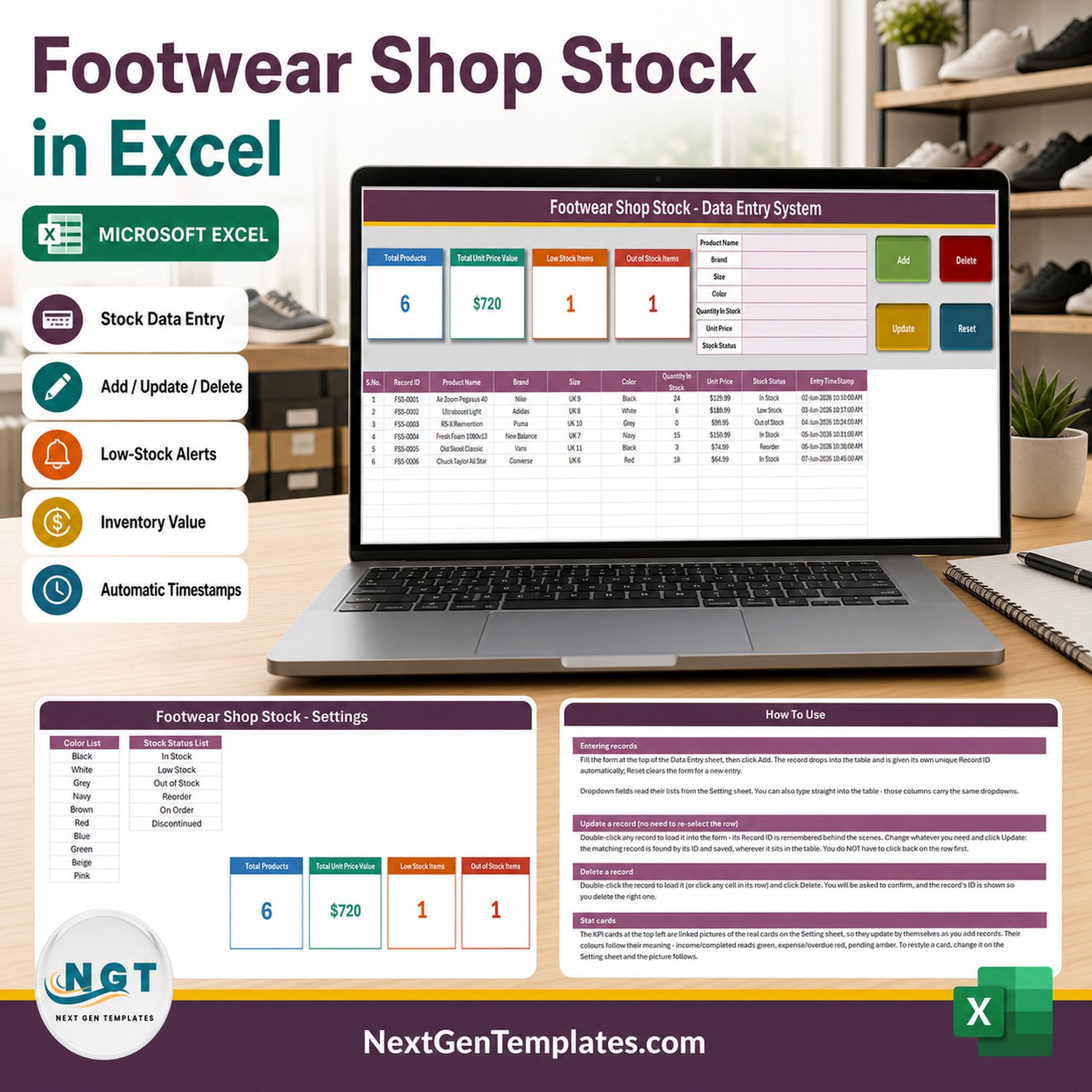

The Footwear Shop Stock Data Entry System in Excel is a single macro-enabled workbook (65,900 bytes, four sheets) that records every pair on your shelves through one seven-field form. Type the shoe, click Add, and the row lands in a 200-row validated table with its own FSS-0001 Record ID and an automatic entry timestamp. Four live stat cards sit above the form: Total Products, Total Unit Price Value, Low Stock Items and Out of Stock Items. Twelve brands, eight UK sizes, ten colours and six stock statuses are already loaded as dropdown lists you can edit. No subscription, no login, no cloud account – one .xlsm file you own outright, and the limitations below are listed in full before you buy.
Key Features of the Footwear Shop Stock Data Entry System in Excel
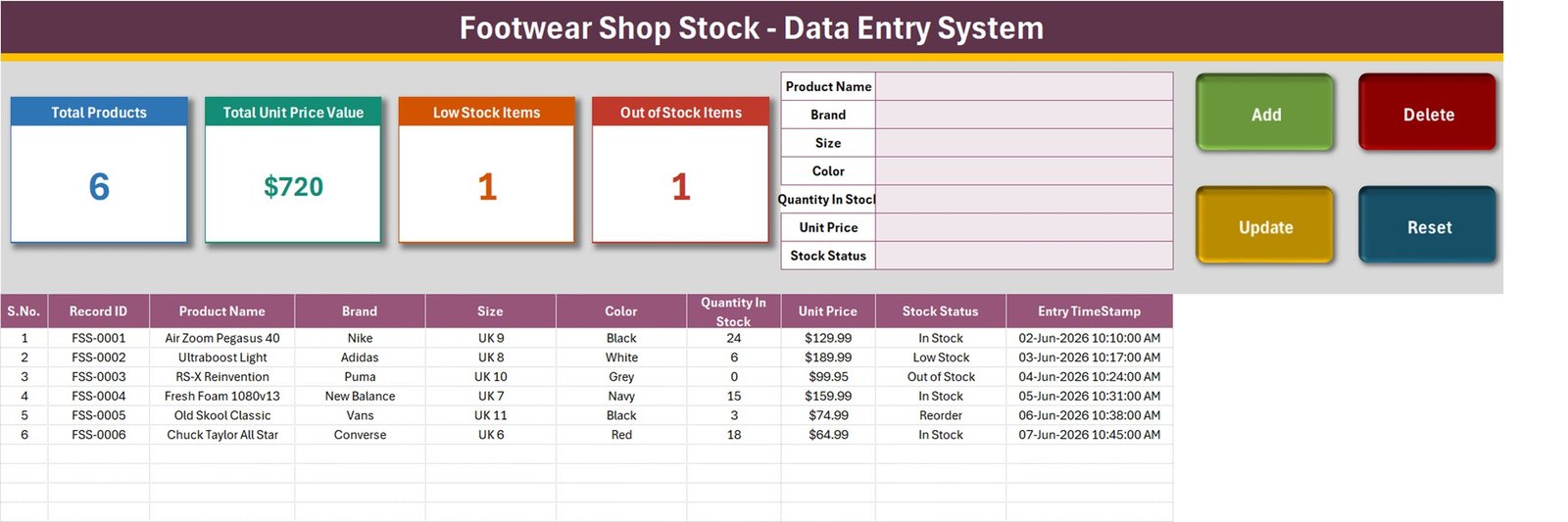
- Seven-field entry form – Product Name, Brand, Size, Color, Quantity In Stock, Unit Price and Stock Status, all in one pink-tinted panel at the top of the Data Entry sheet.
- Four real VBA buttons – Add, Update, Delete and Reset. These are macros in a signed-off
.xlsm, not worksheet formulas, so Excel for Windows desktop and Enable Content are both required. - Automatic Record IDs – every saved pair gets a sequential
FSS-0001style ID plus an Entry TimeStamp such as 02-Jun-2026 10:10:00 AM, written by the macro rather than typed. - Update by ID, not by row position – double-click any record to load it back into the form. The macro remembers its Record ID, so it saves to the right row even after you have sorted or filtered the table.
- Four linked stat cards – Total Products, Total Unit Price Value, Low Stock Items and Out of Stock Items. They are linked pictures of live cells on the Setting sheet, so restyling the card on Setting restyles the picture.
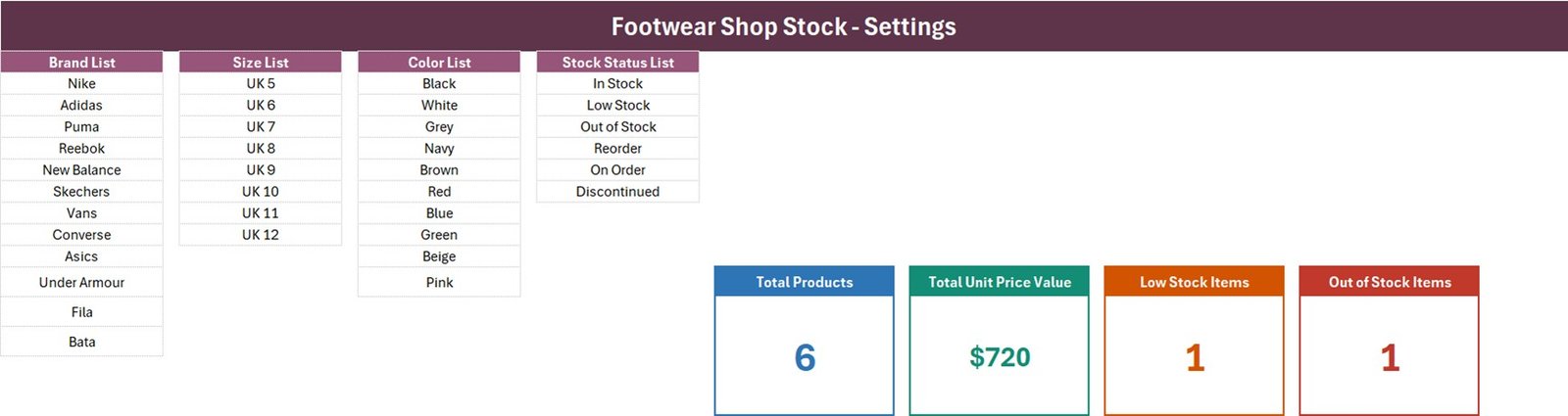
- Four dropdown lists you control – 12 brands (Nike, Adidas, Puma, Reebok, New Balance, Skechers, Vans, Converse, Asics, Under Armour, Fila, Bata), 8 UK sizes (UK 5 to UK 12), 10 colours and 6 stock statuses.
- Ten-column register – S.No., Record ID, Product Name, Brand, Size, Color, Quantity In Stock, Unit Price, Stock Status and Entry TimeStamp.
- 200 pre-formatted rows – rows 15 to 214 already carry the dropdown validation and number formats.
What’s Inside the Footwear Shop Stock Data Entry System in Excel
The download is one ZIP holding one .xlsm workbook with four sheets. There is no separate user manual for this family – the instructions live on a sheet inside the file.
- Data Entry – the working sheet. Stat cards, the seven-field form, the four buttons and the ten-column table, seeded with six sample pairs (Nike Air Zoom Pegasus 40, Adidas Ultraboost Light, Puma RS-X Reinvention, New Balance Fresh Foam 1080v13, Vans Old Skool Classic, Converse Chuck Taylor All Star) that you delete once you have seen how it behaves.
- Setting – the four dropdown source lists side by side, plus the four real KPI cells the Data Entry pictures point at.
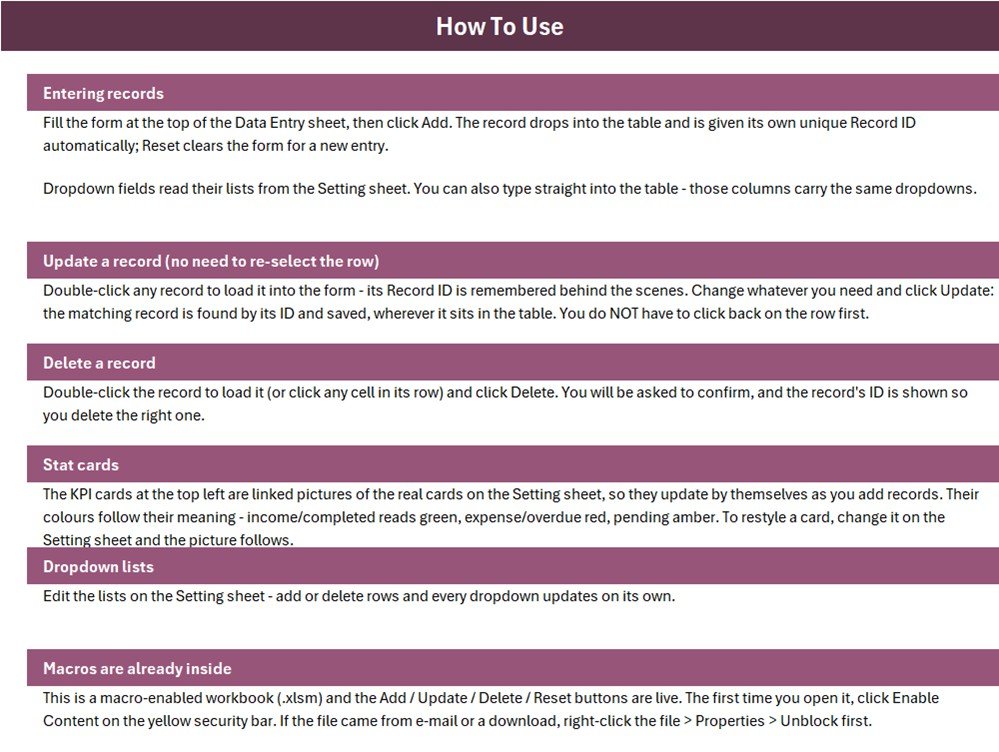
- Instructions – a How To Use page covering entering, updating and deleting records, how the stat cards work, how the dropdowns are sourced, and the Enable Content / right-click > Properties > Unblock step.
- Get More Templates – a links sheet pointing back to the NextGenTemplates catalogue.
Footwear Shop Stock Data Entry System vs. Google Sheets vs. Zoho Inventory – Where This Fits
| What matters | This workbook | A Google Sheets stock list | Zoho Inventory / NetSuite ERP |
|---|---|---|---|
| Cost | $6.99 once | Free, but you build it | $39 – $300+ per month |
| Platform | Excel for Windows desktop, macros on | Any browser | Browser and mobile apps |
| Setup time | Under 5 minutes | 1 – 3 hours of building | Days, often with onboarding |
| Real-time team collaboration | No – single user, one file | Yes | Yes |
| Mobile access | No | Yes | Yes |
| Customizable fields | Yes, edit the sheet and the VBA | Yes | Within the vendor’s model |
| Share with link | No – send the file | Yes | Yes |
| Year-1 cost at 5 users | $6.99 | $0 plus your build time | $2,340 – $18,000 |
| Barcode scanning / SKU catalogue | No | No, unless you add it | Yes |
| Automatic reorder alerts | No – Stock Status is chosen by hand | No, unless you build it | Yes |
Who This Template Is For – and Who It’s Not For
It fits a single-branch shoe shop, a sneaker resale desk, a boutique holding a few hundred pairs, or a stockroom assistant who has been keeping a paper size-and-colour register and wants the same discipline in one file. It also fits anyone who wants a clean footwear stock list to hand to an accountant at month end.
It does not fit a multi-branch chain that needs one shared stock figure, a shop that sells online and needs live quantities pushed to a storefront, or anyone expecting barcodes, a supplier purchase-order flow, or automatic reordering. It is not a point-of-sale system: there is no sales, returns, cost-price or margin column, and nothing decrements Quantity In Stock when a pair is sold. You edit the quantity yourself.
How to Use the Footwear Shop Stock Data Entry System in Excel
- Unzip the download, right-click the
.xlsm, choose Properties > Unblock, then open it and click Enable Content on the yellow bar. The four buttons do nothing until you do. - Open the Setting sheet and edit the four lists so they match your shop – your brands, the size run you actually stock, your colour vocabulary and your own status words.
- Delete the six sample rows from the Data Entry table.
- Fill the form, then click Add. The Record ID and timestamp are written for you; Reset clears the form for the next pair.
- To correct a pair, double-click its row, change what is wrong and click Update. To remove one, double-click it and click Delete – you get a confirmation showing the Record ID.
- Read the stat cards for what they actually are (see the FAQs below), and keep your own reorder judgement in the Stock Status column.
Real-World Use Cases
Ritu, single-store sneaker boutique. She holds around 180 pairs. Each Monday she walks the shelves with a laptop, updates Quantity In Stock, and flips anything down to two pairs or fewer to “Low Stock” so the card at the top tells her how many lines need a call to the distributor.
Daniel, stockroom lead at a family shoe shop. He uses Brand and Size as the sort keys so a customer asking for a UK 10 Puma gets an answer in seconds, and the Entry TimeStamp tells him which lines have not been touched since the last delivery.
Meera, sneaker reseller. She records each pair as it arrives with its Unit Price, then uses the Discontinued and On Order statuses to separate what is genuinely sellable from what is still in transit.
Honest Limits – Read Before You Buy
- “Total Unit Price Value” is a sum of ticket prices, not inventory value. The card is
SUMof the Unit Price column with no quantity multiplier and no status filter. On the shipped sample it reads $720 – the six unit prices added together – while those same six lines at their listed quantities are worth $8,054.34. It is a useful price-band total, not a stock valuation. - Only two of the six statuses have a card. Low Stock and Out of Stock are counted; In Stock, Reorder, On Order and Discontinued are not, so the cards can never add up to Total Products.
- Total Products counts the Product Name column, not the Record ID. A row saved without a product name is stored but never counted.
- The dropdown ranges are fixed, not auto-extending. The Instructions sheet says every dropdown updates on its own, but the four named ranges are exactly the length of the lists shipped (12 brands, 8 sizes, 10 colours, 6 statuses). A 13th brand typed below the last one will not appear in the dropdown until you widen the named range in Formulas > Name Manager.
- Quantity In Stock is never totalled anywhere in the workbook.
- Validation covers rows 15 to 214 – 200 records. Past that you copy the formatting down yourself.
- The Instructions sheet’s “Stat cards” paragraph is generic and mentions income, expense and overdue colours that do not match this workbook’s four cards. Cosmetic wording only.
Frequently Asked Questions
Does it warn me when a size runs low?
No. There is no reorder point, no formula and no alert. Stock Status is a dropdown you set by hand, and the Low Stock Items card simply counts how many rows you have marked “Low Stock”. The product artwork’s “Low-Stock Alerts” badge means that counter, not an automated notification.
Is “Total Unit Price Value” the value of my stock?
No, and this is the single most important thing to understand before buying. It adds the Unit Price column only. Multiply quantity by price yourself in a spare column if you need a true stock-at-cost figure.
Can I run it in Excel for the web or on a Mac?
Excel for the web cannot run VBA at all, so the four buttons will be dead there. Excel for Mac runs VBA but with known gaps in Windows-only features, so this is sold as an Excel for Windows desktop tool.
Does it handle sales, receipts or barcodes?
No. There is no sales, returns, cost-price, margin, supplier or barcode field, and nothing reduces Quantity In Stock automatically. It is a stock register, not a point-of-sale system.
Can more than one person use it at once?
No. It is one desktop file with macros – single user. If you need several people editing at the same time, a Google Sheets tracker suits you better.
Can I add my own brands and sizes?
Yes. Edit the lists on the Setting sheet, then widen the matching named range in Name Manager so the dropdown picks up the new rows.
Is the VBA locked?
The workbook ships as a normal .xlsm with the Add, Update, Delete and Reset macros inside, so you can adapt the fields to your own shop.
About the Author
Built by PK – Microsoft Certified Professional with 15+ years of Excel, Google Sheets, and Power BI experience. Founder of NextGenTemplates, reaching 300K+ subscribers across YouTube channels. Every template is hand-built and tested before release.
Explore Related Templates
- Salon Product Stock Data Entry System in Excel – the same form-and-cards build for retail product stock.
- Uniform Sales Data Entry System in Excel – sizes and quantities again, but on the selling side.
- Photocopy Shop Sales Data Entry System in Excel – the closest small-shop sales register in the family.
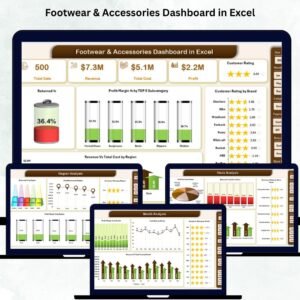
- Footwear & Accessories Dashboard in Excel – once you have months of data, this is the reporting layer.
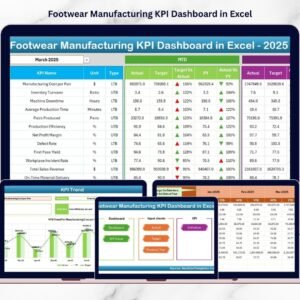
- Footwear Manufacturing KPI Dashboard in Excel – for the production side of the same industry.
Browse more in MS Excel templates and VBA Tools.
Buy the Footwear Shop Stock Data Entry System in Excel once, use it forever. Instant download, one ZIP, one workbook, no subscription. Watch the build walkthroughs at youtube.com/@PKAnExcelExpert.
Last updated: 6 September 2026.
Watch the demo video:
Compatibility and Requirements
- Works in Microsoft Excel desktop on Windows with macros enabled. The Add, Update, Delete and Reset buttons are VBA macros, so they do not run in Excel for the web, Google Sheets or mobile.
- Click Enable Content when the workbook opens. Microsoft explains the setting in Enable or disable macros in Microsoft 365 files.





























Reviews
There are no reviews yet.