

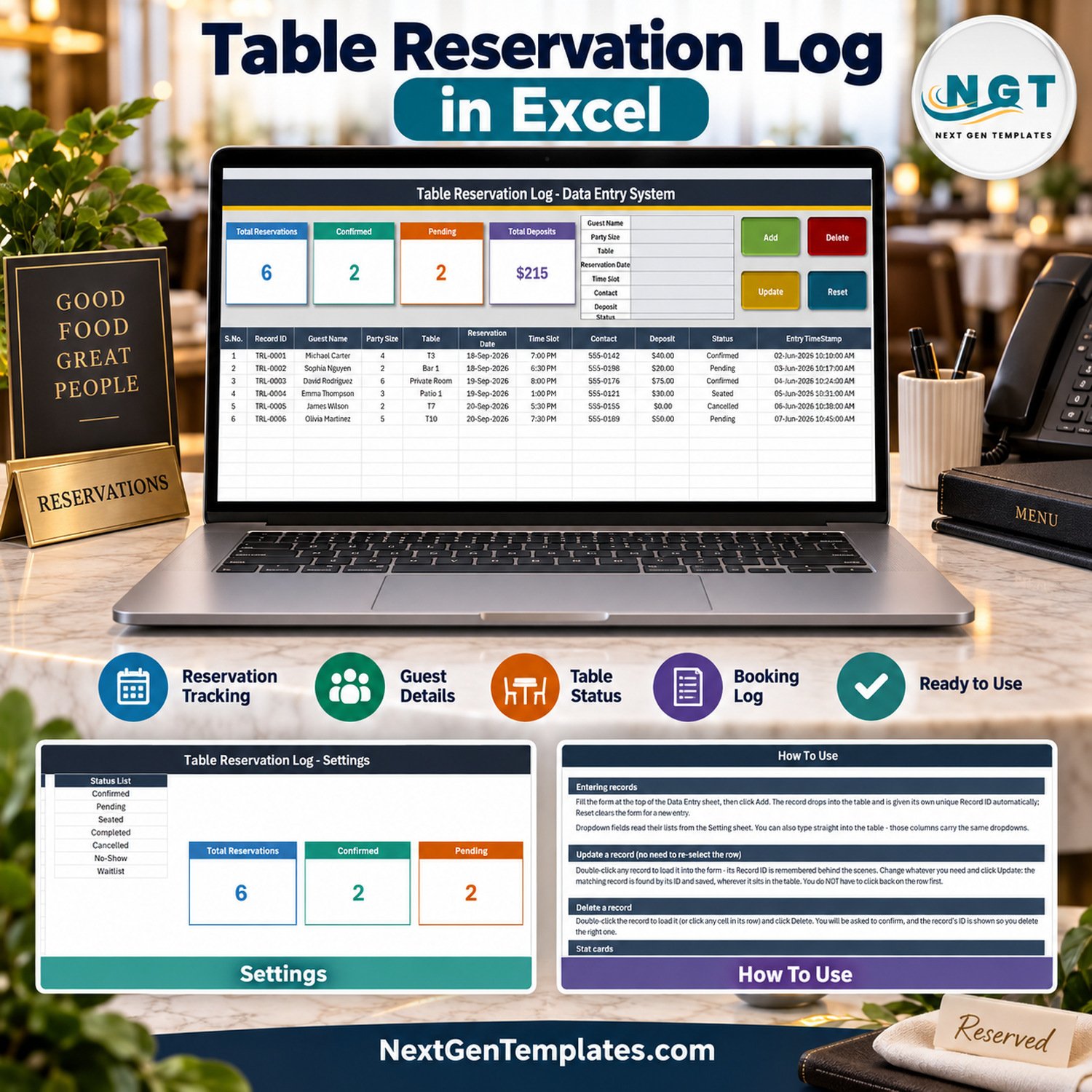
Table Reservation Log Data Entry System in Excel gives a restaurant, cafe, bistro, or small hospitality team one structured place to record reservations without paying for a cloud booking platform. The macro-enabled workbook captures seven practical fields per booking, assigns a unique Record ID, time-stamps every saved row, and refreshes four summary cards as records change. It is a one-time purchase with an instant download, no subscription, and no per-user fee.
🌍 Join 8,400+ teams in 40+ countries using NextGenTemplates to replace scattered notebooks and recurring software fees with ready-to-use business templates.
✅ Instant download · One-time payment · Lifetime access · No subscription · No per-user fees
Important fit check: this is an offline Excel VBA record-keeping workbook. It does not accept customer bookings online, show live public availability, allocate tables automatically, send confirmations, take payments, prevent double-booking, or synchronize several staff members in real time. The buttons require desktop Microsoft Excel for Windows with macros enabled.
Key Features of the Table Reservation Log Data Entry System in Excel
- Seven-field reservation form: record Guest Name, Party Size, Table, Reservation Date, Time Slot, Contact, Deposit, and Status from one screen.
- Four working VBA buttons: Add saves a new reservation, Update edits the loaded record, Delete removes the selected record after confirmation, and Reset clears the form.
- Double-click editing: double-click a saved row to load it into the form; the macro remembers its Record ID, so Update finds the correct record even if its position changes.
- Four live cards: Total Reservations, Confirmed, Pending, and Total Deposits summarize the current register.
- Editable dropdown lists: maintain table names, service time slots, and reservation statuses on the Setting sheet.
- Automatic identifiers: every saved booking receives a TRL-style Record ID and Entry TimeStamp.
- Direct table entry: staff can also type into the records table, where the same dropdown validation supports consistent values.
The excel table reservation template is designed for a single shared workstation or one responsible operator. It keeps guest details, party size, deposits, and seating status visible without pretending to be a full restaurant POS or online reservation service.
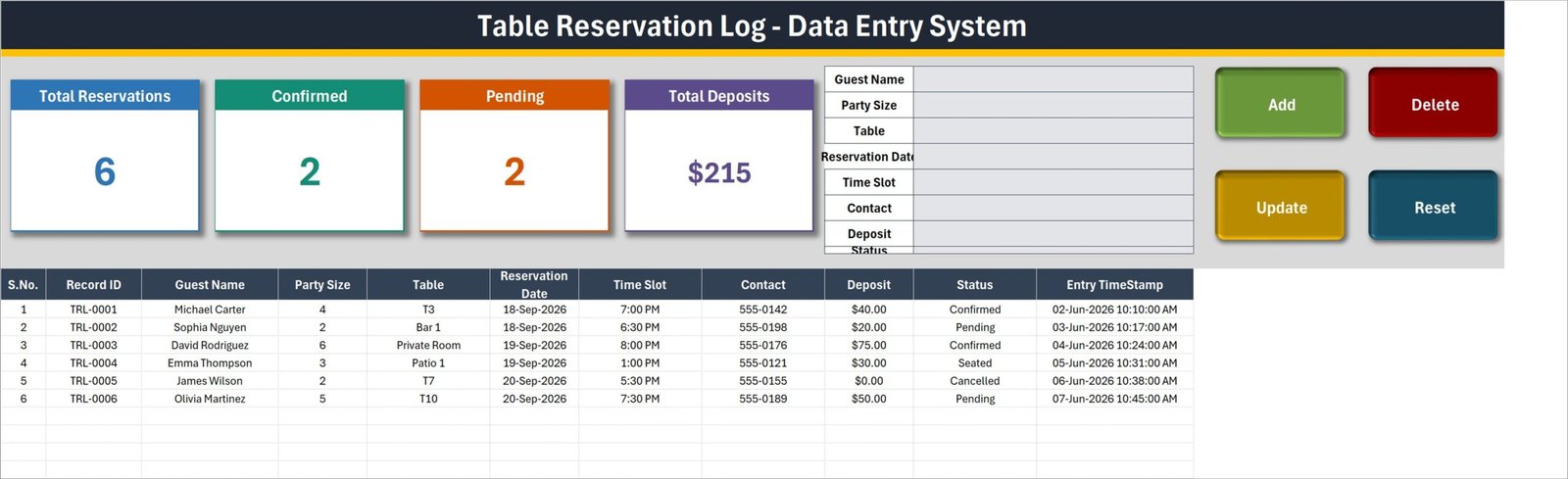
Data Entry sheet with reservation form, action buttons, summary cards, and saved records.
What’s Inside the Table Reservation Log Data Entry System in Excel
The correctly named customer download contains one macro-enabled workbook. Its four worksheets are organised around the daily reservation workflow:
- Data Entry: the working screen with the form, Add, Update, Delete and Reset buttons, four live cards, and the reservation register.
- Setting: editable lists for tables, time slots, and statuses. The supplied examples include T1-T10, Patio 1, Patio 2, Bar 1, Private Room, service times from 11:30 AM to 9:00 PM, and statuses including Confirmed, Pending, Seated, Completed, Cancelled, No-Show, and Waitlist.
- Instructions: plain-English guidance for entering, updating, deleting, and resetting records, editing dropdowns, and enabling macros.
- Get More Templates: quick links to the wider NextGenTemplates catalogue and tutorial resources.
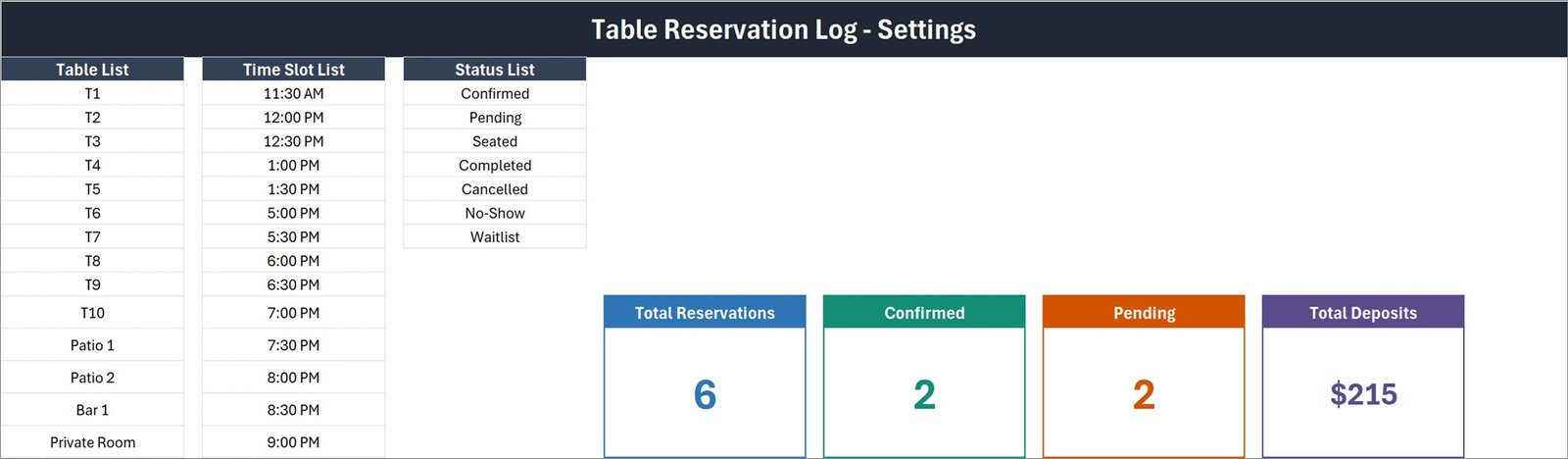
Setting sheet with editable tables, time slots, statuses, and linked summary cards.
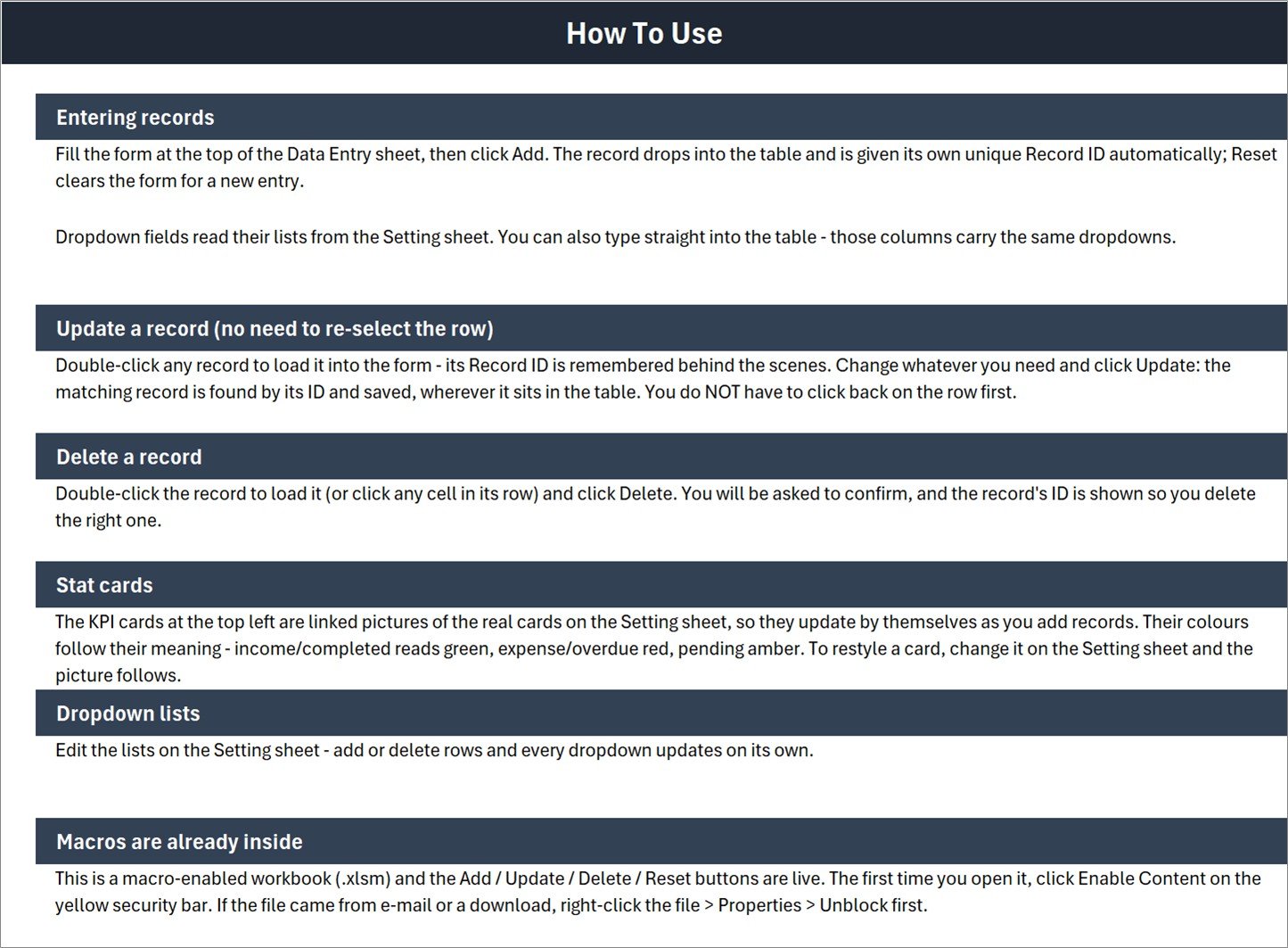
Instructions sheet covering every form action and the macro requirement.
Table Reservation Log Data Entry System in Excel vs. Google Sheets vs. Paid Reservation SaaS – Where This Fits
| Feature | This Excel template | Google Sheets equivalent | Paid reservation SaaS |
|---|---|---|---|
| Cost model | One-time purchase | Free to build manually | Recurring subscription |
| Platform | Desktop Excel for Windows | Web browser | Web/mobile service |
| Offline use | Yes | Limited | Usually internet-dependent |
| Add/update/delete workflow | Included VBA buttons | Requires setup or script | Included |
| Editable tables, slots, statuses | Yes, in the workbook | Yes, if built | Depends on plan |
| Customer self-booking | No | No by default | Usually included |
| Multi-user real-time operation | No | Yes | Yes |
| Payments and messaging | No | No by default | Often included |
Who This Template Is For – and Who It’s Not For
This restaurant reservation log in excel suits independent restaurants, cafes, bistros, clubs, pop-up dining rooms, and small event venues that currently record bookings in a notebook, loose worksheet, or chat history. It is especially useful when one host or manager controls the register from one Windows computer.
It is not a fit for venues that need a public booking page, live capacity rules, automated reminders, SMS or email confirmations, deposits processed online, table-floor mapping, multiple simultaneous operators, or integrations with a POS, website, Google Calendar, or delivery platform. Those teams should use a dedicated reservation product or a multi-user web application.
How to Use the Table Reservation Log Data Entry System in Excel
- Download and unzip the file, then open the .xlsm workbook in desktop Excel for Windows.
- Enable Content when Excel shows the macro security bar. If Windows has blocked the downloaded file, close Excel, right-click the workbook, open Properties, and choose Unblock.
- Open Setting and replace the sample tables, time slots, and statuses with the values used by your venue.
- Return to Data Entry, fill in the reservation details, and click Add.
- Double-click a saved record when you need to change it, edit the form, and click Update.
- Use Delete only after confirming the displayed Record ID, and use Reset to prepare the form for the next guest.
Microsoft explains how macro settings work in its official macro security guidance.
Real-World Use Cases
Independent restaurant host
A host logs each phone reservation, selects a table and time slot, records the deposit, and changes the status from Pending to Confirmed or Seated as the booking progresses.
Cafe manager
A manager uses the table booking register in excel for larger groups and special seating requests while keeping walk-in operations separate from the reservation record.
Private dining coordinator
A coordinator uses the deposit total and status lists to review small private-room bookings, then exports or summarizes the register outside the template when management needs additional reporting.
Frequently Asked Questions
Does this accept reservations from customers online?
No. It is an internal Excel log for bookings received by phone, email, message, or in person.
Do the buttons work in Excel for Mac or Excel for the web?
No. The excel vba reservation system requires desktop Microsoft Excel for Windows with macros enabled.
Can I change the tables, time slots, and statuses?
Yes. Edit the lists on the Setting sheet and the form and table dropdowns follow those lists.
Can two employees edit the same file at once?
No. Use one responsible operator or one shared workstation. The workbook is not a multi-user database.
Does it prevent double-booking?
No. The log records what staff enter; it does not run a table-capacity or conflict engine.
What is included in the download?
One macro-enabled Excel workbook inside a ZIP file. No external database or paid add-in is required.
About the Author
Built by PK – Microsoft Certified Professional with 15+ years of Excel, Google Sheets, and Power BI experience. Founder of NextGenTemplates, reaching 300K+ subscribers across YouTube channels. Every template is hand-built and tested before release.
Explore Related Templates
- Restaurant Order Data Entry System in Excel for the order-taking side of a restaurant.
- Hotel Room Booking Data Entry System in Excel for accommodation reservations.
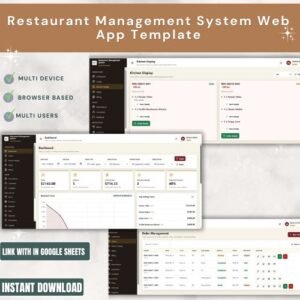
- Restaurant Management System Web App Template when a browser-based operational system is a better fit.
Browse more Microsoft Excel templates and Excel VBA tools.
Read the detailed Table Reservation Log Data Entry System in Excel guide for the complete sheet-by-sheet walkthrough and operating tips.
Ready to replace a handwritten booking register? Download the Table Reservation Log Data Entry System in Excel, configure the three lists, and start recording reservations from one clean screen.
Last updated: September 2026.



























Reviews
There are no reviews yet.