

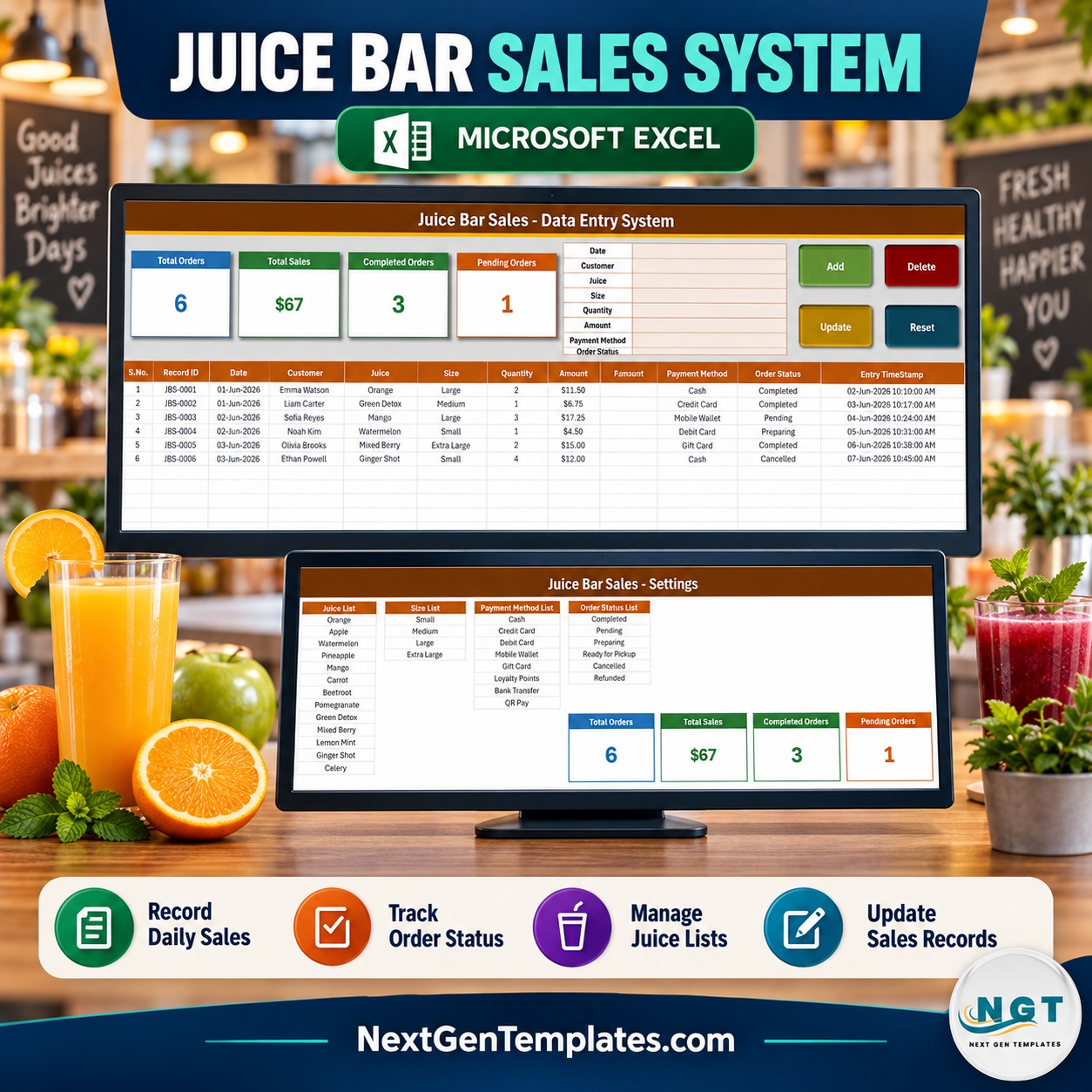
The Juice Bar Sales Data Entry System in Excel is a four-sheet, macro-enabled workbook that records each juice order through an eight-field form and files it into an 11-column table with its own JBS-0001 style Record ID and an automatic entry timestamp. Four stat cards sit above the form – Total Orders, Total Sales, Completed Orders and Pending Orders – and 200 pre-formatted rows carry dropdowns for 13 juices, 4 cup sizes, 8 payment methods and 6 order statuses. Built by PK, a Microsoft Certified Professional, and hand-tested before release.
🌍 Used by small businesses in 40+ countries that would rather own a one-time-purchase Excel tool than rent another monthly app.
✅ Instant download · One-time payment · No subscription · Lifetime access
🔑 Key Features of the Juice Bar Sales Data Entry System in Excel
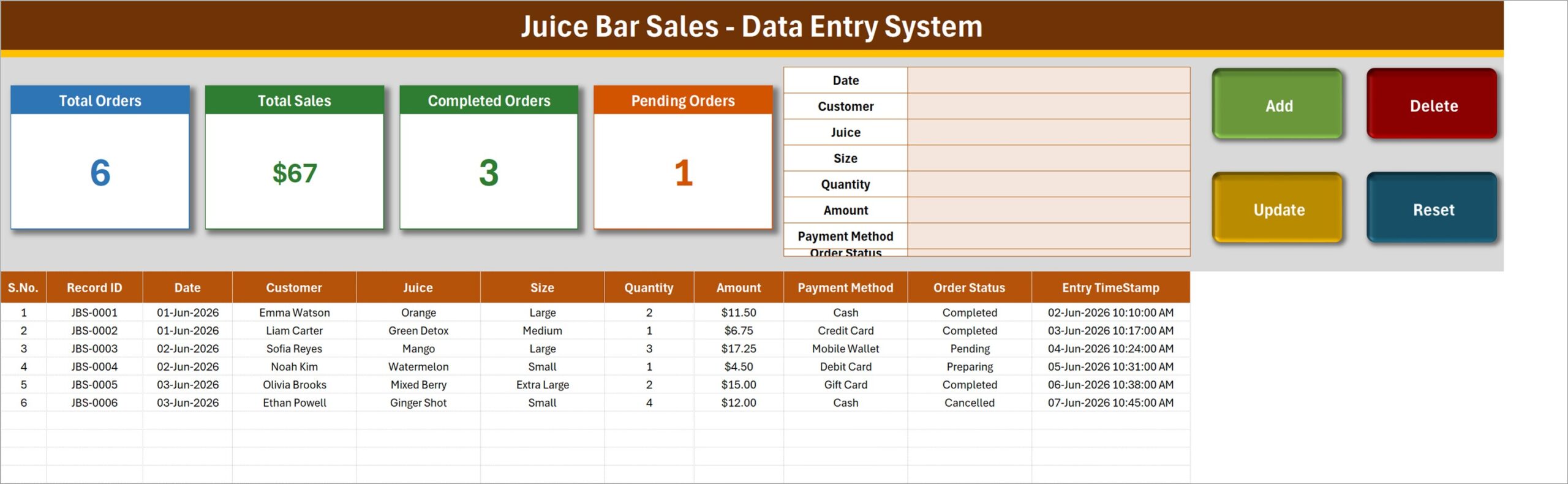
- 📝 Eight-field order form – Date, Customer, Juice, Size, Quantity, Amount, Payment Method and Order Status, laid out at the top-right of the Data Entry sheet.
- 🔘 Four VBA buttons – Add, Update, Delete and Reset, wired to the macros
Add_Record,Update_Record,Delete_RecordandReset_Form. - 🆔 Automatic Record ID – every order is filed as JBS-0001, JBS-0002 and so on, so two orders from the same regular never collide.
- ⏱️ Entry TimeStamp column – the date and time each record was saved is written for you.
- ✏️ Update by ID, not by row – double-click any order to load it back into the form; Update finds it by its Record ID wherever it sits in the table.
- 📊 Four live stat cards – Total Orders, Total Sales, Completed Orders and Pending Orders, recalculated by formulas on the Setting sheet. Read the note below on what Total Sales includes.
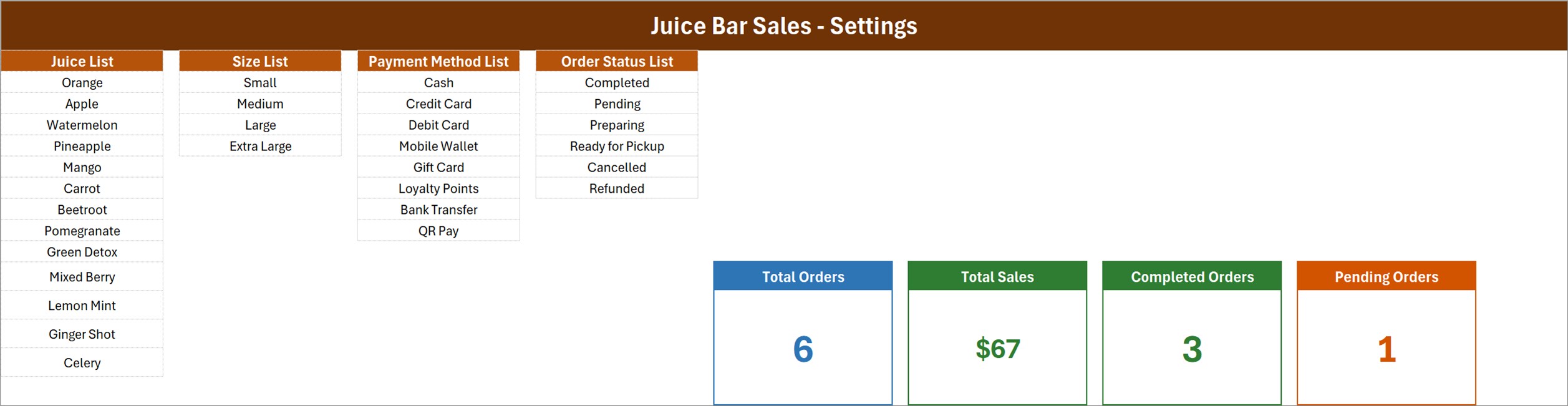
- 🍹 Four editable dropdown lists – 13 juices (Orange to Celery), 4 sizes, 8 payment methods and 6 order statuses, all kept on the Setting sheet.
- 📋 200 pre-formatted order rows – rows 15 to 214 already carry the dropdowns, the date format and the $ currency format.
- 🗑️ Delete asks first – the confirmation shows the Record ID it is about to remove.
📦 What’s Inside the Juice Bar Sales Data Entry System in Excel
The download is a ZIP holding one macro-enabled workbook, Juice_Bar_Sales_System.xlsm, with exactly four sheets.
Sheet 1: Data Entry
The working sheet: the four stat cards, the eight-field form, the Add / Delete / Update / Reset buttons, and the order table – S.No., Record ID, Date, Customer, Juice, Size, Quantity, Amount, Payment Method, Order Status and Entry TimeStamp. Six sample orders ship with it (Emma Watson’s two large Orange juices at $11.50, Liam Carter’s Green Detox at $6.75 and four more) so you can watch the buttons work before you clear them.
Sheet 2: Setting
Four editable lists and the four real stat cards. Juice List holds Orange, Apple, Watermelon, Pineapple, Mango, Carrot, Beetroot, Pomegranate, Green Detox, Mixed Berry, Lemon Mint, Ginger Shot and Celery. Size List is Small, Medium, Large and Extra Large. Payment Method List covers Cash, Credit Card, Debit Card, Mobile Wallet, Gift Card, Loyalty Points, Bank Transfer and QR Pay. Order Status List is Completed, Pending, Preparing, Ready for Pickup, Cancelled and Refunded.
Sheet 3: Instructions (How To Use)
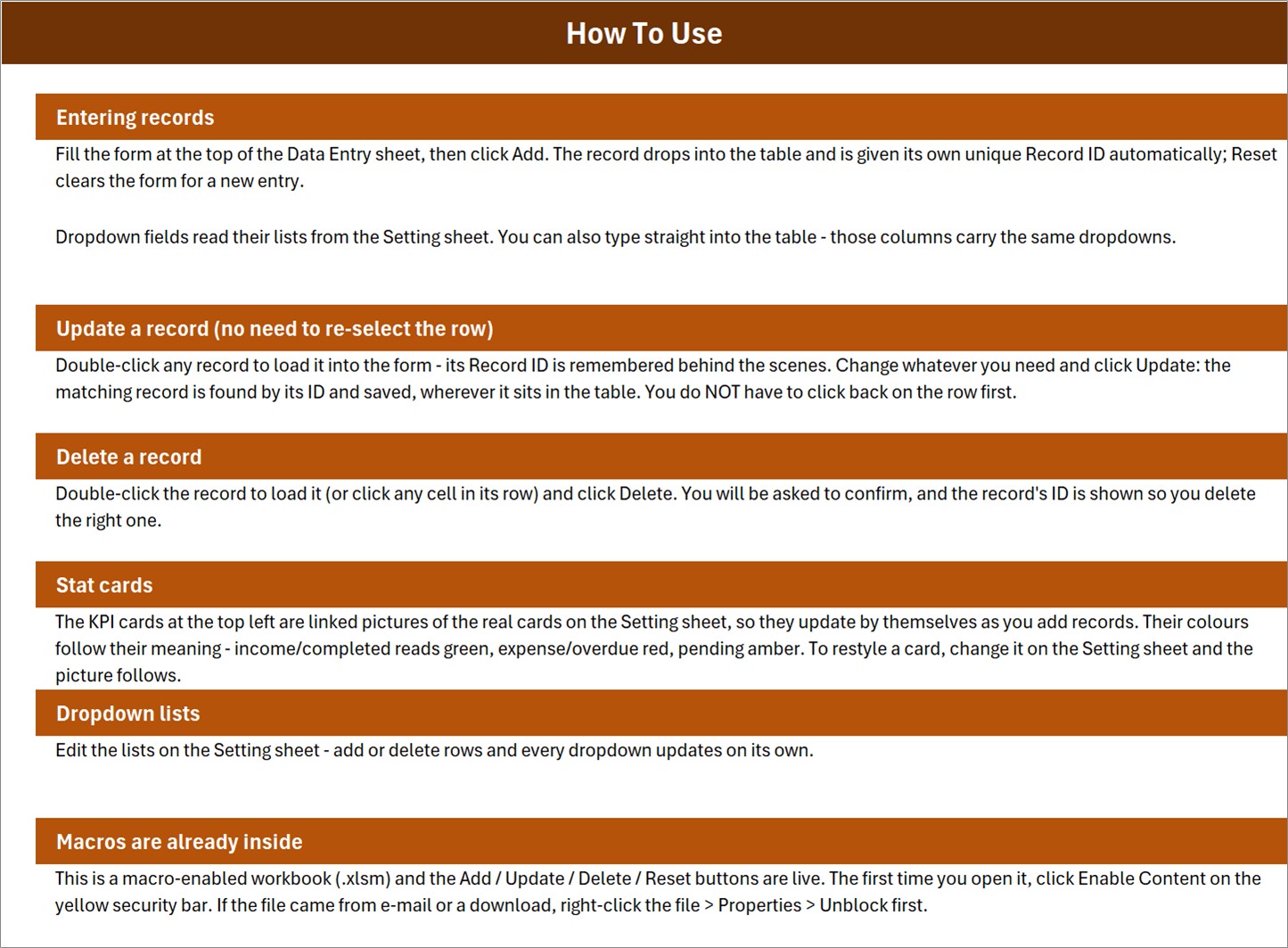
Six short sections inside the file – entering records, updating without re-selecting the row, deleting, the stat cards, the dropdown lists, and enabling macros.
Sheet 4: Get More Templates
Links back to the NextGenTemplates store.
⚠️ Read Before You Rely on the Cards
We would rather you know these now than find them later:
- 💵 Total Sales is an unfiltered SUM of the Amount column. It adds every order whatever its status – Pending, Preparing, Ready for Pickup, Cancelled and Refunded included. In the sample data the card reads $67, while the three Completed orders come to $33.25 and the $12.00 cancelled Ginger Shot order is still counted. Treat it as gross orders keyed, not money taken.
- 🔢 Only two of the six statuses have a card. Completed (3) and Pending (1) do not add up to Total Orders (6), because Preparing, Ready for Pickup, Cancelled and Refunded orders are not carded.
- 📅 Total Orders counts filled Date cells, not Record IDs, so an order saved with an empty Date is not counted.
- 📂 The dropdown lists are fixed ranges that are already full. The How To Use sheet says the dropdowns update on their own, but a 14th juice typed under Celery will not appear. Insert a row inside the list instead, or widen the name in Excel’s Name Manager. The table’s dropdowns run from row 15 to row 214.
- 🧮 Amount is typed, not calculated. There is no price list, so Quantity times price is not worked out for you.
📊 Juice Bar Sales Data Entry System in Excel vs. Google Sheets vs. POS Software – Where This Fits
| Feature | Juice Bar Sales Data Entry System in Excel | A Google Sheets form | POS software (Square / Toast) |
|---|---|---|---|
| Cost | $6.99 once ✅ | Free, build it yourself | Monthly plans plus card fees |
| Platform | Excel for Windows, desktop | Browser, any device | Tablet, terminal and browser |
| Setup time | About 10 minutes to swap the lists ✅ | Hours of building | Days, plus hardware |
| Real-time team collaboration | No – one file, one editor | Yes | Yes |
| Mobile access | No – the buttons need desktop Excel | Yes | Yes |
| Customizable fields | Lists yes; the eight form fields need VBA edits | Yes | Within the vendor’s model |
| Share with link | No – you send the file | Yes | Staff logins |
| Year-1 cost at 5 users | $6.99 ✅ | $0 | Subscription, hardware and processing fees |
| Takes card payments or prints receipts | No – it records the method only | No | Yes |
| Deducts fruit and cup stock | No | No | Often, on higher plans |
For a juice bar that wants a clean, searchable order register without renting a till system, this workbook sits in the sweet spot.
👥 Who This Template Is For – and Who It’s Not For
✅ This template is built for:
- A single-counter juice bar, smoothie kiosk or market stall owner who keeps orders in a notebook today
- A cafe or gym bar manager who wants a juice bar order register kept on the office PC
- A bookkeeper who wants every order with a unique ID and a timestamp before the month-end summary
❌ This template is NOT for:
- Anyone who needs a till – it does not take card payments, print receipts or open a cash drawer
- Bars that need fruit or cup stock deducted as they sell – there is no inventory here
- Teams typing at the same time, or anyone on a Mac, phone or Excel for the web
⚙️ How to Use the Template
- Unzip the download, open the .xlsm in Excel on Windows and click Enable Content. If Windows blocked the download, see Microsoft’s note on macros from the internet, then right-click the file, choose Properties and tick Unblock.
- On the Setting sheet, overwrite the four lists with your own juices, sizes, payment methods and statuses.
- On Data Entry, delete the six sample orders once you have seen the buttons work.
- Fill the form and click Add. The order lands in the table with its Record ID and timestamp; Reset clears the form.
- To change an order, double-click it, edit the form and click Update. To remove one, load it, click Delete and confirm the Record ID shown.
💼 Real-World Use Cases
Maya runs a two-person juice kiosk in a shopping mall. She keys each order at the end of every rush – customer, juice, size, quantity, amount, Cash or QR Pay – and marks it Completed. At close she filters the table to Completed and totals the Amount column for her cash-up, because she knows the Total Sales card also counts the pending tickets.
Jordan manages the smoothie bar inside a gym. He replaced the juice list with his own blends, uses Ready for Pickup for members who order before a class, and double-clicks the row to switch it to Completed when it is collected.
❓ Frequently Asked Questions
Do I have to enable macros?
Yes. The Add, Update, Delete and Reset buttons of this workbook are VBA macros, so they only work after you click Enable Content. Without macros you can still read the table, but the form will not save anything.
Will it work on a Mac, Excel for the web or Google Sheets?
No. It is built and tested for Microsoft Excel on Windows desktop. Excel for the web and Google Sheets do not run VBA, and the workbook has not been tested on Mac Excel.
Is this a POS system?
No. It is a juice bar sales tracker for recording orders after the fact. It does not take card payments, print receipts, or deduct stock. Payment Method simply records how the customer paid.
Why does Total Sales not match my cash drawer?
Total Sales adds the Amount of every order, whatever its status, so cancelled, refunded, pending and preparing orders are included. Filter the table to Completed to see money actually taken.
How many orders can it hold?
Rows 15 to 214 are pre-formatted with the dropdowns, which is 200 orders. The cards count further down the sheet, but rows past 214 have no dropdowns until you copy the validation down.
How does it compare to Square or Toast?
Those are full till systems with card processing and monthly fees. This workbook is a one-time $6.99 Excel data entry form for keeping an order register – far simpler, and it never touches a payment.
👤 About the Author
Built by PK – Microsoft Certified Professional with 15+ years of Excel, Google Sheets and Power BI experience. Founder of NextGenTemplates, reaching 300K+ subscribers across YouTube channels (@PK-AnExcelExpert, @NextGenTemplates, @NeoTechNavigators). Every template is hand-built and tested before release.
🔗 Explore Related Templates
- ☕ Cafe Daily Sales Data Entry System in Excel – the same form-and-cards design for a cafe’s daily takings.
- 📖 Menu Item Master Data Entry System in Excel – keep your drinks menu and prices in one register.
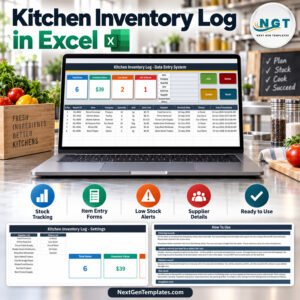
- 🥕 Kitchen Inventory Log Data Entry System in Excel – log produce and supplies separately, since this workbook holds no stock.
- 🧁 Bakery Sales Register Data Entry System in Excel – a sales register for a bakery counter.
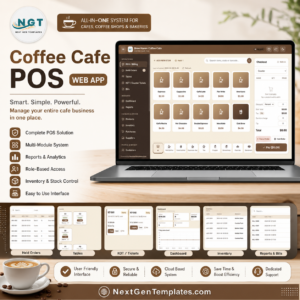
- 🧾 Need a real till? The Coffee Cafe POS Web App is a Google Apps Script point-of-sale app.
Browse more Excel templates and VBA tools, or see Microsoft’s guide to enabling macros in Microsoft 365.
📖 Click here to read the Detailed Blog Post
🎥 Visit our YouTube channel for step-by-step video tutorials
👉 YouTube.com/@NextGenTemplates
📅 Last updated: September 2026






























Reviews
There are no reviews yet.