

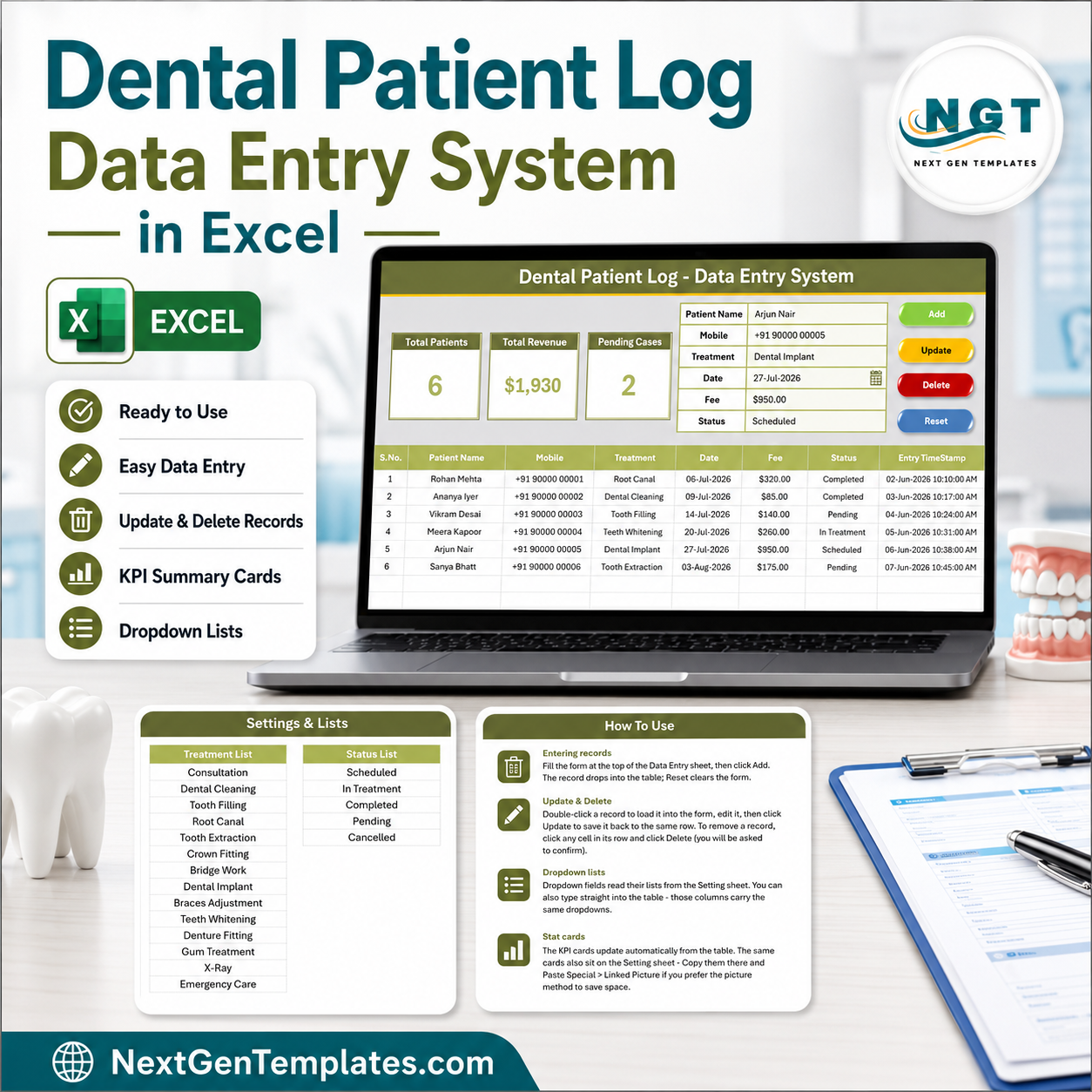

The Dental Patient Log Data Entry System in Excel captures 6 fields per patient across 4 worksheets, drives 3 live KPI cards, and ships with 4 VBA macros (Add, Update, Delete, Reset). The dropdown library covers 14 treatment types and 5 appointment statuses out of the box. Setup takes under 10 minutes — import one VBA module, drop four buttons on the form, and start logging.
🌍 Join 10,000+ customers in 180+ countries using NextGenTemplates to replace paid SaaS tools with one-time-purchase Excel, Google Sheets, Power BI, and HTML templates.
✅ Instant download · One-time payment · No subscription · No per-chair fees · Lifetime access
🔑 Key Features of the Dental Patient Log Data Entry System in Excel
🦷 A 6-field entry form that matches how a dental front desk actually works. The form captures Patient Name, Mobile, Treatment, Date, Fee and Status. Treatment and Status are wired to editable dropdown lists, so the receptionist picks from a list instead of typing free text — which is what keeps your reporting clean six months later.
📊 Three KPI cards recalculate on every entry. Total Patients counts every record, Total Revenue sums the Fee column, and Pending Cases counts each row where Status equals Pending. These are live Excel formulas (COUNTA, SUM, COUNTIF) — not static numbers — so the panel updates the instant a record is added or edited.
⚙️ Four VBA macros run the whole log. Add_Record writes a new row and stamps the entry time. Update_Record edits the selected row in place. Delete_Record removes it after a confirmation prompt. Reset_Form clears the input line. No formulas to drag, no rows to insert manually.
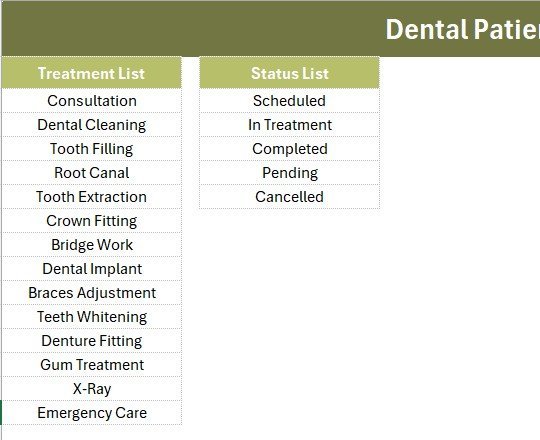
🧾 14 treatment types ready to use. Consultation, Dental Cleaning, Tooth Filling, Root Canal, Tooth Extraction, Crown Fitting, Bridge Work, Dental Implant, Braces Adjustment, Teeth Whitening, Denture Fitting, Gum Treatment, X-Ray and Emergency Care. Add or rename any of them on the Setting sheet — the dropdown expands automatically.
🔢 Automatic serial numbers and timestamps. Column A numbers each record with a self-healing formula, and the final column records an Entry TimeStamp for every row — useful when two staff members share the file and you need to know who logged what, and when.
💻 Runs completely offline. Works in Excel 2016, 2019, 2021 and Microsoft 365 on Windows. No internet connection, no account, no patient data leaving your machine — which matters when you are handling health records in a small practice.
📦 What’s Inside the Dental Patient Log Data Entry System in Excel
Data Entry Sheet
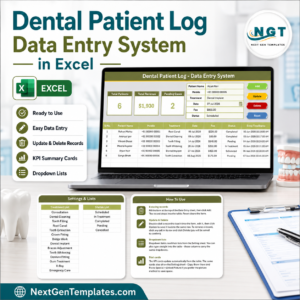
The main working screen. A dark olive heading bar sits above three KPI cards (Total Patients, Total Revenue, Pending Cases), followed by the 6-field entry form and the colour-coded Add, Delete, Update and Reset buttons. The records table begins directly below with auto serial numbers, currency-formatted fees and an Entry TimeStamp column.

Setting Sheet
Holds the two dropdown source lists — 14 Treatment options and 5 Status values — plus a duplicate set of the KPI cards you can copy as a Linked Picture into any report. Edit a list here and the Data Entry dropdown updates immediately.
Instructions Sheet
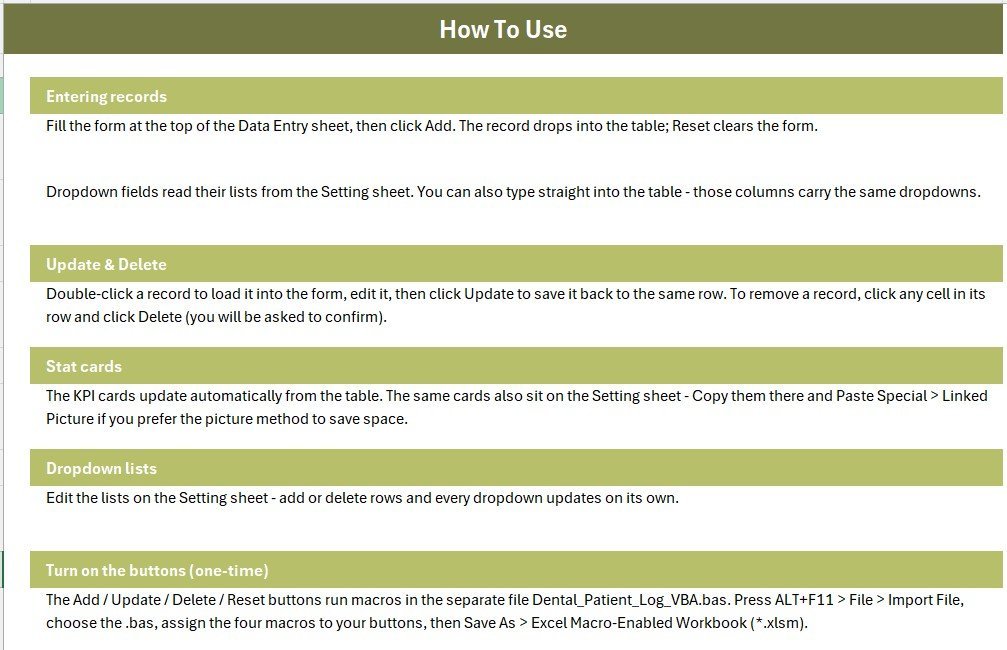
Step-by-step activation notes covering the VBA import, button assignment and the one-time Save As to .xlsm format. A fourth sheet, Get More Templates, links back to related NextGenTemplates products.
📊 Dental Patient Log vs. Google Sheets vs. Paid Dental Practice Software — Where This Fits
| Feature | Dental Patient Log (Excel) | Google Sheets Equivalent | Dentrix Ascend / Curve Dental |
|---|---|---|---|
| Cost | $5.99 one-time | Free, but built by you | $300–$600 per month |
| Platform | Excel 2016+ / Microsoft 365 | Browser only | Cloud only |
| Setup time | Under 10 minutes | 3–6 hours to build | 2–6 weeks onboarding |
| Works offline | ✅ Fully offline | ❌ Needs internet | ❌ Needs internet |
| Real-time team collaboration | Via shared drive | ✅ Yes | ✅ Yes |
| Customisable fields | ✅ Fully editable | ✅ Yes | Limited to vendor schema |
| Patient data stays on your machine | ✅ Yes | ❌ Stored by Google | ❌ Stored by vendor |
| Insurance claims & e-prescribing | ❌ Not included | ❌ Not included | ✅ Included |
| Year-1 cost at 5 users | $5.99 total | $0 + your build time | $3,600–$7,200 |
For clinics that want a clean patient and fee log without paying four figures a year for a full practice-management suite, the Dental Patient Log Data Entry System in Excel sits in the sweet spot.
👥 Who This Template Is For — and Who It’s Not For
✅ This template is built for:
- Single-chair and 2–4 chair dental clinics logging 20–300 patient visits a month
- Front-desk staff who need a fast entry form instead of typing into a raw spreadsheet
- Clinic owners who want a monthly revenue and pending-payment figure without opening accounting software
- Dental students and new practitioners setting up their first patient register
❌ This template is NOT for:
- Practices that need insurance claim submission, e-prescribing or dental imaging integration
- Multi-branch groups needing simultaneous multi-user editing across locations
- Anyone required to run a HIPAA-audited system with access logs and role permissions
- Mac-only users — the VBA macros require Excel for Windows
⚙️ How to Use the Dental Patient Log Data Entry System in Excel
- Unzip the download and open the workbook in Excel on Windows.
- Press ALT+F11, choose File then Import File, and select the supplied .bas module.
- Place four Form Control buttons over the coloured Add, Delete, Update and Reset cells and assign the matching macro to each.
- Save As Excel Macro-Enabled Workbook (.xlsm) so the macros persist.
- Open the Setting sheet and replace the sample treatments and statuses with your own list.
- Delete the six sample rows, then enter your first real patient and click Add.
💼 Real-World Use Cases
Dr. Anita runs a two-chair clinic in a residential neighbourhood. She logs every visit with treatment and fee, then checks the Pending Cases card each Friday to see which patients still owe for a root canal or crown fitting — without paying $400 a month for practice-management software she would use for one tenth of its features.
Ravi manages the front desk at a three-dentist practice. He enters patients as they check out, marks each one Scheduled, In Treatment or Completed, and exports the month’s records to his accountant. The Entry TimeStamp column settles any question about when a record was added.
Sneha is a final-year dental student running a supervised community camp. She uses the log to record 180 screenings over a weekend, tracking treatment type and status offline on a laptop with no internet at the camp site.
❓ Frequently Asked Questions
What does the Dental Patient Log Data Entry System in Excel track?
The Dental Patient Log Data Entry System in Excel tracks six fields per visit — Patient Name, Mobile, Treatment, Date, Fee and Status — and rolls them into three live KPI cards: Total Patients, Total Revenue and Pending Cases. Every metric updates automatically as records are added.
How long does setup take?
Setup takes under 10 minutes. You import one VBA module through the Visual Basic editor, place four buttons over the coloured cells on the Data Entry sheet, and save the file as .xlsm. The Instructions sheet inside the workbook walks through each step.
How does this compare to Dentrix or Curve Dental?
Dentrix and Curve Dental are full practice-management suites with insurance claims, imaging and e-prescribing, priced around $300–$600 per month. The Dental Patient Log Data Entry System in Excel costs $5.99 once and covers patient logging, treatment records, fees and pending follow-ups — nothing more.
Can I add my own treatment types?
Yes. Open the Setting sheet and edit the Treatment list — the workbook ships with 14 options including Root Canal, Dental Implant and Braces Adjustment. The dropdown on the Data Entry form expands automatically as you add rows to that list.
Do I need macros enabled?
Yes. The Add, Update, Delete and Reset buttons in the Dental Patient Log Data Entry System in Excel are VBA macros. Excel will prompt you to enable content the first time you open the .xlsm file. You can still type directly into the table if you prefer not to use macros.
Does it work on Mac or Google Sheets?
The workbook opens on Mac and can be uploaded to Google Sheets, but the four VBA buttons only run in Excel for Windows. On other platforms the form, dropdowns, KPI formulas and records table still work — you simply type rows in manually.
👤 About the Author
Built by PK — Microsoft Certified Professional with 15+ years of Excel, Google Sheets, and Power BI experience. Founder of NextGenTemplates, reaching 300K+ subscribers across YouTube channels (@PK-AnExcelExpert, @NextGenTemplates, @NeoTechNavigators). Every template is hand-built and tested before release.
🔗 Explore Related Templates
📅 Patient Appointment Data Entry System in Excel — book and track appointments alongside your patient log.
💊 Prescription Record Data Entry System in Excel — log medicines, dosage and prescribing dentist.
🧪 Lab Test Booking Data Entry System in Excel — track lab work sent out for crowns, bridges and dentures.
💉 Vaccination Record Data Entry System in Excel — same form-and-KPI layout for immunisation records.
Browse more Excel Dashboard Templates if you want charts and analysis on top of your data.
💎 Save 40% — get all 9 healthcare templates in the Healthcare Administrator Toolkit →
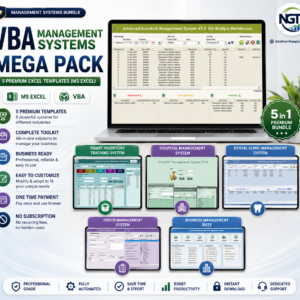
🛠️ Prefer a full macro-driven system? See the VBA Management Systems Mega Pack or the Excel VBA Tools & Utilities Pack.
📖 Click here to read the Detailed Blog Post
🎥 Visit our YouTube channel for step-by-step video tutorials
👉 YouTube.com/@NextGenTemplates
📅 Last updated: August 2026
Dental Patient Log Data Entry System in Excel
Watch the demo video:
Compatibility and Requirements
- The Add, Update, Delete and Reset buttons are VBA macros, so they need Microsoft Excel desktop for Windows with macros enabled. Microsoft explains macro settings in Enable or disable macros in Microsoft 365 files.
- On a Mac or in Google Sheets the form, dropdowns, KPI cards and records table still work, but you type rows in by hand.



























Reviews
There are no reviews yet.