

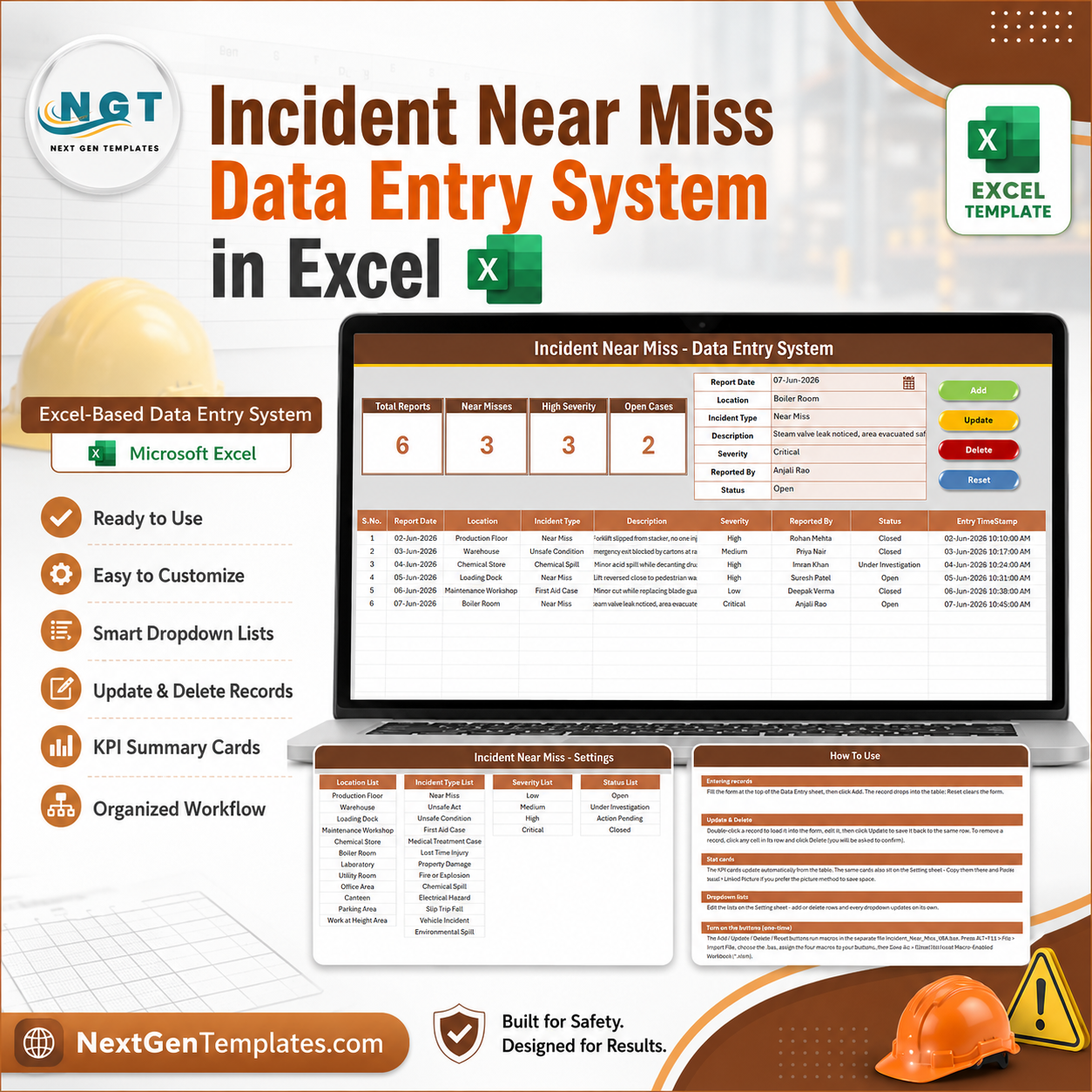

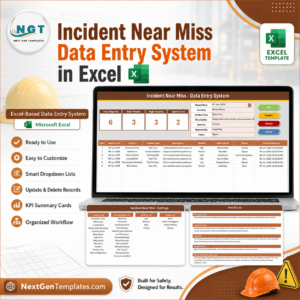
The Incident Near Miss Data Entry System in Excel captures safety events across 7 fields, tracks 4 live KPI cards, and ships with 4 pre-built dropdown lists covering 12 work locations, 13 incident types, 4 severity levels and 4 investigation statuses. Setup takes under 10 minutes — import one VBA module, add four buttons, and your near-miss log is running.
🌍 Join 10,000+ customers in 180+ countries using NextGenTemplates to replace paid SaaS tools with one-time-purchase Excel, Google Sheets, Power BI, and HTML templates.
✅ Instant download · One-time payment · No subscription · No per-user fees · Lifetime access
🔑 Key Features of the Incident Near Miss Data Entry System
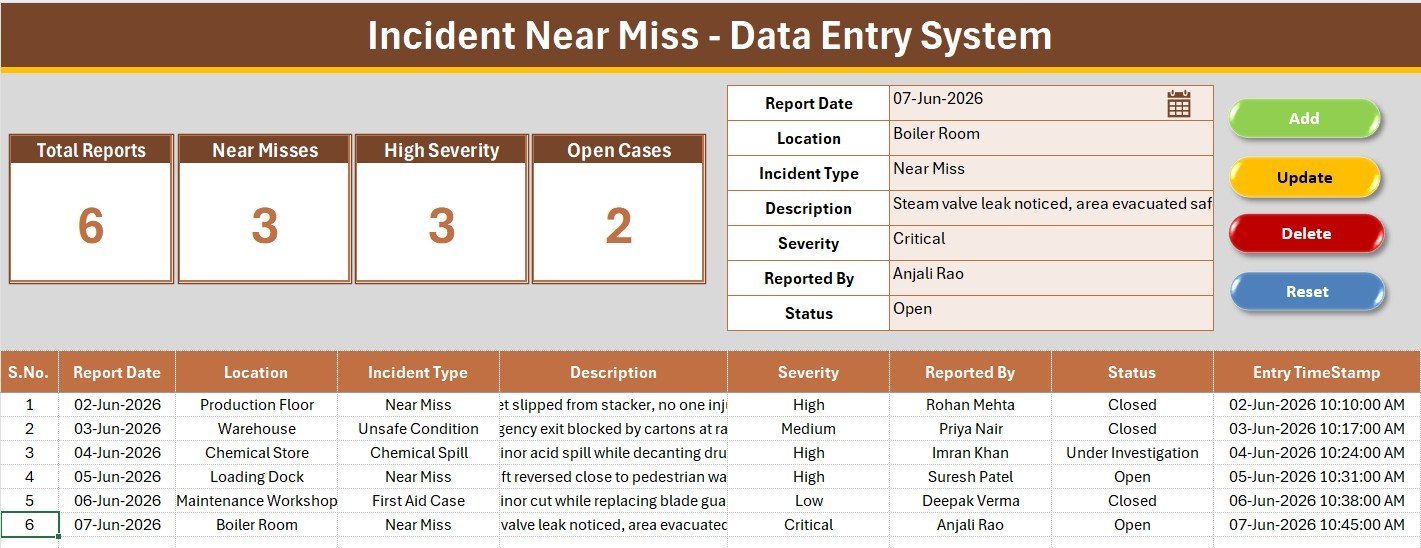
⚡ One-click VBA record handling. Four macros — Add_Record, Update_Record, Delete_Record and Reset_Form — move data between the form and the log. Your team never types directly into the table, which is what keeps a shared safety register clean over hundreds of entries.
📊 Four live KPI cards. The dashboard tracks Total Reports, Near Misses, High Severity events and Open Cases. Each card is a live COUNTA or COUNTIF formula against the log, so the numbers move the moment a record is added — no refresh, no pivot rebuild.
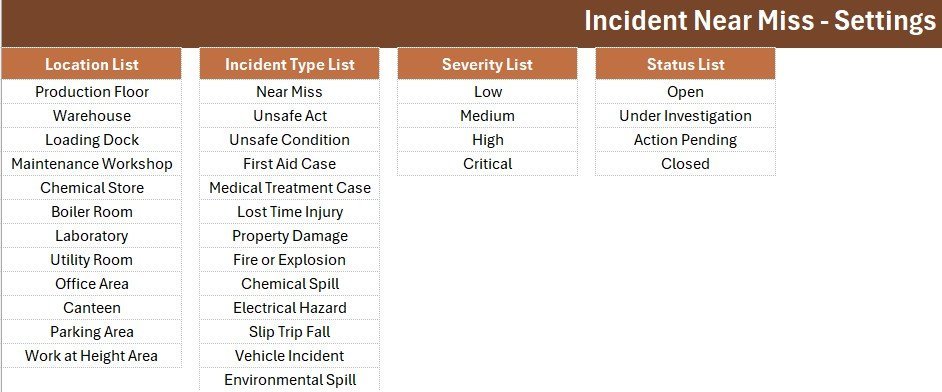
🎛️ Four editable dropdown lists. Location, Incident Type, Severity and Status are wired to named ranges on the Setting sheet. Swap the 12 sample locations for your own plant areas and every dropdown across all 200 rows updates instantly.
🚨 Near misses tracked as a leading indicator. The Incident Type list separates Near Miss, Unsafe Act and Unsafe Condition from lagging events like First Aid Case and Lost Time Injury — the distinction most safety programmes are measured on.
🕒 Automatic numbering and timestamps. Serial numbers populate through a formula and every submission is stamped with the entry date and time, giving you a defensible record of when each report was filed.
📦 What’s Inside the Incident Near Miss Data Entry System
Sheet 1: Data Entry Dashboard
The working screen. A gray dashboard panel holds the four KPI cards, the seven-field entry form sits alongside it with dropdown-driven inputs, and the colour-coded Add, Delete, Update and Reset buttons sit in a 2×2 block. Below the divider, the records table logs every report with automatic S.No and Entry TimeStamp columns.
Sheet 2: Setting
The control room for your dropdowns. Four source lists — Location, Incident Type, Severity and Status — feed the form through named ranges, and a duplicate set of KPI cards sits alongside them so you can paste a linked picture of your safety stats into any report or email.
Sheet 3: Instructions
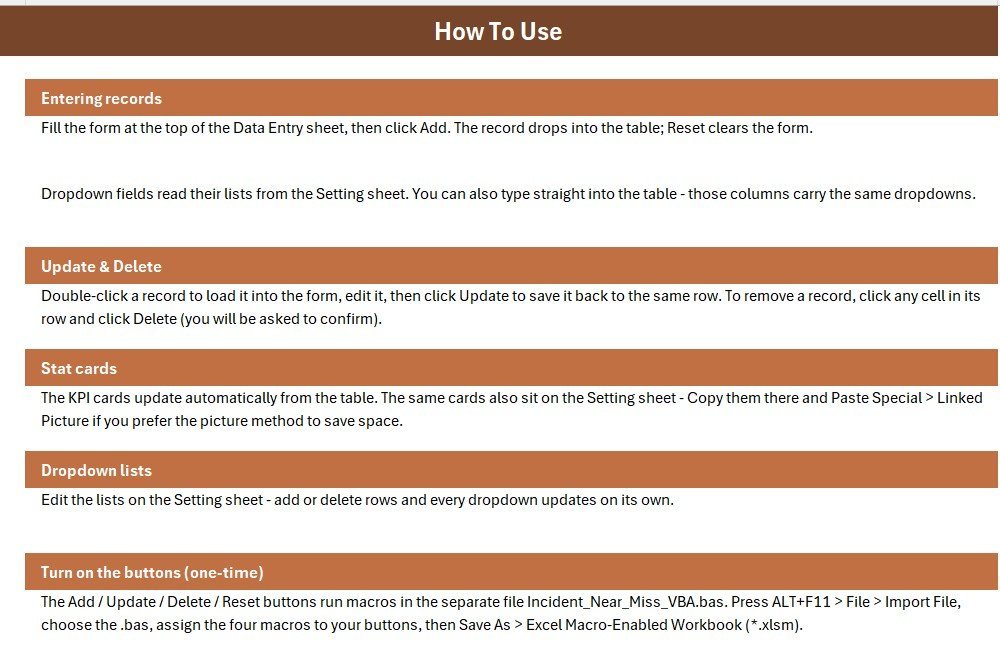
A one-page activation guide covering the VBA module import, button assignment and the Save As step to macro-enabled format, so a colleague can set the system up without coming back to you.
📊 Incident Near Miss Data Entry System vs. Google Sheets vs. Paid EHS Software — Where This Fits
| Feature | Incident Near Miss Data Entry System in Excel | DIY Google Sheets safety log | SafetyCulture / Intelex (paid EHS SaaS) |
|---|---|---|---|
| Cost | $5.99 one-time ✅ | Free, but you build it | Typically $20–35 / user / month |
| Platform | Excel 2016 or later (Windows) | Any browser | Web plus native mobile app |
| Setup time | Under 10 minutes ✅ | 2–4 hours to build from scratch | Days to weeks of onboarding |
| Real-time team collaboration | Via shared drive or SharePoint | ✅ Native multi-user | ✅ Native multi-user |
| Mobile reporting | View on Excel mobile | ✅ Browser-based | ✅ Native app with photo capture |
| Works fully offline | ✅ Yes | ❌ Needs connection | ❌ Sync required |
| Customisable dropdown lists | ✅ Unlimited, on the Setting sheet | ✅ Manual setup | Often gated by plan tier |
| Near-miss KPI cards built in | ✅ 4 live cards | ❌ Build your own formulas | ✅ Included |
| Year-1 cost at 5 users | $5.99 ✅ | $0 plus your build time | Roughly $1,200–2,100 |
For safety teams that want a working near-miss register today without a per-seat EHS subscription, the Incident Near Miss Data Entry System in Excel sits in the sweet spot.
👥 Who This Template Is For — and Who It’s Not For
✅ This template is built for:
- EHS officers and safety coordinators at 10–500 person plants, warehouses, workshops and construction sites
- Production and plant supervisors who need a near-miss register for ISO 45001 or internal safety audits
- Small manufacturers and logistics operators who can’t justify $20+ per user per month for EHS software
- Safety consultants setting up reporting for multiple client sites
❌ This template is NOT for:
- Enterprises that need SSO, user-level permissions and a tamper-proof audit trail
- Teams whose workers must report from phones in the field — this is a desktop Excel tool
- Mac-only teams, since VBA form-control buttons behave inconsistently in Excel for Mac
- Organisations needing automated root-cause workflow routing or direct regulatory e-filing
⚙️ How to Use the Incident Near Miss Data Entry System
- Unzip the download and open the workbook in Microsoft Excel.
- Press ALT+F11, choose File then Import File, and select the included .bas module.
- Draw four Form Control buttons over the coloured Add, Delete, Update and Reset cells, assigning the matching macro to each.
- Save As an Excel Macro-Enabled Workbook (.xlsm) so the code travels with the file.
- Open the Setting sheet and replace the sample locations, incident types, severities and statuses with your own.
- Delete the six sample rows, then log your first report. The KPI cards update automatically.
💼 Real-World Use Cases
Ravi is the EHS officer at a 180-person auto components plant. He uses the Incident Near Miss Data Entry System to log every near miss reported on the shop floor, then opens the KPI cards in his Monday safety meeting to show how many high-severity events are still open — without paying for a per-seat EHS platform.
Meera runs operations across three cold-storage sites. Each site supervisor keeps a copy of the workbook, and she consolidates the logs monthly to compare near-miss frequency by location, which tells her where to send the next toolbox talk.
Daniel is an independent safety consultant. He hands the template to each new client as their starter incident register, editing the Setting sheet lists to match their hazards so they have a defensible record from day one.
❓ Frequently Asked Questions
What does the Incident Near Miss Data Entry System in Excel track?
The Incident Near Miss Data Entry System in Excel tracks seven fields per report: Report Date, Location, Incident Type, Description, Severity, Reported By and Status. Four KPI cards summarise Total Reports, Near Misses, High Severity events and Open Cases automatically.
How long does setup take?
Setup takes under 10 minutes. You import one VBA module, draw four buttons over the coloured cells, save the file as .xlsm, then replace the sample dropdown values on the Setting sheet with your own locations and incident types.
How does this compare to SafetyCulture or Intelex?
Paid EHS platforms add mobile capture, workflow routing and audit trails, and typically cost $20–35 per user per month. The Incident Near Miss Data Entry System in Excel is a $5.99 one-time purchase that covers logging, dropdown control and near-miss KPIs offline.
Can I add my own locations and incident types?
Yes. Every dropdown in the Incident Near Miss Data Entry System reads from a named range on the Setting sheet. Edit or extend the 12 locations, 13 incident types, 4 severity levels and 4 statuses, and the form picks up your changes immediately.
Do I need to enable macros?
Yes. The Add, Update, Delete and Reset buttons run VBA, so the workbook must be saved as a macro-enabled file (.xlsm) with macros enabled. The VBA module ships as a separate .bas file that you import once during setup.
How many records can it hold?
The records table is pre-formatted for 200 rows with grid, date formatting and automatic serial numbering. You can extend it further by copying the formatting down — Excel itself supports over a million rows.
Does it work in Google Sheets or on Mac?
The workbook opens in Excel for Mac and the data will display, but VBA form-control buttons are unreliable there. Google Sheets does not run VBA, so use one of our Google Sheets safety trackers instead if you need a browser-based option.
👤 About the Author
Built by PK — Microsoft Certified Professional with 15+ years of Excel, Google Sheets, and Power BI experience. Founder of NextGenTemplates, reaching 300K+ subscribers across YouTube channels (@PK-AnExcelExpert, @NextGenTemplates, @NeoTechNavigators). Every template is hand-built and tested before release.
🔗 Explore Related Templates
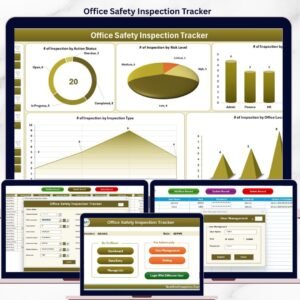
📋 Office Safety Inspection Tracker in Excel — run scheduled inspections alongside your incident log so hazards are caught before they become reports.
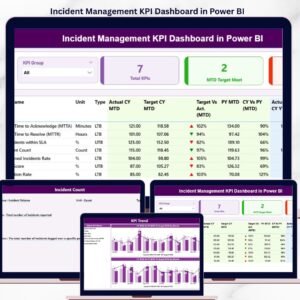
📈 Incident Management KPI Dashboard in Power BI — point Power BI at this log once you have a few hundred records and analyse trends by location and severity. Browse more Power BI Dashboards.
🛠️ Maintenance Work Order Data Entry System in Excel — the natural companion: log the corrective work that follows an unsafe condition.
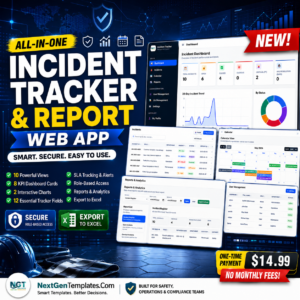
🌐 Incident Tracker and Report Web App — the multi-user, browser-based version for teams that need field reporting. Also see our Excel Dashboard Templates.
📖 Click here to read the Detailed Blog Post
🎥 Visit our YouTube channel for step-by-step video tutorials
👉 YouTube.com/@NextGenTemplates
📅 Last updated: July 2026
Watch the demo video:
Compatibility and Requirements
- Works in Microsoft Excel desktop on Windows, with macros enabled. It does not run in Excel for the web, Google Sheets or mobile.
- The Add, Update, Delete and Reset buttons run VBA, so save the file as a macro-enabled workbook (.xlsm). Microsoft explains the setting in Enable or disable macros in Microsoft 365 files.
Related Incident and Safety Templates
- Incident Report Tracker in Excel: a simple incident log in Excel
- Incident Management KPI Dashboard in Excel: incident KPIs in Excel
- Incident Report Tracker in Google Sheets: the same idea in a browser
- Workplace Safety & Incident Management Dashboard in Google Sheets: a safety dashboard in Google Sheets
- Inventory & Warehouse Master Kit: a bundle of 8 Excel, Google Sheets and VBA templates for warehouse teams
Browse all Health and Safety templates or the VBA Tool category.























Reviews
There are no reviews yet.