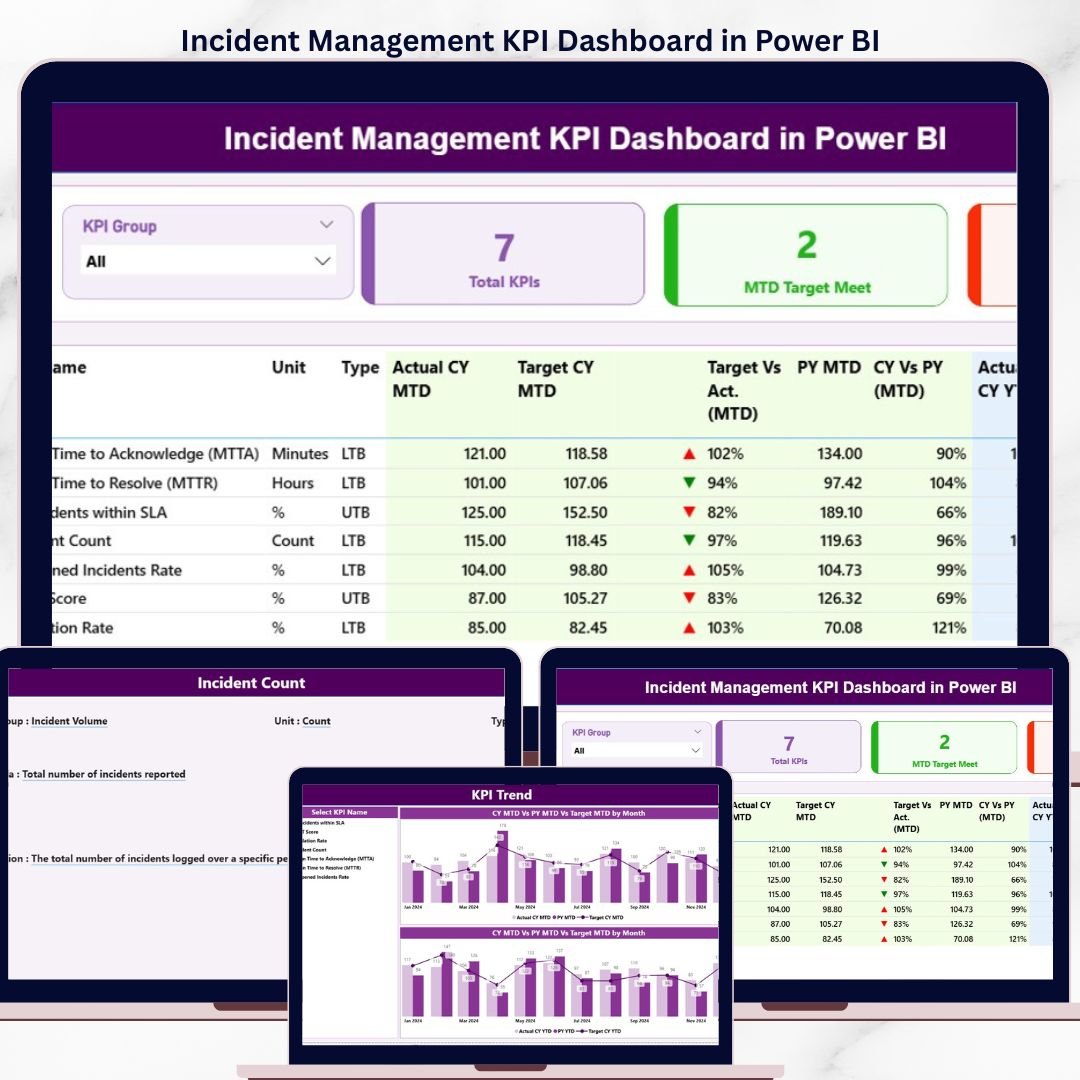
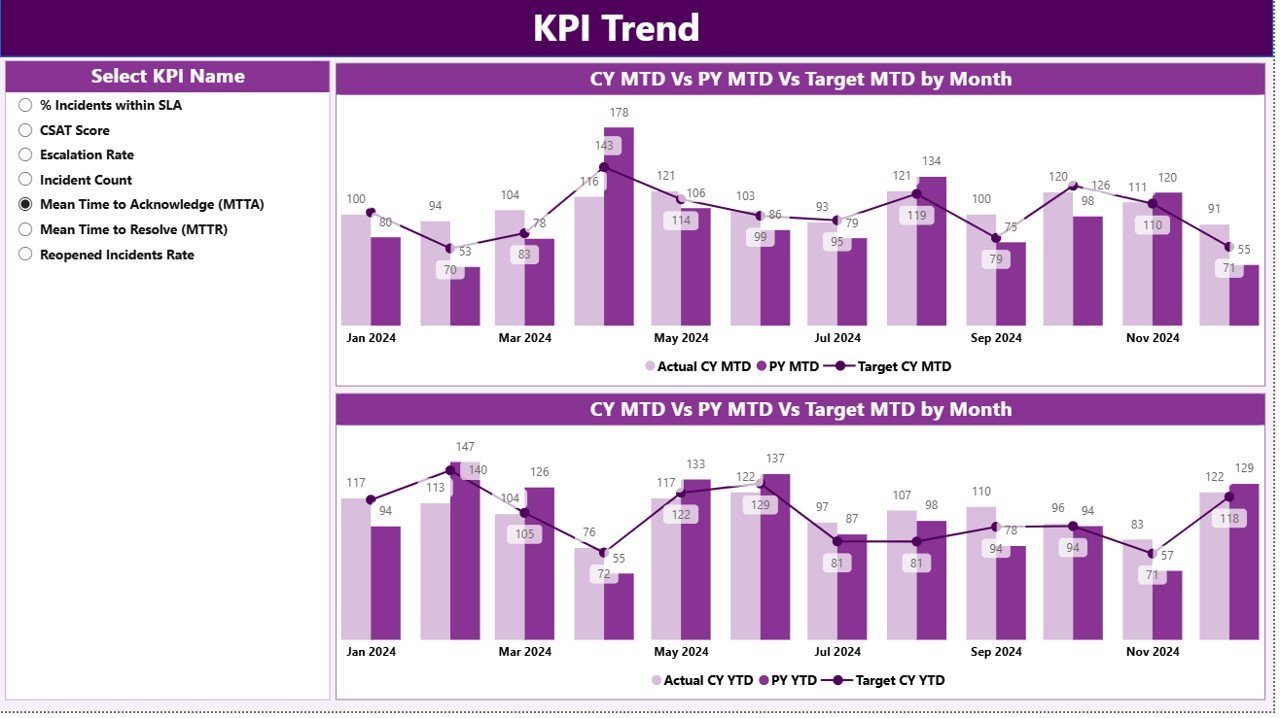
The Incident Management KPI Dashboard in Power BI tracks IT incident performance across 3 interactive pages, comparing MTD and YTD actuals against targets and prior-year benchmarks. Setup takes under 10 minutes — fill 3 Excel tabs (Input_Actual, Input_Target, KPI Definition) and the entire .pbix file refreshes automatically.
🌍 Join 8,400+ teams in 40+ countries using NextGenTemplates to replace paid SaaS tools with one-time-purchase Excel, Google Sheets, Power BI, and HTML templates.
✅ Instant download · One-time payment of $11.99 · No subscription · No per-user fees · Lifetime access
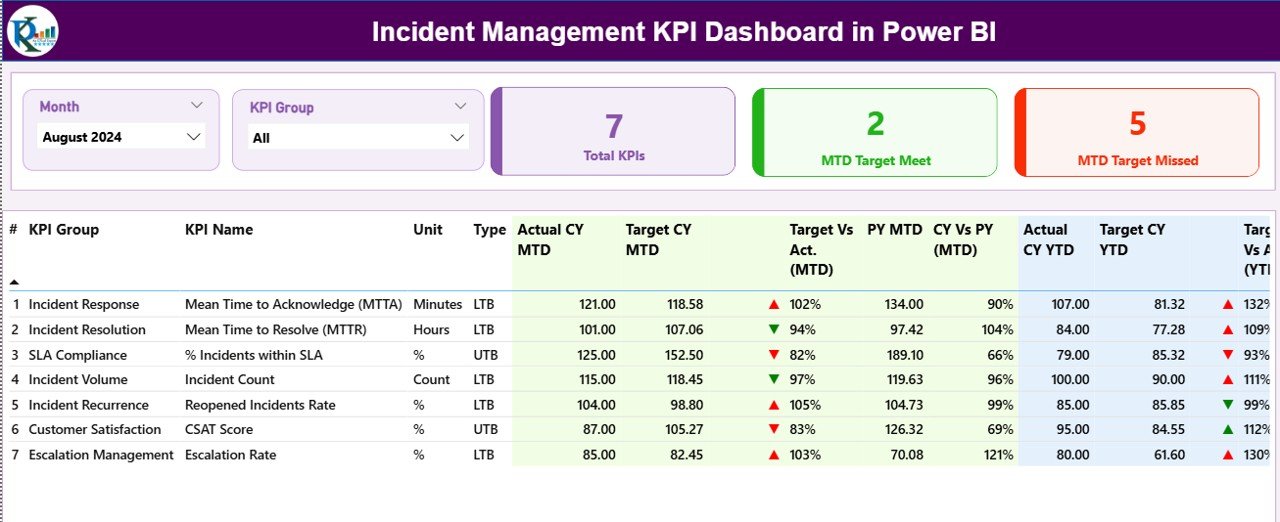
Summary Page — KPI table with MTD, YTD, target comparisons and visual icons
🔑 Key Features of the Incident Management KPI Dashboard
📊 3-page Power BI structure – A Summary page with a complete KPI table, a KPI Trend page with combo charts for MTD and YTD comparisons, and a hidden drill-through KPI Definition page accessible from any KPI row in the summary view.
🎯 MTD and YTD comparison built in – Every incident KPI displays Actual CY MTD versus Target CY MTD and Actual CY YTD versus Target CY YTD, plus side-by-side comparison with the same period of the previous year for trend context.
🟢🔴 Visual status indicators – Red ▼ and green ▲ icons in the MTD Icon and YTD Icon columns instantly flag KPIs missing target. The dashboard automatically applies LTB (Lower the Better) or UTB (Upper the Better) logic per KPI type — so MTTR uses LTB while First Time Resolution uses UTB.
🎚️ Two interactive slicers on the Summary page – Filter by Month or KPI Group with one click. The KPI Trend page also includes a KPI-name slicer so incident managers can isolate one metric at a time and study its 12-month behavior.
🃏 3 KPI summary cards – Total KPIs count, MTD Target Met count, and MTD Target Missed count sit at the top of the Summary page so IT leaders see incident posture in 5 seconds before drilling deeper.
📥 Excel-driven data source – No DAX coding required. Fill 3 worksheets — Input_Actual, Input_Target, and KPI Definition — and the .pbix file refreshes the entire dashboard. Incident teams already comfortable with Excel can own this without a Power BI specialist.
🛠️ Built for IT and Service Operations – Track support-leader KPIs like Mean Time to Resolution (MTTR), Mean Time to Acknowledge, First Call Resolution Rate, Reopened Incident Rate, SLA Compliance %, and P1/P2 incident counts — all on one screen.
📦 What’s Inside the Incident Management KPI Dashboard
📄 Page 1 — Summary Page (main view): Month and KPI Group slicers at the top. Three header cards: Total KPIs, MTD Target Met, MTD Target Missed. A detailed KPI table with 16 columns: KPI Number, KPI Group, KPI Name, Unit, Type (LTB/UTB), Actual CY MTD, Target CY MTD, MTD Icon, Target Vs Act. (MTD) %, PY MTD, CY Vs PY (MTD) %, Actual CY YTD, Target CY YTD, YTD Icon, Target Vs Act. (YTD) %, PY YTD, CY Vs PY (YTD) %.
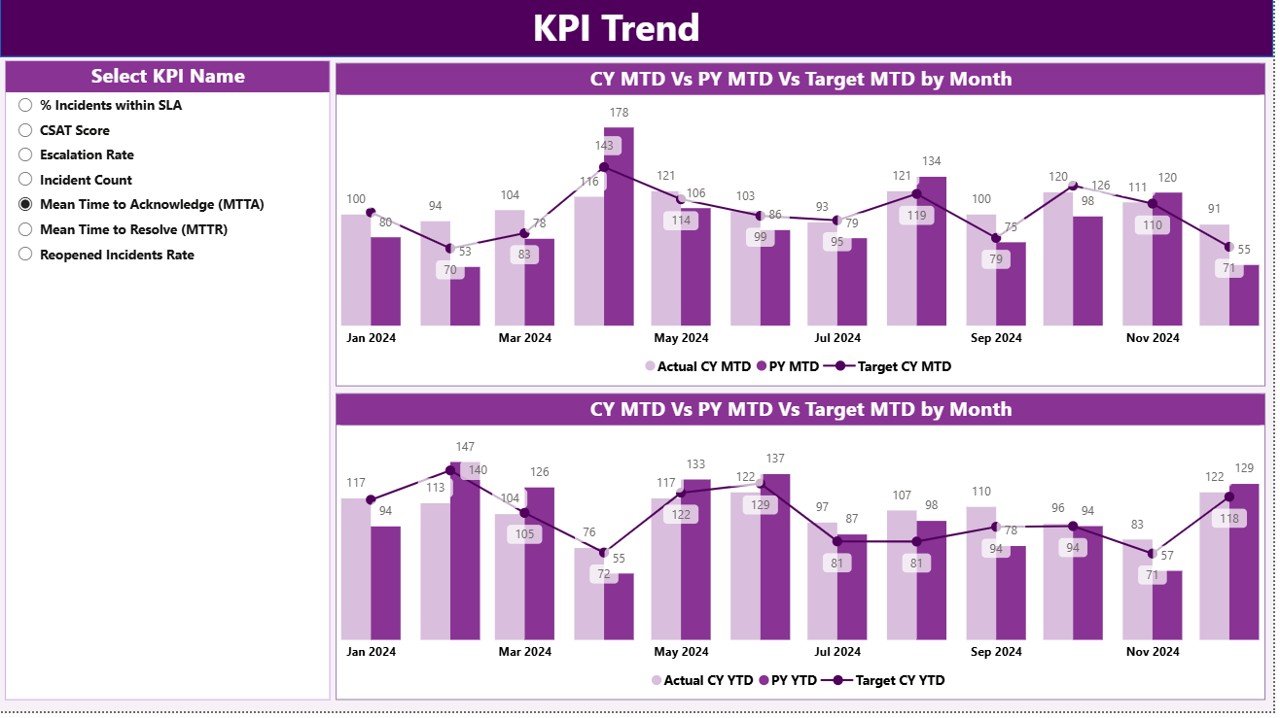
KPI Trend Page — combo charts comparing actuals, previous year, and targets
📈 Page 2 — KPI Trend Page: Two combo charts side-by-side. The left chart shows MTD Actual CY, MTD Actual PY, and MTD Target. The right chart shows YTD Actual CY, YTD Actual PY, and YTD Target. A KPI-name slicer on the left filters both charts simultaneously so you can study any single incident KPI in isolation.
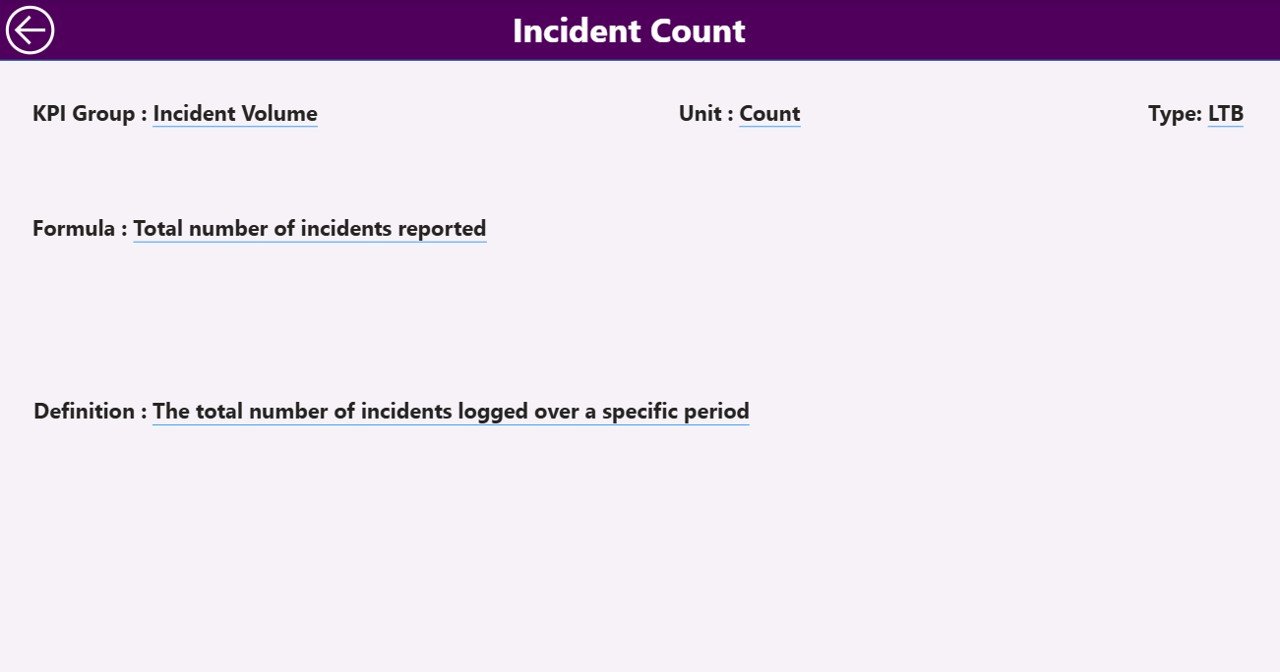
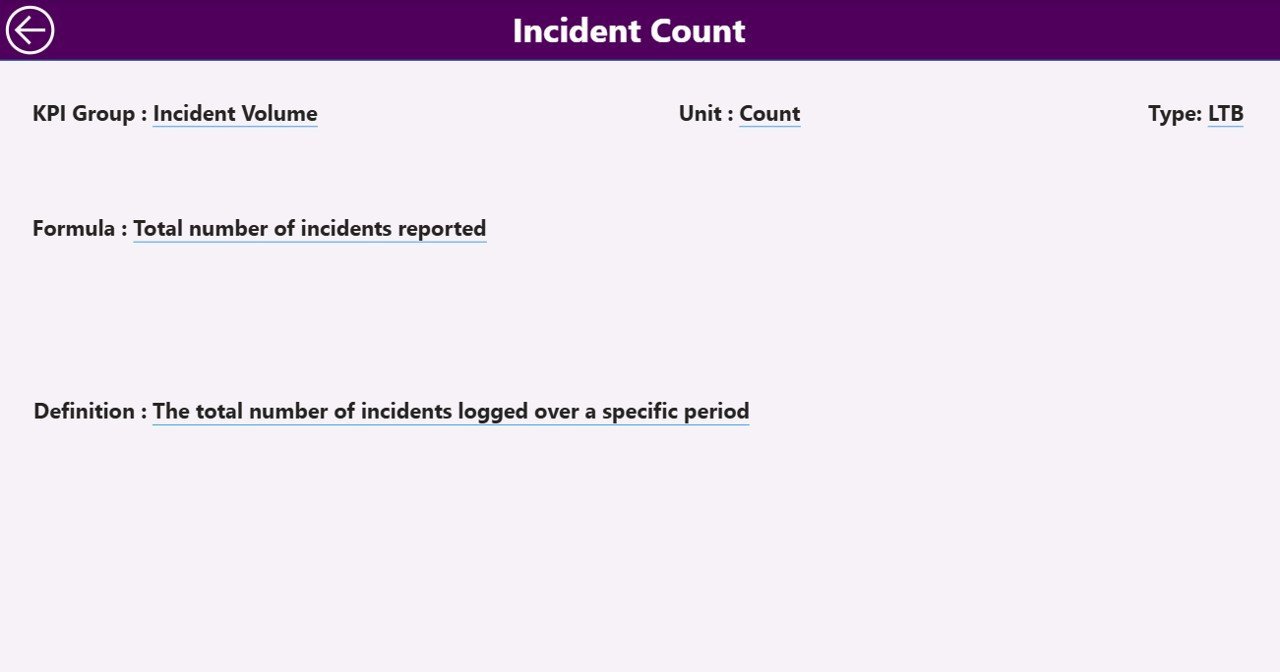
KPI Definition Page — drill-through page showing formula and definition for each KPI
📘 Page 3 — KPI Definition Page (hidden drill-through): Click any KPI row on the Summary page to drill through and see that KPI’s formula and definition. A back button in the top-left corner returns you to the Summary view. This keeps the main page clean while putting context one click away.
📁 Excel data source — 3 sheets: Input_Actual (KPI Name, Month, MTD number, YTD number), Input_Target (KPI Name, Month, MTD target, YTD target), and KPI Definition (KPI Number, KPI Group, KPI Name, Unit, Formula, Definition, Type).
📊 Incident Management KPI Dashboard vs. Tableau / Qlik vs. ServiceNow / Jira Service Management — Where This Fits
| Feature | Incident Management KPI Dashboard (Power BI) | Tableau / Qlik dashboard | ServiceNow ITSM / Jira Service Mgmt |
|---|---|---|---|
| Cost | $11.99 one-time | $15-75 / user / month | $45-180 / agent / month |
| Platform | Power BI Desktop (free) | Tableau Cloud / Qlik Sense | SaaS (browser-based) |
| Setup time | Under 10 minutes | 2-4 weeks | 4-12 weeks |
| MTD vs YTD vs PY built in | ✅ | Custom build required | Custom report build |
| LTB / UTB logic per KPI | ✅ | Manual config | Manual config |
| Drill-through KPI definition | ✅ | ✅ | Limited |
| Editable for non-IT users | ✅ (Excel-driven) | Requires Tableau skills | Requires admin role |
| Year-1 cost at 5 users | $11.99 | $900-4,500 | $2,700-10,800 |
| Vendor lock-in | None — files are yours | Subscription only | Subscription only |
For IT teams that want incident KPI tracking without paying ServiceNow or ticking the Tableau license clock, the Incident Management KPI Dashboard sits in the sweet spot — it gives a 3-page Power BI deck on the budget of a single Tableau seat-day.
👥 Who This Template Is For — and Who It’s Not For
✅ This template is built for:
- IT Service Managers and Service Desk leads at 20-1,000 person companies tracking monthly incident posture
- NOC and Operations Managers who report MTTR, SLA compliance, and reopened-incident rate to leadership
- ITSM consultants who need a quick reusable reporting layer on top of ServiceNow, Jira, or Freshservice exports
- Power BI users who want a working KPI-table layout to copy into other domains (HR, Finance, Manufacturing)
❌ This template is NOT for:
- Enterprise teams needing direct API integration into ServiceNow, Jira, or BMC Helix — this is an Excel-fed reporting layer
- Teams that need real-time alerting or paging — this is a monthly KPI review dashboard, not an SRE incident response tool
- People who don’t have Power BI Desktop installed (free download from Microsoft is required)
⚙️ How to Use the Incident Management KPI Dashboard
- Download and unzip — open the Excel file alongside the .pbix file in Power BI Desktop.
- Fill the Input_Actual sheet — enter KPI Name, Month (first date of month), MTD number, and YTD number per row.
- Fill the Input_Target sheet — same structure, but with target values per KPI Name and Month.
- Fill the KPI Definition sheet — enter KPI Number, KPI Group, KPI Name, Unit, Formula, Definition, and Type (LTB or UTB).
- Refresh the .pbix file — click Refresh in Power BI Desktop and the Summary, KPI Trend, and Definition pages all update.
- Use slicers to filter — Month and KPI Group slicers on the Summary page; KPI-name slicer on the Trend page.
- Drill through any KPI — right-click a row in the Summary table and select “Drill through > KPI Definition” to see formula and definition.
💼 Real-World Use Cases
Priya is the IT Service Desk Manager at a 250-person fintech company. She uses the Incident Management KPI Dashboard to present a monthly KPI review to the CTO — MTTR by priority, SLA compliance %, P1 incident count, and reopened-incident rate. Her ServiceNow exports go into the Excel file every month-end, and the dashboard refreshes itself. She replaced a $9,000/year Tableau seat with this template.
Arjun runs a 12-person managed services consulting firm. He uses the dashboard as a deliverable layer for his clients: each client gets a copy with their own incident data. The drill-through KPI Definition page is especially useful because clients can self-explain their own KPI formulas without him on the call. He charges $400 per client per month for the reporting service — the template paid for itself on the first invoice.
Sara is an ITSM consultant working on a ServiceNow migration project. She uses the Power BI template to validate that the new ServiceNow workflows are producing the same numbers as the old Remedy system. Side-by-side MTD CY vs MTD PY makes the migration audit trivially easy — no custom Tableau workbook needed.
❓ Frequently Asked Questions
What KPIs does the Incident Management KPI Dashboard track?
The Incident Management KPI Dashboard tracks any incident KPIs you define in the KPI Definition sheet — typical examples include MTTR (Mean Time to Resolution), Mean Time to Acknowledge, First Call Resolution Rate, SLA Compliance %, Reopened Incident Rate, P1 and P2 Incident Count, and Backlog Age. The template is KPI-agnostic; you control the list.
How long does setup take?
Under 10 minutes if you already have your incident KPI data in a spreadsheet. Open the Incident Management KPI Dashboard’s .pbix file, point it to your filled Excel file, click Refresh, and every visual updates. No DAX coding, no Power BI experience required beyond opening the desktop app.
Do I need a Power BI subscription to use this?
No. Power BI Desktop is free from Microsoft and runs the .pbix file fully on your computer. You only need a Power BI Pro or Premium license if you want to publish the dashboard to the Power BI Service for online sharing with your team.
How does this compare to ServiceNow’s built-in dashboards?
ServiceNow ITSM costs $45-180 per agent per month and gives you native dashboards. The Incident Management KPI Dashboard is a $11.99 one-time-purchase reporting layer that sits on top of any ITSM system’s exports — useful when you want a shareable monthly KPI deck without giving every viewer a ServiceNow license.
Can I customize the KPI list and add my own metrics?
Yes. The KPI Definition sheet drives the entire dashboard. Add a new row with KPI Number, KPI Group, KPI Name, Unit, Formula, Definition, and Type (LTB or UTB), then add matching rows in Input_Actual and Input_Target. Refresh — the new KPI appears automatically in the Summary, Trend, and Definition pages.
What’s the difference between LTB and UTB?
LTB stands for Lower the Better (used for KPIs like MTTR, Reopened Rate, Backlog Age — you want these going down). UTB stands for Upper the Better (used for KPIs like SLA Compliance %, First Call Resolution Rate — you want these going up). The Incident Management KPI Dashboard automatically applies the right green/red ▲▼ icon based on each KPI’s Type.
Does it work with ServiceNow, Jira, or Freshservice data?
Yes. Export your monthly incident KPI numbers from ServiceNow, Jira Service Management, Freshservice, BMC Helix, or any ITSM tool into the Input_Actual and Input_Target Excel sheets. The Incident Management KPI Dashboard doesn’t care about the data source — it cares about the structure of the numbers.
👤 About the Author
Built by PK — Microsoft Certified Professional with 15+ years of Excel, Google Sheets, and Power BI experience. Founder of NextGenTemplates, reaching 300K+ subscribers across YouTube channels (@PK-AnExcelExpert, @NextGenTemplates, @NeoTechNavigators). Every template is hand-built and tested before release.
🔗 Explore Related Templates
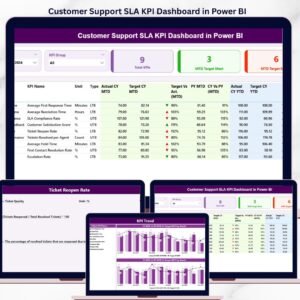
- 📊 Customer Support SLA KPI Dashboard in Power BI — same 3-page structure focused on customer support SLAs.
- 📊 Crisis Response KPI Dashboard in Power BI — tracks crisis response KPIs with the same MTD/YTD framework.
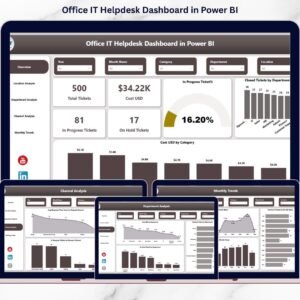
- 📊 Office IT Helpdesk Dashboard in Power BI — broader IT helpdesk dashboard covering ticket lifecycle.
- 📊 Helpdesk Efficiency KPI Dashboard in Google Sheets — Google Sheets equivalent for non-Power BI teams.
- 📊 Customer Service Dashboard in HTML — browser-based dashboard for sharing without any Microsoft tooling.
Browse the full KPI Dashboard in Power BI collection for 686+ ready-to-use Power BI templates across every department.
📖 Click here to read the Detailed Blog Post
🎥 Visit our YouTube channel for step-by-step video tutorials
👉 YouTube.com/@NextGenTemplates
📅 Last updated: April 2026