

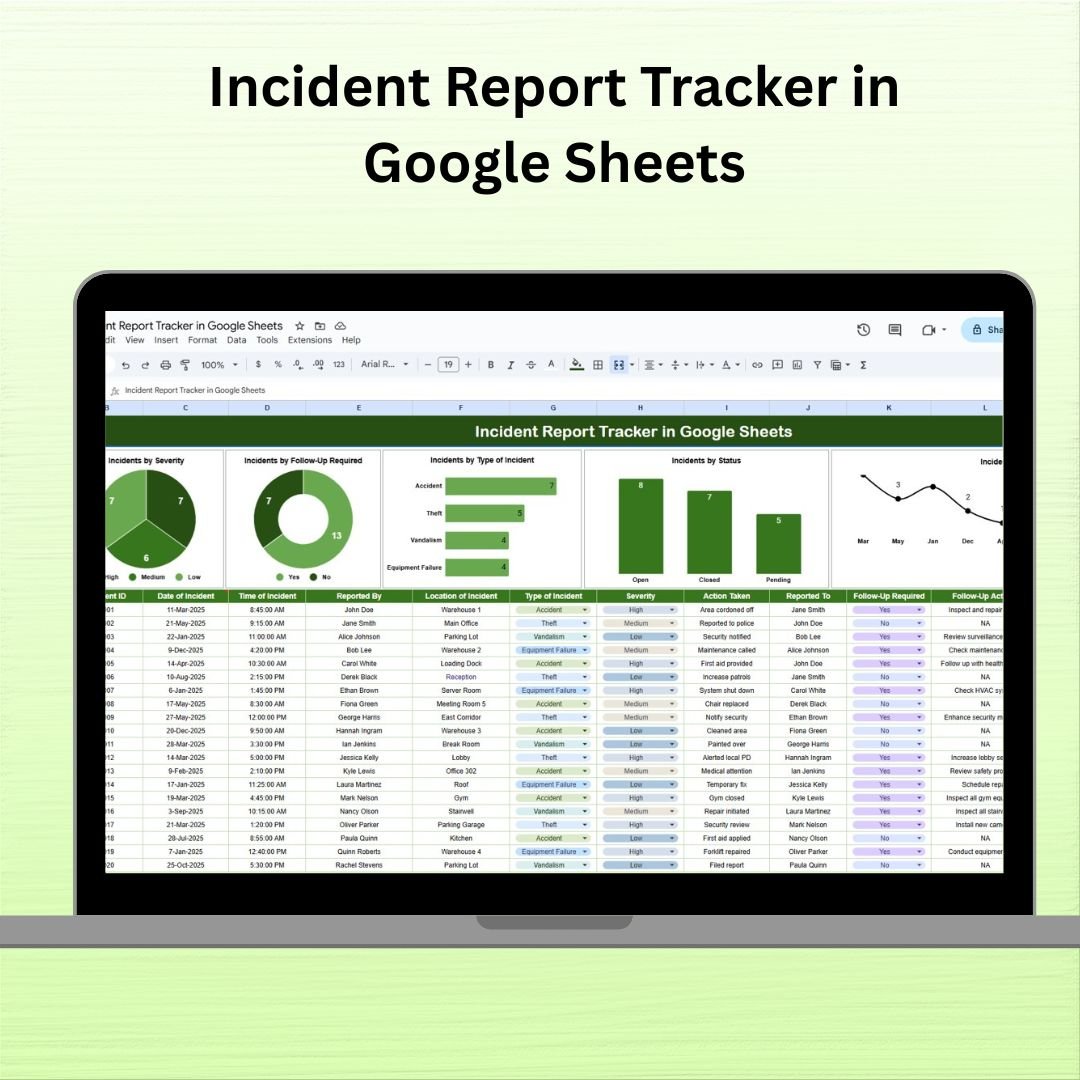

Managing incidents efficiently is vital for maintaining workplace safety, legal compliance, and operational integrity. The Incident Report Tracker in Google Sheets is a professional, ready-to-use tool that enables organizations to log, monitor, and analyze incidents—all in one centralized location. Whether you’re managing workplace accidents, equipment failures, or safety violations, this template helps ensure every incident is documented, followed up, and resolved in a timely manner.
📊 Key Features of the Incident Report Tracker Template
📁 Single Tab Design – All-in-One Dashboard
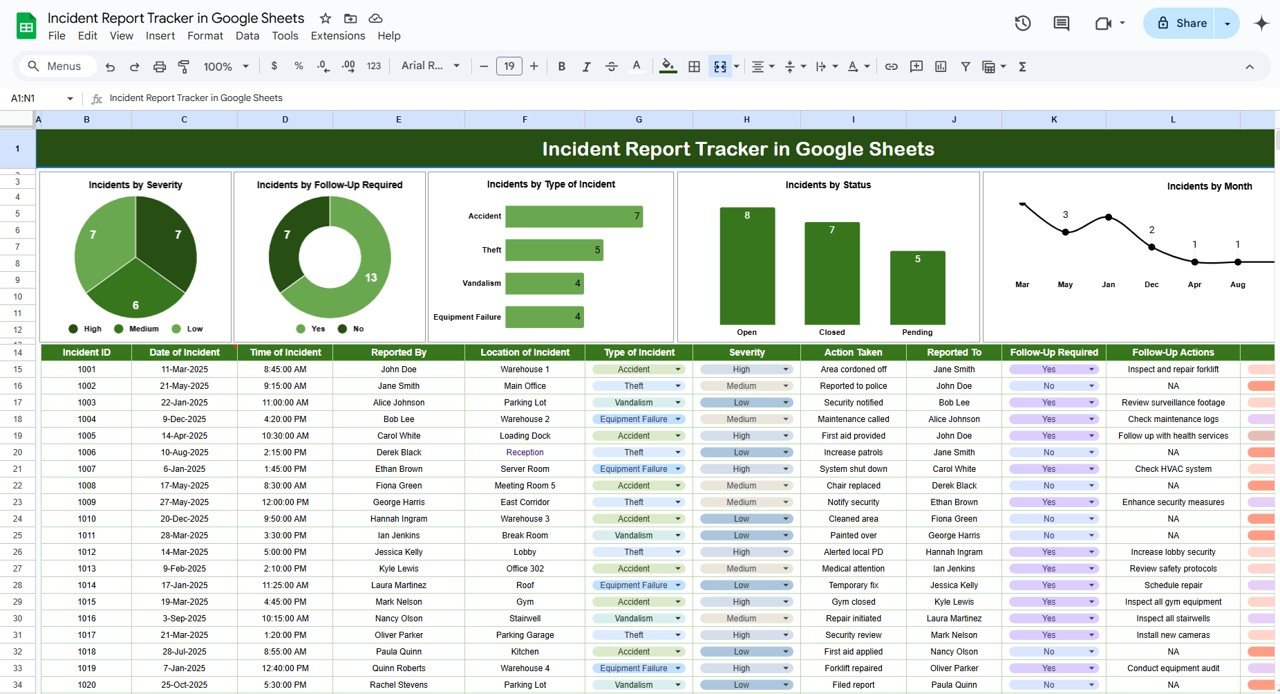
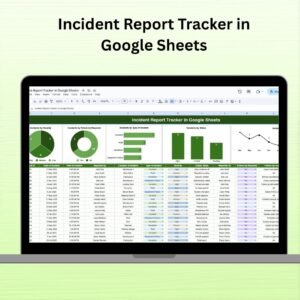
This tracker is built into a single, organized sheet that combines incident data and visual charts. No switching between tabs—everything you need is in one place.
🔍 Charts and Visual Insights:
Incidents by Severity – Breakdown of incidents by Low, Medium, or High severity levels.
Incidents by Type – Categorize incidents into types like Workplace, Equipment, Safety, etc.
Incidents by Follow-Up Required – Quickly see how many incidents need follow-up actions.
Incidents by Status – Track which incidents are Open, Pending, or Resolved.
Incidents by Month – View a timeline of incidents to identify spikes or recurring issues.
📋 Incident Data Table:
Track all critical incident information using these key fields:
Date of Incident
Reported By
Location
Type of Incident
Severity Level
Brief Description
Follow-Up Required (Yes/No)
Follow-Up Actions
Assigned To
Current Status (Open, Pending, Closed)
This data powers the visual charts, keeping your insights live and up to date.
🧰 Why Use the Incident Report Tracker?
✅ Centralized Record Keeping – Store all incident reports, follow-ups, and outcomes in one sheet.
✅ Real-Time Trend Monitoring – Instantly visualize recurring issues and severity trends.
✅ Customizable – Tailor it to your needs by adding filters, columns, or changing chart types.
✅ Action-Oriented Tracking – Ensure no incident goes unresolved with assigned follow-ups.
✅ Improved Safety Protocols – Use data to improve SOPs and reduce future risks.
✅ Easy Reporting – Quickly export the sheet or charts for review meetings or compliance audits.
👥 Who Should Use This Google Sheets Tracker?
🏭 Operations & Facility Managers – Track physical incidents or near-misses
🏥 Healthcare Admins – Log patient-related events or equipment issues
🏫 School Safety Officers – Manage student/staff incidents
🏢 Corporate HR & Admin Teams – Handle internal issues or workplace safety violations
🧰 Maintenance Supervisors – Monitor repairs, malfunctions, and action items
Whether you’re in manufacturing, education, healthcare, or corporate settings, this template adapts to your incident tracking needs.
✅ Best Practices for Using the Incident Report Tracker
Log Incidents Immediately – Capture details while they’re fresh
Assign Follow-Up Tasks – Track who is responsible for resolution
Monitor Monthly Trends – Spot emerging risks early
Maintain Accuracy – Keep fields consistent and complete
Use Filters – Quickly drill down by status, severity, or type
🎯 Benefits at a Glance
✔ All-in-One Incident Dashboard
✔ Real-Time KPI Charts
✔ Custom Columns and Statuses
✔ Color-Coded for Quick Review
✔ Mobile & Desktop Ready
✔ Shareable with Teams via Google Drive
✔ Downloadable or Printable for Offline Use
📘 Read Full Blog Post:
Click here to explore more
Watch the step-by-step video Demo:













Reviews
There are no reviews yet.