

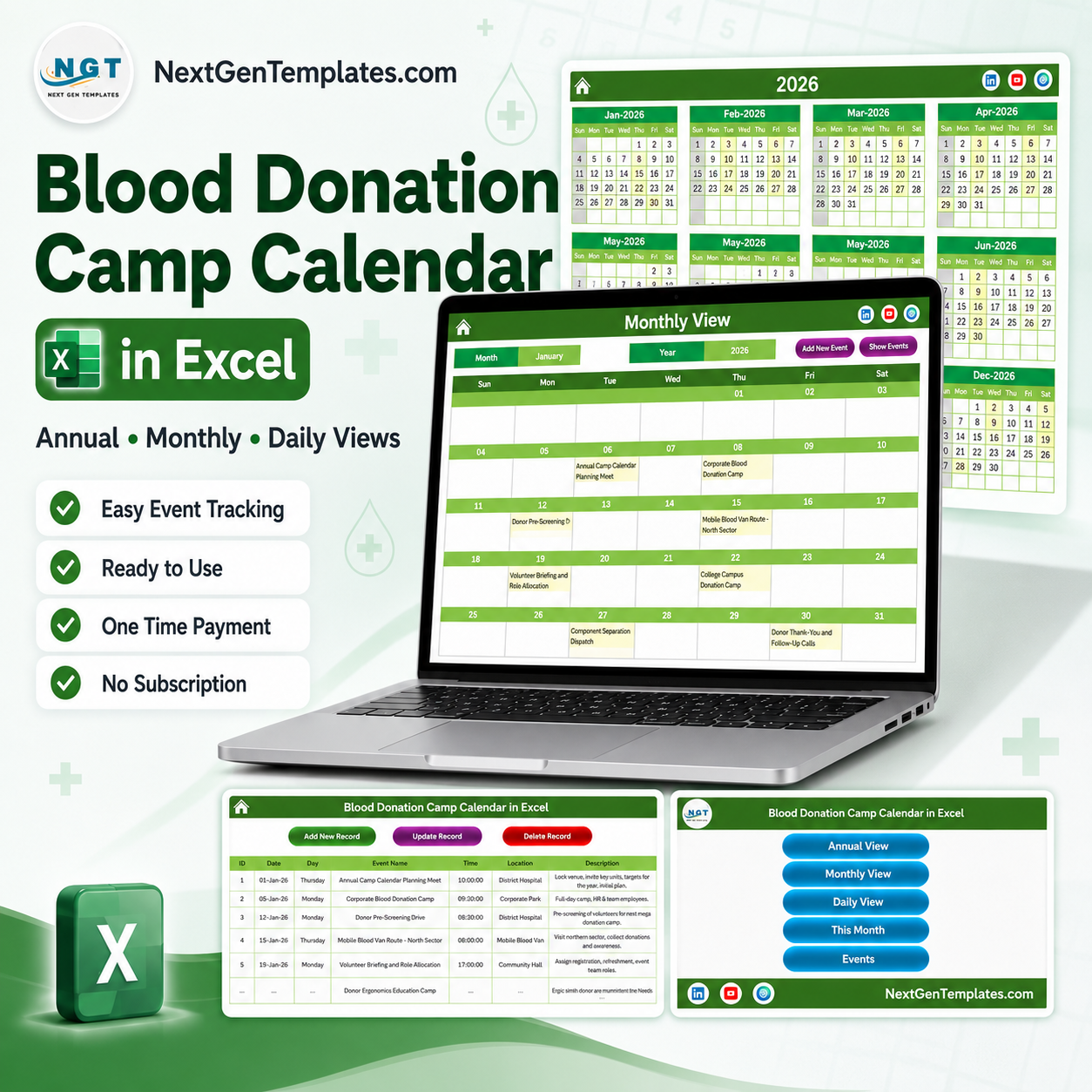

The Blood Donation Camp Calendar in Excel is a macro-enabled workbook of 7 worksheets that turns one camp list into five linked scheduling views – a printable year planner, a working month grid, a date-range day list, a monthly summary and the master Events table. It ships with 100 sample camp and drive entries covering every month of 2026, from 06-Jan-2026 to 29-Dec-2026, across 6 collection venues and 87 distinct activity names, so you can see exactly how the layout behaves before you type a row of your own.
Read this first. This is a scheduling and record-keeping spreadsheet for camp logistics. It is not medical software, not a blood-bank system of record, not a donor register or donor-eligibility tool, and not a regulated clinical system. It does not screen donors, check deferral periods, record haemoglobin or vital signs, count units collected, track components, log cold-chain temperatures or connect to any blood-bank, hospital or laboratory system. It carries no HIPAA, GDPR, AABB, FDA or other health-data certification, and it has no access control, no encryption and no audit trail. It holds only what you type into your own copy of the file.
🔑 Key Features of the Blood Donation Camp Calendar in Excel
- 7 worksheets: Home, Annual View, Monthly View, Daily View, This Month, Events and Setting.
- One master table drives every view. The Events sheet holds 7 columns – ID, Date, Day, Event Name, Time, Location and Description – and all four calendar views read from it, so a camp entered once appears everywhere.
- Exactly 100 sample entries across a full year, from the 06-Jan-2026 Annual Camp Calendar Planning Meet to the 29-Dec-2026 Annual Donor Meet and 2027 Calendar Draft, with entries in all twelve months (8 to 10 per month).
- 6 collection venues already set up: District Hospital (36 entries), Community Hall (20), Corporate Park (14), Mobile Blood Van (12), City College Campus (11) and Temple Grounds (7).
- 87 distinct activity names covering the whole camp cycle – corporate, community, college and temple-ground camps, mobile blood van routes, donor pre-screening drives, volunteer briefings and training, component-separation dispatches, cold-chain audits, rare blood group donor calls, registry updates, donor thank-you and certificate drives, collection reviews and next-year calendar planning.
- Awareness-day camps already dated: World Health Day, World Thalassaemia Day, International Nurses Day, World Blood Donor Day, Independence Day, Teachers Day, National Voluntary Blood Donation Day and World AIDS Day.
- 17 clock times from 07:30 to 17:00, so early van departures, mid-morning camp openings and late-afternoon review meetings all sit on the same grid.
- A 6-field pop-up entry form that captures Date, Event Name, Time, Location and Description and fills the Day field automatically from the date you pick – with a calendar picker on the date box and a clock picker on the time box.
- Add, Update and Delete controls on the Events sheet, Add New Event and Show Events buttons on the Monthly View, and an Add New Event button plus a refresh control on the Daily View.
- 5 one-click colour themes – Default, Blue, Red, Black and Orange – repaint the whole workbook from the Setting sheet.
- Configurable calendar rules: set the year (a rolling 2021-2051 list), the month the calendar starts with, the day the week starts on, two highlighted weekday columns and whether event days are highlighted.
- No donor name, donor ID, blood group, contact detail, eligibility date or units-collected column anywhere in the file. The calendar is built around the camp, the venue and the time – not the person who donates.
- Macros required. Microsoft Excel for Windows, desktop only.
📦 What is Inside the Blood Donation Camp Calendar in Excel
Page 1: Home – Navigation
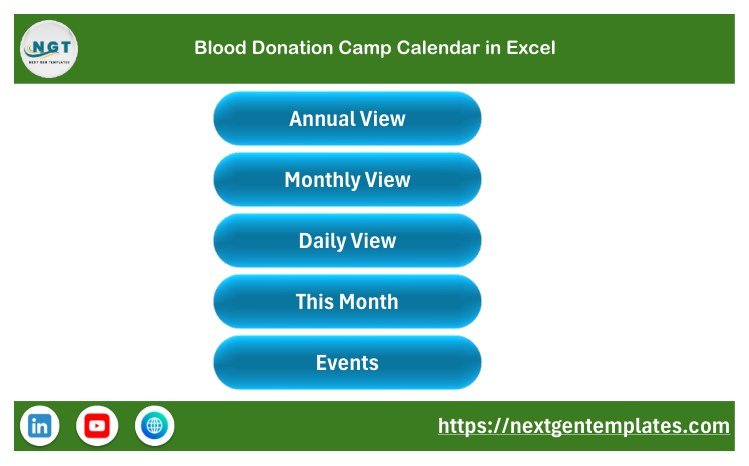
A branded landing page with five buttons – Annual View, Monthly View, Daily View, This Month and Events – so a volunteer coordinator who does not live in Excel can move around the workbook. The footer carries the NextGenTemplates link and social icons.
Page 2: Annual View
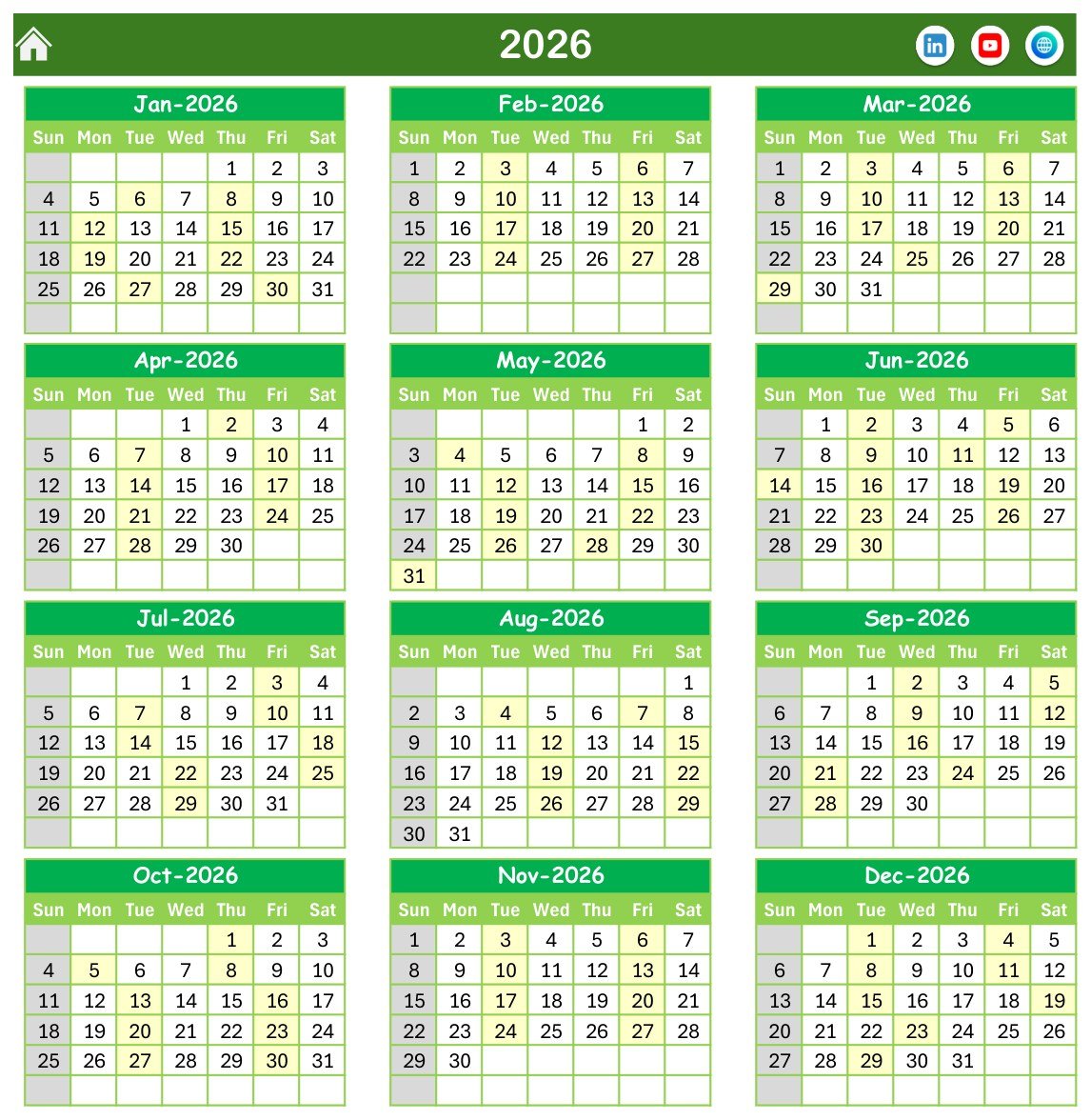
All twelve months of the chosen year on a single page in a three-across, four-down grid, with every date that carries a camp or drive shaded so the year’s coverage reads at a glance. Sundays are greyed and the two weekday columns you nominate on the Setting sheet are highlighted. This is the sheet you print for the blood-bank noticeboard.
Page 3: Monthly View
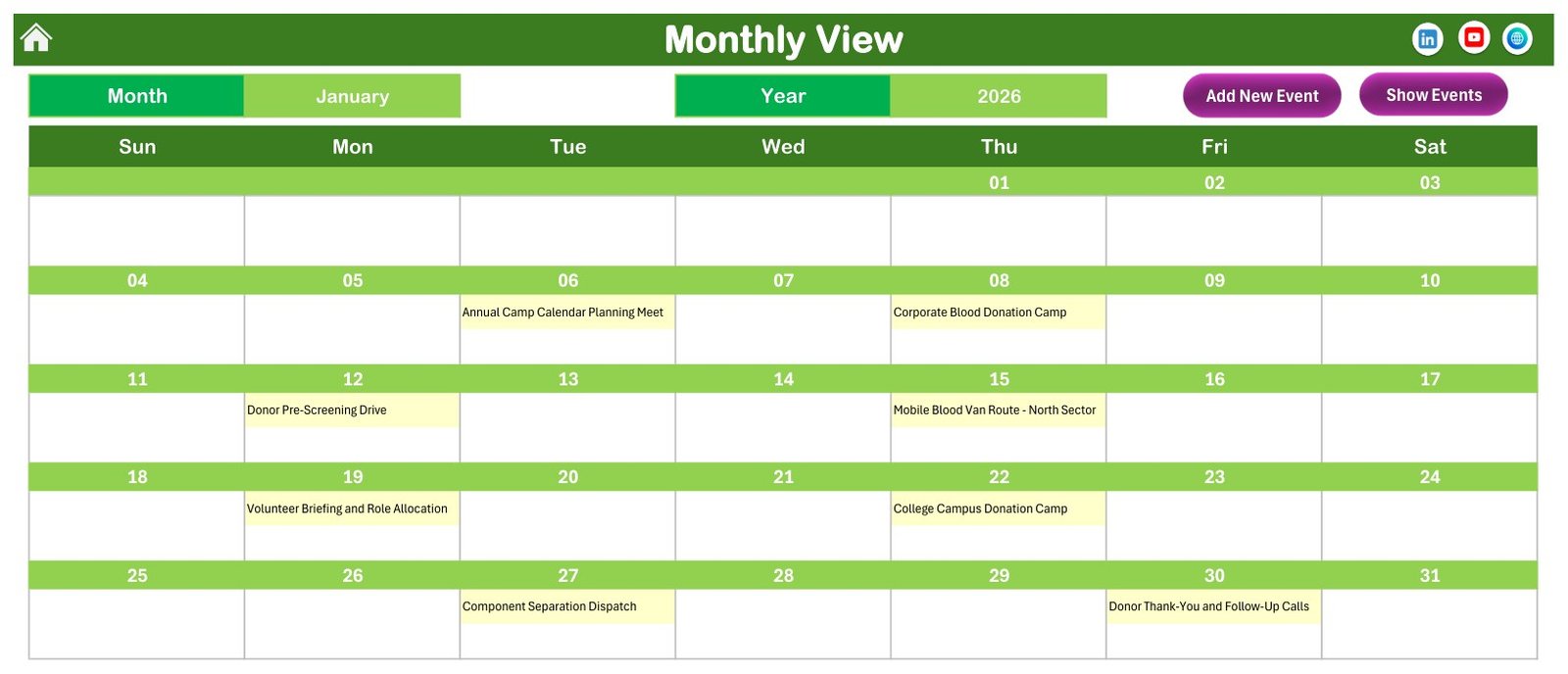
The working grid. Pick a month and a year from the two drop-downs and the month redraws with each entry printed inside its own date cell – so January 2026 shows the 06-Jan Annual Camp Calendar Planning Meet, the 08-Jan Corporate Blood Donation Camp, the 12-Jan Donor Pre-Screening Drive, the 15-Jan Mobile Blood Van Route – North Sector, the 19-Jan Volunteer Briefing and Role Allocation, the 22-Jan College Campus Donation Camp, the 27-Jan Component Separation Dispatch and the 30-Jan Donor Thank-You and Follow-Up Calls. Add New Event and Show Events buttons sit above the grid.
Page 4: Daily View
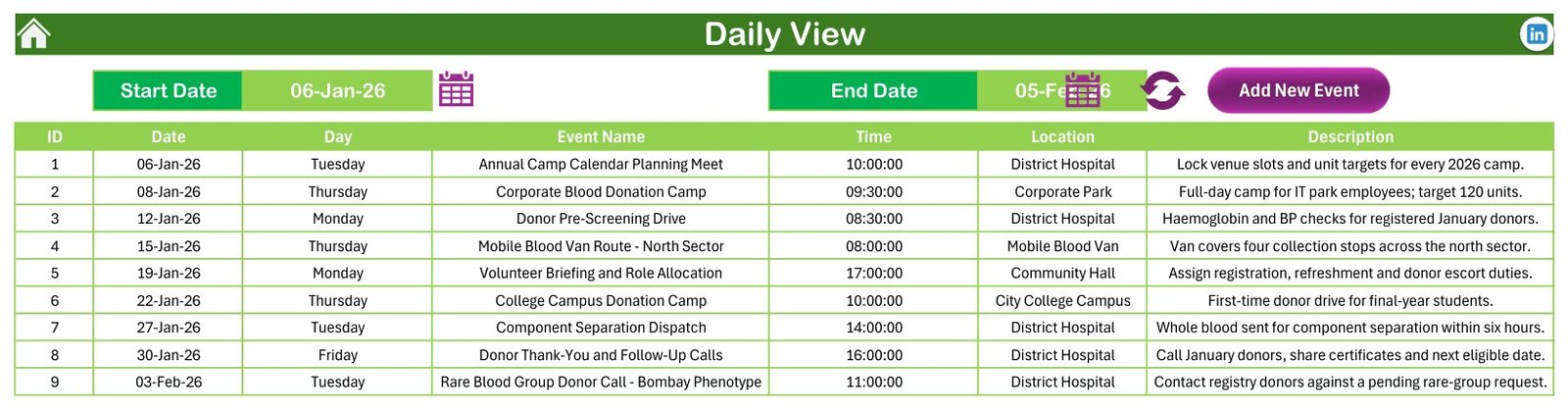
Set a Start Date and an End Date and the sheet lists every entry in that window as a clean table – ID, Date, Day, Event Name, Time, Location and Description. The shipped range of 06-Jan-26 to 05-Feb-26 returns nine entries. This is the printable handout for the camp team, the van driver or the venue.
Page 5: This Month Summary
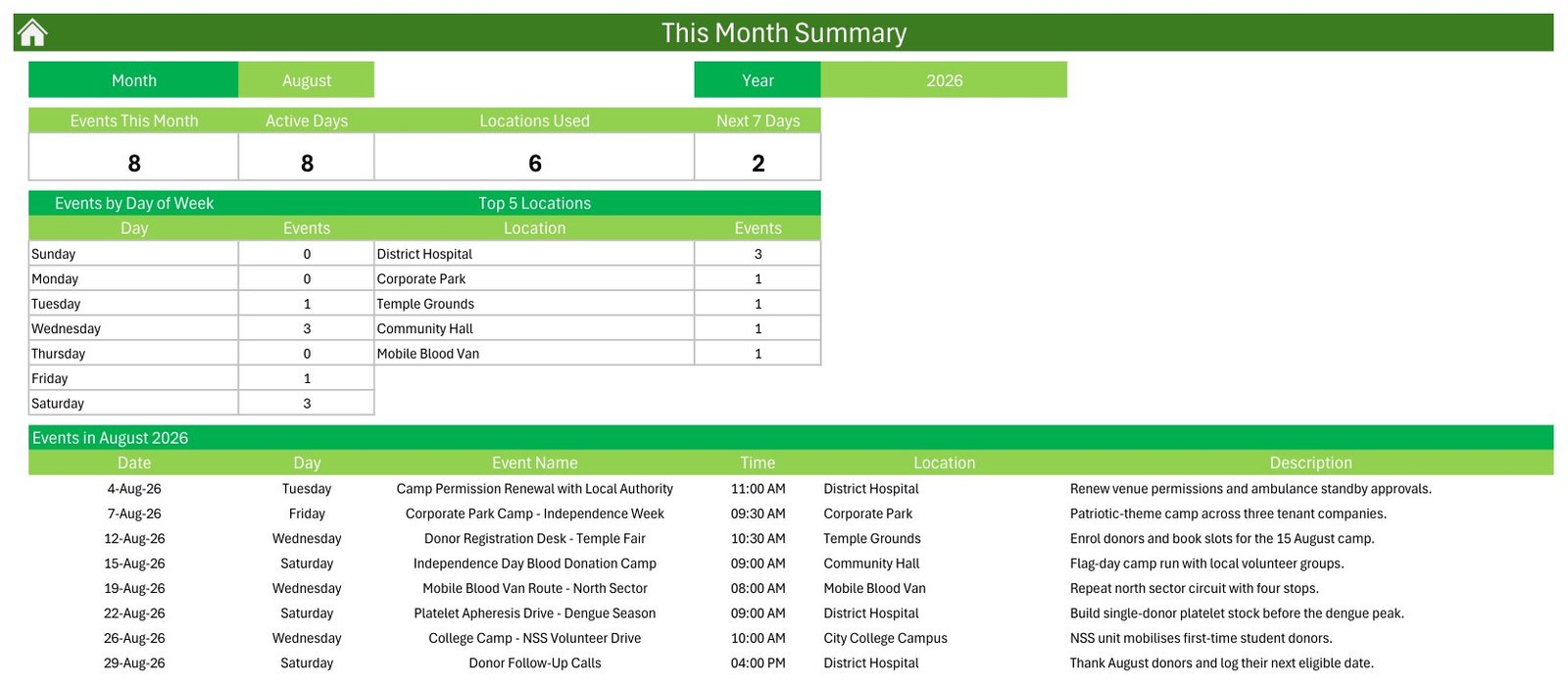
A month-at-a-glance card row – Events This Month, Active Days, Locations Used and Next 7 Days – over two small tables, Events by Day of Week and Top 5 Locations, and then the full list of that month’s entries. For August 2026 the shipped file reads 8 entries on 8 active days across 6 venues, with District Hospital on 3 and the rest on 1 each, and the weekday table showing 3 on Wednesday, 3 on Saturday, 1 on Tuesday and 1 on Friday. Note that the venue table is a labelled Top 5, so when Locations Used reads 6 the sixth venue sits below the cut.
Page 6: Events – the master table
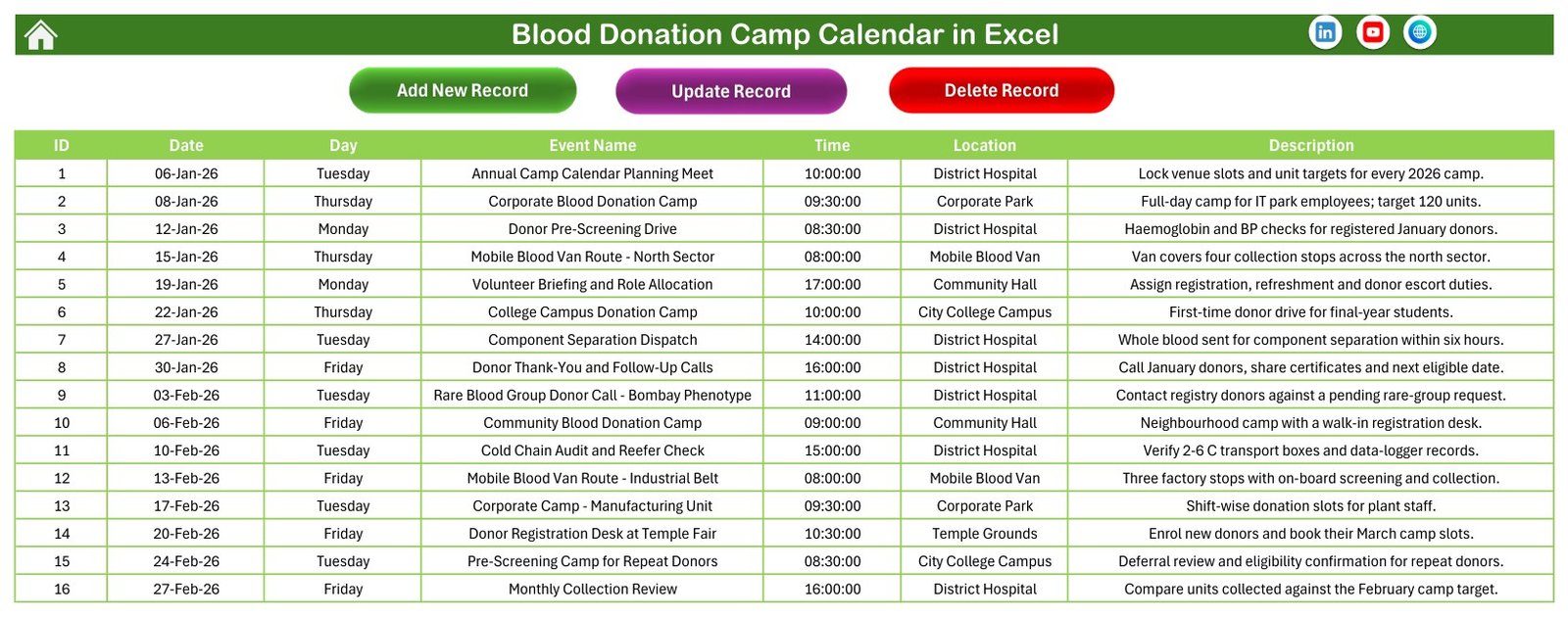
The single source of truth: 100 rows under the seven column headers, with Add New Record, Update Record and Delete Record buttons across the top. Edit here, or through the form, and every other sheet follows.
Page 7: The entry form
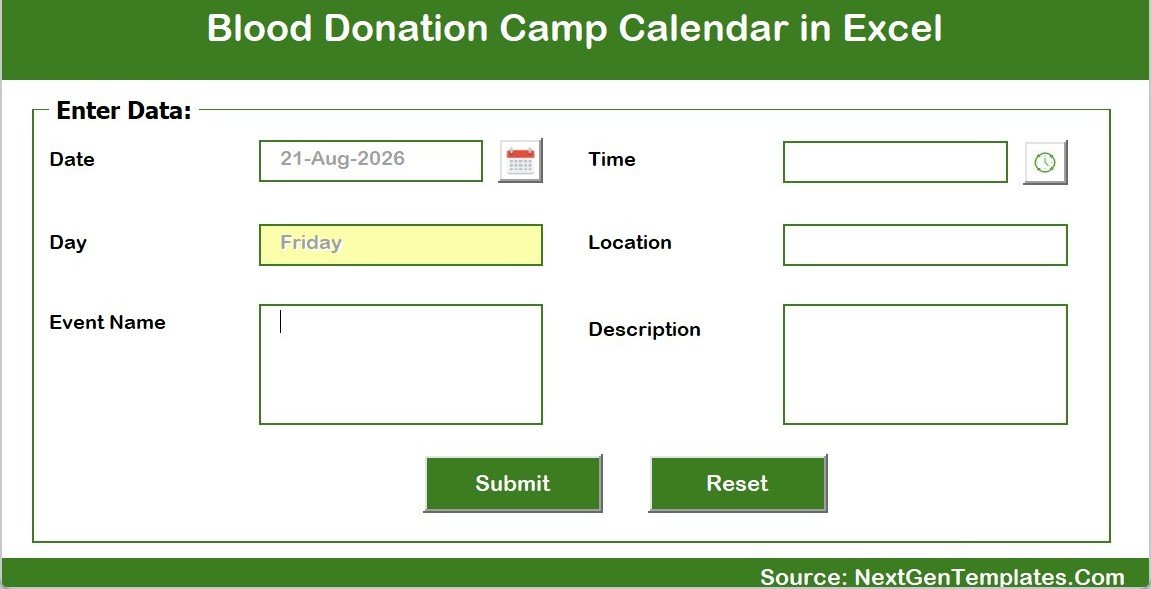
The pop-up VBA form. Date with a calendar picker, Day filled in for you, Event Name, Time with a clock picker, Location and Description, then Submit or Reset. Six fields, no typing of dates in the wrong format, no broken sort order.
Sheet 8: Setting
The configuration sheet behind the views: Year, Start with Month, Week start with Day, two Day of Week highlight columns, a Highlight Event switch and the Whole Theme colour picker. Change the year here and the entire workbook rolls forward.
📊 Blood Donation Camp Calendar in Excel vs. a Google Sheets camp calendar vs. blood-bank software
| Feature | Blood Donation Camp Calendar in Excel | Google Sheets equivalent | Blood-bank / donor-management software |
|---|---|---|---|
| Cost | $8.99 one-time | $8.99 one-time | Hundreds to thousands per year, often per site |
| Platform | Microsoft Excel for Windows, desktop, macros required | Any browser | Vendor cloud or on-premise server |
| Setup time | Under 10 minutes | Under 10 minutes | Weeks to months, with validation and staff training |
| Views included | 5 – Annual, Monthly, Daily range, This Month summary, Events table | Usually 2-3 | Many, plus operational dashboards |
| Sample data to start from | 100 camp entries, 6 venues, 87 activity types | 100 entries | None – you configure your own |
| Real-time team collaboration | No – one file at a time | Yes, multi-user | Yes |
| Donor registration, screening and deferral checks | None – the workbook screens nobody | None | Yes, and validated for it |
| Units collected, blood grouping, component tracking | None – no unit or component field exists | None | Yes, with barcodes and labels |
| Cold-chain temperature logging | None – you can schedule the audit, not record the temperature | None | Yes, often with sensor integration |
| SMS or email reminders to donors | None | None | Yes |
| Regulatory validation and audit trail | None of any kind | None | Yes – that is most of what you pay for |
| Year-1 cost for one camp-organising team | $8.99 total | $8.99 total | $2,000-$20,000+ |
If your team is planning where and when the camps happen – the venue, the date, the time, the van route, the volunteer briefing, the follow-up call – and simply needs that plan visible, printable and in one place, this workbook sits in the sweet spot. If you need to register donors, screen them, group and label units or satisfy a regulator, buy the blood-bank system: this template is not a substitute for it, and it never becomes one.
👥 Who This Template Is For – and Who It Is Not For
A good fit for:
- Blood-bank camp coordinators mapping a year of outreach across hospitals, colleges, corporate parks and community venues
- NGOs, Rotary and Lions clubs, NSS units and student volunteer groups running periodic donation drives
- Corporate CSR and HR teams booking on-site camps and pledge drives across tenant companies
- Mobile blood van teams planning route days and collection stops in advance
- Anyone who has to hand a printed year planner or a printed fortnight list to volunteers who have no login to anything
- Excel users who want to own the file outright rather than rent a seat per month
Not a fit if:
- You need a donor register – there is no donor name, ID, blood group, contact or last-donation-date column, and none should be added; use a proper donor system
- You need donor eligibility, deferral-period or haemoglobin screening – the workbook screens nobody and validates nothing
- You need to record units collected, blood grouping, component separation results, labels or barcodes
- You need cold-chain temperature logs, equipment records or inventory levels
- You need HIPAA, GDPR, AABB or FDA compliance, a data-processing agreement or a validated audit trail – the workbook carries no certification of any kind
- You need SMS or email reminders to donors, or online camp registration
- Your team is on Mac, iPad, Android or the browser – the VBA forms and buttons need Excel for Windows on the desktop
⚙️ How to Use the Blood Donation Camp Calendar in Excel
- Unzip and open the .xlsm in Microsoft Excel for Windows on the desktop.
- Click Enable Content. The navigation buttons, the Add/Update/Delete controls and the pop-up form are all VBA and do nothing without macros.
- Open the Setting sheet and set the Year, the month the calendar starts with, the day your week starts on and the two weekday columns you want highlighted. Pick a colour theme while you are there.
- Replace the Location list with your own venues – the sample file ships with six, from a District Hospital to a Mobile Blood Van.
- Clear the 100 sample entries from the Events sheet once you have seen how the views behave, then add your own through the pop-up form so the Day column stays correct.
- Print the Annual View for the noticeboard and use the Daily View date range to print the coming week or fortnight for the camp team and the van driver.
- Check the This Month sheet at month end for camp counts, active days and venue coverage.
💼 Real-World Use Cases
- A district blood bank plots a year of camps across six venue types, prints the Annual View for the noticeboard and reviews venue balance every month.
- A college NSS unit blocks out the freshers drive, the inter-college challenge and the pre-exam camp so none of them collide with the exam timetable.
- A corporate CSR team schedules an awareness session, a pledge drive and a full-day camp across tenant companies and hands HR a printed fortnight list.
- A mobile van coordinator plans north-sector, industrial-belt, market-area, rural-circuit, suburban-loop and township route days and prints the date-range list for each driver.
- A volunteer lead uses the Daily View to print the briefing, camp and follow-up entries for the next fortnight so every role is allocated before the day.
❓ Frequently Asked Questions
Is this medical software, a blood-bank system or a donor register?
No. It is a scheduling and record-keeping calendar for camp logistics and nothing more. It is not a blood-bank system of record, not a donor-eligibility tool and not a regulated clinical system. There is no donor name, donor ID, blood group, contact, eligibility date or units-collected column anywhere in the file, and it carries no HIPAA, GDPR, AABB or FDA certification, no access control, no encryption and no audit trail.
Does it screen donors, check deferral periods or record haemoglobin and vital signs?
No. The workbook screens nobody and validates nothing. You can schedule a Donor Pre-Screening Drive on it – that is an entry with a date, a time and a venue – but the screening itself, its results and every eligibility decision belong in your clinical system and with your medical officer. Nothing in this file should ever be treated as a clinical or eligibility record.
Can I record how many units each camp collected?
No – there is no unit, donor-count or component field. The seven columns are ID, Date, Day, Event Name, Time, Location and Description. A collection target can be typed into the Description as free text, as the sample rows do, but nothing sums it and nothing reports on it. For a form-driven register of donations, use the Blood Donor Register Data Entry System in Excel; for stock and inventory, the Blood Bank Management System Tracker in Google Sheets.
What happens if I schedule two camps on the same date?
The Events sheet accepts them and the Daily View lists both. The Monthly View grid shows only the first entry on that date – it reads the table with a VLOOKUP – and prints a small “more” counter in the cell to tell you others exist. The shipped 100 rows deliberately use 100 different dates, so you will not meet this until you add your own. There is also no double-booking prevention: nothing stops you putting two camps in the same venue at the same time.
Does it calculate how long a camp runs?
No. There is a start Time but no end-time or duration field, so camp hours, venue utilisation and volunteer hours cannot be calculated from this file.
Do I have to enable macros, and will it work on a Mac?
Yes to macros – the file is a .xlsm and every button, the navigation and the pop-up entry form are VBA. It is built for Microsoft Excel for Windows on the desktop. Excel for Mac, Excel on the web, iPad and Android are not supported.
How many sample entries are included, and can I delete them?
Exactly 100, dated 06-Jan-2026 to 29-Dec-2026 across 6 venues. They are demonstration data, not a recommended camp programme and not a medical recommendation. Delete them all and the views simply come up empty, ready for your own entries.
Can I use it for a year other than 2026?
Yes. The Setting sheet carries a rolling year list from 2021 to 2051. Change the year and every view redraws.
Can I change the colours to match our campaign branding?
Yes. The Setting sheet has a Whole Theme picker with five presets – Default, Blue, Red, Black and Orange – and one click repaints the whole workbook. The file ships on the Default theme.
Is there a Google Sheets version?
Yes – the Blood Donation Camp Calendar in Google Sheets is the browser-based, multi-user twin of this workbook. Choose Excel if you want the pop-up VBA form, offline use and print control; choose Google Sheets if several coordinators need the same calendar open at once on any device.
👤 About the Author
Built by PK – Microsoft Certified Professional with 15+ years of Excel, Google Sheets and Power BI experience. Founder of NextGenTemplates, reaching 300K+ subscribers across YouTube channels. Every template is hand-built and tested before release.
🔗 Explore Related Templates
Excel or Google Sheets? The same calendar exists on both engines: this workbook, and the Blood Donation Camp Calendar in Google Sheets. The Excel edition gives you the pop-up entry form, offline working and proper print areas; the Google Sheets edition gives you several people in the same calendar at once, from any browser.
For the parts this calendar deliberately does not do: the Blood Donor Register Data Entry System in Excel is the form-driven register, the Blood Bank Management System Tracker in Google Sheets handles stock and inventory, and the Blood Bank Management System Web App is the multi-user system with logins and roles.
Other healthcare calendars on the same engine: Operation Theatre Booking Calendar in Excel, Nurse Duty Roster Calendar in Excel, Radiology Slot Booking Calendar in Excel, Patient Follow-Up Visit Calendar in Excel, Dental Clinic Appointment Calendar in Excel and Physiotherapy Session Calendar in Excel. Those schedule clinical appointments and rooms; this one schedules outreach camps and venues.
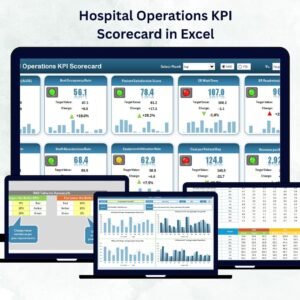
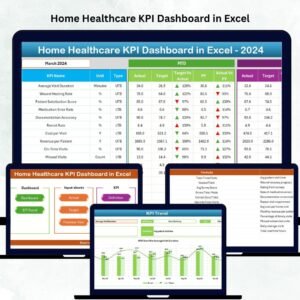
For the community and CSR programmes that sit around the camps, see the Corporate Social Responsibility Calendar in Google Sheets. Once you have a few months of activity recorded, the analysis layer is where the value moves: the Hospital Operations KPI Scorecard in Excel and the Home Healthcare KPI Dashboard in Excel.

































Reviews
There are no reviews yet.