

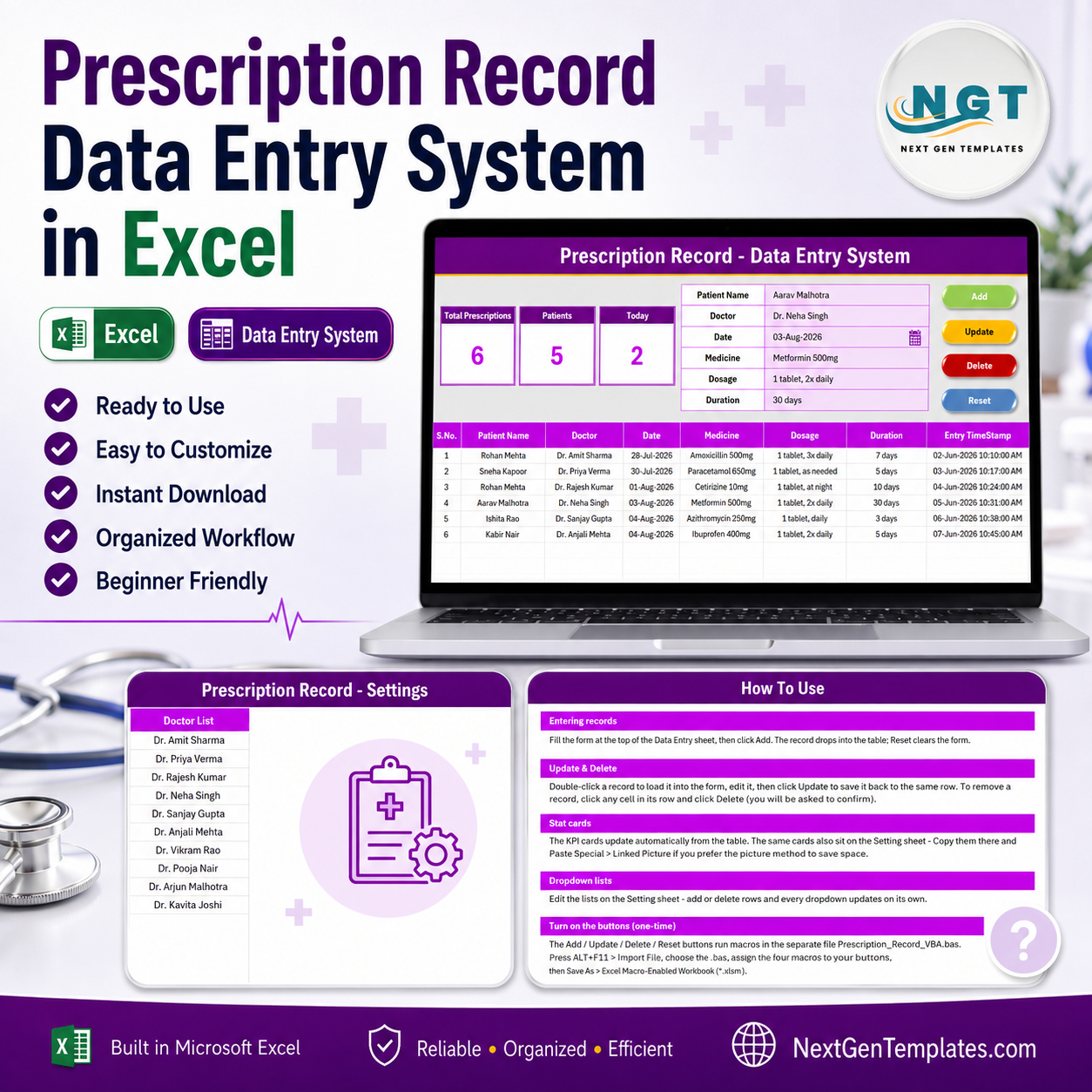

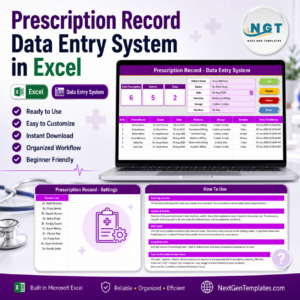
The Prescription Record Data Entry System in Excel logs every prescription through a 6-field form — Patient Name, Doctor, Date, Medicine, Dosage and Duration — and refreshes 3 live KPI cards the instant you click Add. It ships with 10 pre-loaded doctor names in a dropdown wired to the Setting sheet. Setup takes under 10 minutes: import the included VBA module, assign the four buttons, and start typing.
🌍 Join 10,000+ customers in 180+ countries using NextGenTemplates to replace paid SaaS tools with one-time-purchase Excel, Google Sheets, Power BI, and HTML templates.
✅ Instant download · One-time payment · No subscription · No per-user fees · Lifetime access
🔑 Key Features of the Prescription Record Data Entry System in Excel
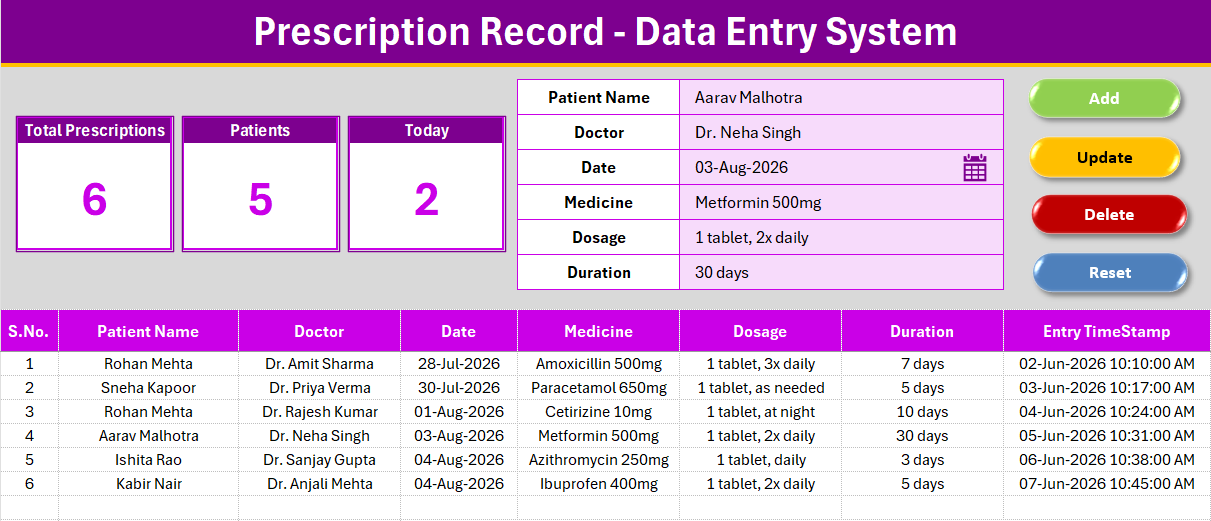
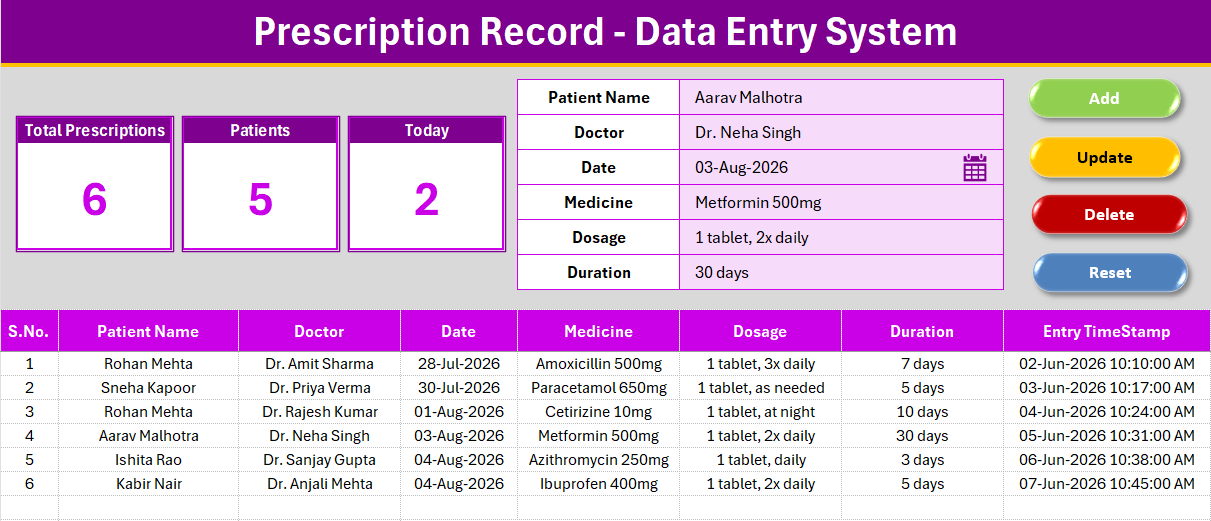
📝 A 6-field form built for speed – Patient Name, Doctor, Date, Medicine, Dosage and Duration sit in one input column on the Data Entry sheet. Doctor is a dropdown pulling from a named range on the Setting sheet, so front-desk staff never mistype a physician’s name.
⚡ Four VBA macros run the entire record lifecycle – Add writes a new row, stamps the S.No formula, and logs an Entry TimeStamp. Update rewrites the row loaded by double-clicking a record. Delete removes the selected record after a confirmation prompt. Reset clears the form for the next entry.
📊 Three KPI cards that stay accurate without a manual refresh – Total Prescriptions counts every record with a live COUNTA formula, Patients counts unique patient names so repeat visits don’t inflate the number, and Today counts how many prescriptions were logged so far today using a date-matched COUNTIFS formula.
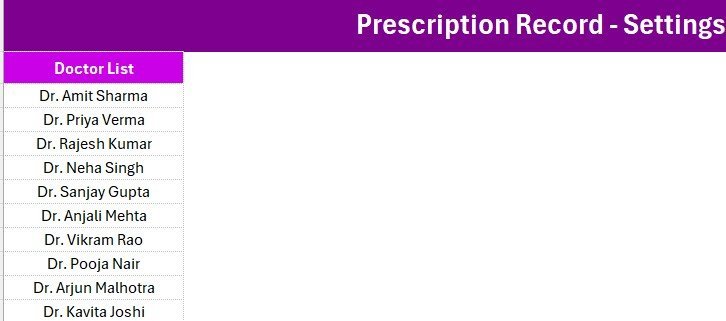
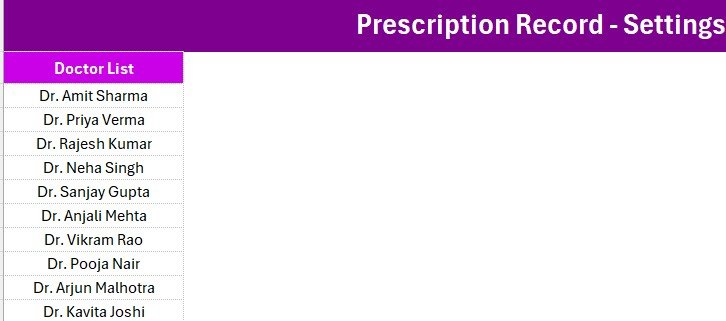
🗂️ An editable Setting sheet – holds the 10-name Doctor list (add or remove doctors and every dropdown updates instantly) plus a duplicate set of the KPI cards for anyone who prefers the Copy → Paste Special → Linked Picture method for reports.
🎨 Consistent house styling – Aptos Narrow font throughout, a dark heading bar, a gold divider line, and a gray dashboard panel, the same structure used across NextGenTemplates’ 200+ data entry system templates, so switching between tools feels familiar.
📦 What’s Inside the Prescription Record Data Entry System in Excel
Data Entry Sheet
The main working sheet. The 3 KPI cards sit above the form; the form captures Patient Name, Doctor, Date, Medicine, Dosage and Duration; the records table below auto-numbers each row and time-stamps every entry.
Setting Sheet
Holds the editable Doctor dropdown list and a duplicate copy of the KPI cards. Add a new doctor here and the dropdown on the Data Entry sheet updates immediately — no named-range editing required.
Instructions & VBA Setup
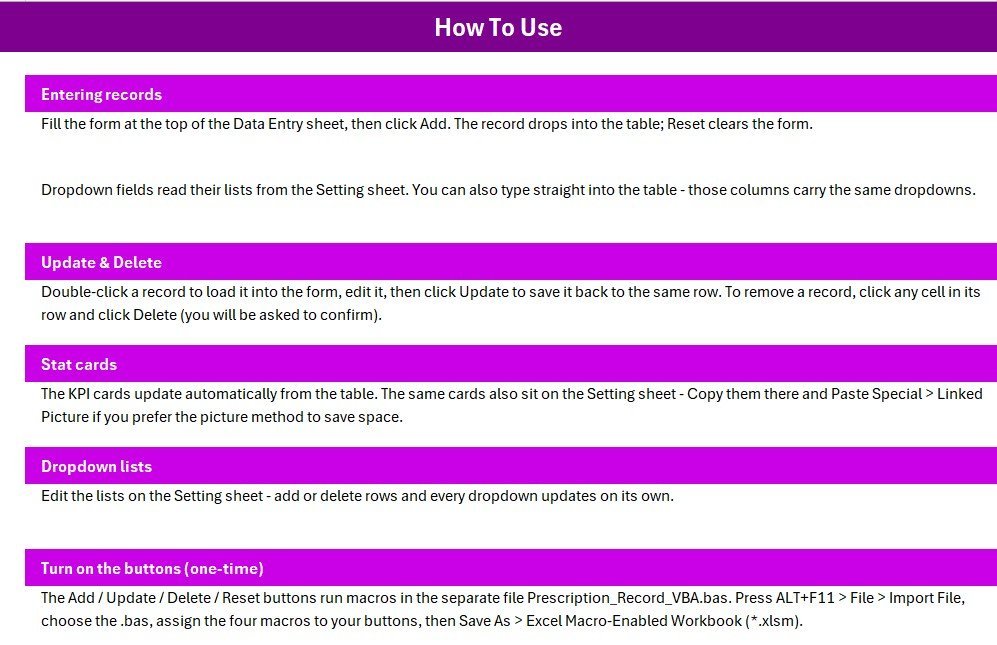
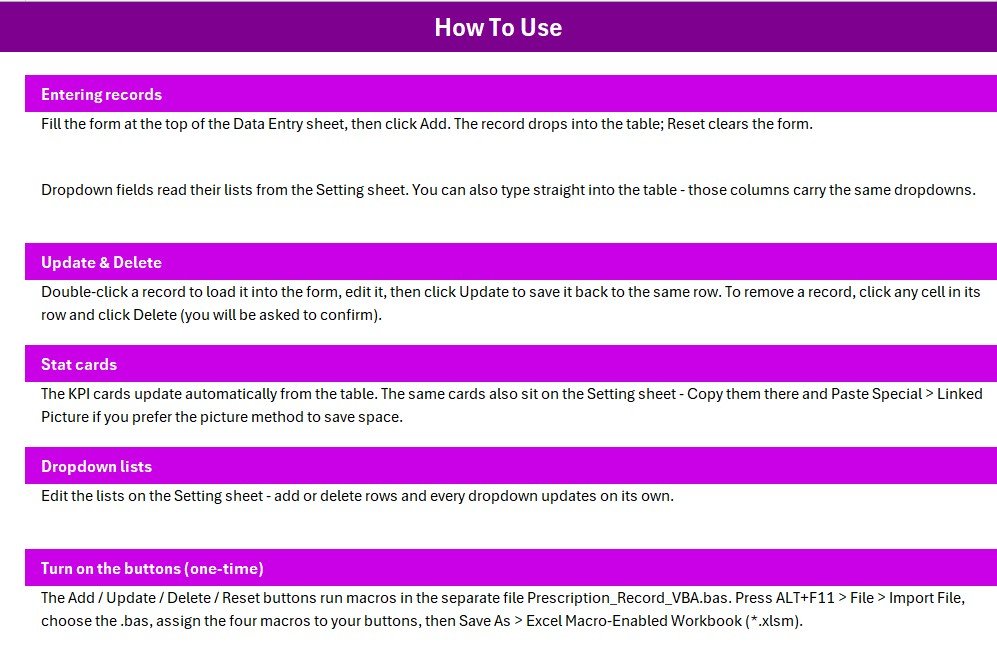
A one-page walkthrough covering the one-time activation steps — importing the .bas module, wiring the four buttons, and saving as .xlsm — plus notes on how the Add, Update, Delete and Reset macros behave.
📊 Prescription Record Data Entry System in Excel vs. Google Sheets vs. Paid Healthcare SaaS — Where This Fits
| Feature | Prescription Record Data Entry System in Excel | Google Sheets equivalent | Paid Healthcare SaaS (e.g. DrChrono, Practice Fusion) |
|---|---|---|---|
| Cost | $5.99 one-time | Free, but you build the form and macros yourself | $50-300 / provider / month |
| Platform | Microsoft Excel + VBA | Google Sheets + Apps Script | Vendor-hosted web app |
| Setup time | Under 10 minutes | Hours of Apps Script writing | Onboarding and training required |
| Real-time team collaboration | Single-user file (shareable copy) | ✅ Multiple users live | ✅ Role-based multi-user |
| Mobile access | Via Excel mobile app | ✅ Native mobile editing | ✅ Dedicated mobile app |
| Customizable fields | ✅ Fully unlocked, edit any label | ✅ Fully customizable | Limited to vendor’s field set |
| Data stays local / offline | ✅ Yes — nothing leaves your machine | No — lives in Google’s cloud | No — hosted on vendor servers |
| Year-1 cost at 5 users | $5.99 (one license, reusable) | $0 + build time | $3,000-$18,000 |
For a solo clinic or small pharmacy that wants a prescription log without a monthly EHR bill, the Prescription Record Data Entry System in Excel sits in the sweet spot.
👥 Who This Template Is For — and Who It’s Not For
✅ This template is built for:
- Solo practitioners and small clinics logging 5-100 prescriptions a day
- Pharmacy assistants who need a quick local log alongside their POS system
- Home-visit doctors and nurses who want an offline record they can carry on a laptop
❌ This template is NOT for:
- Hospitals needing HIPAA-audited, multi-user EHR software with e-prescribing to pharmacies
- Practices that require real-time collaboration across several front-desk staff at once
⚙️ How to Use the Prescription Record Data Entry System in Excel
- Open the workbook and press ALT+F11, then File → Import File and select the .bas module.
- Add four Form-Control buttons over the coloured Add/Delete/Update/Reset cells and assign each macro.
- Save As → Excel Macro-Enabled Workbook (.xlsm) so the buttons keep working.
- Fill the form, pick a Doctor from the dropdown, and click Add — the row and the 3 KPI cards update instantly.
- Double-click any record to reload it into the form, edit it, then click Update to save changes.
💼 Real-World Use Cases
Meera runs the front desk at a 2-doctor family clinic. She logs each prescription as patients check out, then checks the Today card each evening to reconcile the day’s visits — without a monthly EHR fee for a two-provider practice.
Arjun manages medication logs for a home-visit physiotherapy service. He keeps the workbook on his laptop and relies on the Patients card to see how many distinct patients he’s treated this month.
❓ Frequently Asked Questions
What does the Prescription Record Data Entry System in Excel track?
It tracks Patient Name, Doctor, Date, Medicine, Dosage and Duration for every prescription, and rolls those records up into Total Prescriptions, Patients, and Today KPI cards that update automatically.
Does it need an internet connection?
No. The Prescription Record Data Entry System in Excel is a local Excel workbook — everything runs offline once macros are enabled, and no data is sent anywhere.
Can I add more doctors to the dropdown?
Yes. Open the Setting sheet, add or remove names in the Doctor list, and the dropdown on the Data Entry sheet updates immediately for every future entry.
How does this compare to a paid EHR like Practice Fusion?
Paid EHR platforms add e-prescribing, insurance billing, and multi-provider scheduling for $50-300 per provider monthly. The Prescription Record Data Entry System in Excel is a $5.99 one-time log for practices that don’t need that overhead.
How long does setup take?
Under 10 minutes — import the .bas file, assign the four macros to buttons, and save as .xlsm.
👤 About the Author
Built by PK — Microsoft Certified Professional with 15+ years of Excel, Google Sheets, and Power BI experience. Founder of NextGenTemplates, reaching 300K+ subscribers across YouTube channels
(@PK-AnExcelExpert,
@NextGenTemplates,
@NeoTechNavigators).
Every template is hand-built and tested before release.
🔗 Explore Related Templates
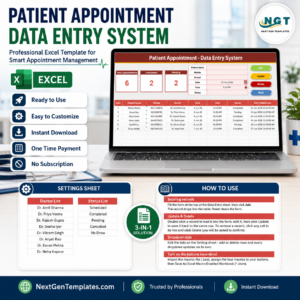
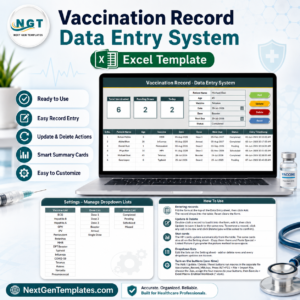
Pair it with the Patient Visit Log Data Entry System in Excel or the Patient Appointment Data Entry System in Excel for a fuller front-desk toolkit. For a bigger practice, the Pharmacy Inventory and Billing Management System Web App adds inventory and billing on top of prescription tracking.
💎 Save 38% — get 8 healthcare templates including two full practice-management systems in the Healthcare & Hospital Management Bundle →
📖 Click here to read the Detailed Blog Post (link added after blog post is published)
🎥 Visit our YouTube channel for step-by-step video tutorials
👉 YouTube.com/@NextGenTemplates
Watch the demo video:
Compatibility and Requirements
- Works in Microsoft Excel desktop on Windows with macros enabled. The Add, Update, Delete and Reset buttons run VBA, so the template does not run in Excel for the web, Google Sheets or mobile apps.
- Save the workbook as an Excel Macro-Enabled Workbook (.xlsm) after importing the module. Microsoft explains how to turn macros on in Enable or disable macros in Microsoft 365 files.
More Questions About This Template
Which fields does the entry form have?
Patient Name, Doctor, Date, Medicine, Dosage and Duration. The Doctor field is a dropdown that reads from the Setting sheet.
How do I edit or remove a saved prescription?
Double-click the record to load it into the form. Change the fields and click Update, or click Delete and confirm the prompt to remove it.
What do the three KPI cards show?
Total Prescriptions counts every record. Patients counts unique patient names, so repeat visits are not counted twice. Today counts the prescriptions logged on the current date.
Is there a version for patient visits or appointments?
Yes. The Patient Visit Log Data Entry System in Excel and the Patient Appointment Data Entry System in Excel use the same data entry layout.

























Reviews
There are no reviews yet.