

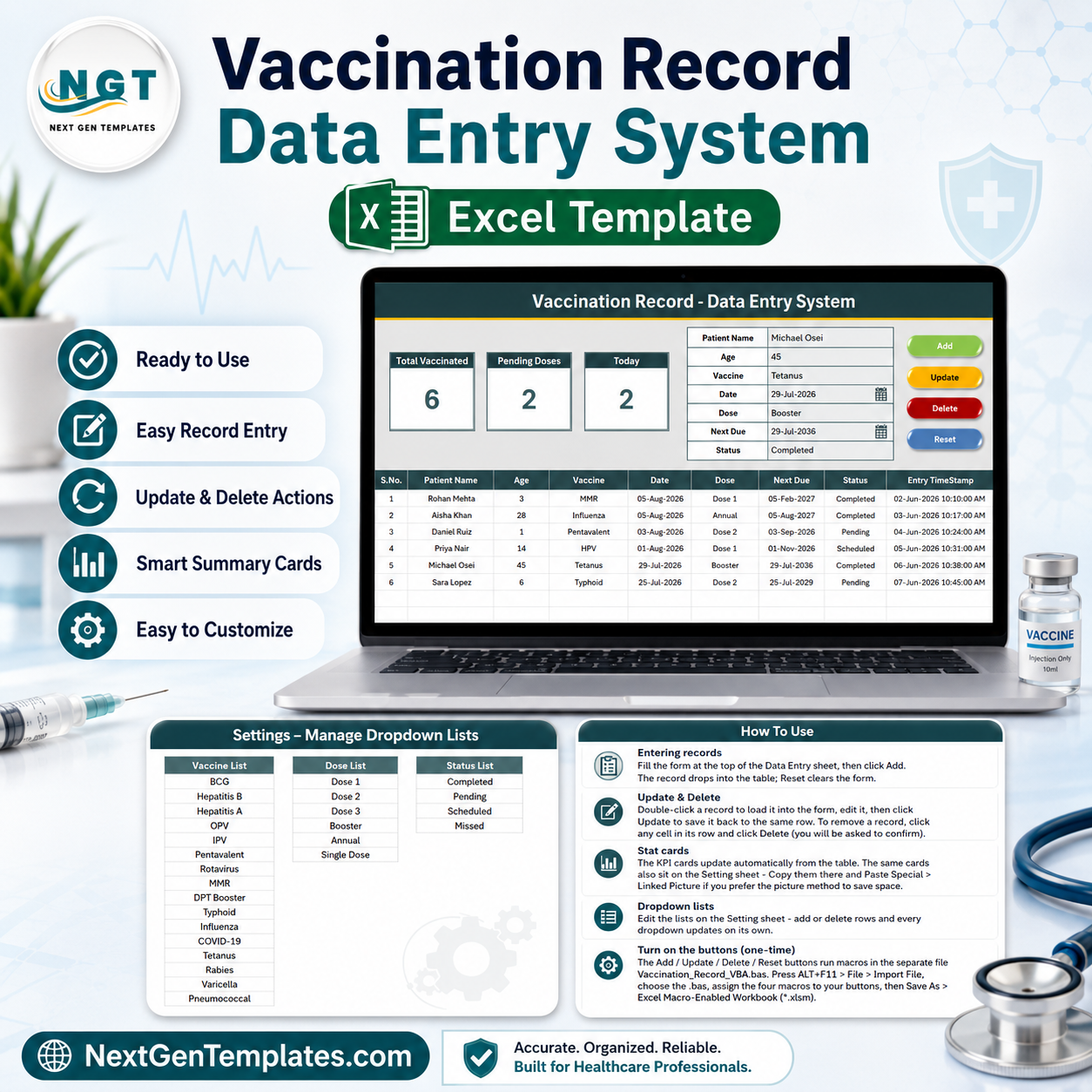

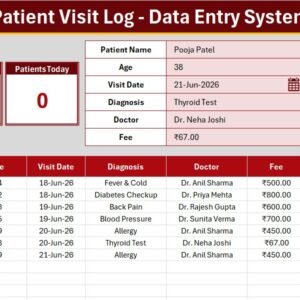
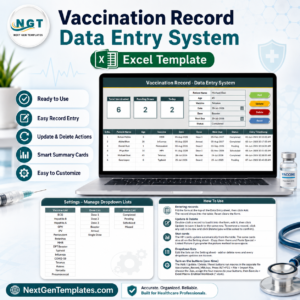
The Vaccination Record Data Entry System in Excel captures 7 fields per patient, feeds 3 live KPI cards, and runs on 4 VBA macros — Add, Update, Delete and Reset. The Setting sheet ships with 27 pre-loaded dropdown values across 17 vaccines, 6 dose stages and 4 status options. Setup takes under 10 minutes: import one .bas module, wire four buttons, save as .xlsm.
🌍 Join 10,000+ customers in 180+ countries using NextGenTemplates to replace paid SaaS tools with one-time-purchase Excel, Google Sheets, Power BI and HTML templates.
✅ Instant download · One-time payment · No subscription · No per-user fees · Lifetime access
🔑 Key Features of the Vaccination Record Data Entry System in Excel
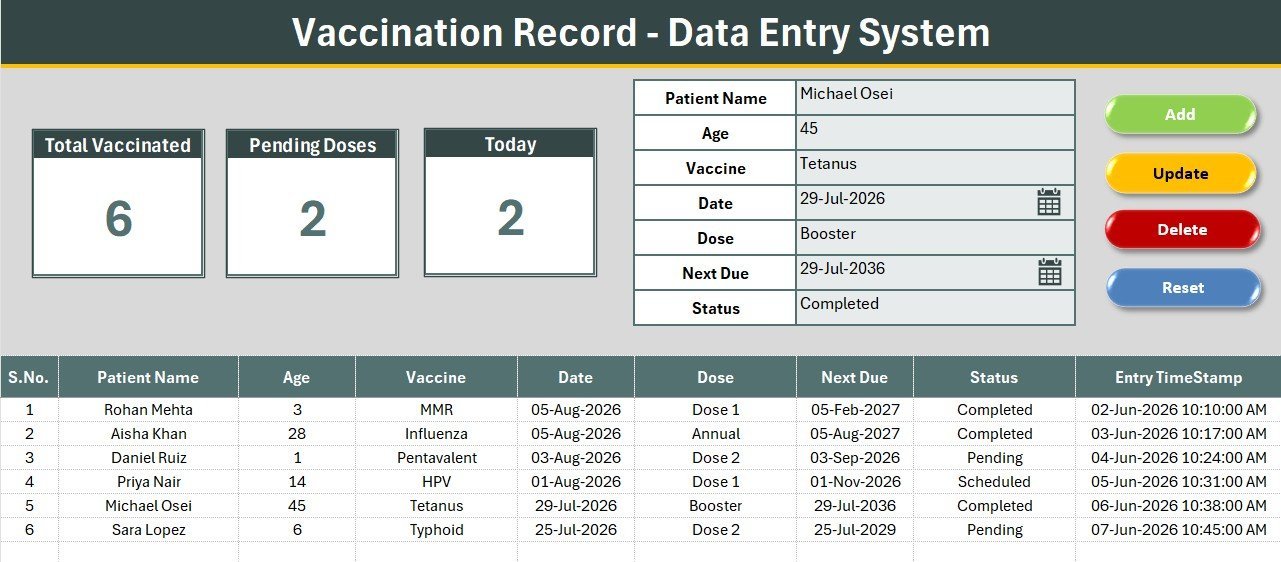
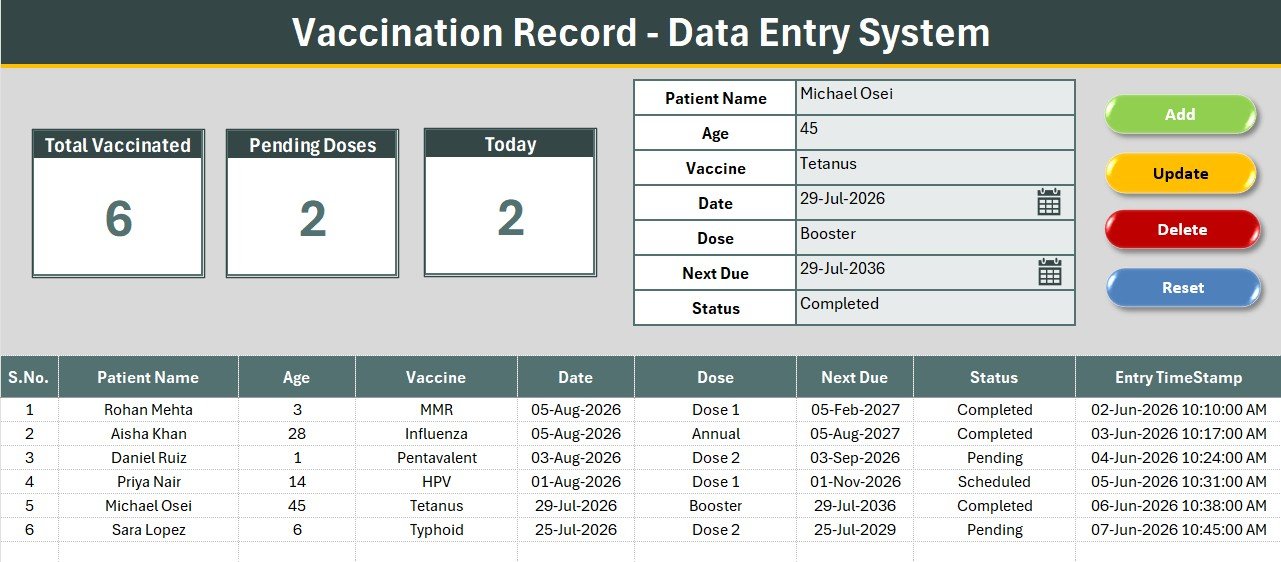
💉 Seven-field patient form. The form captures Patient Name, Age, Vaccine, Date, Dose, Next Due and Status. Three of those seven fields are dropdown-driven, so a clinic assistant types only the name, age and two dates — the rest is selected from a list, which removes the spelling variations that break every filter and pivot later on.
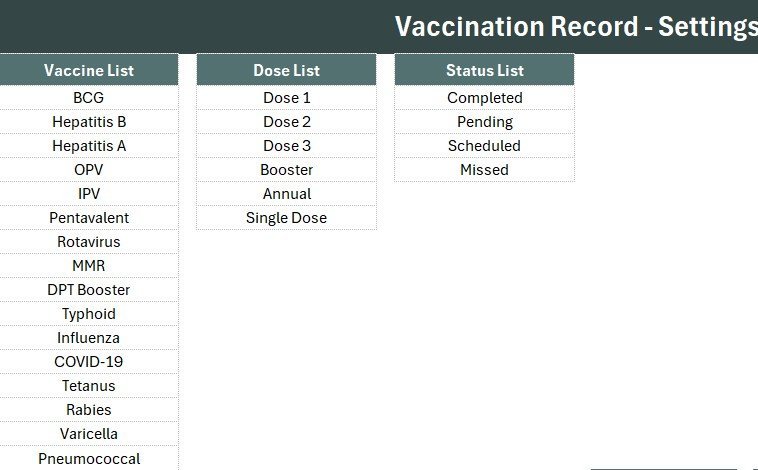
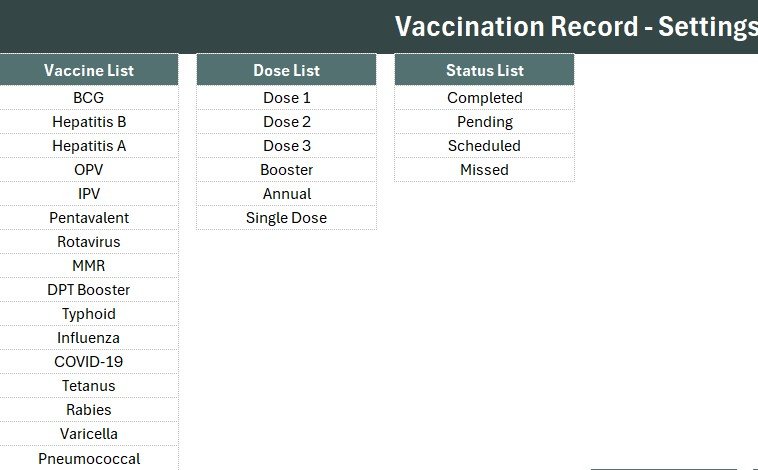
📋 27 pre-loaded dropdown values. The Vaccine list holds 17 entries including BCG, Hepatitis B, OPV, IPV, Pentavalent, Rotavirus, MMR, DPT Booster, Typhoid, Influenza, COVID-19, Tetanus, Rabies, Varicella, Pneumococcal and HPV. The Dose list covers Dose 1, Dose 2, Dose 3, Booster, Annual and Single Dose. Status offers Completed, Pending, Scheduled and Missed.
📊 Three formula-driven KPI cards. Total Vaccinated counts every record, Pending Doses counts rows where Status equals Pending, and Today counts vaccinations dated on the current date using a COUNTIFS formula tied to TODAY(). No macro run is needed — the cards recalculate the instant a row is added.
⚙️ Four VBA macros cover the full lifecycle. Add_Record writes a new row, Update_Record edits the selected one, Delete_Record removes it after a confirmation prompt, and Reset_Form clears the input line. An optional double-click loader is included in the module so staff can click any record to pull it back into the form.
🕒 Auto S.No and Entry TimeStamp. Column A renumbers itself with a formula as rows appear or disappear, and every record is stamped with the date and time it was entered — a simple audit trail that satisfies most internal clinic record-keeping rules.
📦 What’s Inside the Vaccination Record Data Entry System in Excel
The workbook ships with four sheets — Data Entry, Setting, Instructions and Get More Templates — plus a separate .bas module containing the VBA. Six sample records are pre-loaded so the KPI cards show real numbers the moment you open the file.
Sheet 1: Data Entry
The working sheet. A gray dashboard panel holds the three KPI cards (Total Vaccinated, Pending Doses, Today) and the seven-field input form with its Vaccine, Dose and Status dropdowns. Four coloured button cells sit in a 2×2 block — green Add, red Delete, gold Update, dark-blue Reset — and the records table starts at row 15 with auto S.No and Entry TimeStamp columns.
Sheet 2: Setting
The control sheet for the three dropdown lists — Vaccine, Dose and Status. Add a new vaccine to the column and it appears in the form immediately, because each list is wired to the form through a named range. The same three KPI cards are duplicated here so you can Copy → Paste Special → Linked Picture into any report.
Sheet 3: Instructions
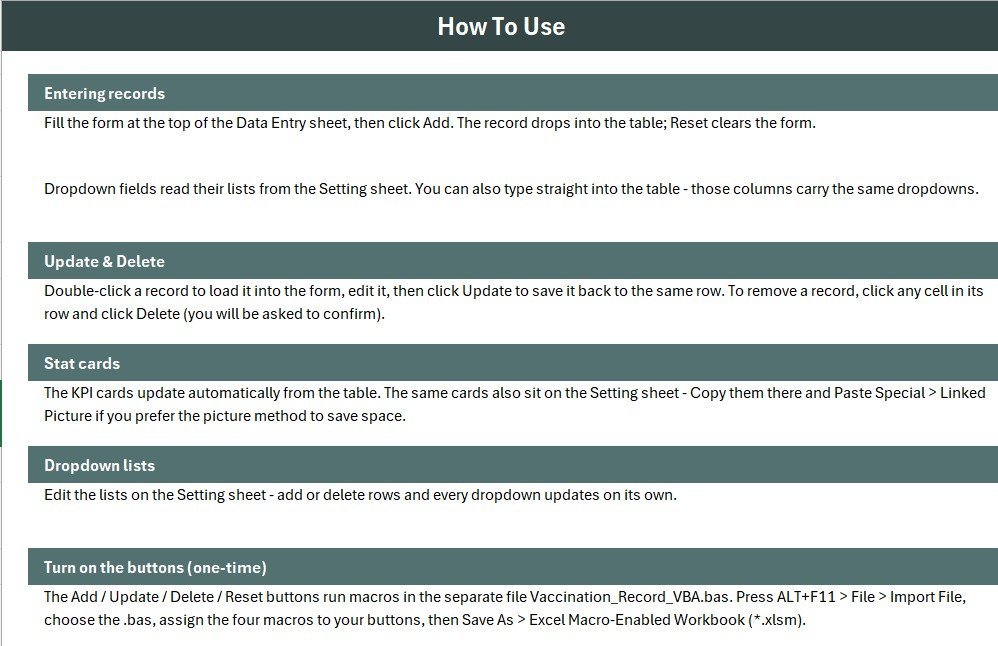
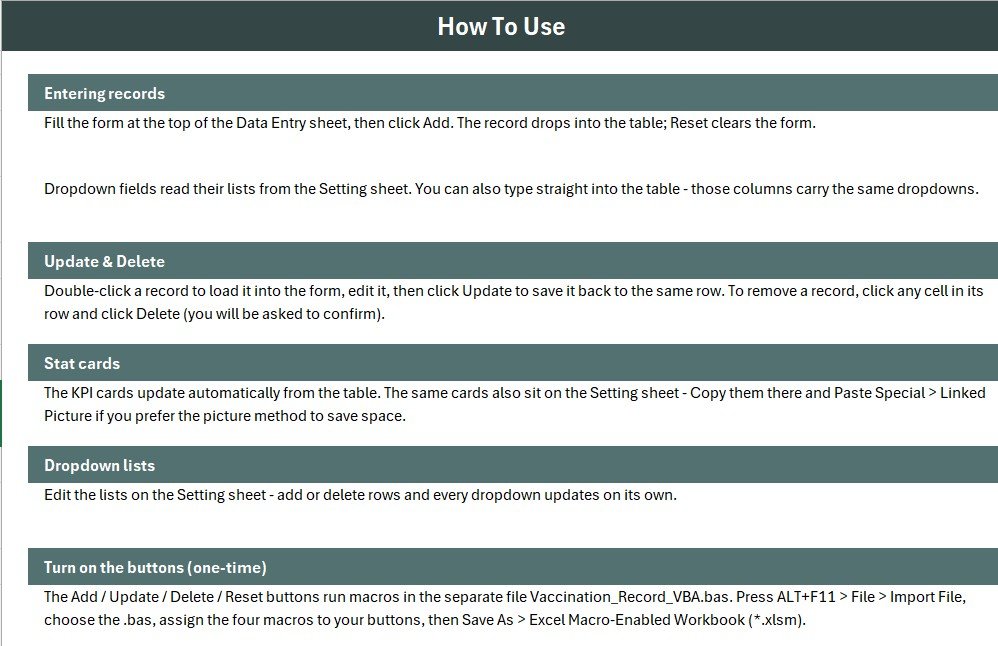
A plain-English activation guide covering the .bas import, the four button assignments, and the Save As .xlsm step. It is written for staff who have never opened the VBA editor, so you can hand the file to a front-desk assistant without a training session.
📊 Vaccination Record Data Entry System in Excel vs. Google Sheets Equivalent vs. Athenahealth / Kareo — Where This Fits
| Feature | Vaccination Record Data Entry System in Excel | Google Sheets Equivalent | Athenahealth / Kareo |
|---|---|---|---|
| Cost | $5.99 one-time ✅ | Free to build, hours to assemble | $140-$500 / provider / month |
| Platform | Microsoft Excel (.xlsm) | Browser + Google account | Cloud EHR suite |
| Setup time | Under 10 minutes ✅ | 2-4 hours of scripting | 2-6 weeks onboarding |
| Works fully offline | Yes — no internet needed ✅ | No | No |
| Patient data stays on your machine | Yes ✅ | Stored on Google servers | Stored on vendor servers |
| Real-time team collaboration | No — single-file, one user at a time | Yes ✅ | Yes ✅ |
| Mobile access | Excel mobile, view only (macros disabled) | Yes ✅ | Yes ✅ |
| Editable fields and dropdown lists | Fully editable on the Setting sheet ✅ | Editable | Vendor-controlled |
| Year-1 cost at 5 users | $5.99 total ✅ | $0 + your build time | $8,400-$30,000 |
For clinics that want a tidy, auditable immunization log without paying EHR pricing or handing patient data to a vendor, the Vaccination Record Data Entry System in Excel sits in the sweet spot.
👥 Who This Template Is For — and Who It’s Not For
✅ This template is built for:
- Small clinics, paediatric practices and single-doctor surgeries logging 20-500 vaccinations a month
- School and college health rooms tracking student immunization compliance
- Corporate HR and occupational-health teams running annual flu or travel-vaccine drives
- NGO and camp organisers who need an offline record in the field, then a clean export afterwards
- Veterinary and pet-care clinics adapting the Vaccine list to animal schedules
❌ This template is NOT for:
- Practices that need HIPAA-certified hosting, audit logging and role-based access — that needs a real EHR
- Teams where 3+ people must enter records at the same moment; a single Excel file locks to one editor
- Anyone wanting mobile data entry — Excel mobile does not run VBA macros
- Hospitals needing billing, insurance claims or e-prescribing built in
⚙️ How to Use the Vaccination Record Data Entry System in Excel
- Unzip the download and open the workbook in Microsoft Excel on Windows or Mac.
- Press ALT+F11, choose File → Import File, and select the included .bas module.
- Draw four Form Control buttons over the coloured cells and assign Add_Record, Delete_Record, Update_Record and Reset_Form.
- Save As → Excel Macro-Enabled Workbook (.xlsm), then reopen and enable macros.
- Open the Setting sheet and edit the Vaccine, Dose and Status lists to match your own schedule.
- Delete the six sample rows, fill the form, and click Add — the KPI cards update instantly.
💼 Real-World Use Cases
Dr. Meera runs a two-room paediatric clinic. She logs every child’s shot with the Next Due date filled in at the same moment, then filters the records table by Status = Pending each Monday to call the parents whose follow-up dose is overdue — replacing the paper register she used for eleven years.
Arjun manages occupational health for a 120-person factory. During the annual influenza drive he uses the Today card as a live counter at the vaccination desk, and the Total Vaccinated card as the number he reports to the plant manager at the end of each shift.
Sister Rose coordinates a rural immunization camp. There is no reliable internet at the site, so she enters records offline on a laptop all day and emails the workbook to the district office each evening — something a cloud EHR simply could not do.
❓ Frequently Asked Questions
What fields does the Vaccination Record Data Entry System in Excel capture?
The Vaccination Record Data Entry System in Excel captures seven fields: Patient Name, Age, Vaccine, Date, Dose, Next Due and Status. Vaccine, Dose and Status are dropdown-driven from the Setting sheet, and every saved record also gets an automatic S.No and Entry TimeStamp.
Can I add my own vaccines to the list?
Yes. Open the Setting sheet and type your vaccine into the Vaccine column. Because each list is wired to the form through a named range, the new entry appears in the dropdown immediately — no VBA edit and no re-linking required.
How long does setup take?
Under 10 minutes. Import the .bas module through the VBA editor, draw and assign four buttons over the coloured cells, then Save As .xlsm. The Instructions sheet inside the Vaccination Record Data Entry System in Excel walks through each step with no prior VBA knowledge assumed.
How does this compare to Athenahealth or Kareo?
Athenahealth and Kareo are full cloud EHR platforms costing $140-$500 per provider per month with weeks of onboarding. The Vaccination Record Data Entry System in Excel is a $5.99 one-time offline log — no billing, no claims, no e-prescribing, but no subscription and no patient data leaving your computer.
Does the file work on Mac and older Excel versions?
Yes. The Vaccination Record Data Entry System in Excel uses standard VBA and formulas that run in Excel 2010 and later on Windows, and in Excel for Mac 2016 and later. Macros must be enabled for the Add, Update, Delete and Reset buttons to work.
Why does the Today card show zero when I open the file?
The Today card counts records whose Date equals the current system date using a COUNTIFS formula tied to TODAY(). Sample rows dated earlier will not count. Add a record dated today and the card updates immediately.
👤 About the Author
Built by PK — Microsoft Certified Professional with 15+ years of Excel, Google Sheets, and Power BI experience. Founder of NextGenTemplates, reaching 300K+ subscribers across YouTube channels (@PK-AnExcelExpert, @NextGenTemplates, @NeoTechNavigators). Every template is hand-built and tested before release.
🔗 Explore Related Templates
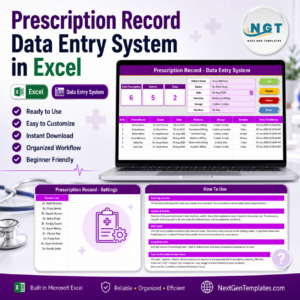
💊 Prescription Record Data Entry System in Excel — the natural companion: same form-and-KPI layout, built for logging medicines, dosage and duration per patient.
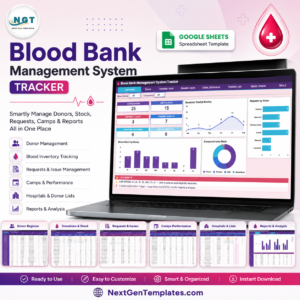
🩸 Blood Bank Management System Tracker in Google Sheets — if you need the same kind of clinical log but shared across a team in real time.
🏥 Patient Care Homes Dashboard in Power BI — for reporting on patient volumes once your record-keeping is in place.
💇 Salon Appointment Data Entry System in Excel — the same engine applied to bookings, useful if you run more than one kind of front desk.
💎 Save big — get all 9 healthcare templates in the Healthcare Administrator Toolkit →
Browse more MS Excel Templates or explore our Excel Dashboard Templates for reporting once your data is being captured cleanly.
📖 Click here to read the Detailed Blog Post
🎥 Visit our YouTube channel for step-by-step video tutorials
👉 YouTube.com/@NextGenTemplates
Watch the demo video:
Compatibility and Requirements
- Works in Microsoft Excel desktop with macros enabled. The Add, Update, Delete and Reset buttons run on VBA, so the file does not run in Excel for the web, Google Sheets or mobile.
- Save the workbook as .xlsm after importing the .bas module. Microsoft explains how to turn macros on in Enable or disable macros in Microsoft 365 files.
More Questions About This Template
Is there a Google Sheets version of this tracker?
Yes. The Vaccination & Immunization Tracker in Google Sheets is built for teams who want to share the log in a browser.
Can more than one person enter records at the same time?
No. The template is a single Excel file, so one user edits it at a time.
Do I need to know VBA to set it up?
No. The Instructions sheet explains how to import the .bas module, assign the four buttons and save as .xlsm, written for people who have never opened the VBA editor.
























Reviews
There are no reviews yet.