

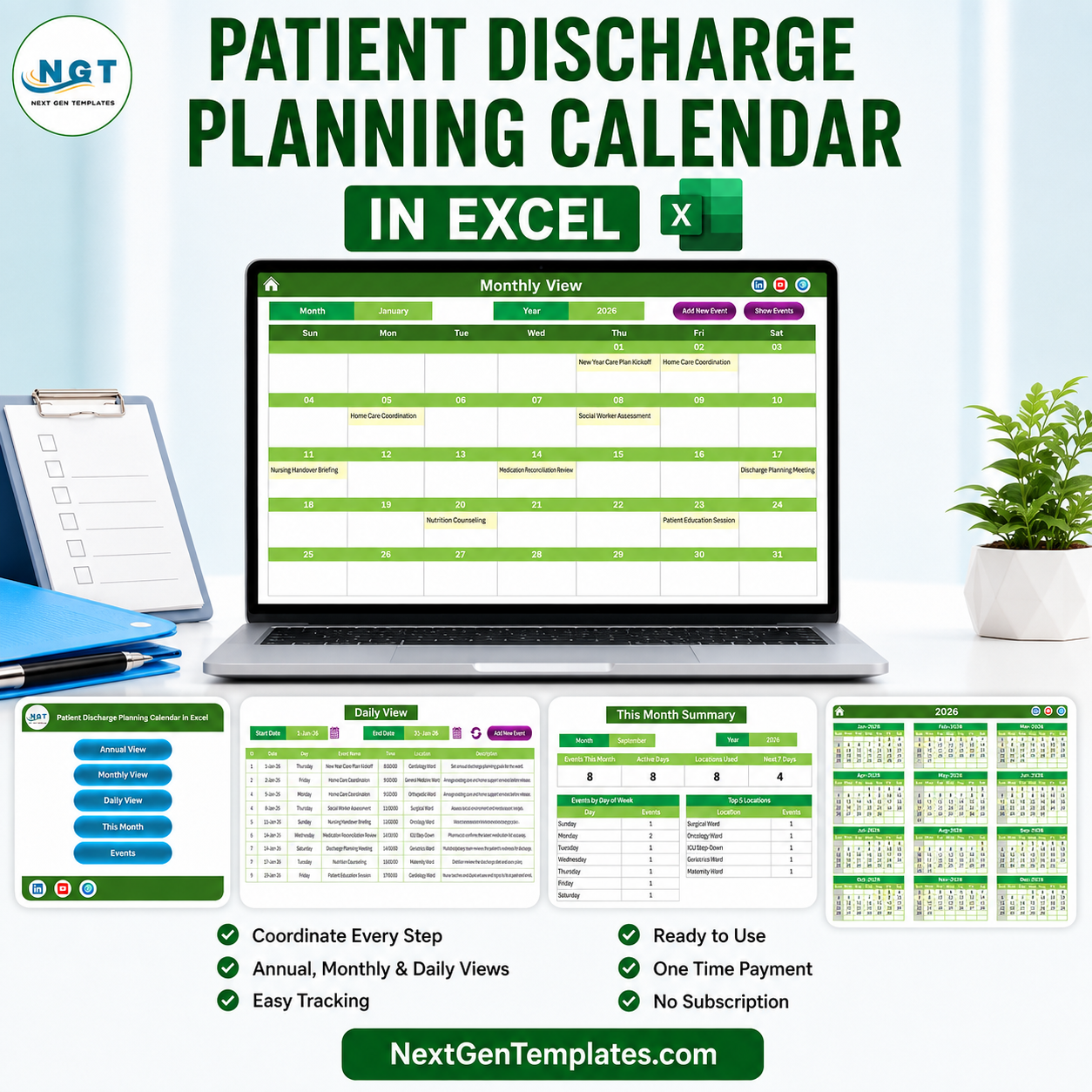

The Patient Discharge Planning Calendar in Excel is a macro-enabled scheduling workbook that lays a whole year of discharge-planning activity on one screen and drills down to a single day in two clicks. It ships filled with 100 sample entries dated 1 January 2026 (Thursday) to 23 December 2026 (Wednesday), covering 25 activity types across 8 hospital wards and 32 distinct start times between 08:00 and 16:45, so every view is worth looking at the moment you open it. Seven linked sheets, five colour themes, one-time payment, no subscription, no add-ins.
Read this first: this is a calendar, not a clinical system. It schedules discharge-planning activities – meetings, reviews, referrals, transport bookings. It holds no patient record, makes no clinical or safety judgement, and is not medical advice. The full list of what it is not is in its own section below, and it is worth reading before you buy.
Key Features of the Patient Discharge Planning Calendar in Excel
- Four calendar views from one event list. Annual View, Monthly View, Daily View and This Month all read the same Events sheet – there is never a second copy to keep in step.
- 100 pre-loaded sample entries. Every month of 2026 is populated (9, 8, 9, 8, 8, 8, 9, 8, 8, 9, 8, 8), so the workbook demonstrates itself instead of opening on an empty grid.
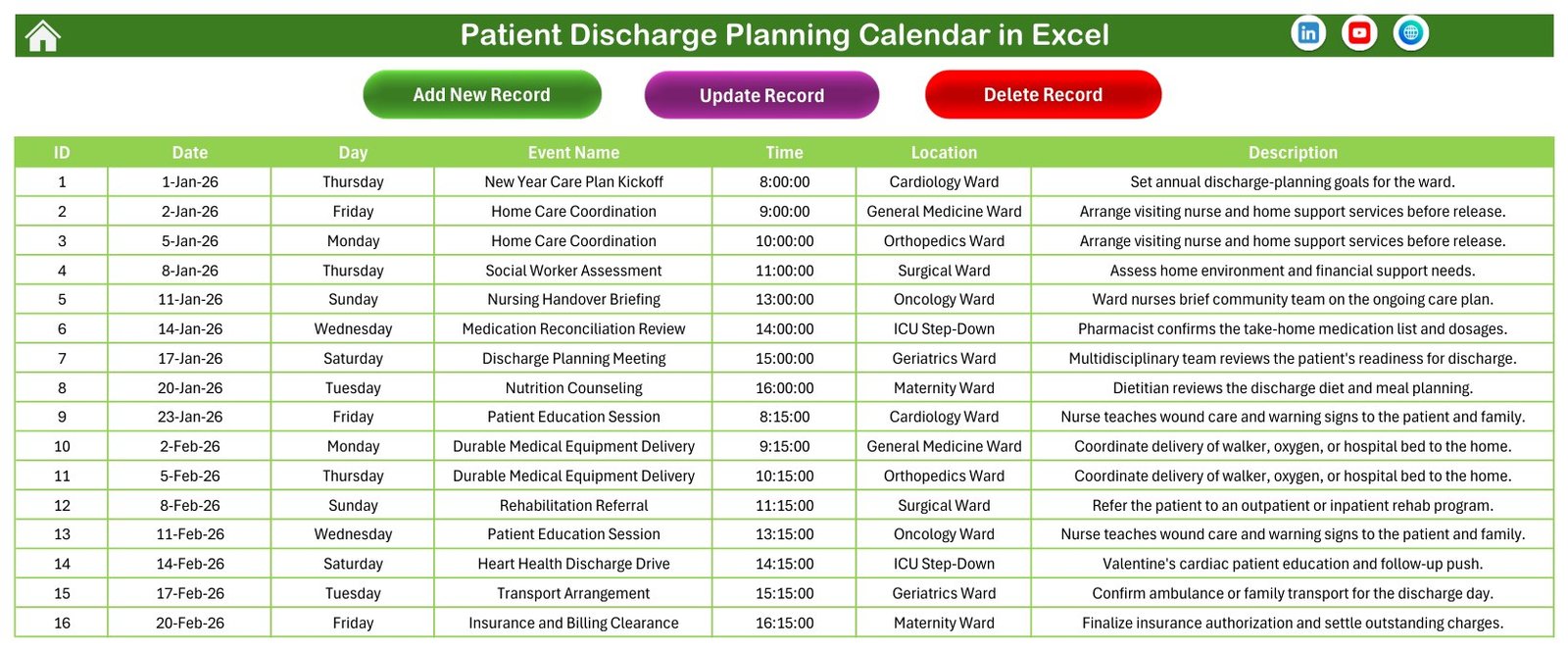
- A seven-column record. ID, Date, Day, Event Name, Time, Location and Description. That is the whole schema – see What it stores, and what it deliberately does not below.
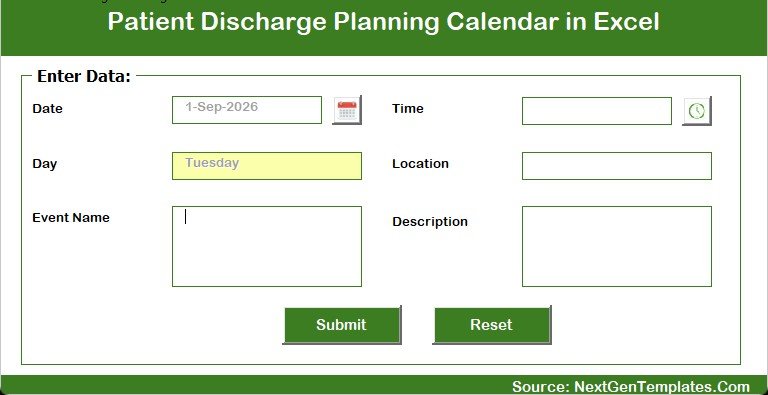
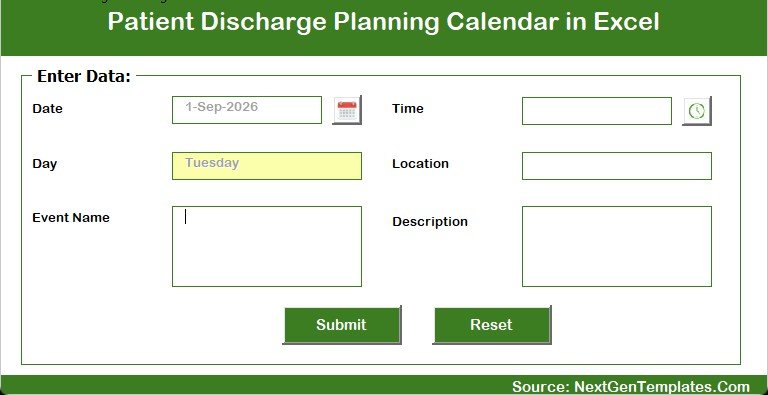
- Add / Update / Delete buttons. Entries go in through a VBA form with six fields, not by typing into cells, so the Day value and the ID stay consistent.
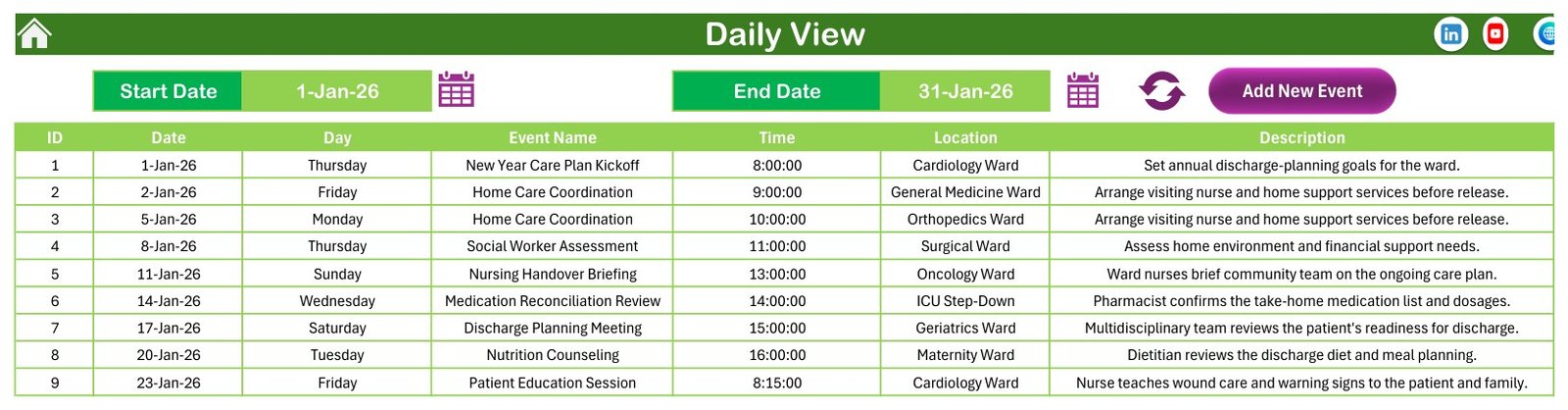
- Date-range Daily View. Set a start and an end date, press refresh, and the list rebuilds for exactly that window.
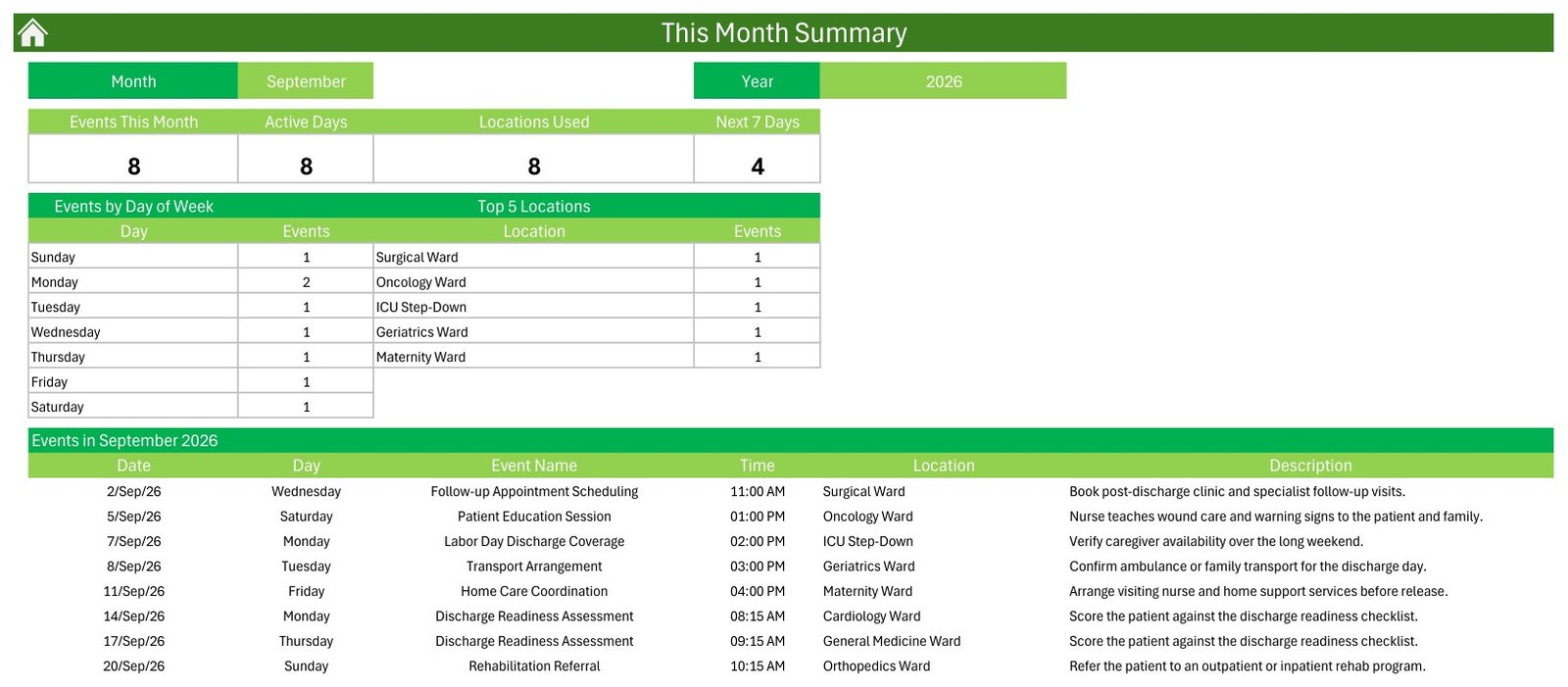
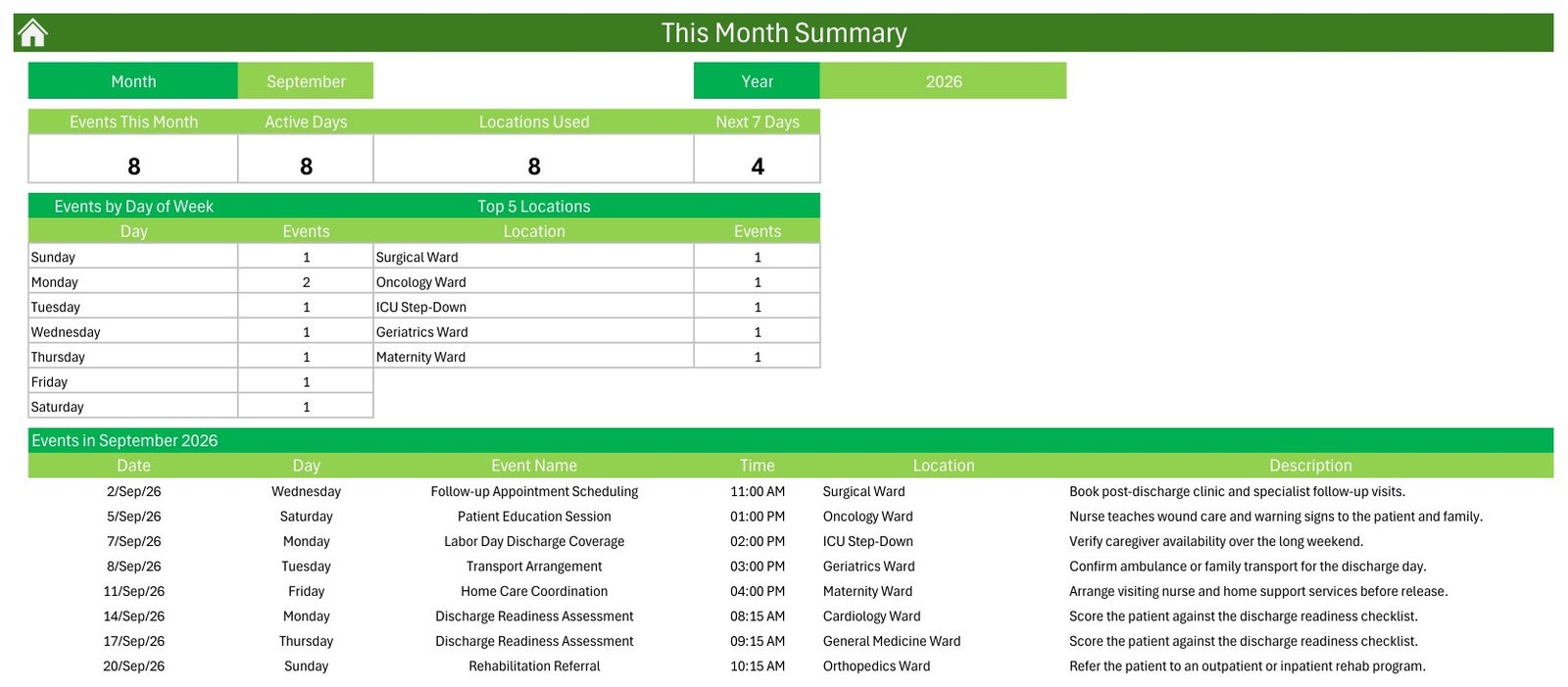
- This Month summary. Events This Month, Active Days, Locations Used and Next 7 Days, plus an events-by-day-of-week table and a top-locations table.
- Setting control panel. Year 2021–2051, start month, week-start day, two highlight day-of-week selectors and an event-highlight switch.
- Five colour themes – Default, Blue, Red, Black and Orange – switched from one dropdown. It ships on Default (green).
- Scheduling only. No patient name, ID, contact detail, diagnosis or room number exists anywhere in the shipped file, and no such column exists on the form.
- One-time payment. A macro-enabled .xlsm plus a PDF user manual. No subscription, no login, no cloud account.
What’s Inside the Patient Discharge Planning Calendar in Excel
Seven sheets, in the order the Home page lists them.
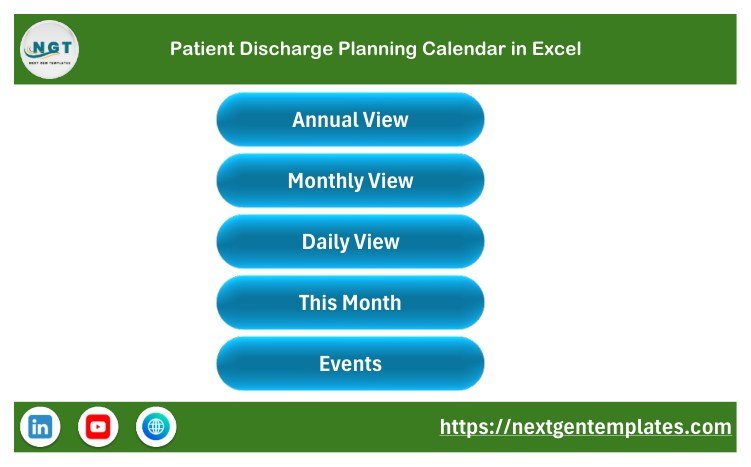
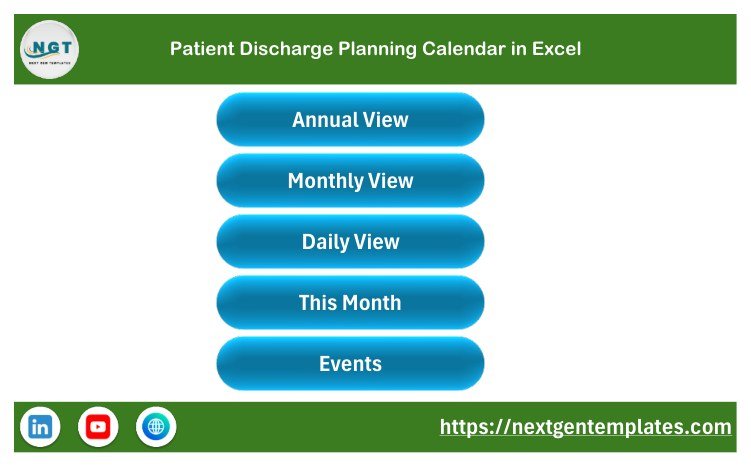
- Home – five navigation buttons: Annual View, Monthly View, Daily View, This Month and Events. Nothing else; it is a switchboard.
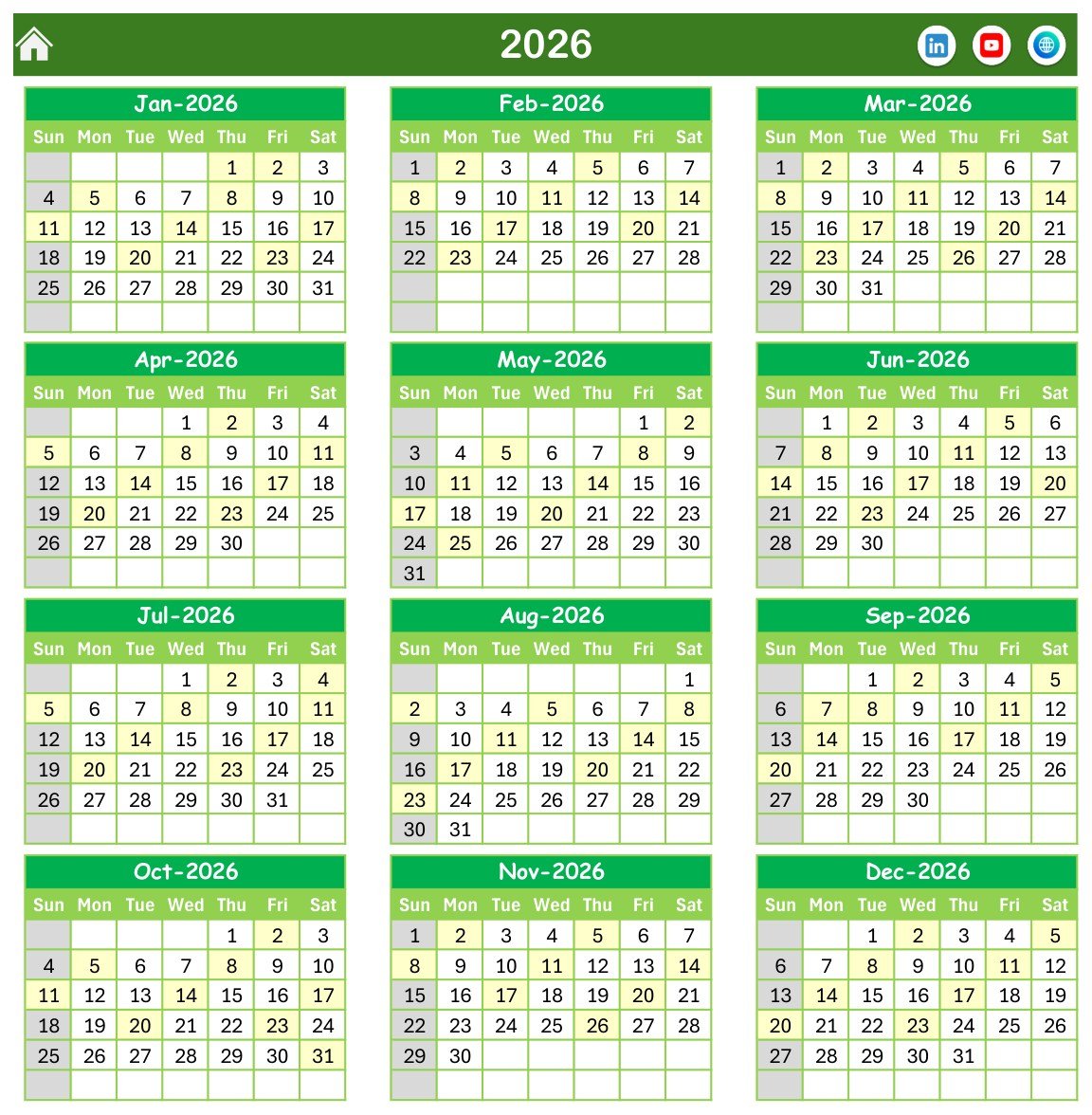
- Annual View – all twelve months of the chosen year in a 3×4 grid, with the week starting on the day you pick. Dates that carry an entry are highlighted, and the two highlight day-of-week selectors shade the columns you nominate. This is the most formula-heavy sheet in the workbook.
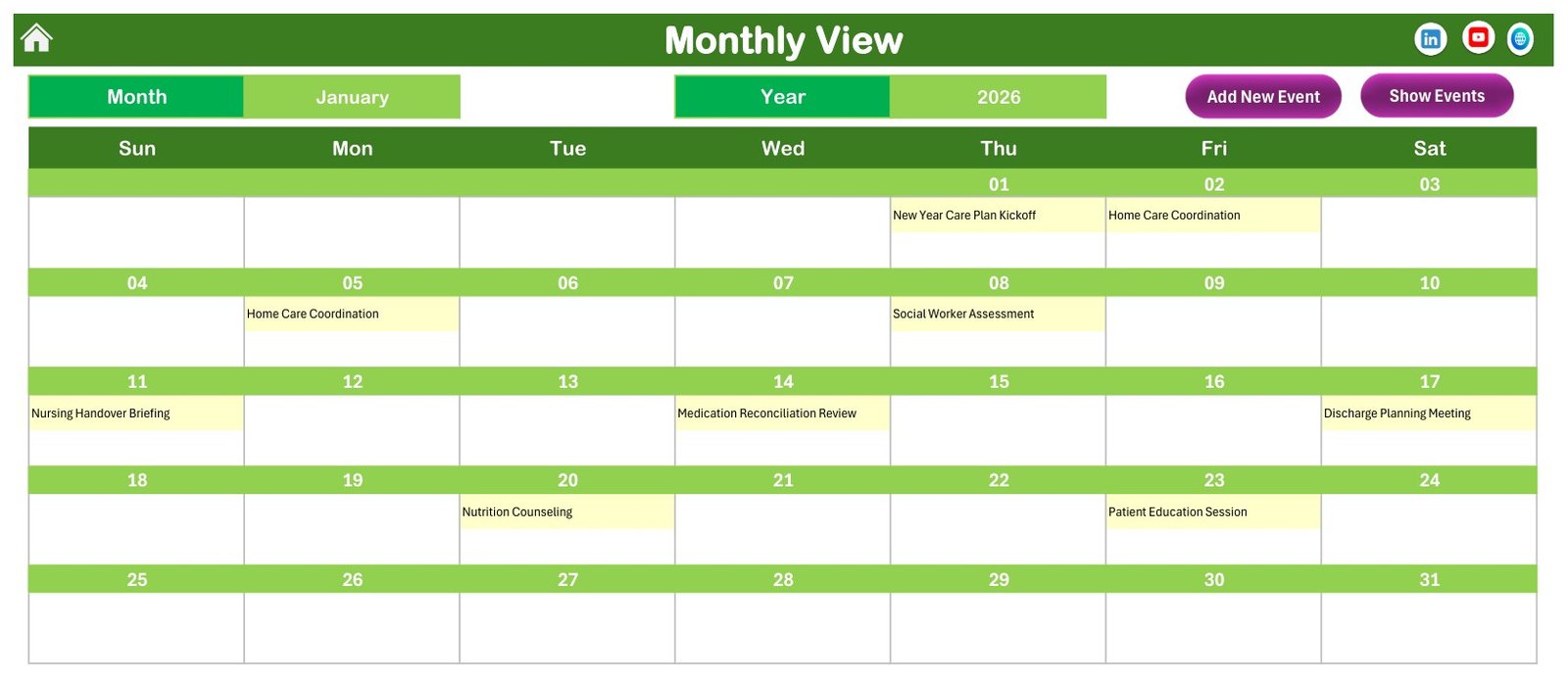
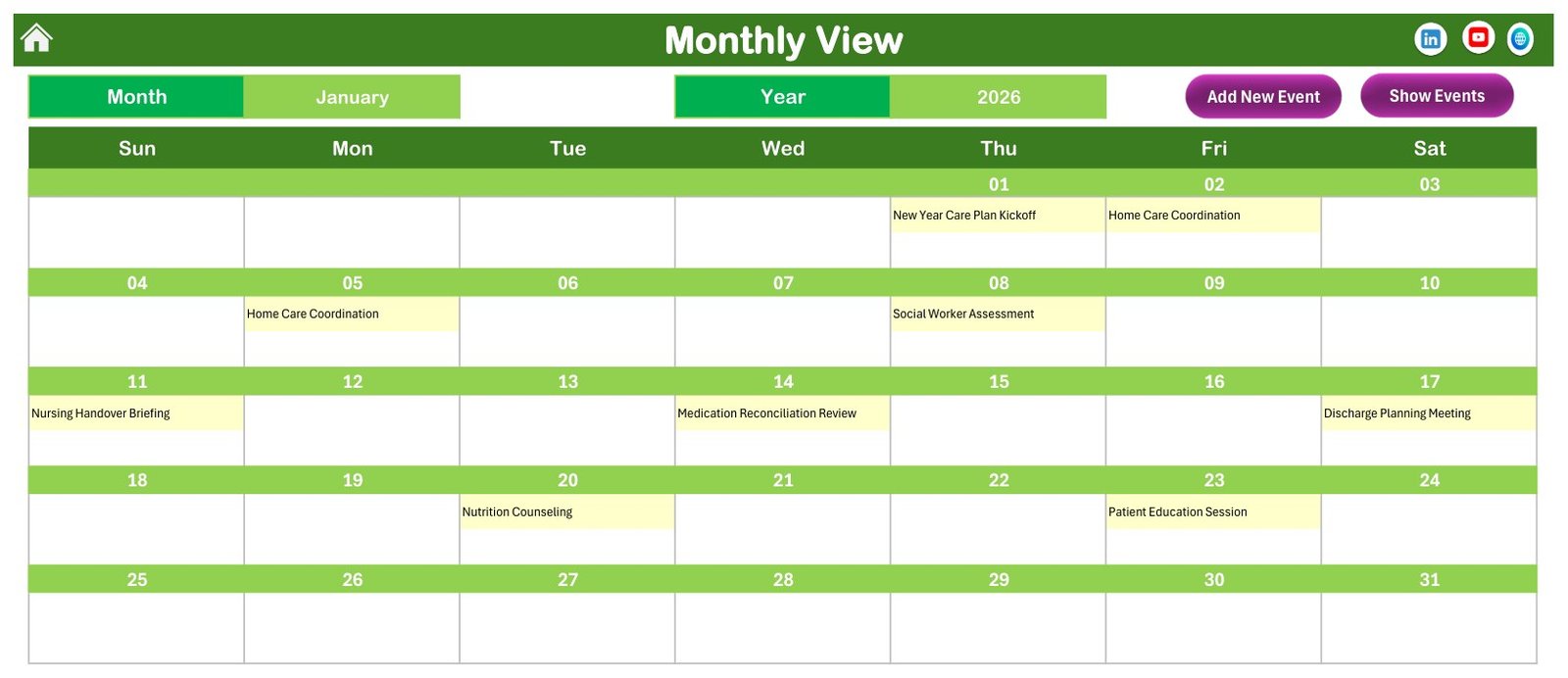
- Monthly View – one month across a Sun-to-Sat grid with the activity name printed in each day cell, plus Month and Year pickers and Add New Event / Show Events buttons.
- Daily View – a flat table for a date range you choose. Start Date, End Date, a refresh button and Add New Event. The January sample window returns nine rows.
- This Month – a summary page. The shipped file is parked on September 2026, which reads 8 events, 8 active days, 8 locations used and 4 in the next 7 days, with an events-by-day-of-week breakdown and a Top 5 Locations table.
- Events – the source table, 100 rows, with Add New Record, Update Record and Delete Record buttons above it.
- Setting – year, start month, week-start day, two highlight days, the event-highlight switch and the colour theme.
The Sample Data, Exactly as Shipped
- 100 rows, IDs 1 to 100 with no gaps, in
Events!A5:G104. - 1 January 2026 to 23 December 2026. Every weekday label in the file was recomputed against its own date – all 100 match, with no mismatch.
- 25 activity types, the most frequent being Transport Arrangement (12), Medication Reconciliation Review (9), Follow-up Appointment Scheduling (9), Home Care Coordination (8), Nursing Handover Briefing (7) and Rehabilitation Referral (7).
- 8 wards in the Location column – Cardiology, General Medicine, Orthopedics and Surgical (13 each), Oncology, ICU Step-Down, Geriatrics and Maternity (12 each).
- 32 start times in 15-minute steps from 08:00 to 16:45.
- No date carries two entries. That is a deliberate demo choice, and it has one visible consequence – see the honest limitations below.
What It Stores, and What It Deliberately Does Not
The Events sheet has exactly seven columns: ID, Date, Day, Event Name, Time, Location, Description. Every column was checked in the shipped file:
- No patient name, patient ID or medical record number. No such column exists, and the entry form has no such field.
- No contact details, no address, no room or bed number. The Location column holds ward names only – Cardiology Ward, ICU Step-Down and so on – which are areas of a building, not people.
- No diagnosis, medication, dose, score or outcome field. The sample descriptions refer to “the patient” in the abstract; not one of the 100 rows names a person, real or invented.
That is the state it arrives in. What you type into it is your responsibility. If you enter a name, an MRN, a diagnosis or a bed number into Event Name or Description, you have created a health record inside an ordinary, unencrypted Excel file. If you plan to do that:
- Use an internal code in the workbook and keep the code-to-identity key in a separate, access-controlled system.
- Share the file with named individuals, never with a link that anyone holding it can open.
- Think hard before putting it in a shared cloud folder, a team drive or an email attachment – a spreadsheet travels much more easily than a clinical system does.
- Follow your own organisation’s information-governance policy. This workbook enforces none of it.
What This Template Is Not
- It is not an EHR, EMR or patient record system. No.
- It is not care-management, case-management or discharge-planning software. No. It schedules activities; it manages nothing.
- It is not HIPAA, GDPR, Joint Commission, CQC, NABH or HITRUST compliant or certified. No. It is an unencrypted .xlsm file with no audit trail, no access control, no consent handling and no data-retention logic. Buying it changes nothing about your compliance position.
- It is not medical advice and it is not a clinical decision tool. No. It makes no assessment of discharge readiness or safety, recommends nothing, and does not replace clinical judgement or a discharge coordinator’s own process.
- It makes no claim about care quality, length of stay or readmissions. No. It cannot measure them and does not try to.
- It is not a medical device and has no regulatory clearance of any kind.
Honest Limitations You Should Know Before Buying
- Macros are load-bearing, not optional. Daily View and This Month contain no formulas at all – they are written by the workbook’s own VBA. Open the file with macros disabled and those two sheets will not rebuild, and the navigation and Add/Update/Delete buttons will not work.
- The Day column is typed text, not a formula. Edit a date directly in the Events sheet and the Day cell beside it silently keeps the old weekday. Either re-enter the row through the Update Record form, or put
=TEXT(B5,"dddd")in the Day column and fill it down. - Windows desktop Excel only. VBA does not run in Excel for the web or in the mobile apps, and the form controls are unreliable on Mac.
- The Monthly View overflow counter never appears out of the box, because no sample date carries more than one entry. Add two entries to the same day and the cell shows the first plus an “N more” counter.
- Top 5 Locations is capped at five while the Locations Used tile can read 8 – the two are answering different questions, and the table label says so.
- There is no duration or end-time field, so the workbook cannot calculate how long anything takes or flag an overlap.
- It does not prevent double-booking and it sends no reminders. It is a passive record of what you typed.
- It is a single file. Two people cannot edit it at the same time.
This Calendar vs. a Shared Online Calendar vs. Hospital Software – Where It Fits
| This Excel Calendar | Shared Online Calendar | Hospital / Case-Management Software | |
|---|---|---|---|
| Cost | One-time payment | Free to low, per seat | Licence or per-bed contract |
| Whole year on one screen | Yes, Annual View | Rarely, and without the detail | Usually yes |
| Works offline | Yes | No | Depends on deployment |
| Holds patient records | No, by design | No | Yes – that is the point of it |
| Access control and audit trail | None | Account-level | Full, role-based |
| Reminders and notifications | No | Yes | Yes |
| Multi-user editing | No | Yes | Yes |
| Customisable columns and layout | Yes, it is your file | Limited | Vendor-controlled |
| Setup time | Minutes | Minutes | Weeks to months |
The honest summary: this is the cheapest, fastest way to see a ward’s discharge-planning workload laid out across a year. It is not, and should not be used as, a replacement for the systems your organisation uses to hold patient information.
Who This Template Is For – and Who It’s Not For
A good fit if you are:
- A discharge coordinator or ward manager who wants the month’s planning meetings, family conferences and transport bookings visible in one place.
- A small clinic, step-down unit or rehabilitation facility with no scheduling-software budget.
- A community or home-care team coordinating handovers with a hospital ward.
- A trainer or student who needs a realistic, fully populated planning calendar to teach from.
- Anyone who already lives in Excel and wants a calendar they can restructure themselves.
Not a good fit if you need:
- To store patient-identifiable information – use your organisation’s clinical system, not a spreadsheet.
- Automatic reminders, notifications or messaging.
- Several people editing the same schedule at once.
- An audit trail, role-based access or anything that has to satisfy an information-governance review.
- Excel on the web, iPad or Android – the macros will not run.
How to Use the Patient Discharge Planning Calendar in Excel
- Unzip and open in Excel on Windows. Right-click the .xlsm, choose Properties, tick Unblock if it is offered, then open it.
- Enable macros when prompted. Nothing on Daily View or This Month rebuilds without them.
- Set your year on the Setting sheet – anything from 2021 to 2051 – plus the start month and the day your week begins on.
- Look at the sample year first. Click through Annual, Monthly, Daily and This Month to see how the four views relate before you change anything.
- Clear the samples. Delete the 100 demo rows on the Events sheet once you have seen how they behave.
- Add your own entries through the form, using Add New Record on the Events sheet or Add New Event on Monthly or Daily View. The form fills the Day for you from the Date.
- Decide your naming convention before row one. If entries need to point at an individual, agree an internal code now rather than typing names in later.
- Pick a colour theme on the Setting sheet – Default, Blue, Red, Black or Orange.
- Print or export to PDF. Print areas are already set on Home, Annual View, Monthly View, Daily View, This Month and Events.
Real-World Use Cases
- Ward planning board. Monthly View printed on Monday morning so the multidisciplinary meeting can see the week’s family conferences and readiness reviews.
- Long-weekend cover. The sample year already models this – holiday coverage briefings sit on the calendar in May, July, September and November.
- Transport and equipment coordination. Transport Arrangement and Durable Medical Equipment Delivery entries booked days ahead so nothing waits until the discharge morning.
- Community handover. Daily View exported for a date range and sent to the visiting-nurse team as their week’s list.
- Workload review. This Month’s day-of-week and location tables to see which wards and which days carry the load.
- Training. A fully populated, patient-free calendar to teach discharge-planning workflow without touching real data.
What You Get
- Patient Discharge Planning Calendar in Excel.xlsm – the macro-enabled workbook, seven sheets, 100 sample entries.
- Excel Calendar – User Manual.pdf – the setup and usage guide.
- Both inside one ZIP. Instant download after purchase, one-time payment, lifetime use.
Frequently Asked Questions
Is this an EHR, an EMR or a patient record system?
No. It is an Excel calendar. It schedules discharge-planning activities and stores nothing about any individual. It cannot replace, integrate with or feed a clinical record system.
Is it HIPAA or GDPR compliant?
No, and no spreadsheet should be sold as such. There is no encryption, no access control, no audit log and no retention policy in this file. Compliance is a property of how your organisation handles data, not of a template – and putting patient-identifiable information into an unencrypted workbook is very unlikely to satisfy it.
Does it store patient names or medical details?
Not as shipped. The seven columns are ID, Date, Day, Event Name, Time, Location and Description; none of the 100 sample rows names a person, and the entry form has no patient field. The Location column holds ward names only. If you type identifying information into the free-text fields, that is a choice you are making – see the storage guidance above.
Does it decide whether a patient is ready for discharge?
No. It makes no clinical judgement of any kind, gives no medical advice, and does not replace clinical assessment or your own discharge process. A row named “Discharge Readiness Assessment” is a diary entry saying a meeting is booked – nothing more.
Do I have to enable macros?
Yes. Daily View and This Month contain no formulas at all – they are built by VBA – and the navigation and Add/Update/Delete buttons are macros too. With macros off you get a partly working file.
Does it work on Mac, on the web, or on my phone?
It is built for Excel on Windows desktop. VBA does not run in Excel for the web or in the mobile apps, and the ActiveX form controls behave unreliably on Mac.
Can I use a year other than 2026?
Yes. The Setting sheet offers 2021 to 2051, plus a start month if your planning year does not begin in January.
Can two people use it at once, and does it stop double-booking?
No to both. It is a single workbook with no concurrency handling, no reminders and no clash detection. Two entries can sit on the same date and time quite happily.
Why does the Day column stop matching if I edit a date?
Because the Day values are typed text, not formulas. Re-enter the row through the Update Record form, or replace the column with =TEXT(B5,"dddd") filled down.
Explore Related Templates
Other Excel calendars built on the same seven-sheet engine:
- Patient Follow-Up Visit Calendar in Excel – the natural companion: this one plans the discharge, that one plans what happens afterwards.
- Home Nursing Visit Calendar in Excel – for the community team picking the patient up after release.
- Nurse Duty Roster Calendar in Excel – who is on the ward, rather than what is booked on it.
- Operation Theatre Booking Calendar in Excel – the same engine applied to theatre lists.
- Physiotherapy Session Calendar in Excel and Dialysis Session Calendar in Excel – recurring-session scheduling.
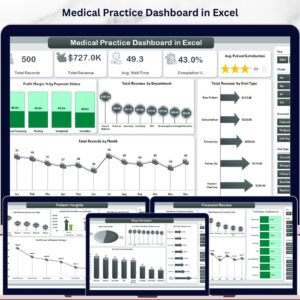
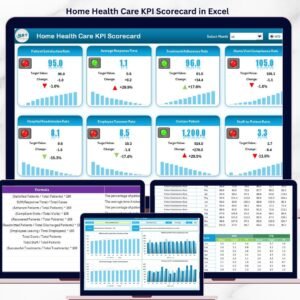
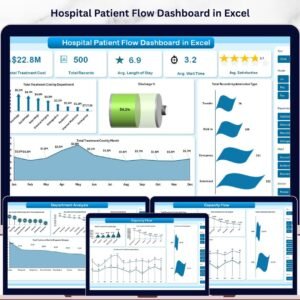
If you need analysis rather than a diary, look at the Hospital Patient Flow Dashboard in Excel, the Medical Practice Dashboard in Excel or the Home Health Care KPI Scorecard in Excel. Those are analytical products and are priced accordingly – this listing is a calendar, not a dashboard and not a KPI scorecard.
More Excel calendar walkthroughs are on our YouTube channel: youtube.com/@PKAnExcelExpert.
About NextGenTemplates
NextGenTemplates builds ready-to-use Excel, Power BI and Google Sheets templates for small teams who need a working tool today rather than a project. Every calendar in this family ships fully populated with sample data so you can judge it before you commit, and every one of them is documented honestly – including what it cannot do.
Watch the demo video:
Compatibility and Requirements
- Works in Microsoft Excel desktop on Windows with macros enabled. The workbook is a macro-enabled .xlsm file. It does not run in Excel for the web, Google Sheets or the mobile apps.
- Daily View, This Month and the Add, Update and Delete buttons depend on macros. Microsoft explains how to turn them on in Enable or disable macros in Microsoft 365 files.
Related Calendar and Healthcare Templates
- Patient Discharge Planning Calendar in Google Sheets: the same calendar for Google Sheets
- Medical Appointment Calendar in Excel: a calendar for booking appointments
- Health & Safety Compliance Calendar in Excel: dated compliance tasks in an Excel calendar
- Hospital Patient Flow Dashboard in Excel: a dashboard view of patient flow
- Healthcare Administrator Toolkit: 9 healthcare templates in one download
Browse all Excel calendar templates or Health and Safety templates.































Reviews
There are no reviews yet.