

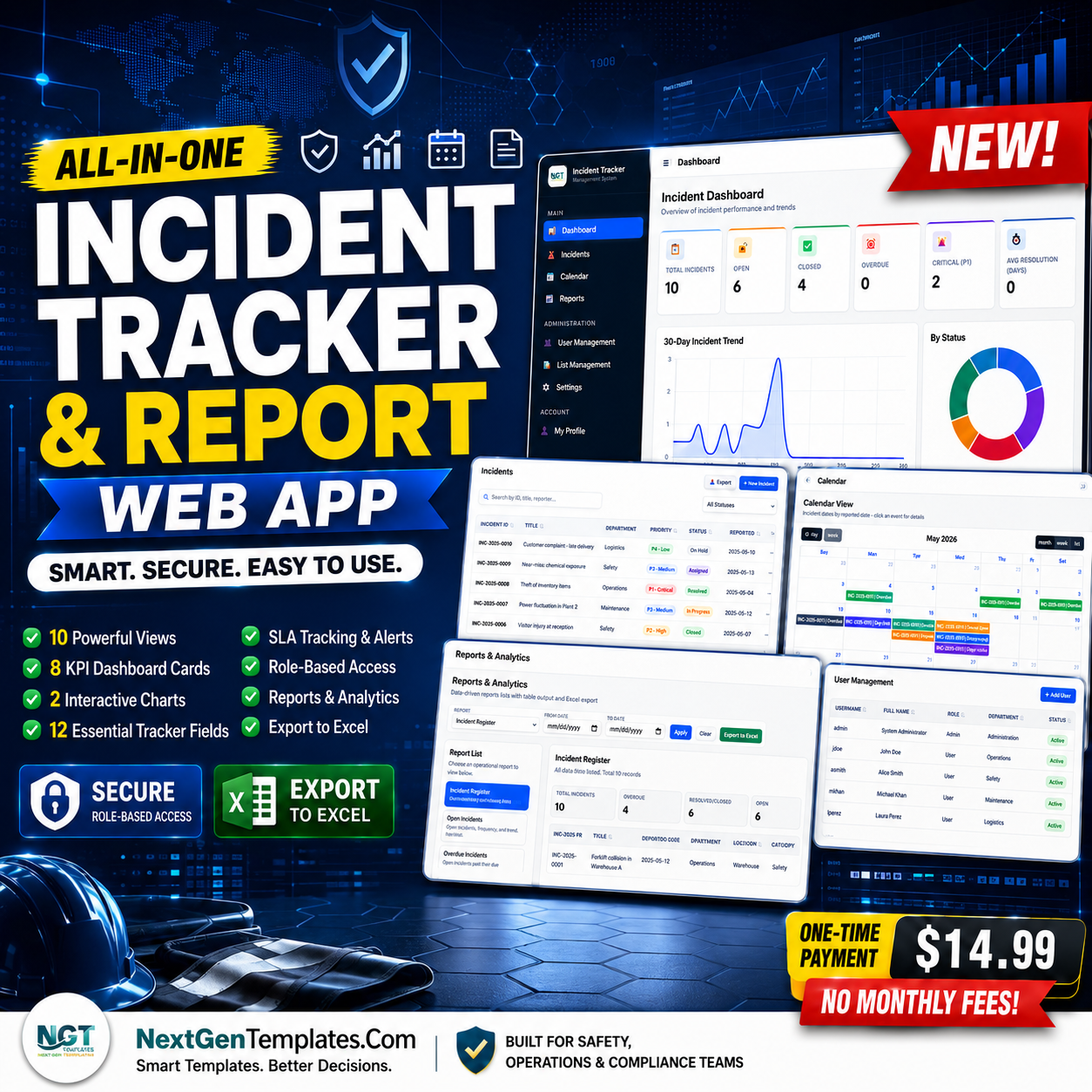
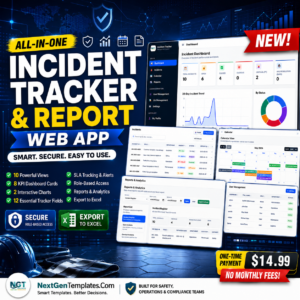
The Incident Tracker and Report Web App gives safety, HSE, operations, admin, and compliance teams a role-based incident workspace with 10 core views, 8 KPI cards, 2 dashboard charts, 12 tracker fields, SLA status, reports, user management, list management, and settings in one deployable template. Built by PK, founder of NextGenTemplates and a Microsoft Certified Professional with 15+ years of Excel, Google Sheets, Power BI, and business system experience, this template is a one-time download with no monthly SaaS seat fee.
Key Features of Incident Tracker and Report Web App
- Secure login workflow – users sign in with username and password, and the app opens the admin or user workspace based on role.
- Admin dashboard overview – track Total Incidents, Open, Resolved, Overdue, High Severity, Unassigned, Avg Closure, and SLA Health.
- Dashboard charts – review Incident Count by Status and Incident Count by Severity to spot workload and risk patterns quickly.
- Trends and activity analysis – monitor 30-day incident volume, department count, recently updated incidents, and action-required incidents.
- Operational incident tracker – admins create new incidents, users update assigned records, and the table supports filtering, search, export, and row actions.
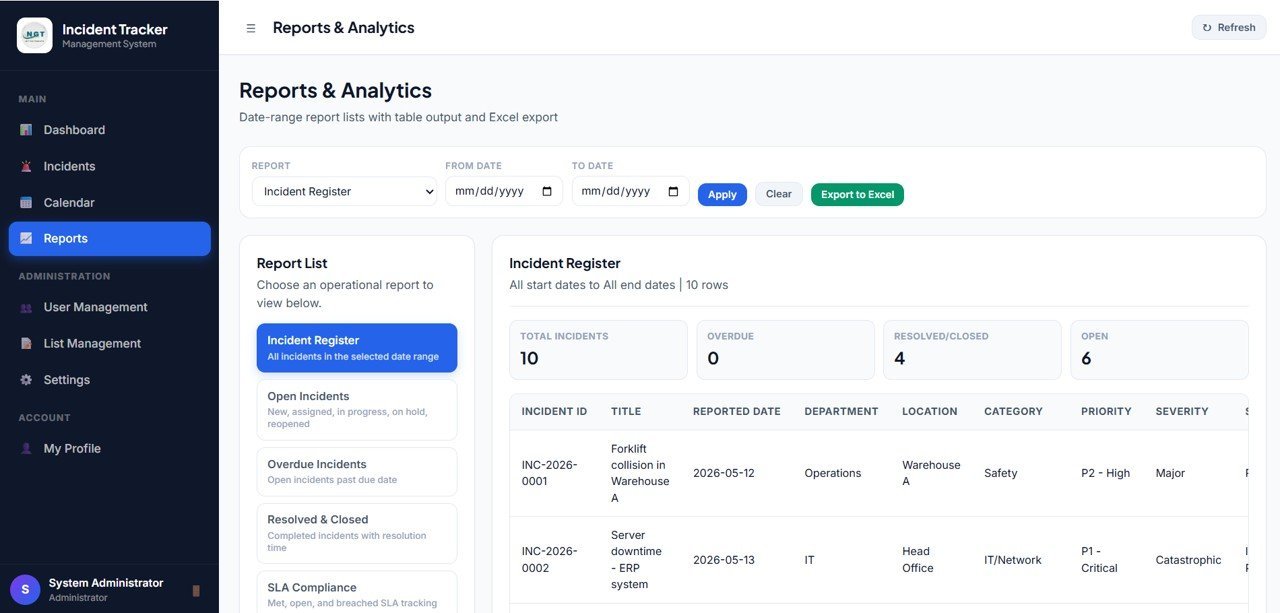
- Reports page – review incidents by period, status, severity, assignee, overdue count, average closure, and incident number.
- Admin controls – manage users, departments, locations, list values, password changes, branding, SLA hours, company email, phone, and address.
- User role dashboard – non-admin users see a limited view focused on incidents assigned to them while admin pages stay hidden.
What’s Inside the Incident Tracker and Report Web App
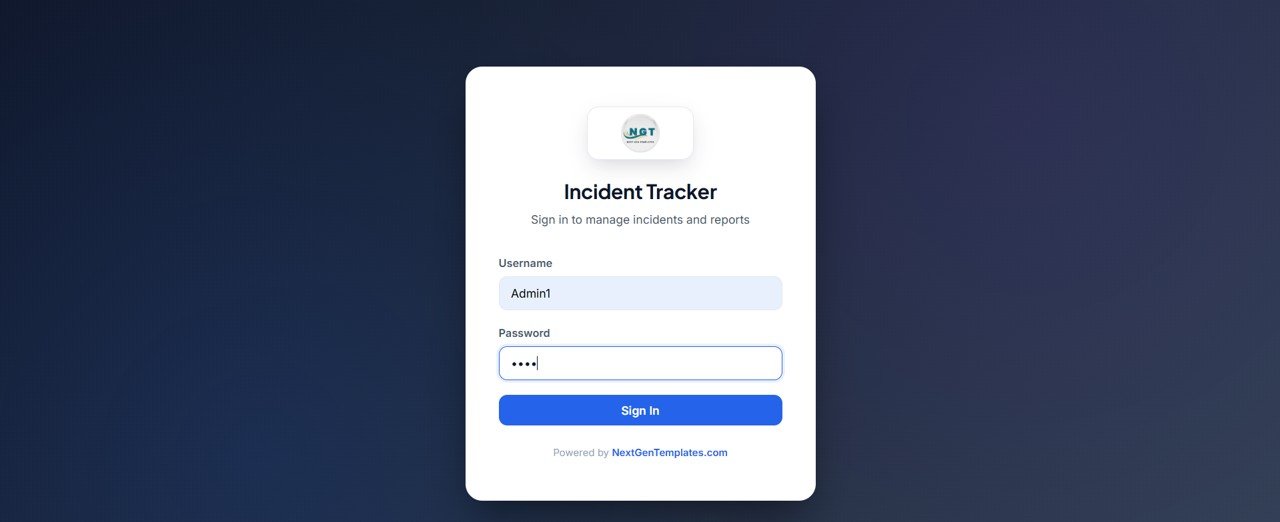
1. Login Page
This is the secure sign in page of the Advanced Incident Tracker and Report. Each user enters their username and password, and the system loads either the admin or the user workspace based on the role.
🚀 Try the Live Demo Before You Buy
We have deployed this web app in our own Google account so you can test every page, every role — with real sample data — before purchasing. No signup, no email required.
🔑 Test Login Credentials
Sign in as Admin1 for full access, including the Administration pages, or as User1 for the main app — incidents, dashboard, calendar, reports, and profile.
💡 What you get after purchase: The full source code (Code.gs + Index.html) plus a step-by-step deployment guide so you can deploy your own private instance in your own Google account in minutes.
2. Admin Dashboard Overview
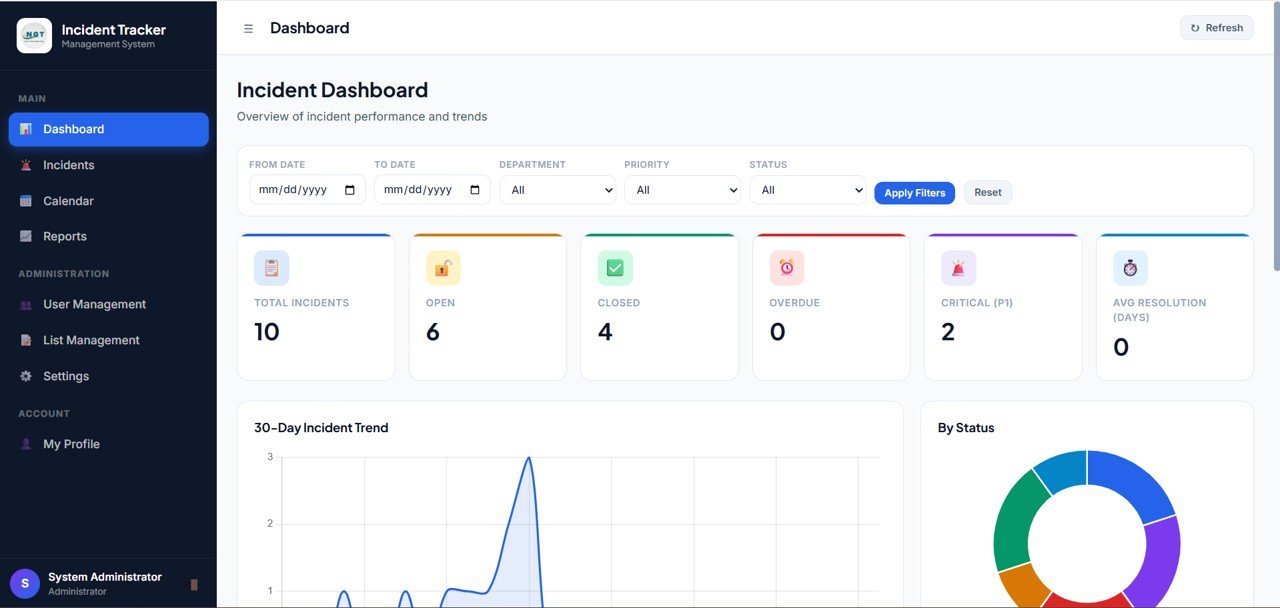
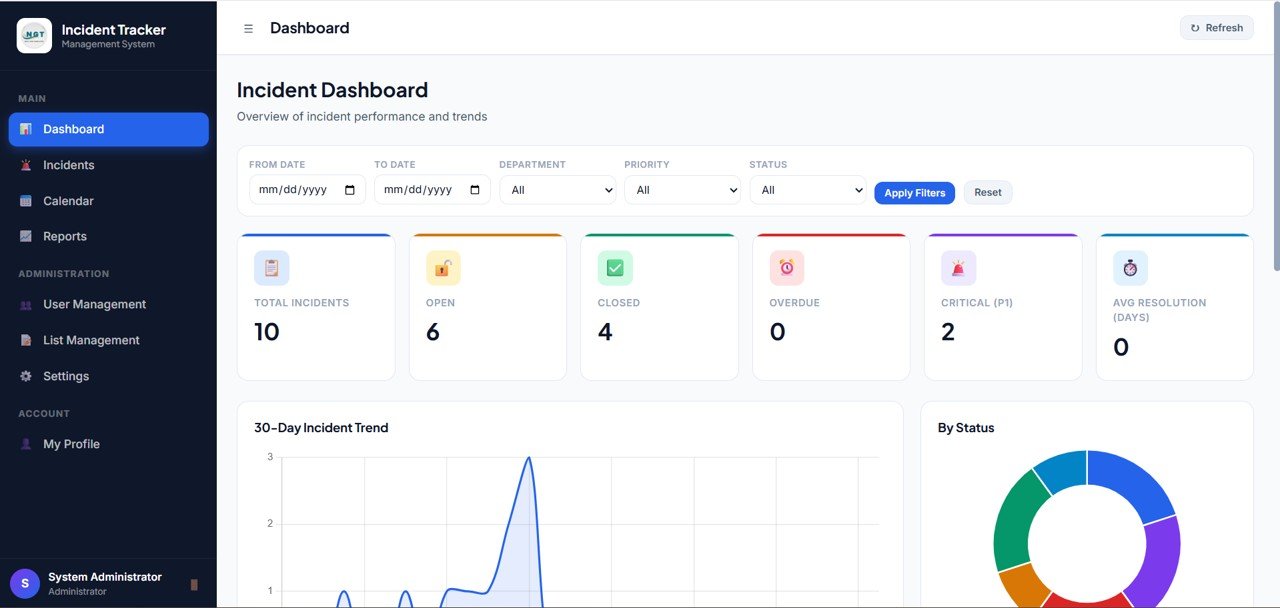
The overview page gives admins high-level incident health with cards for Total Incidents, Open, Resolved, Overdue, High Severity, Unassigned, Avg Closure, and SLA Health.
Incident Count by Status: This chart shows how incidents are distributed across open, resolved, overdue, and other operational statuses. It helps managers identify workflow bottlenecks and follow-up queues before incidents age further.
Incident Count by Severity: This chart separates incident volume by severity level. It helps safety and operations leaders prioritize high-risk records instead of treating every incident with the same urgency.
3. Trends and Activity
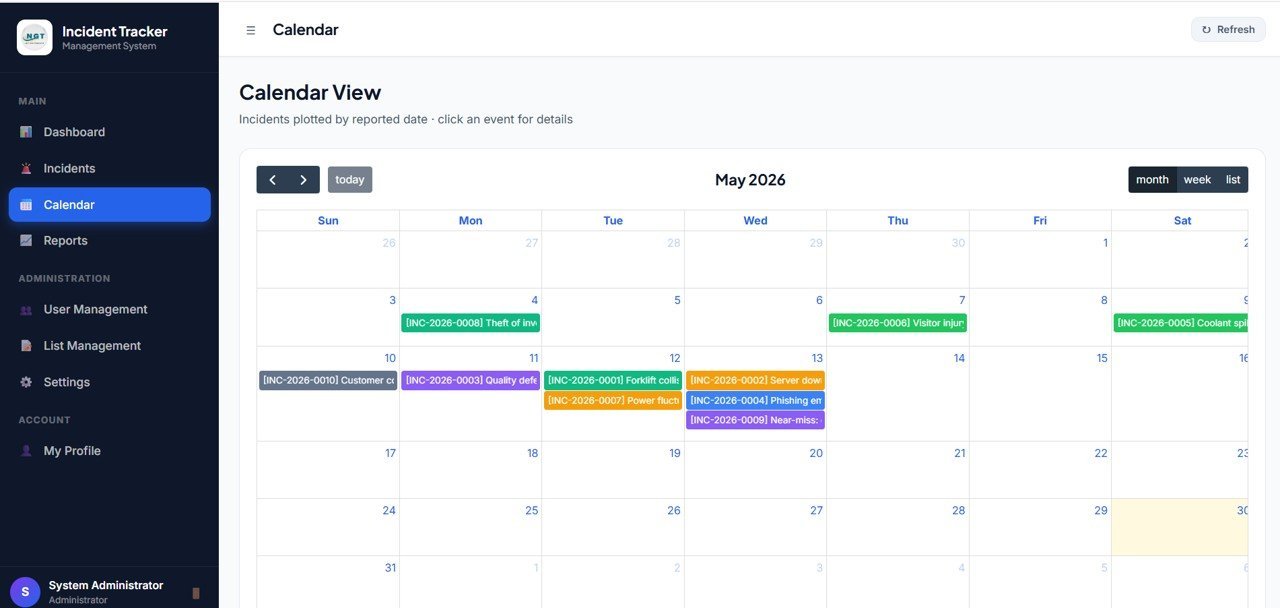
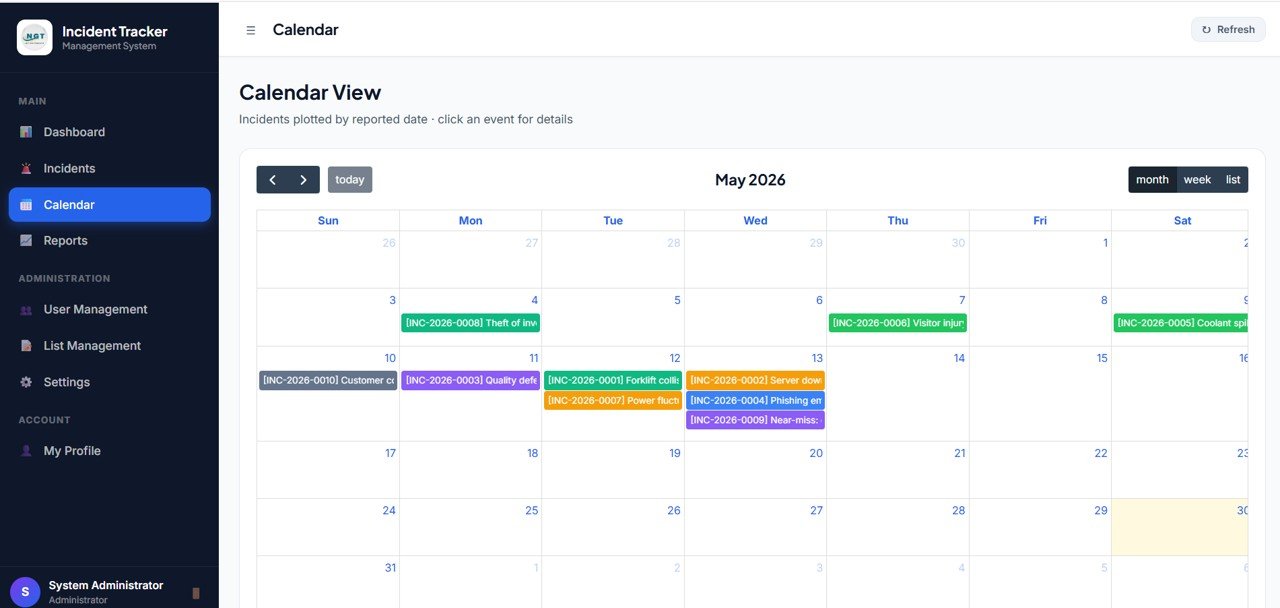
The Trends and Activity page helps teams understand incident movement over time. It includes 30-Day Incident Volume by Date, Incident Count by Department, Recently Updated Incidents by Incident No, and Action Required Incidents by Incident No. This page is useful for weekly incident reviews, supervisor follow-ups, and spotting departments that need extra attention.
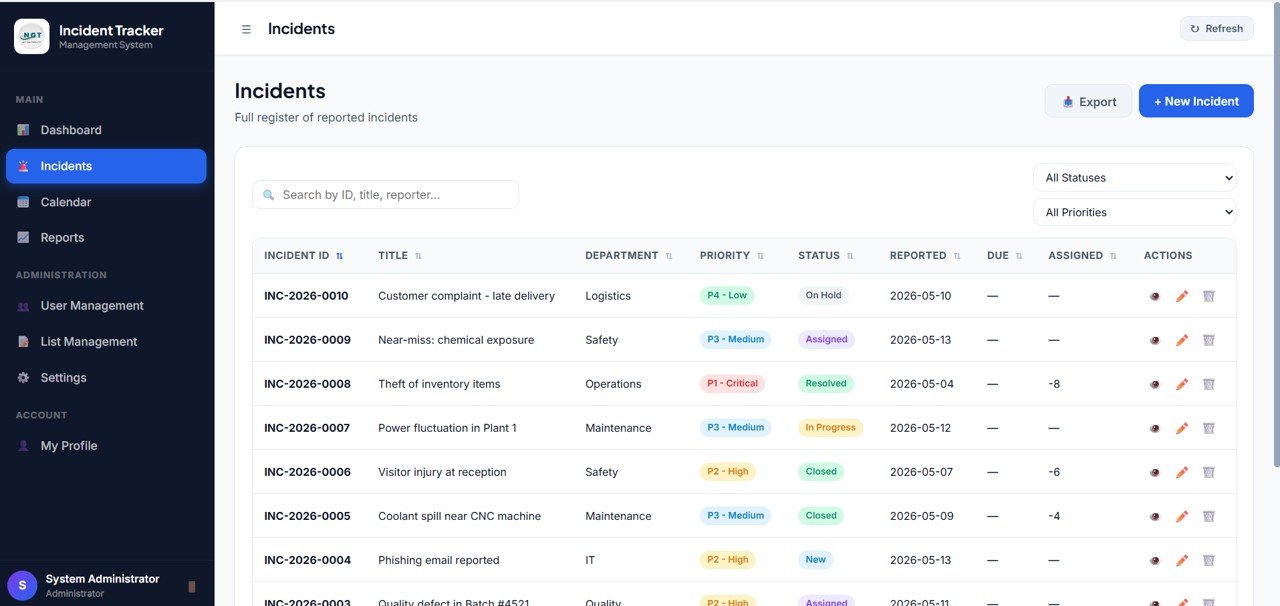
4. Incident Tracker
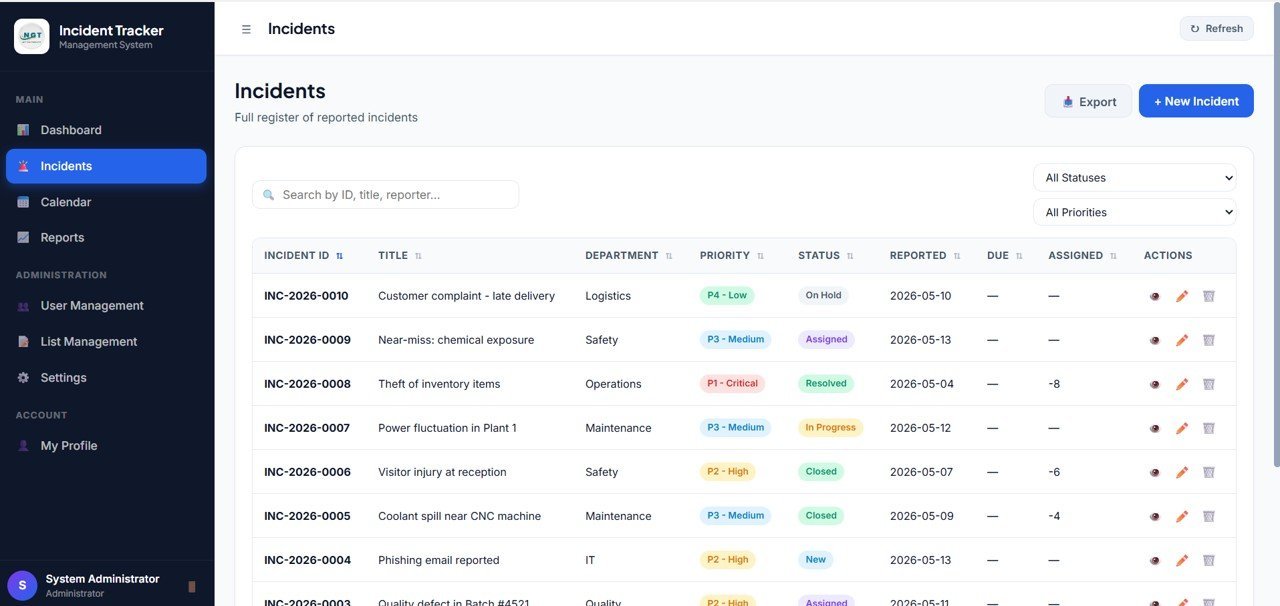
The Incident Tracker is the operational center of the app. Admins can create new incidents, users can update only the incidents assigned to them, and the table can be filtered, searched, and exported. Each row shows Incident No, Date, Reported By, Title, Severity, Status, Assigned To, Due Date, SLA, Updated By, Updated At, and Actions.
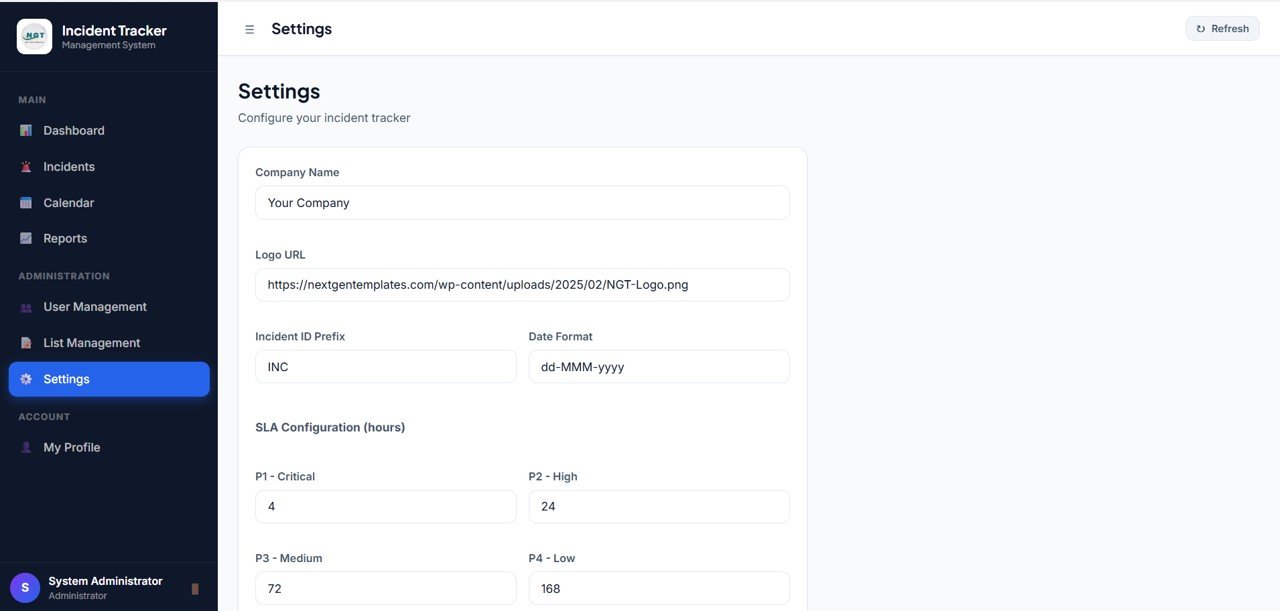
5. Reports
The Reports page summarizes Total Incidents by Period, Open Incidents by Period, Resolved Incidents by Period, Overdue Incidents by Period, Incident Count by Status, Incident Count by Severity, Open and Overdue and Avg Closure by Assignee, and Incident Detail by Incident No.
6. Get More Templates
The Get More Templates page showcases related NextGenTemplates products for HSE, safety, operations, and reporting leaders, so users can discover other dashboards and trackers in one click.
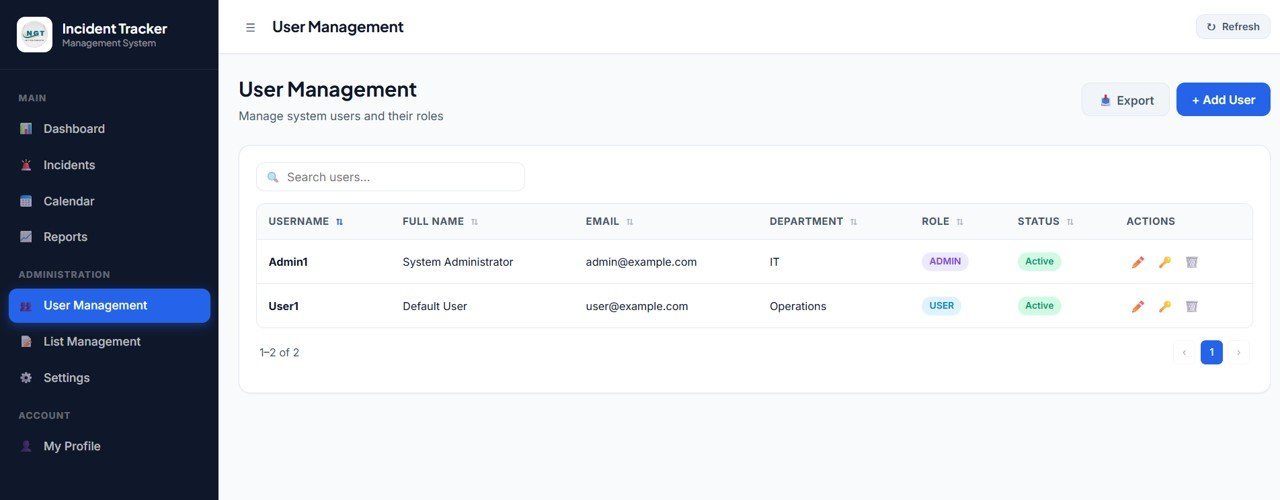
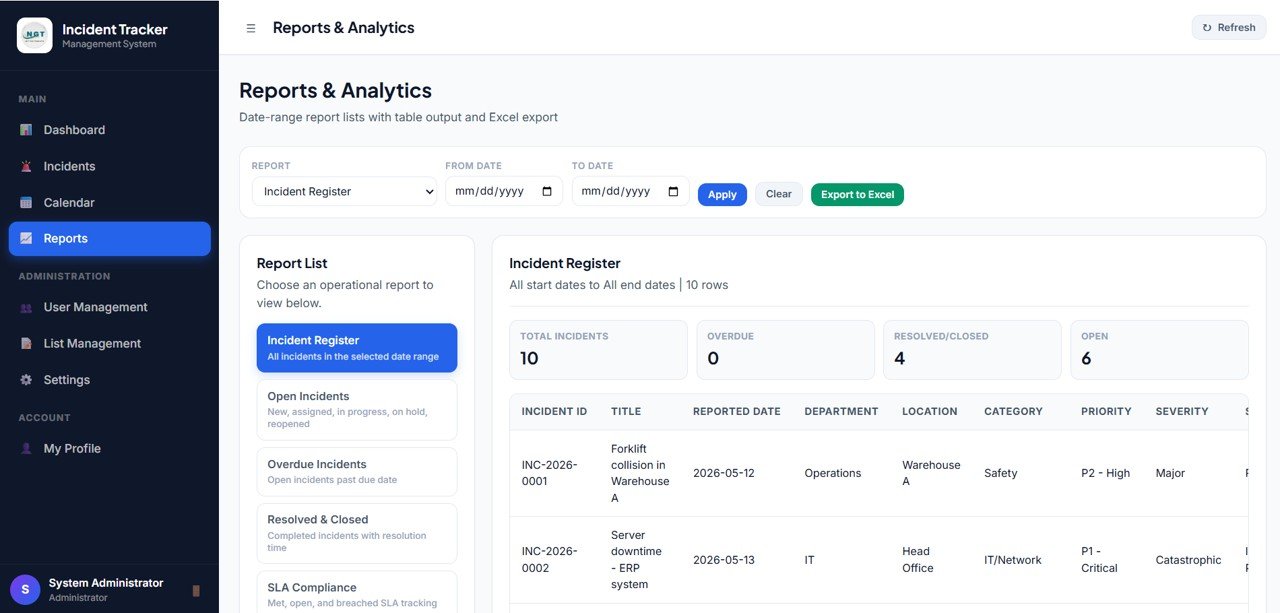
7. User Management
Admins create admin and user accounts, assign departments, and control access. Each row shows Username, Full Name, Role, Active, Department, Location, Email, Updated By, Updated At, and Actions.
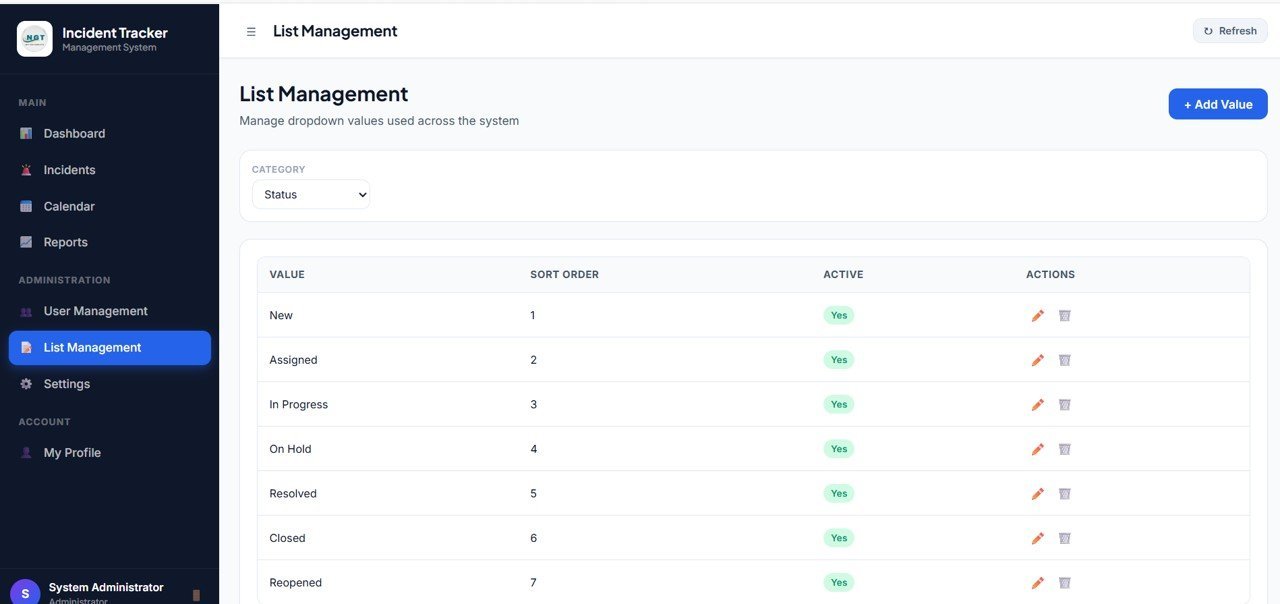
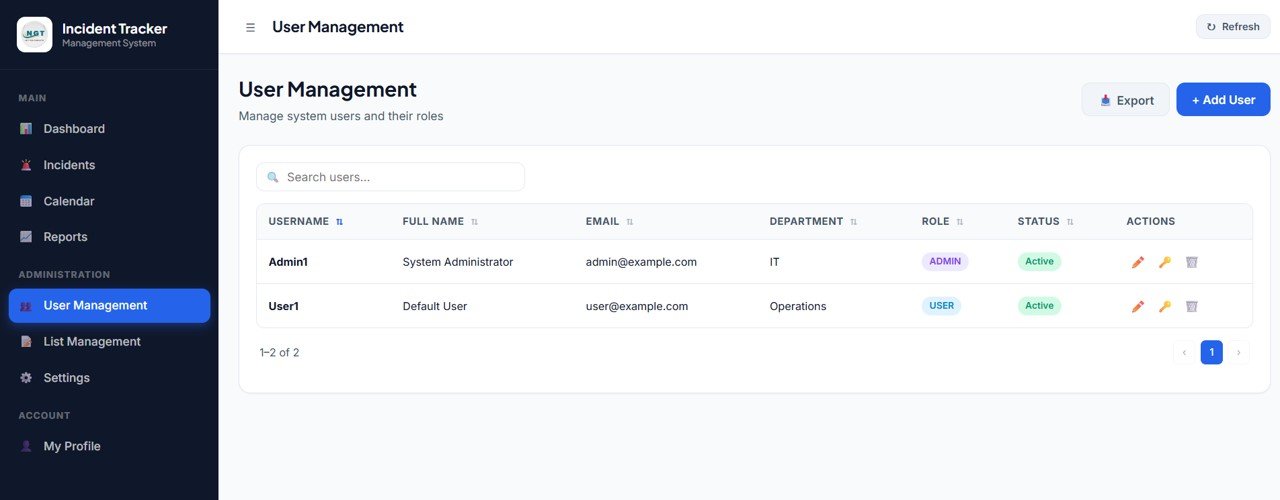
8. List Management
Admins maintain the dropdown values used across incident entry, assignment, and reporting, such as Department, Category, Severity, Status, and Injury Type. Each row shows List Type, Value, Active, Sort, Updated By, Updated At, and Actions.
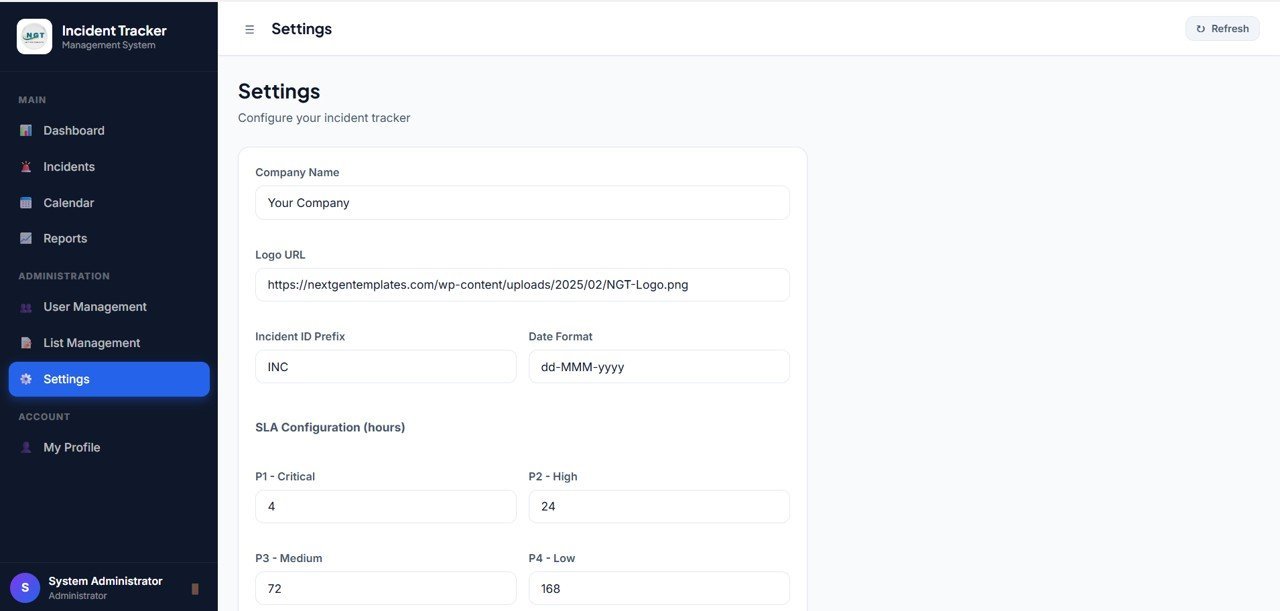
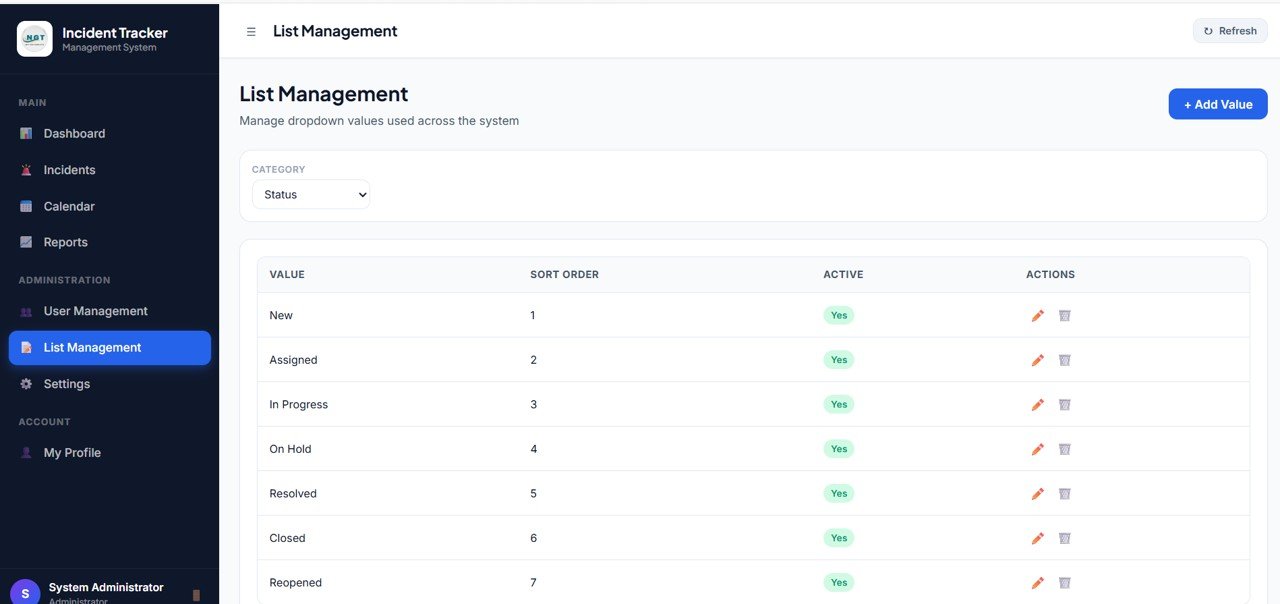
9. Settings
Each user can change their password under My Account, and the admin can update business name, default SLA hours, business tagline, logo URL, company email, phone, and address. Available fields include Signed In As, Current Password, New Password, Business Name, Default SLA Hours, Business Tagline, Logo URL, Company Email, Company Phone, and Company Address.
10. User Role Dashboard View
This page shows the limited dashboard that a non-admin user sees after sign in. The administration menu is hidden, but the user still gets the same KPIs and visuals for the incidents assigned to them, including Total Incidents, Open, Resolved, Overdue, High Severity, Unassigned, Avg Closure, SLA Health, Incident Count by Status, and Incident Count by Severity.
Incident Tracker and Report Web App vs. Spreadsheet Tracker vs. Paid CRM/SaaS – Where This Fits
| Feature | Incident Tracker and Report Web App | Spreadsheet Tracker | Paid Incident Management SaaS |
|---|---|---|---|
| Cost | $24.99 one-time sale price | Low cost, but more manual control | Monthly subscription or per-user pricing |
| Platform | Deployable web app template | Excel or Google Sheets file | Vendor-hosted cloud software |
| Setup time | Deploy, add users, configure lists, and start tracking | Fast start, but harder to govern | Vendor onboarding and configuration |
| Role-based access | Admin and user workspace separation | Limited protection options | Usually included |
| Incident SLA visibility | SLA Health, Due Date, Overdue, and action-required views | Manual formulas or filters needed | Included, often on higher plans |
| Customizable fields | Editable source and list values | Editable, but easy to break formulas | Depends on plan and admin rights |
| Year-1 cost at 5 users | $24.99 template cost | Low software cost plus manual effort | Often hundreds or thousands per year |
| Data ownership | You control the template and deployment | You own the file | Vendor-hosted with export limits |
Who This Template Is For – and Who It’s Not For
This template is for HSE leaders, operations managers, safety coordinators, facility managers, admin teams, quality teams, service teams, and small businesses that need a structured incident workflow with role-based access, SLA tracking, reporting, and user controls.
It is not a replacement for a regulated enterprise EHS platform with hardware integrations, mobile inspection apps, legal case management, automated OSHA filing, or certified compliance workflows. Use it as a practical internal incident management workspace and customize it to match your process before production rollout.
How to Use the Incident Tracker and Report Web App
- Download and unzip the product file after purchase.
- Open the included source files and deployment guide.
- Deploy the web app in your own environment and sign in with the default admin account.
- Open Settings to update your business name, SLA hours, logo URL, email, phone, and address.
- Create users in User Management and assign roles, departments, locations, and email addresses.
- Maintain dropdowns in List Management, including Department, Category, Severity, Status, and Injury Type.
- Create incidents in the tracker, assign owners, update statuses, and review dashboards and reports during daily or weekly meetings.
Real-World Use Cases
Safety manager: Priya reviews open, overdue, high severity, and unassigned incidents each morning, then follows up with assignees before SLA breaches pile up.
Operations head: Daniel uses the Reports page weekly to compare incident volume by period, severity, department, and assignee so repeat issues can be discussed in leadership meetings.
Facility supervisor: Maria uses the User Role Dashboard to focus only on incidents assigned to her team while the admin workspace remains hidden.
Frequently Asked Questions
Is the Incident Tracker and Report Web App a one-time purchase?
Yes. This is a one-time downloadable template. There is no monthly template subscription or per-user template fee.
Does it include admin and user roles?
Yes. Admin users can access dashboards, reports, tracker controls, user management, list management, and settings. Non-admin users see a limited workspace focused on assigned incidents.
Can I track SLA and overdue incidents?
Yes. The template includes Due Date, SLA, Overdue, SLA Health, and action-required incident views so managers can prioritize time-sensitive records.
Can the incident table be searched, filtered, or exported?
Yes. The Incident Tracker is designed for filtering, searching, exporting, and record-level actions.
Can I customize departments, categories, severity, status, and injury type?
Yes. Admins can maintain those dropdown values from the List Management page.
Does this replace enterprise EHS software?
No. It is a practical incident tracking web app template. Enterprise EHS tools may still be better for regulated filings, mobile field inspections, audit trails, legal workflows, and deep integrations.
About the Author
Built by PK – Microsoft Certified Professional with 15+ years of Excel, Google Sheets, and Power BI experience. Founder of NextGenTemplates, reaching 300K+ subscribers across YouTube channels. Every template is hand-built and tested before release.
Explore Related Templates
- Complaint Management System: Web App Version
- Visitor Entry Management System Web App Template
- Web-based Advanced Inventory Management System
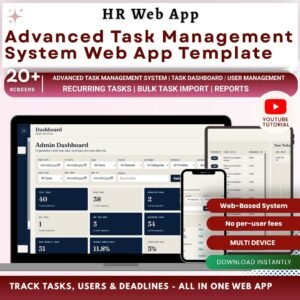
- Advanced Task Management System Web App Template
- Browse all Mini Web Apps
Download the Incident Tracker and Report Web App to centralize incident intake, assignment, SLA follow-up, reporting, and admin control in one structured web app.



Reviews
There are no reviews yet.