

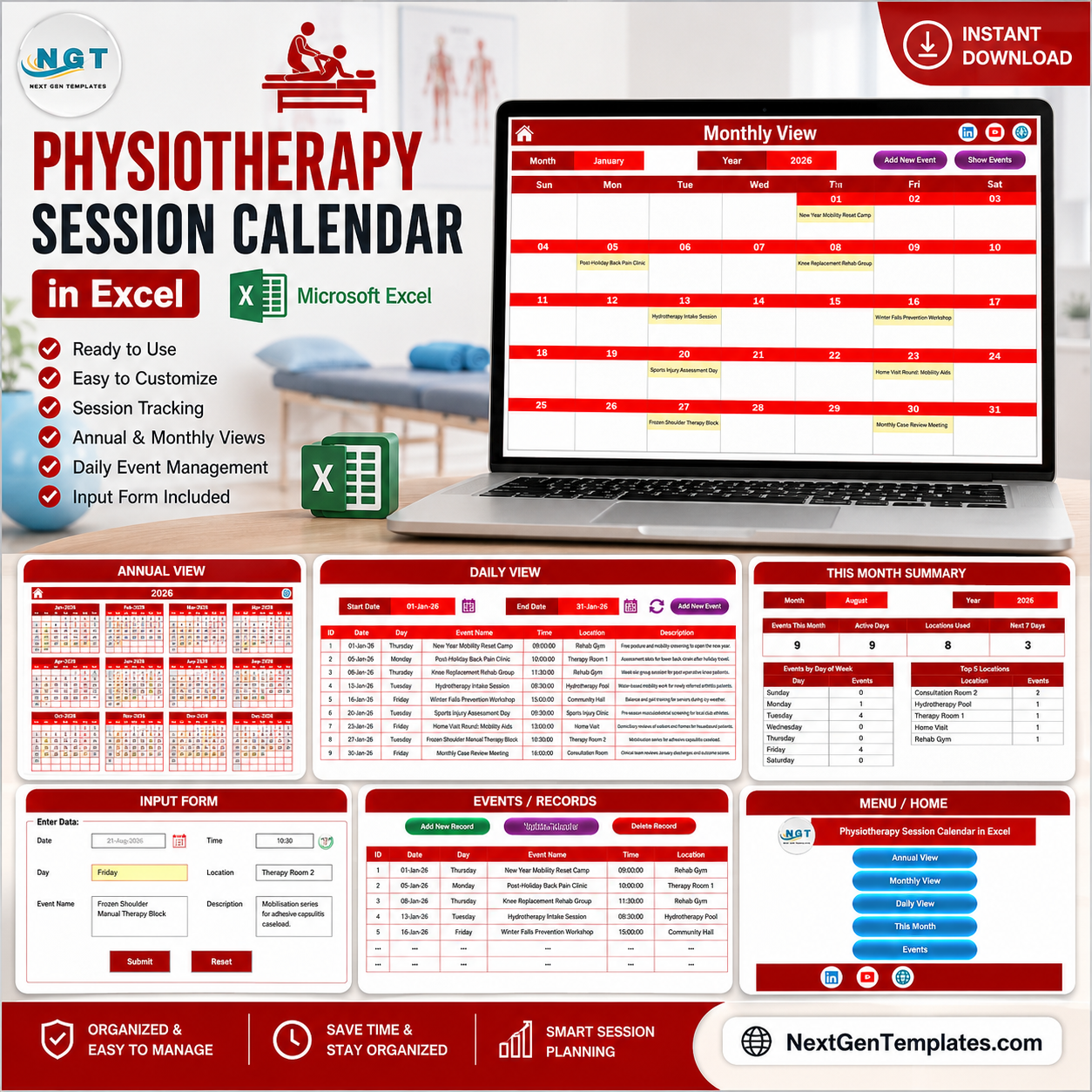
The Physiotherapy Session Calendar in Excel is a 7-worksheet, macro-driven calendar workbook that ships with 100 pre-filled sample physiotherapy sessions dated across the 2026 clinic year, spread over eight session locations – Rehab Gym, Therapy Room 1, Therapy Room 2, Hydrotherapy Pool, Sports Injury Clinic, Community Hall, Consultation Room and Home Visit. Every record carries seven fields (ID, Date, Day, Event Name, Time, Location, Description), and the Annual, Monthly, Daily and This Month views all rebuild from that one Events sheet. Setup takes under 10 minutes.
🌍 Join 8,400+ teams in 40+ countries using NextGenTemplates to replace paid SaaS tools with one-time-purchase Excel, Google Sheets, Power BI and HTML templates.
✅ Instant download · One-time payment · No subscription · No per-user fees · Lifetime access
⚠️ Please read this before you buy. This workbook is a session scheduling calendar and nothing more. It is not a patient record, EHR or EMR, and not a practice management system. It is not HIPAA, GDPR or any other health-data-protection compliant or certified, it does not secure or encrypt anything you type into it, it takes no online bookings, sends no SMS or email reminders, connects to no clinical, insurance or billing system, and tracks no treatment plans, outcomes or clinical progress. A spreadsheet that gets emailed around a clinic is not an appropriate place to store patient-identifiable or clinical information – use initials or an internal reference code such as “Ref 4182 – lower limb” in the Event Name and Description fields, and keep real notes in your governed clinical system.
🔑 Key Features of the Physiotherapy Session Calendar in Excel
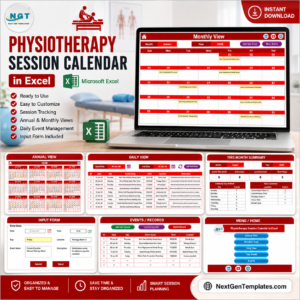
- 📅 Four linked views from one events list. Annual View, Monthly View, Daily View and This Month all read the same Events sheet, so a session typed once appears everywhere. There is no second copy of the schedule to keep in step.
- 🖱️ VBA event management. Add New Record, Update Record and Delete Record sit above the Events table, and Add New Event buttons repeat on the Monthly and Daily views.
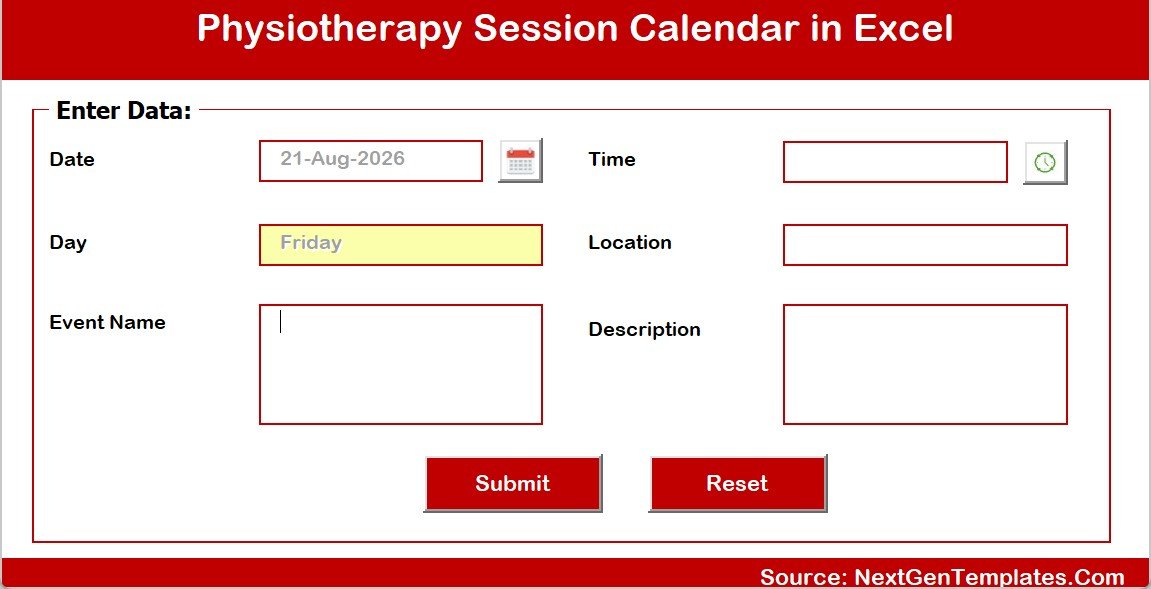
- 📝 A six-field pop-up entry form with a date picker on Date and a clock picker on Time. It captures Location, Event Name and Description, and fills Day automatically from the date chosen.
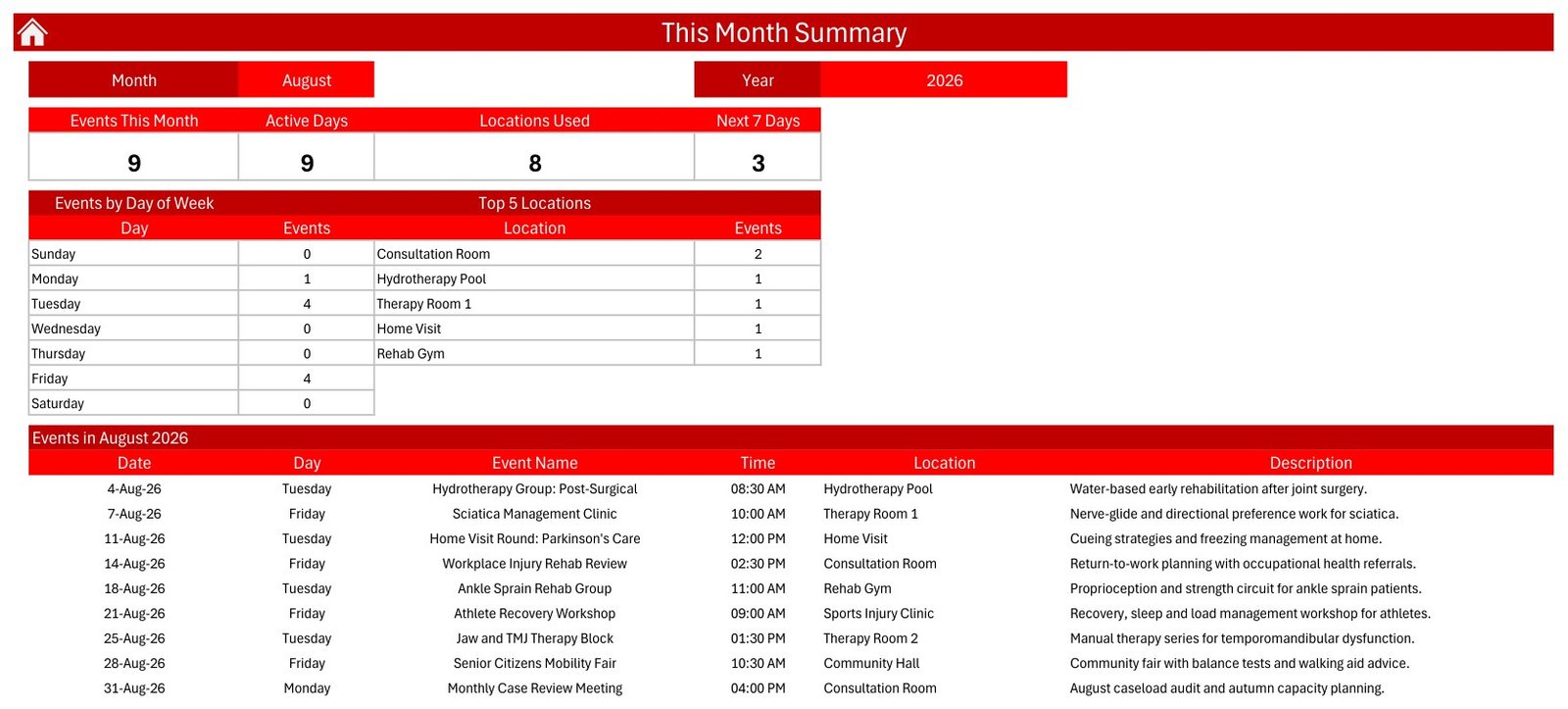
- 📊 A This Month summary that counts for you. Four cards – Events This Month, Active Days, Locations Used, Next 7 Days – sit above an Events by Day of Week table and a Top 5 Locations ranking. In the shipped August 2026 sample they read 9, 9, 8 and 3.
- 🎨 A Setting sheet that re-skins the workbook. Any year from 2021 to 2051, the starting month, the week start day, two highlight weekdays, an event-shading switch and five colour themes: Default, Blue, Red, Black, Orange. It ships on Red, January 2026, weeks starting Sunday.
- 🏥 Written for a physiotherapy caseload. The samples are real clinic work – hydrotherapy groups, knee replacement rehab groups, falls prevention workshops, sports injury assessment days, home visit rounds and monthly case reviews – so the file reads like your diary on day one.
- 💾 Yours offline, forever. One .xlsm file on your own machine or clinic share. No login, no seat count, no renewal.
📦 What’s Inside the Physiotherapy Session Calendar in Excel
Sheet 1: Home Menu
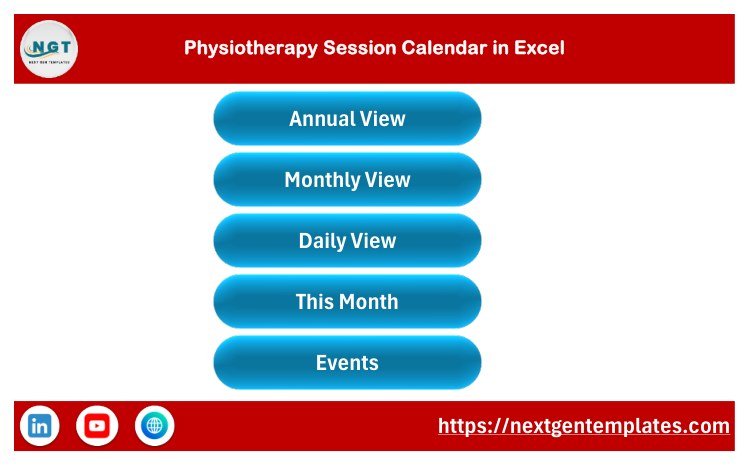
The landing sheet carries the workbook title and five navigation buttons – Annual View, Monthly View, Daily View, This Month and Events – so anyone at the front desk reaches a view in one click.
Sheet 2: Annual View
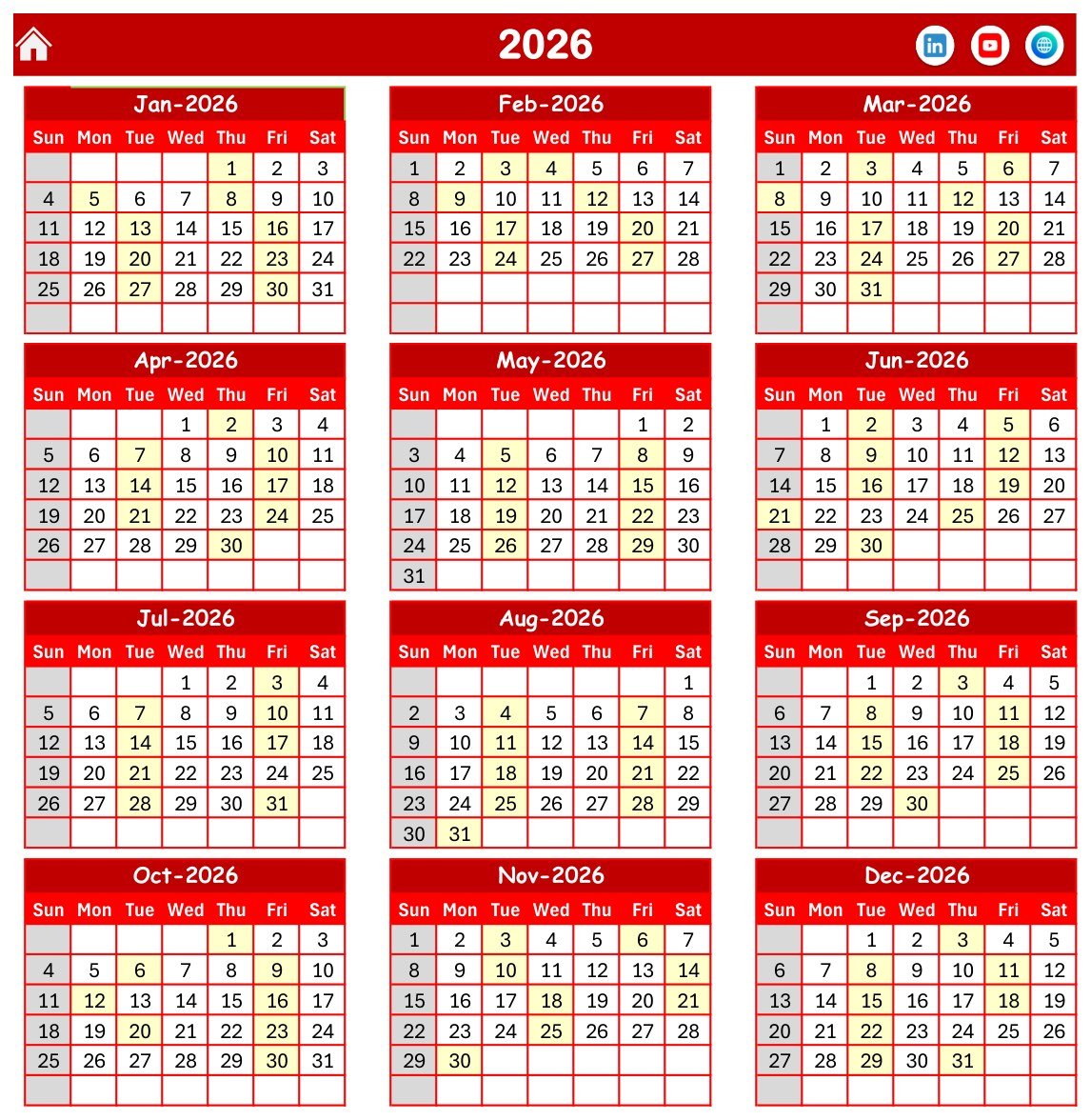
All twelve months of the selected year on one page, four rows by three columns, with Sun-to-Sat headers. Days carrying a session are shaded, so the shape of the clinic year – and the empty weeks – is visible at a glance.
Sheet 3: Monthly View
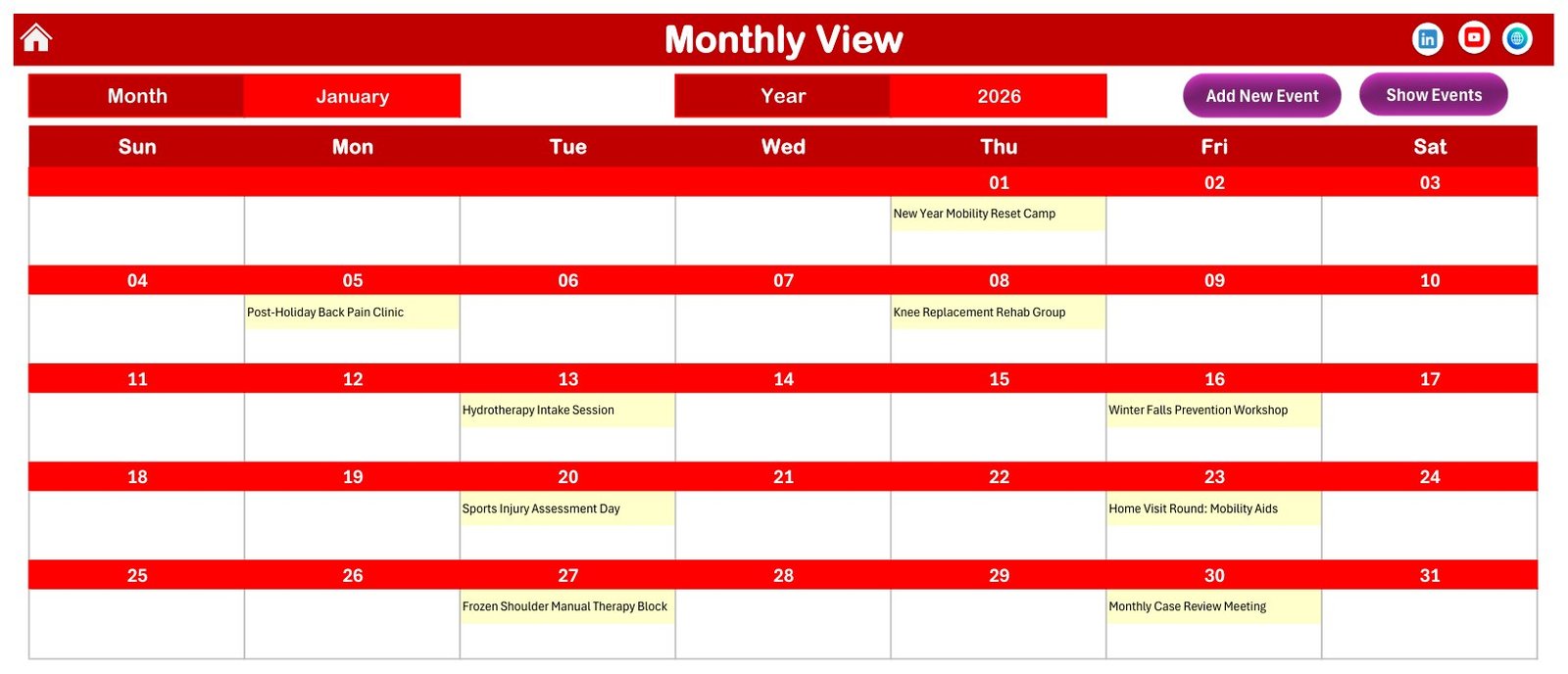
A month grid driven by Month and Year selectors, with the session name printed inside each date cell. The January 2026 sample shows nine sessions, from the New Year Mobility Reset Camp on the 1st to the Monthly Case Review Meeting on the 30th.
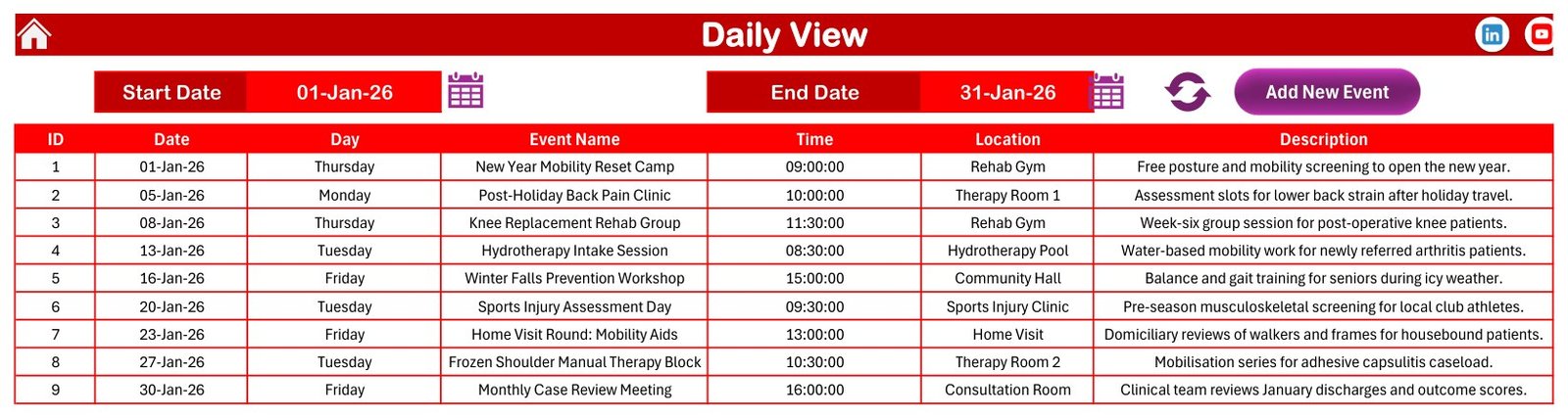
Sheet 4: Daily View
A date-range list rather than a grid. Set Start Date and End Date, hit Refresh, and the sheet returns every session in that window with ID, Date, Day, Event Name, Time, Location and Description – the view to print as a week’s run sheet.
Sheet 5: This Month Summary
Pick a month and year and the four cards, the Events by Day of Week breakdown and the Top 5 Locations ranking rebuild. In the August 2026 sample, Tuesday and Friday carry four sessions each and Consultation Room leads the locations with two.
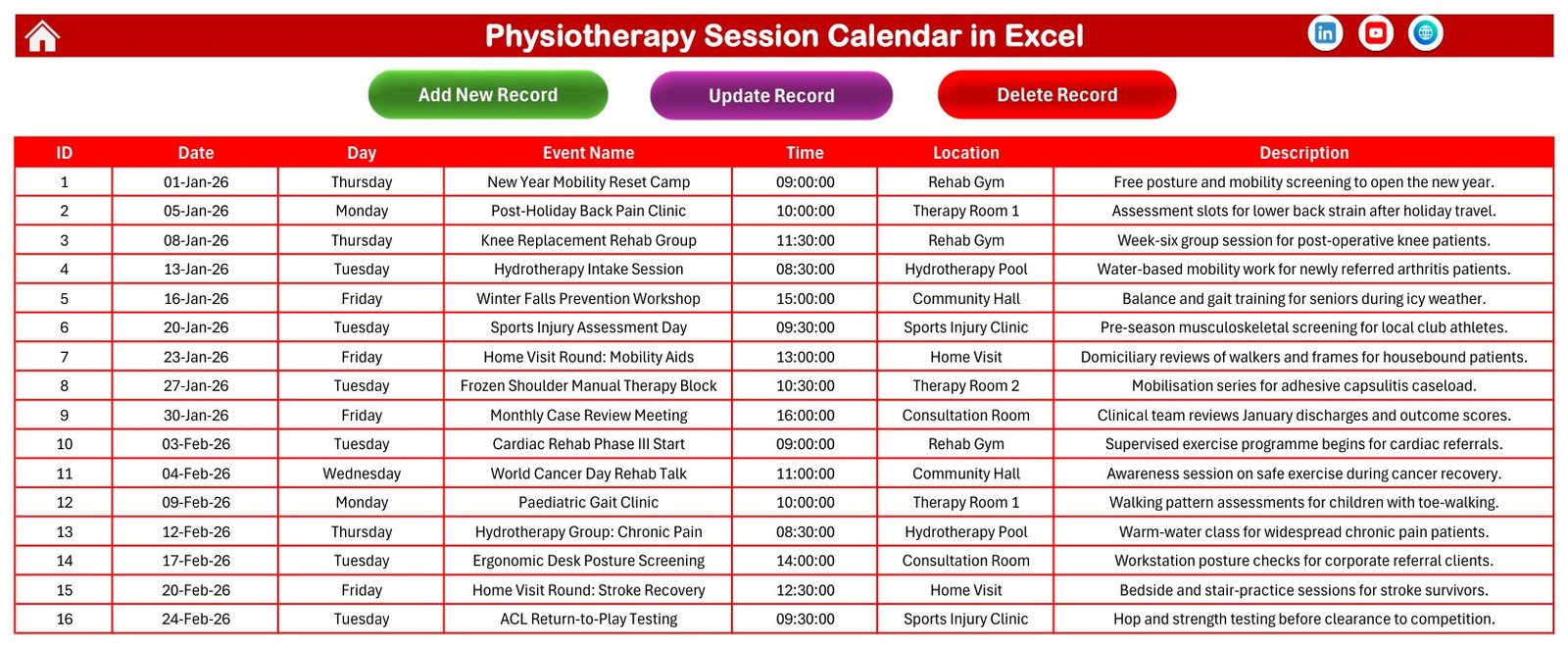
Sheet 6: Events Database
The single source of truth: one row per session across seven columns, pre-loaded with 100 sample records numbered 1 to 100. Every calendar view reads from here.
The Add New Record form
A VBA user form with Date, Time, Day, Location, Event Name and Description, plus Submit and Reset. The Day field fills itself from the date, so Tuesday can never be typed against a Friday.
Sheet 7: Setting
The control panel behind the views: calendar year, starting month, week start day, two highlight weekdays, an event-highlight switch and the five-theme colour picker. Change a value here and every calendar sheet re-draws.
📊 Physiotherapy Session Calendar in Excel vs. a Google Sheets Calendar vs. Paid Clinic Booking Software
| Feature | Physiotherapy Session Calendar in Excel | Google Sheets calendar equivalent | Cliniko / Jane App |
|---|---|---|---|
| Cost | $4.99 one-time | Free with a Google account | $45-95 per practitioner / month |
| Platform | Excel for Windows desktop (.xlsm, macros required) | Browser, any device | Browser and mobile app |
| Setup time | ✅ Under 10 minutes | ✅ Under 10 minutes | Days – onboarding, imports, training |
| Works fully offline | ✅ Yes | ❌ No | ❌ No |
| Annual, Monthly, Daily and summary views in one file | ✅ All four, built in | Usually one view | ✅ Yes |
| Patient self-booking online | ❌ No | ❌ No | ✅ Yes |
| Automated SMS / email reminders | ❌ No | ❌ No | ✅ Yes |
| Patient records, clinical notes, billing | ❌ No – a calendar, not a clinical system | ❌ No | ✅ Yes |
| Year-1 cost for a 5-practitioner clinic | $4.99 total | $0 | $2,700-5,700 |
| You own the file, no vendor lock-in | ✅ Yes | Tied to a Google account | ❌ No |
For a small practice that wants its group sessions, clinics and home-visit rounds laid out clearly – without paying per practitioner every month for booking software it does not need – the Physiotherapy Session Calendar in Excel sits in the sweet spot. If patients must book themselves online, or you need clinical notes, buy real practice software instead.
👥 Who This Template Is For – and Who It’s Not For
✅ This template is built for:
- Solo physiotherapists and clinics of 1-10 practitioners planning group sessions, workshops and home-visit rounds
- Receptionists and practice coordinators who print a week’s run sheet and pin it up
- Sports injury clinics, hydrotherapy pools and rehab gyms juggling several rooms and one shared pool
- Community outreach teams planning falls prevention and mobility workshops a year ahead
❌ This template is NOT for:
- Anyone needing to store patient-identifiable or clinical information – a spreadsheet is the wrong place, and this file offers no protection for it
- Clinics needing online self-booking, automated reminders, clinical notes, insurance claims or billing
- Practices needing an audited, access-controlled or HIPAA/GDPR-compliant system; this workbook is none of those
- Mac-only or tablet-only clinics – the forms and refresh buttons need Excel for Windows desktop with macros enabled
- Teams needing several people editing the same calendar at once – use a Google Sheets calendar instead
⚙️ How to Use the Physiotherapy Session Calendar in Excel
- Unzip the download and open the .xlsm in Excel for Windows. Click Enable Content – the buttons and forms will not run otherwise.
- On the Setting sheet, pick your calendar year, starting month, week start day and colour theme.
- On the Events sheet, delete the 100 sample rows once you have seen how they are structured.
- Click Add New Record and enter a session: date, time, location, session name, short description. Use initials or a reference code – never patient names or clinical detail.
- Check the Monthly View: the session now sits inside its date cell, and the Annual View shades that day.
- Use Daily View with a date range to print the week, and This Month for session counts, active days and busiest locations.
- To change a booking select it and click Update Record; to cancel it, click Delete Record.
💼 Real-World Use Cases
Anita runs a three-room practice with a hydrotherapy pool. Each December she blocks out the year’s group sessions in the Events sheet, then prints the Annual View for the staff room so nobody double-books the pool.
Dev coordinates a community falls prevention programme. His workshops move between a community hall, a rehab gym and home visits, so he uses the Top 5 Locations ranking to check he is not overloading one venue, and the Daily View to hand the week’s list to his assistants.
Priya is a solo sports physiotherapist working with two local clubs. Pre-season assessment days, return-to-play testing and recovery workshops all sit in one file on her laptop – and it works on the touchline where there is no signal.
❓ Frequently Asked Questions
Is the Physiotherapy Session Calendar in Excel a patient record system, and is it HIPAA or GDPR compliant?
No. The Physiotherapy Session Calendar in Excel is an offline scheduling calendar only. It is not an EHR, EMR or practice management system, it holds no clinical record, it is not HIPAA, GDPR or any other health-data-protection certified, and it does not secure or encrypt its contents. Never store patient-identifiable or clinical information in it.
Can patients book their own appointments, or will it send reminders?
No. The Physiotherapy Session Calendar in Excel takes no online bookings and sends no SMS or email reminders – it is a workbook you fill in yourself. If you need self-booking or automated reminders, use dedicated clinic booking software instead.
What should I type instead of patient details?
Use the session type and an internal reference – “Knee Rehab Group”, or “Ref 4182 – initial assessment”. The Physiotherapy Session Calendar in Excel is built around sessions, rooms and times, so it works perfectly well without a single patient name in it.
How long does setup take?
Under 10 minutes. Unzip, enable macros, set your year and theme on the Setting sheet, clear the 100 sample sessions and start adding your own. Every view rebuilds from the Events sheet, so there is nothing else to configure.
Do I need macros, and does it work on Mac?
Yes to macros – the Add, Update and Delete buttons and the pop-up form are VBA, so the Physiotherapy Session Calendar in Excel needs Excel for Windows desktop with content enabled. Excel for Mac, Excel on the web and mobile Excel do not run these forms reliably.
How does this compare to Cliniko or Jane App?
It does far less, for far less. Cliniko and Jane App handle bookings, notes, claims and reminders from around $45 per practitioner per month. The Physiotherapy Session Calendar in Excel is a $4.99 one-time calendar for laying out sessions, rooms and dates – and it keeps working offline.
Can I use it for a year other than 2026?
Yes. The Setting sheet offers any year from 2021 to 2051, plus the starting month and the day your week begins. Change the year and the Annual, Monthly and Daily views redraw around your own dates.
👤 About the Author
Built by PK – Microsoft Certified Professional with 15+ years of Excel, Google Sheets and Power BI experience. Founder of NextGenTemplates, reaching 300K+ subscribers across YouTube channels (@PK-AnExcelExpert, @NextGenTemplates, @NeoTechNavigators). Every template is hand-built and tested before release.
🔗 Explore Related Templates
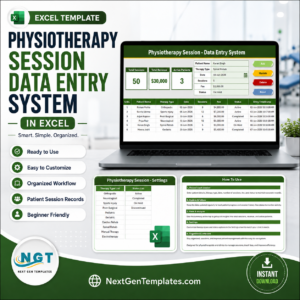
- Physiotherapy Session Data Entry System in Excel – a searchable session log with a form and summary cards rather than a calendar grid.
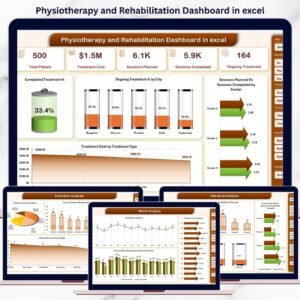
- Physiotherapy and Rehabilitation Dashboard in Excel – the analytics side of the same practice.
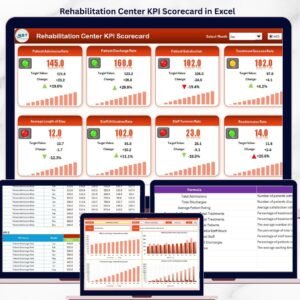
- Rehabilitation Center KPI Scorecard in Excel – a month-by-month centre performance scorecard.
- Healthcare Staff Duty Calendar in Excel – the staff rota companion to this session calendar.
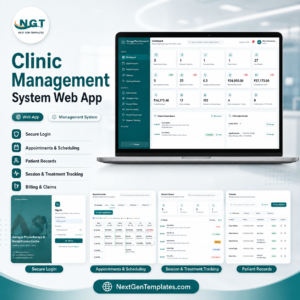
- Physiotherapy Clinic Management System Web App – for when a spreadsheet is no longer enough.
- New in the same Calendar range: Dental Clinic Appointment Calendar in Excel – the same calendar engine built around a dental caseload.
Also available as a Google Sheets alternative in the Medical Appointment Calendar in Google Sheets. Browse the whole Calendar Templates range, or our wider MS Excel Templates library.
📖 Click here to read the Detailed Blog Post
🎥 Visit our YouTube channel for step-by-step video tutorials
👉 YouTube.com/@NextGenTemplates
📅 Last updated: August 2026































Reviews
There are no reviews yet.