

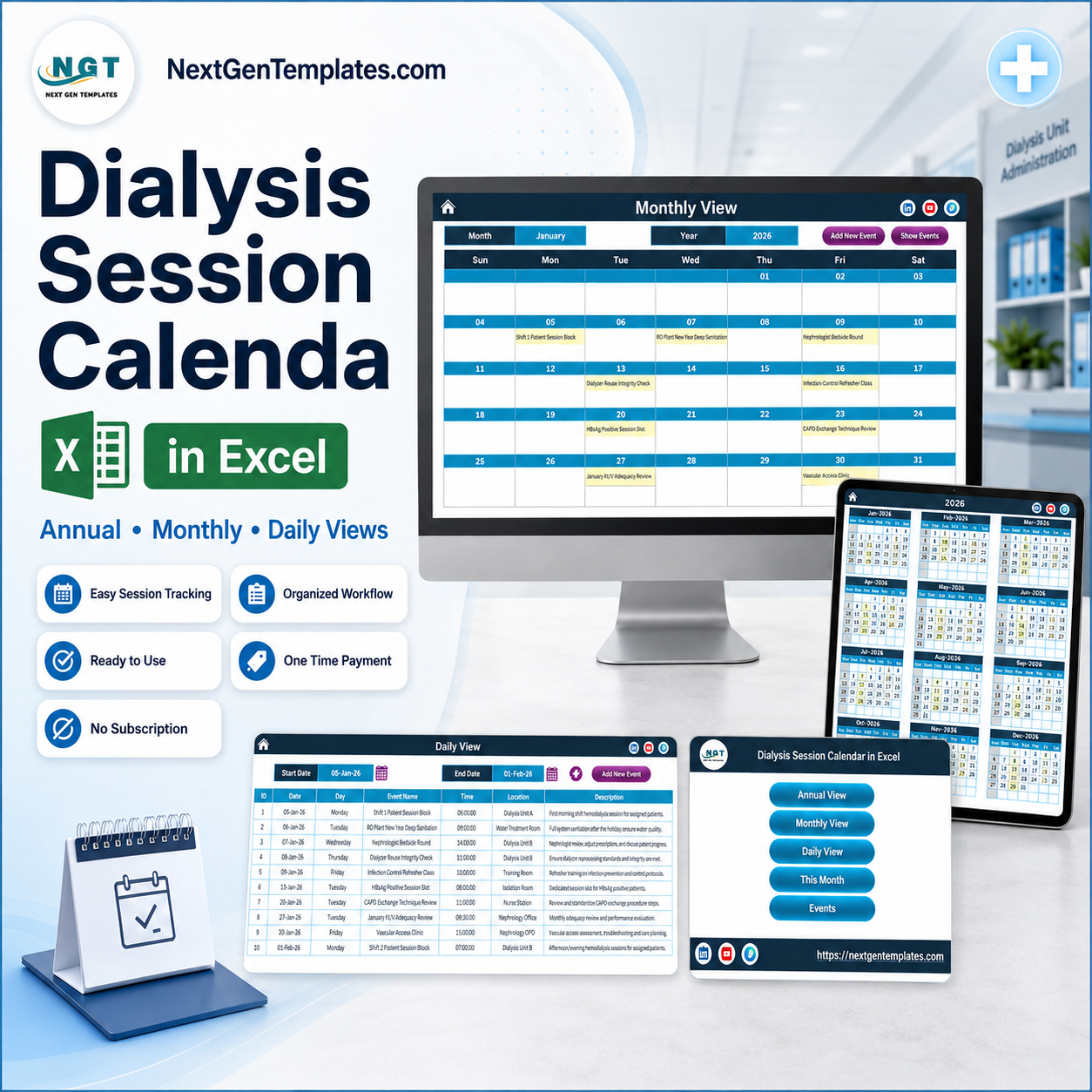

The Dialysis Session Calendar in Excel is a macro-enabled workbook that plans a renal unit’s year on one screen: 7 worksheets, 100 ready-made sample sessions dated from 5 January to 29 December 2026, 7 built-in locations covering Dialysis Unit A and B, the Isolation Bay, the Water Treatment Room, the Training Room, Nephrology OPD and the Home Dialysis Program, and 18 start times between 06:30 and 21:00 so early, mid, afternoon and evening shift blocks all sit in the same grid. Download it, open it in Excel for Windows, enable macros, and you are looking at a working dialysis session calendar in Excel in under two minutes. One payment of $4.99, no subscription, no login, no data leaving your PC – and if it does not fit your unit, tell us within 30 days and we will refund it.
Key Features of the Dialysis Session Calendar in Excel
- Seven worksheets, one navigation hub. Home, Annual View, Monthly View, Daily View, This Month, Events and Setting. The Home sheet is five buttons – Annual View, Monthly View, Daily View, This Month, Events – so nobody has to learn the tab bar.
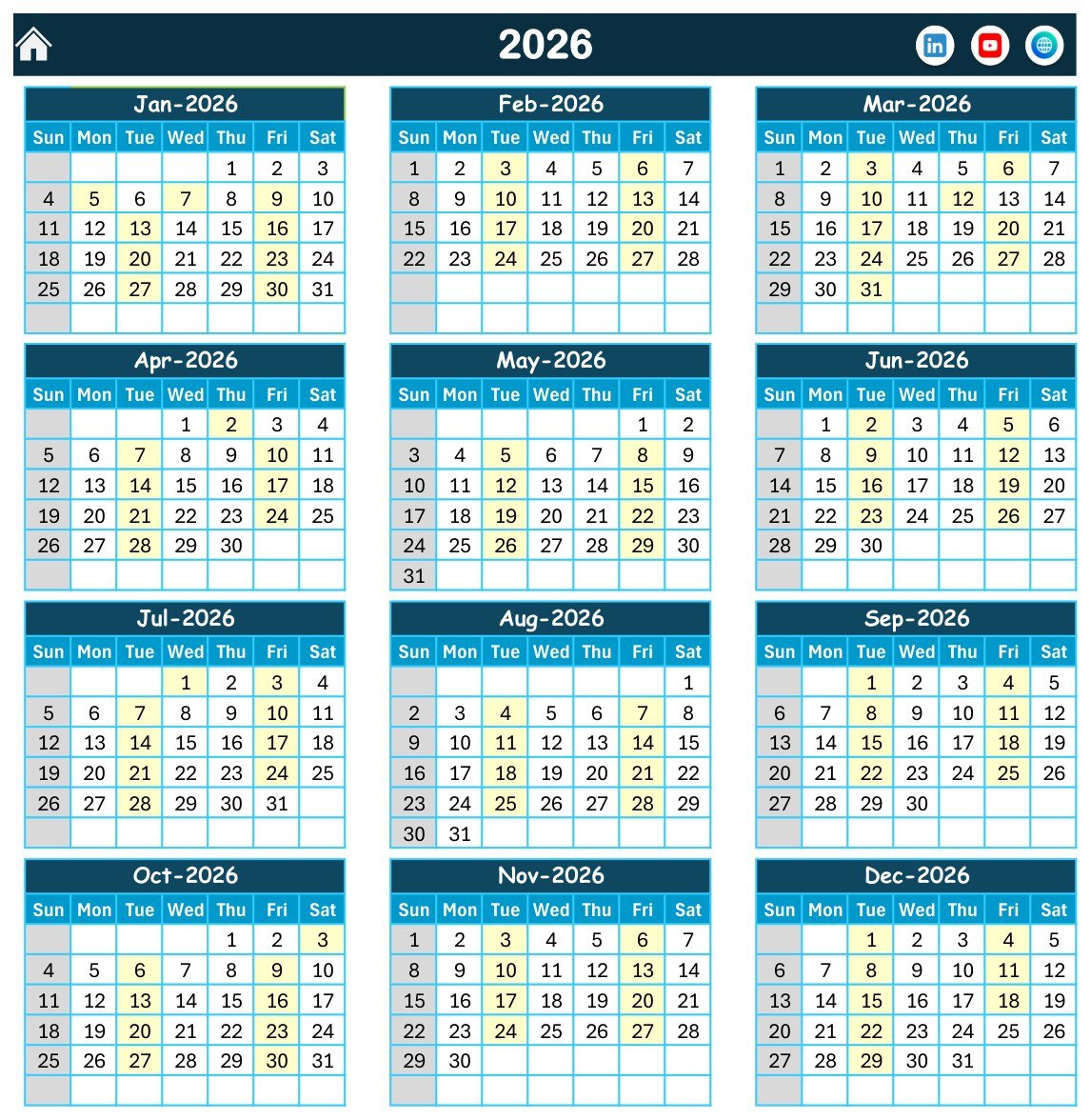
- Annual View. All twelve months of the chosen year printed on one page, with every date that carries a session shaded so a full year of unit activity is readable at arm’s length.
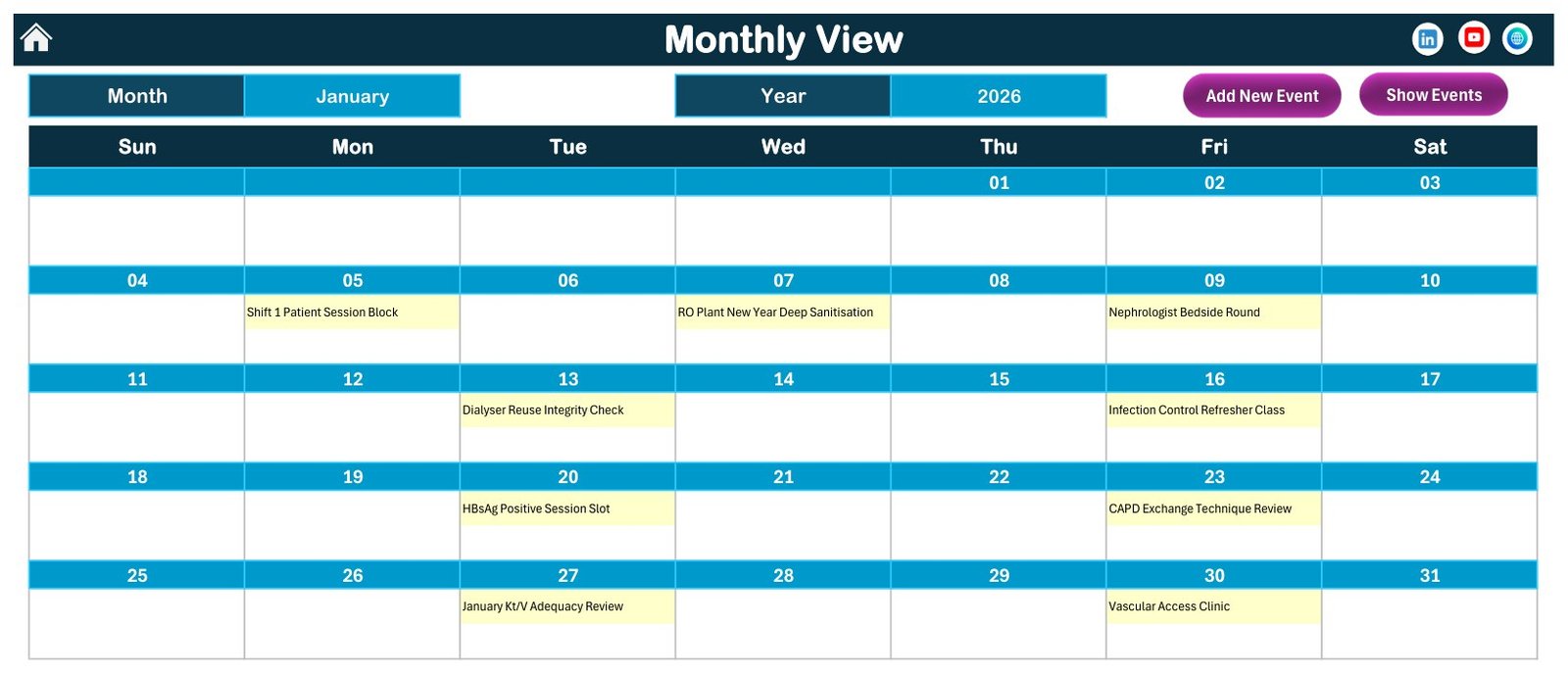
- Monthly View. Choose a month and a year and the session name is written inside each date cell. Add New Event and Show Events buttons sit on the same header.
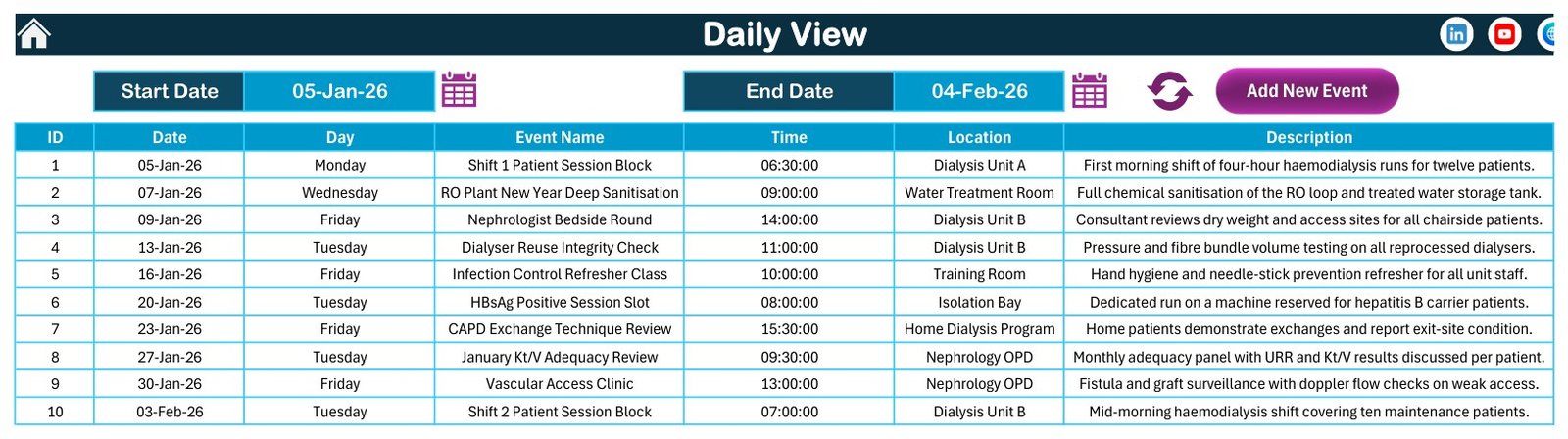
- Daily View. Set a Start Date and an End Date and the workbook lists every session in that window with ID, date, day, session name, time, location and description – the run sheet you actually print for the floor.
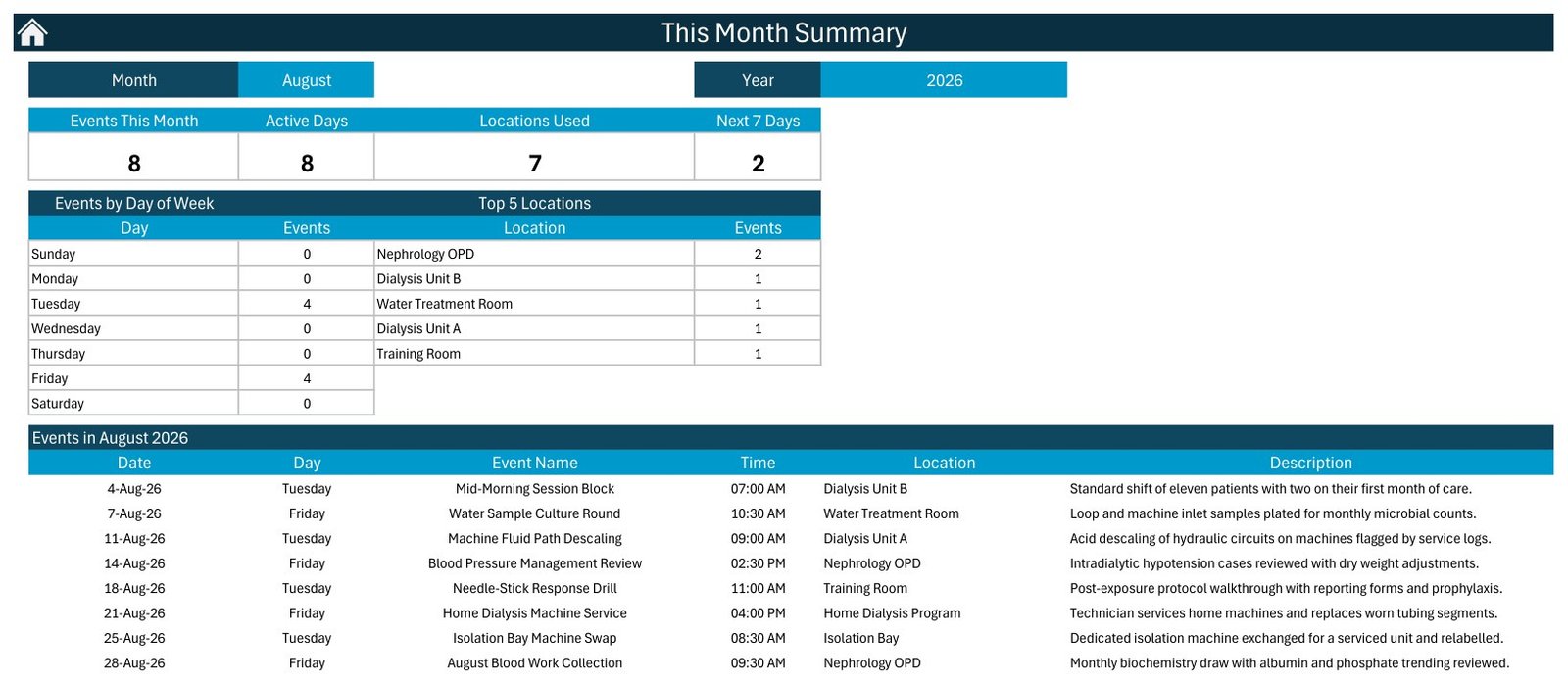
- This Month summary. Four counters (Events This Month, Active Days, Locations Used, Next 7 Days) plus an Events by Day of Week table and a Top 5 Locations ranking, and under them the full list of that month’s sessions.
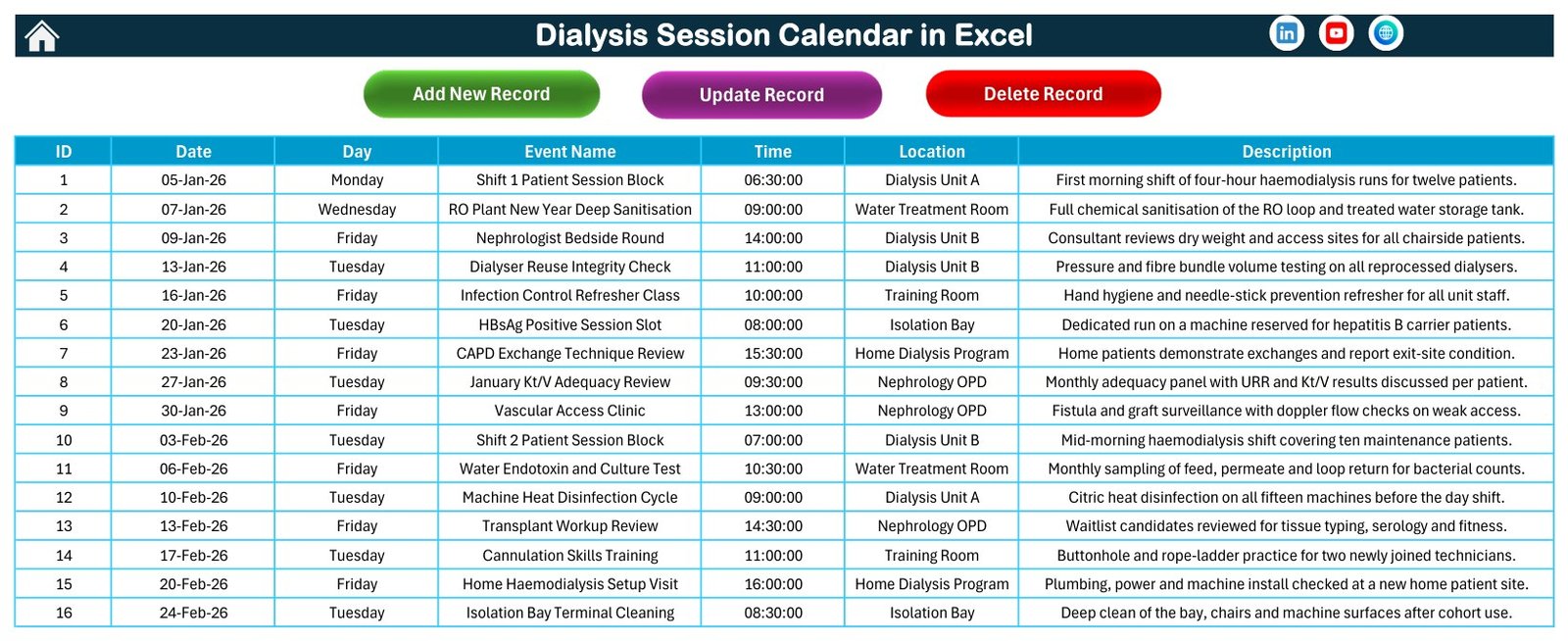
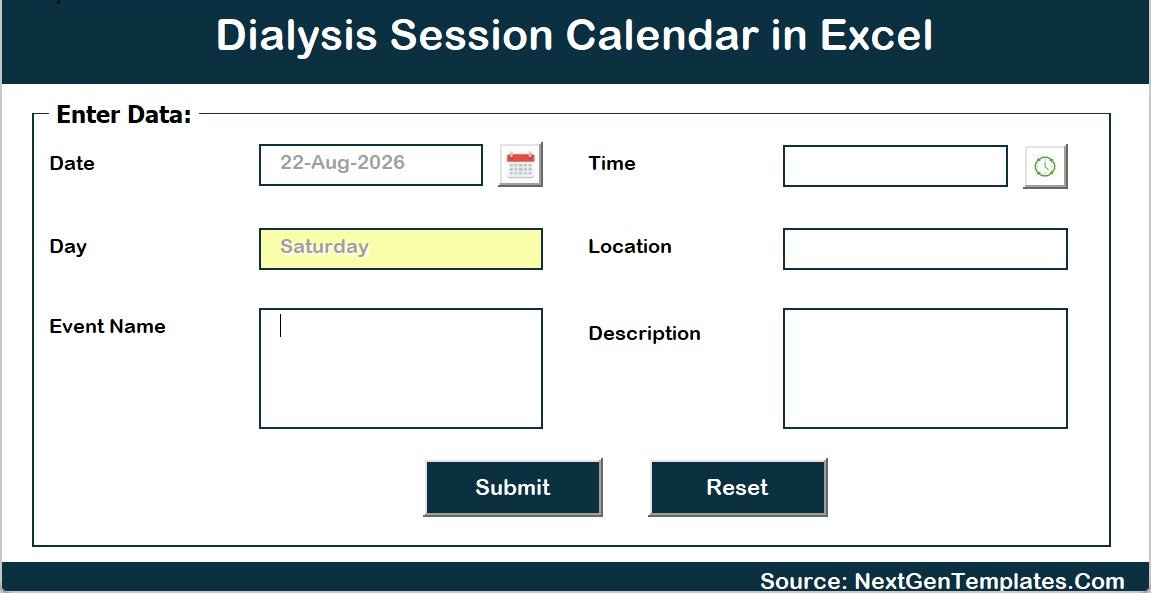
- VBA entry form. Add New Record, Update Record and Delete Record open a pop-up form with a date picker and a time picker. Six fields: Date, Day (filled in for you), Event Name, Time, Location, Description.
- 100 sample sessions written for a renal unit – shift blocks, HBsAg and HCV cohort slots, RO plant sanitisation, water endotoxin and culture rounds, dialyser reuse integrity checks, Kt/V and URR adequacy reviews, vascular access and fistula clinics, CAPD exchange reviews, home haemodialysis setup visits, cannulation training and infection-control audits. All 100 are different; none repeats.
- Setting sheet. Any year from 2021 to 2051, the month the calendar starts on, the day the week starts on, two highlight-weekday rules, an event-highlight switch and five colour themes (Default, Blue, Red, Black, Orange).
- No patient name or patient ID column anywhere. The Events sheet has exactly seven columns and none of them identifies a person – see below, because that is a design decision, not an omission.
What’s Inside the Dialysis Session Calendar in Excel
The download is a single ZIP containing the .xlsm workbook and the Excel Calendar – User Manual (PDF). Nothing else to install.
The Events sheet is the database: ID, Date, Day, Event Name, Time, Location, Description, rows 5 to 104. The sample year is spread evenly – 9 sessions in January, 8 in February, 9 in March, 8 in April, 8 in May, 8 in June, 9 in July, 8 in August, 8 in September, 9 in October, 8 in November, 8 in December – across 7 locations: Nephrology OPD (22 entries), Dialysis Unit A (20), Dialysis Unit B (18), Home Dialysis Program (12), Water Treatment Room (10), Training Room (10) and the Isolation Bay (8). Delete all 100 rows and type your own; every view is driven off this one sheet.
The Missing Patient Column Is the Point
A dialysis unit’s schedule is one of the most sensitive documents in a hospital, and the usual failure is that somebody builds it in a spreadsheet, types patient names into it, and emails it around. This workbook is built so that cannot happen by accident. There is no patient name field, no patient ID, no MRN or hospital number, no date of birth, no diagnosis and no clinical notes column – not on the Events sheet, not on the entry form, not in any of the 100 sample rows or their descriptions. You schedule by session type, station or unit, date and time, and the person’s identity stays in your governed clinical system where the access control, encryption and audit trail live. If you are tempted to add a patient column, add a chair or machine number instead.
Dialysis Session Calendar in Excel vs. Google Sheets vs. Paid Clinic Scheduling SaaS – Where This Fits
| Dialysis Session Calendar in Excel | Google Sheets calendar | Paid clinic scheduling SaaS | |
|---|---|---|---|
| Cost | $4.99 once | Free, or $4.99 for our Sheets calendars | $40-$150 per user per month |
| Platform | Excel for Windows desktop, macros on | Browser, any device | Browser plus vendor app |
| Setup time | About 2 minutes – open, enable macros, type | About 2 minutes | Days to weeks, plus vendor onboarding |
| Real-time team collaboration | No – one file, one editor at a time | Yes | Yes |
| Mobile access | Read-only in the Excel mobile app; macros do not run | Yes | Yes |
| Customisable fields | Yes – it is your workbook | Yes | Only what the vendor exposes |
| Share with a link | No – you send the file | Yes | Yes |
| Year-1 cost at 5 users | $4.99 | $0-$4.99 | $2,400-$9,000 |
| Works offline in the unit | Yes, completely | No | No |
| Stores patient data | No, by design | Only if you add it | Yes, that is the product |
| Recurring Mon/Wed/Fri patient rota generated for you | No – you enter or copy each session | No | Yes |
Read that last row before you buy. Maintenance haemodialysis is inherently recurring, and this workbook does not expand a thrice-weekly pattern for you. It is a calendar, not a rota engine.
Who This Template Is For – and Who It’s Not For
It fits a standalone or satellite dialysis unit that plans shift blocks, isolation slots, water-treatment and machine-service tasks, adequacy review dates, training and audits on a whiteboard or a printed sheet today; a home dialysis programme co-ordinator tracking setup visits, training weeks, supply deliveries and telephone follow-ups; a nephrology department that wants one printable year plan for its non-clinical operating calendar; and anyone who needs the schedule to work with no internet and no monthly bill.
It does not fit a unit that needs per-patient rotas generated automatically, real-time multi-user editing, patient-facing booking or SMS reminders, or a record that has to satisfy a clinical or regulatory audit. It is not a substitute for a renal information system. If several people must edit the schedule at the same moment, buy the Google Sheets edition of one of our calendars instead – and if you need dialysis-centre analytics rather than a schedule, the Dialysis Centers Dashboard in Excel is the right tool.
How to Use the Dialysis Session Calendar in Excel
- Unzip the download and open the .xlsm file in Excel for Windows. Click Enable Content when the yellow macro bar appears – the buttons and the entry form will not work without it.
- Open the Setting sheet. Set the Year (2021-2051), the month the calendar starts on, the day the week starts on, the two highlight weekdays and a colour theme.
- Go to Events and clear the 100 sample rows once you have looked at how they are written.
- Click Add New Record and enter your own sessions: date, time, session name, location, description. The Day column fills itself.
- Use Monthly View for the wall print, Daily View for the run sheet – set a Start Date and an End Date – and This Month for the counters.
- Save as .xlsm. Saving as .xlsx silently strips the macros and the buttons stop working.
Microsoft’s own guidance on enabling macros covers the security prompt if your IT policy blocks it.
Real-World Use Cases
Rani, unit manager of a 15-machine satellite unit. She keeps the four shift blocks, the HBsAg and HCV cohort slots and the Isolation Bay terminal cleans in one Monthly View, prints it on the last Friday of the month and pins it in the nurses’ station. No patient names on the wall – only session types and stations.
Devan, renal technician. He owns the Water Treatment Room and Dialysis Unit rows: RO plant deep sanitisation, endotoxin and culture rounds, softener resin regeneration, conductivity verification, transducer calibration, machine heat and chemical disinfection. Daily View from today to the end of the month is his work list. The records that prove the work was done live in the quality system; the calendar only says when it is due.
Meera, home dialysis co-ordinator. She filters the Home Dialysis Program location – setup visits, training weeks 1 and 2, supply deliveries, peritonitis follow-up visits, CAPD exchange reviews, holiday supply checks – and uses This Month’s Next 7 Days counter as her Monday morning to-do.
Frequently Asked Questions
Is this a patient record, an EHR or a renal information system?
No. It is a scheduling and record-keeping calendar for a dialysis unit’s own operating diary. It is not an EHR/EMR, not a renal or dialysis information system, not a practice-management or booking system, and not a regulated medical device. It stores no patient data, and none should be added.
Is it HIPAA or GDPR compliant?
No. It carries no certification of any kind. It is an Excel file with no access control, no encryption and no audit trail – anyone who can open the file can change any row without trace. Keep it off shared drives that patients’ data policies govern, and keep identities in your clinical system.
Does it calculate Kt/V, URR, dry weight or water-quality compliance?
No. The adequacy reviews, water tests and machine disinfections in the sample data are calendar reminders that the task is due. The workbook performs no clinical calculation, holds no results, interfaces with no analyser or machine, and makes no clinical or safety recommendation. Nothing in it should inform a prescription, a dry-weight change, an adequacy judgement or an infection-control decision, and your AAMI/ISO 23500 water records belong in your quality system, not here.
Will it create a patient’s Mon/Wed/Fri schedule for the whole year automatically?
No. There is no recurrence generator. You enter each session, or copy a block of rows on the Events sheet and change the dates. For a unit running fixed shift blocks rather than per-patient rotas this is usually fine; if you need per-patient recurrence, this is the wrong tool and we would rather you knew now.
What happens if two things fall on the same date?
Daily View and This Month list all of them. Monthly View shows only the first and writes an “N more…” flag in that cell, because it looks the date up rather than filtering it. The 100 sample sessions sit on 100 different dates, so you will only meet this once you start entering your own.
Does it stop me double-booking a machine or a chair?
No. There is no validation and no warning – you can enter two sessions in the same unit at the same time and the workbook will accept both. There is also no duration or end-time field, only a start time, so machine and chair utilisation cannot be calculated from it.
Does it work on Mac, on the web or on a phone?
It is built for Excel for Windows desktop. The views open elsewhere, but the VBA entry form and the buttons need Windows Excel with macros enabled. Excel for the web will not run them at all.
Can I change the sample data, the colours and the year?
Yes. Everything is unlocked. Rewrite all 100 rows, rename the seven locations, pick any year from 2021 to 2051 and switch between the five colour themes on the Setting sheet.
About the Author
Built by PK – Microsoft Certified Professional with 15+ years of Excel, Google Sheets, and Power BI experience. Founder of NextGenTemplates, reaching 300K+ subscribers across YouTube channels. Every template is hand-built and tested before release.
Explore Related Templates
- Nurse Duty Roster Calendar in Excel – the same seven-sheet engine applied to ward shifts, so the roster and the session plan match.
- Operation Theatre Booking Calendar in Excel – theatre lists across eight theatres, for the surgical side of the same hospital.
- Radiology Slot Booking Calendar in Excel – imaging rooms and slot types, useful alongside vascular-access surveillance.
- Patient Follow-Up Visit Calendar in Excel – review and recall dates for outpatient nephrology.
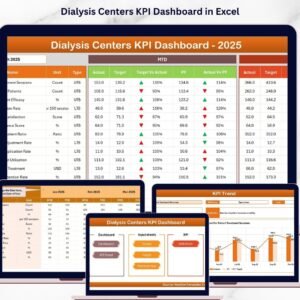
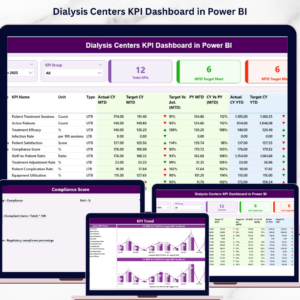
- Dialysis Centers Dashboard in Excel – when you want analytics on the unit rather than a schedule.
Browse every calendar in the Excel Calendar category, or the wider Health and Safety templates.
Get the Dialysis Session Calendar in Excel
$8.99 $4.99 – one payment, instant download, yours forever. No subscription, no seat licence, no account to create, and nothing that phones home. Add it to your cart and you will be printing next month’s session plan today.
Last updated: 27 August 2026.
Watch the demo video:
































Reviews
There are no reviews yet.