

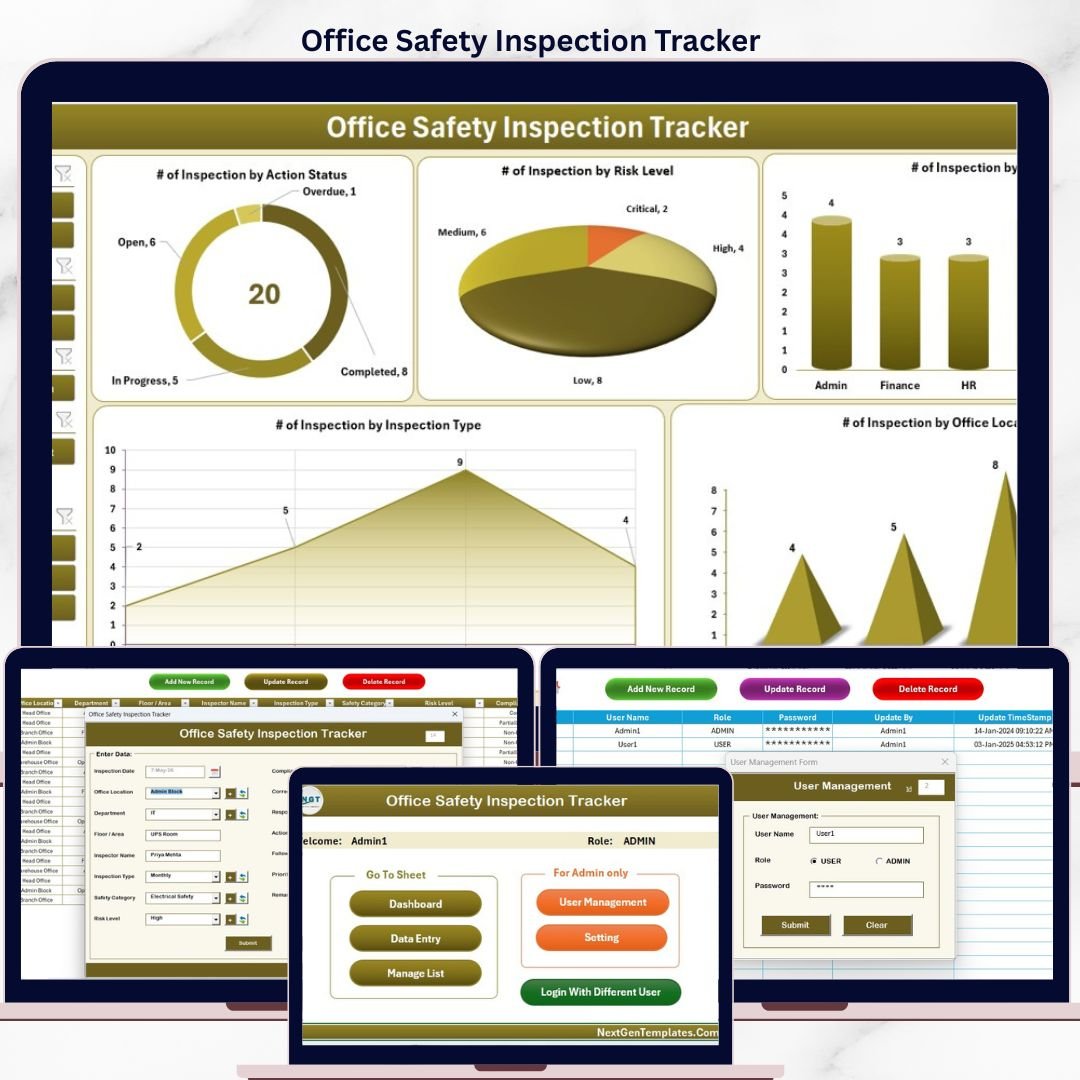
The Office Safety Inspection Tracker in Excel is a VBA-powered workbook with 8 integrated worksheets, a secure login system, an Add/Update/Delete data-entry form, and an interactive dashboard with 4 slicers and 5 charts. Setup takes under 10 minutes — replace the sample inspection records and every KPI, slicer, and chart auto-refreshes the moment you click Submit.
🌍 Join 8,400+ teams in 40+ countries using NextGenTemplates to replace paid SaaS tools with one-time-purchase Excel, Google Sheets, Power BI, and HTML templates.
✅ Instant download · One-time payment · No subscription · No per-user fees · Lifetime access
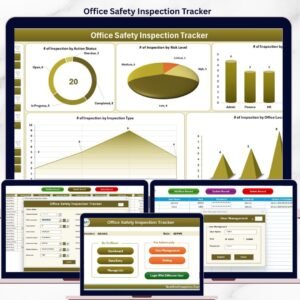
 Office Safety Inspection Tracker in Excel — Dashboard with Slicers & Charts
🔑 Key Features of the Office Safety Inspection Tracker in Excel
📋 8 Integrated Worksheets — Login Form, Home Page, Dashboard, Data Sheet, List Sheet, Support Sheet, Setting Sheet, and User Management Sheet — every part of the inspection workflow lives in one workbook so safety officers don’t switch between files.
🔐 Secure Login System — The User Management sheet stores usernames, passwords, and role assignments. Only authorized inspectors and safety leads can open the workbook, which protects audit-sensitive data on shared drives.
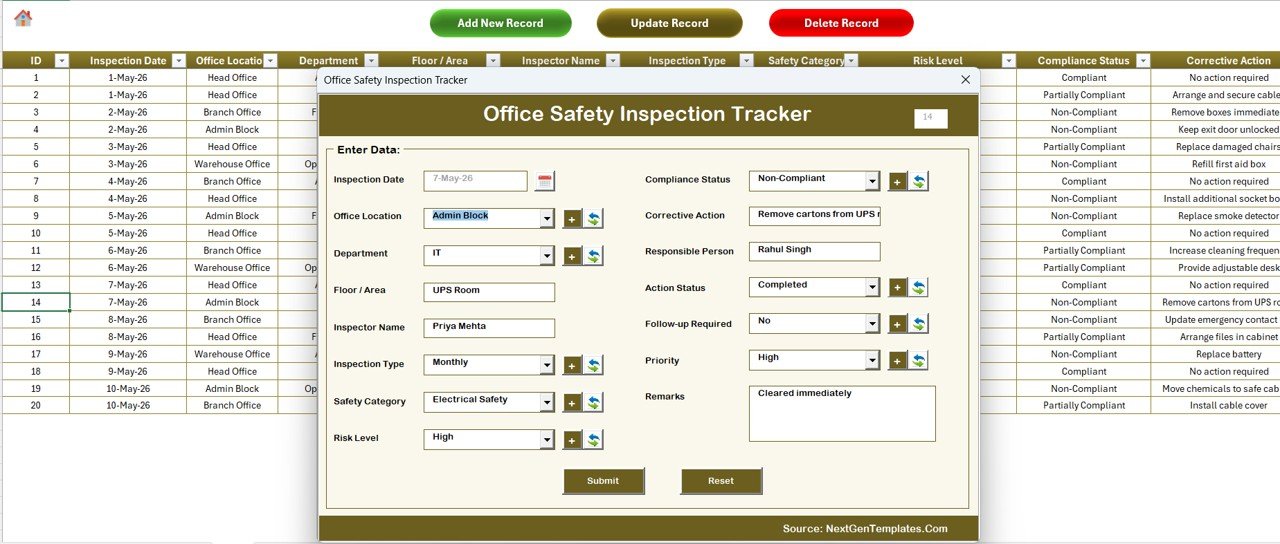
📝 VBA Add / Update / Delete Form — Three buttons on the Data Sheet open a single UserForm. Add New Record creates an entry, Update Record opens the same form pre-filled by Inspection ID, and Delete Record asks for confirmation before removing the row. Every action refreshes the dashboard automatically.
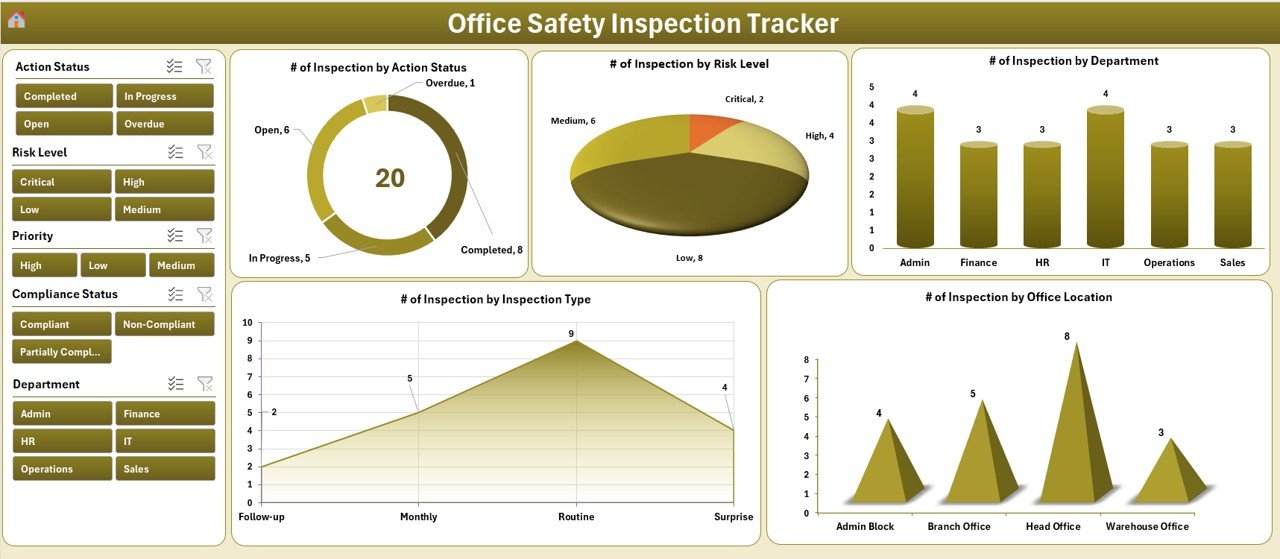
📊 Interactive Dashboard with 4 Slicers + 5 Charts — Filter the dashboard by Inspection Area, Risk Level, Department, and Inspector. The 5 charts visualize compliance status, risk score trends, location-wise inspection counts, category-wise risk, and pending action volume.
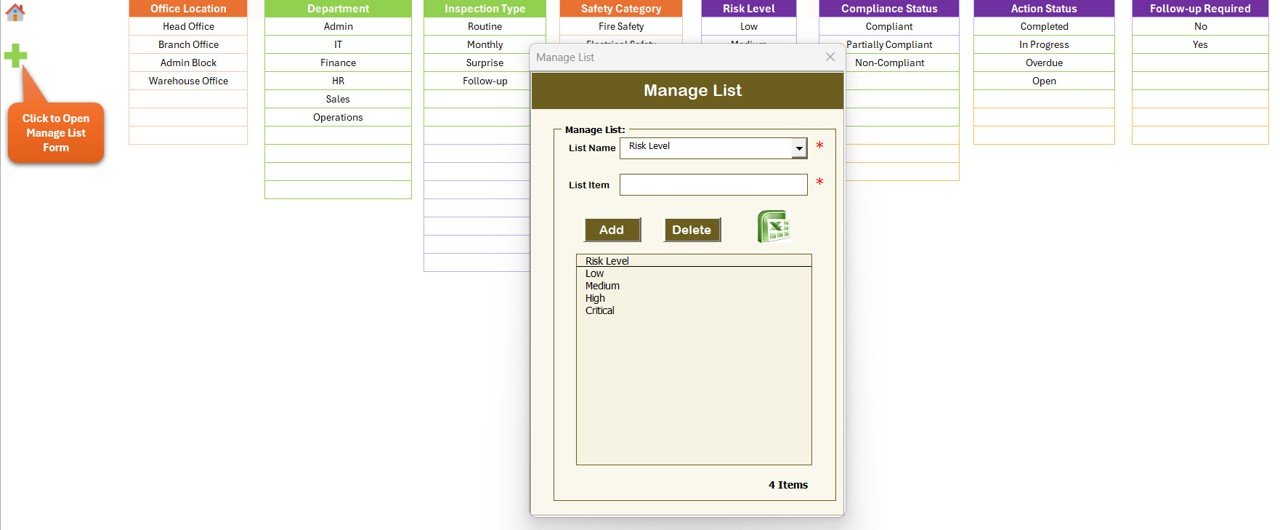
🧩 Dropdown-Driven Data Entry — The List Sheet feeds every combo box on the form (Inspection Area, Category, Risk Level, Status, Inspector). Edit one cell on the List Sheet and every dropdown updates instantly.
⚙️ Pre-Built Pivot Engine — The Support Sheet hosts pivot tables that drive the dashboard charts. You don’t touch this sheet — it can be hidden — but it’s why the slicers respond instantly even with thousands of inspection records.
🛠️ Setting Sheet for Customization — Adjust company name, logo path, fiscal year, and default values without touching VBA code. Non-technical safety leads can rebrand the file in 60 seconds.
💰 One-Time $6.99 — No Subscription — Compare to enterprise EHS platforms like Intelex or VelocityEHS that start at $20+ per user per month. This template is a single download with lifetime access.
📦 What’s Inside the Office Safety Inspection Tracker in Excel
The workbook contains 8 sheets, organized in this order so the workflow flows naturally from login to reporting:
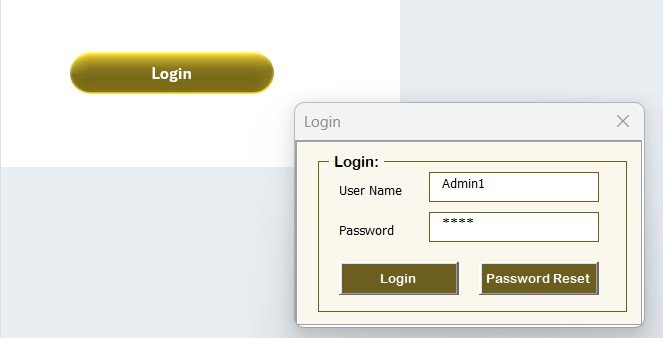
 Login Form — secure access via the User Management sheet
🔹 1. Login Form — A VBA-driven login window appears when you open the workbook. It validates credentials against the User Management sheet and routes Admin and User roles to different permission levels.
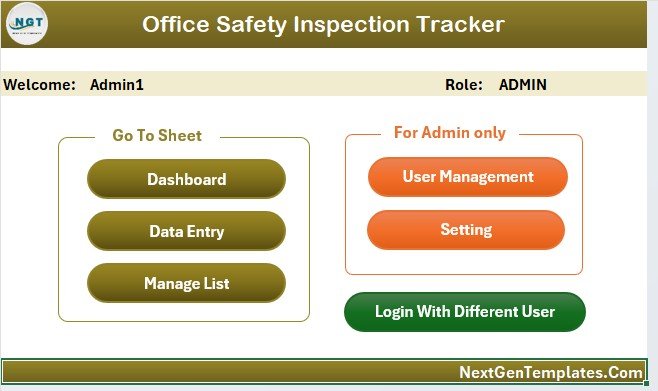
🔹 2. Home Page — A clean navigation hub with buttons to jump to Dashboard, Data Sheet, List Sheet, Settings, and User Management. New users get oriented in seconds.
 Home Page — central navigation hub
🔹 3. Dashboard — The visual command center with 4 slicers (Inspection Area, Risk Level, Department, Inspector) and 5 charts. Click any slicer button to instantly filter every chart and KPI on the page.
 Interactive Dashboard — 4 slicers + 5 charts auto-refresh on every new record
🔹 4. Data Sheet — The master log of all inspection records. Three buttons sit at the top: Add New Record, Update Record, and Delete Record. Each opens the VBA UserForm with the relevant behavior. Columns include Inspection ID, Date, Location, Category, Inspector, Risk Score, Status, Findings, Pending Action, Responsible Person, and Target Completion Date.
 Data Sheet with Add / Update / Delete buttons and VBA UserForm
🔹 5. List Sheet — Stores the master lists for every dropdown on the form: Inspection Areas, Categories, Risk Levels, Compliance Statuses, and Inspector names. Edit once and every combo box reflects the change.
 List Sheet — single source for every dropdown on the form
🔹 6. Support Sheet — Hidden engine room. Holds the pivot tables that drive the dashboard charts. Don’t touch it — VBA refreshes it automatically when you add, update, or delete a record.
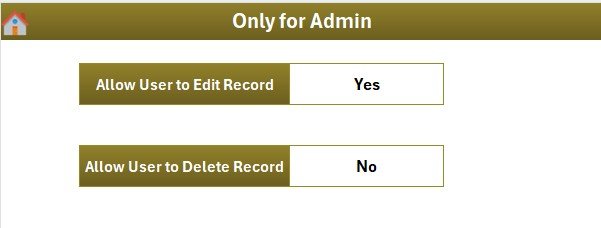 Setting Sheet — rebrand and configure defaults without touching VBA
🔹 7. Setting Sheet — Configure organization name, fiscal year, default risk thresholds, and dashboard branding. Changes propagate to the Home Page and Dashboard headers.
🔹 8. User Management Sheet — Add, edit, or remove users. Assign role (Admin or User), set passwords, and control who can delete records. Admins see everything; standard users can only add and update.
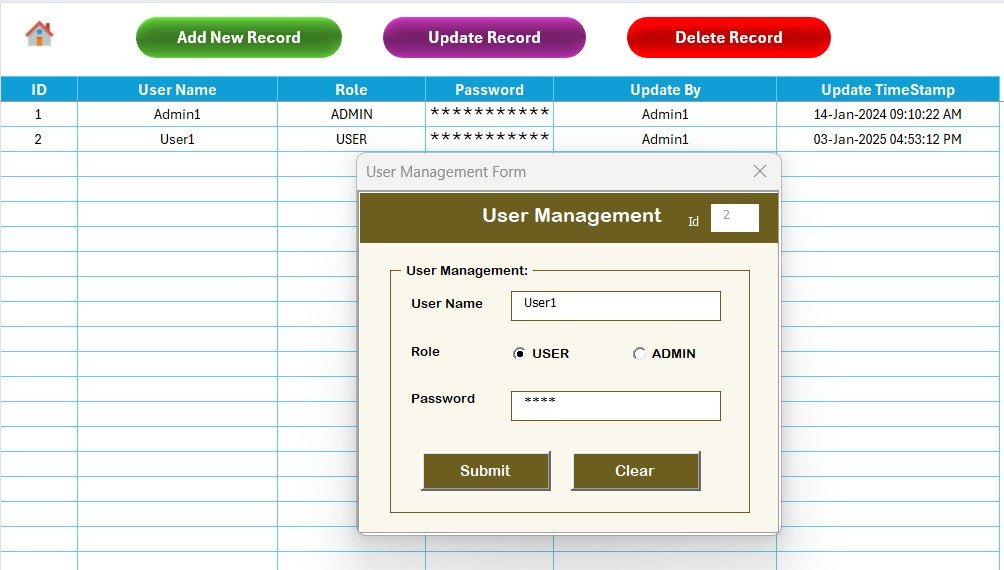 User Management Sheet — role-based access with Admin and User permissions
📊 Office Safety Inspection Tracker in Excel vs. Google Sheets Tracker vs. Paid EHS Software — Where This Fits
| Feature | Office Safety Inspection Tracker in Excel | Google Sheets Equivalent | Paid EHS Software (Intelex / VelocityEHS / iAuditor) |
|---|---|---|---|
| Cost | $6.99 one-time | $6.99 one-time | $20–$200 per user / month |
| Platform | Microsoft Excel (Windows, with VBA) | Google Sheets (cloud) | Cloud SaaS / Mobile App |
| Setup Time | Under 10 minutes | Under 10 minutes | 2–6 weeks (vendor onboarding) |
| Login & Role-Based Access | ✅ Built-in VBA login + User Management | ❌ (relies on Google account permissions) | ✅ |
| Add / Update / Delete Form | ✅ VBA UserForm | ❌ (manual cell entry) | ✅ |
| Real-Time Team Collaboration | Limited (file-share) | ✅ Cloud-native | ✅ |
| Slicer Filtering on Dashboard | ✅ 4 slicers + 5 charts | ✅ (dropdowns) | ✅ |
| Year-1 Cost at 5 Users | $6.99 (lifetime) | $6.99 (lifetime) | $1,200 – $12,000 |
| Mobile Inspection App | ❌ (desktop only) | Partial (Sheets app) | ✅ |
For safety officers and admin teams that want VBA-grade control, slicer-driven dashboards, and login security without paying $1,200+ per year for an EHS subscription, the Office Safety Inspection Tracker in Excel sits in the sweet spot.
👥 Who This Template Is For — and Who It’s Not For
✅ This template is built for:
- Safety officers and EHS coordinators at 10–500 person companies who run monthly or quarterly office inspections
- Facility managers and admin teams tracking fire safety, electrical, and emergency exit checks across one or more office locations
- Compliance teams preparing for ISO 45001, OSHA, or local labor-board audits and need a clean, exportable inspection log
- HR managers in small and mid-sized businesses who handle workplace safety alongside other duties
- Internal auditors and consultants who deliver inspection reports to clients and want a ready-built tracker
❌ This template is NOT for:
- Enterprise EHS teams that need SOC 2 certification, SSO/SAML login, or multi-language support — buy a SaaS platform instead
- Field inspectors who need a native mobile app for offline tablet/phone inspections — this is a desktop Excel workbook
- Mac-only Excel users — the VBA UserForm is built for Windows Excel and may not run on Excel for Mac
- Teams that don’t allow macros for security reasons — VBA must be enabled for the form, login, and dashboard refresh to work
⚙️ How to Use the Office Safety Inspection Tracker in Excel
- Download and unzip the file, then open the workbook in Microsoft Excel and click “Enable Content” to activate macros.
- Log in with the default Admin credentials shown on the Login Form (change them immediately on the User Management sheet).
- Update the List Sheet with your own Inspection Areas, Categories, Risk Levels, and Inspector names so every dropdown reflects your organization.
- Click Add New Record on the Data Sheet to log your first inspection. Fill the form and click Submit — the row is added and the dashboard refreshes automatically.
- Open the Dashboard, use the 4 slicers (Inspection Area, Risk Level, Department, Inspector) to drill into the data, and review the 5 charts for risk trends and pending actions.
💼 Real-World Use Cases
Priya runs facilities at a 120-person fintech office in Bengaluru. She schedules monthly fire-safety, electrical, and emergency-exit inspections across two floors. The Office Safety Inspection Tracker in Excel replaces her old paper checklists — she logs inspections via the VBA form, reviews risk scores by area each month, and exports the dashboard as a PDF for the quarterly compliance committee.
Daniel is a safety consultant serving 6 SME clients across the UK. He uses the Office Safety Inspection Tracker in Excel as a deliverable for each engagement — branding the Setting Sheet with the client logo, setting up role-based logins for the client’s inspectors, and handing over a workbook that runs without his ongoing involvement.
Maya manages HR and admin at a 45-employee design studio. Workplace safety is one of her many hats. She uses the tracker because the slicer dashboard lets her show the leadership team the compliance picture in 30 seconds — without the cost or learning curve of an EHS platform she’d never have time to maintain.
❓ Frequently Asked Questions
What does the Office Safety Inspection Tracker in Excel actually track?
The Office Safety Inspection Tracker in Excel tracks workplace safety inspections by date, location, category (fire, electrical, emergency exit, equipment, workspace), inspector, risk score, compliance status, findings, and pending corrective actions. The dashboard summarizes everything across 5 charts and 4 slicers.
How long does setup take and do I need VBA experience?
Setup takes under 10 minutes. You don’t need any VBA experience — the macros are pre-built. You only edit the List Sheet to match your organization’s inspection areas and inspectors, then start logging records via the Add New Record button.
How does this compare to Intelex or VelocityEHS?
Intelex and VelocityEHS are full enterprise EHS platforms starting at $20+ per user per month with vendor onboarding. The Office Safety Inspection Tracker in Excel costs $6.99 one-time, runs offline on Excel, and covers the inspection-tracking use case without the SaaS overhead.
Does the tracker work on Excel for Mac?
The VBA UserForm and login system are built for Windows Excel (2016, 2019, 2021, Microsoft 365). Some VBA features may not run identically on Excel for Mac. We recommend Windows Excel for the full experience.
Can multiple inspectors use the same workbook?
Yes. The User Management sheet supports multiple users with Admin or User roles. Share the file via OneDrive, SharePoint, or a network drive — each inspector logs in with their own credentials. For real-time multi-user editing, the Office Safety Inspection Tracker in Google Sheets is a better fit.
Will the dashboard update automatically when I add a new inspection?
Yes. After you click Submit on the Add New Record form, the VBA macro writes the row to the Data Sheet, refreshes the pivot tables on the Support Sheet, and updates every chart and slicer on the Dashboard — no manual refresh needed.
Is the digital download available immediately after purchase?
Yes. The Office Safety Inspection Tracker in Excel download link is delivered instantly via email and on the order confirmation page — one-time payment, lifetime access, no subscription.
👤 About the Author
Built by PK — Microsoft Certified Professional with 15+ years of Excel, Google Sheets, and Power BI experience. Founder of NextGenTemplates, reaching 300K+ subscribers across YouTube channels (@PK-AnExcelExpert, @NextGenTemplates, @NeoTechNavigators). Every template is hand-built and tested before release.
🔗 Explore Related Templates
📂 Also available as: Office Safety Inspection Tracker in Google Sheets — same dashboard logic, cloud-native multi-user editing for distributed teams.
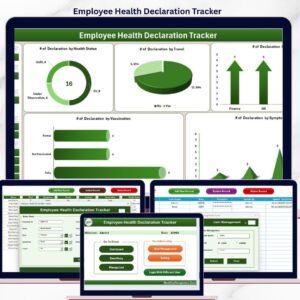
📂 Employee Health Declaration Tracker in Excel — VBA tracker for daily health declarations with login and dashboard.
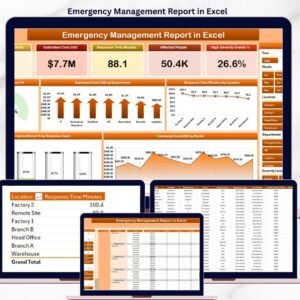
📂 Emergency Management Report in Excel — log incidents, response times, and resolution status with slicer-driven analytics.
📂 Risk Management Audit Checklist in Excel — checklist-based audit tracker with progress dashboard.
📂 Explore all of our Excel & Google Sheets Trackers and VBA-Powered Tools.
💎 Save 35% — Get this tracker plus 9 more HR & workforce templates in the HR & Workforce Analytics Bundle for $89.99 (instead of $138.90 individually) →
📖 Click here to read the Detailed Blog Post
🎥 Visit our YouTube channel for step-by-step video tutorials
👉 YouTube.com/@NextGenTemplates
📅 Last updated: May 2026










Reviews
There are no reviews yet.