

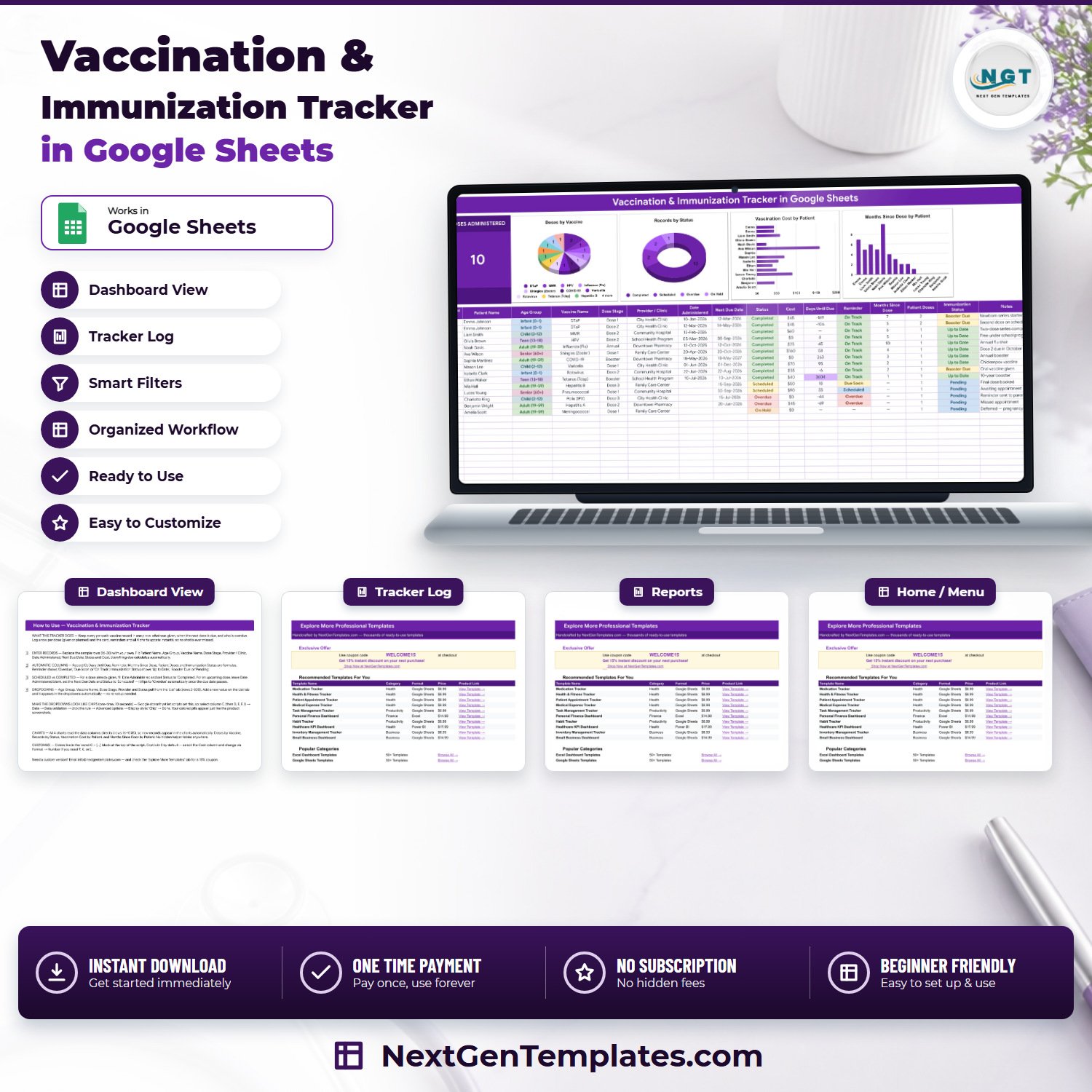

The Vaccination & Immunization Tracker in Google Sheets keeps every dose a household has already had, every next date a clinician has given, and every entry that has slipped past that date, in one 16-column table. It ships with 4 tabs, 6 formula columns that fill themselves, 4 live charts, a Doses Administered card and 15 worked sample rows you type straight over. Setup takes about two minutes: open the “Make a copy” link inside the PDF and the sheet is yours.Vaccination & Immunization Tracker in Google Sheets
🌍 Join 8,400+ teams and individuals in 40+ countries using NextGenTemplates to replace paid subscription tools with one-time-purchase Excel, Google Sheets, Power BI, and HTML templates.Vaccination & Immunization Tracker in Google Sheets
✅ Instant download · One-time payment · No subscription · No per-user fees · Lifetime access
⚠️ This is a personal record-keeping template, not medical advice. It stores the dates you type in from your own doctor or clinic. It contains no vaccination schedule, recommends no vaccine, calculates no dose interval or age recommendation, and is not a medical device. Always follow the schedule your own clinician gives you.
🔑 Key Features of the Vaccination & Immunization Tracker in Google Sheets
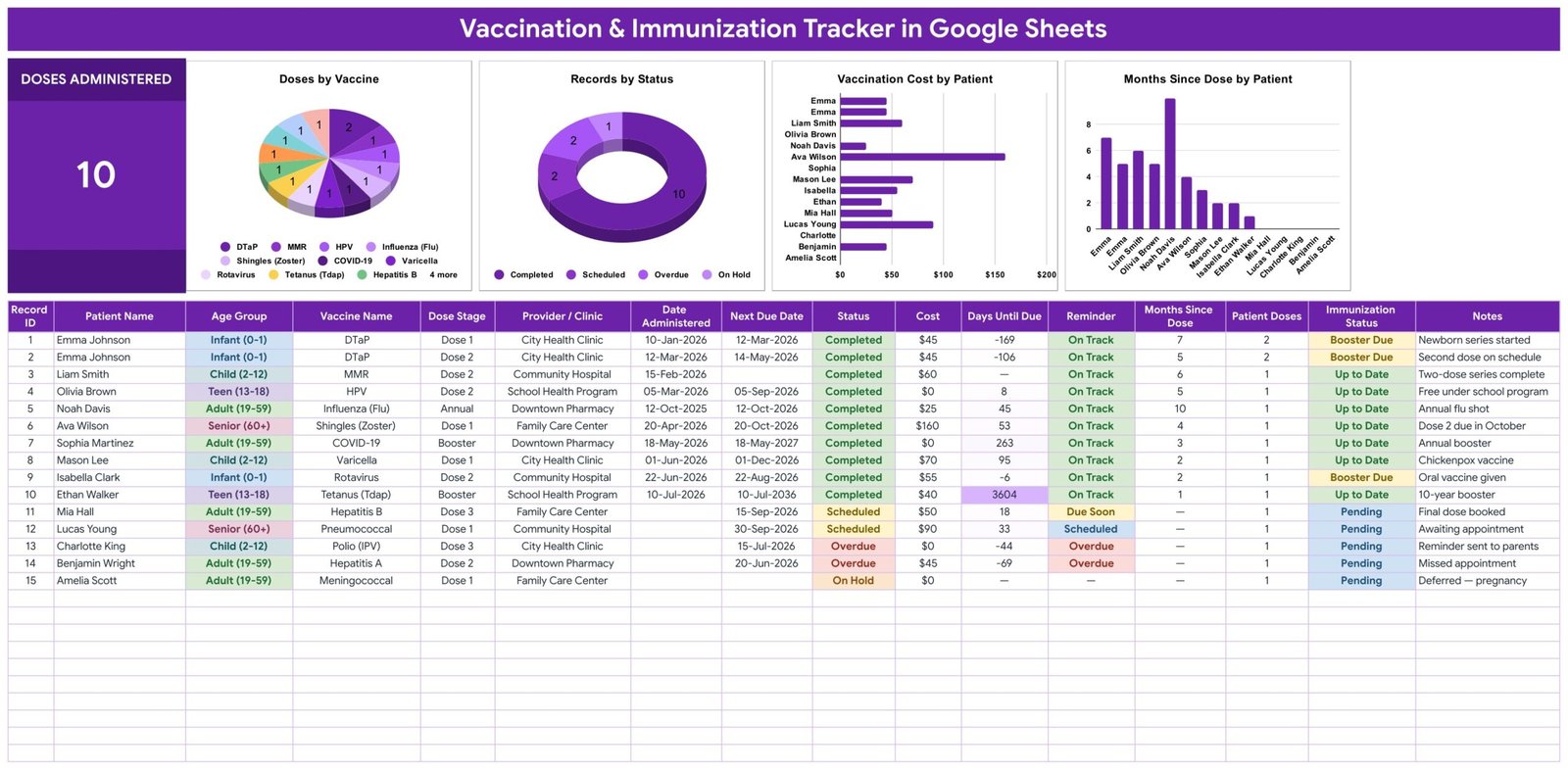
💉 One row per dose, given or planned. The Vaccination Tracker tab records Record ID, Patient Name, Age Group, Vaccine Name, Dose Stage, Provider / Clinic, Date Administered, Next Due Date, Status, Cost, Days Until Due, Reminder, Months Since Dose, Patient Doses, Immunization Status and Notes. You fill ten of those columns; the other six work themselves out.
🔢 Six columns fill themselves in. Record ID, Days Until Due, Reminder, Months Since Dose, Patient Doses and Immunization Status are formula columns. Days Until Due measures the Next Due Date you entered against today, so the number is different every morning without anyone touching it.
🚦 A Reminder column that reads today’s date. Each row resolves to Overdue, Due Soon or On Track. Nothing is predicted and nothing is recommended — it simply compares the date you typed to the date it is now.
🩹 An Immunization Status roll-up per row. Shows Up to Date, Booster Due or Pending based on what has been logged for that person, alongside a Patient Doses count so a two-dose series is visible at a glance.
📊 A Doses Administered card and four charts. The card reads 10 on the shipped sample and changes the moment you paste your own rows in. Beside it sit Doses by Vaccine, Records by Status, Vaccination Cost by Patient and Months Since Dose by Patient. All four read the data columns directly across rows 16 to 1000 — there are no hidden helper tables anywhere in the file, which is why a dose you add on row 62 appears in every chart immediately.
📋 Five dropdown columns fed by a List tab. Age Group, Vaccine Name, Dose Stage, Provider / Clinic and Status are data-validation dropdowns reading rows 2 to 500 of the List sheet. They ship with 5 age bands (Infant 0-1, Child 2-12, Teen 13-18, Adult 19-59, Senior 60+), 14 vaccine names, 5 dose stages (Dose 1, Dose 2, Dose 3, Booster, Annual), 6 providers and 5 statuses (Completed, Scheduled, Overdue, On Hold, Skipped). Type a new clinic on the List tab and it appears in the dropdown — there is no re-setup step.
🗓️ Scheduled entries are first-class. For a dose already given, fill Date Administered and set Status to Completed. For one still ahead, leave Date Administered blank, enter the Next Due Date and set Status to Scheduled — the row flips itself to Overdue once that date passes.
💵 Cost per dose, in your currency. Cost is $ by default; select the column and switch it under Format → Number if you need ₹, € or £. The Vaccination Cost by Patient chart then shows what each person has actually cost — the sample sheet’s $160 shingles row is the kind of number that is otherwise invisible.
🎨 Colours live in one place. The palette sits in a single const C = {...} block at the top of the sheet’s script, so re-theming the whole tracker is one edit rather than a hunt through formatting.
📦 What’s Inside the Vaccination & Immunization Tracker in Google Sheets
The file has four tabs: Vaccination Tracker, List, Instructions and Explore More Templates. Here is what each screen actually shows.
Page 1: Vaccination Tracker
The working page. It opens with the Doses Administered card (10 on the sample data) and the four charts, and below them the 16-column log with 15 sample rows — DTaP, MMR, HPV, influenza, shingles, COVID-19, varicella, rotavirus, Tdap, hepatitis B, pneumococcal, polio, hepatitis A and meningococcal entries spread across five age bands and five providers. Age Group, Status, Reminder and Immunization Status are colour-coded, so a row that has slipped stands out from three feet away. The sample rows are an illustration of the shape of a record, nothing more — delete them and enter your own.
Page 2: Instructions
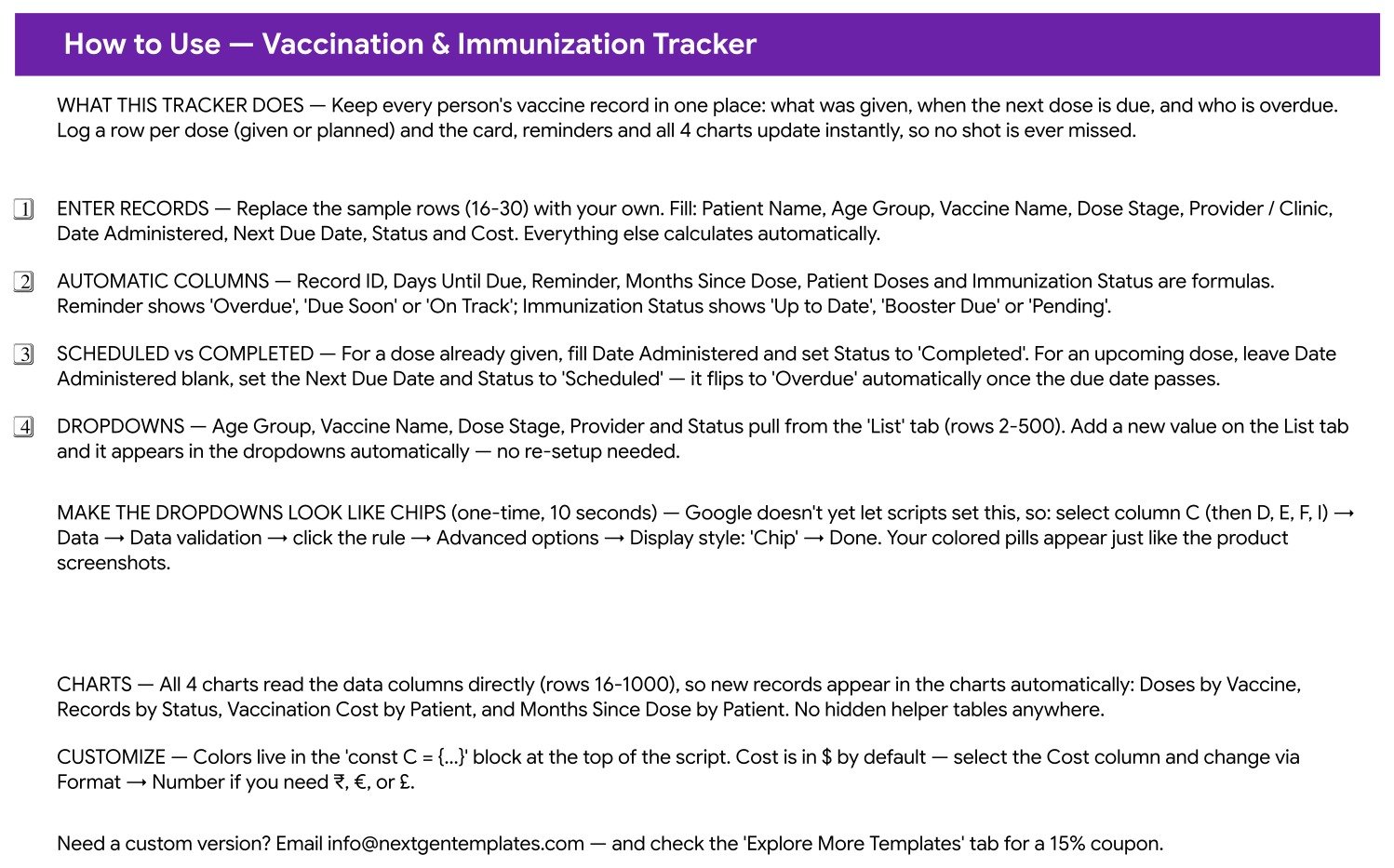
A single-screen “How to Use” page: what the tracker does, how to enter records, which columns are formulas, how a Scheduled row differs from a Completed one, how the dropdowns work, and the one-time ten-second step that turns the dropdowns into the coloured chips you see in the screenshots (Data → Data validation → the rule → Advanced options → Display style: Chip — Google does not yet let a script set this). It also points at the colour block and the currency switch.
Page 3: List
The five dropdown columns, one per validated field, read from rows 2 to 500. This is the only place you maintain vocabulary, which is what stops “City Health Clinic” and “City Health clinic” becoming two entries in the charts.
Page 4: Explore More Templates
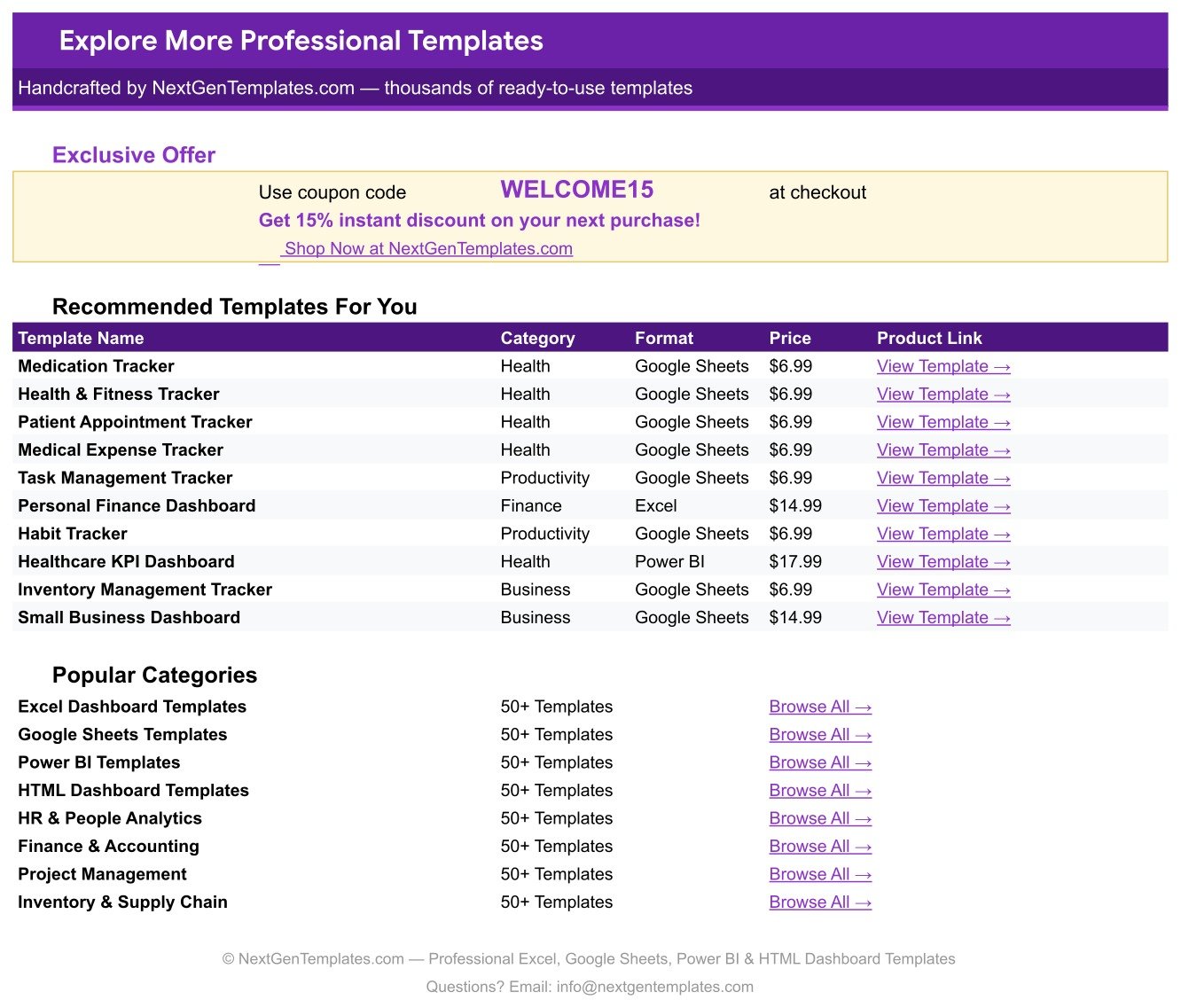
The NextGenTemplates catalogue page built into the file, with a WELCOME15 coupon for 15% off your next template.
⚖️ Google Sheets vs. an Excel Vaccination Log vs. Paid Patient-Record SaaS — Where This Fits
| This Google Sheets tracker | Excel vaccination log | Paid patient-record SaaS | |
|---|---|---|---|
| Cost | $6.99 once | $5-$15 once, plus an Office licence | $60-$150 per user per month |
| Platform | Google Sheets, any browser | Excel desktop | Vendor cloud |
| Setup time | About 2 minutes | 5-10 minutes | Days, with onboarding |
| Real-time collaboration | Yes, native | OneDrive co-authoring only | Yes |
| Mobile access | Google Sheets app | Excel mobile, limited | Vendor app |
| Customisable fields | Yes — add columns freely | Yes | Usually locked to the vendor’s schema |
| Share with a link | Yes | File send or OneDrive | Seat-based invitations |
| Year-1 cost at 5 users | $6.99 | About $15 plus licences | $3,600-$9,000 |
| Overdue flag against today’s date | Yes, a formula column | Only if you write the formula | Yes |
| Regulated clinical record system | No — personal records only | No | Yes, that is what you pay for |
👥 Who This Template Is For — and Who It’s Not For
It fits a parent keeping two or three children’s dose history straight between paediatric visits; an adult tracking their own boosters, flu shots and travel vaccines; someone managing an ageing parent’s records alongside their own; a small nursery, playgroup or sports club keeping a record list from dates parents supply; and anyone who wants a tidy, printable record ready before a school enrolment, a new job or a trip.
It does not fit a clinic that needs a regulated, auditable patient record system. This is a personal Google Sheet in your own Drive — not a HIPAA-compliant or certified clinical database, with no access log, no consent workflow and no encryption beyond what your Google account already provides. It does not fit anyone who wants the file to say which vaccine to have or when; only your clinician decides that. And it does not fit anyone expecting email or SMS alerts — the Reminder column flags a row inside the sheet and sends nothing anywhere.
If you are keeping records for other people, treat the Patient Name column with care: initials or a household reference work just as well as full names, and matter if the link is ever shared.
🚀 How to Use the Vaccination & Immunization Tracker
- Make a copy. Open the link in the PDF you download; the sheet lands in your own Google Drive.
- Clear the sample. Rows 16-30 hold the worked example. Type straight over them.
- Log what has already happened. Fill Date Administered, set Status to Completed, add the Cost and the clinic.
- Log what is coming. Leave Date Administered blank, enter the Next Due Date your clinician gave you and set Status to Scheduled.
- Extend the lists. Add your own clinics and vaccine names on the List tab.
- Switch the dropdowns to chips once, in ten seconds, if you want the pill styling from the screenshots.
- Read the top strip. The card and all four charts have already updated.
💡 Real-World Use Cases
Priya, mother of two. Her paediatrician hands her a card at every visit and the cards keep disappearing. She logs one row per dose per child. When the school asks for a record before enrolment she filters to that child and prints one page — and the rows sitting at Booster Due are the ones she raises at the next appointment rather than trying to remember.
Daniel, 61, keeping his own and his mother’s records. Two names, one sheet. Months Since Dose shows at a glance how long it has been since each entry he has logged, Patient Doses makes a two-dose series obvious, and Vaccination Cost by Patient tells him what each of them has paid out of pocket this year.
A 14-child nursery. The manager keeps one row per child per dose from the dates parents supply. Records by Status is the Monday morning check, and anything showing Overdue becomes a phone call to a parent — an administrative prompt, never a clinical judgement.
❓ Frequently Asked Questions
Does this tell me which vaccines are due and when?
No, and deliberately so. The file contains no schedule and makes no recommendation. It tracks the dates you enter from your own doctor, clinic or health authority, and flags a row once the date you typed has passed.
Is this medical advice or a medical device?
Neither. It is a spreadsheet for keeping personal records. Every decision about vaccines belongs with your own clinician.
Can I use it for a whole family?
Yes. Enter one row per person per dose. Patient Doses and Immunization Status roll up per person automatically, and both patient charts break the data out by name.
Do I need Excel or any add-on?
No. It runs in Google Sheets in a browser on the Google account you already have. Nothing to install, no macro to enable, no add-on.
Will it email or text me a reminder?
No. The Reminder column shows Overdue, Due Soon or On Track inside the sheet. Nothing is sent anywhere.
How private is it?
The copy lives in your own Google Drive under your own account and is visible only to whoever you share it with. It is a personal file rather than a regulated clinical record system, so if the records are not your own, initials are a sensible substitute for full identifying details.
Can I change the currency and the colours?
Yes. Cost is $ by default — select the column and change it under Format → Number. The palette lives in a single colour block at the top of the sheet’s script.
What exactly do I download?
A PDF that carries the “Make a copy” link to the live Google Sheet along with the setup notes. One click and the tracker is yours to keep.
👤 About the Author
Built by PK — Microsoft Certified Professional with 15+ years of Excel, Google Sheets, and Power BI experience. Founder of NextGenTemplates, reaching 300K+ subscribers across YouTube channels (@PKAnExcelExpert, @NextGenTemplates, @NeoTechNavigators). Every template is hand-built and tested before release.
🔗 Explore Related Templates
If you are assembling a personal health record, the closest companion is the Doctor Appointments & Medical History Tracker in Google Sheets, which logs the visits this file logs the doses from. Pair it with the Supplement & Vitamin Tracker in Google Sheets for daily intake, and the Medical Appointment Calendar in Google Sheets if you would rather see the next dates in a month view.
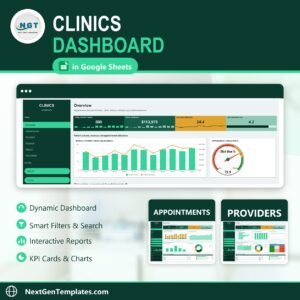
Prefer Excel? The Vaccination Record Data Entry System in Excel covers the same ground with a form-driven entry screen. And when one household stops being the unit, the Clinics Dashboard in Google Sheets is the step up. Browse the full range in Google Sheets Trackers or across all Google Sheets Templates.
📖 Click here to read the Detailed Blog Post
🎥 Visit our YouTube channel for step-by-step video tutorials
👉 YouTube.com/@NextGenTemplates
Watch the step-by-step video Demo:
📅 Last updated: September 2026
Compatibility and Requirements
- Works in Google Sheets with a free Google account and a web browser.
- Make a copy to your own Google Drive, then share it with your team if you want to work on it together.
- New to Sheets? Google’s guide How to use Google Sheets covers the basics.


































Reviews
There are no reviews yet.