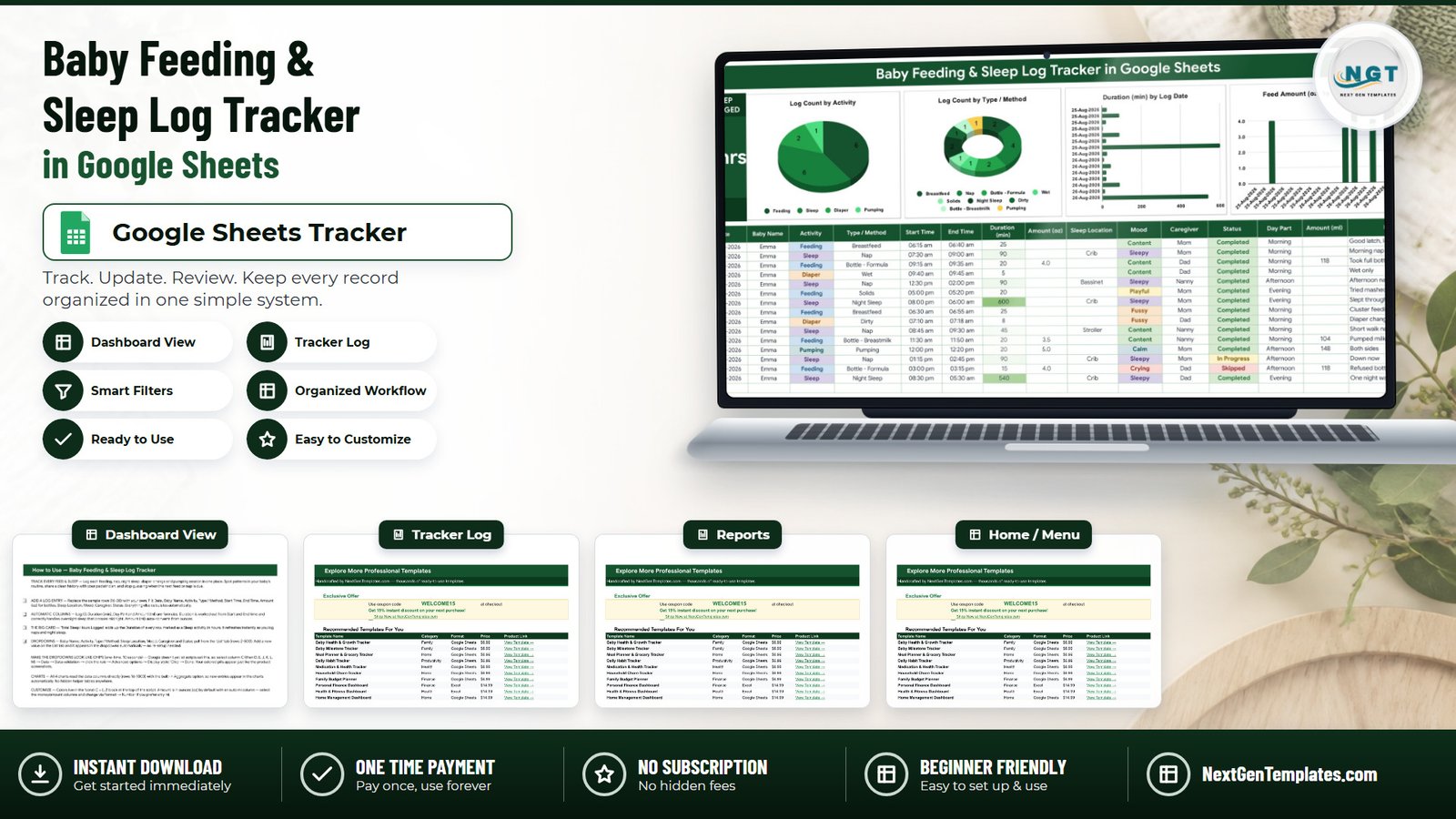
The Baby Feeding & Sleep Log Tracker in Google Sheets records every feed, nap, night sleep, diaper change and pumping session in a single 16-column log. Four of those columns fill themselves in — Log ID, Duration (min), Day Part and Amount (ml) — and seven more are dropdowns fed by a List tab, so a 3 a.m. entry takes three taps and no typing. One summary card and four charts sit above the log and redraw the moment you add a row.
🌍 Join 8,400+ families and teams in 40+ countries using NextGenTemplates to replace subscription apps with one-time-purchase Excel, Google Sheets, Power BI and HTML templates.
✅ Instant download · One-time payment · No subscription · No per-user fees · Lifetime access
⚠️ This is a personal log you keep in your own copy of a Google Sheet. It is not a medical record, not a medical device, and nothing in it is clinically validated or medical advice. Talk to your pediatrician or midwife about any decision concerning your baby’s feeding, sleep or health.
🔑 Key Features of the Baby Feeding & Sleep Log Tracker
🍼 One log for four activity types. The Activity column carries exactly four values — Feeding, Sleep, Diaper and Pumping — so a night feed, the nap that follows and the diaper in between all land in the same table.
🥄 Nine Type / Method values under those four activities. Breastfeed, Bottle – Formula, Bottle – Breastmilk and Solids sit under Feeding; Nap and Night Sleep under Sleep; Wet and Dirty under Diaper; and Pumping under Pumping. That is the level of detail a pediatrician asks for at a check-up.
⏱️ Duration is calculated, including sleep that crosses midnight. You enter Start Time and End Time; the Duration (min) column works the rest out. It handles an 8:30 pm to 5:30 am night sleep correctly instead of returning a negative number — the failure that breaks most homemade baby spreadsheets.
🧮 Ounces convert to millilitres automatically. Type 4.0 into Amount (oz) and the Amount (ml) column shows 118, so a caregiver who thinks in ml reads the same row you wrote in oz.
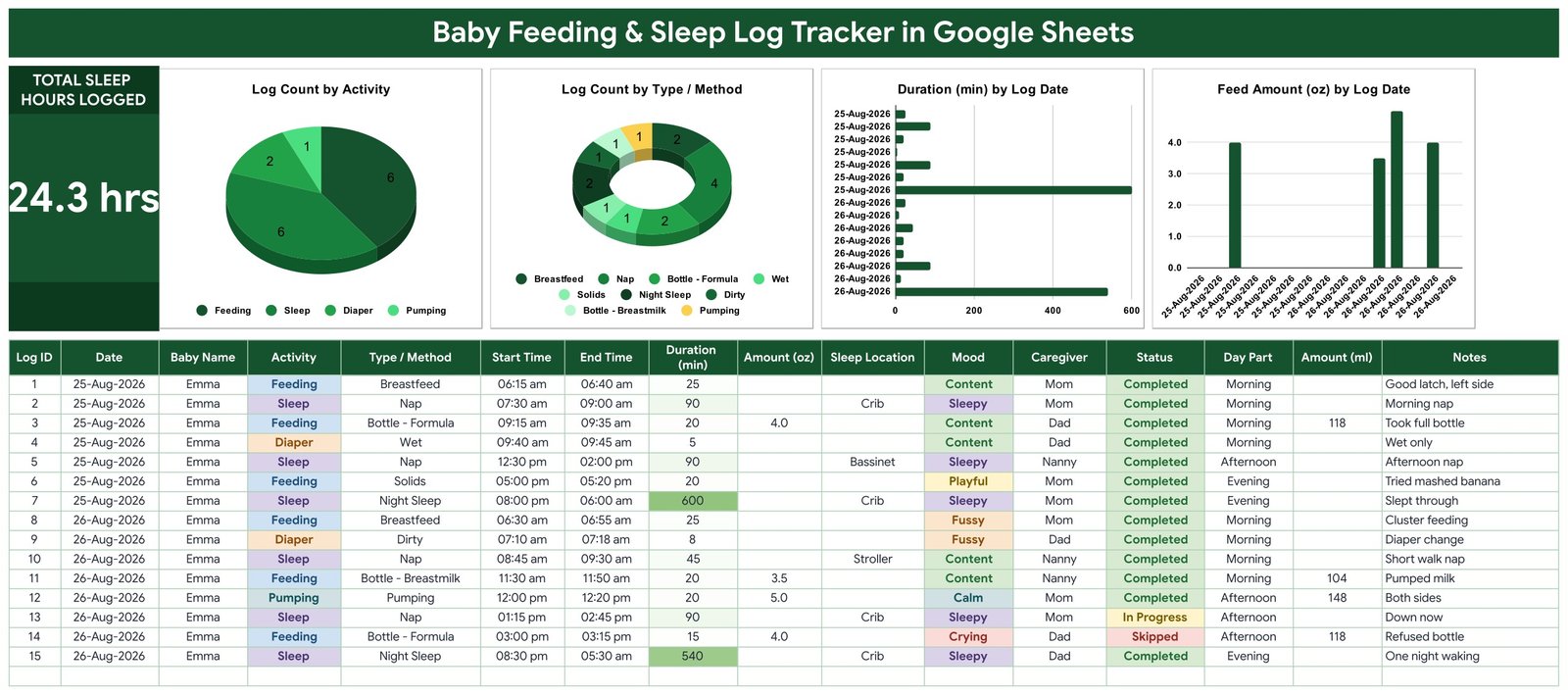
😴 A live Total Sleep Hours Logged card. The big card adds up the Duration of every row marked as a Sleep activity and shows it in hours — 24.3 hrs in the sample data. It refreshes as you log naps and night sleep; no refresh button, no pivot to rebuild.
🎨 Colour-coded dropdowns for seven columns. Baby Name, Activity, Type / Method, Sleep Location, Mood, Caregiver and Status all pull from the List tab (rows 2-500). Add a value there and it appears in the dropdown straight away, with no re-setup.
👩👧 Caregiver and Mood columns. Caregiver records who did it (Mom, Dad, Nanny in the sample); Mood records how it went — Content, Sleepy, Playful, Fussy, Calm or Crying. Together they show whether fussy feeds cluster at a particular time of day.
📈 Four charts that read the log directly. All four are wired to the data columns with Google Sheets’ built-in Aggregate option across rows 16-1000. There are no hidden helper tables anywhere in the file, so nothing silently stops updating.
📦 What’s Inside the Baby Feeding & Sleep Log Tracker
Page 1: Tracker Dashboard and Log
The top band carries the Total Sleep Hours Logged card and four charts — Log Count by Activity, Log Count by Type / Method, Duration (min) by Log Date and Feed Amount (oz) by Log Date. Below them sits the 16-column log: Log ID, Date, Baby Name, Activity, Type / Method, Start Time, End Time, Duration (min), Amount (oz), Sleep Location, Mood, Caregiver, Status, Day Part, Amount (ml) and Notes. Sleep Location offers Crib, Bassinet and Stroller; Status offers Completed, In Progress and Skipped; Day Part fills itself as Morning, Afternoon or Evening.
Page 2: How to Use
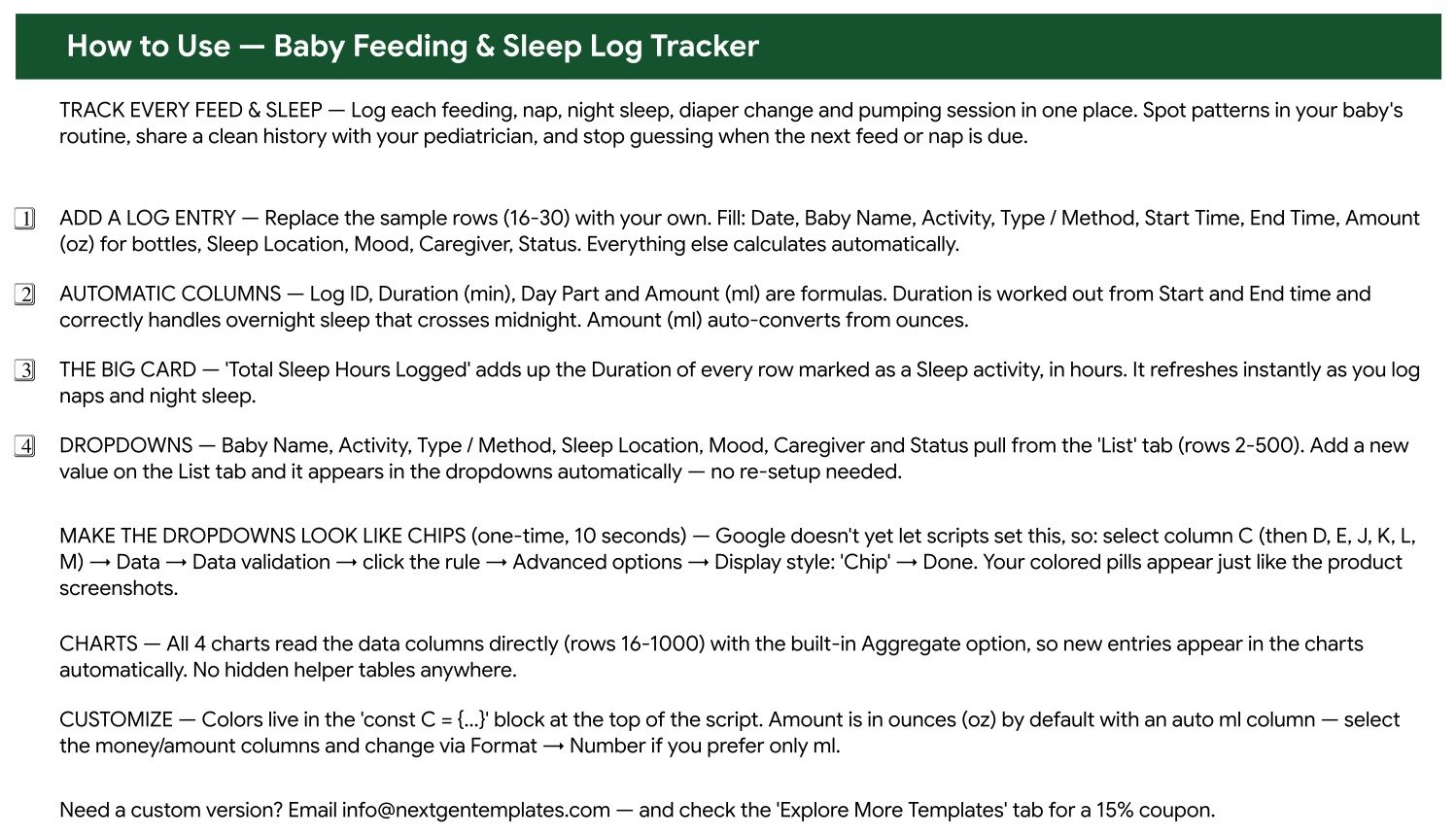
A plain-English setup tab: replacing the 15 sample rows (rows 16-30), which four columns are formulas, how the Total Sleep Hours Logged card is calculated, how the List tab drives every dropdown, and the one-time 10-second step that turns the dropdowns into coloured chips. It also covers where the colour palette lives and how to switch the amount columns to millilitres only.
Page 3: Explore More Templates
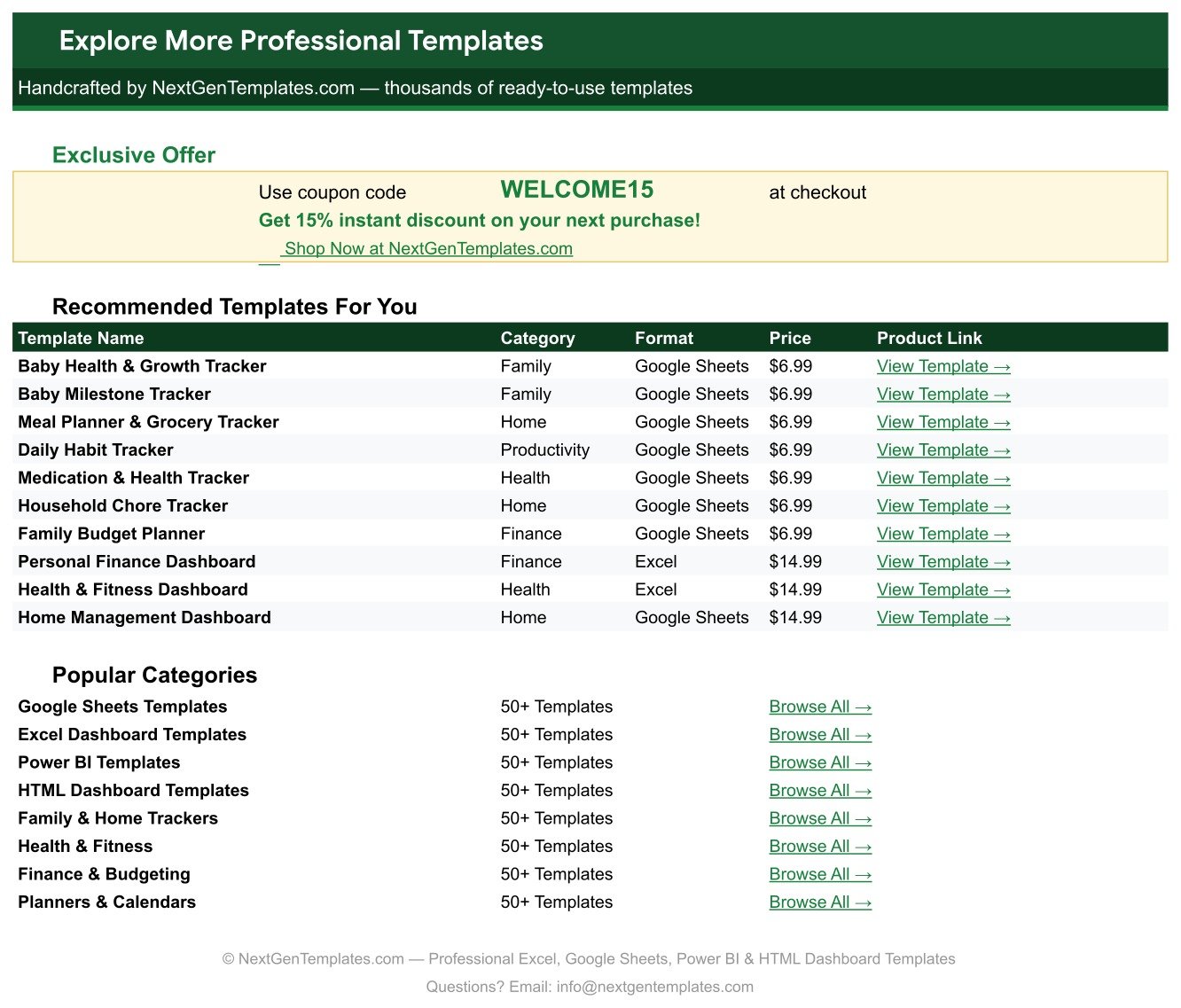
A bonus tab listing recommended NextGenTemplates products by category, format and price, plus category browse links and a WELCOME15 coupon code worth 15% off your next purchase.
The List tab
Every dropdown value in the log — baby names, activities, methods, sleep locations, moods, caregivers and statuses — lives here in rows 2-500. Edit this one tab and the whole file follows.
📊 Baby Feeding & Sleep Log Tracker vs. a Microsoft Excel Baby Log vs. a Paid Baby-Tracking App
| Feature | Baby Feeding & Sleep Log Tracker in Google Sheets | Microsoft Excel baby log | Huckleberry / Baby Tracker paid plan |
|---|---|---|---|
| Cost | ✅ $6.99 one-time | $0-15 one-time, plus Microsoft 365 | $9-15 per month |
| Platform | ✅ Google Sheets, browser or mobile app | Excel desktop; mobile editing is awkward | iOS / Android app only |
| Setup time | ✅ Under 10 minutes — copy the sheet, clear 15 sample rows | Hours if you build the formulas yourself | Minutes, but account signup required |
| Both parents logging at once | ✅ Yes — real-time, same sheet, no extra seat charge | No, file passes back and forth | Usually a paid family upgrade |
| Overnight sleep across midnight | ✅ Handled by the Duration (min) formula | Breaks unless you write the formula yourself | Handled |
| oz to ml conversion | ✅ Automatic Amount (ml) column | Manual | Unit toggle |
| Add your own fields | ✅ Any column, any dropdown value, via the List tab | Yes, if you can write the formula | Fixed fields only |
| Export a clean history for the pediatrician | ✅ Share a link or print the sheet | Yes | Often gated behind the paid tier |
| Year-1 cost | ✅ $6.99 total | $0-15 plus Office | $108-180 |
For parents who want the full history in their own hands without paying a monthly fee for the privilege, the Baby Feeding & Sleep Log Tracker sits in the sweet spot.
👥 Who This Template Is For — and Who It’s Not For
✅ This template is built for:
- New parents in the first twelve months who want feeds, naps, diapers and pumping in one place
- Households where two parents plus a nanny or grandparent all log entries and need to see the same sheet in real time
- Parents heading into a check-up who want a clean, printable history to show the pediatrician
- Anyone comfortable in Google Sheets who would rather own their data than rent an app subscription
❌ This template is NOT for:
- Anyone needing a clinical or regulated medical record — this is a personal log, it is not validated, certified or HIPAA-compliant
- Parents who want push notifications and reminders — the sheet has no alerts, timers or background tracking
- Anyone who wants one-handed logging with a phone timer while nursing — a purpose-built app is better at that moment
- Nurseries or daycare centres logging dozens of children — this is built around one household
⚙️ How to Use the Baby Feeding & Sleep Log Tracker
- Open the PDF in your download and click the Google Sheets copy link. It creates your own editable copy in your Google Drive.
- Open the List tab and replace the sample baby name, caregivers and other dropdown values with your own (rows 2-500).
- Go back to the log and delete the 15 sample rows (rows 16-30), keeping the header row and the formatting.
- Log your first entry: Date, Baby Name, Activity, Type / Method, Start Time, End Time, and Amount (oz) if it was a bottle.
- Add Sleep Location, Mood, Caregiver and Status. Log ID, Duration (min), Day Part and Amount (ml) fill themselves in.
- Optional one-time step: select column C, then D, E, J, K, L and M, choose Data, Data validation, click the rule, Advanced options, and set Display style to Chip for the coloured pills.
- Share the sheet with edit access. Everyone logs into the same file and the charts update for all of you.
💼 Real-World Use Cases
Maya is six weeks in and cluster-feeding through the evenings. She logs each feed with the Type / Method and Mood columns, and after a fortnight the Log Count by Type / Method chart shows how many evening sessions were breastfeeds versus top-up bottles — the exact question her health visitor asked.
Daniel and his partner share the nights with a nanny three days a week. All three log into the same sheet on their phones, and the Caregiver column means nobody has to ask “did she already eat?” at handover. The Total Sleep Hours Logged card gives them a running number they can compare week to week.
Priya is preparing for a four-month check-up. She sorts the log by Date, prints the last three weeks, and walks in with feed volumes in oz and ml, nap durations and diaper counts already on paper.
❓ Frequently Asked Questions
What exactly does the Baby Feeding & Sleep Log Tracker record?
The Baby Feeding & Sleep Log Tracker records four activity types — Feeding, Sleep, Diaper and Pumping — across 16 columns including Date, Baby Name, Type / Method, Start Time, End Time, Duration, Amount in oz and ml, Sleep Location, Mood, Caregiver, Status and Notes.
Is this a medical record I can rely on for health decisions?
No. The Baby Feeding & Sleep Log Tracker is a personal log you keep in your own copy of a Google Sheet. It is not a medical device, not clinically validated, and not medical advice. Use it to bring better notes to your pediatrician, never to replace their judgement.
Does it handle night sleep that crosses midnight?
Yes. The Duration (min) column in the Baby Feeding & Sleep Log Tracker works out elapsed time from Start Time and End Time and correctly handles sleep that runs past midnight, so an 8:30 pm to 5:30 am night returns 540 minutes rather than a negative value.
How long does setup take?
Under ten minutes. Open the PDF, click the copy link, edit your dropdown values on the List tab, delete the 15 sample rows, and start logging. The optional chip-styling step for the coloured dropdowns adds about another ten seconds.
How does this compare to a paid baby-tracking app?
A paid app gives you push reminders and one-handed timers that the Baby Feeding & Sleep Log Tracker does not. In exchange you get a $6.99 one-time price instead of roughly $108-180 a year, unlimited custom fields, unlimited caregivers, and full ownership of your data.
Can my partner and our nanny log entries too?
Yes. Share your copy of the Baby Feeding & Sleep Log Tracker with edit access and everyone logs into the same Google Sheet in real time. The Caregiver column records who made each entry, and there is no per-user charge.
👤 About the Author
Built by PK — Microsoft Certified Professional with 15+ years of Excel, Google Sheets and Power BI experience. Founder of NextGenTemplates, reaching 300K+ subscribers across YouTube channels (@PKAnExcelExpert, @NextGenTemplates, @NeoTechNavigators). Every template is hand-built and tested before release.
🔗 Explore Related Templates
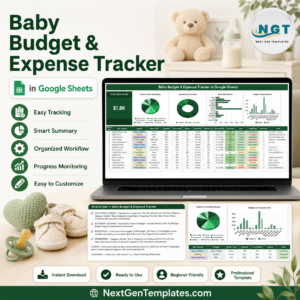
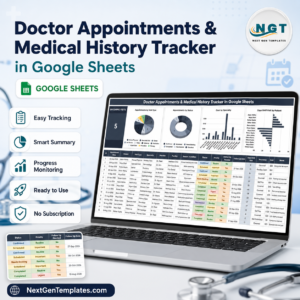
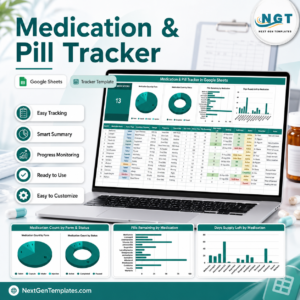
Families who track feeds and naps usually track the money too — the Baby Budget & Expense Tracker in Google Sheets covers the first-year spend, and the Annual Family Budget Tracker in Google Sheets puts it inside the household plan. For appointments and medicines, pair this with the Doctor Appointments & Medical History Tracker in Google Sheets and the Medication & Pill Tracker in Google Sheets. Parents who arrived here from the trying-to-conceive stage often already own the Fertility & Ovulation Tracker in Google Sheets or the Period & Cycle Tracker in Google Sheets. A Pregnancy Week-by-Week Tracker in Google Sheets is being prepared and will slot between those and this one.
Browse the full Google Sheets Tracker Templates range, or the wider Google Sheets Templates library.
📖 Click here to read the Detailed Blog Post
🎥 Visit our YouTube channel for step-by-step video tutorials
👉 YouTube.com/@NextGenTemplates
Watch the step-by-step video Demo:
📅 Last updated: September 2026