


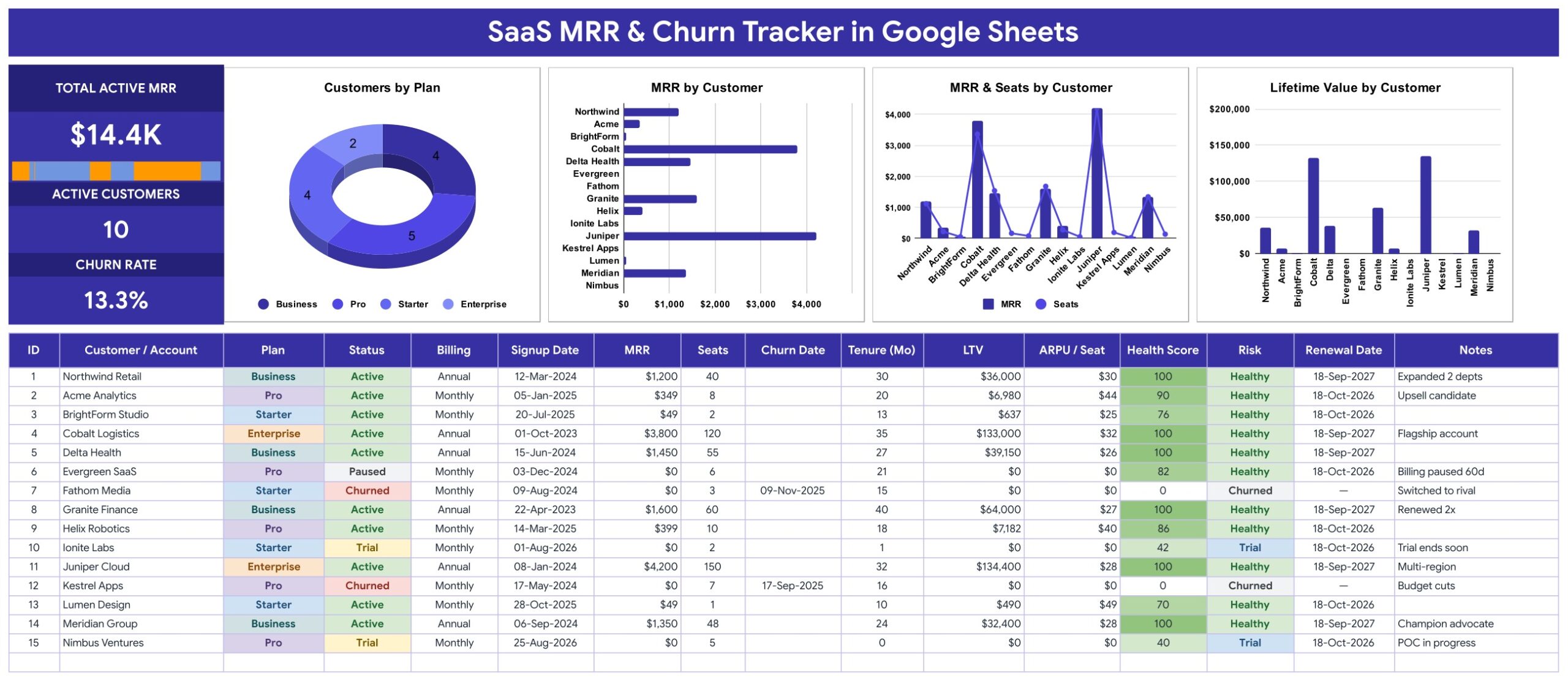
The SaaS MRR and Churn Tracker in Google Sheets is a one-page recurring-revenue log: three live KPI cards (Total Active MRR, Active Customers and Churn Rate), a revenue sparkline, four charts and a 16-column account table in which 7 columns calculate themselves. It ships with 15 sample accounts showing $14.4K of active MRR, 10 active customers and a 13.3% churn rate, and setup takes about 10 minutes: replace the sample rows and every card and chart updates.
🌍 Join 8,400+ teams in 40+ countries using NextGenTemplates to replace paid SaaS tools with one-time-purchase Excel, Google Sheets, Power BI and HTML templates.
✅ Instant download · One-time payment · No subscription · No per-user fees · Lifetime access
This is the one-page Google Sheets tracker line: KPI cards and four charts on top, a data-entry log underneath, all on a single tab. It is not a multi-page KPI dashboard. If you want month-by-month SaaS analytics across several pages, see the SaaS Financial Performance Dashboard in Google Sheets or the SaaS Business KPI Dashboard in Power BI.
🔑 Key Features of the SaaS MRR and Churn Tracker
📈 Three live KPI cards. Total Active MRR adds up MRR for accounts whose Status is Active. Active Customers counts those accounts. Churn Rate divides the number of Churned accounts by every account in the table, so it is a simple share of your customer list rather than a period-based rate.
📊 Four charts linked straight to the data columns. Customers by Plan, MRR by Customer, MRR & Seats by Customer (a combined column-and-line chart) and Lifetime Value by Customer read rows 16 to 1000 directly. There are no hidden helper tables to break.
🧮 Seven automatic columns. You type the customer, plan, status, billing cycle, signup date, MRR, seats and, for lost accounts, a churn date. The sheet works out ID, Tenure (Mo), LTV, ARPU / Seat, Health Score, Risk and an estimated Renewal Date.
🩺 Health Score and Risk flag. Health Score starts at 40, adds 2 points per month of tenure, 15 for Annual billing and 10 for Active status, capped at 100. Risk turns that into Healthy (70+), Watch (45-69) or At Risk (below 45), and labels Trial and Churned accounts separately.
🔽 Dropdowns that grow. Plan, Status and Billing pull from the List tab (rows 2 to 500). Add a plan such as “Growth” there and it appears in the dropdown immediately. See Google’s guide to in-cell dropdown lists.
📦 What’s Inside the SaaS MRR & Churn Tracker
The file has four tabs: MRR & Churn Tracker, List, Instructions and Explore More Templates. The download is a PDF guide that carries the “Make a copy” link to your own editable Google Sheet.
Page 1: MRR & Churn Tracker
The KPI column shows Total Active MRR with a revenue-spread sparkline, Active Customers and Churn Rate. Beside it sit Customers by Plan, MRR by Customer, MRR & Seats by Customer and Lifetime Value by Customer, with the 16-column account log below: ID, Customer / Account, Plan, Status, Billing, Signup Date, MRR, Seats, Churn Date, Tenure (Mo), LTV, ARPU / Seat, Health Score, Risk, Renewal Date and Notes.
Page 2: Instructions
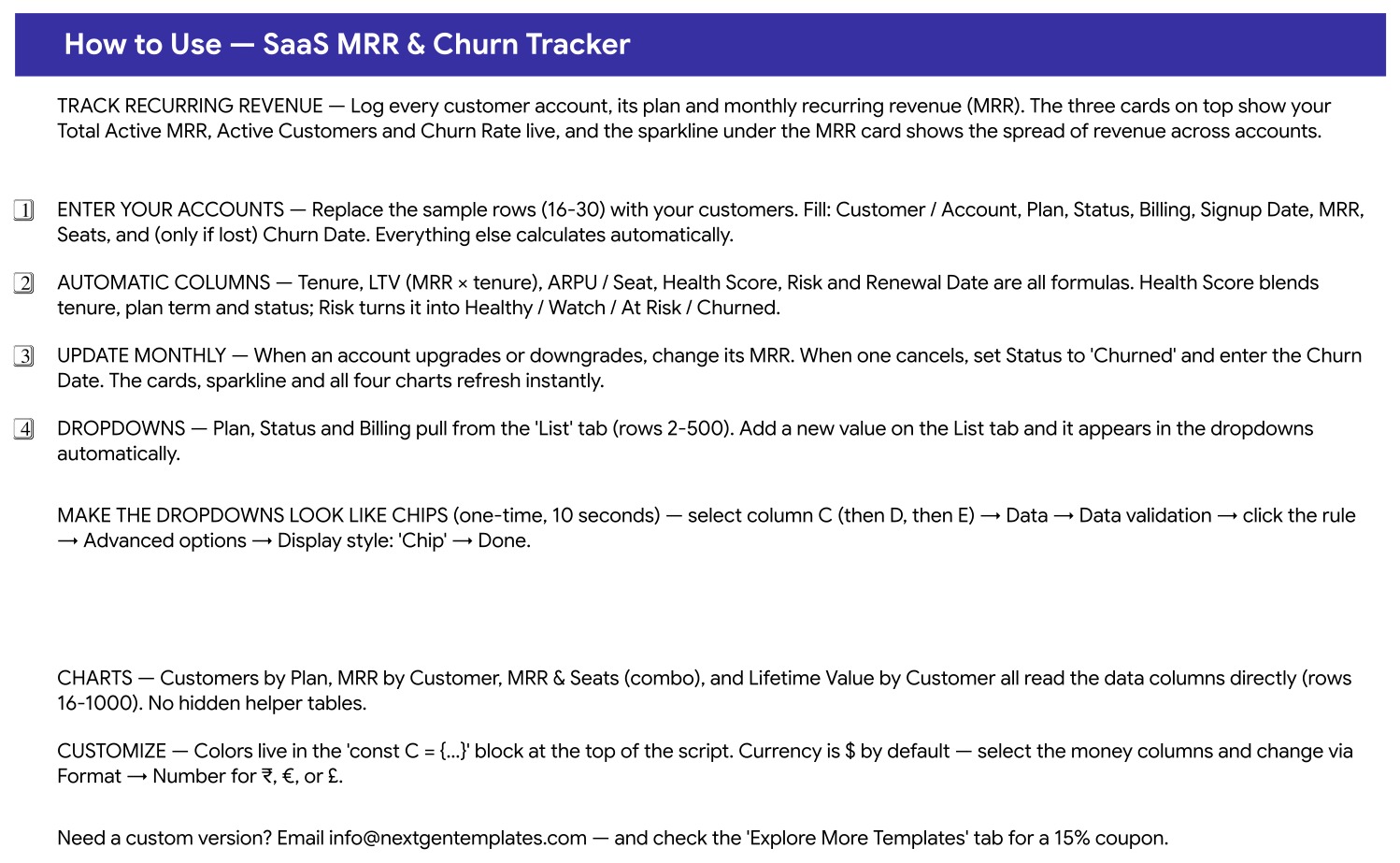
A built-in How to Use page covers entering accounts, which columns are formulas, the monthly update routine, how the List-tab dropdowns work, switching dropdowns to chip style and changing the currency format.
Page 3: Explore More Templates
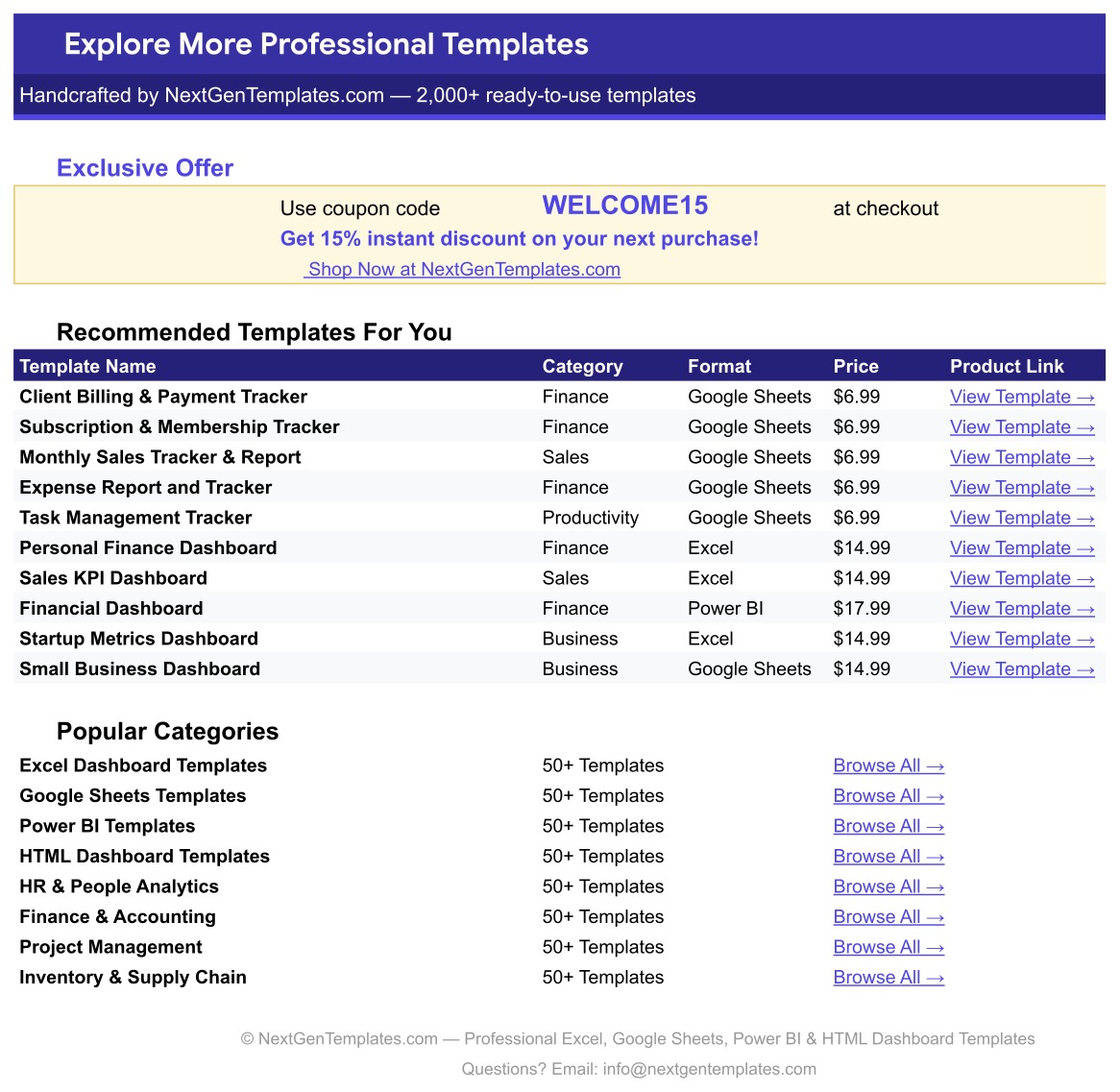
A page of recommended templates and popular categories, plus a WELCOME15 coupon for 15% off your next purchase.
📊 SaaS MRR & Churn Tracker vs. Excel Tracker vs. Subscription Analytics Tools: Where This Fits
| Feature | SaaS MRR & Churn Tracker (Google Sheets) | Microsoft Excel tracker | ChartMogul / Baremetrics / ProfitWell |
|---|---|---|---|
| Cost | ✅ $6.99 one-time | One-time, plus an Excel licence | Monthly subscription, tiered by revenue |
| Platform | ✅ Any browser, free Google account | Excel desktop or Microsoft 365 | Web app |
| Setup time | ✅ About 10 minutes | About 10 minutes | Billing-system integration required |
| Real-time team collaboration | ✅ Yes, Google Sheets sharing | Limited outside OneDrive | ✅ Yes, per seat |
| Mobile access | ✅ Google Sheets app | Excel app | ✅ Web |
| Customizable fields | ✅ Every column and dropdown | ✅ Yes | Fixed metric definitions |
| Share with a link | ✅ Yes | Via OneDrive | Dashboard sharing varies by plan |
| Automatic billing sync | No, manual entry | No | ✅ Yes (Stripe and similar) |
| Health Score and Risk flag | ✅ Built in, editable formula | Build it yourself | Varies by vendor |
For founders who want MRR, churn and account health in one sheet without connecting a billing system or paying monthly, this tracker sits in the sweet spot.
👥 Who This Template Is For, and Who It’s Not For
✅ This template is built for:
- Bootstrapped SaaS founders with roughly 5 to a few hundred paying accounts
- Customer success leads who want a Health Score and Risk flag per account
- Agencies and consultancies selling software-style monthly or annual plans
❌ This template is NOT for:
- Teams that need MRR pulled automatically from Stripe, Chargebee or another billing system
- Finance teams that need cohort analysis, month-by-month MRR movement or formal revenue recognition
⚙️ How to Use the SaaS MRR and Churn Tracker in Google Sheets
- Open the PDF in your download and click the link to make your own copy in Google Drive.
- Check the Plan, Status and Billing lists on the List tab and add your own values.
- Replace sample rows 16 to 30 with your accounts: customer, plan, status, billing, signup date, MRR and seats.
- When an account upgrades or downgrades, change its MRR.
- When one cancels, set Status to Churned and enter the Churn Date.
- Review the Risk column monthly and follow up on Watch and At Risk accounts.
💼 Real-World Use Cases
Maya runs a two-person scheduling app with 40 customers. She logs each account’s plan and MRR, and the MRR by Customer chart shows her that three Business accounts make up over half of revenue, so she calls them first each quarter.
Daniel leads customer success at a B2B analytics startup. He sorts the Risk column every Monday. Monthly-billed accounts with short tenure show up as Watch or At Risk, and he books check-in calls before their next renewal.
Priya sells a white-label reporting tool to agencies. She uses the ARPU / Seat column to compare how much each client pays per user, which helped her spot under-priced legacy Starter plans.
❓ Frequently Asked Questions
What does the SaaS MRR & Churn Tracker calculate?
It shows Total Active MRR, Active Customers and Churn Rate on three cards, and calculates Tenure, LTV (MRR times tenure months), ARPU / Seat, a Health Score from 0 to 100, a Risk label and an estimated Renewal Date for each account, all from eight fields you enter.
How is the churn rate worked out?
The Churn Rate card divides the number of accounts with Status “Churned” by the total number of accounts in the table. It is a simple share of your customer list, not a monthly or cohort churn rate, so keep churned rows in the log to keep the figure meaningful.
Does it connect to Stripe or my billing system?
No. The SaaS MRR & Churn Tracker records the figures you type or paste. There is no API or sync, which keeps it simple and free of integrations that break, but it does mean you update MRR yourself when plans change.
How long does setup take?
About 10 minutes. Make your copy from the PDF link, adjust the List tab, and overwrite the 15 sample accounts. Every card, the sparkline and all four charts refresh as soon as you type.
How does this compare to ChartMogul or Baremetrics?
Those tools sync with your billing system and add cohort and movement reports for a monthly fee. The SaaS MRR & Churn Tracker is a one-time purchase covering the core per-account view: MRR, seats, tenure, LTV, health and risk, entered by hand.
Is this a good MRR tracker Google Sheets template for a small SaaS?
Yes, if you want a SaaS recurring revenue tracker you fill in by hand. It works as a churn rate tracker spreadsheet and an account-health log in one tab, and it suits a few dozen to a few hundred accounts. Larger teams usually move to a billing-connected analytics tool.
Can I change the currency?
Yes. Currency is US dollars by default. Select the money columns and use Format, Number to switch to rupees, euros, pounds or any other currency.
👤 About the Author
Built by PK, Microsoft Certified Professional with 15+ years of Excel, Google Sheets and Power BI experience. Founder of NextGenTemplates, reaching 300K+ subscribers across YouTube channels (@PKAnExcelExpert, @NextGenTemplates, @NeoTechNavigators). Every template is hand-built and tested before release.
🔗 Explore Related Templates
📌 SaaS Metrics Dashboard in Power BI: multi-page SaaS analytics for teams on Power BI.
📌 Retainer & Recurring Client Tracker in Google Sheets: the same one-page format for service retainers.
📌 Patreon & Membership Income Tracker in Google Sheets: recurring income for creators.
Browse every Google Sheets template in the store. Learn more about the SPARKLINE function behind the MRR card.
📖 Click here to read the Detailed Blog Post
🎥 Visit our YouTube channel for step-by-step video tutorials
👉 YouTube.com/@NextGenTemplates
Watch the step-by-step video Demo:
📅 Last updated: September 2026


































Reviews
There are no reviews yet.