

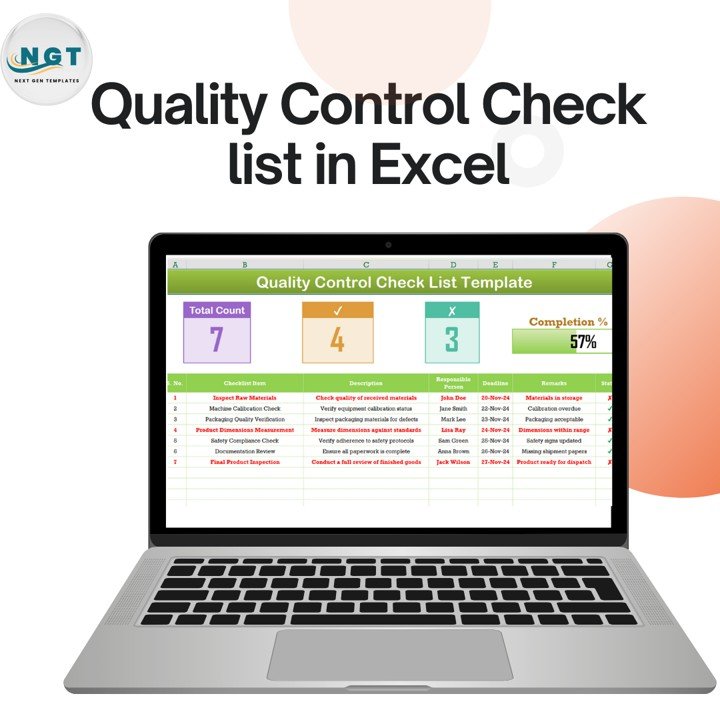

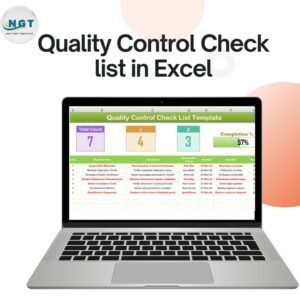
Stay on top of your quality control process with this professional and easy-to-use Quality Control Checklist in Excel. Designed for manufacturing, production, and compliance teams, this dynamic template helps ensure all quality control checks are completed systematically while tracking progress and accountability.
Why Choose This Quality Control Checklist?
This fully customizable Excel template enables you to maintain a structured and organized approach to quality inspections, compliance tracking, and corrective actions. Whether you’re in manufacturing, retail, healthcare, or logistics, this tool provides a real-time overview of inspection status and completion percentage.
Key Features
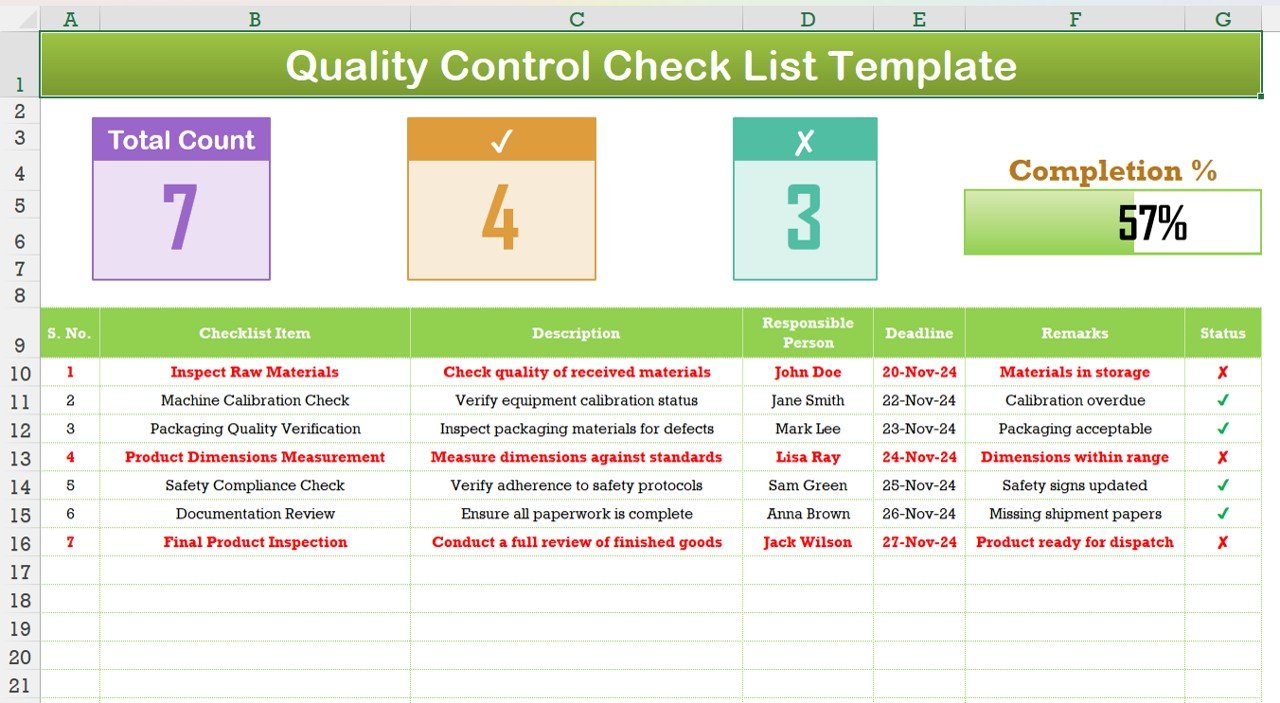
✅ Pre-Designed Quality Checklist Layout – Keep all inspection items, responsible persons, deadlines, and remarks in one structured table.
✅ Automated Status Tracking – The template visually distinguishes between completed and pending tasks using checkmarks (✔) and cross symbols (✖).
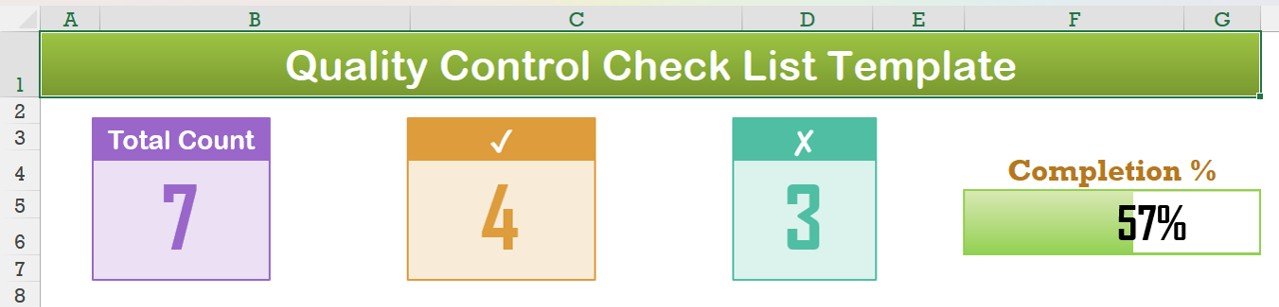
✅ Progress Indicators & Dashboard – Displays total tasks, completed tasks, pending tasks, and overall completion percentage dynamically.
✅ Color-Coded Status & Remarks Section – Identify critical pending tasks with clear red highlights, ensuring quick corrective actions.
✅ Fully Editable & Customizable – Modify checklist items, descriptions, responsible persons, and deadlines to suit your business needs.
✅ No Complex Formulas or Macros Needed – Simple yet powerful, this template is designed for ease of use with basic Excel knowledge.
✅ Printable & Shareable – Export as PDF or print directly for physical documentation in audits and team meetings.
Who Can Use This Template?
🔹 Manufacturers & Production Units – Track raw material inspections, calibration checks, and final product reviews.
🔹 Quality Assurance Teams – Ensure compliance with safety and ISO regulations.
🔹 Retail & Logistics Managers – Monitor product verification and shipment inspections.
🔹 Healthcare & Pharmaceuticals – Maintain quality checks for medical equipment and inventory.
🔹 Construction & Engineering Firms – Implement structured safety and compliance monitoring.
How to Use This Template?
1️⃣ Download the Template – Get instant access to your file after purchase.
2️⃣ Customize the Checklist – Add/edit tasks, responsible persons, deadlines, and remarks as needed.
3️⃣ Update Task Status – Mark completed tasks with a checkmark and pending ones with a cross.
4️⃣ Track Overall Progress – The dashboard updates automatically to reflect the percentage of completed tasks.
5️⃣ Save & Share – Print, export, or share the file with your team for seamless collaboration.
Why Buy This Quality Control Checklist?
📌 Saves Time & Reduces Manual Errors
📌 Boosts Productivity & Accountability
📌 Provides Clear Insights into Inspection Status
📌 Enhances Compliance & Quality Assurance
📌 Professional & Well-Designed Interface
🚀 Take control of your quality assurance process today with this powerful and user-friendly Excel template!
📥 Instant Download | Compatible with Excel (XLSX) | 100% Editable & Reusable
💡 Order now and start streamlining your quality control process effortlessly!
What’s Included
- One Excel workbook (.xlsx) with a checklist table for inspection items, descriptions, responsible persons, deadlines and remarks.
- A status column that marks each check as done (✔) or pending (✖).
- Progress indicators for total tasks, completed tasks, pending tasks and the completion percentage.
- Color-coded status and remarks, with pending items highlighted in red.
Compatibility and Requirements
- Works in Microsoft Excel desktop (Excel 2016 or later, or Microsoft 365). No macros are used.
- To limit the status column to the two symbols, you can add data validation. Microsoft explains how in Apply data validation to cells.
Frequently Asked Questions
How do I mark a quality check as done?
Put a checkmark (✔) in the status column for completed checks and a cross (✖) for pending ones. The progress indicators update on their own.
How is the completion percentage calculated?
It is the number of completed tasks divided by the total number of tasks in the checklist.
Can I change the checklist items?
Yes. Edit any checklist item, description, responsible person, deadline or remark to fit your own inspection process.
Can I print the checklist or save it as a PDF?
Yes. Print it straight from Excel or export it as a PDF for audits and team meetings.
Is there a Google Sheets version?
Yes, the Quality Control Checklist in Google Sheets works in the browser.
Related Quality Control Templates
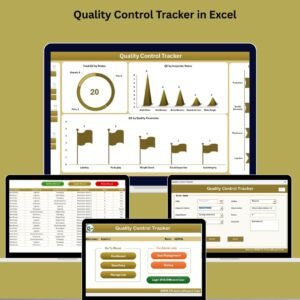
- Quality Control Tracker in Excel: record inspections and corrective actions
- Quality Assurance Dashboard in Excel: report QA results on one dashboard
- Quality Control To-Do List Checklist in Excel: a to-do style quality checklist
- Quality Control Checklist in Google Sheets: the browser-based checklist
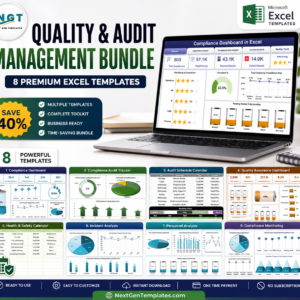
- Quality & Audit Management Bundle: 8 quality and audit templates in Excel
Browse all Excel checklist templates or the Excel quality control templates.





























Reviews
There are no reviews yet.