

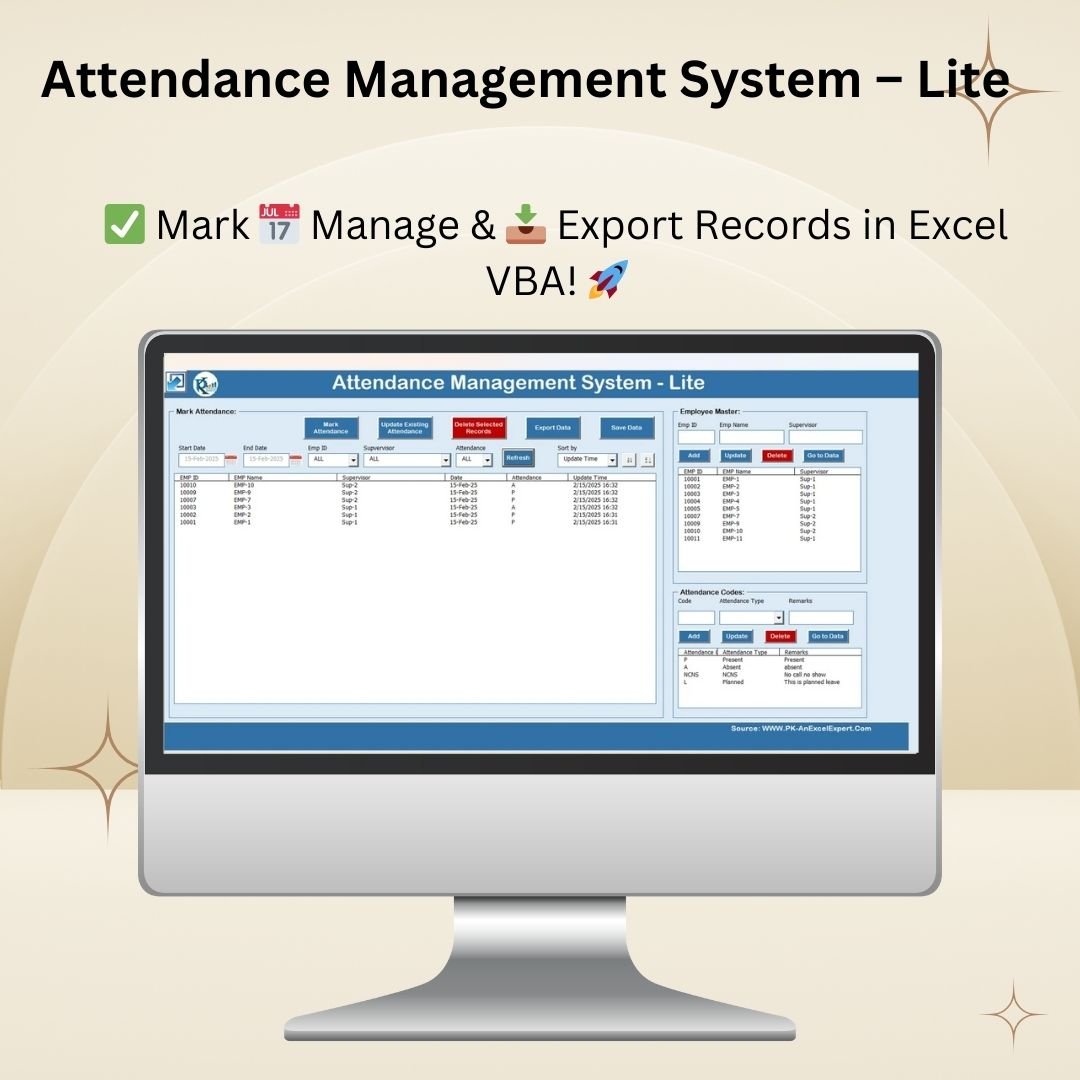

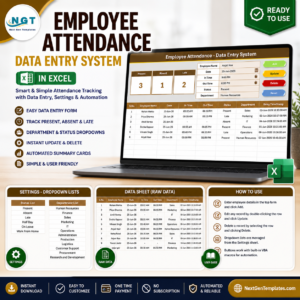
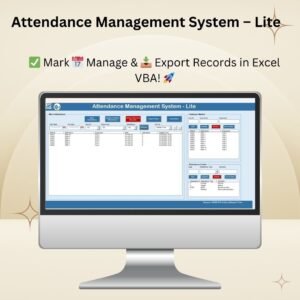
The Attendance Management System – Lite is an Excel VBA-powered attendance tracker that replaces paper registers, manual spreadsheets, and entry-level biometric software for teams of up to 100 employees. Built on a single-file .xlsm workbook, it ships with a setup page, a login-style attendance form, an employee master, an attendance-codes manager, and an export engine that writes clean records back to a sheet for reporting, payroll, and audit. Download once, enable macros, and you have a complete attendance system running on your own laptop — no cloud subscription, no per-user licence, no IT dependency.
Current price: $19.99 (regular $29.99 · save $10). Instant download. Lifetime access. Works on Microsoft Excel 2016, 2019, 2021, and Microsoft 365 on Windows.
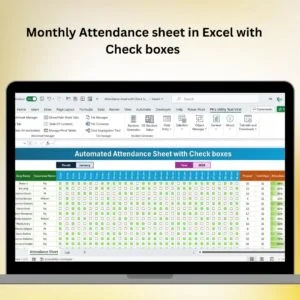
💡 Starting simpler? If you only need basic monthly tracking without VBA, grab our free Monthly Attendance Sheet in Excel with Check Boxes. Already outgrown both? The HR & Workforce Analytics Bundle packs 10 premium HR templates across Excel, Google Sheets, and Power BI.
What the Attendance Management System – Lite Does
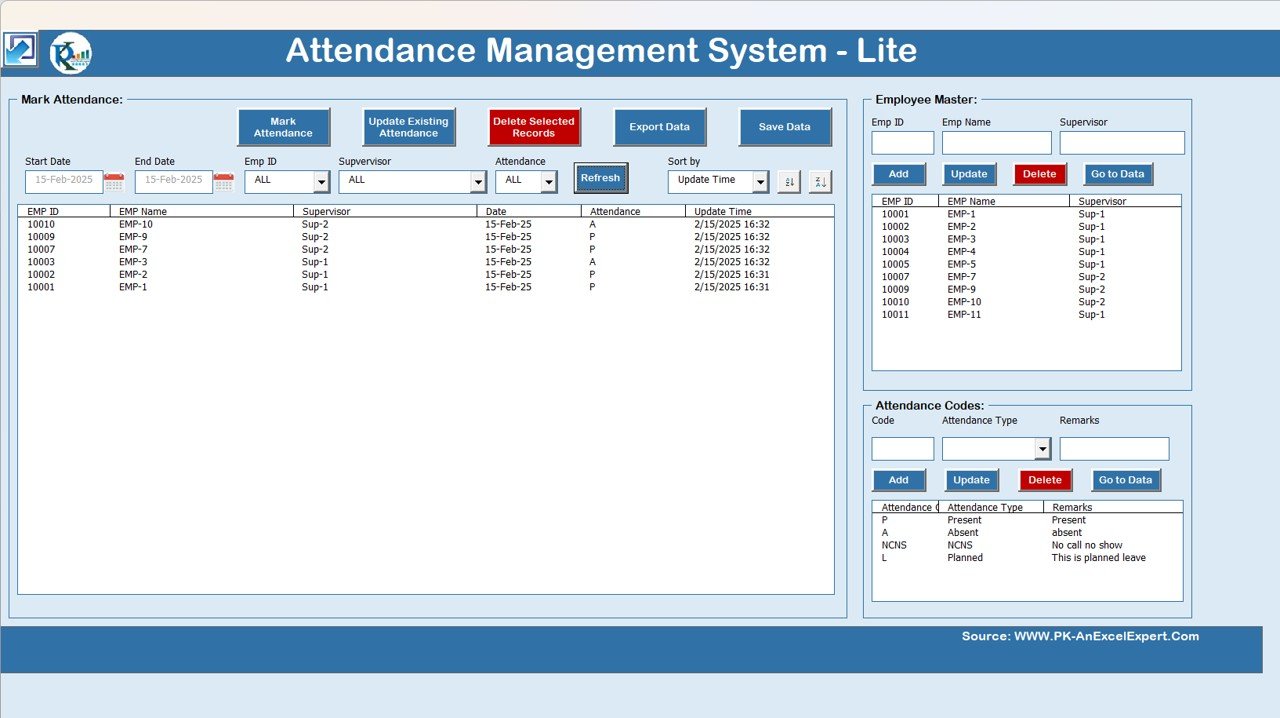
This tool automates the full attendance lifecycle in a single Excel file: capture → validate → store → filter → export. Each module is a VBA UserForm bound to a hidden data sheet, so end users never touch the raw records. The result is a clean, audit-ready attendance log that is identical in format every month, ready to feed payroll, labour-compliance returns, and MIS reports.
Who It’s Built For
- Small and medium businesses (5–100 employees) that need structured attendance records without paying for a full HRMS subscription.
- HR executives and payroll admins who process monthly attendance for payroll and leave reconciliation.
- Schools, coaching centres, and training institutes tracking staff or student attendance with multiple codes.
- Site supervisors, construction managers, and shop-floor leads logging daily labour attendance for wage calculation and PF/ESI compliance.
- Consultants and freelancers who bill clients by attendance hours and need a verifiable record.
- NGOs and training programmes maintaining participant attendance for funded-programme compliance.
Full Feature Walkthrough — Page by Page
1. Setting Sheet (Landing Page)
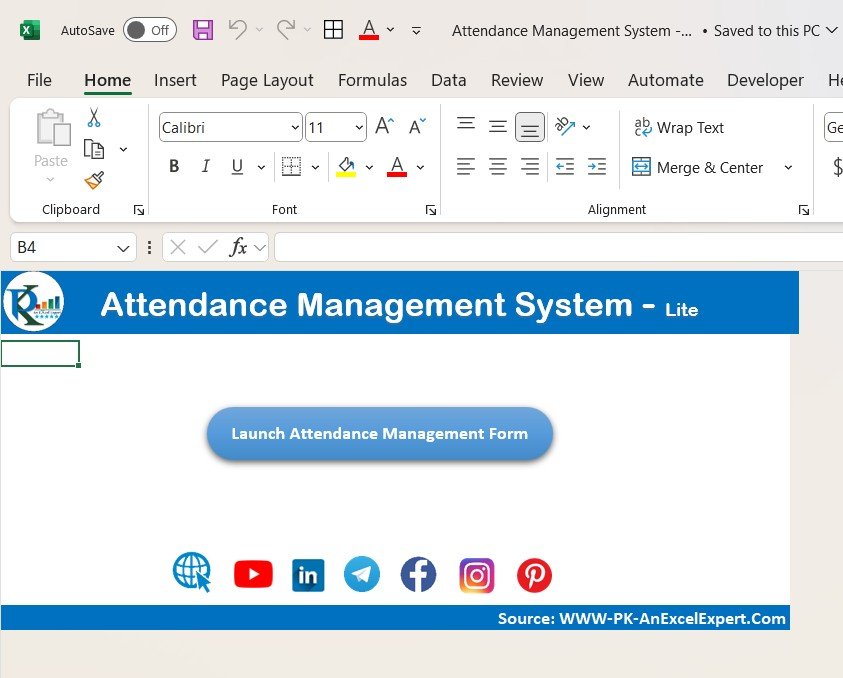
The Setting Sheet is your home screen. One branded button launches the Attendance Form, and secondary buttons jump to the Employee Master and Attendance Codes. A clean landing page removes the confusion of hunting for the right worksheet — critical when multiple supervisors share the file.
2. Attendance Form — Mark, Update, Delete, Export
Clicking Launch Attendance Form opens a VBA UserForm with four clear actions:
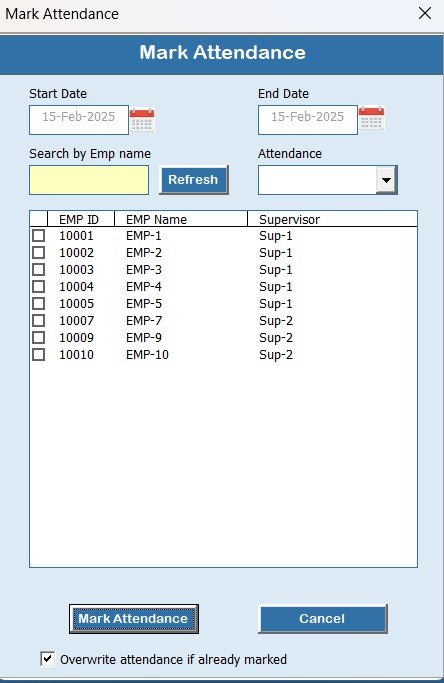
- Mark Attendance — pick a date, select employees from a filterable list, apply an attendance code, and submit. Records are written to the backend sheet with a timestamp.
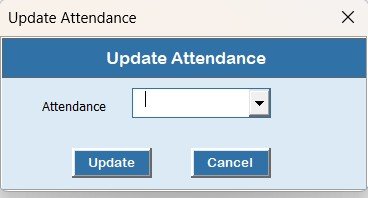
- Update Attendance — load any prior record by employee + date, edit the code or notes, and save. Originals are overwritten in place so there are no duplicate rows.
- Delete Attendance — remove erroneous or duplicate entries with a confirmation prompt to prevent accidental loss.
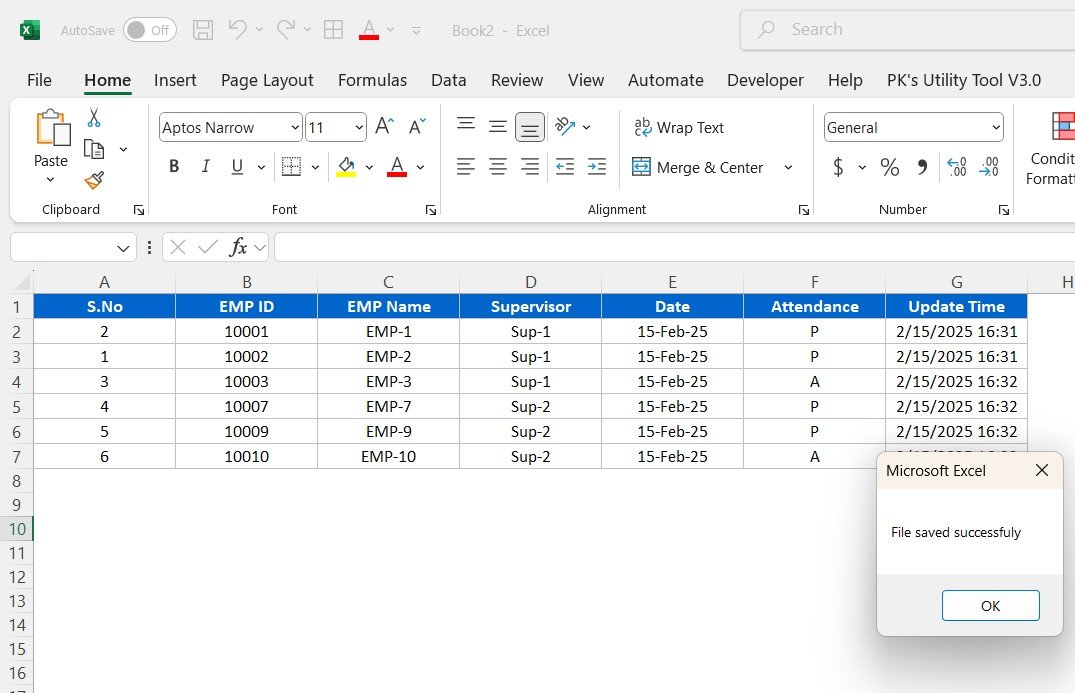
- Export Attendance — push filtered records into a fresh Excel sheet formatted for payroll import — no formulas, no formatting carry-over.
3. Advanced Filtering & Sorting
Inside the attendance form, filters let you narrow records by date range, employee ID, employee name, supervisor, or attendance status. Sort on update time, name, or status to answer questions like “who was on leave last Tuesday?” or “what’s my site-2 supervisor’s absenteeism trend?” in seconds.
4. Employee Master Management
The Employee Master is a separate VBA form for maintaining your workforce list — add, update, or delete employees with fields for Employee ID, Name, Designation, Department, Supervisor, Date of Joining, and Status. Every attendance record links to an Employee ID, so updating the master instantly reflects everywhere.

5. Attendance Codes Manager
Pre-loaded codes cover Present (P), Absent (A), Paid Leave (PL), Sick Leave (SL), Casual Leave (CL), Earned Leave (EL), No Call No Show (NCNS), Week Off (WO), Public Holiday (PH), and Half Day (HD). Add custom codes to match your company policy — for example, WFH (Work From Home), OD (Official Duty), CO (Comp-Off) — and the Attendance Form dropdowns update automatically.
Attendance Management System – Lite vs Free & Enterprise Alternatives
Most buyers compare this tool against two options — the free checkbox sheet (for the smallest teams) and cloud HRMS software (for the largest). Here is where the Lite version fits:
| Feature | Free Checkbox Sheet | AMS – Lite ($19.99) | Cloud HRMS (SaaS) |
|---|---|---|---|
| One-time cost | $0 | $19.99 | $3–$10 / user / month |
| Employees supported | ~30 | Up to 100 | Unlimited |
| VBA forms & automation | ❌ | ✅ | ✅ (cloud UI) |
| Update / delete / filter records | Manual only | ✅ | ✅ |
| Works offline | ✅ | ✅ | ❌ |
| Data lives on your machine | ✅ | ✅ | ❌ (vendor cloud) |
| Monthly cost at 25 employees | $0 | $0 ongoing | ~$125 / month |
| Requires macro enablement | ❌ | ✅ (one-time) | n/a |
At 25 employees, a cloud HRMS runs around $125/month ($1,500/year). AMS – Lite pays for itself in under a week at the same team size while keeping your attendance data entirely on your laptop or network drive.
How to Set Up the Attendance Management System in 5 Minutes
- Download and unzip the .xlsm file from your order page.
- Open in Excel and click Enable Content when prompted — macros drive every form.
- Open the Employee Master from the Setting Sheet and add your team (or paste from a list).
- Review the Attendance Codes and add any company-specific codes.
- Launch the Attendance Form and start marking today’s attendance — records write back to the backend sheet instantly.
Full video walkthrough is embedded at the bottom of this page, and we have a written step-by-step tutorial on our blog.
Why Buyers Choose AMS – Lite
🚀 Automates the full attendance loop — replace paper registers and formula-heavy spreadsheets with a form-driven UI.
📊 One file, zero IT approvals — lives on your machine, no cloud subscription, no user-provisioning.
🔒 Your data stays with you — every record sits in the hidden backend sheet; no vendor lock-in, no cloud breach exposure.
💾 Lifetime access — buy once, use forever; re-download anytime from your NextGenTemplates account.
🛠️ No coding required — VBA runs under the hood; you only see clean forms and dropdowns.
📥 Instant delivery — download link arrives with the order; ready to use in under 5 minutes.
You May Also Need
AMS – Lite handles daily attendance and leave codes. For reporting, dashboards, and dependent HR workflows, these companions pair well:
Attendance & Reporting Companions
- Attendance & Overtime Dashboard in Excel — turns AMS exports into a visual dashboard with overtime analytics ($17.99)
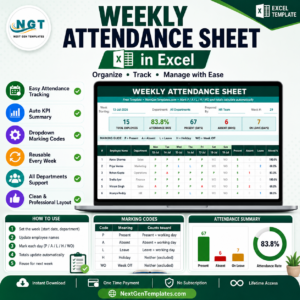
- Automated Attendance Sheet in Excel — formula-based alternative for teams that can’t enable macros ($6.99)
- Dynamic Attendance Sheet using Power Pivot — pivot-driven multi-month analysis ($6.99)
- Leave Management System — approval workflow and leave-balance engine ($6.99)
- Smart Attendance Manager in Excel VBA — alternative VBA tracker with auto-emails ($6.99)
Payroll & Performance Companions
- Automatic Bulk Salary Slips Generator — feeds directly from AMS attendance data ($6.99)
- Employee Performance Rating Card & Dashboard — KPI-driven appraisal tool ($17.99)
- Performance Dashboard in Excel — visual scorecard for leadership ($17.99)
Cloud-First Alternatives (Google Sheets)
- Attendance Sheet Template in Google Sheets — cloud, real-time collaboration ($6.99)
- Employee Attendance Dashboard in Google Sheets — charts and trend view ($6.99)
- HR KPI Dashboard in Google Sheets — workforce KPIs on cloud ($12.99)
Best Value — Save 30% with the Bundle
💎 HR & Workforce Analytics Bundle — 10 Premium Templates — attendance, leave, performance, turnover, productivity, and grievance tools across Excel, Google Sheets, and Power BI ($89.99 — regular $109.99). Includes AMS-compatible companions.
Browse More
HR & Payroll Templates · All VBA Tools · Excel Dashboard Templates
Frequently Asked Questions
What is the Attendance Management System – Lite?
It is a ready-to-use Excel workbook with built-in VBA forms for marking, updating, deleting, filtering, and exporting attendance records for up to 100 employees. It works offline, stores all data in a single .xlsm file, and requires no cloud subscription.
How is AMS – Lite different from the free attendance sheet?
The free Monthly Attendance Sheet with Check Boxes is a static template for ~30 people using checkboxes. AMS – Lite is a full VBA-driven system with form-based data entry, employee master, custom attendance codes, update/delete/filter workflows, and clean export — suitable for teams up to 100 and for regular monthly payroll cycles.
Do I need to enable macros?
Yes. AMS – Lite is a macro-enabled workbook (.xlsm) — all forms and automation run on VBA. When you open the file, Excel will display a yellow Security Warning; click Enable Content once. After that, macros remain enabled for this file. The macros are not password-protected and only touch sheets inside this workbook.
Does it work on Excel for Mac?
The tool is built for Microsoft Excel on Windows (2016, 2019, 2021, Microsoft 365). Excel for Mac supports VBA but some UserForm controls and ActiveX features behave differently, so we only officially support the Windows version. For Mac users, we recommend the formula-based Automated Attendance Sheet in Excel or our Attendance Sheet in Google Sheets.
How many employees can this tool handle?
Comfortably up to 100 active employees. The backend sheet can technically hold over a million rows, but form-based filtering and lookups stay fast at team sizes up to about 100. For larger workforces or multi-location setups, consider the HR & Workforce Analytics Bundle which combines AMS-compatible tools with Power BI dashboards.
Can multiple supervisors share this file?
Yes, if it sits on a shared network drive and only one user has it open at a time. Excel is not a concurrent-write system, so for true multi-user simultaneous entry, you should either take turns or step up to a cloud HRMS. A common workflow is one HR admin owns the master file and supervisors email or upload daily attendance exports.
Can I feed the exports into payroll software?
Yes. The Export Attendance action writes a clean, formatted Excel sheet (employee ID, name, date, attendance code, hours). This export maps to the intake format used by most payroll systems including Tally, Zoho Payroll, RazorpayX Payroll, Keka, and GreytHR, and it pairs directly with our Automatic Bulk Salary Slips Generator.
Is my attendance data safe?
Yes. The file lives on your own computer or network drive — no data is transmitted to any cloud service. You control backups, access, and retention. For compliance-sensitive environments (PF/ESI audits in India, GDPR in the EU), this on-premise footprint is usually easier to document than a cloud-only HRMS.
What’s included in the download?
A single ZIP file containing the .xlsm workbook (Setting Sheet, Attendance Form, Employee Master, Attendance Codes, Backend Data sheet) plus a short PDF quick-start guide. No extra installers, no Excel add-ins, no registry changes.
Do I get updates and support?
You get lifetime re-download access from your NextGenTemplates account — re-download any version update at no extra cost. For setup questions, visit our YouTube channel with step-by-step tutorials, or contact us through the site’s support form.
✅ Click here to read the Detailed Blog Post
🔗 Visit our YouTube channel for step-by-step video tutorials
Watch the full video tutorial:
Compatibility and Requirements
- This file uses VBA macros. Use Microsoft Excel desktop on Windows with macros enabled.
- Microsoft explains how to turn macros on in Enable or disable macros in Microsoft 365 files.












Reviews
There are no reviews yet.