

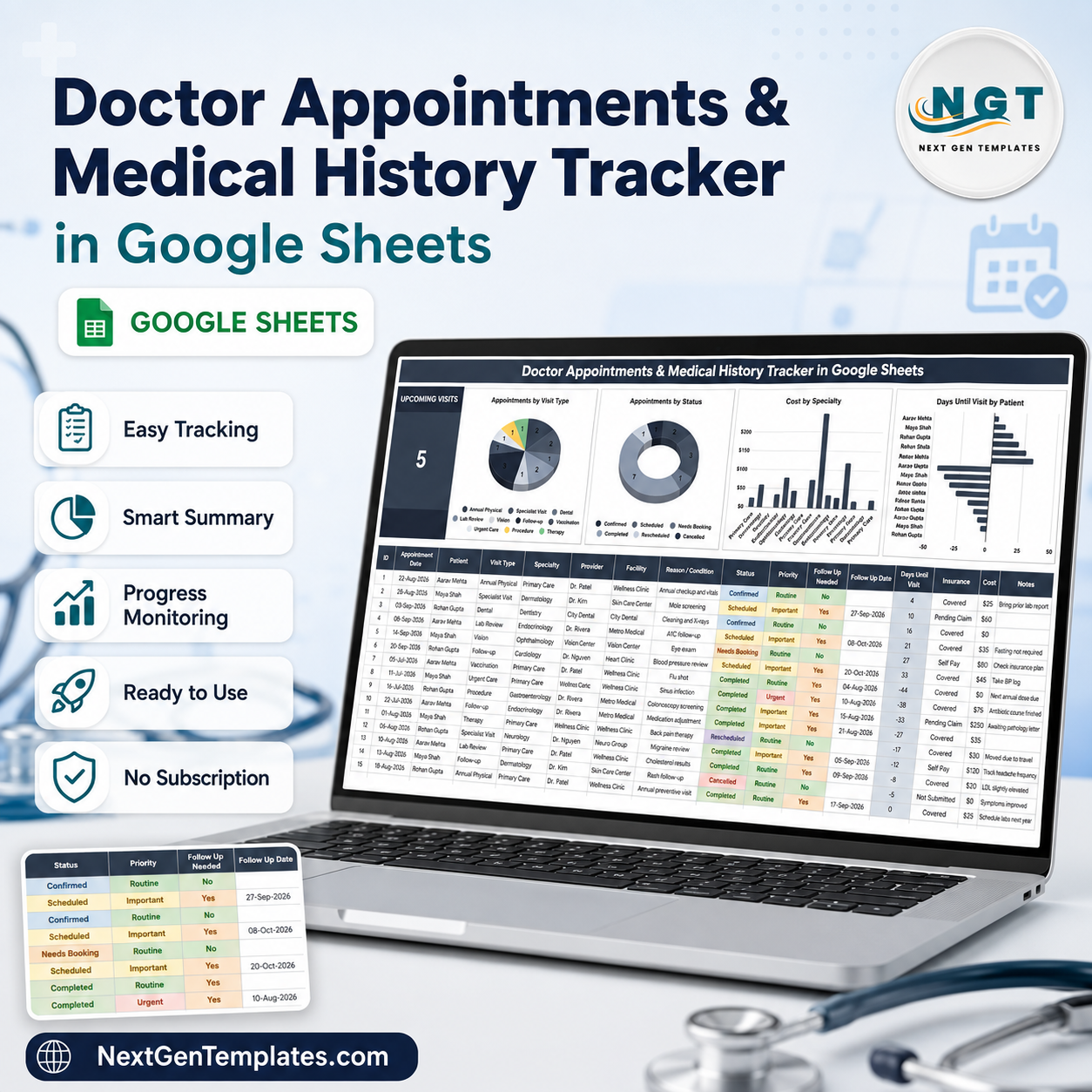

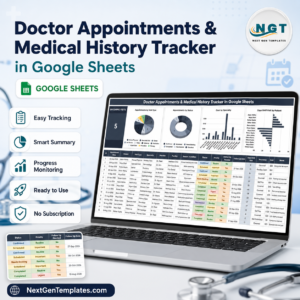
The Doctor Appointments & Medical History Tracker in Google Sheets keeps every visit for every member of your household in one sheet: 16 columns, 4 live charts, a countdown to your next booked visit, and room for 985 appointment records before you ever touch a formula. Twelve columns you type; four the sheet fills in for you. Six of them are dropdowns fed by an editable list, so “Dermatology” is spelled the same way every time and your charts never split one specialty into three. It opens in your own Google Drive in about a minute, works on the Sheets mobile app, and costs a single $6.99 – no subscription, no account, no per-user fee. This is a personal record-keeping spreadsheet, not medical software.Doctor Appointments & Medical History Tracker in Google Sheets
Key Features of the Doctor Appointments & Medical History Tracker
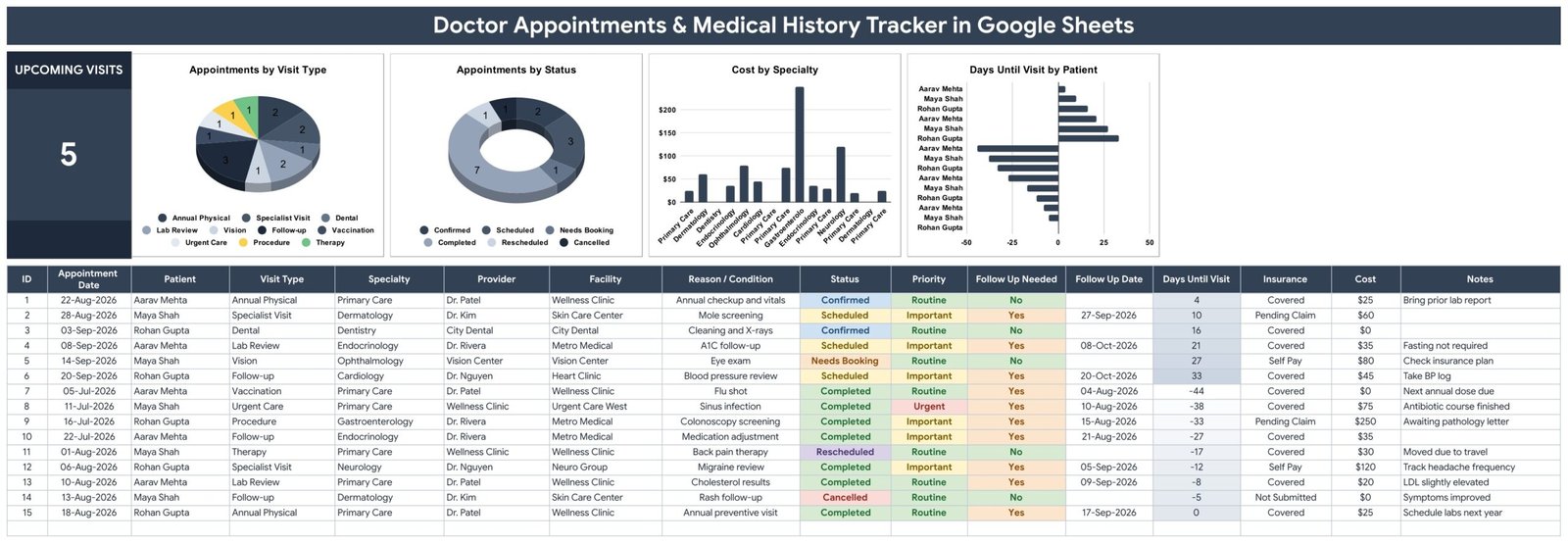
- One row per appointment, 16 columns wide – ID, Appointment Date, Patient, Visit Type, Specialty, Provider, Facility, Reason / Condition, Status, Priority, Follow Up Needed, Follow Up Date, Days Until Visit, Insurance, Cost and Notes.
- Four columns fill themselves in – ID numbers the row, Follow Up Needed applies a rule, Follow Up Date proposes a date, and Days Until Visit counts down. You type the other twelve.Doctor Appointments & Medical History Tracker in Google Sheets
- An Upcoming Visits counter – a single large KPI card counting appointments dated today or later whose Status is Scheduled or Confirmed. It recalculates every time the sheet opens.Doctor Appointments & Medical History Tracker in Google Sheets
- Four charts wired straight to the log – Appointments by Visit Type, Appointments by Status, Cost by Specialty and Days Until Visit by Patient. No pivot tables and no hidden helper columns.
- Six dropdown columns you control – Visit Type (10 options), Specialty (10), Status (6), Priority (3), Insurance (4) and Provider (7), all read from the List tab. Add your own doctor on the next free row of that tab and the dropdown picks it up immediately.
- Built for a whole household – the Patient column means one file covers you, a partner, children and ageing parents, and the charts break down by person.
- Cost and insurance on the same row as the visit – Insurance status (Covered, Self Pay, Pending Claim, Not Submitted) sits next to what you actually paid.Doctor Appointments & Medical History Tracker in Google Sheets
- 15 worked sample rows – a filled-in example across 3 patients and 8 specialties that you delete once you see how it behaves.
What Is Inside the Doctor Appointments & Medical History Tracker
The download is a PDF containing a “Make a copy” link. Clicking it drops a 4-tab Google Sheet into your own Drive:
- Medical History Tracker – the working page. Title banner, the Upcoming Visits card, the four charts, then the column headers on row 13 and your records from row 16 down to row 1000.
- List – the six dropdown source lists, one per column. The tracker reads rows 2 to 500 of each, so there is room to add hundreds of your own providers and specialties.
- Instructions – a short how-to covering the editable columns, the automatic ones, the dropdowns and how the charts refresh.
- Explore More Templates – links to related NextGenTemplates products.
Google Sheets vs. Excel vs. a Paid Health-Record App – Where This Fits
| This Google Sheets tracker | An Excel appointment log | Paid personal health-record app | |
|---|---|---|---|
| Cost | $6.99 once | Needs a Microsoft 365 licence | Recurring subscription |
| Platform | Any browser, plus the Sheets mobile app | Desktop Excel, mobile is limited | The vendor’s own app |
| Setup time | About a minute – copy and start typing | Download, unblock, save locally | Account creation and profile setup |
| Sharing with family | Share the link with a spouse or sibling | Email the file and reconcile versions | Usually one account per person |
| Real-time collaboration | Yes, several people at once | Only via OneDrive co-authoring | Varies by plan |
| Customisable fields | Every column, dropdown and chart | Yes | Rarely – fields are fixed |
| Where your data lives | In your own Google Drive | On your own disk | On the vendor’s servers |
| Reminders and alerts | None – see the FAQ below | None | Usually yes, push notifications |
| Cost and insurance columns | Built in on every row | Build them yourself | Often a paid tier |
If push reminders are the feature you are buying, a paid app is the honest answer. If what you want is a durable, searchable, editable record of who was seen, when, why, by whom and what it cost, a spreadsheet you own outright does that better and keeps the data in your own Drive.
Who This Template Is For – and Who It Is Not For
It fits households juggling appointments for several people; anyone managing a long-term condition across multiple specialists; adult children coordinating an elderly parent’s care; people who need to reconstruct a medical history for a new doctor, a claim or a second opinion; and anyone who wants their own copy of records that are currently scattered across three different clinic portals.
It does not fit a clinic or practice that needs to schedule patients – this is a personal log, not a booking system, and it has no calendar view, no availability grid and no patient-facing side. It is not an EHR or EMR. It will not talk to your provider’s portal, import records or file claims. It is not certified under HIPAA or any equivalent regime, so it is not the right place for records you are handling on someone else’s behalf in a professional capacity. And it sends no reminders whatsoever.
How to Use the Doctor Appointments & Medical History Tracker
- Open the PDF in your download and click the copy link. Choose “Make a copy” and the sheet lands in your own Drive, fully editable.
- Put your own names in the List tab first. Replace the sample doctors and add your specialties, insurance statuses and visit types. Every dropdown updates as you type.
- Clear the 15 sample rows on the tracker page from row 16 down, leaving the formulas in the ID, Follow Up Needed, Follow Up Date and Days Until Visit columns intact.
- Log your appointments. Date, patient, visit type, specialty, provider, facility, reason, status, priority, insurance, cost, notes. Work backwards through old visits too – the history is half the value.
- Read the Upcoming Visits card for what is actually booked, and sort by Days Until Visit to see what is closest.
- Check the charts after every few entries. They read rows 16 to 1000 and redraw on their own.
Real-World Use Cases
Priya, coordinating her father’s care. Her father sees a cardiologist, an endocrinologist and a physiotherapist, and nobody has the full picture. She logs every visit under his name with the reason and the notes, and when a new consultant asks what happened last year she reads it straight off one sheet instead of phoning three receptions.
Daniel and Reema, a two-child household. Four people, four sets of dental checks, vaccinations and annual physicals. They share one file, both edit it from their phones, and the Appointments by Visit Type chart tells them at a glance that nobody has booked a dental clean this year.
Sarah, managing a long-term condition. Six-week specialist cycles, regular lab reviews and a stack of claims at different stages. She uses the Insurance column to see what is still Pending Claim and the Cost column to total what she has actually spent, then pairs it with the Medical Expense & Claims Tracker in Google Sheets when it is time to file.
Frequently Asked Questions
Does this tracker remind me about upcoming appointments?
No. It sends no emails, no notifications and no alerts of any kind. The Upcoming Visits card and the Days Until Visit column show you what is coming when you open the sheet, and nothing happens when it is closed. If you need to be pinged, put the appointment in your phone calendar as well and use this sheet as the record.
Is this medical software, or medical advice?
Neither. It is a spreadsheet for organising your own notes. It is not a medical device, not an EHR or EMR, and nothing in it interprets, diagnoses or advises. It does no checking of medications, doses, interactions or allergies. Always follow the guidance of a qualified healthcare professional.
Is it HIPAA compliant?
No, and it does not claim to be. It is a personal Google Sheet in your own Drive, with no certification, no audit trail and no business associate agreement. Keeping your own records in it is fine; handling other people’s records professionally is not what it is built for.
Why does the Cost by Specialty chart repeat the same specialty several times?
Both bar charts plot one bar per appointment row and use the specialty (or the patient) as the label, so a specialty you have visited four times appears four times. That is useful for spotting a single expensive visit. If you would rather see one bar per specialty with the costs added up, click the chart, choose Edit chart, and tick Aggregate in the Setup panel – it is a one-click change and it sticks.
How does the Follow Up Needed column decide “Yes”?
It is a formula, not a choice you make. It returns Yes when the Status is Completed, or when the Priority is Urgent or Important. Follow Up Date then proposes exactly 30 days after the appointment. Treat that date as a prompt to book something, not as a real booking – if you know the actual follow-up date, type over the formula in that one cell.
Why does the Upcoming Visits count sometimes look low?
It counts only rows dated today or later whose Status is Scheduled or Confirmed. A future visit still marked Needs Booking is deliberately excluded, because it is not booked yet. The sample rows are dated mid-2026, so once those dates pass the card reads zero until you enter your own.
Can several family members use it at once?
Yes. It is an ordinary Google Sheet, so share it the way you would share any file and set each person to Editor or Viewer. Everyone sees the same records live, and the Patient column keeps each person’s history separate.
How many appointments does it hold?
The formulas and charts are wired to row 1000, which is 985 records. That is years of appointments for a family. If you outgrow it, drag the formulas down and extend the chart ranges.
About the Author
Built by PK – Microsoft Certified Professional with 15+ years of Excel, Google Sheets, and Power BI experience. Founder of NextGenTemplates, reaching 300K+ subscribers across YouTube channels. Every template is hand-built and tested before release.
Explore Related Templates
Pair this with the rest of the personal health range: the Medication & Pill Tracker in Google Sheets for what you take between visits, the Lab Results & Health Metrics Tracker in Google Sheets for the numbers that come back afterwards, and the Symptom & Pain Diary Tracker in Google Sheets for what to tell the doctor next time. For specific readings, see the Blood Pressure Log Tracker. If you want a dated calendar view rather than a log, the Patient Follow-Up Visit Calendar in Google Sheets covers that, and clinics running an actual practice should look at the Healthcare Management Dashboard in Google Sheets instead.
Browse more in Google Sheets Templates and Google Sheets Trackers.
Get your copy for $6.99 (regular $12.99) and have every appointment, past and future, in one place tonight. Instant download, yours to keep, no subscription.
Watch the step-by-step video Demo:
Last updated: 27 August 2026.































Reviews
There are no reviews yet.