

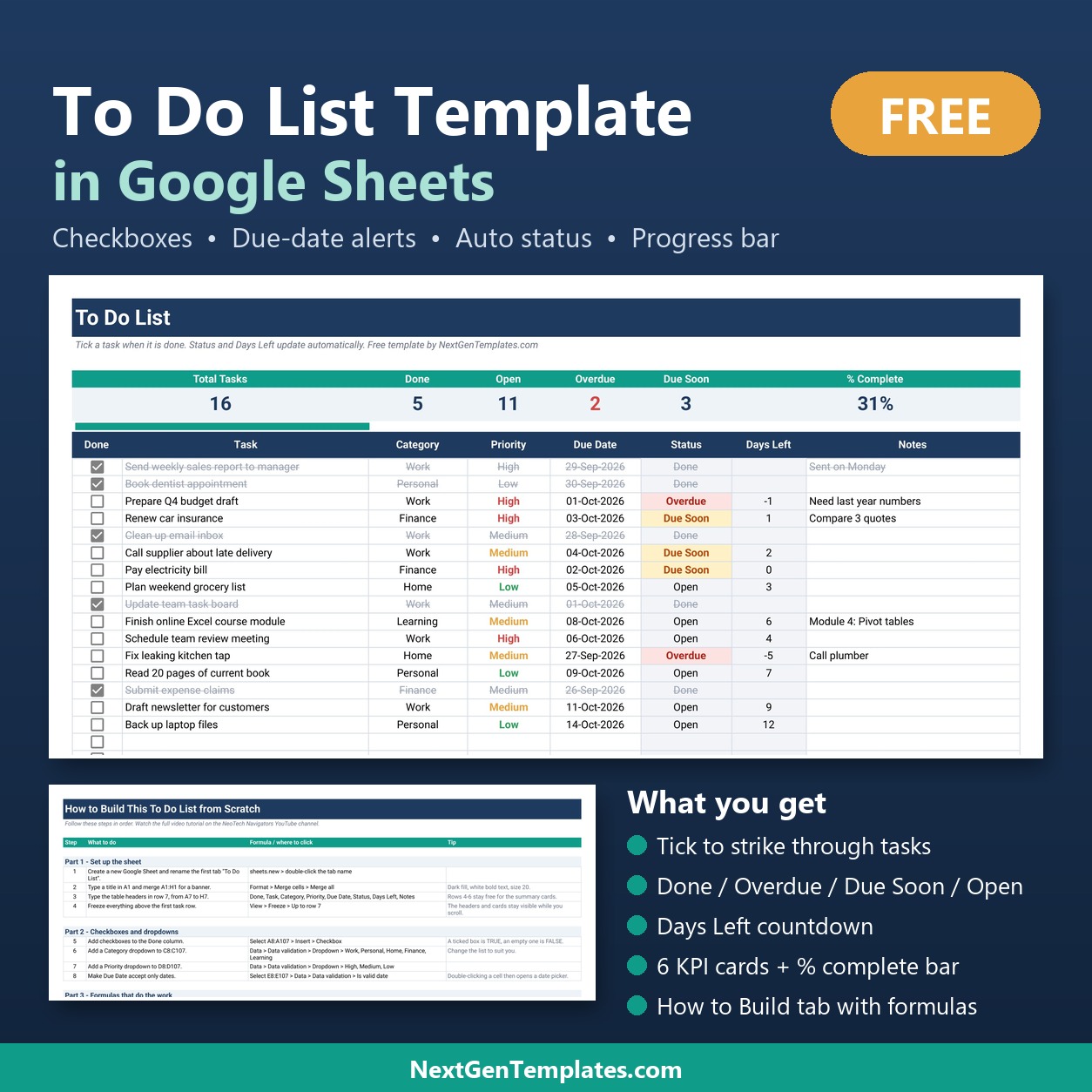
The To Do List Template in Google Sheets is a free, ready-to-copy task list with 100 task rows, a checkbox on every row, 6 live KPI cards and a % complete progress bar. Every task gets a Category, a Priority and a Due Date, and its Status changes by itself to Done, Overdue, Due Soon or Open. Setup takes about two minutes: make a copy, delete the sample tasks and start typing.
🎁 This Google Sheets to do list template is 100% free. It is the light, single-person version of our best-selling Task Management Tracker in Google Sheets, built so you can try the NextGenTemplates way of working before you pay for anything.
✅ Free download · No sign-up fee · Works in any Google account · Copy it as many times as you like
🎥 Watch the Video Tutorial
In this 10-minute tutorial on the NeoTech Navigators channel, the sheet is built from a blank file in 6 steps: checkboxes, dropdowns and date validation, the Status formula with TODAY, Days Left, conditional formatting, and the summary cards with the progress bar.
🎥 Prefer to watch on YouTube? Open the step-by-step video tutorial on the NeoTech Navigators channel. The How to Build tab inside the file also walks you through all 21 steps in writing.
🔑 Key Features of the To Do List Template in Google Sheets
☑️ Google Sheets checkbox on every row. Column A holds a checkbox for all 100 task rows. Ticking it marks the task Done, greys out the row and draws a line through it, so finished work drops out of sight without being deleted. It is the simplest google sheets checklist you can keep open all day.
🚦 Automatic Status in four states. One formula reads the checkbox and the due date and returns Done, Overdue, Due Soon (due within 2 days) or Open. Because it uses TODAY(), the status moves on its own every morning; you never update it by hand.
⏳ Days Left countdown. The Days Left column shows how many days remain until each due date. Negative numbers mean the task is late, and the cell clears itself once the task is ticked.
🏷️ Category and Priority dropdowns. Category offers Work, Personal, Home, Finance and Learning; Priority offers High, Medium and Low, coloured red, amber and green. Due Date accepts only real dates and opens a date picker on double-click.
📊 6 KPI cards and a progress bar. Total Tasks, Done, Open, Overdue, Due Soon and % Complete sit above the list, with a SPARKLINE progress bar that grows as you tick tasks off.
🛠️ How to Build tab. Every formula, dropdown and colour rule is written out in 21 numbered steps, so this to do list in Google Sheets doubles as a hands-on lesson.
📦 What’s Inside the To Do List Template in Google Sheets
The download is a short PDF guide with a Make a copy button. One click saves your own editable copy of the sheet, with three tabs, into your Google Drive.
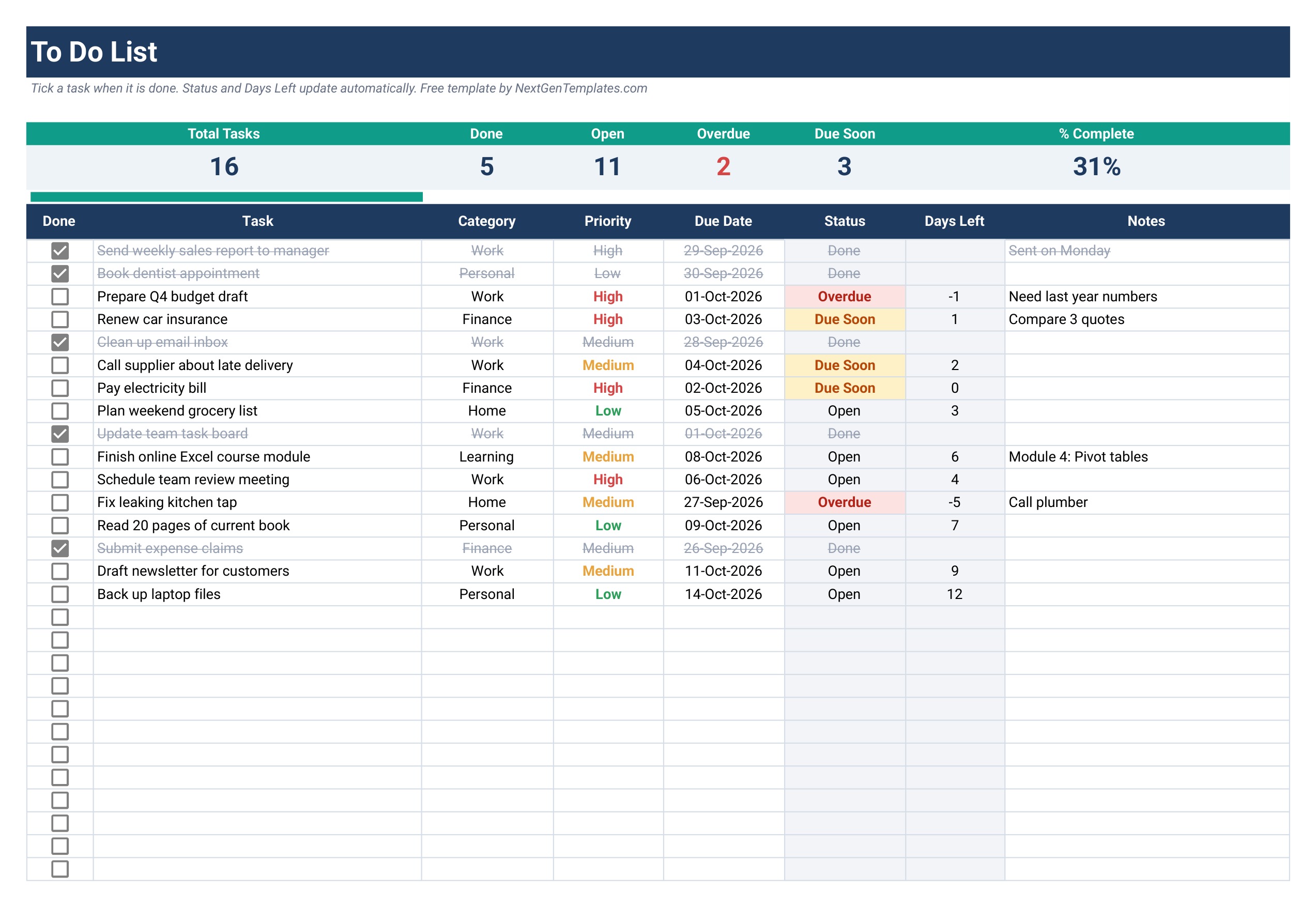
Tab 1: To Do List
The working list: banner, 6 KPI cards (Total Tasks, Done, Open, Overdue, Due Soon, % Complete), the progress bar and a table with Done, Task, Category, Priority, Due Date, Status, Days Left and Notes. It ships with 16 sample tasks so you can see every status colour before you clear them.
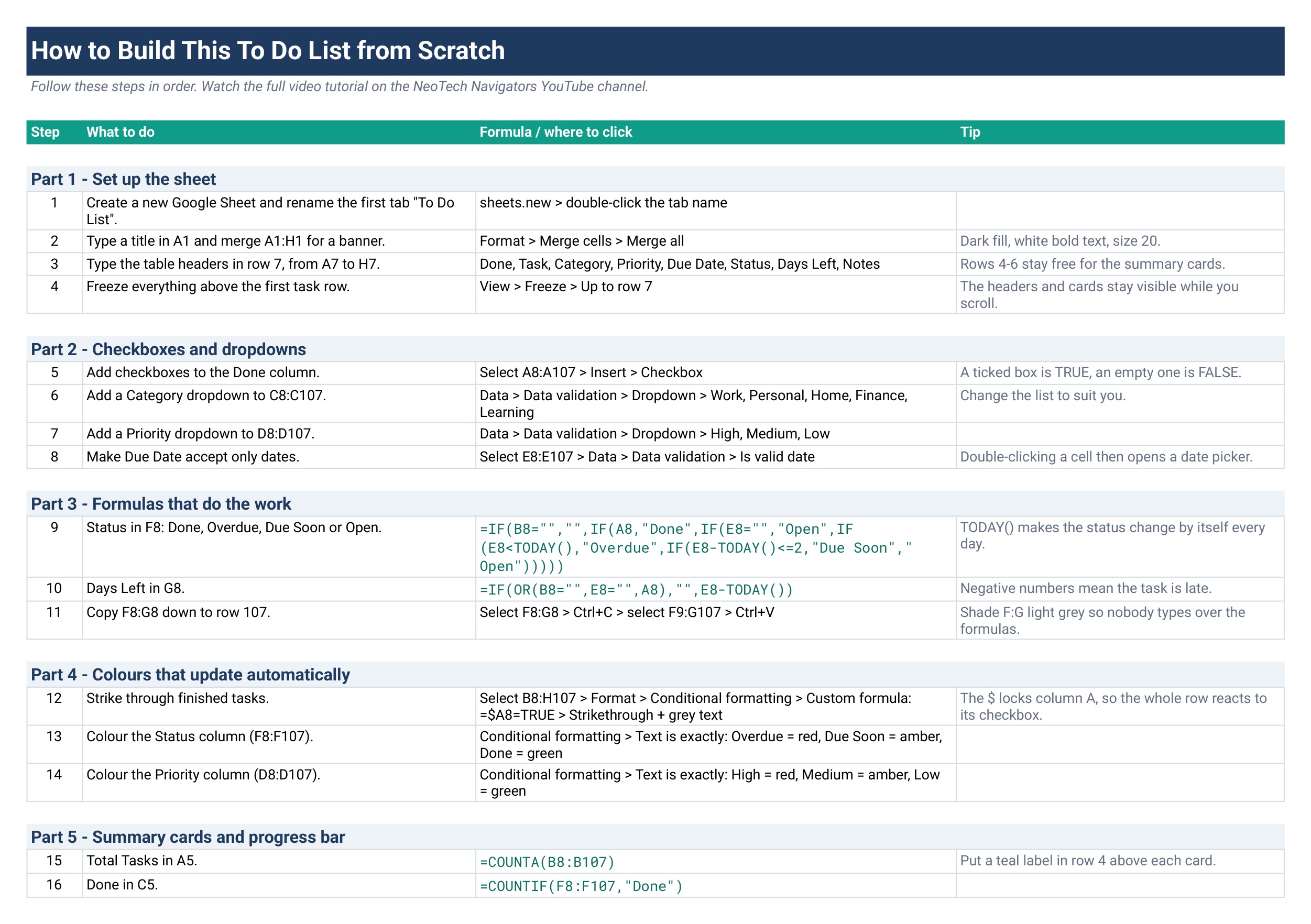
Tab 2: How to Build
A 21-step guide in five parts: set up the sheet, add checkboxes and dropdowns, write the Status and Days Left formulas, add conditional formatting, and build the summary cards and progress bar. Each step lists what to do, the exact formula or menu path, and a tip.
Tab 3: Get the Full Version
A short comparison of what the paid Task Management Tracker adds, with a direct link to it.
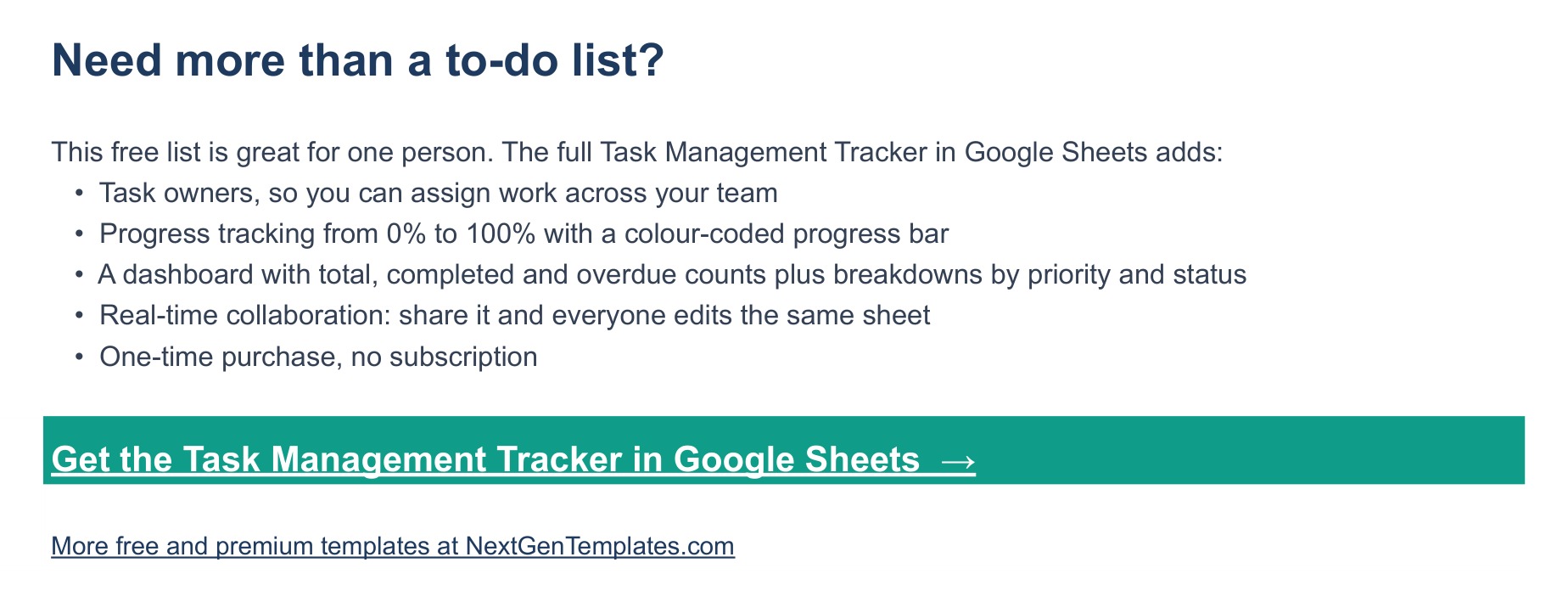
🚀 Need More? Upgrade to the Task Management Tracker in Google Sheets
This free list is built for one person. When you start sharing work with a team, the Task Management Tracker in Google Sheets, our number-one seller, adds:
- 👤 Task owners, so you can assign work across your team
- 📈 Progress tracking from 0% to 100% with a colour-coded progress bar per task
- 📊 A dashboard with total, completed and overdue counts plus breakdowns by priority and status
- 🤝 Real-time team collaboration in one shared sheet
- 💳 One-time purchase, no subscription
👉 Get the Task Management Tracker in Google Sheets
📊 Free To Do List vs. Task Management Tracker vs. Paid Task Apps
| Feature | Free To Do List (this template) | Task Management Tracker in Google Sheets | Asana / Todoist / Monday.com |
|---|---|---|---|
| Cost | ✅ Free | One-time purchase | Free tier, then monthly per-user plans |
| Platform | Google Sheets | Google Sheets | Separate web and mobile app |
| Setup time | ✅ About 2 minutes | A few minutes | Account, workspace and project setup |
| Checkbox to mark done | ✅ Yes | ✅ Yes | ✅ Yes |
| Automatic overdue / due-soon status | ✅ Yes | ✅ Yes | ✅ Yes |
| Task owners / assignees | No (single person) | ✅ Yes | ✅ Yes |
| 0-100% progress per task | No | ✅ Yes | Varies by plan |
| Dashboard with priority and status breakdowns | KPI cards only | ✅ Yes | ✅ Yes |
| Edit every formula and column | ✅ Yes | ✅ Yes | No |
Start with this free list for your own tasks, and move to the Task Management Tracker when a team needs owners, progress and a dashboard.
👥 Who This Template Is For — and Who It’s Not For
✅ This template is built for:
- Anyone who wants a to do list in Google Sheets that flags late tasks by itself
- Students, freelancers and office staff who already live in Google Drive
- Learners who want to see how checkboxes, IF, TODAY, COUNTIF and SPARKLINE work together in one real sheet
❌ This template is NOT for:
- Teams that need to assign tasks to people; use the Task Management Tracker instead
- Anyone who needs push notifications or recurring tasks; a sheet does not send reminders
⚙️ How to Use the To Do List Template in Google Sheets
- Download the free PDF and click Make a copy while signed in to Google.
- Open the To Do List tab and delete the 16 sample tasks (columns B to E and H only).
- Type a task, pick a Category and a Priority, and double-click Due Date to choose a date.
- Watch Status and Days Left fill in on their own.
- Tick the checkbox when the task is done; the row is struck through and the KPI cards update.
- Edit the Category list under Data > Data validation if Work, Personal, Home, Finance and Learning do not fit you.
💼 Real-World Use Cases
Riya is a final-year student juggling coursework and a part-time job. She files each assignment under Learning, each shift task under Work, and opens the sheet every morning to see what turned amber overnight.
Daniel freelances as a web designer. He uses the free task tracker template for client to-dos and home admin in one place, and the % Complete bar tells him at a glance how much of the week is left.
Meera manages a small office. She started with this list for her own tasks, then moved the team onto the Task Management Tracker in Google Sheets once she needed to assign owners and track progress.
❓ Frequently Asked Questions
Is the To Do List Template in Google Sheets really free?
Yes. This template costs nothing. Add it to your cart, check out at $0, download the PDF and click Make a copy. The sheet is then yours to edit and reuse.
How do I add a checkbox in Google Sheets?
Select the cells, then choose Insert > Checkbox. A ticked Google Sheets checkbox returns TRUE and an empty one returns FALSE, which is what the Status formula in this to do list template reads. The How to Build tab shows the full step.
How does the template know a task is overdue?
The Status column compares each Due Date with TODAY(). A past date shows Overdue, a date within 2 days shows Due Soon, and a ticked checkbox always shows Done. The check runs again every day, so nothing needs updating by hand.
Can I use this to do list Google Sheets template on my phone?
Yes. Your copy opens in the Google Sheets app on Android and iPhone, and you can tick checkboxes and add tasks there. The layout is designed for a laptop screen, so editing many rows is easier on a computer.
How is this different from the Task Management Tracker in Google Sheets?
The free to do list is for one person. The paid Task Management Tracker in Google Sheets adds task owners, 0-100% progress tracking, a dashboard with priority and status breakdowns, and real-time team collaboration, all for a one-time price.
How many tasks does it hold?
The sheet is formatted for 100 tasks, rows 8 to 107. To add more, copy the last row down; the How to Build tab explains which formulas and ranges to extend.
👤 About the Author
Built by PK, Microsoft Certified Professional with 15+ years of Excel, Google Sheets and Power BI experience and founder of NextGenTemplates. PK teaches on YouTube at @PKAnExcelExpert, @NextGenTemplates and @NeoTechNavigators. Every template is hand-built and tested before release.
🔗 Explore Related Templates
📋 Task Management Tracker in Google Sheets — the full team version of this list.
⏱️ Billable Hours & Time Tracker in Google Sheets — log the hours behind each task.
🎁 Free Starter Pack: 3 Templates — three more free templates for Excel, Google Sheets and VBA.
Browse every Google Sheets template in the store.
📖 Read the step-by-step tutorial: How to Make a To Do List in Google Sheets with Checkboxes
🎥 Watch the step-by-step video tutorial
📅 Last updated: October 2026































Reviews
There are no reviews yet.