

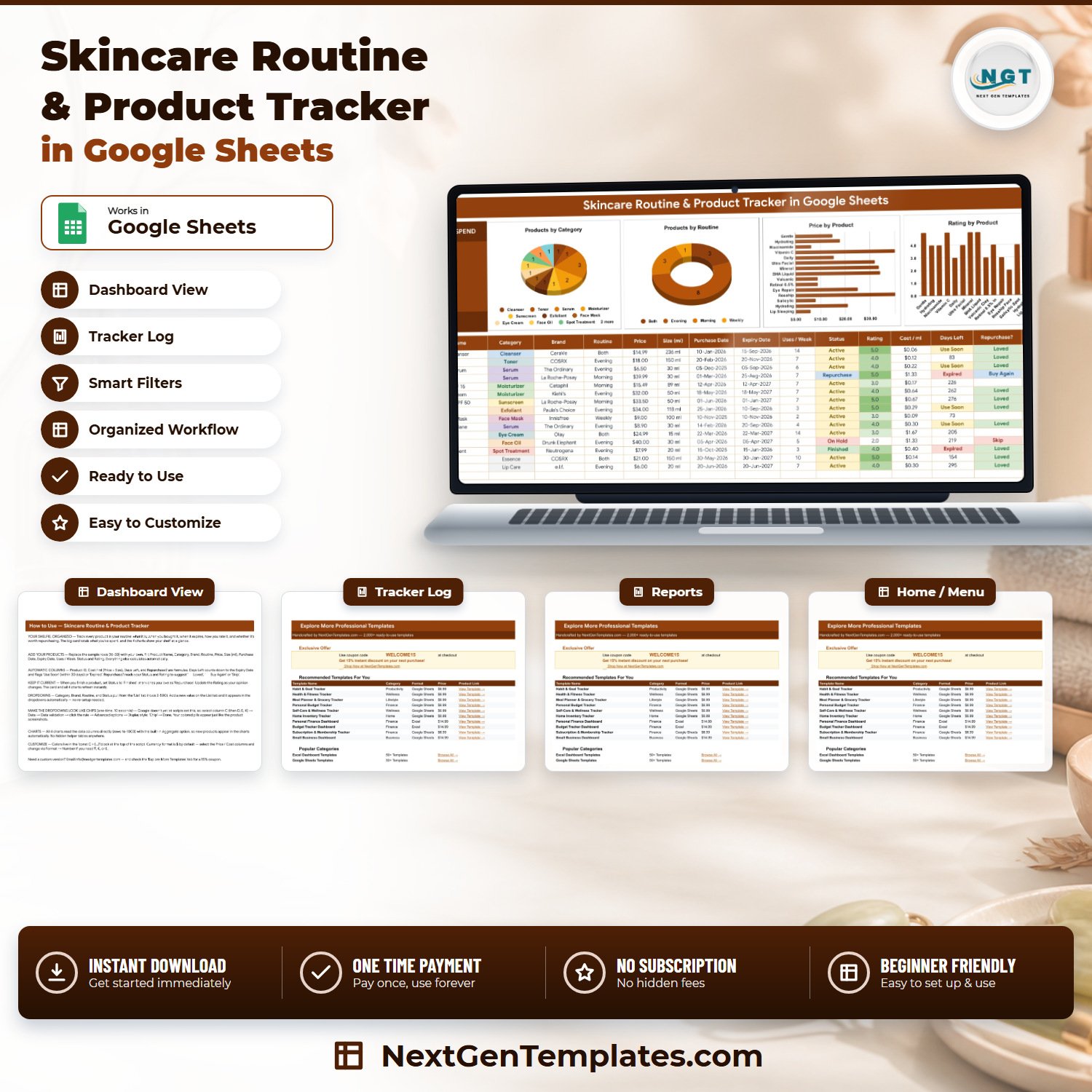

The Skincare Routine & Product Tracker in Google Sheets is a personal shelf log: one 16-column table that records every product you own, one live KPI card that totals what you have spent on it, and 4 charts that show the shape of your routine at a glance. Three columns fill themselves in — Cost / ml, Days Left and Repurchase? — so the only thing you type is what you bought. The sample file ships with 15 products already filled in and formulas that run to row 1000, leaving room for roughly 985 more. Setup takes under 10 minutes: type over the sample rows and every number on the page recalculates.
🌍 Join 8,400+ teams and individuals in 40+ countries using NextGenTemplates to replace paid subscription tools with one-time-purchase Excel, Google Sheets, Power BI, and HTML templates.
✅ Instant download · One-time payment · No subscription · No per-user fees · Lifetime access
🔑 Key Features of the Skincare Routine & Product Tracker in Google Sheets
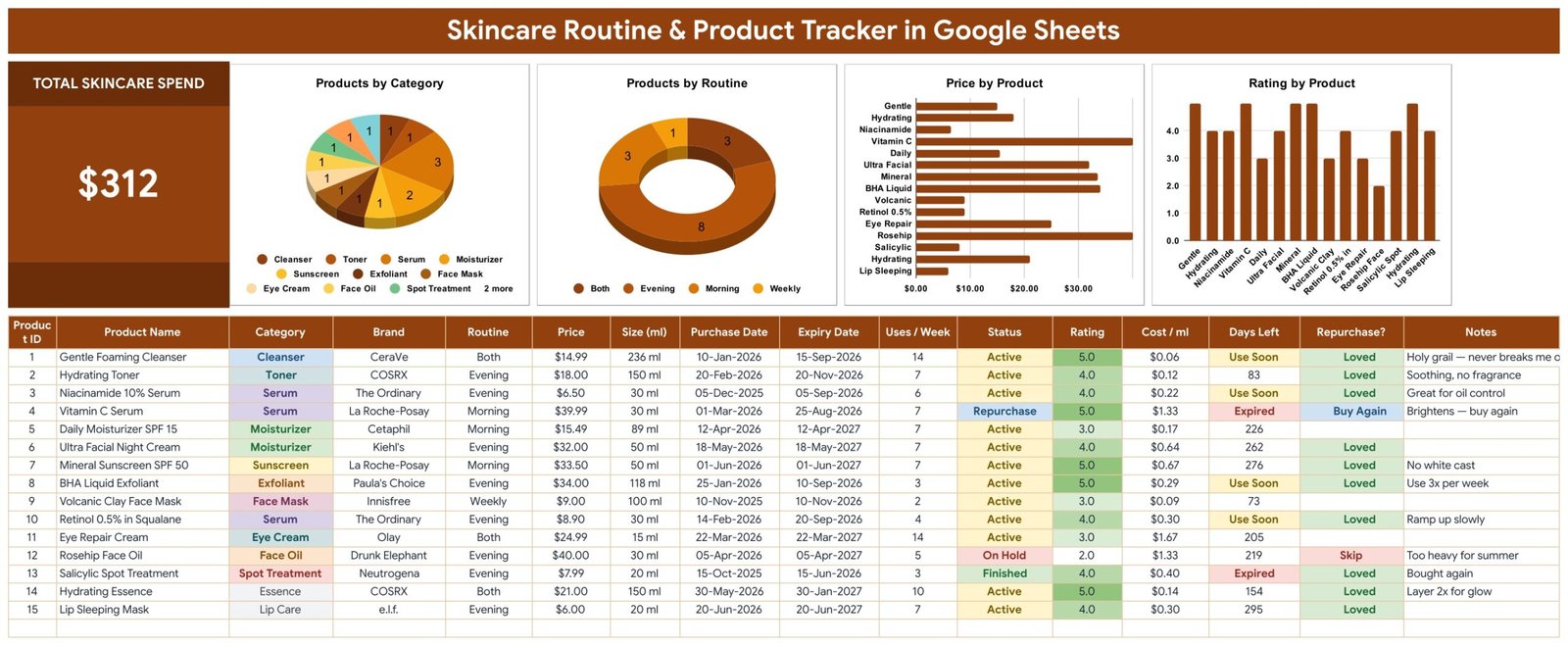
🧴 One tracker tab, sixteen columns. The Skincare Tracker sheet records Product ID, Product Name, Category, Brand, Routine, Price, Size (ml), Purchase Date, Expiry Date, Uses / Week, Status, Rating, Cost / ml, Days Left, Repurchase? and Notes. That is a complete record of what is on your shelf, what it cost, when it runs out and what you thought of it.
💰 Total Skincare Spend card. A single large KPI card at the top left sums the Price column across every row you have entered. On the sample data it reads $312 — the exact total of the 15 sample products. Add a product and the card moves the moment you type the price; there is no refresh step and no filter to reset.
🔢 Four columns calculate themselves. Product ID numbers your rows automatically. Cost / ml divides Price by Size (ml), so a $39.99 30 ml serum shows $1.33 per ml next to a $6.50 30 ml serum at $0.22 — the comparison the price tag hides. Days Left counts down from today to the Expiry Date you entered. Repurchase? reads your own Status and Rating.
⏳ Two shelf-life flags, applied automatically. Days Left shows Expired once the Expiry Date you typed has passed, Use Soon when it is 30 days away or nearer, and otherwise the plain number of days remaining. In the sample file that flags the Vitamin C Serum and the Salicylic Spot Treatment as Expired, and the Gentle Foaming Cleanser, Niacinamide Serum, BHA Liquid Exfoliant and Retinol as Use Soon.
⭐ A repurchase column driven by your own verdict. Repurchase? shows 🔁 Buy Again when you have set Status to Repurchase, ⭐ Loved when your Rating is 4 or 5, and Skip when your Rating is 1 or 2. Anything you rated 3 stays deliberately blank, because a 3 is not a decision yet. It reflects what you typed — it is not a recommendation about the product.
📋 Four dropdown columns fed by a List tab. Category, Brand, Routine and Status are data-validation dropdowns reading rows 2 to 500 of the List sheet. They ship seeded with 12 categories (Cleanser, Toner, Serum, Moisturizer, Sunscreen, Exfoliant, Face Mask, Eye Cream, Face Oil, Spot Treatment, Essence, Lip Care), 14 brands, 4 routine slots (Morning, Evening, Both, Weekly) and 4 statuses (Active, Finished, Repurchase, On Hold). Type a new value into the List tab and it appears in the dropdown — there is no re-setup step.
📈 Four charts wired straight to the data. Products by Category, Products by Routine, Price by Product and Rating by Product all read the tracker columns directly across rows 16 to 1000 using the built-in Aggregate option. There are no hidden helper tables anywhere in the file, which is why a product you add on row 47 appears in all four charts the moment you type it.
🗒️ A Notes column that earns its place. Every row carries free text for the thing you will otherwise forget — “no white cast”, “too heavy for summer”, “use 3x per week”, “ramp up slowly”. Six months later that column is the reason you can tell whether a repeat purchase is actually worth it.
🎨 Colours live in one place. The palette sits in a single const C = {...} block at the top of the sheet’s script, so re-theming the whole tracker is one edit rather than a hunt through formatting. Currency is $ by default and switches to ₹, € or £ from Format → Number on the Price and Cost / ml columns.
📦 What’s Inside the Skincare Routine & Product Tracker in Google Sheets
The file has four tabs: Skincare Tracker, List, Instructions and Explore More Templates. Here is what each screen actually shows.
Page 1: Skincare Tracker
The working page. It opens with the Total Skincare Spend card ($312 on the sample data) and four charts: Products by Category, Products by Routine, Price by Product and Rating by Product. Below them sits the 16-column log with 15 sample products — Gentle Foaming Cleanser, Hydrating Toner, Niacinamide 10% Serum, Vitamin C Serum, Daily Moisturizer SPF 15, Ultra Facial Night Cream, Mineral Sunscreen SPF 50, BHA Liquid Exfoliant, Volcanic Clay Face Mask, Retinol 0.5% in Squalane, Eye Repair Cream, Rosehip Face Oil, Salicylic Spot Treatment, Hydrating Essence and Lip Sleeping Mask — with colour-coded Category, Status and Days Left cells and a green intensity scale on the Rating column.
Page 2: Instructions
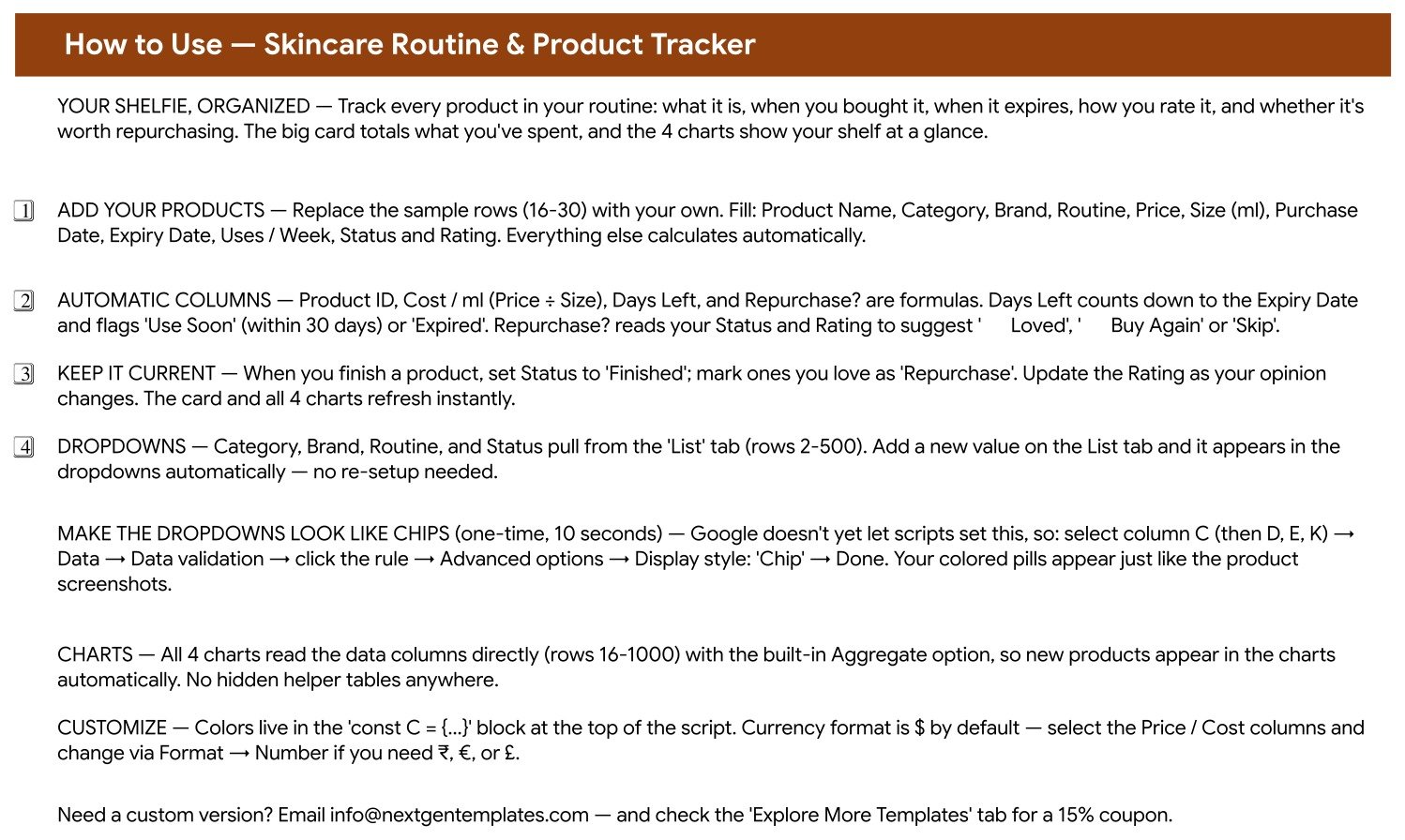
A written walkthrough covering what the tracker does, how to replace the sample rows (16-30) with your own, how the automatic Cost / ml, Days Left and Repurchase? columns are calculated, how to extend the four dropdown lists, how to switch the dropdowns to Google’s coloured “Chip” display style, how the charts read the data, and where to change the colours and the currency.
Page 3: Explore More Templates
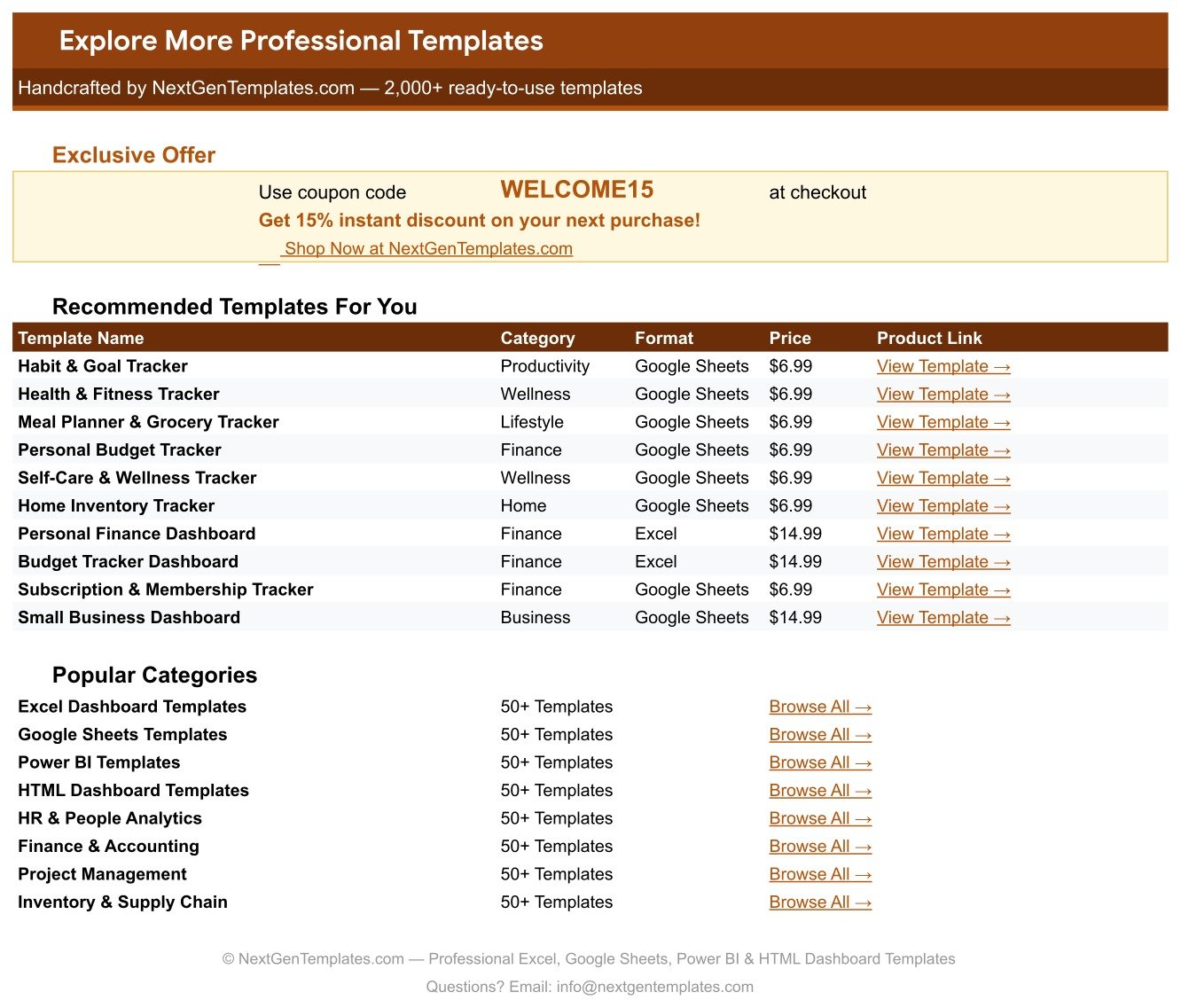
A bonus tab holding a WELCOME15 coupon code for 15% off your next purchase, a table of ten recommended companion templates with prices and links, and shortcuts into the main NextGenTemplates category pages.
The fourth tab, List, is the settings sheet behind the dropdowns. It holds four plain columns — Category, Brand, Routine and Status — and a note reminding you that the dropdowns read rows 2 to 500, so anything you add below the seeded values joins the list on its own.
📊 Skincare Routine & Product Tracker in Google Sheets vs. a Microsoft Excel Tracker vs. a Paid Skincare App
| Feature | Skincare Routine & Product Tracker in Google Sheets | Microsoft Excel skincare tracker | Paid skincare / beauty-shelf app (subscription) |
|---|---|---|---|
| Cost | ✅ $6.99 one-time | Free file, but needs an Office licence | Typically $3-10 per month |
| Platform | ✅ Google Sheets — any browser, no install | Desktop Excel; mobile editing is limited | Phone app only |
| Setup time | ✅ Under 10 minutes — replace rows 16-30 | Under 10 minutes if the file already has charts | 15-30 minutes of guided onboarding |
| Cost per ml comparison | ✅ Built in — Price ÷ Size (ml) on every row | Possible, but you write the formula | Rarely included |
| What you spent, in total | ✅ Live Total Skincare Spend card | A SUM you add yourself | Usually per-purchase, not cumulative |
| Expiry countdown | ✅ Days Left, with Use Soon at 30 days or fewer and Expired | Only if you write the rule yourself | ✅ Often included, with push alerts |
| Add your own categories and brands | ✅ Type into the List tab, rows 2-500 | Edit the validation range by hand | Restricted to the app’s product catalogue |
| Works for products the app has never heard of | ✅ Yes — every field is free text | ✅ Yes | Limited to what is in their database |
| Sharing with a partner or friend | ✅ Share the sheet link, no seat fee | Only via OneDrive co-authoring | Usually a paid tier, if at all |
| Year-1 cost | ✅ $6.99 total | $0 plus the Office licence | $36-120 |
| Your data leaves your account | ✅ No — it stays in your own Google Drive | No | Stored on the vendor’s servers |
For someone who wants a plain, editable record of what is on the shelf, what it cost per ml and what is about to expire — without a monthly fee and without handing a shopping history to an app — the Skincare Routine & Product Tracker in Google Sheets sits in the sweet spot.
👥 Who This Template Is For — and Who It’s Not For
✅ This template is built for:
- Anyone with 10-40 products on the shelf who has lost track of what is open, what is half-used and what it all added up to
- People who want to compare products honestly — Cost / ml puts a $40 30 ml oil and a $9 100 ml mask on the same scale
- Anyone tidying a bathroom cabinet who wants to see which products are past the expiry date they recorded
- Shoppers who want their own repurchase list — rated by them, in their own words, not by an app’s star average
- Spreadsheet beginners — every calculated column is already written; you only type text, numbers and dates
❌ This template is NOT for:
- Anyone looking for skincare advice — this file suggests nothing, recommends nothing and assesses nothing. It records what you tell it
- Anyone who needs ingredient, allergen or interaction checking — the tracker does not read ingredient lists and never claims to
- Anyone who wants push reminders — the file sends nothing at all; Days Left is a flag you see when you open the sheet
- Barcode scanning or automatic product lookup — every entry is typed in by hand
- Salon or retail stock control across multiple staff, with reorder workflows and supplier records
⚙️ How to Use the Skincare Routine & Product Tracker in Google Sheets
- Open the PDF in your download and click the Google Sheets link inside it, then choose “Make a copy” to put your own editable copy in your Google Drive.
- Go to the Skincare Tracker tab and replace the 15 sample rows (rows 16-30) with your own products.
- For each row fill Product Name, Category, Brand, Routine, Price, Size (ml), Purchase Date, Expiry Date, Uses / Week, Status and Rating. Leave Product ID, Cost / ml, Days Left and Repurchase? alone — they calculate.
- Take the Expiry Date from the product itself — the printed date, or the period-after-opening symbol counted from the day you opened it. The sheet uses the date you type; it does not know a product’s shelf life on its own.
- If a Category, Brand, Routine or Status you need is missing, add it to the matching column on the List tab and it joins the dropdown automatically.
- Optional, ten seconds: select column C, then Data → Data validation → click the rule → Advanced options → Display style: Chip, to get the coloured pills you see in the screenshots. Repeat for columns D, E and K.
- Set Status to Finished when a product runs out, On Hold when you shelve it, and Repurchase when you know you want it again.
- Update the Rating whenever your opinion changes — the Repurchase? column follows it, and so does the Rating by Product chart.
- Read the Total Skincare Spend card and the Price by Product chart before your next order. Between them they answer “what have I actually spent” and “which two products are most of it”.
💼 Real-World Use Cases
Amara had eleven half-used serums and no idea what they cost. She entered each bottle’s price and size, and the Cost / ml column put them in order for the first time: two 30 ml serums at over $1 per ml, and a 150 ml essence at $0.14. The Total Skincare Spend card came back higher than she expected. She stopped rebuying the expensive two and now checks the card at the start of every month.
Ben cleared out a cabinet he had not opened in a year. He typed in each product’s expiry date as he found it, and the Days Left column immediately marked two as Expired and four more as Use Soon. Instead of guessing, he had a list to work through — and the products he liked most, flagged ⭐ Loved by his own ratings, went to the front of the shelf.
Priya and her sister share one sheet. They both buy from the same handful of brands, so they keep a single Google Sheets link between them with their own rows and their own Notes column. When one of them writes “too heavy for summer” against an oil, the other sees it before ordering the same thing.
❓ Frequently Asked Questions
What does the Skincare Routine & Product Tracker in Google Sheets actually track?
The Skincare Routine & Product Tracker in Google Sheets records 16 fields per product: Product ID, Product Name, Category, Brand, Routine, Price, Size (ml), Purchase Date, Expiry Date, Uses / Week, Status, Rating, Cost / ml, Days Left, Repurchase? and Notes. It also shows one Total Skincare Spend card and four charts — Products by Category, Products by Routine, Price by Product and Rating by Product.
How many products can I add?
The formulas and charts in the Skincare Routine & Product Tracker in Google Sheets cover rows 16 to 1000, so you can log roughly 985 products. The 15 sample rows are meant to be typed over. Nothing needs to be dragged down or re-entered as the list grows.
Does it tell me which products to use, or whether they suit my skin?
No. The Skincare Routine & Product Tracker in Google Sheets does not recommend products, ingredients or routines, and it makes no assessment of whether anything suits you. Every judgement in the file is yours: the Rating you type, the Status you set, and the Notes you write. The Repurchase? column simply repeats that verdict back to you.
How does the Days Left column know when something expires?
It counts the days between today and the Expiry Date you entered on that row, and flags Use Soon at 30 days or fewer, or Expired once the date has passed. It has no product database and no knowledge of any item’s shelf life — take the date from the packaging or from the period-after-opening symbol and type it in. If you leave the Expiry Date blank, the column stays blank too.
Does it send me reminders?
No. The Skincare Routine & Product Tracker in Google Sheets sends no reminders, alerts, emails or push notifications of any kind. Days Left and Repurchase? are flags you see when you open the sheet. If you want a nudge, set your own calendar reminder to review it.
How long does setup take?
Under 10 minutes. Open the PDF, click the sheet link, make your copy, then type your products over rows 16 to 30. The Total Skincare Spend card, the Cost / ml column, the Days Left countdown and all four charts update as you type — there is nothing to configure.
Can I use it for makeup, haircare or fragrance too?
Yes. Nothing in the file is specific to skincare beyond the seeded Category list, and that list is editable. Add Foundation, Shampoo or Fragrance to the Category column on the List tab and those products behave exactly like the rest — Cost / ml, Days Left and the four charts all work the same way.
Can I share it with a partner or a friend?
Yes. Because the Skincare Routine & Product Tracker in Google Sheets is an ordinary Google Sheets file in your Drive, you share it the way you share any sheet — send the link with view or edit rights. There are no per-user fees and no seat limits.
Is this medical or dermatological advice?
No. The Skincare Routine & Product Tracker in Google Sheets is a personal record-keeping template. It is not medical or dermatological advice, not a medical device, and not a diagnostic or safety tool. It does not evaluate ingredients, check for allergens or interactions, or make any claim about what a product will do to your skin. If you have a skin concern, or a reaction to a product, speak to a qualified professional such as a dermatologist or pharmacist.
👤 About the Author
Built by PK — Microsoft Certified Professional with 15+ years of Excel, Google Sheets, and Power BI experience. Founder of NextGenTemplates, reaching 300K+ subscribers across YouTube channels (@PKAnExcelExpert, @NextGenTemplates, @NeoTechNavigators). Every template is hand-built and tested before release.
🔗 Explore Related Templates
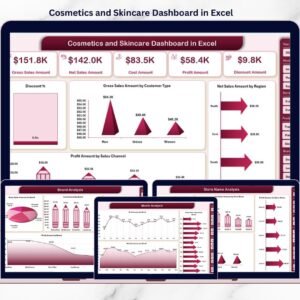
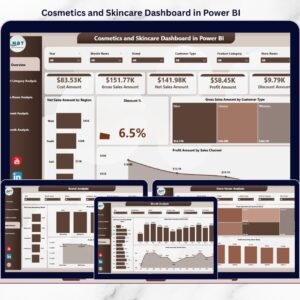
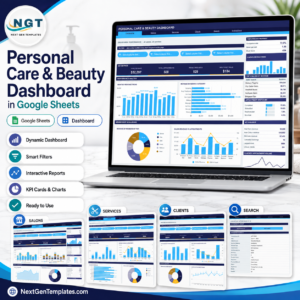
If you want the same subject treated as a business rather than a bathroom cabinet, the Personal Care & Beauty Dashboard in Google Sheets steps up to salon-scale reporting, and the Cosmetics and Skincare Dashboard in Excel and Cosmetics and Skincare Dashboard in Power BI do the same for a cosmetics brand or retailer.
For the rest of a personal routine, the closest companions are the Supplement & Vitamin Tracker in Google Sheets, which does for the supplement cupboard what this file does for the bathroom shelf, the Meditation & Mindfulness Tracker in Google Sheets, the Yoga & Stretching Practice Tracker in Google Sheets and the Body Measurements Tracker in Google Sheets. Browse the full range in Google Sheets Trackers or across all Google Sheets Templates.
📖 Click here to read the Detailed Blog Post
🎥 Visit our YouTube channel for step-by-step video tutorials
👉 YouTube.com/@NextGenTemplates
Watch the step-by-step video Demo:
📅 Last updated: September 2026
Compatibility and Requirements
- Works in Google Sheets. You need a free Google account and a web browser.
- Category, Brand, Routine and Status are dropdowns fed by the List tab. Google explains dropdowns in Create an in-cell dropdown list.































Reviews
There are no reviews yet.