

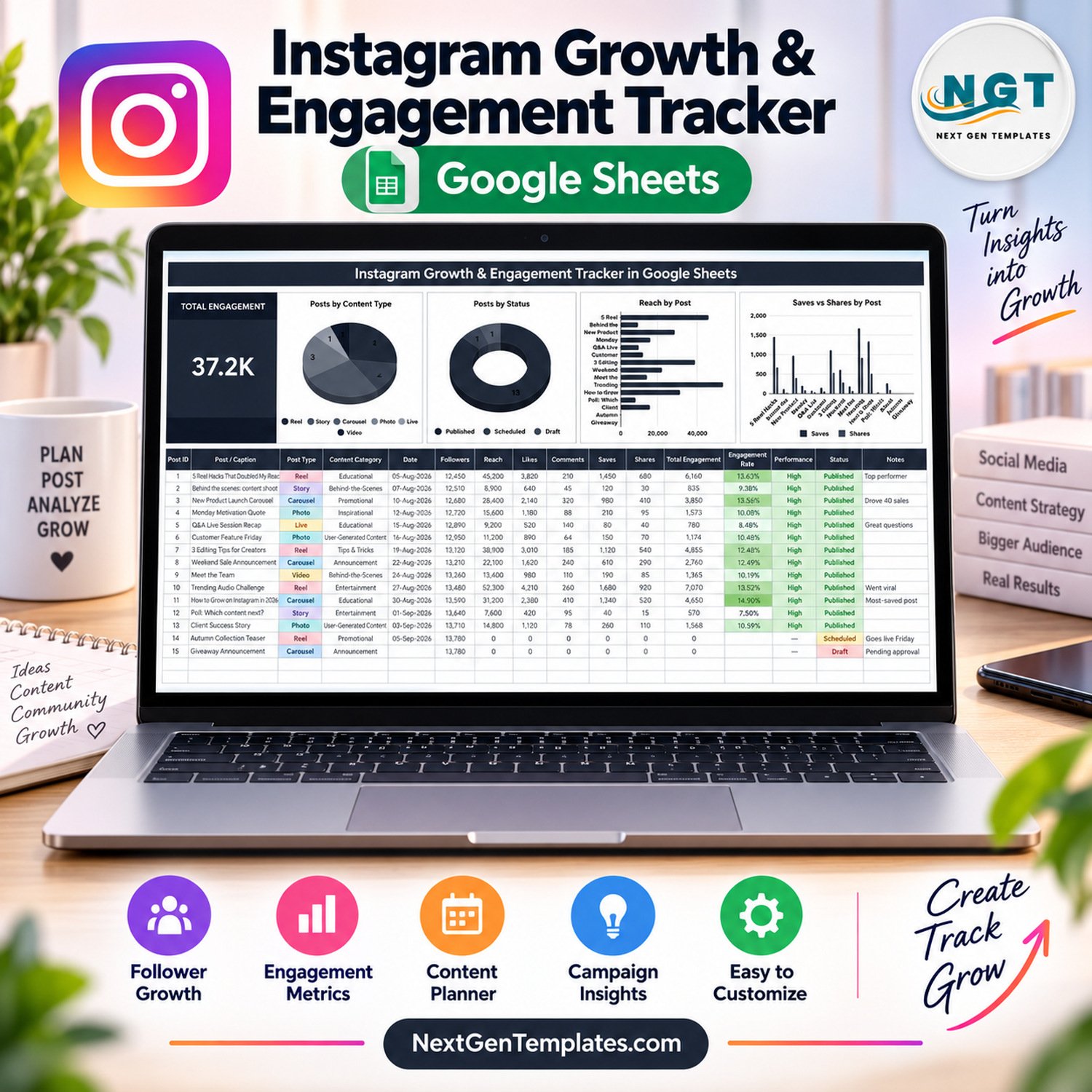

The Instagram Growth & Engagement Tracker in Google Sheets logs every post you publish in one 16-column table and turns the numbers into a Total Engagement card and 4 live charts. Four columns calculate themselves: Post ID, Total Engagement, Engagement Rate and a High / Good / Low Performance flag. This Instagram growth engagement tracker ships with 15 sample posts across 6 post types and 8 content categories, so you can see exactly how it behaves before you type in your own account.
📸 Made for creators, small brands and social media managers who want to know which Reels, Carousels, Stories and Lives actually earn reach, saves and shares, without paying for another monthly analytics subscription.
✅ Instant download · One-time payment · No subscription · No per-user fees · Lifetime access
Instagram is a trademark of Meta Platforms, Inc. This is an independent NextGenTemplates product and is not affiliated with, endorsed by or connected to Instagram or Meta. The tracker does not link to your account: you type or paste each post’s numbers yourself, and the sample posts are fictional.
🔑 Key Features of the Instagram Growth & Engagement Tracker
📝 One post log for your whole feed. Every row holds Post / Caption, Post Type, Content Category, Date, Followers, Reach, Likes, Comments, Saves, Shares, Status and Notes. Because Followers is recorded against each post, you can read your audience growth row by row, from 12,450 to 13,780 in the sample file.
⚙️ Four columns that calculate themselves. Post ID numbers each row. Total Engagement adds Likes + Comments + Saves + Shares. Engagement Rate divides Total Engagement by Reach. Performance then labels each published post High (6% or more), Good (3% or more) or Low, so winners stand out instantly.
📊 A Total Engagement card plus 4 charts. The card adds up engagement for every post (37.2K in the sample). The charts are Posts by Content Type, Posts by Status, Reach by Post, and Saves vs Shares by Post. They read the data columns directly (rows 16-1000), so there are no hidden helper tables to break.
🔽 Dropdowns that grow with your content. Post Type, Content Category and Status pull from the List tab (rows 2-500). Add a new format or content pillar there and it appears in the dropdown straight away, with no setup to repeat.
🎨 Colour you can read at a glance. Post types (Reel, Story, Carousel, Photo, Live, Video) carry their own colours, Engagement Rate shades greener as it rises, and Status marks Published, Scheduled and Draft posts differently.
🗓️ Plan ahead, then measure. Log upcoming posts as Scheduled or Draft with a note such as “Goes live Friday”. When a post goes live, set it to Published and fill in the numbers: the card, the rates and all 4 charts refresh at once.
📦 What’s Inside the Template
The Google Sheets file has the tracker tab, a List tab for the dropdown values, a How to Use guide and an Explore More Templates page. The PDF in your download carries the “Make a copy” link that puts your own editable copy into Google Drive.
Tab 1: Instagram Tracker (Card, Charts and Post Log)
The top band shows the Total Engagement card beside Posts by Content Type, Posts by Status, Reach by Post and Saves vs Shares by Post. Below it, the post log lists every post with its date, followers, reach, likes, comments, saves, shares, Total Engagement, Engagement Rate, Performance, Status and Notes.

Tab 2: How to Use
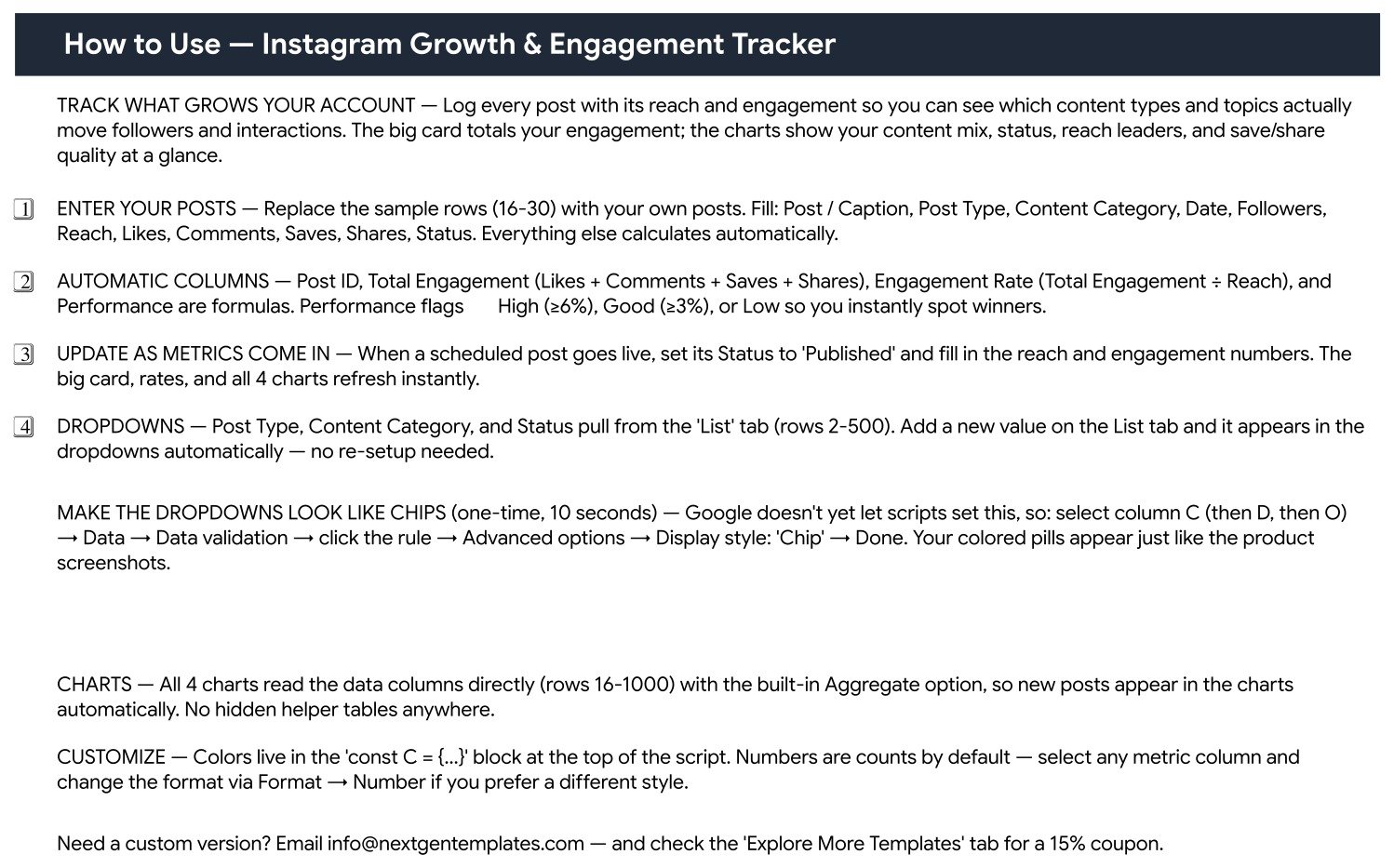
A short guide that explains where to enter posts (sample rows 16-30), which columns are automatic, how Performance flags work, how to update a scheduled post once it is live, and how to turn the dropdowns into coloured chips.
Tab 3: Explore More Templates
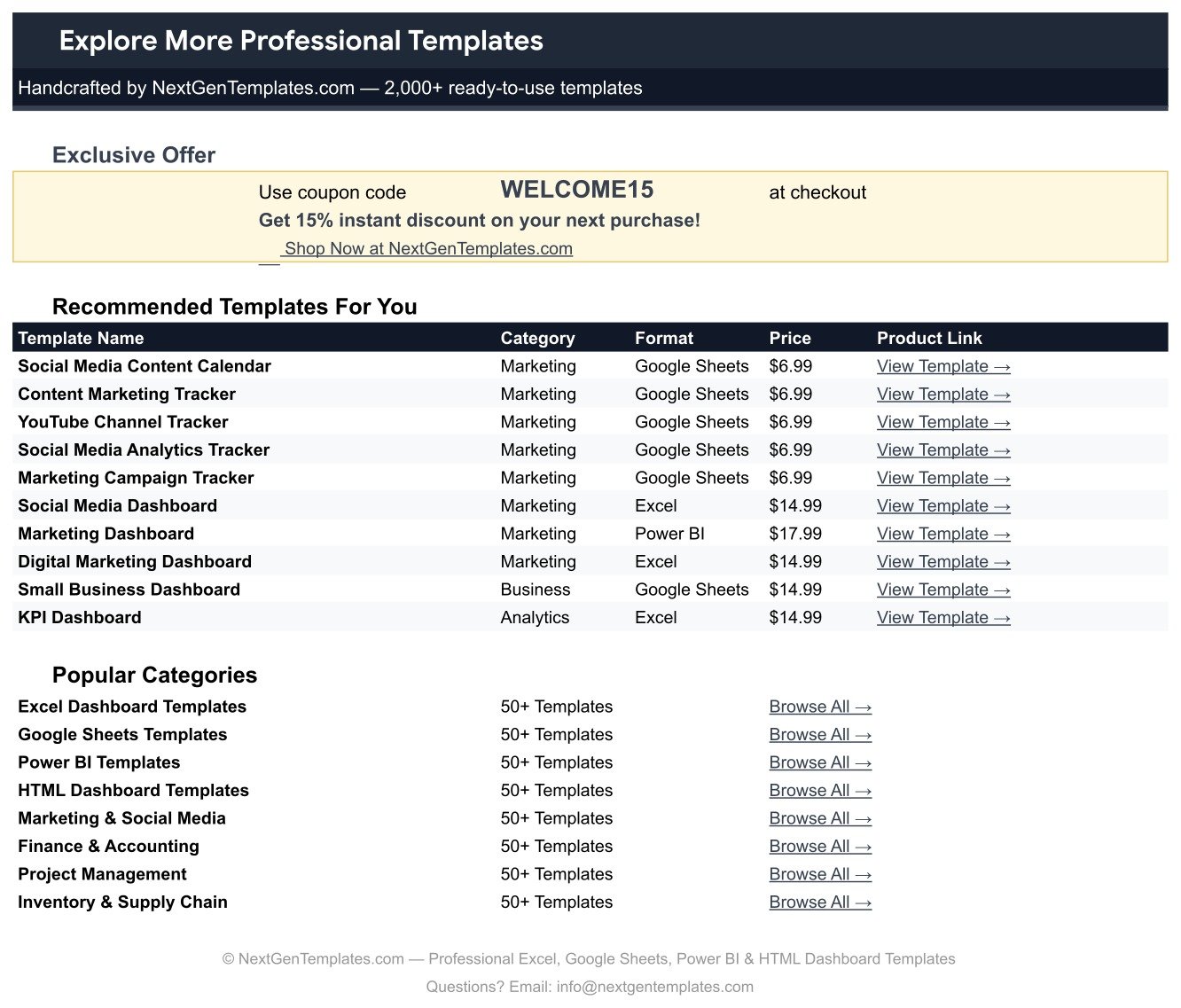
A page of recommended marketing templates and popular categories, plus the WELCOME15 coupon code for 15% off your next purchase at NextGenTemplates.com.
📊 This Tracker vs. an Excel Spreadsheet vs. Paid Social Media Analytics Tools
| Feature | Instagram Growth & Engagement Tracker (Google Sheets) | Microsoft Excel spreadsheet | Paid social analytics suites (e.g. Sprout Social, Hootsuite) |
|---|---|---|---|
| Cost | ✅ $6.99 one-time | Free to build, but you design every formula and chart | Monthly subscription, usually priced per seat |
| Platform | ✅ Any browser, Google account | Excel desktop or Microsoft 365 | Vendor web app |
| Setup time | ✅ About 10 minutes | Hours to build from scratch | Account connection plus onboarding |
| Getting post metrics in | Typed or pasted by you | Typed or pasted by you | ✅ Imported automatically from connected accounts |
| Engagement Rate and Performance flag | ✅ Built in (by reach, High / Good / Low) | Only if you write the formulas | ✅ Built in, method set by the vendor |
| Real-time team collaboration | ✅ Yes, share with your team | Limited unless stored in OneDrive | ✅ Yes, per paid seat |
| Mobile access | ✅ Google Sheets mobile app | Excel mobile app | ✅ Vendor mobile app |
| Customisable fields and dropdowns | ✅ Edit the List tab | ✅ Fully editable | Limited to the vendor’s fields |
| Year-1 cost at 5 users | ✅ $6.99 once, one shared copy | Microsoft 365 licence per user | Subscription for 5 seats, every month |
For creators and small teams who want a clear engagement record and honest performance flags without a monthly analytics bill, the Instagram Growth & Engagement Tracker sits in the sweet spot.
👥 Who This Template Is For — and Who It’s Not For
✅ This template is built for:
- Creators and influencers who post a few times a week and want to see which formats earn the most saves and shares
- Small business owners running one brand account who report results to themselves or a partner
- Freelance social media managers who want a simple, shareable log per client account
- Marketing students and interns learning how engagement rate and reach relate
❌ This template is NOT for:
- Teams that need metrics pulled in automatically from Instagram or Meta every day
- Agencies comparing many accounts in one table (there is no account column; use one copy per account)
- Anyone needing scheduling or auto-publishing of posts
⚙️ How to Use This Instagram Growth Engagement Tracker
- Open the PDF in your download and click the “Make a copy” link to save your own editable copy in Google Drive.
- On the List tab, rename or add post types, content categories and statuses (rows 2-500).
- Replace the sample rows 16-30 with your posts: caption, post type, category, date, followers, reach, likes, comments, saves, shares and status.
- Copy each post’s numbers from your Instagram insights; Post ID, Total Engagement, Engagement Rate and Performance fill in on their own.
- Log upcoming posts as Scheduled or Draft, then switch them to Published and add the numbers once they are live.
- Optional: for coloured chips, select column C (then D, then O), open Data > Data validation > the rule > Advanced options > Display style: Chip.
New to dropdowns or charts in Sheets? Google’s own guides to creating dropdown lists and editing charts cover the basics.
💼 Real-World Use Cases
Maya is a fitness creator with about 13,000 followers. She logs every Reel and Carousel, sorts by Engagement Rate, and notices that her educational Carousels keep landing in High while quick motivational photos sit lower. She now plans two Carousels a week and checks the Saves vs Shares by Post chart before choosing next month’s topics.
Daniel runs Instagram for a family bakery. He records each promotion, behind-the-scenes Story and customer feature, adds notes such as “Drove 40 sales”, and shares the sheet with the owner. The Total Engagement card and the Reach by Post chart replace a monthly screenshot report.
Priya is a freelance social media manager. She keeps one copy of the tracker per client, schedules posts as Draft or Scheduled with approval notes, and switches them to Published when they go live, so every client sees plans and results in a single link.
❓ Frequently Asked Questions
Does the Instagram Growth & Engagement Tracker connect to Instagram automatically?
No. The tracker has no Instagram or Meta connection and does not import followers or insights. You type or paste each post’s reach, likes, comments, saves and shares, and the sheet calculates Total Engagement, Engagement Rate and Performance from those numbers straight away.
How is Engagement Rate calculated in this tracker?
Engagement Rate equals Total Engagement divided by Reach, where Total Engagement is Likes + Comments + Saves + Shares. Measuring against reach shows how well a post performed with the people who actually saw it, rather than against your total follower count.
What do the High, Good and Low Performance flags mean?
Each published post with reach gets a flag: High when its Engagement Rate is 6% or more, Good at 3% or more, and Low below 3%. Scheduled and Draft posts with no reach show a dash, so unfinished rows never distort your view of what is working.
How long does setup take?
Most people have this Instagram growth engagement tracker running in about 10 minutes. Make a copy from the PDF link, adjust the dropdown values on the List tab, and replace the 15 sample posts with your own. The card, charts and automatic columns work as soon as the numbers are in.
Can I track more than one Instagram account?
The post log has no account column, so the cleanest way is one copy of this Instagram growth engagement tracker per account. Each copy keeps its own card, charts and dropdowns, and you can share each one with a different client or teammate.
How does this compare to Sprout Social or Hootsuite?
Paid suites import metrics automatically and add scheduling, which this template does not. The Instagram Growth & Engagement Tracker costs $6.99 once, lives in your own Google Drive, and gives you engagement rate, performance flags and 4 charts without a per-seat monthly fee.
👤 About the Author
Built by PK — Microsoft Certified Professional with 15+ years of Excel, Google Sheets and Power BI experience. Founder of NextGenTemplates, reaching 300K+ subscribers across YouTube channels (@PKAnExcelExpert, @NextGenTemplates, @NeoTechNavigators). Every template is hand-built and tested before release.
🔗 Explore Related Templates
🎬 YouTube Video Ideas & Upload Tracker in Google Sheets — plan video ideas, scripts and uploads with readiness tracking.
🎙️ Podcast Episode Planning Tracker in Google Sheets — move episodes from scripting to published and compare downloads with targets.
📅 Social Media Posting Calendar in Google Sheets — schedule posts across platforms on a calendar view.
🤝 Social Media Influencer Tracking Dashboard in Google Sheets and Influencer Marketing Campaign Performance Dashboard in Google Sheets — step up to multi-page dashboards for influencer programmes.
💎 Want the full marketing kit? Get the Marketing Manager Toolkit – 9 Premium Templates (Excel + Google Sheets) →
Browse every Google Sheets tracker or the full Sales and Marketing Google Sheets templates collection.
📖 Click here to read the Detailed Blog Post
🎥 Visit our YouTube channel for step-by-step video tutorials
👉 YouTube.com/@NextGenTemplates
Watch the step-by-step video Demo:
📅 Last updated: September 2026

























Reviews
There are no reviews yet.