

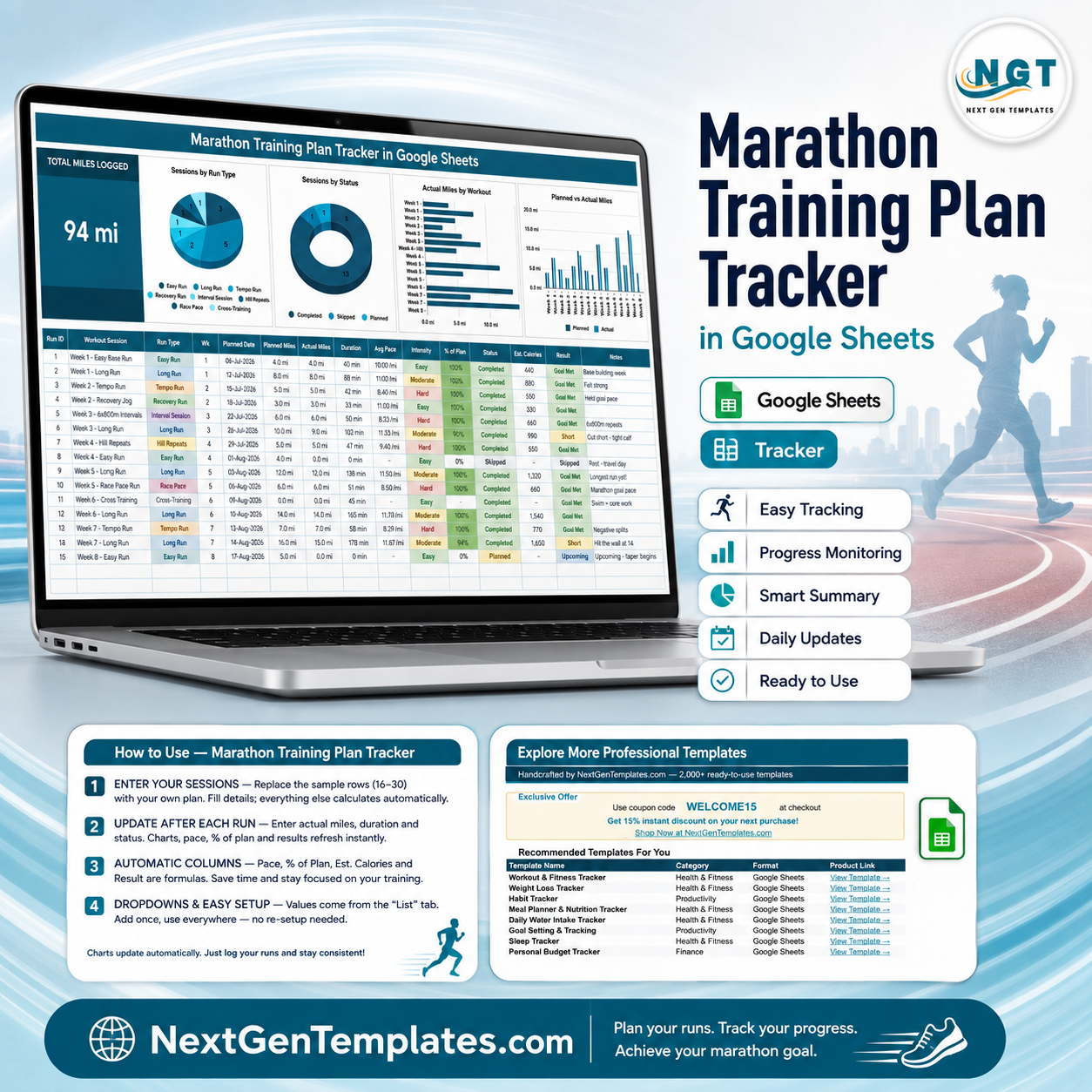
The Marathon Training Plan Tracker in Google Sheets records 15 fields for every training session on one sheet, drives 4 charts and 1 headline card from those columns, and calculates 5 of the 15 fields for you. It ships with 15 sample sessions across 8 training weeks that you delete and replace with your own. Setup takes under 10 minutes – open the PDF, click the copy link, clear rows 16 to 30, start logging.
🌍 Join 8,400+ teams and individuals in 40+ countries using NextGenTemplates to replace paid SaaS tools with one-time-purchase Excel, Google Sheets, Power BI and HTML templates.
✅ Instant download · One-time payment · No subscription · No per-user fees · Lifetime access
⚠️ This is a logging and charting template. It records the training data you type in. It is not medical or coaching advice, it does not prescribe a training plan, and it makes no claim about injury risk, race times or performance outcomes.
🔑 Key Features of the Marathon Training Plan Tracker
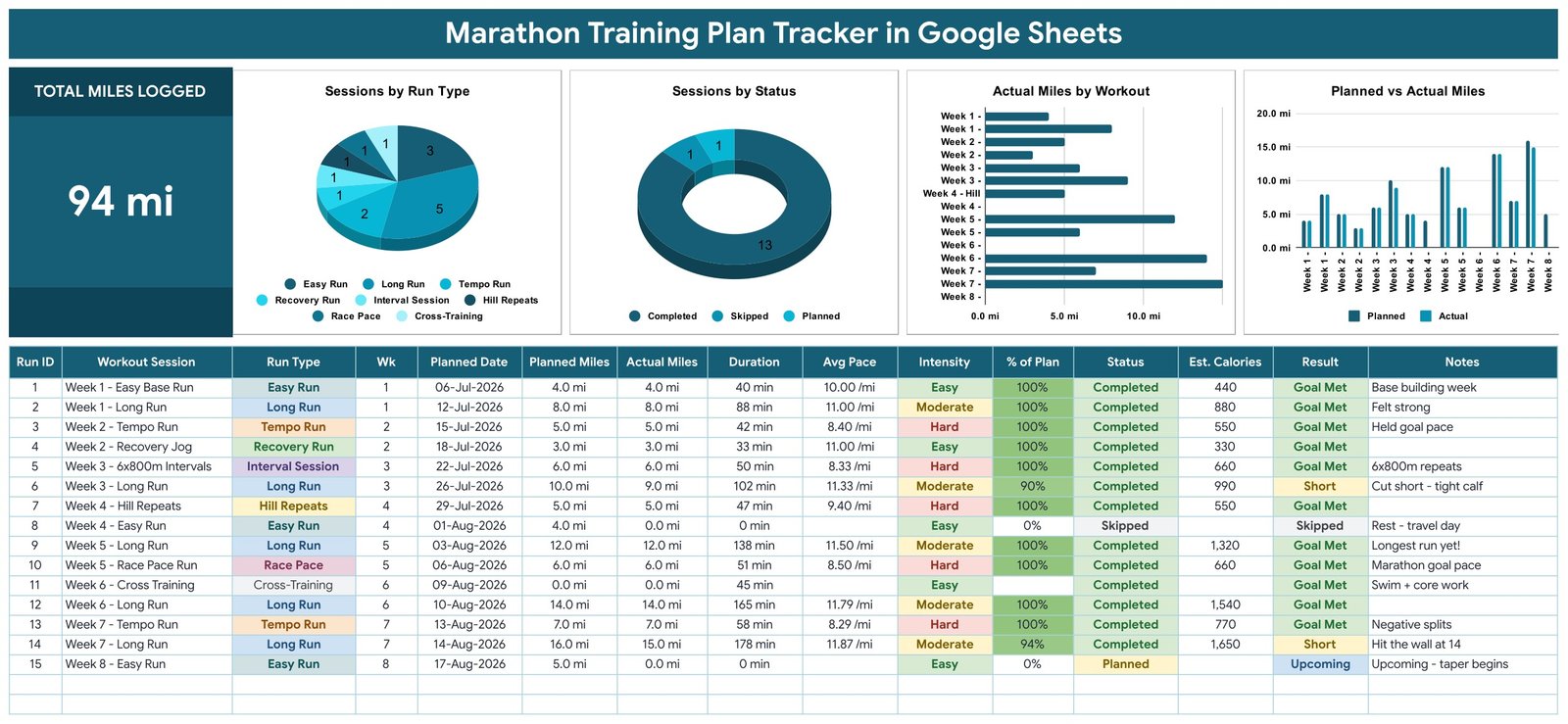
🏃 Fifteen columns per session. Every row captures Run ID, Workout Session, Run Type, Wk, Planned Date, Planned Miles, Actual Miles, Duration, Avg Pace, Intensity, % of Plan, Status, Est. Calories, Result and Notes. You type eight of them; the other five are formulas.
📐 Five self-calculating columns. Run ID numbers itself, Avg Pace is Duration divided by Actual Miles, % of Plan is Actual divided by Planned, Est. Calories uses roughly 110 kcal per mile, and Result reads Goal Met, Short, Missed, Skipped or Upcoming straight from your Status and mileage.
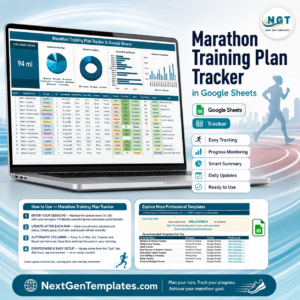
📊 One card and four charts. The Total Miles Logged card sits top-left and sums the Actual Miles column. Beside it sit Sessions by Run Type, Sessions by Status, Actual Miles by Workout and Planned vs Actual Miles – four different views of the same table.
🎨 Colour-coded dropdowns. Run Type, Intensity and Status are validated lists that read the List tab, rows 2 to 500. Add a value there and it appears in the dropdown automatically – no re-setup, no script editing.
♾️ Charts that grow. All four charts read the data columns directly across rows 16 to 1000 using the built-in Aggregate option. There are no hidden helper tables anywhere in the file, so a new session shows up in every chart the moment you type it.
📦 What’s Inside the Marathon Training Plan Tracker
The file is a single Google Sheet with one working page plus two support tabs: a List tab that feeds the dropdowns and an Explore More Templates tab.
Page 1: Tracker Dashboard and Session Log
The whole product on one screen. The Total Miles Logged card reads 94 mi in the sample data, and four charts sit alongside it: Sessions by Run Type, Sessions by Status, Actual Miles by Workout and Planned vs Actual Miles. Directly below, the 15-column session table holds your log, with coloured chips for Run Type, Intensity, Status and Result.
Page 2: How to Use
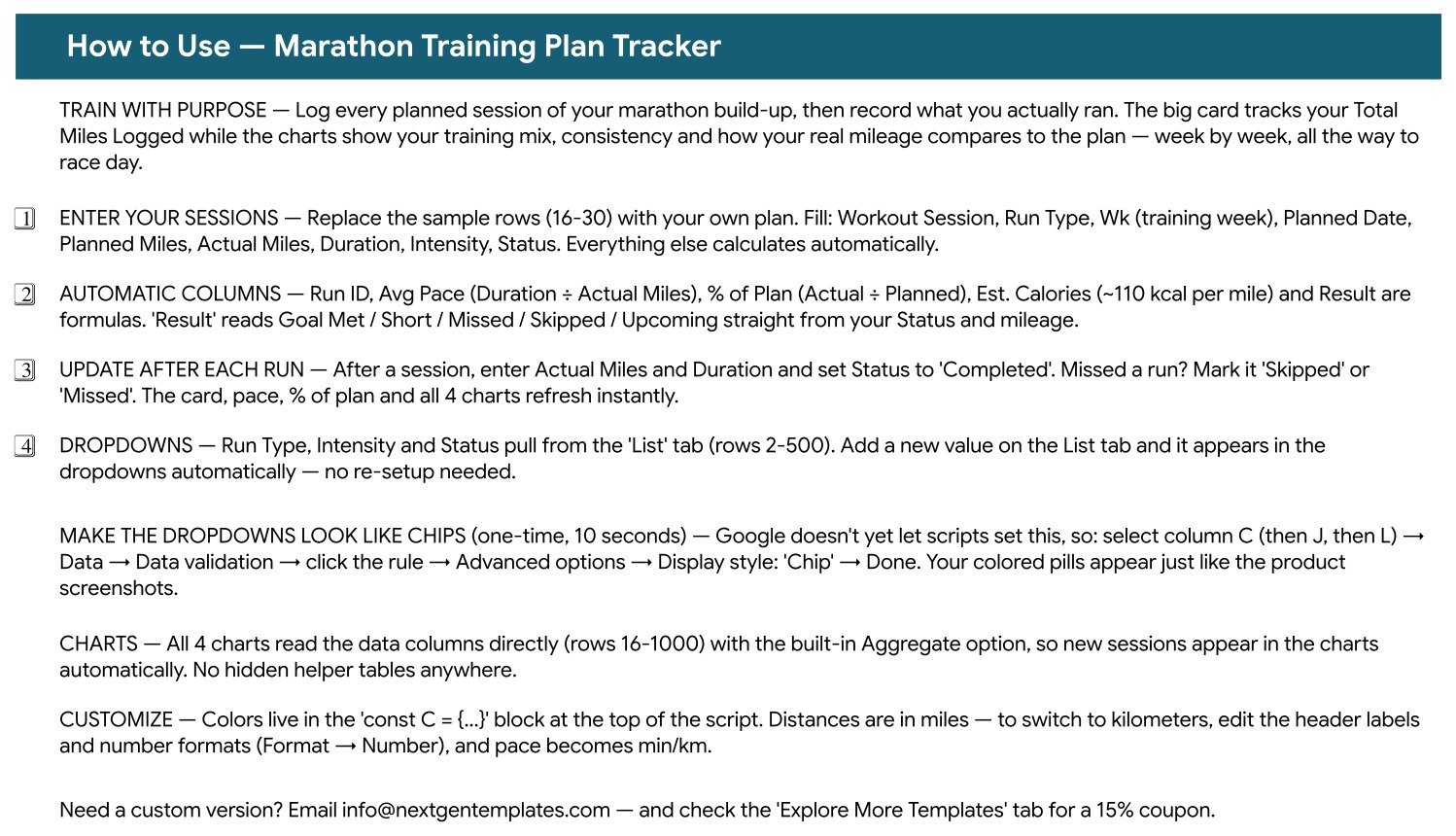
A built-in instruction sheet covering the four setup steps, which columns are formulas, how the List tab dropdowns expand, the 10-second trick for turning the dropdowns into coloured chips, and where the colour palette lives if you want to restyle it.
Page 3: Explore More Templates
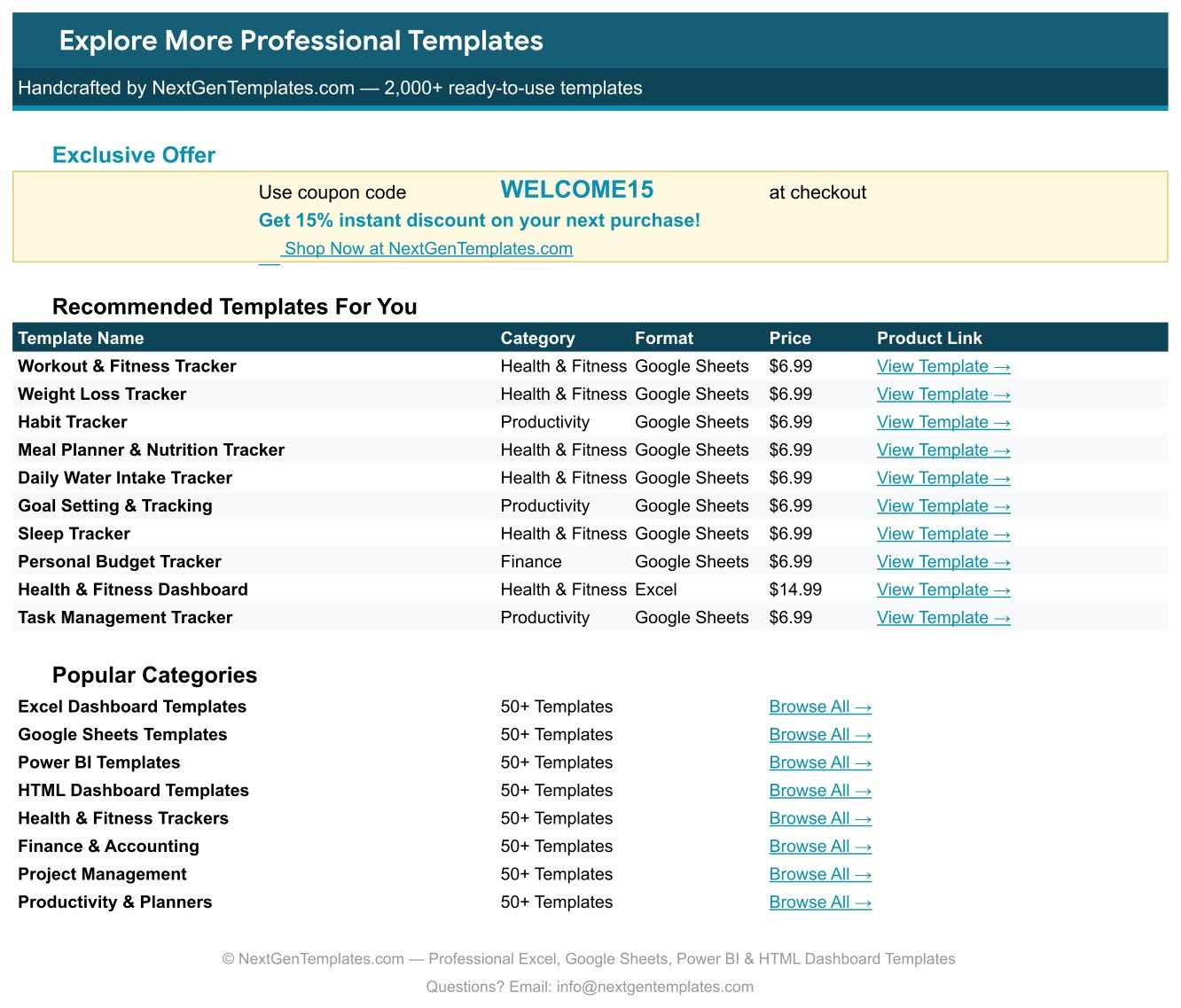
A directory tab with a WELCOME15 coupon code for 15% off your next purchase, ten recommended templates with prices and links, and eight category shortcuts into the NextGenTemplates catalogue.
📊 Marathon Training Plan Tracker vs. an Excel Training Log vs. Strava Premium / TrainingPeaks
| Feature | Marathon Training Plan Tracker in Google Sheets | Excel training log | Strava Premium / TrainingPeaks |
|---|---|---|---|
| Cost | $6.99 one-time ✅ | $0-15 one-time, or an Office licence | $12-20 / user / month |
| Platform | Google Sheets, browser or app ✅ | Desktop Excel, file-based | Vendor app and website |
| Setup time | Under 10 minutes ✅ | Hours if you build the charts yourself | Minutes, but account required |
| Real-time collaboration | Yes, native Google Sheets sharing ✅ | Only via OneDrive co-authoring | Follower feeds, not shared editing |
| Mobile access | Google Sheets mobile app ✅ | Excel mobile, limited chart editing | ✅ Native mobile app |
| Customisable fields | Every column and dropdown is yours ✅ | ✅ Fully editable | Fixed schema |
| Share with a link | Yes, one link ✅ | File attachment or cloud link | Profile link only |
| You own the raw data | Yes, it is your spreadsheet ✅ | ✅ Yes | Export required |
| Year-1 cost at 5 users | $6.99 total ✅ | $0-75 plus licences | $720-1,200 |
For runners who want their own training log in a spreadsheet they control, without a monthly subscription, the Marathon Training Plan Tracker sits in the sweet spot.
👥 Who This Template Is For – and Who It’s Not For
✅ This template is built for:
- Runners building up to a first or repeat marathon who want their sessions written down in one place
- Anyone already following a plan from a coach, club or book who needs somewhere to record what actually happened
- Spreadsheet-comfortable runners who want their raw data in Google Sheets rather than inside a vendor’s app
- Running-club members and pace groups who want to share one log with a link
- Buyers who prefer a one-time purchase to a subscription
❌ This template is NOT for:
- Anyone looking for a training plan or coaching advice – this file records data, it does not tell you what to run
- Runners wanting automatic sync from a GPS watch, Strava or Garmin – every entry here is typed by hand
- Anyone needing GPS routes, heart-rate zones, elevation profiles or power data
- People who want medical, injury or nutrition guidance – speak to a qualified professional
- Teams needing a database with user accounts and permissions rather than a spreadsheet
⚙️ How to Use the Marathon Training Plan Tracker
- Open the PDF in your download and click the Google Sheets copy link. Google creates your own editable copy in your Drive.
- Delete the 15 sample rows (16 to 30) and enter your own sessions: Workout Session, Run Type, Wk, Planned Date, Planned Miles, Actual Miles, Duration, Intensity and Status.
- Leave Run ID, Avg Pace, % of Plan, Est. Calories and Result alone – all five are formulas that fill themselves in.
- After each run, type your Actual Miles and Duration and set Status to Completed. Missed one? Set Skipped or Missed instead.
- Watch the card, pace, % of Plan and all four charts refresh instantly – no refresh button, no rebuild.
- Optional: select column C, then J, then L, and set Data validation display style to Chip so the dropdowns render as coloured pills.
- Optional: switch to kilometres by editing the header labels and number formats. Pace then reads as min/km.
💼 Real-World Use Cases
Maya is 14 weeks out from her first marathon. Her plan came from a book, so she types each week’s sessions into the tracker on a Sunday, then fills in Actual Miles and Duration after every run. The Planned vs Actual Miles chart shows her at a glance which weeks she logged in full and which she cut short, and the Notes column holds the detail – Felt strong, Cut short – tight calf, Hit the wall at 14.
Dev coaches a six-person club pace group. He keeps one copy of the tracker per runner in a shared Drive folder and glances at the Sessions by Status donut before each group session, so he knows who logged what before the conversation starts rather than after.
Rina is running her fourth marathon and cares about the mix. The Sessions by Run Type pie tells her how her 22 logged sessions split across Easy Run, Long Run, Tempo Run, Recovery Run, Interval Session, Hill Repeats, Race Pace and Cross-Training – a question her watch app never answers directly.
❓ Frequently Asked Questions
What does the Marathon Training Plan Tracker actually track?
The Marathon Training Plan Tracker records 15 fields per session: Run ID, Workout Session, Run Type, Wk, Planned Date, Planned Miles, Actual Miles, Duration, Avg Pace, Intensity, % of Plan, Status, Est. Calories, Result and Notes. One card totals your logged miles and four charts summarise the table.
Does this template give me a marathon training plan?
No. The Marathon Training Plan Tracker is a logging and charting template, not medical or coaching advice. The 15 rows it ships with are sample data you delete. Bring your own plan from your coach, club or book and use this file to record what you actually ran.
How long does setup take?
Under 10 minutes. Open the PDF in your download, click the Make a copy link, delete the sample rows 16 to 30, and start typing your own sessions. The formulas, dropdowns and all four charts are already wired up and need no configuration.
Does it sync with Garmin, Strava or my watch?
No. The Marathon Training Plan Tracker is a manual log – you type each session in yourself. That is deliberate: it keeps the file a plain Google Sheet you fully own and edit, with no connected accounts, add-ons or API permissions.
Can I use kilometres instead of miles?
Yes. The Marathon Training Plan Tracker ships in miles, but you can switch by editing the header labels and the number formats under Format then Number. Avg Pace then reads as min/km, and the calculations carry across unchanged.
How does this compare to Strava Premium or TrainingPeaks?
Those are subscription apps at roughly $12-20 per month with GPS sync and fixed data models. The Marathon Training Plan Tracker is a $6.99 one-time spreadsheet you own, edit and share with a link. It has no GPS sync, and its columns and dropdowns are entirely yours to change.
Will new sessions appear in the charts automatically?
Yes. All four charts in the Marathon Training Plan Tracker read the data columns directly across rows 16 to 1000 with the built-in Aggregate option, so a session typed into a new row appears in the charts instantly. There are no hidden helper tables to maintain.
👤 About the Author
Built by PK – Microsoft Certified Professional with 15+ years of Excel, Google Sheets and Power BI experience. Founder of NextGenTemplates, reaching 300K+ subscribers across YouTube channels (@PK-AnExcelExpert, @NextGenTemplates, @NeoTechNavigators). Every template is hand-built and tested before release.
🔗 Explore Related Templates
The closest neighbour is the Running Log & Mileage Tracker in Google Sheets, which logs everyday runs and cumulative mileage without the planned-versus-actual structure – many runners keep both, one for the marathon block and one for the rest of the year. Pair it with the Daily Steps Tracker in Google Sheets for non-running movement and the Sleep Tracker in Google Sheets for the hours around your training.
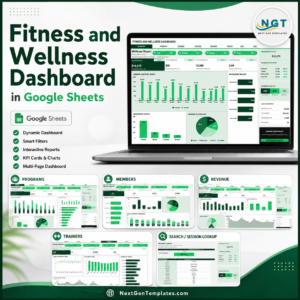
Want a wider view than a single log? The Fitness and Wellness Dashboard in Google Sheets and the Sports and Recreation Dashboard in Google Sheets are multi-page builds with slicers and pivot-driven pages. Browse the full Google Sheets Trackers range, or the whole Google Sheets Templates catalogue.
📖 Click here to read the Detailed Blog Post
🎥 Visit our YouTube channel for step-by-step video tutorials
👉 YouTube.com/@NextGenTemplates
Watch the step-by-step video Demo:
📅 Last updated: August 2026






















Reviews
There are no reviews yet.