

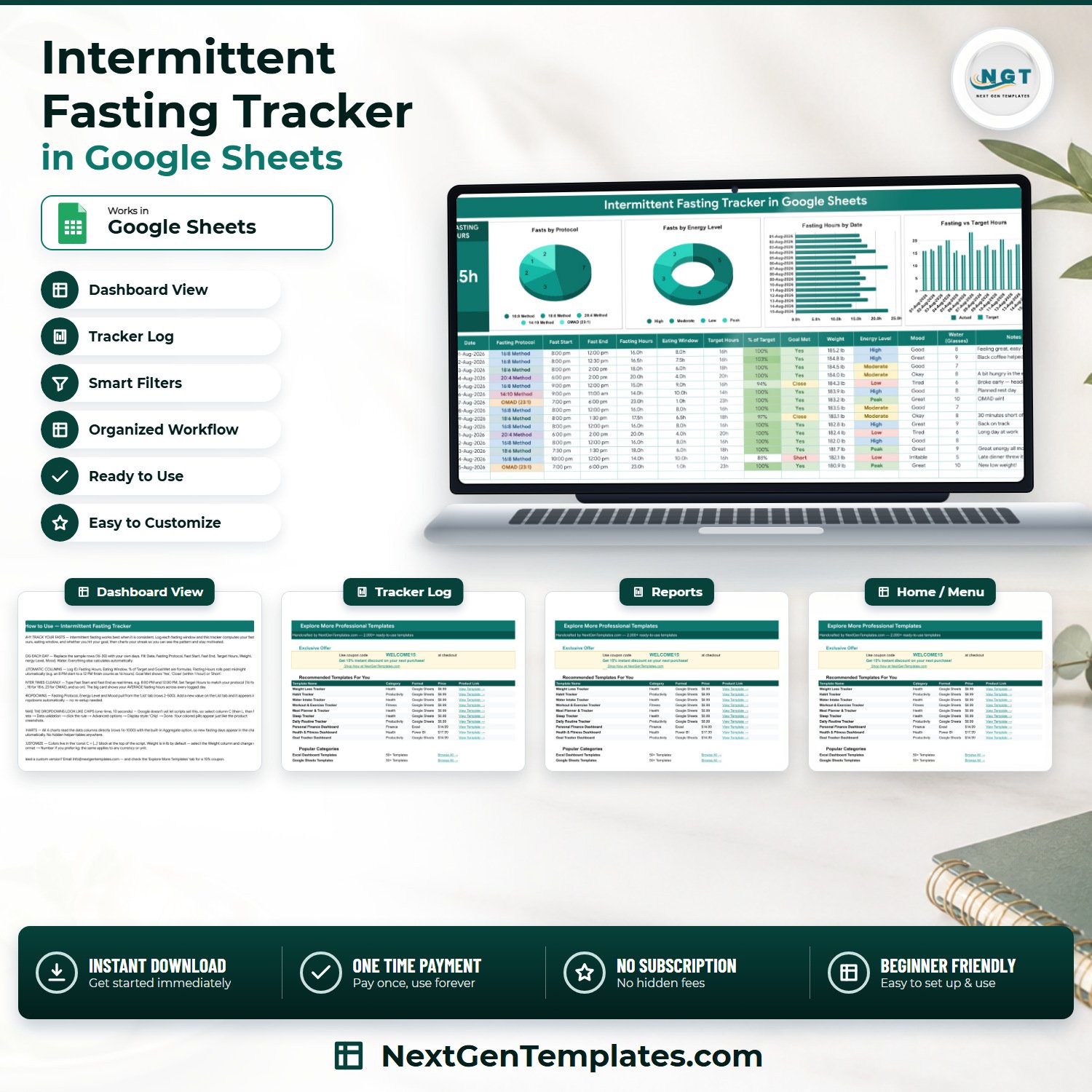

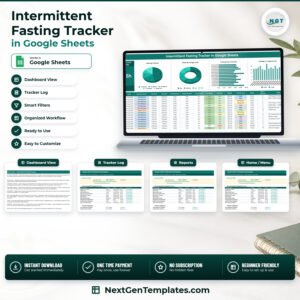
The Intermittent Fasting Tracker in Google Sheets is a one-page fasting log built around a single question: did you actually hit the eating window you planned? You type a Fast Start and a Fast End; the sheet works out the fasting hours across midnight, the eating window, the percentage of your own target and a Yes / Close / Short verdict, then feeds four live charts. Concretely: 4 tabs, a 15-column log of which 5 columns are formulas, 4 charts, 1 KPI card, 18 ready-made dropdown values and a data range wired to 1,000 rows. It is a one-time payment with no subscription and no account – you get a PDF with a Make a Copy link, the sheet lands in your own Google Drive, and it is yours to edit forever.Intermittent Fasting Tracker in Google Sheets
Key Features of the Intermittent Fasting Tracker in Google Sheets
- Fasting hours that roll past midnight – an 8:00 PM start and a 12:00 PM finish is counted as 16.0 hours, not a negative number. This is the single calculation most home-made fasting spreadsheets get wrong.
- Eating Window computed for you – the other half of the 24 hours, shown next to the fast, so a 16:8 day reads 16.0h / 8.0h at a glance.
- % of Target and a Goal Met verdict – your Fasting Hours against the Target Hours you typed. Goal Met returns Yes, Close (within one hour of target) or Short, colour-banded so a bad week is visible without reading a single number.
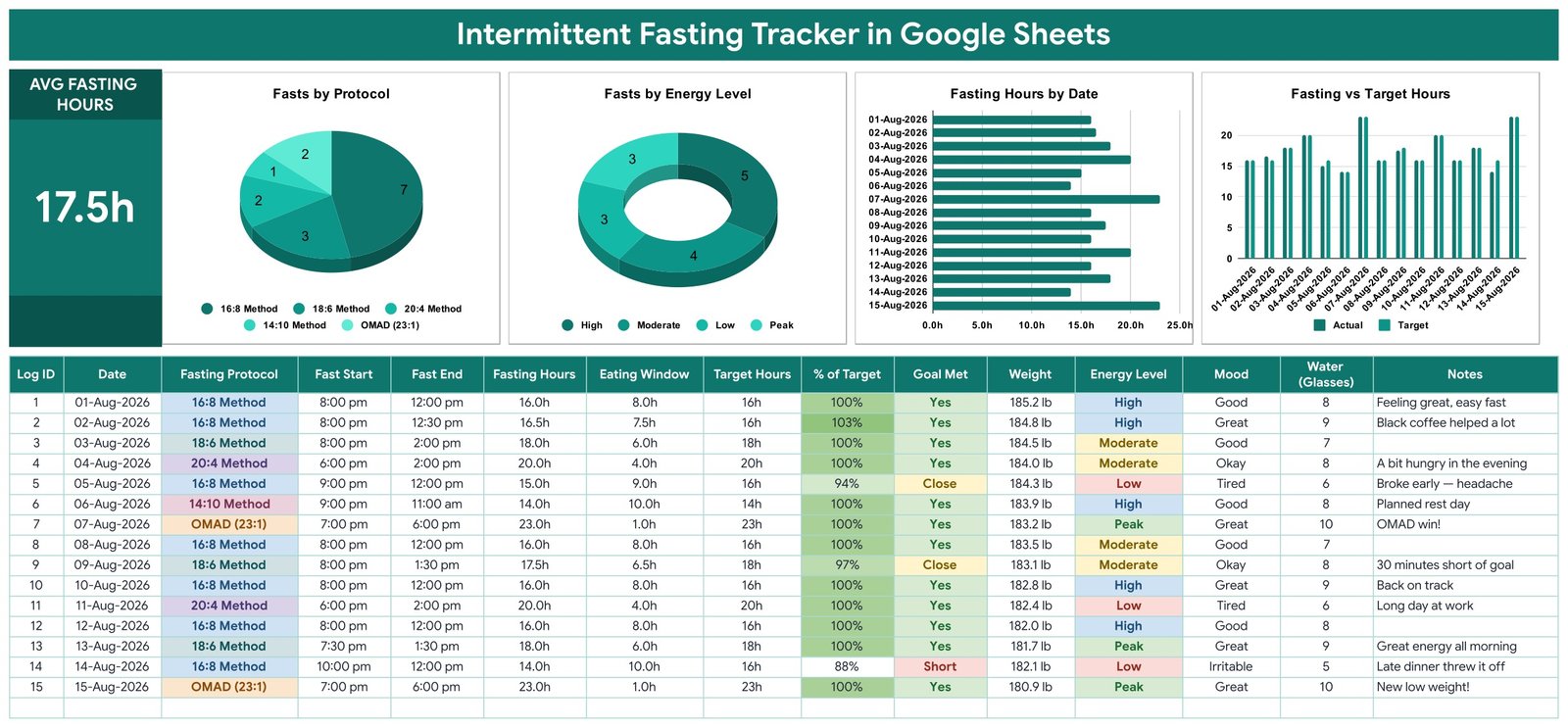
- One KPI card, Average Fasting Hours – a plain mean of every logged day. On the 15 demo rows it reads 17.5h.
- Four charts wired straight to the log – Fasts by Protocol, Fasts by Energy Level, Fasting Hours by Date, and Fasting vs Target Hours (actual against target, side by side).
- No hidden helper tables – every chart reads the data columns directly using the built-in Aggregate option over rows 16 to 1000, so a new fasting day appears in the charts the moment you type it.
- 18 seeded dropdown values on a List tab – 9 fasting protocols (16:8, 18:6, 20:4, 14:10, 12:12, OMAD 23:1, 5:2 Weekly, Alternate Day, Custom), 4 energy levels and 5 moods. Add a value anywhere in rows 2 to 500 and it appears in the dropdown automatically.
- Subjective columns alongside the numbers – Energy Level, Mood, Water (Glasses), Weight and free-text Notes, so a 16-hour fast that felt terrible sits on the same row as one that felt easy.
- Recolour it in one place – the whole palette lives in a single
const Cblock at the top of the script.
What’s Inside the Intermittent Fasting Tracker in Google Sheets
Tab 1, Fasting Tracker. The whole product, on one screen. A title banner, the AVG FASTING HOURS card, the four charts in a row, and below them the log: Log ID, Date, Fasting Protocol, Fast Start, Fast End, Fasting Hours, Eating Window, Target Hours, % of Target, Goal Met, Weight, Energy Level, Mood, Water (Glasses) and Notes. Fifteen worked demo rows sit in rows 16 to 30 so you can watch every formula behave before you delete them.
Tab 2, List. Three plain columns feeding the three dropdowns. This is where you add your own protocol names or moods; nothing is hard-coded into the validation rules.
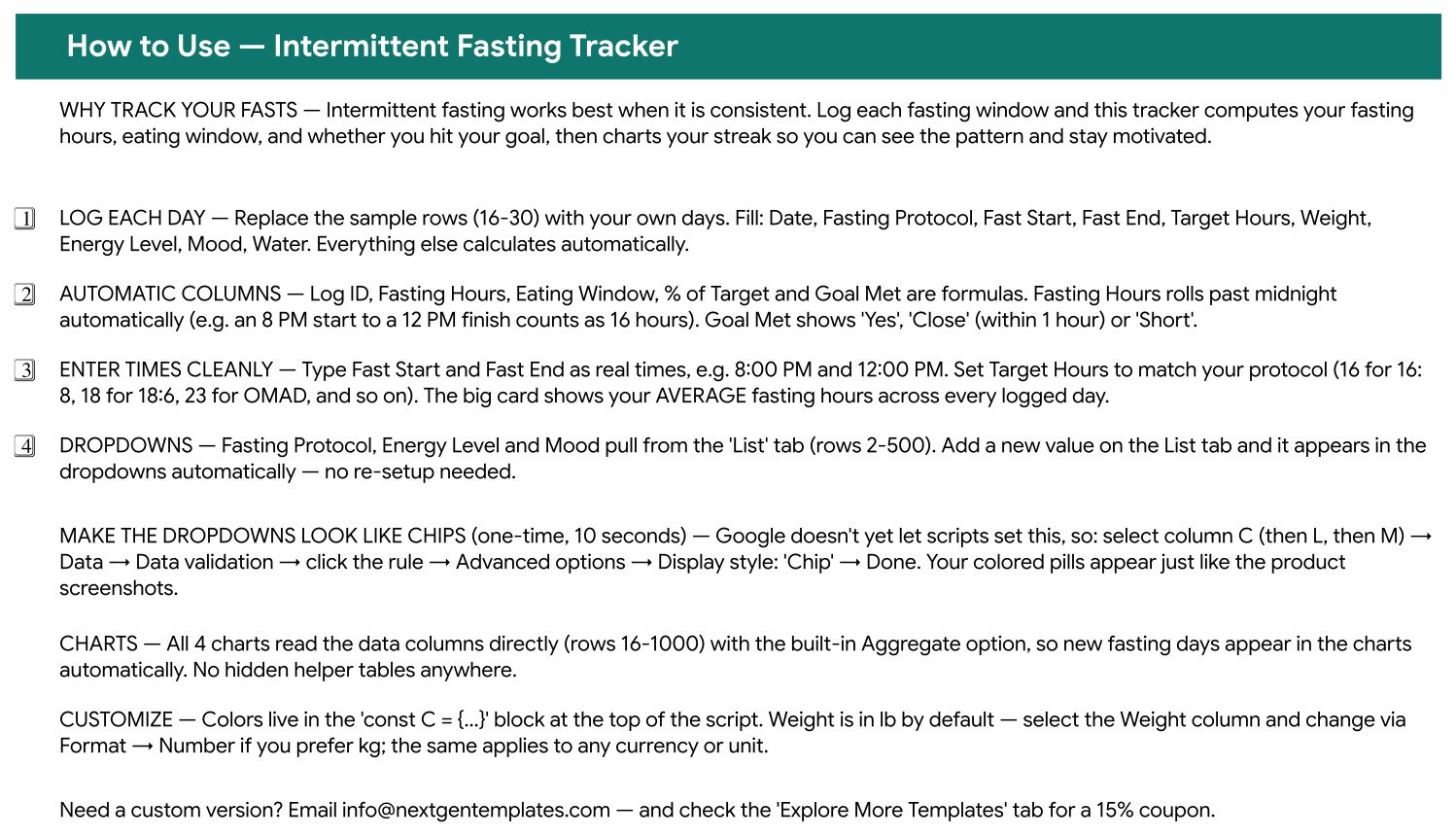
Tab 3, Instructions. A written walkthrough covering what calculates automatically, how to enter times cleanly, how to switch the Weight column from lb to kg through Format > Number, and the one-time 10-second step that turns the dropdowns into coloured chips.
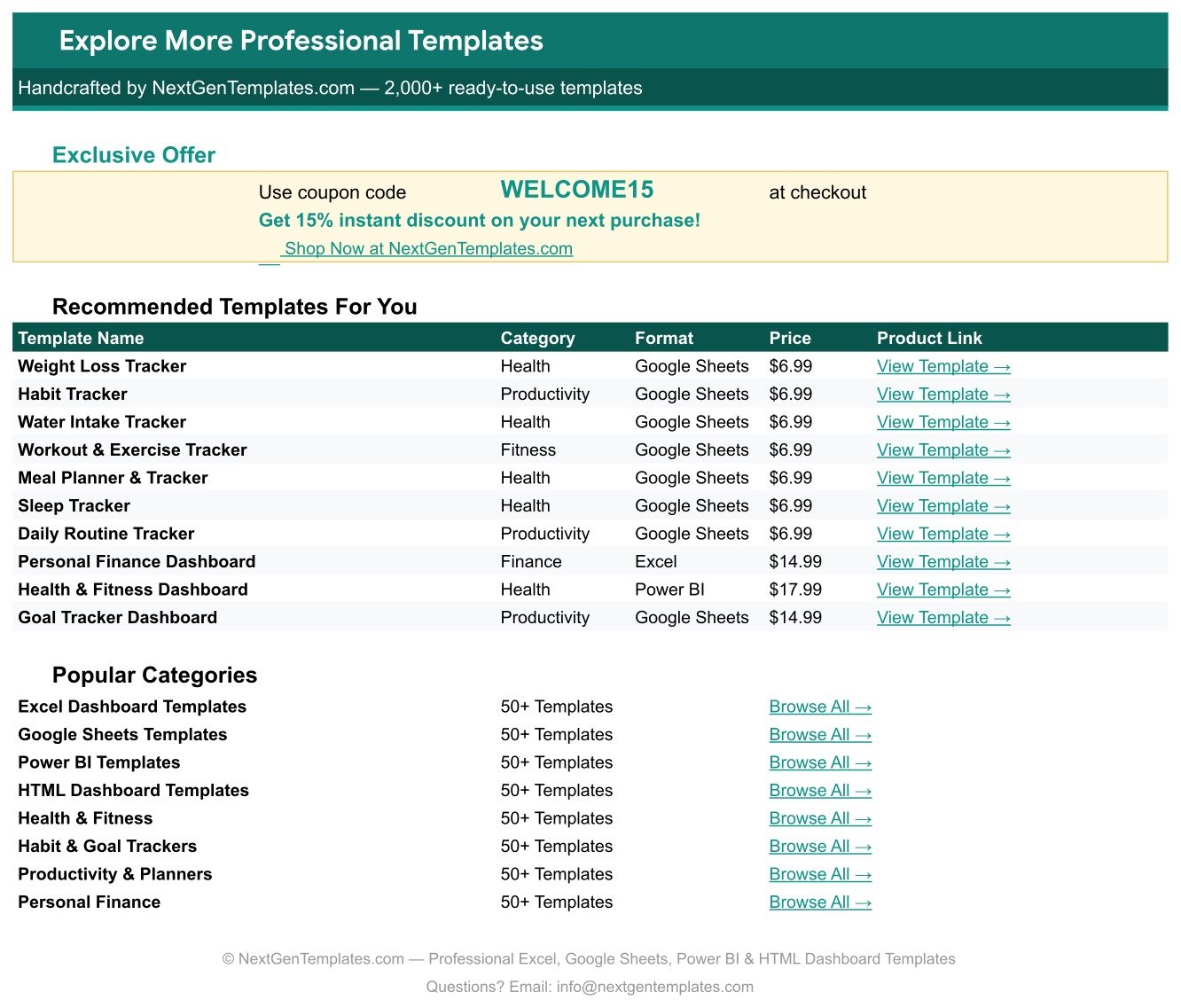
Tab 4, Explore More Templates. A directory of related NextGenTemplates products with a 15% coupon code.
Intermittent Fasting Tracker in Google Sheets vs. Excel vs. a Paid Fasting App – Where This Fits
| This tracker (Google Sheets) | A DIY Excel fasting sheet | A paid fasting app subscription | |
|---|---|---|---|
| Cost | One payment, no renewal | Free, but you build every formula | Recurring, billed monthly or yearly |
| Platform | Google Sheets, any browser | Desktop Excel | The vendor’s phone app |
| Setup time | Minutes: open the PDF, click Make a Copy | Hours, and the midnight rollover is the fiddly part | Minutes, after creating an account |
| Real-time collaboration | Yes, native Google Sheets sharing | Only through OneDrive co-authoring | Usually single-user |
| Mobile access | Google Sheets mobile app | Excel mobile app | Yes, that is the point of it |
| Customisable fields | Every column, dropdown and colour | Yes, if you build it | Rarely: you get the vendor’s fields |
| Share with a link | Yes | File attachment or cloud link | Screenshots |
| Year-1 cost at 5 users | One purchase, share the copy | Free, plus your build time | Five subscriptions, renewing |
| Who owns the raw data | You. It is a sheet in your Drive, exportable to CSV or XLSX | You | The vendor, until you export it |
| Reminders and notifications | None. This is a log, not an alarm. | None | Yes, usually the headline feature |
Who This Template Is For – and Who It’s Not For
It fits you if you already fast and want an honest record instead of a vague sense that this week went well; if you switch between protocols (16:8 on work days, OMAD at weekends) and want to see which one you actually complete; if you care about the subjective side, energy and mood, as much as the hours; or if you want your fasting history in a file you own rather than inside an app account.Intermittent Fasting Tracker in Google Sheets
It is not for you if you want reminders or push notifications, because this sheet sends nothing, ever. It is not for you if you want calorie or macro counting, because there is no food database here – the Calorie & Macro Tracker in Google Sheets covers that. It is not a coaching product: it does not recommend a protocol, does not set a target for you, and does not judge whether fasting suits your body. And it is not a clinical record – a Google Sheet is not appropriate storage for medical data.Intermittent Fasting Tracker in Google Sheets
Not medical advice. This is a personal logging and charting template. It is not a medical device, it is not diagnostic, and it offers no dietary or medical guidance. Every number in it is one you typed yourself. Decisions about fasting, especially if you are pregnant, diabetic, taking medication, or have a history of disordered eating, belong with a qualified doctor or dietitian.Intermittent Fasting Tracker in Google Sheets
How to Use the Intermittent Fasting Tracker in Google Sheets
- Open the PDF in your download and click the Make a Copy link. The sheet is copied into your own Google Drive. Nothing is shared back with us.
- Delete the 15 demo rows (rows 16 to 30) once you have seen how they calculate.
- Type only what you know: Date, Fasting Protocol, Fast Start, Fast End, Target Hours, Weight, Energy Level, Mood, Water and Notes. Log ID, Fasting Hours, Eating Window, % of Target and Goal Met fill themselves in.
- Enter times as real times – 8:00 PM, 12:00 PM. Set Target Hours to match your protocol: 16 for 16:8, 18 for 18:6, 23 for OMAD.Intermittent Fasting Tracker in Google Sheets
- Add your own protocols or moods on the List tab, anywhere in rows 2 to 500, and the dropdowns pick them up.
- Optional, once: select column C, then L, then M, and set Data > Data validation > Advanced options > Display style to Chip to get the coloured pills you see in the screenshots.
- Optional: select the Weight column and switch the number format if you prefer kg to lb.Intermittent Fasting Tracker in Google Sheets
Real-World Use Cases
Maya, 34, alternating 16:8 and 18:6. She suspected her 18:6 days were leaving her flat by mid-afternoon. Six weeks of logging, and the Fasts by Energy Level chart made the pattern clear enough to act on: she moved 18:6 to her non-training days.
Daniel, 47, four months into OMAD twice a week. He does not want an app account tied to his eating. He logs on his phone in the Google Sheets app, and the Fasting vs Target Hours chart shows him at a glance which weeks drifted short of the window he set.
Priya, 29, restarting after a break. She uses the Notes column more than the numbers – late dinner threw it off, black coffee helped – and the Goal Met column to stay honest without turning it into a scorecard she dreads opening.
Frequently Asked Questions
Does it calculate a fast that runs past midnight?
Yes, and that is the core formula. An 8:00 PM start with a 12:00 PM finish the next day is counted as 16.0 hours. You never enter a separate date for the end of the fast.
Will it remind me when my fast ends?
No. The sheet sends no notifications, alerts, emails or push messages of any kind. It records what you type and charts it. If you want reminders, set them separately on your phone.
What exactly does Close mean in the Goal Met column?
Close means you came within one hour of the Target Hours you set for that day. At or over target reads Yes; more than an hour under reads Short.
Can I use my own fasting protocol?
Yes. Nine protocols are seeded (16:8, 18:6, 20:4, 14:10, 12:12, OMAD 23:1, 5:2 Weekly, Alternate Day and Custom), and you can add your own on the List tab. The dropdown reads rows 2 to 500 of that column, so nothing needs setting up again.
Does it track calories, macros or what I ate?
No. There is no food or nutrition database in this template. It tracks fasting windows, weight, energy, mood and water. Pair it with the Calorie & Macro Tracker in Google Sheets if you want food logging.
Can I switch the weight column to kilograms?
Yes. Weight is formatted in lb by default; select the column and change it through Format > Number. The same applies to any other unit in the sheet.
How many rows can I log?
The charts and formulas are wired down to row 1000, which is roughly two and a half years of daily logging. You can extend the ranges if you outgrow it.
Is this medical advice?
No. It is a personal record-keeping template. It gives no dietary or medical guidance, sets no targets for you, and is not a medical device. Talk to a qualified professional about whether and how to fast.
About the Author
Built by PK – Microsoft Certified Professional with 15+ years of Excel, Google Sheets, and Power BI experience. Founder of NextGenTemplates, reaching 300K+ subscribers across YouTube channels. Every template is hand-built and tested before release.
Explore Related Templates
Browse the whole Google Sheets Trackers range, or the full Google Sheets catalogue. Buyers of this one usually pair it with:
- Weight Loss Tracker in Google Sheets – a longer-run weight and measurement record.
- Calorie & Macro Tracker in Google Sheets – the food side of the same routine.
- Water Intake Tracker in Google Sheets – hydration on its own sheet.
- Sleep Tracker in Google Sheets – the other half of the energy story.
- Workout Log Tracker in Google Sheets – training volume alongside your fasting windows.
Download the Intermittent Fasting Tracker in Google Sheets and log your first fast today. Instant download, one-time payment, no subscription, and the sheet is yours to keep and edit. A full walkthrough is on the blog: Intermittent Fasting Tracker in Google Sheets.
Watch the step-by-step video Demo:
Last updated: 1 September 2026.
Compatibility and Requirements
- Works in Google Sheets. You need a free Google account and a web browser, or the Google Sheets mobile app.
- The Fasting Protocol, Energy Level and Mood columns use dropdowns fed by the List tab. Google explains dropdowns in Create an in-cell dropdown list.






























Reviews
There are no reviews yet.