

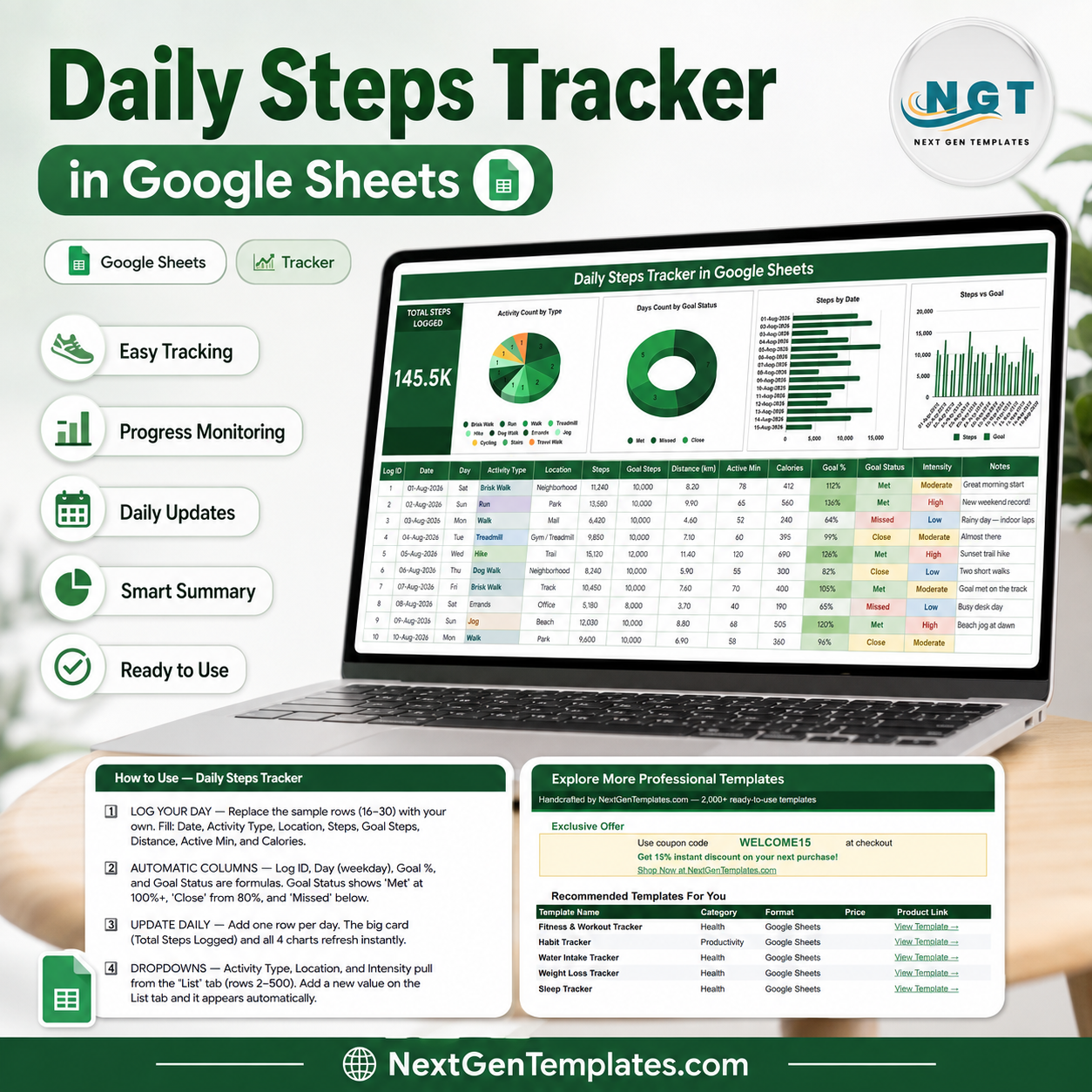
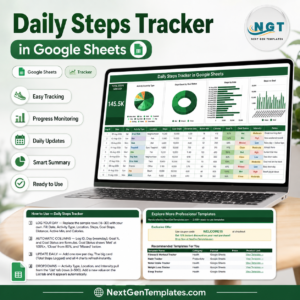
The Daily Steps Tracker in Google Sheets is a one-page walking log that turns 15 typed values a day into four live charts and a running step total. The sample file ships with 15 logged days totalling 145.5K steps across 11 activity types – Brisk Walk, Run, Walk, Treadmill, Hike, Dog Walk, Errands, Jog, Cycling, Stairs and Travel Walk – so you can see exactly how a filled month behaves before you clear a single row. Instant download, one-time payment of $6.99, no subscription and no account to create. If it is not the layout you expected, email us within 7 days and we will sort it out.
This template records and charts data you type in yourself. It is not medical advice, it does not diagnose anything, and it does not set or recommend a step target for you.
Key Features of the Daily Steps Tracker in Google Sheets
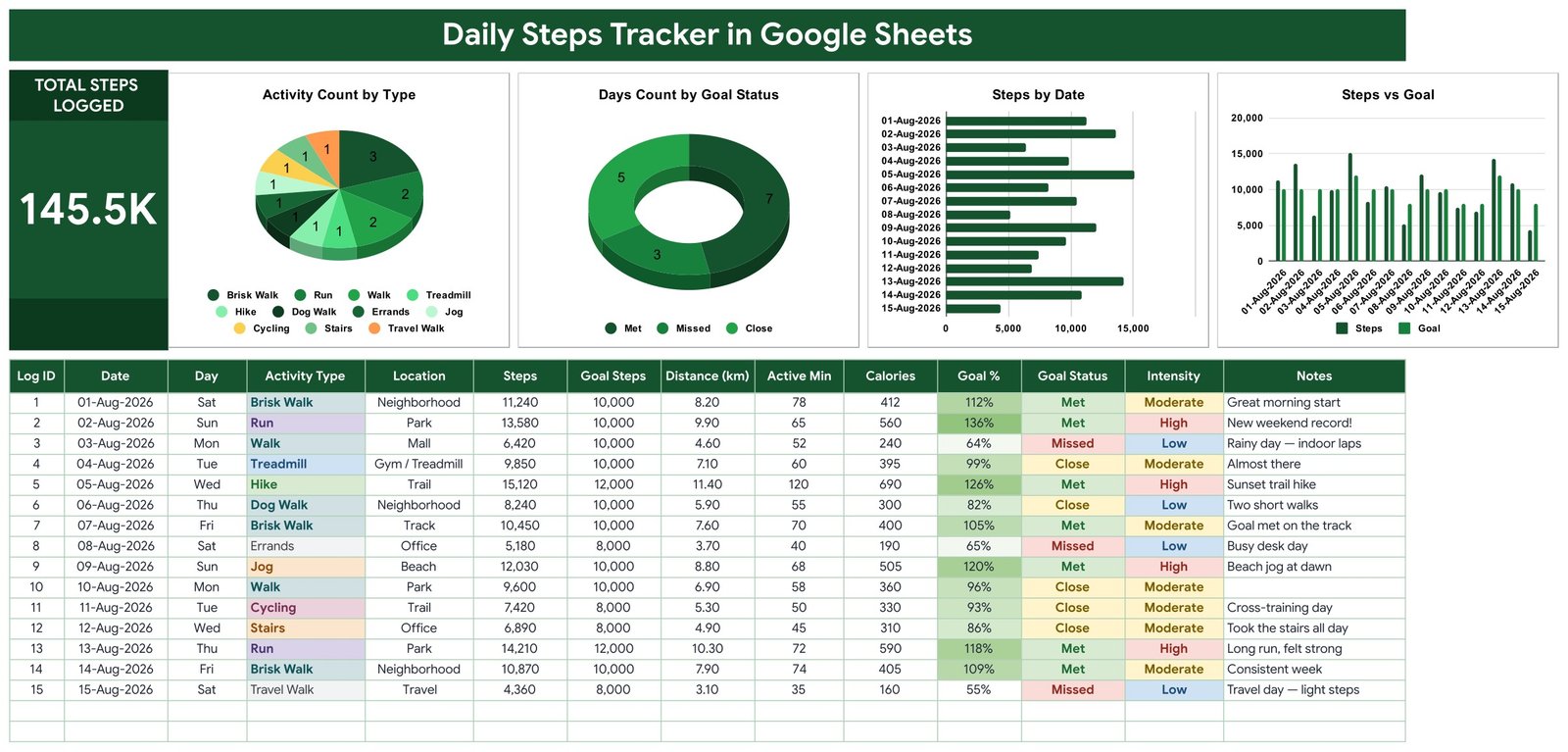
- A 14-column log built for one row a day – Log ID, Date, Day, Activity Type, Location, Steps, Goal Steps, Distance (km), Active Min, Calories, Goal %, Goal Status, Intensity and Notes.
- Four formula columns you never touch – Log ID, Day (the weekday name), Goal % and Goal Status calculate themselves from the eight values you type.
- Goal Status you define – the sheet compares your Steps against the Goal Steps you entered on that row and labels it Met (100%+), Close (from 80%) or Missed, then colours the cell green, amber or red.
- One big KPI card – Total Steps Logged sits to the left of the charts and reads 145.5K in the sample, recalculating the moment you add a row.
- Charts wired straight to the data – all four use the built-in Aggregate option over rows 16 to 1000, so there are no hidden helper tables to break.
- Extendable dropdown lists – Activity Type, Location and Intensity pull from a List tab with room for 500 values each; add “Rowing” or “Airport” and it appears in the dropdown immediately.
- Unit-agnostic distance – the header says Distance (km) but nothing forces it; rename it to miles and keep logging.
- Editable palette – every colour lives in a single const block at the top of the build script.
What’s Inside the Daily Steps Tracker in Google Sheets
The tracker sheet
Everything lives on one screen. A dark green title banner runs across the top, the Total Steps Logged card anchors the left, four charts sit in a row beside it, and the log table starts immediately below at row 16. Nothing is buried on a second tab and there is no navigation to learn.
Activity Count by Type
A pie chart counting how many logged days fell to each activity. In the sample, Brisk Walk leads with 3 days, Run and Walk have 2 each, and Treadmill, Hike, Dog Walk, Errands, Jog, Cycling, Stairs and Travel Walk have 1 apiece – a fast read of what your walking actually consists of.
Days Count by Goal Status
A donut splitting your logged days into Met, Close and Missed. The sample reads 7 Met, 3 Missed and 5 Close, which is the whole month summarised in one glance.
Steps by Date
A horizontal bar per calendar date, longest bar first to the eye. Because it is dated rather than aggregated, a gap in the log is visible as an absent bar rather than silently averaged away.
Steps vs Goal
A paired column chart placing the steps you logged next to the goal you set for that same day. Over-target days rise clearly above their pair, under-target days fall short – and it is the chart most people end up watching.
The How to Use sheet
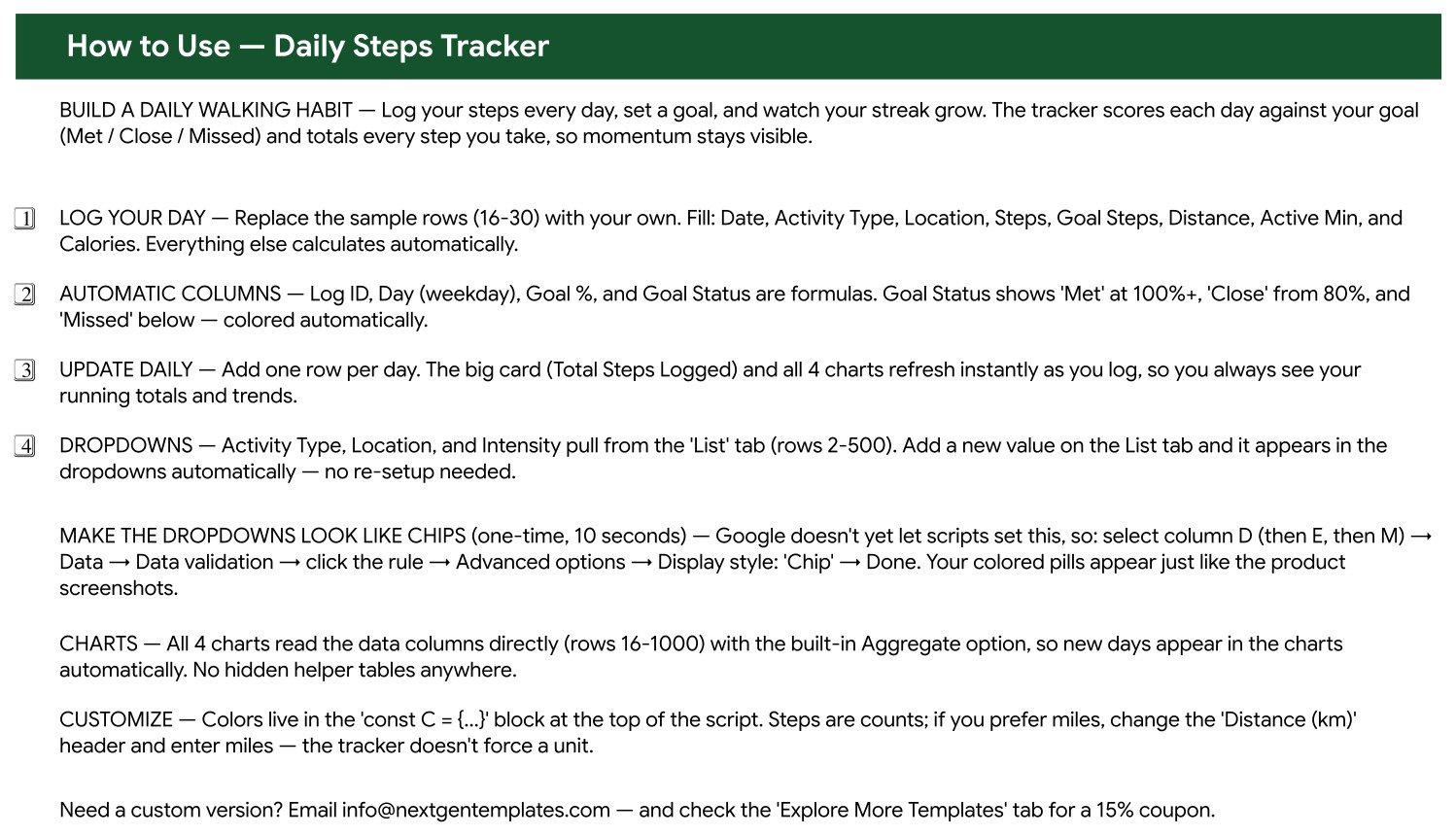
A written walkthrough shipped inside the file: which columns to fill, which ones calculate, how Goal Status thresholds work, how to extend the List tab, and a 10-second one-time step to switch the dropdowns to Google’s chip display so your Activity Type and Intensity cells render as the coloured pills you see in the screenshots.
The List sheet and Explore More Templates
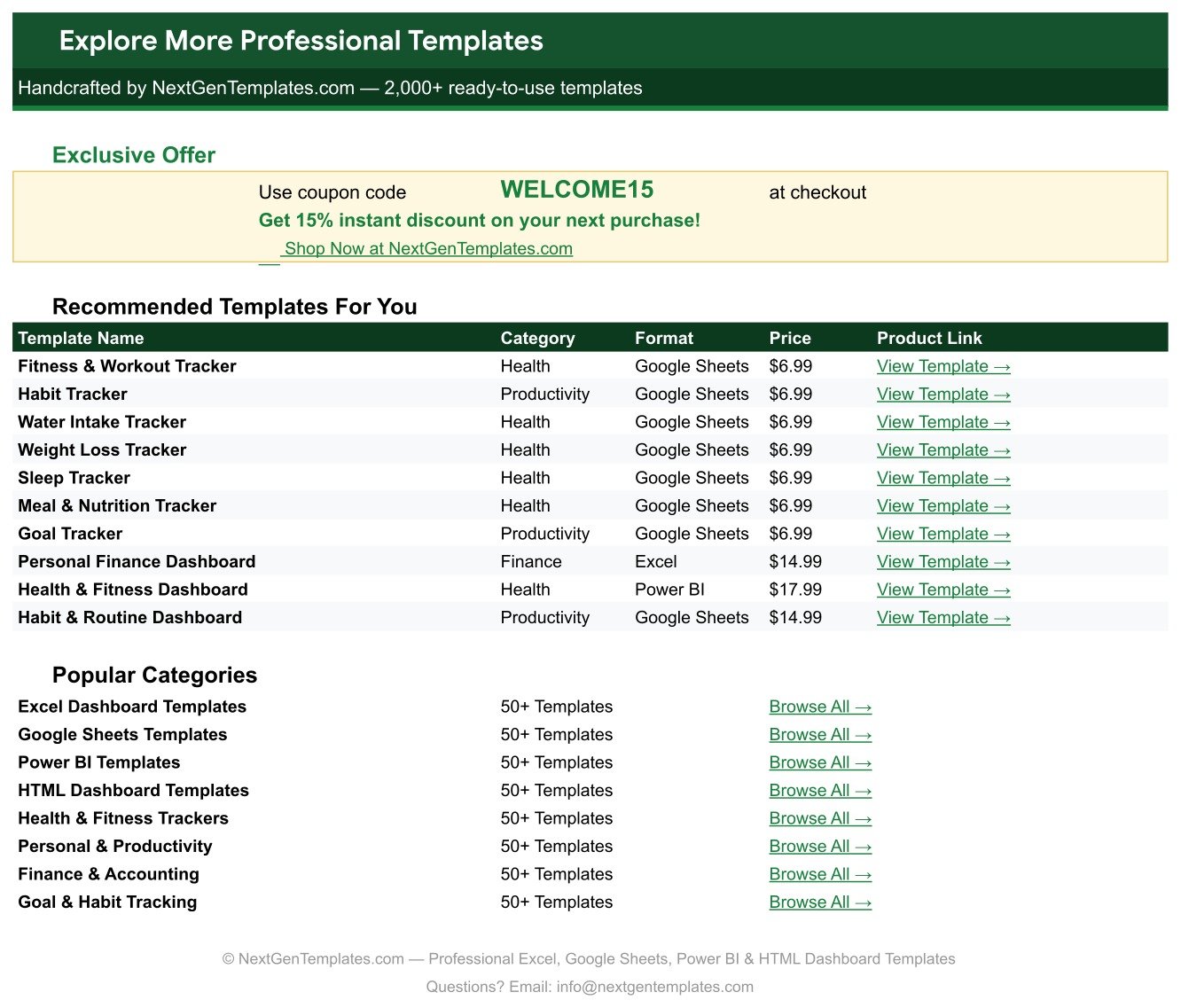
The List sheet holds the three dropdown vocabularies. The Explore More Templates sheet carries a WELCOME15 coupon code and links to related NextGenTemplates trackers and dashboards.
Daily Steps Tracker in Google Sheets vs. Excel vs. a Paid Fitness App – Where This Fits
| Consideration | This template (Google Sheets) | Excel step log | Paid fitness app subscription |
|---|---|---|---|
| Cost | $6.99 once | $6.99-$14.99 once, plus Office | $5-$15 per month |
| Platform | Browser, Android and iOS via the Sheets app | Desktop Excel, limited mobile editing | Phone app only |
| Setup time | Under 5 minutes – copy, clear rows 16-30, start logging | 10-20 minutes | Minutes, but account required |
| Real-time sharing with a walking partner | Yes, share the link | Only via OneDrive co-authoring | Usually a paid social tier |
| Customisable fields | Yes – add columns, rename headers, extend dropdowns | Yes | No, fixed schema |
| Owns your raw data | Yes, it is your Drive file | Yes, it is your file | No, it lives on their servers |
| Export history | Already a spreadsheet | Already a spreadsheet | Often CSV export only, sometimes paid |
| Year-1 cost for a household of 5 | $6.99 total (one shared file) | $6.99 plus licences | $300-$900 |
| Automatic step counting | No – you type the number | No | Yes, from the phone or watch sensor |
The honest trade-off: an app counts steps for you, this sheet does not. What it gives back is a permanent, editable, exportable record with notes, locations and intensity in your own words – the things apps flatten into a single number.
Who This Template Is For – and Who It’s Not For
It fits anyone who already reads a step count off a phone or watch and wants a durable log of it: walkers building a routine, people who prefer typing one row a night to scrolling an app, couples or families sharing one file, and anyone who wants notes like “rainy day – indoor laps” attached to the number.
It is not for you if you want steps recorded automatically from a sensor – there is no device sync here, and there never will be. Skip it too if you need a clinical or supervised record, if you want the sheet to tell you what your target should be, or if you need multi-user permissions and audit trails; a shared Google Sheet has one shared edit history.
How to Use the Daily Steps Tracker in Google Sheets
- Make your copy. Open the PDF in your download and click the Make a Copy link. The file lands in your own Google Drive.
- Clear the sample. Delete the contents of rows 16 to 30 – those 15 rows are demo data, not yours.
- Set your dropdowns. On the List tab, replace the sample Activity Types, Locations and Intensity values with the ones you actually use.
- Turn on chip display (10 seconds, once). Select column D, then E, then M, go to Data, Data validation, click the rule, Advanced options, Display style, Chip. Your dropdowns now render as coloured pills.
- Log one row a day. Fill Date, Activity Type, Location, Steps, Goal Steps, Distance, Active Min and Calories. Log ID, Day, Goal % and Goal Status fill themselves.
- Watch the top of the sheet. The Total Steps Logged card and all four charts refresh as you type – no refresh button, no rebuild.
Real-World Use Cases
Maria, a marketing manager building a lunchtime walking habit. She logs one row each evening from her phone’s step count, sets her own Goal Steps per day, and uses Days Count by Goal Status to see that 7 of her 15 logged days landed on Met. Her Notes column carries the reasons the Missed days went wrong – “busy desk day” against a 5,180-step Friday.
Dev and Anita, a couple sharing one file. They added a Person column, share the link both ways, and read Steps by Date to see which days the household walked together. One file, one link, no per-seat cost.
Tom, who walks a mix of trails, treadmill and dog walks. Activity Count by Type shows him at a glance that Brisk Walk dominates and Cycling appears once; he uses the Intensity dropdown to separate a 15,120-step trail hike from a 6,890-step day of office stairs.
Frequently Asked Questions
Does this template give health or fitness advice?
No. It records numbers you type and draws charts from them. It does not assess your health, it does not recommend a step target, and nothing in it is medical advice. If you want a target, decide it yourself or ask a qualified professional, then type it into the Goal Steps column.
Does it count my steps automatically?
No. There is no phone, watch or Google Fit connection. You read the count off whatever device you already use and type it into the Steps column.
Can I log miles instead of kilometres?
Yes. Rename the Distance (km) header to Distance (mi) and enter miles. The sheet stores whatever number you give it and does not convert units.
How many days can I log?
The charts are wired to rows 16 through 1000, which is roughly two and a half years of one row a day. The dropdown lists hold up to 500 values each.
Will adding a new Activity Type break anything?
No. Add it to the List tab and it appears in the dropdown straight away, and the Activity Count by Type chart picks it up on the next entry. No re-setup, no formula edits.
What exactly do I download?
A PDF containing the Make a Copy link for the Google Sheet. Click it, the sheet copies into your own Drive, and it is yours to edit and keep. There is no .xlsx file and no add-on to install.
Can I use it offline?
Yes, if you enable Google Sheets offline access in Drive. Charts and formulas recalculate locally and sync when you reconnect.
About the Author
Built by PK – Microsoft Certified Professional with 15+ years of Excel, Google Sheets, and Power BI experience. Founder of NextGenTemplates, reaching 300K+ subscribers across YouTube channels. Every template is hand-built and tested before release.
Explore Related Templates
- Sleep Tracker in Google Sheets – the natural companion log for the other half of the day.
- Running Log & Mileage Tracker in Google Sheets – when your walking turns into running and you want pace and mileage instead.
- 30-Day Fitness Challenge Tracker in Google Sheets – a fixed-length challenge grid rather than an open-ended log.
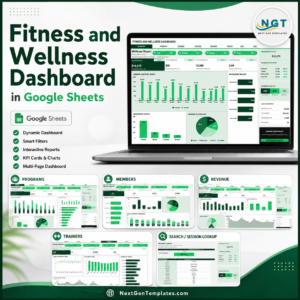
- Fitness and Wellness Dashboard in Google Sheets – a multi-page dashboard when one log sheet stops being enough.
- Gym Membership Tracker in Google Sheets – for running a gym’s memberships rather than logging your own activity.
Browse the full Google Sheets Trackers collection, or the wider Google Sheets templates library.
Add the Daily Steps Tracker in Google Sheets to your cart for $6.99 – instant download, lifetime access, and a Make a Copy link that puts an editable sheet in your Drive in under a minute. Read the full walkthrough on NeoTechNavigators.
Watch the step-by-step video Demo:
Last updated: 15 August 2026.
































Reviews
There are no reviews yet.