

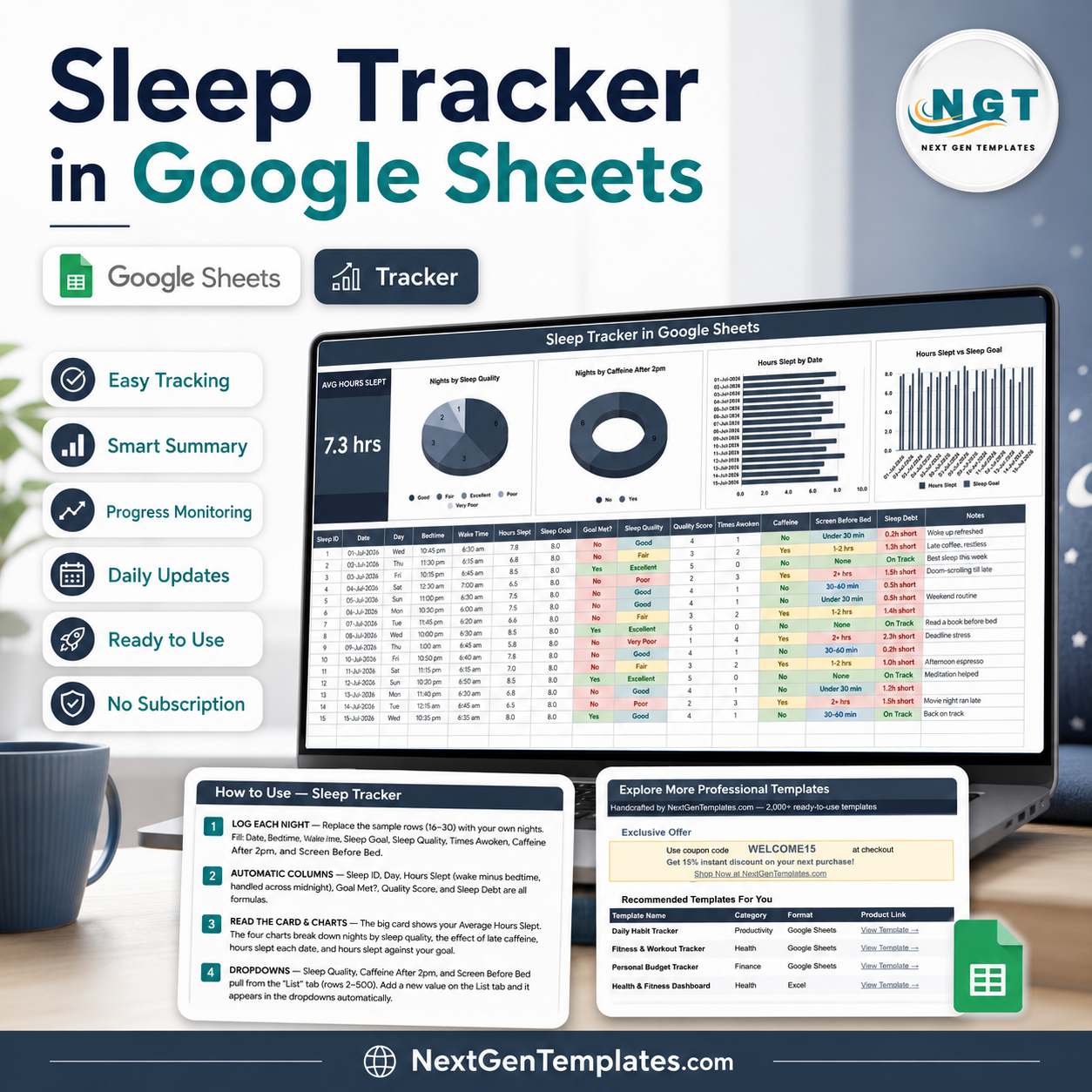
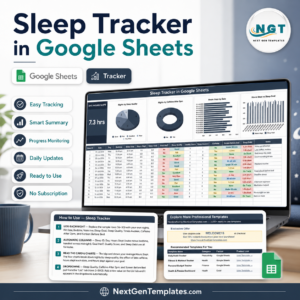
The Sleep Tracker in Google Sheets gives you one tab, 15 columns and four charts that redraw the moment you type. Log the date, what time you went to bed and what time you got up, and the sheet works out Hours Slept for you – including nights that cross midnight – then compares it against the Sleep Goal you set. Fifteen sample nights ship inside so you can see the layout working before you replace a single row. It is built by NextGenTemplates, where 2,000+ templates and 300K+ YouTube subscribers have already put these sheets to work. Download is instant, the PDF carries the Make a copy link, and a 15% coupon sits on the last tab. This is a logging and charting template, not medical advice.
Key Features of the Sleep Tracker in Google Sheets
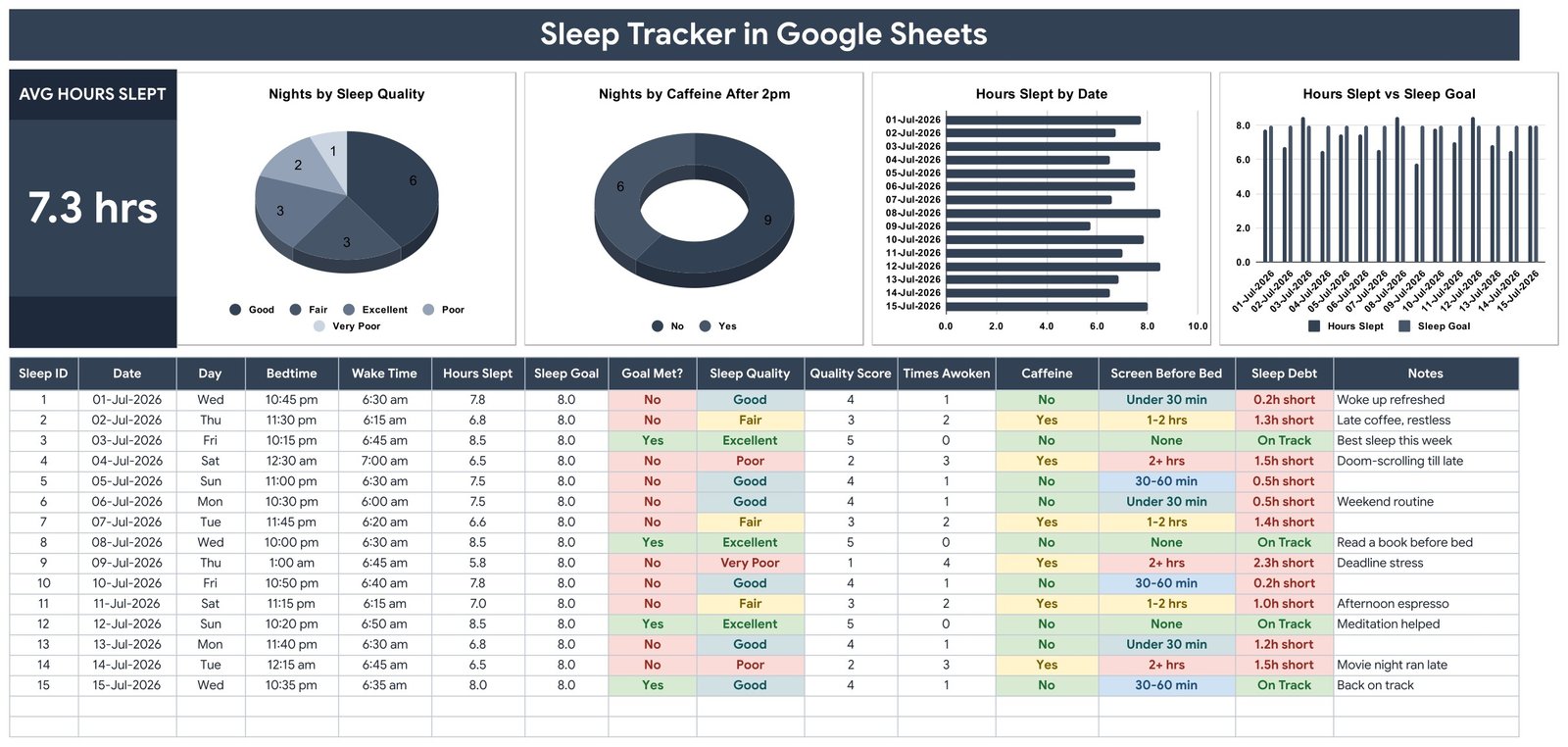
- Average Hours Slept card – a single large figure across every night you have logged, sitting to the left of the charts.
- Four charts, one row – Nights by Sleep Quality, Nights by Caffeine After 2pm, Hours Slept by Date and Hours Slept vs Sleep Goal.
- Six calculated columns – Sleep ID, Day, Hours Slept, Goal Met?, Quality Score and Sleep Debt are all formulas; you never touch them.
- Midnight-safe maths – a 10:45 pm bedtime and a 6:30 am wake time returns 7.8 hours, not a negative number.
- Sleep Goal is yours to set – the sample uses 8.0 as a placeholder; change it to whatever you are aiming for and Goal Met? and Sleep Debt follow.
- Three dropdown columns – Sleep Quality, Caffeine After 2pm and Screen Before Bed pull from the List tab, rows 2-500.
- Colour-coded cells – quality, caffeine, screen time and sleep debt shade themselves so a bad stretch is visible at a glance.
- Charts read the data directly – rows 16-1000 with the built-in Aggregate option, so nothing breaks when you add nights.
- A Notes column – “late coffee, restless” or “read a book before bed” is often the most useful column on the sheet.
What’s Inside the Sleep Tracker in Google Sheets
Sleep Tracker – the main page
Everything lives on one tab. The Average Hours Slept card and the four charts sit across the top; the log runs underneath with 15 columns: Sleep ID, Date, Day, Bedtime, Wake Time, Hours Slept, Sleep Goal, Goal Met?, Sleep Quality, Quality Score, Times Awoken, Caffeine, Screen Before Bed, Sleep Debt and Notes. Quality Score converts the Excellent-to-Very Poor scale into 5 to 1 so it can be averaged and charted.
How to Use – the built-in instructions
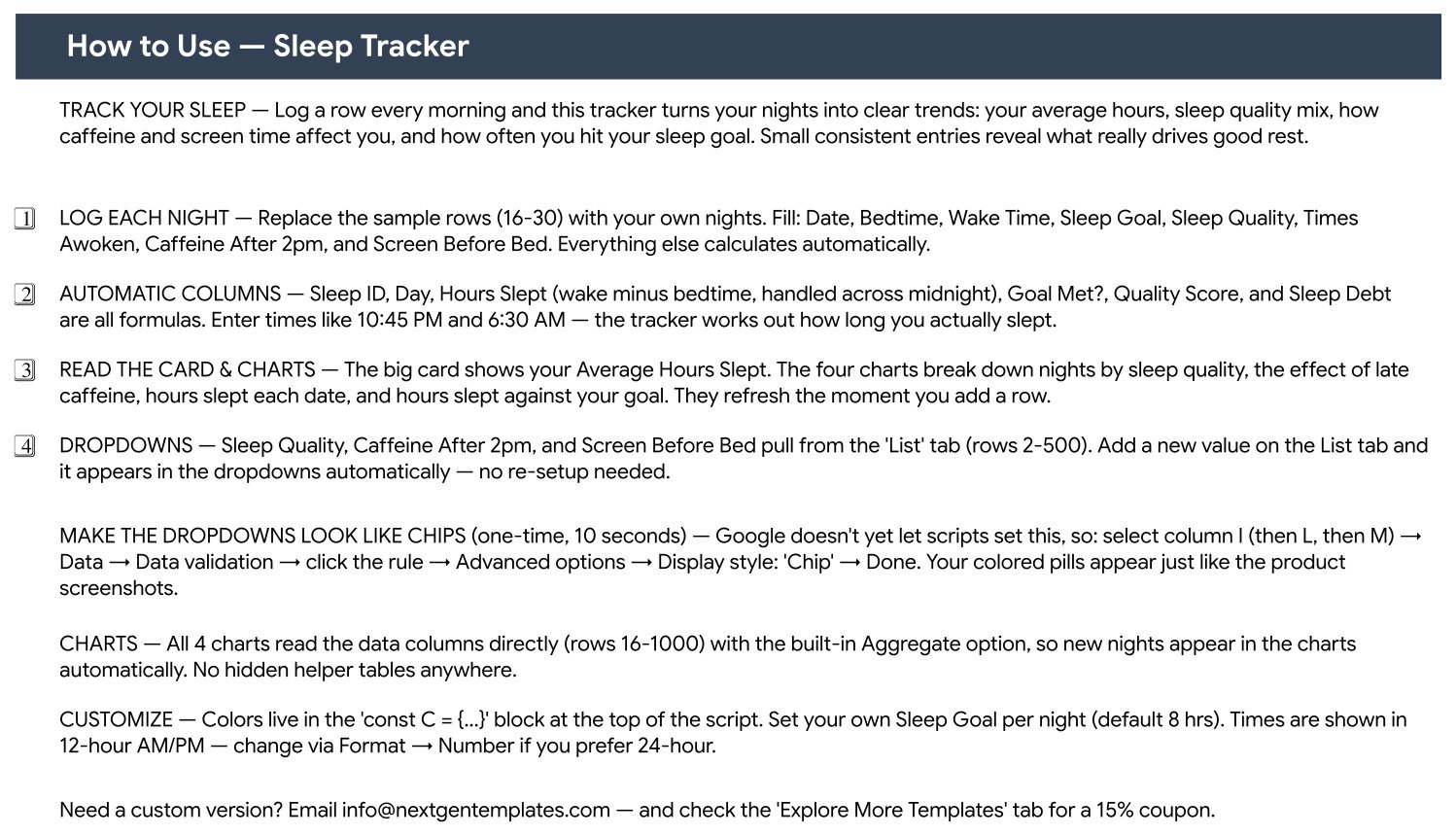
A second tab explains the whole sheet in four numbered steps plus notes on charts, dropdowns and customisation, including the one-time trick for turning the dropdowns into coloured chips through Data validation. Nothing is hidden in a separate manual.
List – the dropdown source
Sleep Quality, Caffeine After 2pm and Screen Before Bed all read this tab. Type a new value in rows 2-500 and it shows up in the dropdown immediately – no re-setup, no script editing.
Explore More Templates
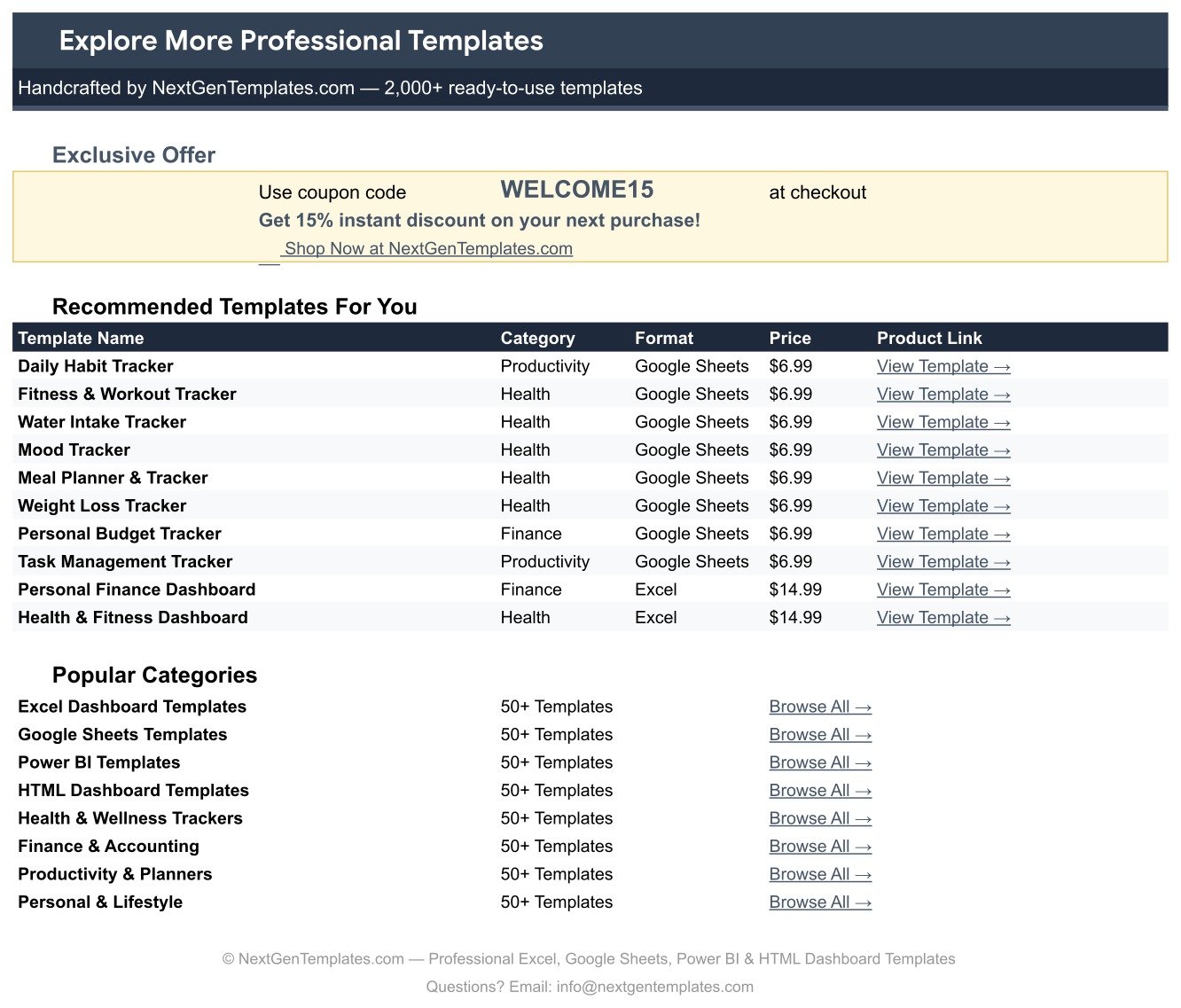
The last tab carries the WELCOME15 coupon for 15% off your next purchase and a short list of related trackers and dashboards.
Sleep Tracker in Google Sheets vs. an Excel Sleep Log vs. a Paid Sleep App – Where This Fits
| Sleep Tracker in Google Sheets | Excel sleep log | Paid sleep app subscription | |
|---|---|---|---|
| Cost | 6.99 one-off | Free file, but you build it | 4-10 per month, per person |
| Platform | Google Sheets, browser or app | Desktop Excel or Microsoft 365 | Phone app, vendor cloud |
| Setup time | About 2 minutes – copy and start typing | An evening of formulas and charts | Minutes, plus account creation |
| Real-time collaboration | Yes, native | Only via OneDrive co-authoring | Rarely – accounts are personal |
| Mobile access | Yes, Sheets app | Limited on mobile Excel | Yes |
| Customisable fields | Add any column you like | Yes | No – fixed fields |
| Share with link | Yes | File send or cloud link | Usually no |
| Year-1 cost at 5 people | 6.99 total | Your time x 5 rebuilds | 240-600 |
| Needs a wearable | No – you type what you observed | No | Often yes |
| Who holds the data | Your own Google Drive | Your own disk | The vendor |
Who This Template Is For – and Who It’s Not For
A good fit if you want a written record of your own nights in a file you control; you already live in Google Sheets; you want to see whether late caffeine or screen time lines up with the nights you rated poorly; you are keeping a log to take to an appointment; or you simply prefer typing 30 seconds each morning over wearing something to bed.
Not for you if you want automatic capture from a watch or ring – this sheet has no device integration and you enter every value by hand. It does not stage sleep, measure oxygen or heart rate, score anything against a clinical scale, or produce a report intended for diagnosis. It is a personal log, not a medical device and not a substitute for advice from a qualified professional. If you are worried about your sleep, talk to a clinician – and bring the log with you if it helps.
How to Use the Sleep Tracker in Google Sheets
- Open the PDF in your download and click the Make a copy link. The tracker lands in your own Google Drive.
- Set your Sleep Goal. The sample rows carry 8.0 as a placeholder – replace it with the figure you are aiming for.
- Overwrite the 15 sample nights in rows 16-30 with your own. Fill Date, Bedtime, Wake Time, Sleep Goal, Sleep Quality, Times Awoken, Caffeine After 2pm and Screen Before Bed.
- Let the formulas run. Sleep ID, Day, Hours Slept, Goal Met?, Quality Score and Sleep Debt fill themselves in.
- Add one row every morning. Times go in as 10:45 PM and 6:30 AM; the charts and the average card update as you go.
- Tune the lists. Add your own quality wording or screen-time bands on the List tab and the dropdowns pick them up.
- Optional: turn the dropdowns into chips – select column I, then L, then M, Data, Data validation, click the rule, Advanced options, Display style Chip.
Real-World Use Cases
Priya, a shift-working nurse. Her bedtimes swing from 10 pm to 3 am, so a phone app’s weekly average tells her nothing. She logs each night with the shift in Notes, and Hours Slept vs Sleep Goal shows her exactly which rotations leave her short.
Daniel, training for a half marathon. He keeps this next to his mileage log and puts long-run days in Notes. Nights by Sleep Quality gives him a plain count of how his rest looked across a training block, alongside his workout log.
Aisha, keeping a record before an appointment. Her doctor asked for four weeks of bedtimes, wake times and how often she woke. She fills one row each morning and prints the tab – the Times Awoken and Notes columns do most of the work.
Frequently Asked Questions
Is this medical advice?
No. It is a spreadsheet for recording and charting what you observed about your own nights. It does not diagnose, treat or assess anything, and it makes no recommendation about how much sleep you should get. For anything health-related, speak to a qualified professional.
Does it tell me how many hours I should sleep?
No. You type your own Sleep Goal and every downstream column – Goal Met?, Sleep Debt, the goal chart – simply compares your logged hours against that number. The 8.0 in the sample rows is a placeholder, not a recommendation.
Does it connect to my watch, ring or phone?
No. Every value is typed in by you. That is deliberate: it keeps the file yours, with no accounts, permissions or vendor sync involved.
What happens if I go to bed after midnight?
It is handled. Hours Slept subtracts across midnight, so a 1:00 am bedtime and a 6:45 am wake time returns 5.8 hours rather than a negative result.
Will the charts still work after 500 nights?
Yes. The charts are built on rows 16-1000 of the data columns using the built-in Aggregate option, so they keep including new rows without any helper tables.
Can I add my own columns?
Yes. Add columns to the right of Notes and the existing formulas and charts are unaffected. You can also change the wording of any dropdown on the List tab.
Do I need Excel or a paid Google account?
Neither. A free Google account is enough. If you prefer Excel you can download the copy as .xlsx, though the chip-style dropdowns are a Sheets feature.
About the Author
Built by PK – Microsoft Certified Professional with 15+ years of Excel, Google Sheets, and Power BI experience. Founder of NextGenTemplates, reaching 300K+ subscribers across YouTube channels. Every template is hand-built and tested before release.
Explore Related Templates
- Water Intake Tracker in Google Sheets – the same one-page logging pattern for hydration.
- Calorie & Macro Tracker in Google Sheets – a food log that sits naturally beside this one.
- Daily Steps Tracker in Google Sheets – daily movement in the same format.
- 30-Day Fitness Challenge Tracker in Google Sheets – a fixed 30-day companion log.
- Fitness and Wellness Dashboard in Google Sheets – the multi-page version when one tab is no longer enough.
- Browse every Google Sheets tracker or the full Google Sheets template catalogue.
Ready to start? Add the Sleep Tracker in Google Sheets to your cart, open the PDF, click Make a copy, and log tonight. Read the full walkthrough on NeoTechNavigators, and use WELCOME15 for 15% off your next template.
Reminder: this template is a personal logging and charting tool. It is not medical advice, not a diagnostic tool, and not a replacement for a qualified professional.
Watch the step-by-step video Demo:
Last updated: 15 August 2026.






























Reviews
There are no reviews yet.