


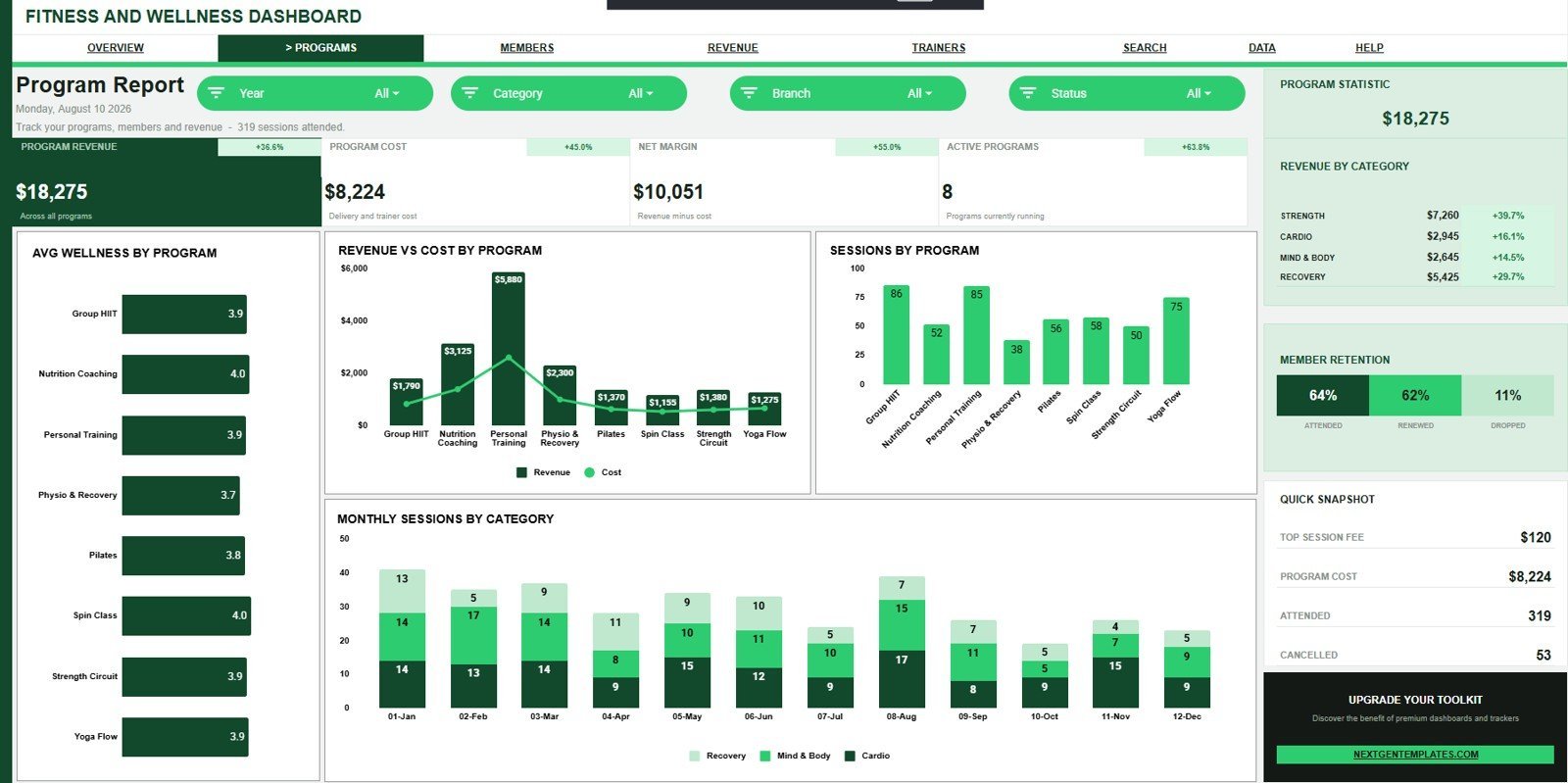


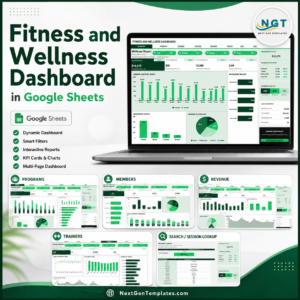
Fitness and Wellness Dashboard in Google Sheets helps gyms, wellness centers, studios, trainers, and program managers review 7 sheet tabs, 4 executive cards, 20 chart views, slicers, a Session ID search sheet, and a clean data sheet from one editable Google Sheets file. For a one-time $9.99 sale price, it turns session records into revenue, attendance, active-minute, and wellness-score analysis without a monthly reporting app. Built by PK for a 300K+ subscriber audience, the template gives teams a low-risk way to replace scattered manual reports with a shared Drive-based dashboard.
Key Features of Fitness and Wellness Dashboard in Google Sheets
- 4 overview KPI cards: Track Total Revenue, Total Sessions, Active Minutes, and Avg Wellness.
- 7 organized tabs: Overview, Program Report, Member Report, Revenue Report, Trainer Report, Search, and Data Sheet.
- 20 analysis charts: Review revenue, sessions, cost, wellness score, membership mix, branches, trainers, and monthly trends.
- Interactive slicers: Filter the dashboard quickly during monthly gym, studio, or wellness program reviews.
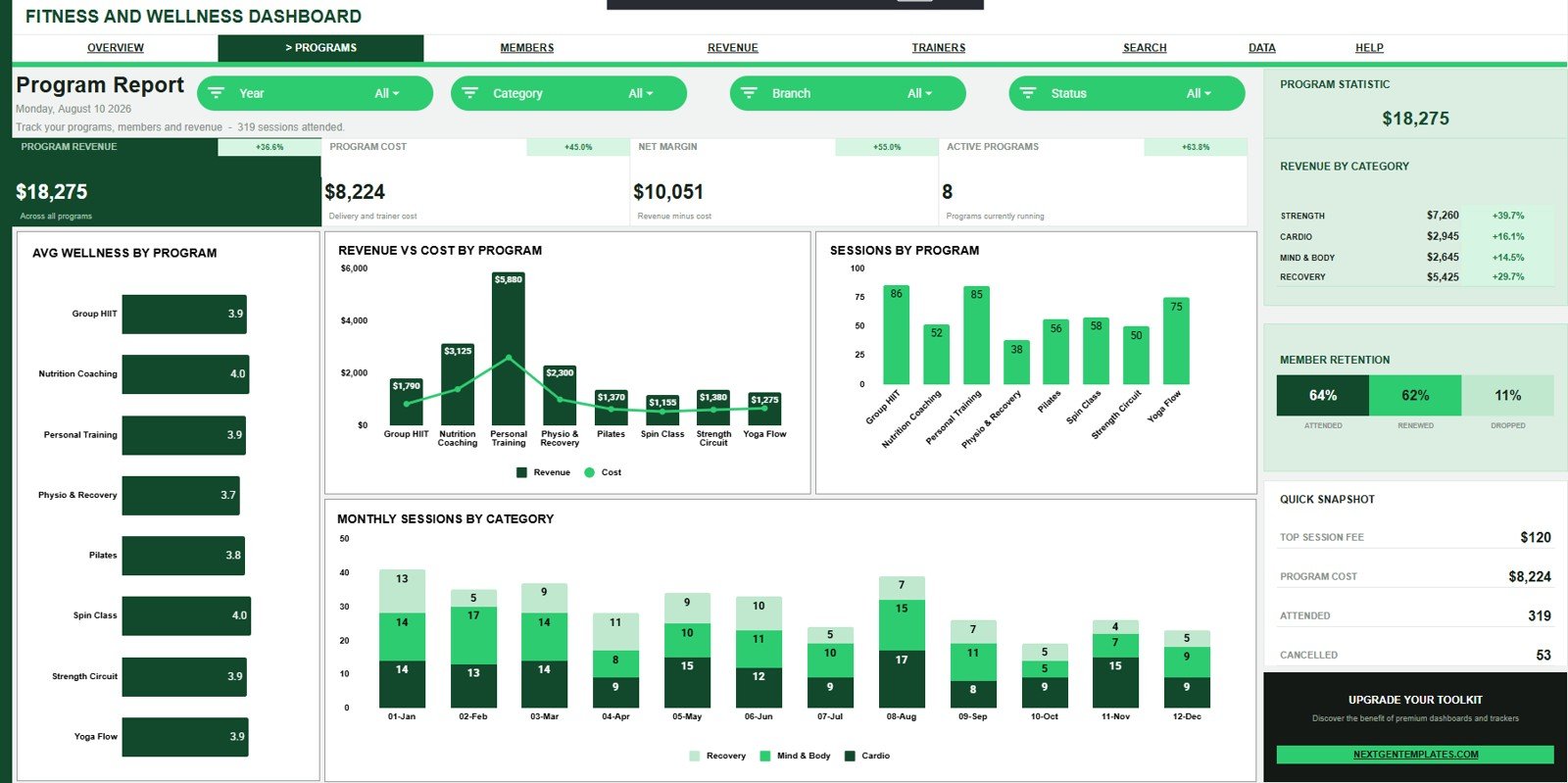
- Program reporting: Compare average wellness, revenue, program cost, sessions, and category trends.
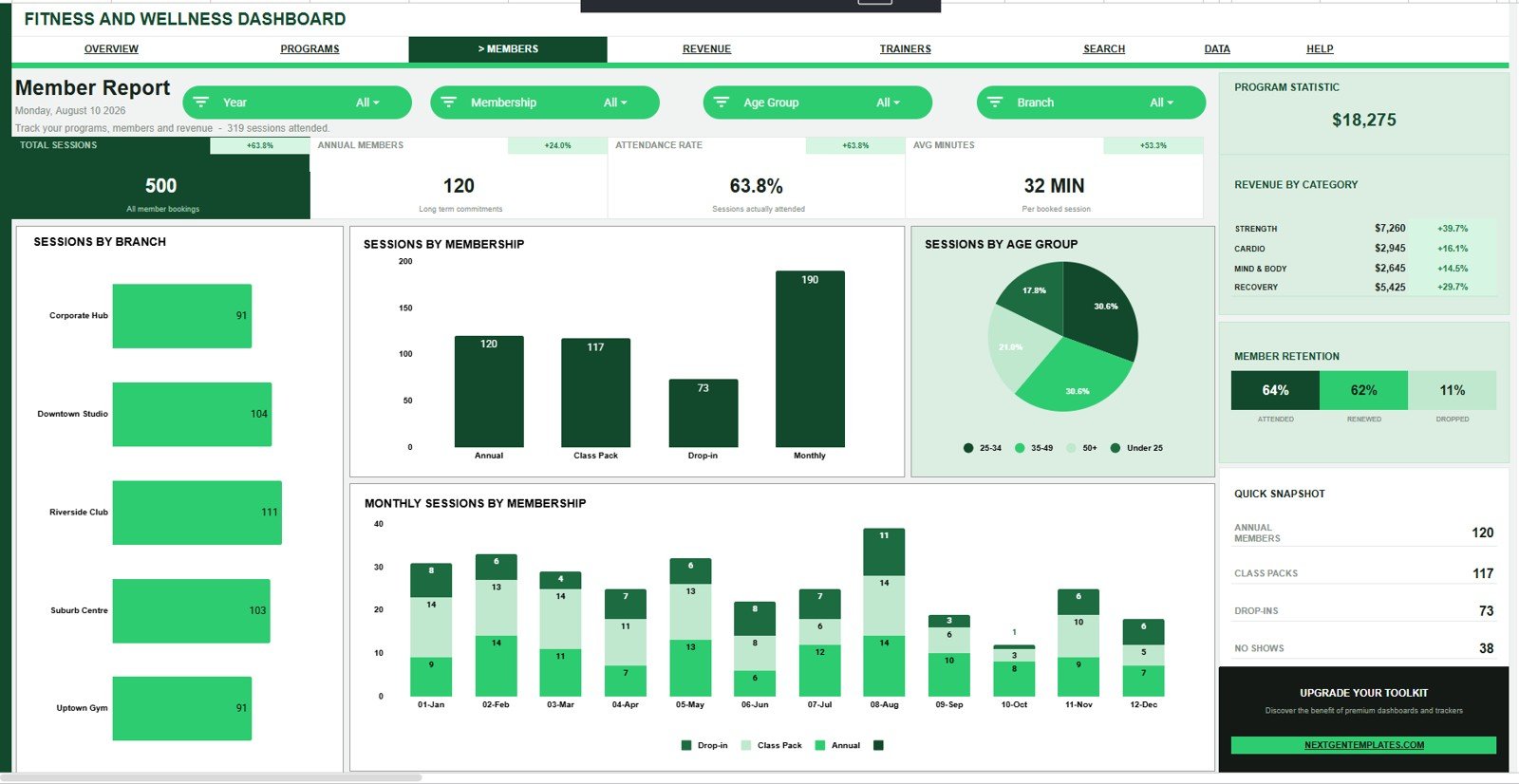
- Member reporting: Analyze sessions by branch, membership, age group, and monthly membership activity.
- Trainer reporting: Track wellness score, average trainer score, sessions, and active minutes over time.
- Session ID lookup: Select one session and see the complete record in one place.
What’s Inside the Fitness and Wellness Dashboard in Google Sheets
1 – Overview Page
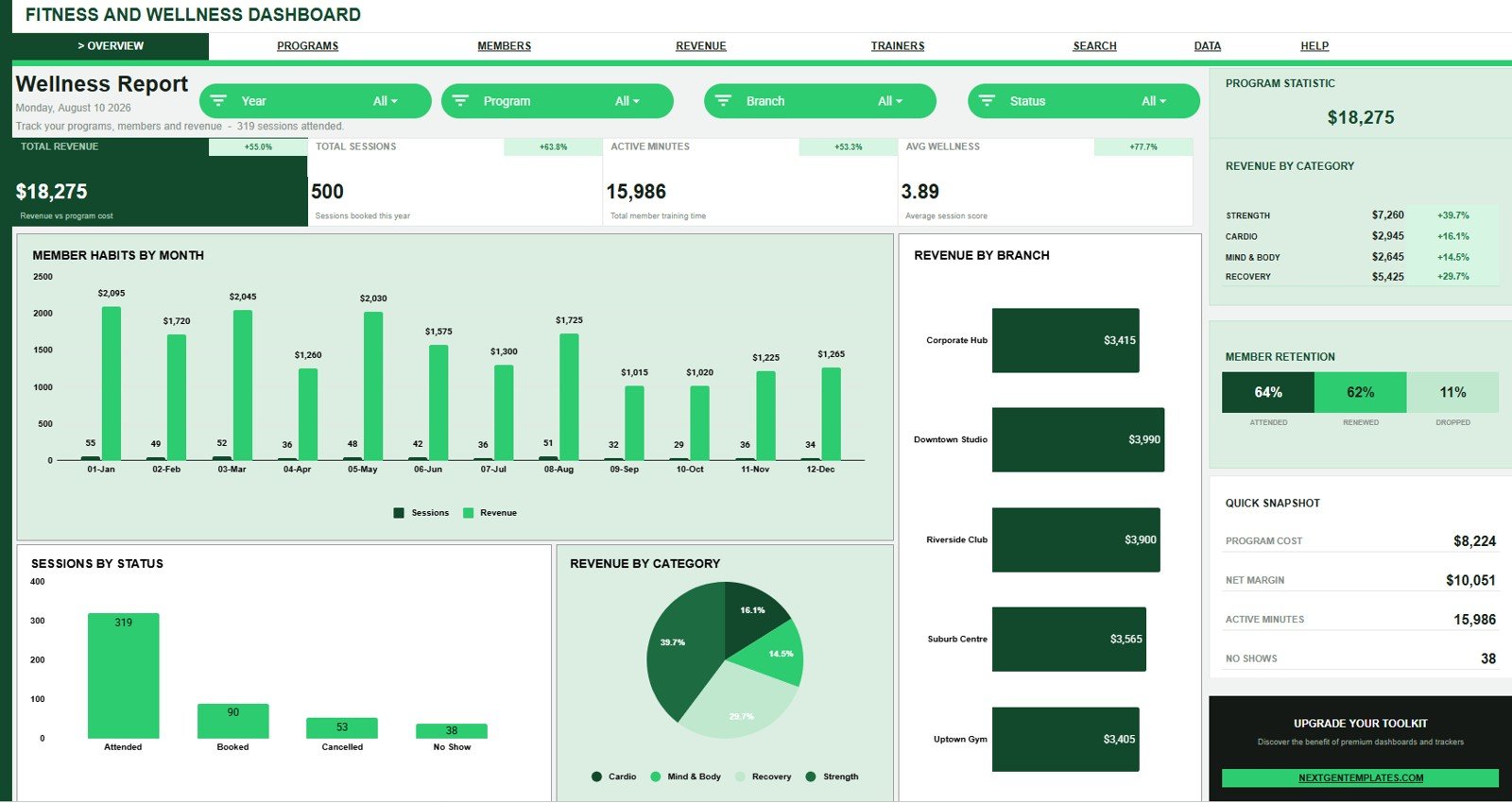
The Overview page gives leadership a fast readout of Total Revenue, Total Sessions, Active Minutes, and Avg Wellness. Slicers let users filter the dashboard quickly, while charts show sessions and revenue by month, revenue by branch, sessions by status, and revenue by category.
2 – Program Report
The Program Report helps compare fitness and wellness programs by Avg Wellness, revenue, cost, sessions, and monthly category volume. It is useful for deciding which classes, services, and programs deserve more capacity or review.
3 – Member Report
The Member Report focuses on session distribution by branch, membership type, age group, and month. It helps studios understand who is attending, where demand is coming from, and which membership groups are most active.
4 – Revenue Report
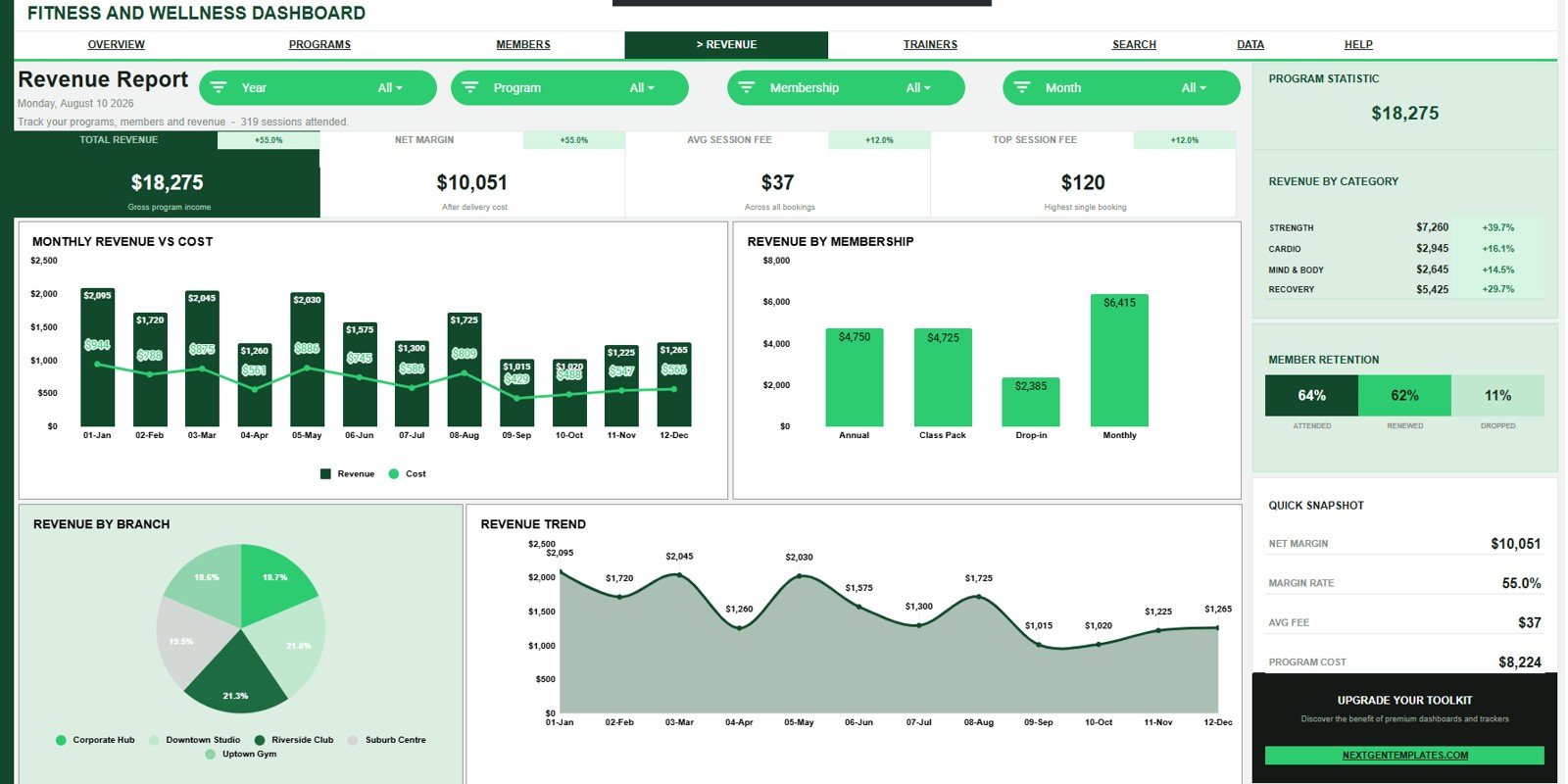
The Revenue Report separates income and cost analysis from general activity reporting. Monthly revenue, monthly cost, branch revenue, membership revenue, and trend views make it easier to spot the strongest and weakest commercial drivers.
5 – Trainer Report
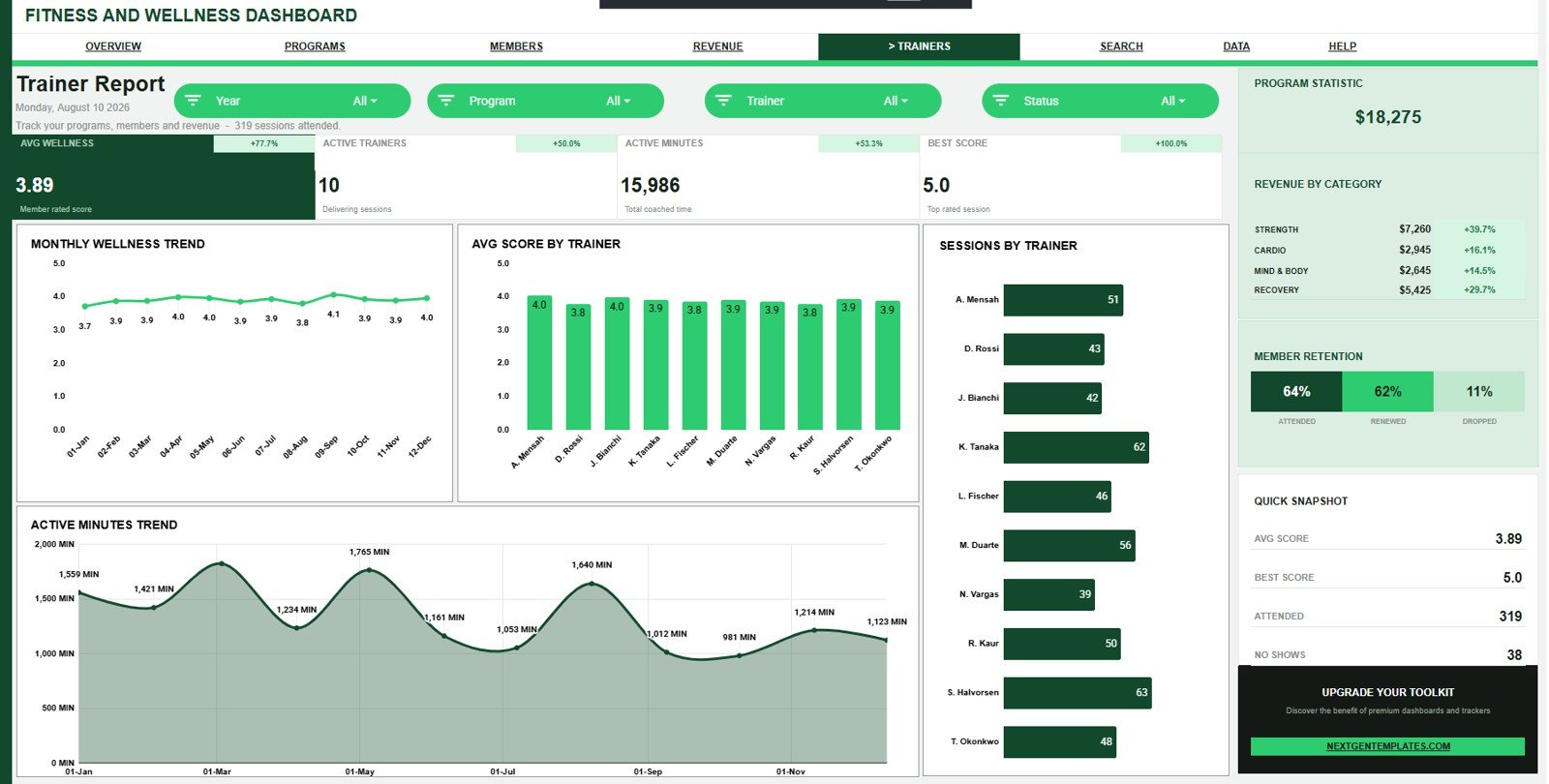
The Trainer Report connects trainer activity with wellness outcomes and active-minute trends. Managers can compare average score by trainer, sessions by trainer, wellness score by month, and active minutes by month.
6 – Search Sheet Tab
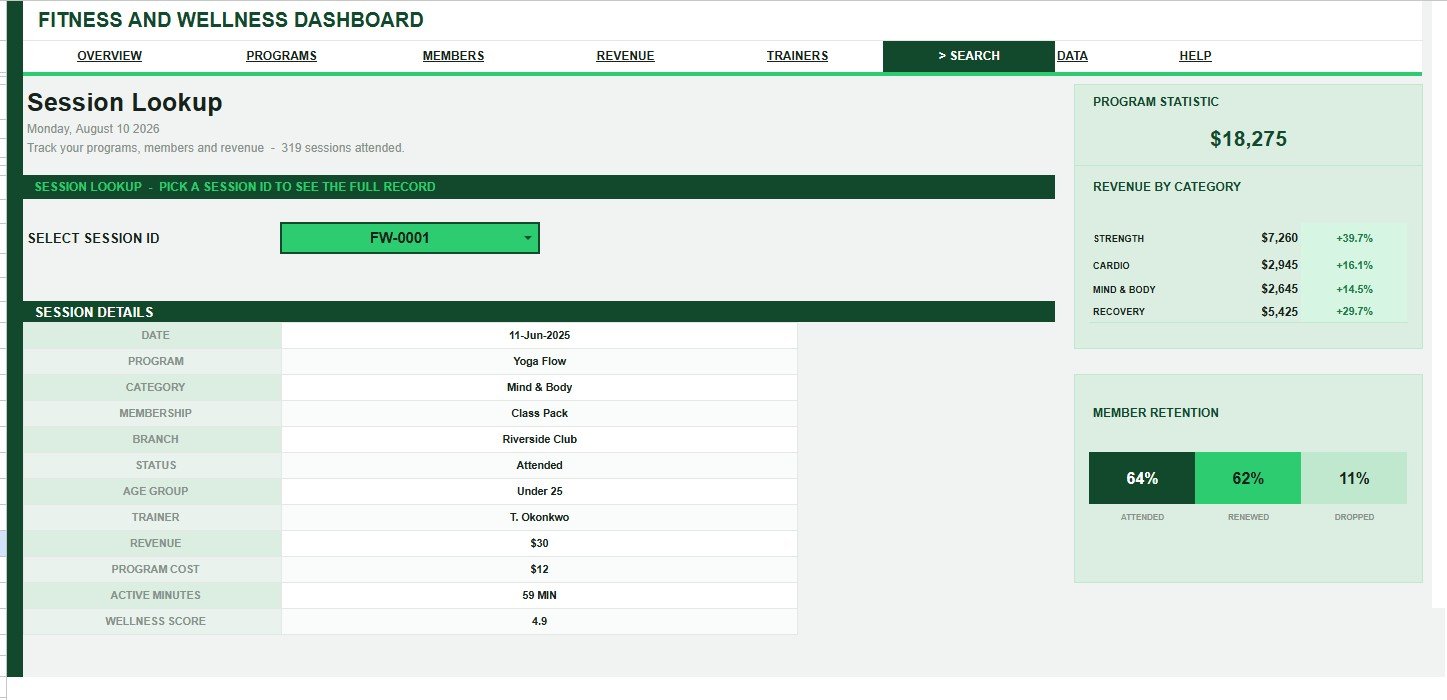
The Search sheet lets users select a Session ID and see date, program, category, membership, branch, status, age group, trainer, revenue, program cost, active minutes, and wellness score in one place.
7 – Data Sheet Tab
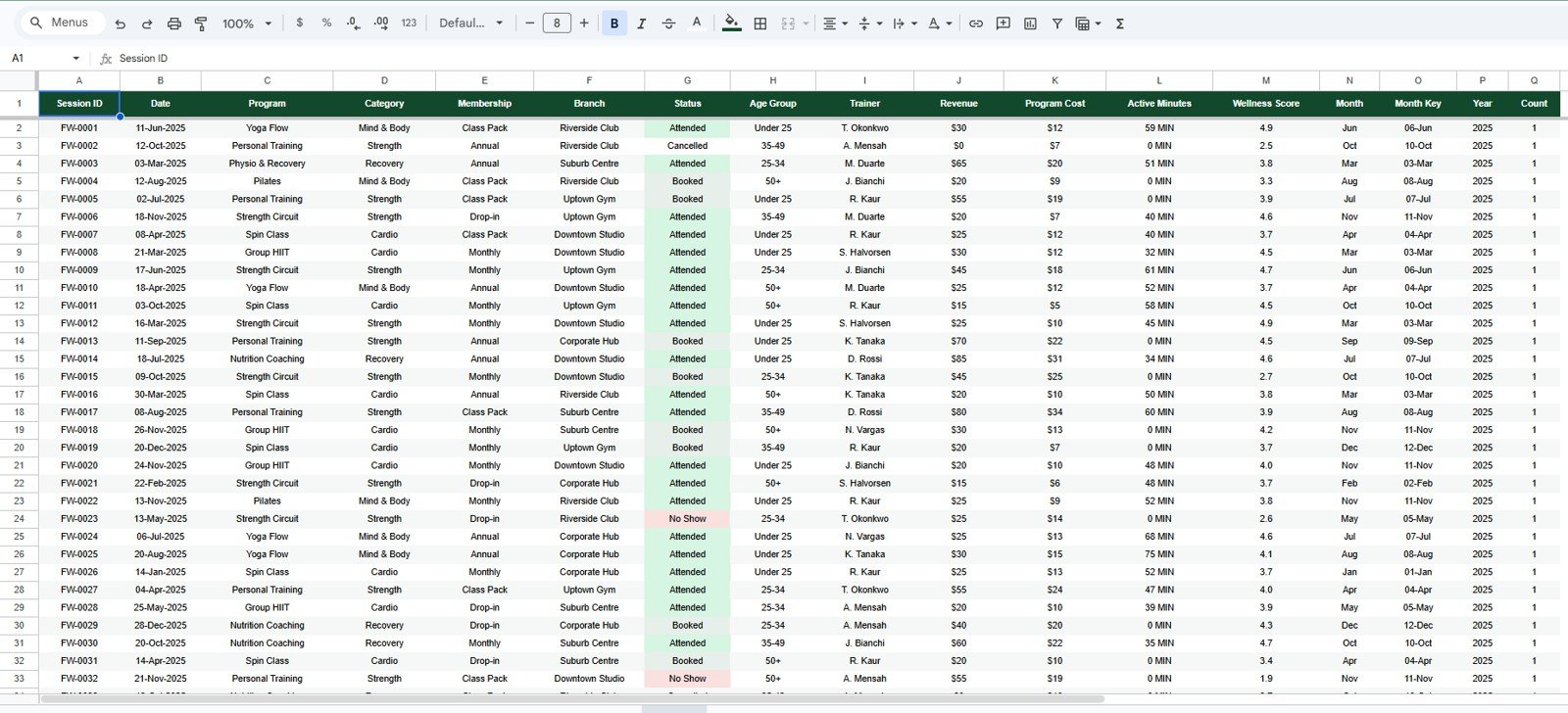
The Data Sheet is where users add their own records in the same column format as the sample data. Keeping the structure consistent protects the cards, slicers, reports, charts, and search lookup.
Fitness and Wellness Dashboard in Google Sheets vs. Microsoft Excel vs. Paid Fitness SaaS – Where This Fits
| Feature | This Google Sheets dashboard | Microsoft Excel dashboard | Paid fitness SaaS |
|---|---|---|---|
| Cost | $9.99 one-time sale price | Template cost plus Excel access | Monthly or annual subscription |
| Platform | Google Sheets in browser | Excel desktop or web | Vendor-hosted app |
| Setup time | Create copy, replace data, review | Open workbook and refresh | Onboarding and configuration |
| Real-time team collaboration | Built into Google Drive sharing | Works best with OneDrive or SharePoint | Usually included by plan |
| Mobile access | Google Sheets app or browser | Excel app or web viewer | Usually included |
| Customizable fields | Edit the sheet, formulas, and source data | Edit workbook formulas and pivots | Often limited by vendor settings |
| Share with link | Yes, through Google Drive permissions | Yes, with Microsoft sharing setup | Usually login controlled |
| Year-1 cost at 5 users | $9.99 plus any Google Workspace cost | Template plus licensing | Often hundreds or thousands |
| Fitness reporting depth | 20 chart views plus search and data tabs | Depends on workbook design | Plan dependent |
Who This Template Is For – and Who It’s Not For
This template is for gym owners, wellness center managers, boutique studio operators, personal training teams, sports and fitness consultants, and analysts who already have session records and want a quick reporting layer in Google Sheets.
It is not a booking engine, payment processor, member portal, workout app, wearable sync tool, or medical record system. If you need live class scheduling, automated billing, client messaging, or regulated health data workflows, use this dashboard only as a reporting layer after data has been exported safely.
How to Use the Fitness and Wellness Dashboard in Google Sheets
- Open the product download and follow the Google Sheets copy guide.
- Create your own editable copy in Google Drive.
- Go to the Data Sheet tab and replace sample rows in the same format.
- Review the Overview page first, then open Program, Member, Revenue, and Trainer reports.
- Use slicers to filter by available fields such as branch, program, status, category, membership, or trainer.
- Use the Search sheet to inspect one Session ID when a record-level check is needed.
Real-World Use Cases
Maya, fitness studio owner: reviews sessions and revenue by month before deciding which programs need more class slots.
Daniel, wellness program manager: compares Avg Wellness by Program and Average Score by Trainer during monthly service reviews.
Aisha, operations analyst: uses branch, membership, and age-group reporting to explain where attendance is growing and where follow-up is needed.
Frequently Asked Questions
What does this dashboard track?
It tracks revenue, sessions, active minutes, wellness scores, programs, categories, memberships, branches, status, age groups, trainers, cost, and monthly trends.
Do I need Excel?
No. This template is built in Google Sheets and works in the browser after you create your own Drive copy.
Can I replace the sample data?
Yes. Add your own session rows to the Data Sheet tab using the same column format.
Does it include a search sheet?
Yes. Select a Session ID to view the full record, including revenue, program cost, active minutes, and wellness score.
Can multiple team members use it?
Yes. You can share the copied Google Sheet with viewers or editors through Google Drive permissions.
Is this a full gym management system?
No. It is a reporting dashboard, not a booking, payment, member communication, or access-control platform.
About the Author
Built by PK – Microsoft Certified Professional with 15+ years of Excel, Google Sheets, and Power BI experience. Founder of NextGenTemplates, reaching 300K+ subscribers across YouTube channels. Every template is hand-built and tested before release.
Explore Related Templates
- Fitness Trainer Dashboard in Google Sheets – trainer and session reporting for personal training teams.
- Fitness Studio KPI Dashboard in Google Sheets – KPI dashboard for studio membership, attendance, and revenue tracking.
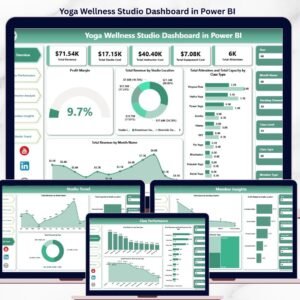
- Yoga Wellness Studio Dashboard in Power BI – studio analysis for Power BI users.
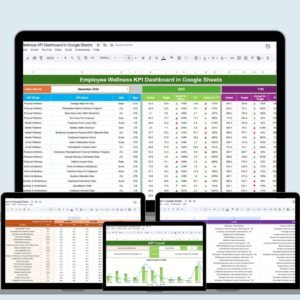
- Employee Wellness KPI Dashboard in Google Sheets – employee wellness KPI reporting.
- Google Sheets templates – browse the full Google Sheets collection.
- Google Sheets dashboard templates – browse more dashboard products.
Download the Fitness and Wellness Dashboard in Google Sheets to review sessions, revenue, trainer activity, active minutes, and wellness scores in one editable workbook.
Watch the step-by-step video Demo:
Last updated: August 10, 2026.

























Reviews
There are no reviews yet.